
SLIDE 1
2006 - SEP
Stockpile Volume Calculation
In conjunction with
Supplied by
Stuart Jack & Hamish Cameron Fusion ERP
“..any sufficiently advanced technology is indistinguishable from magic.” Arthur C. Clark
Stockpile Volume Calculation Supplied by Stuart Jack & Hamish - - PowerPoint PPT Presentation
Stockpile Volume Calculation Supplied by Stuart Jack & Hamish Cameron Fusion ERP In conjunction with ..any sufficiently advanced technology is indistinguishable from magic. Arthur C. Clark 2006 - SEP FRAME WORK OF PRESENTATION
2006 - SEP
In conjunction with
Stuart Jack & Hamish Cameron Fusion ERP
“..any sufficiently advanced technology is indistinguishable from magic.” Arthur C. Clark
INTRODUCTION POWER POINT DEMOS: Volumetric calculation of a stockpile Inputs (rail trucks and trailers) Outputs (conveyors & containers) Other DISCUSSION / QUESTIONS
Digital System, record Real time monitoring Layout of stockpiles PREDICT AND ALARM Automatic systems, no human involvement CCTV / IP Decreased costs, improved performance
! Better Definition of Contrasting Areas ! Improved Precision/Accuracy in
Measurements
! Reproducibility of Results ! Higher Throughput than Manual Methods
!Eyes are very good contrast adjusters, but
not good for distinguishing subtle variations in color
!Eyes can discern about 30 continuous levels
!Eyes are not good judges of distance !Eyes cannot accurately reproduce
measurements
IMAGING DEVICE (X NO OF CAMERAS) Frame Grabber / IP
IA Software
PC Station
Fusion ERP
Visual / Audio SMS / E-Mail Alarms
Acquire Process Identify Analyze Report
!Proper setup of imaging apparatus is vital !Obtain maximum contrast and dynamic range !Reduce “noise” and other unwanted artifacts
Operate in real time; utilised extensively world
software delivers cutting-edge security and split-second processing times. The ability to automatically predict and identify those involved in wrongful unitisation of resources greatly empowers traditional systems
U.S.A. Mexico Colombia Brazil Spain U.K. Holland Hungary Litha Italy Israel China Hong Kong Korea Taiwan Thailand Singapore Argentina South Africa Australia
machine vision (and other similar applications) is through a dedicated frame grabber/ image acquisition board installed in a PC.
PC
as Ethernet, USB and FireWire have been early candidates for serving as a digital serial camera interface.
efficiency and standardization ruled these candidates out for many years, and the industry has continued to use frame grabber based solutions.
Low Low High Low Low CPU Load PCI Frame grabber 1 <10m Repeater is possible 100’s of meters <2380Mb/s (base) <7140Mb/s (full) continuous mode Point to point – link (MDR 26 pin) Commercial Camera Link PCI Frame grabber On mother board PCI card GigE NIC (on mother board) PC Interface Depends on MUX 127 63 Unlimited Max number of devices: 100’s of meters <5m 30m <4.5m 72m 200m <100m (no switch) No Limit No Limit Distance:
Depends on digitization in Frame Grabber <480Mb/s USB2 burst mode <800Mb/s continuous mode, equivalent to 65 Mbytes/sec <1000Mb/s continuous mode, equivalent to 100 Mbytes/sec Performance: Point to point/multiplexed Master/slave – shared bus Peer to peer – shared bus Point to point or LAN link (Cat 5 TP - RJ45) Connection Type: Commercial /Broadcast Consumer/ Office Consumer/ Computer Network Commercial Type of standard: Analogue Coax or Twisted Pair USB2 IIDC IEEE 1394B GigE Vision Technology:
100 BaseT ethernet,
using standard TCP/IP Windows stack makes it less attractive for demanding applications due to: – Small packets – High CPU usage
– By adopting a modified protocol [based on UDP] with “jumbo” packets and
by implementing a high performance driver reducing CPU usage to a few percent, an attractive solution is created.
S tandard packet: 1440 Bytes (56 Bytes header) ” Jumbo” packet: Max. 16224 Bytes (one 56 Bytes header)
96.1% efficiency* 99,7% efficiency*
In combination with a High Performance Driver, based on
TCP/IP offload-engine, it provides
higher transmission efficiency and drastically reduces CPU usage.
(High CPU overhead for sending many small packets) (Very low CPU overhead as only one packet)
*) Comparison based on sending 16224 byt es of data
Lens Image sensor Digitizing
Pre-processing
Timing Interface PLC Cat-5e Ethernet cable up to 100 m Local I/ Os:
Illumination control Image Processing in PC Illumination (Lens Iris Video) Power
Example showing Gigabit Ethernet camera interface, with additional functionality
100110001010001110001010011100100100011101100011001010001000 PC PC
Point-to-point (One camera, one PC)
GigE S witch
Many-to-one (Multiple cameras,
One-to-many (broadcast) (One or several cameras, with several PCs)
– 640 x 480 pixels – 1/3” format – 200 frames / sec.
– 2048 x 2048 pixels – 1.2” format – 15 frames/sec.
– 1392 x 1040 pixels – 1/2” format – 30 frames/sec.
–Smaller cameras –Higher performance –Cost reduction –Monochrome and color –Extensive pre-processing capability –Higher interface speed (10 GigE) –Resolution ranging from VGA to megapixel –Ease of implementation
Conventional methods of surveying are over- shadowed when it comes to volume calculations. These following examples show the speed and accuracy of this method, and highlight how safety is an important issue. Volumes
measured.
Improving Productivity As companies employ total quality management methods to increase their competitive advantage, accurate volume measurement is becoming vital. This method delivers reliable results for reconciliation and contractor payments. An
in North America.
Stockpiles for varying resources have been scanned:
Products chemical grade limestone mine The results far exceed the speed and accuracy of conventional methods
Volume studies on haulage vehicles including trucks, trains, shovels or draglines. Accurate measurements can help resolve reconciliation issues, with minimal interruption to normal production.
Cone stockpiles pose a safety risk to surveyors. Conventional surveying methods are impossible due to the reeling of the stockpile and because the stockpile is often fed from above and extracted from
providing more accurate volumes., Due to safety reasons Anaconda at Murrin Murrin operations, it has previously proved difficult to obtain good
work, providing accurate results which are unobtainable by other methods
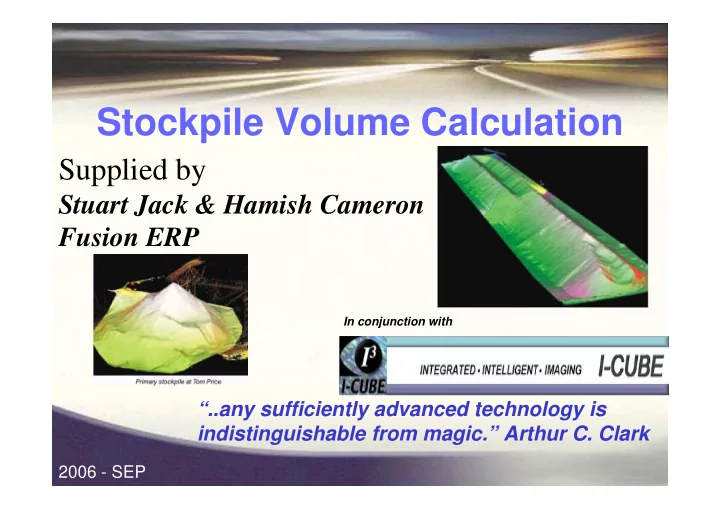
Below is a large 290m long, 15m high coal stockpile, and a smaller reclaimed stockpile. The 3D models provide a realistic representation of the surfaces, giving more accurate volumes compared to more commonly used methods.
Tracking trains / truck / container from origin to destination: Reconciling weight & Contents
Licence Plate to a database of registration numbers.
software (application + recognition library)
image and recognition results
and activate alarm (IP/RS232/DEE)
1 - Capture 2 – Find object 3 – OCR 4 – Report
5 – Alarm
Camera/Illumination Units (Up to 6 per system) Frame Grabber SEETRAIN Software + DLL+ Sample Client Program
PC Station
Included Hardware I/O Card +Terminal Block Power Supply for SCH
SEE TRAIN Installation for TWO POINTS TRAIN approaches trigger zone
Camera / Illumination unit
PC Station
Train Sensor (camera zone or loop on the track)
Camera / Illumination unit
OCR
61011258
Train Sensor
Recognise number PC Station
LPR TRIGGER EVENT
Recognition Rate: 0.1 sec
Options exist to capture LOAD information and link load to number
Picture of load, possibly compared to load when train departed
LOAD
captured
Recognition Rate: 0.1-1 s
per vehicle (or 1-3 / s)
Vehicle logged at both POINT A & B. If weight differs by more than 1%, alarm generated and variance investigated.
PC-FREE single-lane logging
Easy 2-Screws Installation PC-Free stand-alone unit Low Cost! Obtain or update list, by: Micro-terminal
Revolutionary!
Automated Terminal Gate Portal & Pedestal OCR systems
Wagon ID
images and results
hardware and software)
illumination
A meeting with all stake holders to plan an appropriate way forward. Possibly this includes a LIVE DEMO or A visit to an exisiting site or A system design around an exiting port or A price for a typical solution or Some other suitable way to move forward