Statements So far, we ve used return statements and expression - - PDF document

statements
SMART_READER_LITE
LIVE PREVIEW

Statements So far, we ve used return statements and expression - - PDF document

1/30/14 Statements So far, we ve used return statements and expression statements. Control Flow Statements Most of C s remaining statements fall into three categories: o Selection statements: if and switch o Iteration


slide-1
SLIDE 1

1/30/14 ¡ 1 ¡

Control Flow Statements

1

Based on slides from K. N. King Bryn Mawr College CS246 Programming Paradigm

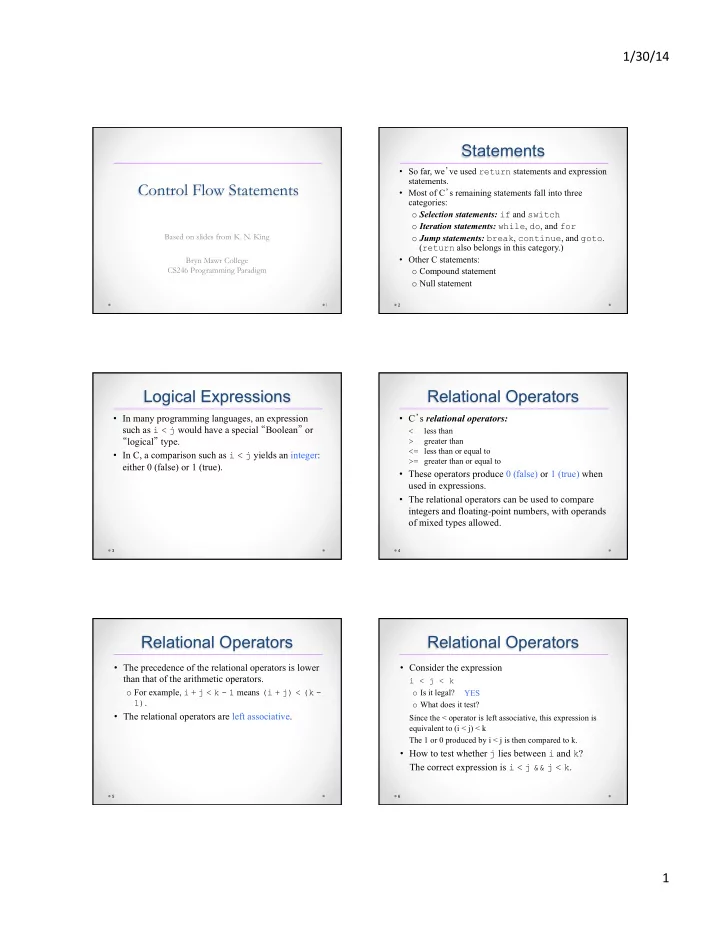
Statements

  • So far, we’ve used return statements and expression

statements.

  • Most of C’s remaining statements fall into three

categories:

  • Selection statements: if and switch
  • Iteration statements: while, do, and for
  • Jump statements: break, continue, and goto.

(return also belongs in this category.)

  • Other C statements:
  • Compound statement
  • Null statement

2

Logical Expressions

  • In many programming languages, an expression

such as i < j would have a special “Boolean” or “logical” type.

  • In C, a comparison such as i < j yields an integer:

either 0 (false) or 1 (true).

3

Relational Operators

  • C’s relational operators:

< less than > greater than <= less than or equal to >= greater than or equal to

  • These operators produce 0 (false) or 1 (true) when

used in expressions.

  • The relational operators can be used to compare

integers and floating-point numbers, with operands

  • f mixed types allowed.

4

Relational Operators

  • The precedence of the relational operators is lower

than that of the arithmetic operators.

  • For example, i + j < k - 1 means (i + j) < (k -

1).

  • The relational operators are left associative.

5

Relational Operators

  • Consider the expression

i < j < k

  • Is it legal?
  • What does it test?

Since the < operator is left associative, this expression is

equivalent to (i < j) < k The 1 or 0 produced by i < j is then compared to k.

  • How to test whether j lies between i and k?

The correct expression is i < j && j < k.

6

YES

slide-2
SLIDE 2

1/30/14 ¡ 2 ¡

Equality Operators

  • C provides two equality operators:

== equal to != not equal to

  • The equality operators are left associative and produce

either 0 (false) or 1 (true) as their result.

  • The equality operators have lower precedence than the

relational operators, so the expression

i < j == j < k

is equivalent to

(i < j) == (j < k)

7

Logical Operators

  • More complicated logical expressions can be built

from simpler ones by using the logical operators:

! logical negation && logical and || logical or

  • The ! operator is unary, while && and || are

binary.

  • The logical operators produce 0 or 1 as their result.
  • The logical operators treat any nonzero operand as

a true value and any zero operand as a false value.

8

Logical Operators

  • Behavior of the logical operators:

!expr has the value 1 if expr has the value 0. expr1 && expr2 has the value 1 if the values of expr1 and expr2 are both nonzero. expr1 || expr2 has the value 1 if either expr1 or expr2 (or both) has a nonzero value.

  • In all other cases, these operators produce the value

0.

9

Logical Operators

  • Both && and || perform “short-circuit” evaluation:

they first evaluate the left operand, then the right one.

  • If the value of the expression can be deduced from the

left operand alone, the right operand isn’t evaluated.

  • Example:

(i != 0) && (j / i > 0)

(i != 0) is evaluated first. If i isn’t equal to 0, then (j / i > 0) is evaluated.

  • If i is 0, the entire expression must be false, so there’s

no need to evaluate (j / i > 0). Without short-circuit evaluation, division by zero would have occurred.

10

Logical Operators

  • Thanks to the short-circuit nature of the && and ||
  • perators, side effects in logical expressions may

not always occur.

  • Example:

i > 0 && ++j > 0

If i > 0 is false, then ++j > 0 is not evaluated, so j isn’t incremented.

  • The problem can be fixed by changing the

condition to ++j > 0 && i > 0 or, even better, by incrementing j separately.

11

Logical Operators

  • The ! operator has the same precedence as the

unary plus and minus operators.

  • The precedence of && and || is lower than that
  • f the relational and equality operators.
  • For example, i < j && k == m means (i < j)

&& (k == m).

  • The ! operator is right associative; && and ||

are left associative.

12

slide-3
SLIDE 3

1/30/14 ¡ 3 ¡

The if Statement

  • The if statement allows a program to choose

between two alternatives by testing an expression.

  • In its simplest form, the if statement has the form

if ( expression ) statement

  • When an if statement is executed, expression is

evaluated; if its value is nonzero, statement is executed.

  • Example:

if (line_num == MAX_LINES) line_num = 0;

13

The if Statement

  • Confusing == (equality) with = (assignment) is

perhaps the most common C programming error.

  • The statement

if (i == 0) … tests whether i is equal to 0.

  • The statement

if (i = 0) …

assigns 0 to i, then tests whether the result is nonzero.

14

The if Statement

  • Often the expression in an if statement will test

whether a variable falls within a range of values.

  • To test whether 0 ≤ i < n:

if (0 <= i && i < n) …

  • To test the opposite condition (i is outside the

range):

if (i < 0 || i >= n) …

15

Compound Statements

  • In the if statement template, notice that statement

is singular, not plural:

if ( expression ) statement

  • To make an if statement control two or more

statements, use a compound statement.

  • A compound statement has the form

{ statements }

  • Putting braces around a group of statements forces

the compiler to treat it as a single statement.

16

The else Clause

  • An if statement may have an else clause:

if ( expression ) statement else statement

  • The statement that follows the word else is

executed if the expression has the value 0.

  • Example:

if (i > j) max = i; else max = j;

17

The else Clause

  • It’s not unusual for if statements to be nested inside
  • ther if statements:

if (i > j) if (i > k) max = i; else max = k; else if (j > k) max = j; else max = k;

  • Aligning each else with the matching if makes the

nesting easier to see.

18

slide-4
SLIDE 4

1/30/14 ¡ 4 ¡

The else Clause

  • To avoid confusion, don’t hesitate to add braces:

if (i > j) { if (i > k) max = i; else max = k; } else { if (j > k) max = j; else max = k; }

19

Cascaded if Statements

  • A “cascaded” if statement is often the best way to

test a series of conditions, stopping as soon as one

  • f them is true.
  • Example:

if (n < 0) printf("n is less than 0\n"); else if (n == 0) printf("n is equal to 0\n"); else printf("n is greater than 0\n");

20

Cascaded if Statements

  • Although the second if statement is nested inside

the first, C programmers don’t usually indent it.

  • Instead, they align each else with the original if:

if (n < 0) printf("n is less than 0\n"); else if (n == 0) printf("n is equal to 0\n"); else printf("n is greater than 0\n");

21

Cascaded if Statements

  • This layout avoids the problem of excessive

indentation when the number of tests is large:

if ( expression ) statement else if ( expression ) statement … else if ( expression ) statement else statement

22

Program: Calculating a Broker’s Commission

  • When stocks are sold or purchased through a broker, the

broker’s commission often depends upon the value of the stocks traded.

  • Suppose that a broker charges the amounts shown in the

following table:

Transaction size Commission rate Under $2,500 $30 + 1.7% $2,500–$6,250 $56 + 0.66% $6,250–$20,000 $76 + 0.34% $20,000–$50,000 $100 + 0.22% $50,000–$500,000 $155 + 0.11% Over $500,000 $255 + 0.09%

  • The minimum charge is $39.

23

Program: Calculating a Broker’s Commission

  • The broker.c program asks the user to enter the

amount of the trade, then displays the amount of the commission:

Enter value of trade: 30000 Commission: $166.00

  • The heart of the program is a cascaded if

statement that determines which range the trade falls into.

24

slide-5
SLIDE 5

1/30/14 ¡ 5 ¡

The “Dangling else”

  • When if statements are nested, the “dangling else”

problem may occur:

if (y != 0) if (x != 0) result = x / y; else printf("Error: y is equal to 0\n");

  • The indentation suggests that the else clause belongs

to the outer if statement.

  • However, C follows the rule that an else clause

belongs to the nearest if statement that hasn’t already been paired with an else.

25

The “Dangling else”

  • A correctly indented version would look like this:

if (y != 0) if (x != 0) result = x / y; else printf("Error: y is equal to 0\n");

26

The “Dangling else”

  • To make the else clause part of the outer if

statement, we can enclose the inner if statement in braces:

if (y != 0) { if (x != 0) result = x / y; } else printf("Error: y is equal to 0\n");

  • Using braces in the original if statement would

have avoided the problem in the first place.

27

Conditional Expressions

  • C’s conditional operator allows an expression to

produce one of two values depending on the value

  • f a condition.
  • The conditional operator consists of two symbols

(? and :), which must be used together:

expr1 ? expr2 : expr3

  • The operands can be of any type.
  • The resulting expression is said to be a conditional

expression.

28

Conditional Expressions

  • The conditional operator requires three operands,

so it is often referred to as a ternary operator.

  • The conditional expression expr1 ? expr2 : expr3

should be read “if expr1 then expr2 else expr3.”

  • The expression is evaluated in stages: expr1 is

evaluated first; if its value isn’t zero, then expr2 is evaluated, and its value is the value of the entire conditional expression.

  • If the value of expr1 is zero, then the value of

expr3 is the value of the conditional.

29

Conditional Expressions

  • Example:

int i, j, k; i = 1; j = 2; k = i > j ? i : j; k = (i >= 0 ? i : 0) + j; The parentheses are necessary, because the

precedence of the conditional operator is less than that of the other operators discussed so far, with the exception of the assignment operators.

30

/* k is now 2 */ /* k is now 3 */

slide-6
SLIDE 6

1/30/14 ¡ 6 ¡

Conditional Expressions

  • Calls of printf can sometimes benefit from

condition expressions. Instead of

if (i > j) printf("%d\n", i); else printf("%d\n", j);

we could simply write

printf("%d\n", i > j ? i : j);

  • Conditional expressions are also common in

certain kinds of macro definitions.

31

Boolean Values in C99

  • C99’s <stdbool.h> header makes it easier to work

with Boolean values.

  • It defines a macro, bool, that stands for _Bool.
  • If <stdbool.h> is included, we can write

bool flag; /* same as _Bool flag; */

  • <stdbool.h> also supplies macros named true

and false, which stand for 1 and 0, respectively, making it possible to write

flag = false; … flag = true;

32

The switch Statement

  • A cascaded if statement can be used to compare an

expression against a series of values:

if (grade == 4) printf("Excellent"); else if (grade == 3) printf("Good"); else if (grade == 2) printf("Average"); else if (grade == 1) printf("Poor"); else if (grade == 0) printf("Failing"); else printf("Illegal grade");

33

The switch Statement

  • The switch statement is an alternative:

switch (grade) { case 4: printf("Excellent"); break; case 3: printf("Good"); break; case 2: printf("Average"); break; case 1: printf("Poor"); break; case 0: printf("Failing"); break; default: printf("Illegal grade"); break; }

34

The switch Statement

  • A switch statement may be easier to read than a

cascaded if statement.

  • switch statements are often faster than if

statements.

  • Most common form of the switch statement:

switch ( expression ) { case constant-expression : statements … case constant-expression : statements default : statements }

35

The switch Statement

  • The word switch must be followed by an integer

expression—the controlling expression—in parentheses.

  • Characters are treated as integers in C and thus can

be tested in switch statements.

  • Floating-point numbers and strings don’t qualify,

however.

36

slide-7
SLIDE 7

1/30/14 ¡ 7 ¡

The switch Statement

  • Each case begins with a label of the form

case constant-expression :

  • A constant expression is much like an ordinary

expression except that it can’t contain variables or function calls.

  • 5 is a constant expression, and 5 + 10 is a constant

expression, but n + 10 isn’t a constant expression (unless n is a macro that represents a constant).

  • The constant expression in a case label must

evaluate to an integer (characters are acceptable).

37

The switch Statement

  • After each case label comes any number of

statements.

  • No braces are required around the statements.
  • The last statement in each group is normally

break.

38

The switch Statement

  • Duplicate case labels aren’t allowed.
  • The order of the cases doesn’t matter, and the default case

doesn’t need to come last.

  • Several case labels may precede a group of statements:

switch (grade) {

case 4: case 3: case 2: case 1: printf("Passing"); break; case 0: printf("Failing"); break; default: printf("Illegal grade"); break; }

  • If the default case is missing and the controlling expression’s

value doesn’t match any case label, control passes to the next statement after the switch.

39

The break Statement

  • Without break (or some other jump statement) at the

end of a case, control will flow into the next case.

  • Example:

switch (grade) { case 4: printf("Excellent"); case 3: printf("Good"); case 2: printf("Average"); case 1: printf("Poor"); case 0: printf("Failing"); default: printf("Illegal grade"); }

  • If the value of grade is 3, the message printed is

GoodAveragePoorFailingIllegal grade

40

Program: Printing a Date

  • Contracts and other legal documents are often dated in

the following way:

Dated this __________ day of __________ , 20__ .

  • The date.c program will display a date in this form

after the user enters the date in month/day/year form:

Enter date (mm/dd/yy): 7/19/14 Dated this 19th day of July, 2014.

  • The program uses switch statements to add “th” (or

“st” or “nd” or “rd”) to the day, and to print the month as a word instead of a number.

41

date.c

/* Prints a date in legal form */ #include <stdio.h> int main(void) { int month, day, year; printf("Enter date (mm/dd/yy): "); scanf("%d /%d /%d", &month, &day, &year); printf("Dated this %d", day); switch (day) { case 1: case 21: case 31: printf("st"); break; case 2: case 22: printf("nd"); break; case 3: case 23: printf("rd"); break; default: printf("th"); break; } printf(" day of ");

42

slide-8
SLIDE 8

1/30/14 ¡ 8 ¡

switch (month) { case 1: printf("January"); break; case 2: printf("February"); break; case 3: printf("March"); break; case 4: printf("April"); break; case 5: printf("May"); break; case 6: printf("June"); break; case 7: printf("July"); break; case 8: printf("August"); break; case 9: printf("September"); break; case 10: printf("October"); break; case 11: printf("November"); break; case 12: printf("December"); break; } printf(", 20%.2d.\n", year); return 0; }

43

Iteration Statements

  • C provides three iteration statements:
  • The while statement is used for loops whose

controlling expression is tested before the loop body is executed.

  • The do statement is used if the expression is tested

after the loop body is executed.

  • The for statement is convenient for loops that

increment or decrement a counting variable.

44

The while Statement

  • Using a while statement is the easiest way to set

up a loop.

  • The while statement has the form

while ( expression ) statement

  • expression is the controlling expression; statement

is the loop body.

45

The while Statement

  • Example of a while statement:

while (i < n) /* controlling expression */ i = i * 2; /* loop body */

  • When a while statement is executed, the

controlling expression is evaluated first.

  • If its value is nonzero (true), the loop body is

executed and the expression is tested again.

  • The process continues until the controlling

expression eventually has the value zero.

46

The while Statement

  • A while statement that computes the smallest power of

2 that is greater than or equal to a number n:

i = 1; while (i < n) i = i * 2;

  • A trace of the loop when n has the value 10:

i = 1; i is now 1. Is i < n? Yes; continue. i = i * 2; i is now 2. Is i < n? Yes; continue. i = i * 2; i is now 4. Is i < n? Yes; continue. i = i * 2; i is now 8. Is i < n? Yes; continue. i = i * 2; i is now 16. Is i < n? No; exit from loop.

47

The while Statement

  • The following statements display a series of

“countdown” messages:

i = 10; while (i > 0) { printf("T minus %d and counting\n", i); i--; }

  • The final message printed is T minus 1 and

counting.

48

slide-9
SLIDE 9

1/30/14 ¡ 9 ¡

Infinite Loops

  • A while statement won’t terminate if the controlling

expression always has a nonzero value.

  • C programmers sometimes deliberately create an

infinite loop by using a nonzero constant as the controlling expression:

while (1) …

  • A while statement of this form will execute forever

unless its body contains a statement that transfers control out of the loop (break, goto, return) or calls a function that causes the program to terminate.

49

Program: Summing Numbers

  • The sum.c program sums a series of integers

entered by the user:

This program sums a series of integers. Enter integers (0 to terminate): 8 23 71 5 0 The sum is: 107

  • The program will need a loop that uses scanf to

read a number and then adds the number to a running total.

50

sum.c

/* Sums a series of numbers */ #include <stdio.h> int main(void) { int n, sum = 0; printf("This program sums a series of integers.\n"); printf("Enter integers (0 to terminate): "); scanf("%d", &n); while (n != 0) { sum += n; scanf("%d", &n); } printf("The sum is: %d\n", sum); return 0; }

51

The do Statement

  • General form of the do statement:

do statement while ( expression ) ;

  • When a do statement is executed, the loop body is

executed first, then the controlling expression is evaluated.

  • If the value of the expression is nonzero, the loop

body is executed again and then the expression is evaluated once more.

52

The do Statement

  • The countdown example rewritten as a do statement:

i = 10; do { printf("T minus %d and counting\n", i);

  • -i;

} while (i > 0);

  • The do statement is often indistinguishable from the

while statement.

  • The only difference is that the body of a do

statement is always executed at least once.

53

Program: Calculating the Number of Digits in an Integer

  • The numdigits.c program calculates the

number of digits in an integer entered by the user:

Enter a nonnegative integer: 60 The number has 2 digit(s).

  • The program will divide the user’s input by 10

repeatedly until it becomes 0; the number of divisions performed is the number of digits.

  • Writing this loop as a do statement is better than

using a while statement, because every integer— even 0—has at least one digit.

54

slide-10
SLIDE 10

1/30/14 ¡ 10 ¡

numdigits.c

/* Calculates the number of digits in an integer */ #include <stdio.h> int main(void) { int digits = 0, n; printf("Enter a nonnegative integer: "); scanf("%d", &n); do { n /= 10; digits++; } while (n > 0); printf("The number has %d digit(s).\n", digits); return 0; }

55

The for Statement

  • The for statement is ideal for loops that have a

“counting” variable, but it’s versatile enough to be used for other kinds of loops as well.

  • General form of the for statement:

for ( expr1 ; expr2 ; expr3 ) statement

expr1, expr2, and expr3 are expressions.

  • Example:

for (i = 10; i > 0; i--) printf("T minus %d and counting\n", i);

56

The for Statement

  • The for statement is closely related to the while

statement.

  • Except in a few rare cases, a for loop can always be

replaced by an equivalent while loop:

expr1; while ( expr2 ) { statement expr3; }

  • expr1 is an initialization step that’s performed only
  • nce, before the loop begins to execute.

57

The for Statement

  • expr2 controls loop termination (the loop continues

executing as long as the value of expr2 is nonzero).

  • expr3 is an operation to be performed at the end of

each loop iteration.

  • The result when this pattern is applied to the previous

for loop:

i = 10; while (i > 0) { printf("T minus %d and counting\n", i); i--; }

58

Omitting Expressions in a for Statement

  • C allows any or all of the expressions that control a

for statement to be omitted.

  • If the first expression is omitted, no initialization is

performed before the loop is executed:

i = 10; for (; i > 0; --i) printf("T minus %d and counting\n", i);

  • If the third expression is omitted, the loop body is

responsible for ensuring that the value of the second expression eventually becomes false:

for (i = 10; i > 0;) printf("T minus %d and counting\n", i--);

59

Omitting Expressions in a for Statement

  • When the first and third expressions are both
  • mitted, the resulting loop is nothing more than a

while statement in disguise:

for (; i > 0;) printf("T minus %d and counting\n", i--);

is the same as

while (i > 0) printf("T minus %d and counting\n", i--);

  • The while version is clearer and therefore

preferable.

60

slide-11
SLIDE 11

1/30/14 ¡ 11 ¡

Omitting Expressions in a for Statement

  • If the second expression is missing, it defaults to a

true value, so the for statement doesn’t terminate (unless stopped in some other fashion).

  • For example, some programmers use the following

for statement to establish an infinite loop:

for (;;) …

61

for Statements in C99

  • In C99, the first expression in a for statement can be

replaced by a declaration.

  • This feature allows the programmer to declare a

variable for use by the loop:

for (int i = 0; i < n; i++) …

  • The variable i need not have been declared prior to

this statement.

  • A for statement may declare more than one variable,

provided that all variables have the same type:

for (int i = 0, j = 0; i < n; i++) …

62

The Comma Operator

  • On occasion, a for statement may need to have

two (or more) initialization expressions or one that increments several variables each time through the loop.

  • This effect can be accomplished by using a comma

expression as the first or third expression in the for statement.

  • A comma expression has the form

expr1 , expr2

where expr1 and expr2 are any two expressions.

63

The Comma Operator

  • A comma expression is evaluated in two steps:
  • First, expr1 is evaluated and its value discarded.
  • Second, expr2 is evaluated; its value is the value of the entire

expression.

  • Evaluating expr1 should always have a side effect; if it

doesn’t, then expr1 serves no purpose.

  • When the comma expression ++i, i + j is evaluated,

i is first incremented, then i + j is evaluated.

  • If i and j have the values 1 and 5, respectively, the value of

the expression will be 7, and i will be incremented to 2.

64

The Comma Operator

  • The comma operator is left associative, so the

compiler interprets

i = 1, j = 2, k = i + j

as

((i = 1), (j = 2)), (k = (i + j))

  • Since the left operand in a comma expression is

evaluated before the right operand, the assignments i = 1, j = 2, and k = i + j will be performed from left to right.

65

The Comma Operator

  • The comma operator makes it possible to “glue” two

expressions together to form a single expression.

  • Certain macro definitions can benefit from the comma
  • perator.
  • The for statement is the only other place where the

comma operator is likely to be found.

  • Example:

for (sum = 0, i = 1; i <= N; i++) sum += i;

  • With additional commas, the for statement could

initialize more than two variables.

66

slide-12
SLIDE 12

1/30/14 ¡ 12 ¡

The break Statement

  • The break statement can transfer control out of a

switch statement, but it can also be used to jump

  • ut of a while, do, or for loop.
  • A loop that checks whether a number n is prime

can use a break statement to terminate the loop as soon as a divisor is found:

for (d = 2; d < n; d++) if (n % d == 0) break;

67

The break Statement

  • After the loop has terminated, an if statement can

be use to determine whether termination was premature (hence n isn’t prime) or normal (n is prime):

if (d < n) printf("%d is divisible by %d\n", n, d); else printf("%d is prime\n", n);

68

The break Statement

  • The break statement is particularly useful for writing

loops in which the exit point is in the middle of the body rather than at the beginning or end.

  • Loops that read user input, terminating when a particular

value is entered, often fall into this category:

for (;;) { printf("Enter a number (enter 0 to stop): "); scanf("%d", &n); if (n == 0) break; printf("%d cubed is %d\n", n, n * n * n); }

69

The break Statement

  • A break statement transfers control out of the innermost

enclosing while, do, for, or switch.

  • When these statements are nested, the break statement can

escape only one level of nesting.

  • Example:

while (…) { switch (…) { … break; … } }

  • break transfers control out of the switch statement, but

not out of the while loop.

70

The continue Statement

  • The continue statement is similar to break:
  • break transfers control just past the end of a loop.
  • continue transfers control to a point just before

the end of the loop body.

  • With break, control leaves the loop; with

continue, control remains inside the loop.

  • break can be used in switch statements and

loops (while, do, and for), whereas continue is limited to loops.

71

The continue Statement

  • A loop that uses the continue statement:

n = 0; sum = 0; while (n < 10) { scanf("%d", &i); if (i == 0) continue; sum += i; n++; /* continue jumps to here */ }

72

slide-13
SLIDE 13

1/30/14 ¡ 13 ¡

The continue Statement

  • The same loop written without using continue:

n = 0; sum = 0; while (n < 10) { scanf("%d", &i); if (i != 0) { sum += i; n++; } }

73

The goto Statement

  • The goto statement is capable of jumping to any statement

in a function, provided that the statement has a label.

  • A label is just an identifier placed at the beginning of a

statement:

identifier : statement

  • A statement may have more than one label.
  • The goto statement itself has the form

goto identifier ;

  • Executing the statement goto L; transfers control to the

statement that follows the label L, which must be in the same function as the goto statement itself.

74

The goto Statement

  • If C didn’t have a break statement, a goto

statement could be used to exit from a loop:

for (d = 2; d < n; d++) if (n % d == 0) goto done; done: if (d < n) printf("%d is divisible by %d\n", n, d); else printf("%d is prime\n", n);

75

The goto Statement

  • Consider the problem of exiting a loop from within a switch

statement.

  • The break statement doesn’t have the desired effect: it exits

from the switch, but not from the loop.

  • A goto statement solves the problem:

while (…) { switch (…) { … goto loop_done; /* break won't work here */ … } } loop_done: …

  • The goto statement is also useful for exiting from nested

loops.

76

Program: Balancing a Checkbook

  • Many simple interactive programs present the user with a

list of commands to choose from.

  • Once a command is entered, the program performs the

desired action, then prompts the user for another command.

  • This process continues until the user selects an “exit” or

“quit” command.

  • The heart of such a program will be a loop:

for (;;) { prompt user to enter command; read command; execute command; }

77

Program: Balancing a Checkbook

  • Executing the command will require a switch

statement (or cascaded if statement):

for (;;) { prompt user to enter command; read command; switch (command) { case command1: perform operation1; break; case command2: perform operation2; break; . . . case commandn: perform operationn; break; default: print error message; break; } }

78

slide-14
SLIDE 14

1/30/14 ¡ 14 ¡ Program: Balancing a Checkbook

  • The checking.c program, which maintains a

checkbook balance, uses a loop of this type.

  • The user is allowed to clear the account balance,

credit money to the account, debit money from the account, display the current balance, and exit the program.

79

Program: Balancing a Checkbook

*** ACME checkbook-balancing program *** Commands: 0=clear, 1=credit, 2=debit, 3=balance, 4=exit Enter command: 1 Enter amount of credit: 1042.56 Enter command: 2 Enter amount of debit: 133.79 Enter command: 1 Enter amount of credit: 1754.32 Enter command: 2 Enter amount of debit: 1400 Enter command: 2 Enter amount of debit: 68 Enter command: 2 Enter amount of debit: 50 Enter command: 3 Current balance: $1145.09 Enter command: 4

80

checking.c

/* Balances a checkbook */ #include <stdio.h> int main(void) { int cmd; float balance = 0.0f, credit, debit; printf("*** ACME checkbook-balancing program ***\n"); printf("Commands: 0=clear, 1=credit, 2=debit, "); printf("3=balance, 4=exit\n\n"); for (;;) { printf("Enter command: "); scanf("%d", &cmd); switch (cmd) { case 0: balance = 0.0f; break;

81

case 1: printf("Enter amount of credit: "); scanf("%f", &credit); balance += credit; break; case 2: printf("Enter amount of debit: "); scanf("%f", &debit); balance -= debit; break; case 3: printf("Current balance: $%.2f\n", balance); break; case 4: return 0; default: printf("Commands: 0=clear, 1=credit, 2=debit, "); printf("3=balance, 4=exit\n\n"); break; } } }

82

The Null Statement

  • A statement can be null—devoid of symbols

except for the semicolon at the end.

  • The following line contains three statements:

i = 0; ; j = 1;

  • The null statement is primarily good for one thing:

writing loops whose bodies are empty.

83

The Null Statement

  • Consider the following prime-finding loop:

for (d = 2; d < n; d++) if (n % d == 0) break;

  • If the n % d == 0 condition is moved into the

loop’s controlling expression, the body of the loop becomes empty:

for (d = 2; d < n && n % d != 0; d++) /* empty loop body */ ;

  • To avoid confusion, C programmers customarily

put the null statement on a line by itself.

84

slide-15
SLIDE 15

1/30/14 ¡ 15 ¡

The Null Statement

  • Accidentally putting a semicolon after the parentheses in an if,

while, or for statement creates a null statement.

  • Example 1:

if (d == 0); /*** WRONG ***/ printf("Error: Division by zero\n");

The call of printf isn’t inside the if statement, so it’s performed regardless of whether d is equal to 0.

  • Example 2:

i = 10; while (i > 0); /*** WRONG ***/ { printf("T minus %d and counting\n", i);

  • -i;

}

The extra semicolon creates an infinite loop.

85

The Null Statement

  • Example 3:

i = 11; while (--i > 0); /*** WRONG ***/ printf("T minus %d and counting\n", i);

The loop body is executed only once; the message printed is:

T minus 0 and counting

  • Example 4:

for (i = 10; i > 0; i--); /*** WRONG ***/ printf("T minus %d and counting\n", i);

Again, the loop body is executed only once, and the same message is printed as in Example 3.

86