SPF, DKIM and DMARC SPF stands for Sender Policy Framework, a record - - PDF document

spf dkim and dmarc
SMART_READER_LITE
LIVE PREVIEW

SPF, DKIM and DMARC SPF stands for Sender Policy Framework, a record - - PDF document

4/30/2019 (515) 229-5674 kkothari@sgcsecure.com Cheap Solutions to Cybersecurity Kaushal Kothari Audit Secure Guard Consulting Internal Security Assessment (515) 229-5674 External Security Assessment and External Penetration Testing


slide-1
SLIDE 1

4/30/2019 1

Kaushal Kothari Secure Guard Consulting (515) 229-5674 kkothari@sgcsecure.com www.secureguardconsulting.com (515) 229-5674 kkothari@sgcsecure.com

Cheap Solutions to Cybersecurity

Audit

Internal Security Assessment External Security Assessment and External Penetration Testing Social Engineering (phishing, phone, etc.) Cybersecurity / IT General Controls Review

  • 2 step authentication on Registrar and DNS changes and/or

monitor all changes made.

  • Establish project to enable 2 factor authentication on

everywhere possible

(515) 229-5674 kkothari@sgcsecure.com

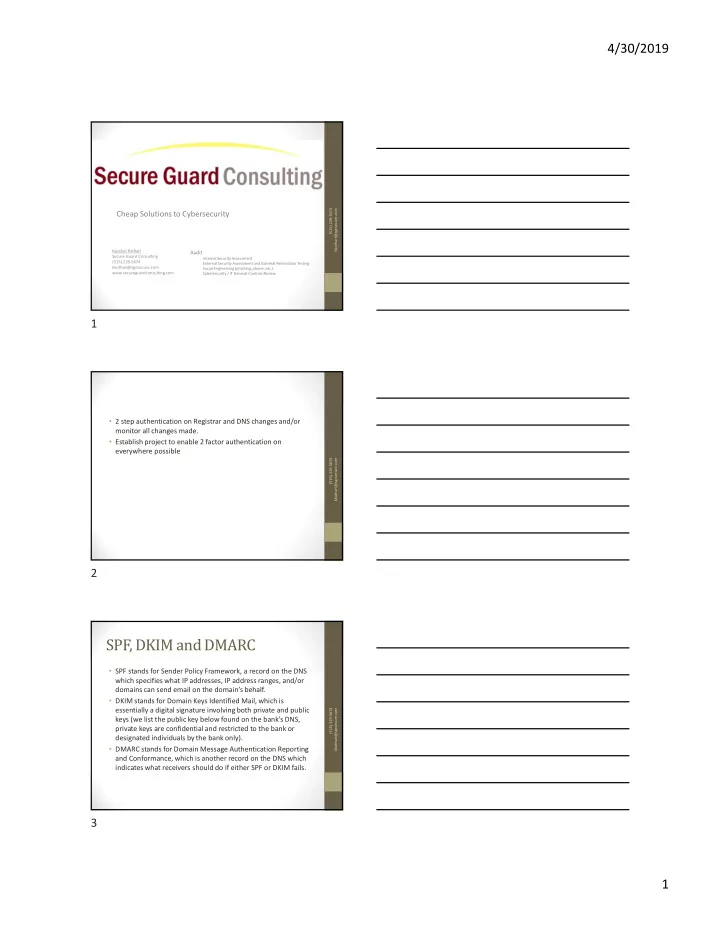
SPF, DKIM and DMARC

  • SPF stands for Sender Policy Framework, a record on the DNS

which specifies what IP addresses, IP address ranges, and/or domains can send email on the domain’s behalf.

  • DKIM stands for Domain Keys Identified Mail, which is

essentially a digital signature involving both private and public keys (we list the public key below found on the bank’s DNS, private keys are confidential and restricted to the bank or designated individuals by the bank only).

  • DMARC stands for Domain Message Authentication Reporting

and Conformance, which is another record on the DNS which indicates what receivers should do if either SPF or DKIM fails.

(515) 229-5674 kkothari@sgcsecure.com

1 2 3

slide-2
SLIDE 2

4/30/2019 2

SPF

  • https://www.kitterman.com/spf/validate.html
  • Gather IP addresses that are used to send email
  • Web server
  • Online Banking
  • Exchange Server or wherever email is hosted
  • Make a list of your sending and receiving domains
  • Create your SPF record
  • Start with v=spf1 (version 1) tag and follow it with the IP addresses that are authorized to send mail.

For example, v=spf1 ip4:1.2.3.4 ip4:2.3.4.5

  • If you use a third party to send email on behalf of the domain in question, you must add an “include”

statement in your SPF record (e.g., include:thirdparty.com) to designate that third party as a legitimate sender

  • Once you have added all authorized IP addresses and include statements, end your record with an

~all or -all tag

  • An ~all tag indicates a soft SPF fail while an -all tag indicates a hard SPF fail. In the eyes of the major mailbox

providers ~all and -all will both result in SPF failure. Return Path recommends an -all as it is the most secure record.

  • SPF records cannot be over 255 characters in length. Here’s an example of what your record might

look like:

  • v=spf1 ip4:1.2.3.4 ip4:2.3.4.5 include:thirdparty.com -all
  • For your domains that do not send email, the SPF record will exclude any modifier with the exception
  • f -all. Here’s an example record for a non-sending domain:
  • v=spf1 –all
  • Publish your SPF to DNS
  • Test your SPF Record

(515) 229-5674 kkothari@sgcsecure.com

DKIM

  • https://www.port25.com/dkim-wizard/
  • Gather IP addresses that are used to send email
  • Web server
  • Online Banking
  • Exchange Server or wherever email is hosted
  • Make a list of your sending and receiving domains
  • Choose a DKIM selector
  • Generate a public-private key pair
  • Store private key securely
  • Publish the selector and public key by creating the DKIM TXT

record

  • Attach the token to each outgoing email.

(515) 229-5674 kkothari@sgcsecure.com

DMARC

  • Make a list of your sending and receiving domains
  • https://mxtoolbox.com/DMARCRecordGenerator.aspx
  • none policy: You just want to monitor the DMARC results and

you do not want to take specific action on all the failing

  • emails. You can use the “none” policy to start with DMARC

and gather all DMARC reports and start analyzing this data.

  • quarantine policy: You put the emails which fail the checks in
  • quarantine. Most of these emails will end up in the junk folder
  • f the receiver.
  • reject policy: You can reject all emails that fail the DMARC
  • check. The email receivers should do this ‘on SMTP level’. The

emails will bounce directly in the sending process.

(515) 229-5674 kkothari@sgcsecure.com

4 5 6

slide-3
SLIDE 3

4/30/2019 3

  • Disable web based email. For those who need it, enable 2

factor authentication

  • PDQ Inventory or some other software inventory

management tool

  • ARP Watch
  • Monitor user accounts across all systems
  • Train Train Train!!!!

(515) 229-5674 kkothari@sgcsecure.com

7