Software Test Specification 1. Introduction This section provides - - PowerPoint PPT Presentation

software test specification
SMART_READER_LITE
LIVE PREVIEW

Software Test Specification 1. Introduction This section provides - - PowerPoint PPT Presentation

Software Test Specification 1. Introduction This section provides an overview of the entire test document. This document describes both the test plan and the test procedure. 1.1 Goals and objectives Overall goals and objectives


slide-1
SLIDE 1

1

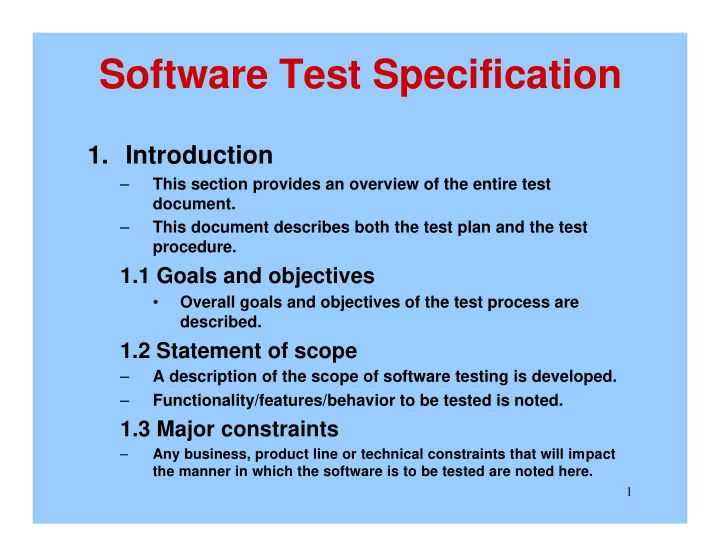
Software Test Specification

  • 1. Introduction

– This section provides an overview of the entire test document. – This document describes both the test plan and the test procedure.

1.1 Goals and objectives

  • Overall goals and objectives of the test process are

described.

1.2 Statement of scope

– A description of the scope of software testing is developed. – Functionality/features/behavior to be tested is noted.

1.3 Major constraints

– Any business, product line or technical constraints that will impact the manner in which the software is to be tested are noted here.

slide-2
SLIDE 2

2

Software Test Specification

  • 2. Test Plan

– This section describes the overall testing strategy and the project management issues that are required to properly execute effective tests.

  • 2.1 Unit testing

– The strategy for unit testing is described. This includes an indication of the components that will undergo unit tests or the criteria to be used to select components for unit test. Test cases are NOT included here.

  • 2.2 Integration testing

– The integration testing strategy is specified. This section includes a discussion of the order of integration by software function. Test cases are NOT included here.

  • 2.3 Validation testing

– State the requirements to be tested. Test cases are NOT included here.

slide-3
SLIDE 3

3

Software Test Specification

  • 3. Test Procedure

– This section describes the detailed test procedures, including test tactics and test cases, for the software.

  • 3.1 Software component to be tested

– The software to be tested is identified by name. Exclusions are noted explicitly.

  • 3.2 Testing procedure

– The overall procedure for software testing of the component is described.

  • 3.3 Unit test cases

– A comprehensive list of test cases to be used to test each component is given. You may use a simple test case format for each component to organize this information:

Output Input Purpose Test ID

slide-4
SLIDE 4

4

Software Test Specification

4. Validation testing

  • The validation testing procedure is specified.

It describes the black-box testing for the

  • system. Each requirement listed in section

2.3 should be included.

  • You may use a simple test case format for

each requirement to be tested:

Output Input Purpose Test ID

slide-5
SLIDE 5

5

Software Test Specification

5. Test record keeping and test log

  • The test log is a mechanism for storing and evaluating

test results.

  • The test log is used to maintain a chronological record
  • f all tests and their results.
  • Your team should design a test log that you will use

for recording the results of your software testing.

  • Your log should contain the date, test ID,

purpose/condition, input data, expected results and the actual results.

Expected Output Actual Output Input Purpose Test ID

slide-6
SLIDE 6

6

Demo of the final Product

slide-7
SLIDE 7

7

Demonstration/Acceptance Test

  • Think of this demonstration as an acceptance test.

– I am the client.

  • The goal of your demonstration is to convince me the

system is exactly what I requested and works perfectly!

  • All team members must participate in the demonstration.
  • Plan your demonstration in advance.
  • It should last about 15-30 minutes and be delivered in a

professional manner.

  • Some team members can give introductory remarks.
  • Other team members can discuss your user manual.
slide-8
SLIDE 8

8

Final Report

  • Submit the following:

1. Version 2 of your specification document 2. A hard copy of your “documented” source code. 3. The software test specification document. 4. A demo-disk containing your source code, executable version, test files and a README.txt file that describes how to run the software. Please provide instructions

  • n how to run with the test files on your demo-disk.

5. A hard copy of your user manual for the system.

  • Describe all aspects of how to run your system, from a

user's perspective.

6. Your test cases, from the software test specification, and test logs. Your test logs should contain a record of all tests and their results. Please label everything clearly.

slide-9
SLIDE 9

9

Software Metrics Chapter 4

Click here to review OO Testing Strategies

slide-10
SLIDE 10

10

SW Metrics

  • SW process and product metrics are

quantitative measures that enable SW people to gain insight into the efficacy of SW process and the projects that are conducted using the process as a framework.

slide-11
SLIDE 11

11

SW Metrics Terms

  • Measure –

– provides a quantitative indication of the extent, amount, dimension, capacity or size of some attribute of a process or product. – Example: Number of defects found in component

  • testing. LOC of each component.
  • Measurement –

– The act of collecting a measure. – Example: Collecting the defect counts. Counting LOC.

slide-12
SLIDE 12

12

SW Metrics Terms

  • Metric (IEEE Standard Glossary of Software

Engineering Terms) – A quantitative measure of the degree to which a system, component or process possesses a given attribute. It relates measure in some way. – Example: defects found in component testing/LOC of code tested.

  • Indicator –

– A metric that provide insight into the SW process, project or product. – Indicators are used to manage the process or project.

slide-13
SLIDE 13

13

SW Metrics Terms

  • SW Metrics refers to a range of measurements for

computer software that enable software people to gain insight into the project:

– To improve the Process and the Product – Assist in Estimation – Productivity Assessment – Quality Control – Project Control

slide-14
SLIDE 14

14

SW Metrics

  • How are metrics used?

– Measures are often collected by SW engineers and used by SW managers. – Measurements are analyzed and compared to past measurements, for similar projects, to look for trends (good and bad) and to make better estimates.

slide-15
SLIDE 15

15

Three domains of SW metrics

  • Product –

– These measurements relate to SW product and all related artifacts. – Examples: code, design docs, test plan, user manual …LOC, # of objects, # of pages, # of files. – Measures can also be used to evaluate the SW quality:

  • Cyclomatic complexity: a way to measure the complexity of a

module.

  • It assigns a value V(G) to a module based on the control flow
  • f the module. Some companies place a cap on V(G). If too

high, the module must be redesigned.

slide-16
SLIDE 16

16

Three domains of SW metrics

  • Process: -

– These measures used to quantify characteristics of the SW process. – Usually related to events or things that occur. – Examples: # defects found in test, # requirements changes, # days to complete task …

  • Project –

– used to manage the SW project “Tactic”. – Estimating cost is the first application of Project Metrics – Examples: estimates of SW development time based on past projects.

slide-17
SLIDE 17

17

Two types of uses for process metrics

  • Private metrics –

– measures taken of an individual's software process. These are usually private to the individual or team. Used to improve an individual's performance or personal software process. – Example: defect rate for an individual.

  • Public metrics –

– measures taken at a team level. These are made public to the organization. Used to improve an organizations process maturity. – Example: defects found after release per KLOC.

slide-18
SLIDE 18

18

Software Measurement

  • Size Oriented Metrics

– Derived from the size of the software (KLOC)

  • Errors per KLOC
  • Defects per KLOC
  • $ Per LOC
  • Errors per person
  • LOC per Person-per-Mont

– Do you see any problem with Size Oriented Metrics (I.e thing of Assembly vs. C++)?

slide-19
SLIDE 19

19

Software Measurement

  • Functional-Oriented Metrics

– use measures of the functionality delivered by the application. – Functionality is derived indirectly using other direct measures. – Function Points are derived using direct measures of software’s information domain.

  • FPs are computed using a simple tabular form
  • Text Book Page 90.
slide-20
SLIDE 20

20

Software Measurement

  • Functional-Oriented Metrics

FP = count Total x [.65 + .01 x ∑ (Fi)]

From table Text book page 90 Constants derived using historical data i=1 to 14 Survey, see book page 91

Complexity adjustment values

slide-21
SLIDE 21

21

Project Metrics “Estimates”

  • The COCOMO Model

– It stands for COnstructive COst MOdel by Bary Boehm. – Most widely used – It’s a hierarchy of estimation models that address the following areas:

  • Application composition model –

– Used during early stages - prototype

  • Early design stage model –

– used once requirements have been stabilized

  • Post architecture stage model

– Used during the construction of the software

slide-22
SLIDE 22

22

Project Metrics “Estimates”

  • The COCOMO Model

– Object Point = Weighting Factor x Number of Object (i.e. 3 screen)

  • NOP = (Object Points) x [(100 - %reuse) / 100]
  • PROD = NOP / Person-Month
  • Estimate Effort = NOP / PROD

NOP = New Object Point PROD = Productivity Rate

slide-23
SLIDE 23

23

Project Metrics “Estimates”

  • The Software Equation

– Dynamic multivariable model – Based on data collected for over 4000 software projects – Estimation model – E = [LOC x B0.333 / P]3 x (1/t4)

E : Effort in person-months t : project duration B : “special Skill factor”16 P : Productivity parameter

  • P=2000 for real-time

embedded SW

  • P=10,000 for

telecommunication

  • P=28,000 for business

systems

slide-24
SLIDE 24

24

Software Quality Assurance

Chapter 8

slide-25
SLIDE 25

25

SQA

  • The goal of any SW is to produce high-quality

software

  • Its applied throughout out the software process
  • A set of steps that ensures every product is of high

quality

  • Use metrics to develop strategies for improving

the process and the quality of the final product

  • Every one is responsible for quality
  • Good quality means lower cost and reduction in

time-to-market

slide-26
SLIDE 26

26

SQA

  • SQA activities should be defined at the

beginning of the project

– They will help to filter errors in the process and ultimately in the product. – They are set at each phase

slide-27
SLIDE 27

27

SQA

  • Quality:

– “a characteristic or an attribute of something” – Measure-able characteristic

  • Cyclomatic complexity
  • Cohesion
  • Coupling
  • LOC
  • Number of FP
  • Number of Object Points
slide-28
SLIDE 28

28

SQA

  • SQA are all the activities applied

throughout the software process to ensure every work product developed in the process is of high quality.

  • What is Quality, in respects to software

and the process of constructing software?

slide-29
SLIDE 29

29

Quality Assurance

  • consists of the auditing and reporting

functions of management.

– The data collected is used by management to understand the quality of the product. – Management may change the process, if the data collected indicates a problem.

  • Example:

– The number of defects in new products is too high. Management may change black box testing procedures and add time to the projects in the test phase to help catch more

  • f the defects before the product is released.
slide-30
SLIDE 30

30

  • The earlier in the process defects are

found, the less expensive they are to correct.

slide-31
SLIDE 31

31

SW Configuration Management

Chapter 9

slide-32
SLIDE 32

32

Change

  • Is reality
  • Has to be controlled
  • CM is the “art of identifying, organizing,

and controlling change to SW”.

slide-33
SLIDE 33

33

Waterfall Model Activities

Analysis Design Code Test

  • Change must be uniquely identified at each product.
  • Version and change control must be established at

each phase and for each product

  • Change has o be reported back and to all involved
slide-34
SLIDE 34

34

SW Configuration Management (SCM)

  • Is a SW Quality Assurance activity.
  • SCM activities apply throughout the

SW process and is used to:

  • 1. Identify change.
  • 2. Control Change.
  • 3. Ensure change is properly implemented.
  • 4. Ensure change is reported to interested

parties.

slide-35
SLIDE 35

35

Baseline

  • A specification or work product, called a

software configuration item, that has been formally reviewed and agreed upon.

– Can be changed only through formal change control procedures. – Before a software configuration item becomes a baseline, it can be changed quickly and informally. – a milestone in the SW development process.

slide-36
SLIDE 36

36

Software Configuration Item (SCI):

  • Three categories of items of information, or

work products, that are produced during the SW process:

– Computer Programs - source and executable – Documents that describe the Programs - for SW engineers and users – Data - within programs and external

slide-37
SLIDE 37

37

Software Configuration Item (SCI):

  • It is an item of information that is created as

part of the software engineering process.

– Examples: a document, a suite of test cases or a program component.

  • SW tools can also be placed under SCM.

– Specific versions of compilers, databases and cases tools are frozen. – Changes in the version of a tool can produce different results in the work products.

slide-38
SLIDE 38

38

Software Configuration:

  • Can be viewed as a SW Configuration

Object.

  • It is the aggregation of the SCI's that are

produced in the SW engineering process.

slide-39
SLIDE 39

39

Version

  • After each SCI of a SW Configuration

has be base-lined, it becomes a version.

  • Changes to the SW Configuration
  • bject, change the version of the object.
slide-40
SLIDE 40

40

Variant

  • A version may have different variants.

– Not all of the SCI's of a version may be used at a time. – Different SCI's may be used depending on the needs of the user. – A particular combination of the SCI's of a version is a variant.

  • Example :

– If a color display is available one variant is used. – If a monochrome display is available, another variant is used.

slide-41
SLIDE 41

41

Change Control Process

  • 1. A need for change is recognized and a

request is made.

– This can be at any point in the SW development process.

  • 2. The request is reviewed and a decision is

made to make the change or not.

  • 3. If yes, the appropriate SCI's are checked out

and the changes are made.

  • 4. The SCI's are reviewed.

– The impact of the changes are considered in respect to view

  • f the system:
  • hardware, performance, product quality…
  • 5. The new SCI's are base-lined and a new

version of SW is built.

slide-42
SLIDE 42

42

SCM Tasks

  • Identification of SCI

– Could be at the object level

  • Version Control

– Procedures and tools to manage different versions.

  • Change Control

– See text book page 235

  • Configuration Auditing

– SQA activity. – A review of a SW configuration Object to ensure the Change Control Procedures have been followed. – SCI's are reviewed to ensure they have been updated properly.

  • Status Reporting
slide-43
SLIDE 43

43