Software Testing Testing: Our Experiences Test Case Software to - - PDF document

software testing testing our experiences
SMART_READER_LITE
LIVE PREVIEW

Software Testing Testing: Our Experiences Test Case Software to - - PDF document

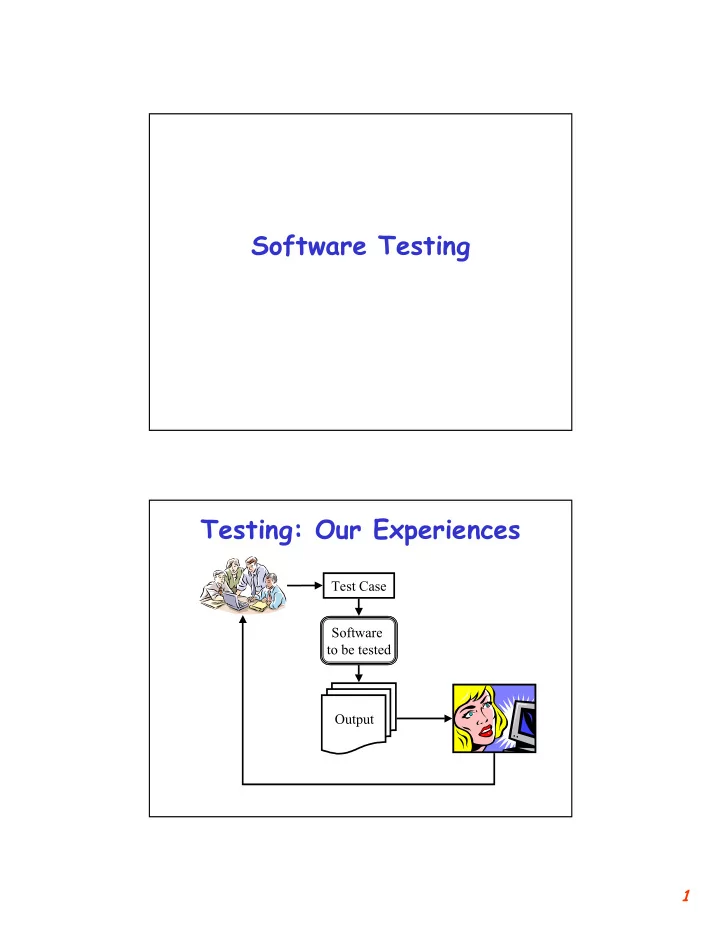
Software Testing Testing: Our Experiences Test Case Software to be tested Output 1 When to Stop? Test Case Generation Test Case Software to be tested Verification Output No Test Coverage Enough? Yes A Real Testing Example Test


slide-1
SLIDE 1

1

Software Testing Testing: Our Experiences

Software to be tested Test Case Output

slide-2
SLIDE 2

2

When to Stop?

Software to be tested Test Case Output Enough? No Yes

Test Case Generation Verification Test Coverage

Sorting Program Sorting Program

A Real Testing Example

SPECS: Takes a list

  • f numbers;

returns a sorted list. {1,3,2} {1,2,3} {3,2,3} {} {-1, -2} Just a list. A sorted list. Repeated entry. Empty list. Negative numbers. Test Cases {1, 2, 3} Output {1, 2, 3} Output {2, 3, 3} Output {} Output {-2, -1} Output

slide-3
SLIDE 3

3

Automated Testing

Software to be tested Test Case Output Enough? No Yes

Test Case Generation Verification Test Coverage

Automated Testing

Software to be tested Test Case Output

Coverage Evaluator Test Case Generator Verifier OR Test Oracle Test Specs

slide-4
SLIDE 4

4

Testing the New Version

Original Test Cases Original Software Modified Software New Test Cases

Regression Testing

Original Test Cases Original Software Modified Software New Test Cases

slide-5
SLIDE 5

5

  • Process of determining whether a

task has been correctly carried out [Schach ’96]

  • Goals of testing

– Reveal Faults

  • Correctness
  • Reliability
  • Usability
  • Robustness
  • Performance

What is Testing?

Conflicting Goals?

Types of Testing

  • Execution-based Testing
  • Non-execution based Testing
  • Discussion
slide-6
SLIDE 6

6

Execution-based Testing

  • Generating and Executing Test

Cases on the Software

  • Types of Execution-based Testing

– Testing to Specifications

  • Black-box Testing

– Testing to Code

  • Glass-box (White-box) Testing

Black-box Testing

  • Discussion: MAC/ATM Machine

Example

– Specs

  • Cannot withdraw more than $300
  • Cannot withdraw more than your account

balance

Software x Balance

slide-7
SLIDE 7

7

White-box Testing

  • Example

INPUT-FROM-USER(x); If (x <= 300) { INPUT-FROM-FILE(BALANCE); If (x <= BALANCE) GiveMoney x; else Print “You don’t have $x in your account!!”} else Print “You cannot withdraw more than $300”; Eject Card; 1 2 3 4 5 6 x: 1..1000; Generate test cases to cover each statement

Discussion

  • Which is superior?
  • Each technique has its strengths –

Use both

slide-8
SLIDE 8

8

Determining Adequacy

  • Statement coverage
  • Branch coverage
  • Path coverage
  • All-def-use-path coverage

Surprise Quiz

  • Determine test cases so that each

print statement is executed at least once

input(x); if (x < 100) print “Line 1”; else { if (x < 50) print “Line 2” else print “Line 3”; } if 1 if 2 3 end begin

x<100 x>=100 x>=50 x<50

x>=100 x>=100

slide-9
SLIDE 9

9

Non-execution Based

  • Walkthroughs

– Manual simulation by team leader

  • Inspections

– Developer narrates the reading

  • Key Idea

– Review by a team of experts: Syntax checker?

  • Code Readings
  • Formal Verification of Correctness

– Very Expensive – Justified in Critical Applications

  • Semi-formal: Some Assertions

Simulation

  • Integration with system hardware is

central to the design

  • Model the external hardware
  • Model the interface
  • Examples
  • Discussion
slide-10
SLIDE 10

10

Boundary-value Analysis

  • Partition the program domain into

input classes

  • Choose test data that lies both

inside each input class and at the boundary of each class

  • Select input that causes output at

each class boundary and within each class

  • Also known as stress testing

Testing Approaches

  • Top-down
  • Bottom-up
  • Big Bang
  • Unit testing
  • Integration testing
  • Stubs
  • System testing
slide-11
SLIDE 11

11

Mutation Testing

  • Errors are introduced in the

program to produce “mutants”

  • Run test suite on all mutants and

the original program

Test Case Generation

  • Test Input to the Software
  • Some researchers/authors also

define the test case to contain the expected output for the test input

slide-12
SLIDE 12

12

Category-partition Method

  • Key idea

– Method for creating functional test suites – Role of test engineer

  • Analyze the system specification
  • Write a series of formal test specifications

– Automatic generator

  • Produces test descriptions

Steps

  • Decompose the functional specification

into functional units

– Characteristics of functional units

  • They can be tested independently
  • Examples

– A top-level user command – Or a function

  • Decomposition may require several stages
  • Similar to high-level decomposition done

by software designers

– May be reused, although independent decomposition is recommended

slide-13
SLIDE 13

13

Steps

  • Examine each functional unit

– Identify parameters

  • Explicit input to the functional unit

– Environmental conditions

  • Characteristics of the system’s state
  • Test Cases

– Specific values of parameters – And environmental conditions

Steps

  • “Test cases are chosen to maximize

chances of finding errors”

  • For each parameter & environmental

condition

– Find categories

  • Major property or characteristic
  • Examples

– Browsers, Operating Systems, array size

  • For each category

– Find choices » Examples: (IE 5.0, IE 4.5, Netscape 7.0), (Windows NT, Linux), (100, 0, -1)

slide-14
SLIDE 14

14

Steps

  • Develop “Formal Test Specification”

for each functional unit

– List of categories – Lists of choices within each category

  • Constraints
  • Automatically produces a set of

“test frames”

– Consists of a set of choices

AI Planning Method

  • Key Idea

– Input to Command-driven software is a sequence of commands – The sequence is like a plan

  • Scenario to test

– Initial state – Goal state

slide-15
SLIDE 15

15

Example

  • VCR command-line software
  • Commands

– Rewind

  • If at the end of tape

– Play

  • If fully rewound

– Eject

  • If at the end of tape

– Load

  • If VCR has no tape

Preconditions & Effects

  • Rewind

– Precondition: If at end of tape – Effects: At beginning of tape

  • Play

– Precondition: If at beginning of tape – Effects: At end of tape

  • Eject

– Precondition: If at end of tape – Effects: VCR has no tape

  • Load

– Precondition: If VCR has no tape – Effects: VCR has tape

slide-16
SLIDE 16

16

Preconditions & Effects

  • Rewind

– Precondition: end_of_tape – Effects: ¬ ¬ ¬ ¬end_of_tape

  • Play

– Precondition: ¬ ¬ ¬ ¬end_of_tape – Effects: end_of_tape

  • Eject

– Precondition: end_of_tape – Effects: ¬ ¬ ¬ ¬has_tape

  • Load

– Precondition: ¬ ¬ ¬ ¬has_tape – Effects: has_tape

Initial and Goal States

  • Initial State

– end_of_tape

  • Goal State

– ¬ ¬ ¬ ¬end_of_tape

  • Plan?

– Rewind

slide-17
SLIDE 17

17

Initial and Goal States

  • Initial State

– ¬ ¬ ¬ ¬end_of_tape & has_tape

  • Goal State

– ¬ ¬ ¬ ¬has_tape

  • Plan?

– Play – Eject

Test Coverage & Adequacy

  • How much testing is enough?
  • When to stop testing
  • Test data selection criteria
  • Test data adequacy criteria

– Stopping rule – Degree of adequacy

  • Test coverage criteria
  • Objective measurement of test

quality

slide-18
SLIDE 18

18

Preliminaries

  • Test data selection

– What test cases

  • Test data adequacy criteria

– When to stop testing

  • Examples

– Statement Coverage – Branch coverage – Def-use coverage – Path coverage

Goodenough & Gerhart [‘75]

  • What is a software test adequacy

criterion

– Predicate that defines “what properties of a program must be exercised to constitute a thorough test”, i.e., one whose successful execution implies no errors in a tested program

slide-19
SLIDE 19

19

Uses of test adequacy

  • Objectives of testing
  • In terms that can be measured

– For example branch coverage

  • Two levels of testing

– First as a stopping rule – Then as a guideline for additional test cases

Categories of Criteria

  • Specification based

– All-combination criterion

  • choices

– Each-choice-used criterion

  • Program based

– Statement – Branch

  • Note that in both the above types, the

correctness of the output must be checked against the specifications

slide-20
SLIDE 20

20

Others

  • Random testing
  • Statistical testing
  • Interface based