SLIDE 1
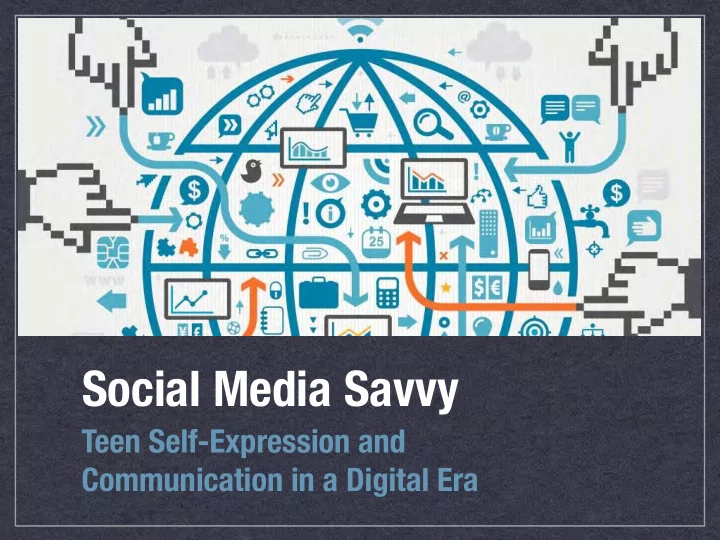
Social Media Savvy
Teen Self-Expression and
Communication in a Digital Era
SLIDE 2
SLIDE 3
SLIDE 4
How has access to mobile technology
changed student learning?
SLIDE 5
SLIDE 6
SLIDE 7
Sage on the Stage Guide on the Side
SLIDE 8
The Heart of Social Media Influence
SLIDE 9
- The Need for Acceptance
- Extend their net of search
- Categorize their friends
- Temptation to trust this online platform
SLIDE 10
- The Need for Acceptance
- Answers to Life's Questions
- Searching for answers to their troubles
- Relief from their emotional and mental pain
- Easier to ask the hard questions
SLIDE 11
- The Need for Acceptance
- Answers to Life's Questions
- Looking for an Identity
- Learn more about who they want to be
- Social media becomes an influential teacher
- Moral, ethical and intellectual values are
formed by what they read and experience
SLIDE 12
- The Need for Acceptance
- Answers to Life's Questions
- Looking for an Identity
- The Popularity Contest
- Earn money and fame
SLIDE 13
- The Need for Acceptance
- Answers to Life's Questions
- Looking for an Identity
- The Popularity Contest
- Sharing of Face and Body
- Selfies to enlist responses and comments
- Boost attractiveness in search of GF/BF
SLIDE 14
How to Shine Online
SLIDE 15 Light Bright Polite
= Positive and Fun = Smart
Think First = You’re Proud of It
SLIDE 16 Your posts are like buttons on an elevator… …they take
you up…
you down.
SLIDE 17
SLIDE 18 How to Upset Your Teacher
is SOOO lame. I’d rather be watching TV. I’m ready for
the weekend
SLIDE 19
How to Upset Your Coach
The other football team sucks! I hope they lose. We’re up by
24 points!
Go Warhawks!
SLIDE 20 How to Be Dramatic
My boyfriend
just broke up with me.
Crying now.
He was a waste
So lucky that I have friends to support me! :)
SLIDE 21
How to Upset Your Cheer Team
Our cheer team needs help. They’re not
very good :( I think next year I’m trying out for the cheer team :)
SLIDE 22
How to Get Fired
Cisco just offered me a job! Now I have to weigh the fat paycheck against the daily commute and hating the work. Who is the hiring manager? I’m sure they would love to know that you will hate the work. We here at Cisco are versed in the Web.
SLIDE 23 Print Out Your Profile
Do you feel comfortable printing
- ut your Instagram or Twitter
page for a college application?
SLIDE 24 Volunteer Ideas
- Animal Shelter
- Habitat for Humanity
- Hospital
- Walking a Neighbor’s Dog
- Senior Home
- Red Cross
SLIDE 25
Social Media Message Formula
Classy Group Photo
+
Thank You
+
Organization Name
+
Activity
+
Outcome
SLIDE 26 Hottest Apps
Facebook - The Grandfather Twitter - 140 Character updates Instagram - Picture and video with filters Vine - 6 second looping videos SnapChat - Temporary video and pictures Tumblr - Micro-blogging site
SLIDE 27 TWITTER
WHAT'S HAPPENING?
SLIDE 28
SLIDE 29
- Safe place to share thoughts and
feelings away from parents
- Public tweets are the norm
- No age restrictions
- Promotional tool for celebs
Twitter for Teens
SLIDE 30
- Tweets can be deleted, but retweets
from others won’t be removed
- Anyone can contact your kid publicly
- Kids use direct messages to talk
privately to each other
- To find kids on Twitter, you need to
know their @usernames
What to Know
SLIDE 31
- Check their tweets
- Don’t reply or retweet their tweets
- Suggest setting their profile to private
- Report offensive content
What You Can Do
SLIDE 32 INSTAGRAM
CAPTURE AND SHARE THE WORLD'S MOMENTS. AGE 13+
SLIDE 33
- Users snap, edit, and share square
photos and 15-second videos -- either publicly or with a network of followers
- Unites popular features of sharing
and commenting on photos/videos
- Public photos are the default
Instagram (Insta)
SLIDE 34
- Teens work hard to get more followers
and collect as many likes as possible
- Self worth is based on how many likes
and comments they get
- Private messaging is now an option
- Mature content can slip in
What to Know
SLIDE 35
- Follow your kids
- Don’t comment or like their posts
- ifttt.com: get an email every time
your kid posts on Instagram
What You Can Do
SLIDE 36 VINE
EXPLORE A WORLD OF BEAUTIFUL, LOOPING VIDEOS
SLIDE 37
- 6 second looping videos
- Shared directly with FB or Twitter
- Collect views and ‘revines’
- Some show and promote their talents
Vine
SLIDE 38
- Full of inappropriate videos
- Public accounts and videos visible for
everyone (even without registration)
- Vines show up in Google results
- Age limit was raised from 12 to 17+
What to Know
SLIDE 39
- To see videos or to follow your child,
you need to know their username
- Suggest to setting page as private
- If they don’t want you (their parent) to
see it, they shouldn’t post it
What You Can Do
SLIDE 40 SNAPCHAT
AGE 13+
SLIDE 41 Snapchat
- Lets users put a time limit (1-10
sec) on the pictures and videos they send before they disappear
- Recently added live video chat
- Snapchat Stories: live for 24 hours
and can be viewed again and again
SLIDE 42 Interesting Facts
- 70% of all users are female
- 32% of all teens in US at the age 13
to 17 years old use snapchat
- Co-founder and CEO Evan Spiegel
recently turned 24
- Most popular feature is Stories
SLIDE 43 What to Know
- Data is data: Whenever anything is
sent online, it never truly goes away
- It can make sexting seem OK
- Photos/videos can be saved using
a screenshot or 3rd party app
- Introduced Snapcash this week
SLIDE 44 What You Can Do
- Emphasize respect toward self
and others
- Have the conversation about what
is appropriate
SLIDE 45 TUMBLR
MICROBLOGGING PLATFORM AND SOCIAL NETWORK
SLIDE 46
Tumblr
A cross between a blog and Twitter: it's a stream of text, photos, and/or videos and audio clips
SLIDE 47 What to Know
- Porn is easy to find
- Privacy can be guarded, but only
through an awkward workaround
- Posts are often copied and shared.
Kids want their posts reblogged
SLIDE 48
Current Trends
Anonymous Apps
SLIDE 49
Anonymous Apps
Self-expression in ways not able in the real world VS Inappropriate content
and bullying behavior
SLIDE 50 Anonymous Apps
Yik Yak - Local community bulletin board Ask.fm - Ask and answer questions posted
SLIDE 51
ask.fm
A social site that lets kids ask questions and answer those posted
by other users anonymously
SLIDE 52
ask.fm
SLIDE 53
ask.fm
SLIDE 54 What to Know
- Q&As can appear on FB & Twitter
- You can view your child’s profile
- Inappropriate questions should be
reported and deleted
- If you threaten someone else you
can get caught by the police
SLIDE 55 Yik Yak
Local bulletin board (1.5-mile radius) showing the most recent posts from
– Yik Yak Some students have compared it to
a virtual bathroom wall where users post vitriol and hate – CNN
SLIDE 56
Yik Yak
Popular at Universities
SLIDE 57
Yik Yak
SLIDE 58
Yik Yak
SLIDE 59 What to Know
- Requires access to your location
- Yik Yak has 17+ age restriction
(you can restrict app download)
- Doesn’t require creating an account
- r access to your contact list
- Anonymous posts end up public and
police can still find them
SLIDE 60
DIRECT MESSAGING APPS
WhatsApp and Kik Messenger help kids bypass text messaging and communicate with their friends using the app
VS
SLIDE 61 Kik - Uses usernames WhatsApp - Uses contacts Messages sent via Wi-Fi or phone data plan.
Direct Messaging
SLIDE 62
WhatApp Vs Kik
SLIDE 63 WhatsApp Rated 16+
- No user names, instead you verify
by using your phone number
- Users can share location and share
contacts with other users
- Facebook bought WhatsApp for $19
billion in February 2014
SLIDE 64 Kik Rated 17+
- Keep usernames private
- Use different usernames for Kik,
Twitter, Instagram or Tumblr accounts
- Allows users to ignore new contacts
and block unwanted contacts
- Deleted messages stay on the
recipient’s phone
SLIDE 65 Cyberbullying
43% of kids have been bullied online. 1 in 4 had it happen more than once. 70% of students report seeing frequent bullying online. 68% of teens agree that cyber bullying is a serious problem. Only 1 in 10 victims will inform a parent
SLIDE 66
Tips to Promote Safe Social Networking
SLIDE 67
SLIDE 68
SLIDE 69
SLIDE 70
SLIDE 71
Teens, Social Media & Technology Overview 2015
SLIDE 72
SLIDE 73
SLIDE 74
SLIDE 75
SLIDE 76
SLIDE 77
Wrap Up
Keep posts Light, Bright, and Polite Give kids space on social media Private profiles are preferred Where Should You Be? LinkedIn, Google Plus, YourDomain.com, YouTube, Twitter, and Instagram