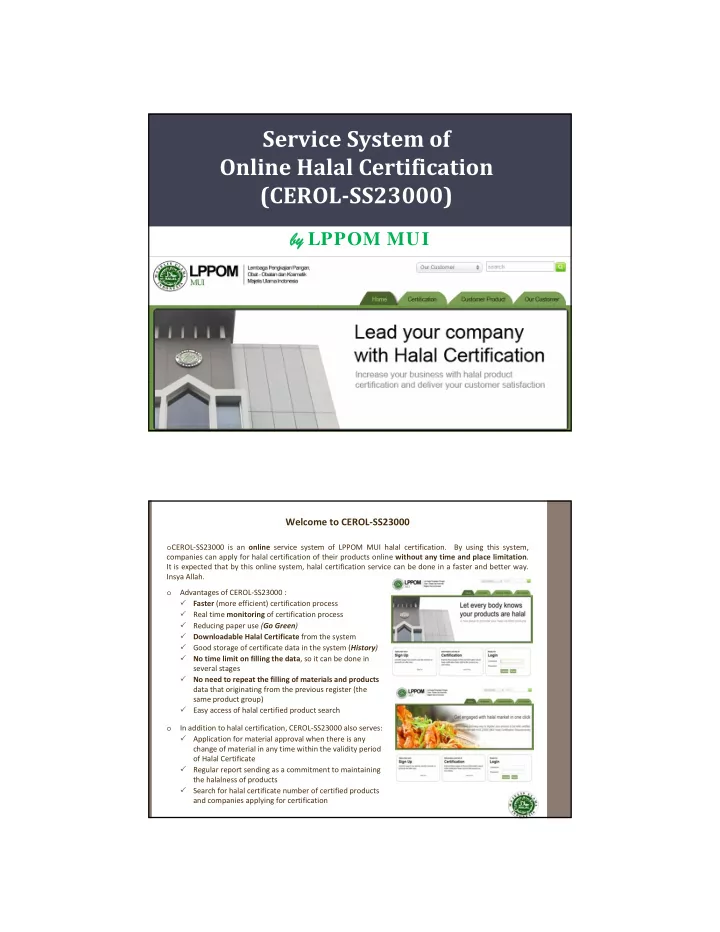
Service System of Online Halal Certification (CEROL SS23000) by by - - PDF document

service system of online halal certification cerol ss23000
SMART_READER_LITE
LIVE PREVIEW

Service System of Online Halal Certification (CEROL SS23000) by by - - PDF document

Service System of Online Halal Certification (CEROL SS23000) by by LPPOM MUI Welcome to CEROL SS23000 o CEROL SS23000 is an online service system of LPPOM MUI halal certification. By using this system, companies can apply for halal


slide-1
SLIDE 1

Service System of Online Halal Certification (CEROL­SS23000)

by by LPPOM MUI

Welcome to CEROL‐SS23000

  • CEROL‐SS23000 is an online service system of LPPOM MUI halal certification. By using this system,

companies can apply for halal certification of their products online without any time and place limitation. It is expected that by this online system, halal certification service can be done in a faster and better way. Insya Allah.

  • Advantages of CEROL‐SS23000 :
  • Faster (more efficient) certification process
  • Real time monitoring of certification process
  • Reducing paper use (Go Green)
  • Downloadable Halal Certificate from the system
  • Good storage of certificate data in the system (History)
  • No time limit on filling the data, so it can be done in

several stages

  • No need to repeat the filling of materials and products

data that originating from the previous register (the same product group)

  • Easy access of halal certified product search
  • In addition to halal certification, CEROL‐SS23000 also serves:
  • Application for material approval when there is any

change of material in any time within the validity period

  • f Halal Certificate
  • Regular report sending as a commitment to maintaining

the halalness of products

  • Search for halal certificate number of certified products

and companies applying for certification

slide-2
SLIDE 2

CEROL‐SS23000 PROVISIONS

  • CEROL application can be accessed via the
  • fficial

website

  • f

LPPOM MUI

  • n

www.halalmui.org then click the green box in the upper left written "Online Certification Service CEROL‐SS23000", or can be directly accessed through the website www.e‐lppommui.org.

  • Open CEROL application by using web

browsers such as Google Chrome, Mozilla Firefox, Opera, or Chromium. The use of Internet Explorer is strongly not recommended.

  • Files to be uploaded to the system should

be no more than 4 MB.

  • Before starting the registartion process,

make sure that the company has prepared all required document and data and implmented Halal Assurance System. Requirements for halal certification are available in HAS 23000 document.

www.halalmui.or g

HALAL CERTIFICATION REQUIREMENTS

1.Fill in sign up data: name and address of company, PIC, contact person, username, password, etc. 2.Fill in registration data: certification status (new/development/renewal), Halal Certificate data, and HAS status (if any). 3.Upload halal document: a. HAS Manual for new company or Revised HAS Manual (if any) for companies already have Halal Certificate b. Flow chart of production process of products to be certified c. Statement of pork free facility (Statement from the owner of production facilities that the production facilities (including supporting equipment) for the product to be certified are free from pork) d. List of address of production facilities excluding plant/manufacturer (if any) e.g. warehouse (including intermediate product warehouse) and pre‐production preparation facility (e.g mixing, weighing, and drying facilities) 4.Fill in plant/manufacturer data including name and address of manufacturer, PIC, contact person.. 5.Fill in product data including name, batch, and type of product . 6.Fill in material data (name of material, producer, country of producer, supplier, material document data) and upload material document. 7.Upload product matrix data. 8.Fill in HAS Questionnaire, the questionnaire about the implementation of HAS. 9.Pay registration fee and Halal Certification Contract fee. 10.Meet all the requirements stated in Customer Agreements.

slide-3
SLIDE 3

PROCEDURES OF OFFLINE HALAL CERTIFICATION

Registration Registration Payment Approval of Registration Payment Certification Data Upload Pre‐Audit Monitoring Contract Making Contract Payment Pre Audit Audit HAS Assessment Fatwa Commission (FC) Halal Certificate Upload Audit Monitoring HAS Monitoring FC Monitoring Halal Certificate Download

Company LPPOM MUI

Approval of Contract Payment Sign Up ‐ Login

PROCEDURES OF ONLINE HALAL CERTIFICATION

slide-4
SLIDE 4

Sign Up ‐ Login

CUSTOMER MAIN PAGE

Customer main menu when login is successful

slide-5
SLIDE 5

Registration

REGISTRATION

slide-6
SLIDE 6

Registration Payment

Company have to upload the certification data through Upload Halal Document menu Data certification filling consists of : 1.Upload halal document 2.Plant/manufacturer data filling 3.Product data filling 4.Material data filling (+ upload material document) 5.Upload product matrix 6.HAS Questionare filling Important!! You cannot proceed the process unless all document required is uploaded.

Certification Data Upload

slide-7
SLIDE 7

CERTIFICATION DATA UPLOAD (1)

  • 1. UPLOAD HALAL DOCUMENT

CERTIFICATION DATA UPLOAD (2)

  • 2. PLANT/MANUFACTURER DATA FILLING
slide-8
SLIDE 8

CERTIFICATION DATA UPLOAD (3)

  • 3. PRODUCT DATA FILLING

MANUAL WAY IMPORT CSV EXAMPLE OF PRODUCT CSV FILE

CERTIFICATION DATA UPLOAD (4)

  • 4. MATERIAL DATA FILLING

MANUAL WAY IMPORT CSV UPLOAD OF MATERIAL DOCUME NT

slide-9
SLIDE 9

CERTIFICATION DATA UPLOAD (5)

  • 5. UPLOAD PRODUCT MATRIX

CERTIFICATION DATA UPLOAD (6)

  • 6. HAS QUESTIONARE FILLING (1)
slide-10
SLIDE 10

CERTIFICATION DATA UPLOAD (6)

  • 6. HAS QUESTIONARE FILLING (2)

Contract Payment

slide-11
SLIDE 11

Monitoring

VIEW HISTORY

slide-12
SLIDE 12

Halal Sertificate Download Halal Product Search

slide-13
SLIDE 13