Separation of Concerns The (Concrete) User Interface Eiffel Testing - - PowerPoint PPT Presentation

separation of concerns
SMART_READER_LITE
LIVE PREVIEW

Separation of Concerns The (Concrete) User Interface Eiffel Testing - - PowerPoint PPT Presentation

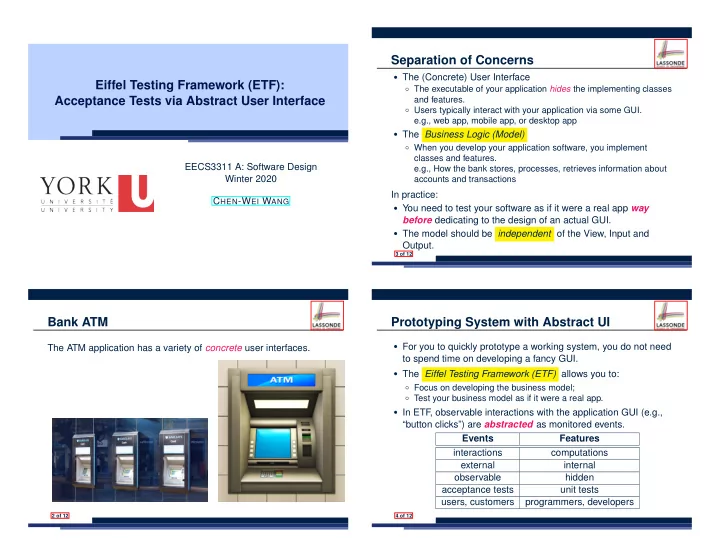
Separation of Concerns The (Concrete) User Interface Eiffel Testing Framework (ETF): The executable of your application hides the implementing classes Acceptance Tests via Abstract User Interface and features. Users typically interact


slide-1
SLIDE 1

Eiffel Testing Framework (ETF): Acceptance Tests via Abstract User Interface

EECS3311 A: Software Design Winter 2020 CHEN-WEI WANG

Bank ATM

The ATM application has a variety of concrete user interfaces.

2 of 12

Separation of Concerns

  • The (Concrete) User Interface

○ The executable of your application hides the implementing classes and features. ○ Users typically interact with your application via some GUI. e.g., web app, mobile app, or desktop app

  • The Business Logic (Model)

○ When you develop your application software, you implement classes and features. e.g., How the bank stores, processes, retrieves information about accounts and transactions

In practice:

  • You need to test your software as if it were a real app way

before dedicating to the design of an actual GUI.

  • The model should be independent of the View, Input and

Output.

3 of 12

Prototyping System with Abstract UI

  • For you to quickly prototype a working system, you do not need

to spend time on developing a fancy GUI.

  • The Eiffel Testing Framework (ETF) allows you to:

○ Focus on developing the business model; ○ Test your business model as if it were a real app.

  • In ETF

, observable interactions with the application GUI (e.g., “button clicks”) are abstracted as monitored events. Events Features interactions computations external internal

  • bservable

hidden acceptance tests unit tests users, customers programmers, developers

4 of 12

slide-2
SLIDE 2

Abstract Events: Bank ATM

5 of 12

ETF in a Nutshell

  • Eiffel Testing Framework (ETF) facilitates engineers to write

and execute input-output-based acceptance tests.

○ Inputs are specified as traces of events (or sequences). ○ The boundary of the system under development (SUD) is defined by declaring the list of input events that might occur. ○ Outputs (from executing events in the input trace) are by default logged onto the terminal, and their formats may be customized.

  • An executable ETF that is tailored for the SUD can already be

generated, using these event declarations (documented documented in a plain text file), with a default business model .

  • Once the business model is implemented, there is only a

small number of steps to follow for the developers to connect it to the generated ETF .

  • Once connected, developers may re-run all use cases and
  • bserve if the expected state effects take place.

6 of 12

Workflow: Develop-Connect-Test

ETF monitored events Code Skeleton business model use cases Abstract State implement (re)new generate connect to define test fix or add debug run derive redefine

7 of 12

ETF: Abstract User Interface

8 of 12

slide-3
SLIDE 3

ETF: Generating a New Project

9 of 12

ETF: Architecture

  • *

EFCOMMAND + EFNE + EFDEPOSI + EFIHDRA + EFRANSFER + EFMODEL

  • +

EFMODELACCESS

  • Classes in the model cluster are hidden from the users.
  • All commands reference to the same model (bank) instance.
  • When a user’s request is made:

○ A command object of the corresponding type is created, which invokes relevant feature(s) in the model cluster. ○ Updates to the model are published to the output handler.

10 of 12

ETF: Input Errors

11 of 12

Index (1)

Bank ATM Separation of Concerns Prototyping System with Abstract UI Abstract Events: Bank ATM ETF in a Nutshell Workflow: Develop-Connect-Test ETF: Abstract User Interface ETF: Generating a New Project ETF: Architecture ETF: Input Errors

12 of 12