S2S ASR Advanced issues Tight coupling Tight coupling ASR should - - PowerPoint PPT Presentation

s2s asr advanced issues
SMART_READER_LITE
LIVE PREVIEW

S2S ASR Advanced issues Tight coupling Tight coupling ASR should - - PowerPoint PPT Presentation

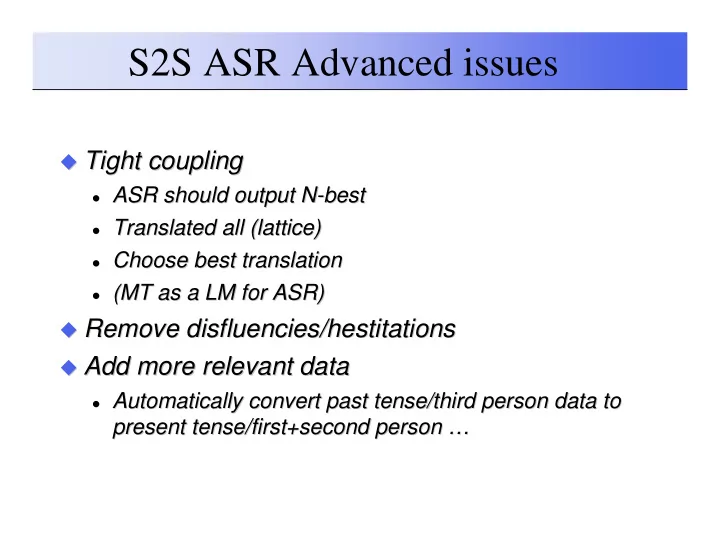
S2S ASR Advanced issues Tight coupling Tight coupling ASR should output N ASR should output N- -best best Translated all (lattice) Translated all (lattice) Choose best translation Choose best translation


slide-1
SLIDE 1

S2S ASR Advanced issues

  • Tight coupling

Tight coupling

  • ASR should output N

ASR should output N-

  • best

best

  • Translated all (lattice)

Translated all (lattice)

  • Choose best translation

Choose best translation

  • (MT as a LM for ASR)

(MT as a LM for ASR)

  • Remove

Remove disfluencies/hestitations disfluencies/hestitations

  • Add more relevant data

Add more relevant data

  • Automatically convert past tense/third person data to

Automatically convert past tense/third person data to present tense/ present tense/first+second first+second person … person …

slide-2
SLIDE 2

S2S TTS Advance Issues

  • MT output isn’t

MT output isn’t gramtical gramtical

  • TTS doesn’t care and just says it

TTS doesn’t care and just says it

  • TTS should try to say MT output with more

TTS should try to say MT output with more breaks. breaks.

  • TTS (unit selection)

TTS (unit selection)

  • As a LM on MT output

As a LM on MT output

  • Choose the best translation on what is said best

Choose the best translation on what is said best

slide-3
SLIDE 3

Speech Processing 15-492/18-492

Voice Conversion

slide-4
SLIDE 4

Voice Conversion

  • Live (or offline)

Live (or offline)

  • Convert an existing voice to another

Convert an existing voice to another

  • Use only a small amount of target speech

Use only a small amount of target speech

  • Uses:

Uses:

  • Synthesis without collecting lots of data

Synthesis without collecting lots of data

  • Disguising voices

Disguising voices

  • Emotional voices without full synthesis support

Emotional voices without full synthesis support

  • Also called

Also called

  • Voice transformation, Voice morphing

Voice transformation, Voice morphing

slide-5
SLIDE 5

Voice Identity

  • What makes a voice identity

What makes a voice identity

  • Lexical Choice:

Lexical Choice:

  Woo

Woo-

  • hoo

hoo, ,

  I pity the fool …

I pity the fool …

  • Phonetic choice

Phonetic choice

  • Intonation and duration

Intonation and duration

  • Spectral qualities (vocal tract shape)

Spectral qualities (vocal tract shape)

  • Excitation

Excitation

slide-6
SLIDE 6

Voice Conversion techniques

  • Full ASR and TTS

Full ASR and TTS

  • Much too hard to do reliably

Much too hard to do reliably

  • Codebook transformation

Codebook transformation

  • ASR HMM state to HMM state transformation

ASR HMM state to HMM state transformation

  • GMM based transformation

GMM based transformation

  • Build a mapping function between frames

Build a mapping function between frames

slide-7
SLIDE 7

Learning VC models

  • First need to get parallel speech

First need to get parallel speech

  • Source and Target say same thing

Source and Target say same thing

  • Use DTW to align (in the spectral domain)

Use DTW to align (in the spectral domain)

  • Trying to learn a functional mapping

Trying to learn a functional mapping

  • 20

20-

  • 50 utterances

50 utterances

  • “Text

“Text-

  • independent” VC

independent” VC

  • Means no parallel speech available

Means no parallel speech available

  • Use some form of synthesis to generate it

Use some form of synthesis to generate it

slide-8
SLIDE 8

VC Training process

  • Extract F0, power and MFCC from source

Extract F0, power and MFCC from source and target utterances and target utterances

  • DTW align source and target

DTW align source and target

  • Loop until convergence

Loop until convergence

  • Build GMM to map between source/target

Build GMM to map between source/target

  • DTW source/target using GMM mapping

DTW source/target using GMM mapping

slide-9
SLIDE 9

VC Training process

slide-10
SLIDE 10

VC Run-time

slide-11
SLIDE 11

Voice Transformation

  • Festvox

Festvox GMM transformation suite (Toda) GMM transformation suite (Toda) awb awb bdl bdl jmk jmk slt slt awb awb bdl bdl jmk jmk slt slt

slide-12
SLIDE 12

VC in Synthesis

  • Can be used as a post filter in synthesis

Can be used as a post filter in synthesis

  • Build

Build kal_diphone kal_diphone to target VC to target VC

  • Use on all output of

Use on all output of kal_diphone kal_diphone

  • Can be used to convert a full DB

Can be used to convert a full DB

  • Convert a full db and rebuild a voice

Convert a full db and rebuild a voice

slide-13
SLIDE 13

Style/Emotion Conversion

  • Unit Selection (or SPS)

Unit Selection (or SPS)

  • Require lots of data in desired style/emotion

Require lots of data in desired style/emotion

  • VC technique

VC technique

  • Use as filter to main voice (same speaker)

Use as filter to main voice (same speaker)

  • Convert neutral to angry, sad, happy …

Convert neutral to angry, sad, happy …

slide-14
SLIDE 14

Can you say that again?

  • Voice conversion for speaking in noise

Voice conversion for speaking in noise

  • Different quality when you repeat things

Different quality when you repeat things

  • Different quality when you speak in noise

Different quality when you speak in noise

  • Lombard effect (when very loud)

Lombard effect (when very loud)

  • “Speech

“Speech-

  • in

in-

  • noise” in regular noise

noise” in regular noise

slide-15
SLIDE 15

Speaking in Noise (Langner)

  • Collect data

Collect data

  • Randomly play noise in person’s ears

Randomly play noise in person’s ears

  • Normal

Normal

  • In Noise

In Noise

  • Collect 500 of each type

Collect 500 of each type

  • Build VC model

Build VC model

  • Normal

Normal -

  • > in

> in-

  • Noise

Noise

  • Actually

Actually

  • Spectral, duration, f0 and power differences

Spectral, duration, f0 and power differences

slide-16
SLIDE 16

Synthesis in Noise

  • For bus information task

For bus information task

  • Play different synthesis information

Play different synthesis information utts utts

  • With SIN synthesizer

With SIN synthesizer

  • With SWN synthesizer

With SWN synthesizer

  • With VC (SWN

With VC (SWN-

  • >SIN) synthesizer

>SIN) synthesizer

  • Measure their understanding

Measure their understanding

  • SIN synthesizer better (in Noise)

SIN synthesizer better (in Noise)

  • SIN synthesizer better (without Noise for elderly)

SIN synthesizer better (without Noise for elderly)

slide-17
SLIDE 17

Transterpolation

  • Incrementally transform a voice X%

Incrementally transform a voice X%

  • BDL

BDL-

  • SLT by 10%

SLT by 10%

  • SLT

SLT-

  • BDL by 10%

BDL by 10%

  • Count when you think it changes from M

Count when you think it changes from M-

  • F

F

  • Fun but what are the uses …

Fun but what are the uses …

slide-18
SLIDE 18

De-identification

  • Remove speaker identity

Remove speaker identity

  • But keep it still human like

But keep it still human like

  • Health Records

Health Records

  • HIPAA laws require this

HIPAA laws require this

  • Not just removing names and

Not just removing names and SSNs SSNs

  • Use Voice conversion to get “new” voices

Use Voice conversion to get “new” voices

slide-19
SLIDE 19

VC and SPS

  • Becoming closely related

Becoming closely related

  • Small amount of target speaker

Small amount of target speaker

  • Use larger background models

Use larger background models

slide-20
SLIDE 20

Cross Lingual Voice Conversion

  • Use phonetic mapping synthesis

Use phonetic mapping synthesis

  • Sounds like very accented speech

Sounds like very accented speech

  • Use VC to convert the output

Use VC to convert the output

  • Require only small amount of target language

Require only small amount of target language

slide-21
SLIDE 21