
SLIDE 1
S O C I A L M E D I A & D I G I TA L M A R K E T I N G
F O R FA R M E R S & S M A L L B U S I N E S S O W N E R S K E L L E I G H @ B I G I S L A N D C O F F E E R O A S T E R S . C O M
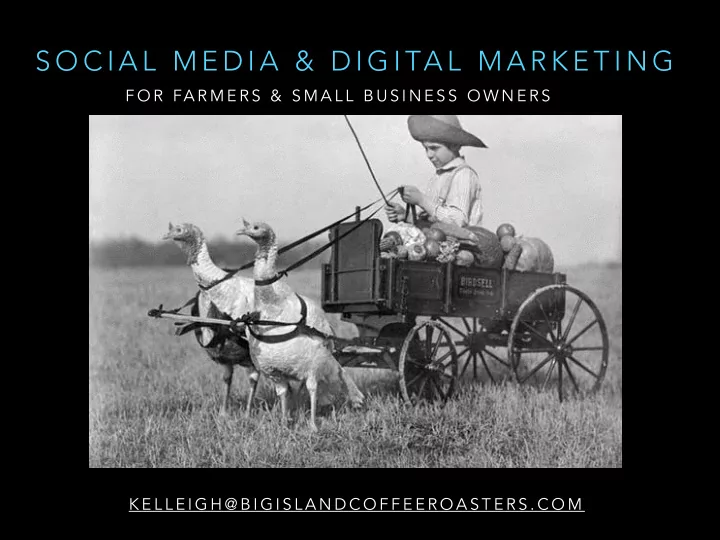
S O C I A L M E D I A & D I G I TA L M A R K E T I N G F O R - - PowerPoint PPT Presentation
S O C I A L M E D I A & D I G I TA L M A R K E T I N G F O R FA R M E R S & S M A L L B U S I N E S S O W N E R S K E L L E I G H @ B I G I S L A N D C O F F E E R O A S T E R S . C O M @ B I G I S L A N D C O F F E E R O A S T E
F O R FA R M E R S & S M A L L B U S I N E S S O W N E R S K E L L E I G H @ B I G I S L A N D C O F F E E R O A S T E R S . C O M
@ B I G I S L A N D C O F F E E R O A S T E R S
since Feb 2015 *no retail location *no farmers markets *no advertising *no paid-likes *w/o farm tours
I N S TA G R A M : > 6 0 0 T O 1 8 , 5 0 0 FA C E B O O K : 1 , 6 7 0 T W I T T E R : 2 8 0 0 P I N T E R E S T: 1 1 0 0 P E R I S C O P E N E W S L E T T E R C O N V E R S I O N S $ 1 . 7 5 @ PA R A D I S E R O A S T E R S
since April 2016
I N S TA G R A M : > 4 0 0 T O 1 2 7 0 FA C E B O O K : > 8 0 0 T O 1 , 0 2 1 N E W S L E T T E R C O N V E R S I O N S F R O M $ . 2 5 T O $ . 7 5
T R E A T I T L I K E A G A M E - H A V E F U N ! T H E R U L E S W I L L C H A N G E O V E R T I M E Y O U ’ R E R E N T I N G Y O U R F O L L O W E R S I T ’ S N O T A P O P U L A R I T Y C O N T E S T: I T ’ S N O T A B O U T L I K E S O R F O L L O W E R S
(not sales, though that is included)
G R O W I N G O P P O R T U N I T I E S
use to help manage your accounts
algorithms.
We’ll cover:
“set it and forget it”
company per ad
group, the target market may not see the ad, or it might not resonate with them
the rule.
platforms to tell your story/ describe your product or services.
impressions, sales, behavior tracking, etc.
M A G A Z I N E S , B I L L B O A R D S , N E W S PA P E R A D S , R A D I O , T E L E V I S I O N . S M , G O O G L E A D S , R E TA R G E T I N G , F B A D S , E T C .
T H E E L E M E N T S W H I C H C O M P R I S E O F A C O M P R E H E N S I V E A P P R O A C H T O A T T R A C T & R E TA I N C U S T O M E R S O N L I N E
Email Marketing & Metrics Web design SEO Paid advertising Content Social media
M A R K E T I N G A P P R O A C H F O C U S E D O N C R E A T I N G A N D D I S T R I B U T I N G VA L U A B L E , R E L E VA N T, A N D C O N S I S T E N T C O N T E N T T O A T T R A C T A N D R E TA I N A N A U D I E N C E . I N C L U D E S B L O G S , E B O O K S , I N F O G R A P H I C S S L I D E S H O W S , P R E S S R E L E A S E S , P O D C A S T S , A N D V I D E O S .
A P L A T F O R M F O R Y O U R C O N T E N T
Facebook Instagram Twitter Pinterest Snapchat Periscope Reddit Quora LinkedIn YouTube Flickr Begin thinking about your account as a testing ground for sorting the kind of material which engages your customers. Post which perform well can be repurposed…
1 2 0 0 L I K E S & 6 1 C O M M E N T S = F U T U R E A D ?
6 5 C O M M E N T S = H I G H E N G A G E M E N T = B L O G P O S T ?
G A I N M A R K E T I N S I G H T T H R O U G H E N G A G E M E N T
S T R A T E G I E S A N D T E C H N I Q U E S U S E D T O I M P R O V E T H E WA Y C O N T E N T I S R A N K E D B Y S E A R C H E N G I N E S - - I N C L U D I N G G O O G L E , B I N G , YA H O O A N D O T H E R S E A R C H E N G I N E S .
R E TA R G E T I N G , G O O G L E S E A R C H A D S , FA C E B O O K / I N S TA G R A M A D S , W E B S I T E B A N N E R A D S , M O B I L E A D S , P P C .
G R E A T W E B D E S I G N I S A L L A B O U T H E L P I N G T H E U S E R A C C O M P L I S H A G I V E N TA S K A S S I M P LY A N D E F F I C I E N T LY A S P O S S I B L E . S H O U L D B E I N T U I T I V E , O T H E R W I S E I T ’ S FA I L E D .
S TA N D A R D F O R M E A S U R I N G H O W S U C C E S S F U L A S T R A T E G Y O R W E B S I T E I S I N O R D E R T O O P T I M I Z E I T F O R C O N V E R S I O N .
Otherwise you’re just renting your friends.
A R G U A B LY T H E M O S T I M P O R TA N T P I E C E O F Y O U R D I G I TA L M A R K E T I N G S T R A T E G Y:
S O C I A L M E D I A M E T R I C S
F O R S O C I A L M E D I A W O R K F L O W
R E G I S T E R A N D D O W N L O A D T H E S E A P P S :
GOOGLE DRIVE PHOTO STORAGE IFTTT AUTOMATION REGRANN SHARING BETWEEN ACCOUNTS & REPOSTING FAN CONTENT FLICKR STORING EDITED PHOTOS, FAN POSTS, AND CAPTIONS INSTAGRAM SOCIAL EPICENTER FACEBOOK TWITTER PINTEREST
making collages
GOOGLE DRIVE OR DROP BOX SNAP & SAVE Safe keeping and quick access for original
IFTTT AUTOMATION APP You create “recipes” where actions trigger events. Examples:
reminder to be nice to my brother.
Phillip Smart Hues, you can trigger it to turn on a light every time you’re tagged in an FB post.
wallpaper to NASA’s image of the day. Social media IFTTT recipes:
page to your Twitter account.
INSTAGRAM ACCOUNT EPICENTER
build an authentic following quickly.
REGRANN LINKING ACCOUNTS
Pinterest, Twitter (native), and Facebook.
FLICKR SOCIAL STORAGE
great way to share post-edit content & captions to a team.
PINTEREST, TWITTER, FACEBOOK*
B E G I N N E R S W O R K F L O W: 1 P O S T, 5 P L A C E S
IFTTT RECIPES Create 4 different recipes in IFTTT to send your Instagram post as a native photo to Twitter, upload it to Pinterest, send it to Facebook & Flickr
folder and save it for later.
for to clean up the post and share to Twitter & Pinterest.
1 0 - 2 0 M I N U T E S
Snapping the photo
TIP: Use photos with symmetry, eye catching subjects, a good use of space and/or attention- grabbing color! Poorly lit, overly crowded, faded, cluttered, busy, fuzzy photos are not fun for people to look at! If the photo doesn't deliver the concept or provide value, consider whether you should post it.
Editing and adding captions
TIP: Due to recent changes in the algorithm for FB and IG, posts are being weighted more heavily towards interaction (shares, likes, views, comments). So make sure you’ve got at least two posts per week you’ve really spent some time on crafting. * 85% PBS, 15% QVC For adding text to your post, use apps like Canva, Studio, or Pixlr. Put phone on airplane mode and hit “POST” to save the edited photo without posting. For saving captions, use your phone’s notebook.
About #hashtags Challenges with automated reposting
TIP: Hashtags are simply a means of indexing content. They can be used to attract like-minded strangers, or for “dominating” a hashtag niche. With Facebook, use hashtags to only call attention to a word or phrase, to be entertaining (#sheepselfie). They’re rarely used for indexing. TIP: Store groups of hashtags on your phone to easily copy/paste them into the caption. ADVANCED HASHTAGGING WITH IFTTT: Through IFTTT, you can use specific hashtags to trigger posting to Twitter or for posting to specific boards in Pinterest. Typos go from 1 account to 5. Each platform has style guidelines to follow for optimized posting. (140 characters to Twitter, active links in Facebook, keyword search-relevant terms in Pinterest).
A D VA N C E D
1 P O S T 9 P L A C E S
want your account to look like a magazine.*
lunch.
follow the style of your page, or events that have
product.
slang and abbreviations.
that they interfere with the caption
with them.
your followers, based on code words, post popularity, and post type.
“Buy”, “Sale”. These are reach killers. Replace with words like “Join” “Enjoy”, etc.
YouTube as a major competitor in the social/online space. Not surprising that it would choose to squash mentions of it in posts.
resonating with your followers – so don’t neglect it!
shared and published by your Facebook friends, rather than those posted by Pages.
every post to encourage sharing.
friends of people who like your page, but excluding those who like your page already.
engaged women who live in San Francisco, watch Game of Thrones and like Blue Bottle coffee.
and like Blue Bottle coffee.
match the email address on your list with profiles in their system. Then you can target your newsletter list.
your newsletter list.
page or arrived at your website but didn’t land on that page.
B E A U T Y O F FA C E B O O K I S FA C E B O O K A D S B E C A U S E I T O F F E R S P R E C I S E TA R G E T I N G .
They’re not your followers, they’re Facebook’s/Instagram’s/Twitter’s users. So how do you protect yourself and the audience who wants to see you from reach-restricting changes?
Incentivizing your followers to sign up to your newsletter list.
Ask ‘em to enable post notifications.