Resources, Services, and Interfaces Services: Hardware Abstractions - - PDF document

resources services and interfaces services hardware
SMART_READER_LITE
LIVE PREVIEW

Resources, Services, and Interfaces Services: Hardware Abstractions - - PDF document

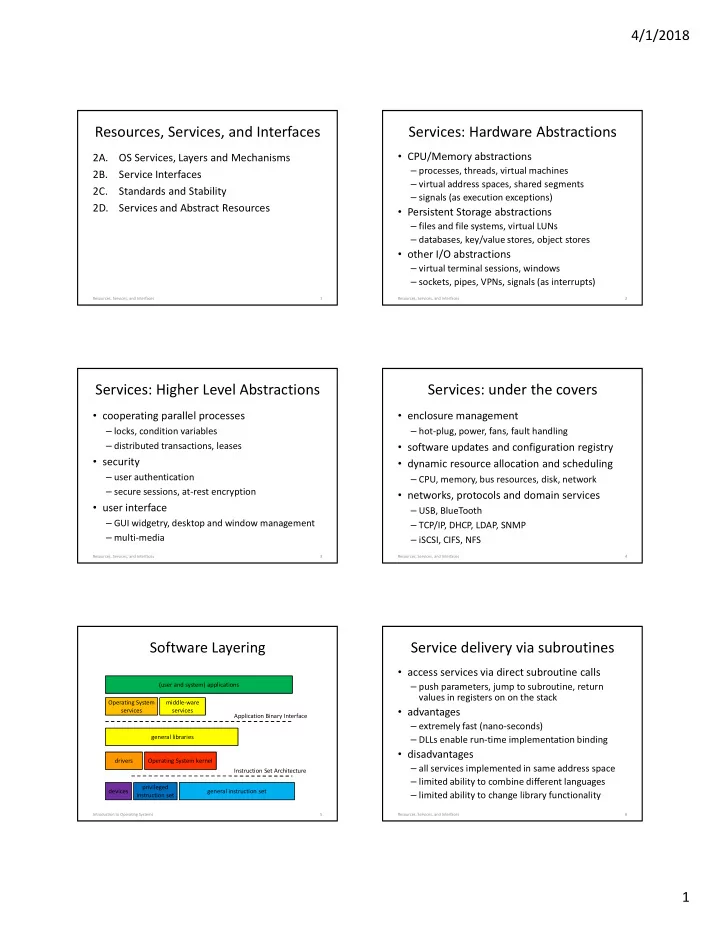
4/1/2018 Resources, Services, and Interfaces Services: Hardware Abstractions CPU/Memory abstractions 2A. OS Services, Layers and Mechanisms processes, threads, virtual machines 2B. Service Interfaces virtual address spaces, shared


slide-1
SLIDE 1

4/1/2018 1

Resources, Services, and Interfaces

2A. OS Services, Layers and Mechanisms 2B. Service Interfaces 2C. Standards and Stability 2D. Services and Abstract Resources

1 Resources, Services, and Interfaces

Services: Hardware Abstractions

  • CPU/Memory abstractions

– processes, threads, virtual machines – virtual address spaces, shared segments – signals (as execution exceptions)

  • Persistent Storage abstractions

– files and file systems, virtual LUNs – databases, key/value stores, object stores

  • other I/O abstractions

– virtual terminal sessions, windows – sockets, pipes, VPNs, signals (as interrupts)

Resources, Services, and Interfaces 2

Services: Higher Level Abstractions

  • cooperating parallel processes

– locks, condition variables – distributed transactions, leases

  • security

– user authentication – secure sessions, at-rest encryption

  • user interface

– GUI widgetry, desktop and window management – multi-media

Resources, Services, and Interfaces 3

Services: under the covers

  • enclosure management

– hot-plug, power, fans, fault handling

  • software updates and configuration registry
  • dynamic resource allocation and scheduling

– CPU, memory, bus resources, disk, network

  • networks, protocols and domain services

– USB, BlueTooth – TCP/IP, DHCP, LDAP, SNMP – iSCSI, CIFS, NFS

Resources, Services, and Interfaces 4

Software Layering

Introduction to Operating Systems 5

privileged instruction set general instruction set Operating System kernel general libraries Operating System services middle-ware services (user and system) applications devices Application Binary Interface Instruction Set Architecture drivers

Service delivery via subroutines

  • access services via direct subroutine calls

– push parameters, jump to subroutine, return values in registers on on the stack

  • advantages

– extremely fast (nano-seconds) – DLLs enable run-time implementation binding

  • disadvantages

– all services implemented in same address space – limited ability to combine different languages – limited ability to change library functionality

Resources, Services, and Interfaces 6

slide-2
SLIDE 2

4/1/2018 2

Layers: libraries

  • convenient functions we use all the time

– reusable code makes programming easier – a single well written/maintained copy – encapsulates complexity … better building blocks

  • multiple bind-time options

– static … include in load module at link time – shared … map into address space at exec time – dynamic … choose and load at run-time

  • it is only code … it has no special privileges

Resources, Services, and Interfaces 7

Service delivery via system calls

  • force an entry into the operating system

– parameters/returns similar to subroutine – implementation is in shared/trusted kernel

  • advantages

– able to allocate/use new/privileged resources – able to share/communicate with other processes

  • disadvantages

– all implemented on the local node – 100x-1000x slower than subroutine calls – evolution is very slow and expensive

Resources, Services, and Interfaces 8

Software Layering

Introduction to Operating Systems 9

privileged instruction set general instruction set Operating System kernel general libraries Operating System services middle-ware services (user and system) applications devices Application Binary Interface Instruction Set Architecture drivers

Layers: the kernel

  • primarily functions that require privilege

– privileged instructions (e.g. interrupts, I/O) – allocation of physical resources (e.g. memory) – ensuring process privacy and containment – ensuring the integrity of critical resources

  • some operations may be out-sourced

– system daemons, server processes

  • some plug-ins may be less-trusted

– device drivers, file systems, network protocols

Resources, Services, and Interfaces 10

Kernel Structure (artists conception)

Resources, Services, and Interfaces 11

interrupts traps processor mode memory mapping atomic updates processor exceptions configuration analysis timers cache mgmt interrupts I/O

  • perations

traps processor mode memory mapping atomic updates context switching DMA bus drivers timers cache mgmt network class driver serial class driver display class driver storage class driver stream services block I/O services processor initialization hot-plug services enclosure management

processor abstraction I/O abstraction

memory allocation memory segments thread dispatching processes (resource containers) process/thread scheduling thread synchronization memory scheduling paging swapping fault handling I/O resource allocation DMA services

virtual execution engine

transport protocols file systems synchronization model exception model IPC model file model file I/O model process/thread model file namespace model

system call interfaces user visible OS model

asynchronous events device drivers device drivers volume management run-time loader configuration services kernel debugger logging & tracing

higher level services

authorization model boot strap fault management quality

  • f service

Service delivery via messages

  • exchange messages with a server (via syscalls)

– parameters in request, returns in response

  • advantages:

– server can be anywhere on earth – service can be highly scalable and available – service can be implemented in user-mode code

  • disadvantages:

– 1,000x-100,000x slower than subroutine – limited ability to operate on process resources

Resources, Services, and Interfaces 12

slide-3
SLIDE 3

4/1/2018 3

Software Layering

Introduction to Operating Systems 13

privileged instruction set general instruction set Operating System kernel general libraries Operating System services middle-ware services (user and system) applications devices Application Binary Interface Instruction Set Architecture drivers

Layers: system services

  • not all trusted code must be in the kernel

– it may not need to access kernel data structures – it may not need to execute privileged instructions

  • some are actually privileged processes

– login can create/set user credentials – some can directly execute I/O operations

  • some are merely trusted

– sendmail is trusted to properly label messages – NFS server is trusted to honor access control data

Resources, Services, and Interfaces 14

Layers: middle-ware

  • Software that is a key part of the application
  • r service platform, but not part of the OS

– database, pub/sub messaging system – Apache, Nginx – Hadoop, Zookeeper, Beowulf, OpenStack – Cassandra, RAMCloud, Ceph, Gluster

  • Kernel code is very expensive and dangerous

– user-mode code is easier to build, test and debug – user-mode code is much more portable – user-mode code can crash and be restarted

Resources, Services, and Interfaces 15

Where to implement a service

  • How many different applications use it?
  • How frequently is it used?
  • How performance critical are the operations?
  • How stable/standard is the functionality?
  • How complex is the implementation?
  • Are there issues of privilege or trust?
  • Is the service to be local or distributed?
  • Are there to be competing implementations?

Introduction to Operating Systems 16

Is it faster if it is in the OS?

  • OS is no faster than a user-mode process

– CPU, instruction set, cache are the same

  • some services involve expensive operations

– servicing interrupts … faster in the kernel – making system calls … unnecessary in kernel – process switches … faster/less often in kernel

  • but kernel code is very expensive

– difficult to build and test – long delivery schedules, difficult to change

Introduction to Operating Systems 17

Why Do Interfaces Matter?

  • primary value of OS is the apps it can run

– it must provide all services those apps need – via the interfaces those apps expect

  • correct application behavior depends on

– OS correctly implements all required services – application uses services only in supported ways

  • there are numerous apps and OS platforms

– it is not possible to test all combinations – rather, we specify and test interface compliance

Resources, Services, and Interfaces 18

slide-4
SLIDE 4

4/1/2018 4

Application Programming Interfaces

  • a source level interface, specifying

– include files – data types, data structures, constants – macros, routines, parameters, return values

  • a basis for software portability

– recompile program for the desired ISA – linkage edit with OS-specific libraries – resulting binary runs on that ISA and OS

  • they are (by definition) language specific

– but an API can be offered in many languages

Resources, Services, and Interfaces 19

Application Binary Interfaces

  • a binary interface, specifying

– load module, object module, library formats

  • what makes a blob of ones and zeroes a program

– data formats (types, sizes, alignment, byte order) – calling sequences, linkage conventions

  • it is independent of particular routine semantics
  • a basis for binary compatibility

– one binary will run on any ABI compliant system

  • e.g. all x86 Linux/BSD/OSx/Solaris/…
  • may even run on windows platforms

Resources, Services, and Interfaces 20

Other interoperability interfaces

  • Data formats and information encodings

– multi-media content (e.g. MP3, JPG) – archival (e.g. tar, gzip) – file systems (e.g. DOS/FAT, ISO 9660)

  • Protocols

– networking (e.g. ethernet, WLAN, TCP/IP) – domain services (e.g. IMAP, LPD) – system management (e.g. DHCP, SNMP, LDAP) – remote data access (e.g. FTP, HTTP, CIFS, S3)

Resources, Services, and Interfaces 21

Interoperability requires Completeness

  • Interface specification must be complete

– all input parameters – all output values – all input/output behaviors – all internal state or side-effects

  • All specifications should be explicit

– no undocumented features – not defined by an implementation’s behavior

Resources, Services, and Interfaces 22

Interoperability requires compliance

  • Complete interoperability testing impossible

– cannot test all applications on all platforms – cannot test interoperability of all implementations – new apps and platforms are added continuously

  • Rather, we focus on the interfaces

– interfaces are completely and rigorously specified – standards bodies manage the interface definitions – compliance suites validate the implementations

  • and hope that sampled testing will suffice

Resources, Services, and Interfaces 23

Interoperability requires stability

  • no program is an island

– programs use system calls – programs call library routines – programs operate on external files – programs exchange messages with other software

  • API requirements are frozen at compile time

– execution platform must support those interfaces – all partners/services must support those protocols – all future upgrades must support older interfaces

Resources, Services, and Interfaces 24

slide-5
SLIDE 5

4/1/2018 5

Compatibility Taxonomy

  • upwards compatible (with …)

– new version still supports previous interfaces

  • backwards compatible (with …)

– will correctly interact with old protocol versions

  • versioned interface, version negotiation

– parties negotiate a mutually acceptable version

  • compatibility layer

– a cross-version translator

  • non-disruptive upgrade

– update components one-at-a-time w/o down-time

Resources, Services, and Interfaces 25

Services: an object-oriented view

  • my execution platform implements objects

– they may be bytes, longs and strings – they may be processes, files, and sessions

  • an object is defined by

– its properties, methods, and their semantics

  • what makes a particular set of objects good

– they are powerful enough to do what I need – they don’t force me to do a lot of extra work – they are simple enough for me to understand

Resources, Services, and Interfaces 26

Better Objects and Operations

  • easier to use than the original resources

– disk I/O without DMA, interrupts and errors

  • compartmentalize/encapsulate complexity

– a securely authenticated/encrypted channel

  • eliminate behavior that is irrelevant to user

– hide the slow erase cycle of flash memory

  • create more convenient behavior

– highly reliable/available storage from anywhere

Resources, Services, and Interfaces 27

Simplifying Abstractions

  • hardware is fast, but complex and limited

– using it correctly is extremely complex – it may not support the desired functionality – it is not a solution, but merely a building block

  • encapsulate implementation details

– error handling, performance optimization – eliminate behavior that is irrelevant to the user

  • more convenient or powerful behavior

– operations better suited to user needs

Resources, Services, and Interfaces 28

Generalizing Abstractions

  • make many different things appear the same

– applications can all deal with a single class – often Lowest Common Denominator + sub-classes

  • requires a common/unifying model

– portable document format for printed output – SCSI/SATA/SAS standard for disks, CDs, SSDs

  • usually involves a federation framework

– device-specific drivers – browser plug-ins to handle multi-media data

Resources, Services, and Interfaces 29

Federation Frameworks

  • A structure that allows many similar, but

somewhat different things to be treated uniformly

  • By creating one interface that all must meet
  • Then plugging in implementations for the

particular things you have

  • e.g., make all hard disk drives accept the same

commands

– even though you have 5 different models installed

slide-6
SLIDE 6

4/1/2018 6

Layers of Abstraction: a browser

Resources, Services, and Interfaces 31

plug-in framework – generalizing abstraction for data formats Browser – simplifying abstraction for data navigation html mp3 flash jpeg http – simplifying abstraction for remote file access display driver – generalizing abstraction for video adaptors ssl – simplifying abstraction for secure communication

Building Blocks and World Views

  • An OS is a general purpose platform

– it must support a wide range of applications – including those to be designed in the future

  • OS services are software building blocks

– not solutions, but pieces for building solutions

  • OS abstractions represent a world view

– concepts that encompass all possible s/w – interaction rules to govern their combinations – frame (guide/constrain) all future discussions

Resources, Services, and Interfaces 32

Virtualizing Physical Resources

  • serially reusable (temporal multiplexing)

– used by multiple clients, one at a time – requires access control to ensure exclusive access

  • partitionable resources (spatial multiplexing)

– different clients use different parts at same time – requires access control for containment/privacy

  • sharable (no apparent partitioning or turns)

– often involves mediated access – often involves under-the-covers multiplexing

Resources, Services, and Interfaces 33

Serially Reusable Resources

  • Used by multiple clients ... one at a time

– temporal multiplexing

  • Require access control to ensure exclusivity

– while A has resource, nobody else can use it

  • Require graceful transitions between users

– B will not start until A finishes – B receives resource in like-new condition

  • Examples: printers, bathroom stalls

Partitionable Resources

  • Divided into disjoint pieces for multiple clients

– Spatial multiplexing

  • Needs access control to ensure:

– Containment: you cannot access resources outside

  • f your partition

– Privacy: nobody else can access resources in your partition

  • Examples: RAM, hotel rooms

Shareable Resources

  • Usable by multiple concurrent clients

– Clients do not have to “wait” for access to resource – Clients don’t “own” a particular subset of resource

  • May involve (effectively) limitless resources

– Air in a room, shared by occupants – Copy of the operating system, shared by processes

  • May involve under-the-covers multiplexing

– Cell-phone channel (time and frequency multiplexed) – Shared network interface (time multiplexed)

slide-7
SLIDE 7

4/1/2018 7

Supplementary Slides

OS Layering

  • Modern OSes offer services via layers of

software and hardware

  • High level abstract services offered at high

software layers

  • Lower level abstract services offered deeper in

the OS

  • Ultimately, everything mapped down to

relatively simple hardware

Discussion Slides

4/1/2018 Introduction to Course and OS 40

Deeper

  • What are the key differences between
  • perations and objects) implemented in the

CPU (e.g. arithmetic and logical operations

  • n 32 bit integers) and those implemented

in the operating system (e.g. get/release

  • perations on locks)?
  • 1. operations implemented in the OS are more

easily changed or added.

  • 2. objects implemented in the OS are more likely to

have multi-user/multi-thread semantics.

A1 4/1/2018 Introduction to Course and OS 41

Deeper

  • Why would services like encryption or string
  • perations be implemented in a library, rather

than in the application software?

It is a simple matter of code reuse. A single implementation of these features can serve a great many different applications … greatly reducing the amount of work required to write a new application.

B1 4/1/2018 Introduction to Course and OS 42

Deeper

  • Why is it interesting to distinguish the user mode

instruction set from the Application Binary Interface (between application and libraries)?

The user mode instruction set is defined and implemented by hardware … and is thus ISA specific. The Application Binary Interface is defined and implemented by software … and is thus OS specific. Compilers generate code that uses the user-mode instruction

  • set. Code that exploits features in the Application Binary

Interface is written by people (or higher level tools).

B2

slide-8
SLIDE 8

4/1/2018 8

4/1/2018 Introduction to Course and OS 43

Deeper

  • Why might something implemented in the OS

be faster than something implemented

  • utside of the OS?

If a non-OS implementation involved sending messages to another process, which would then have to be scheduled and swapped in, an implementation within the (resident) operating system might be much faster.

C1 4/1/2018 Introduction to Course and OS 44

Deeper

  • Why might something implemented in a

library be faster than if it was implemented inside the OS?

Entering the operating system involves some fairly elaborate state saving and mode changing … which could easily increase the cost of a simple data manipulation task by more than an order of magnitude.

C2 4/1/2018 Introduction to Course and OS 45

Deeper

  • What are the key differences between
  • perations and objects) implemented in the

CPU (e.g. arithmetic and logical operations

  • n 32 bit integers) and those implemented

in the operating system (e.g. get/release

  • perations on locks)?
  • 1. operations implemented in the OS are more

easily changed or added.

  • 2. objects implemented in the OS are more likely to

have multi-user/multi-thread semantics.

A1 4/1/2018 Introduction to Course and OS 46

Deeper

  • Why is it interesting to distinguish the user mode

instruction set from the Application Binary Interface (between application and libraries)?

The user mode instruction set is defined and implemented by hardware … and is thus ISA specific. The Application Binary Interface is defined and implemented by software … and is thus OS specific. Compilers generate code that uses the user-mode instruction

  • set. Code that exploits features in the Application Binary

Interface is written by people (or higher level tools).

B2 4/1/2018 Basic Concepts 47

Deeper

  • Which do you think is more stable? User

mode or kernel mode instruction sets? Why?

  • 1. User mode instruction sets tend to evolve more

slowly than the privileged instruction sets do.

  • 2. New user-mode instructions may not be useful to

applications until compilers and libraries are rewritten to exploit them, which may take many years.

B1 4/1/2018 Basic Concepts 48

Deeper

  • What might force someone to use a

particular ISA?

  • 1. Their hardware may be inherited and they have

to use what they get.

  • 2. The chosen hardware may have special features

(e.g. low power consumption, hardened) that

  • utweigh its ISA.
  • 3. Partnerships may dictate the choice of

hardware.

B2

slide-9
SLIDE 9

4/1/2018 9

4/1/2018 Basic Concepts 49

Deeper

  • Why would I prefer an OS that supported an

ABI to one that merely supported an API?

  • 1. With API compatibility I have to obtain and

compile the sources for the applications I want. If it doesn’t build, I have to debug it.

  • 2. With ABI compatibility, I merely load the

application (binary) onto my system and run it.

D2 4/1/2018 Basic Concepts 50

Deeper

  • Which do you think is more stable? User

mode or kernel mode instruction sets? Why?

  • 1. User mode instruction sets tend to evolve more

slowly than the privileged instruction sets do.

  • 2. New user-mode instructions may not be useful to

applications until compilers and libraries are rewritten to exploit them, which may take many years.

B1 4/1/2018 Basic Concepts 51

Deeper

  • How could a (non-bug) change to an OS

break customer applications or systems?

  • 1. By changing an interface that a critical

application used, the application might no longer work on the new OS version.

  • 2. By no longer supporting a particular device, a

customer (who has that device) might find the new release to be unusable.

D1 4/1/2018 Introduction to Course and OS 52

Deeper

  • Why would we want to make all printers look

alike?

So that we could write our applications against this single model, and then have it “just work” with all printers. The alternative would be to have to program our application to know about all possible printers, including those that were invented after we had written our application!

D1 4/1/2018 Introduction to Course and OS 53

Deeper

  • Does the common model have to be the

“lowest common denominator”?

Not necessarily. The model can include “optional features”, which (if present) are implemented in a standard way, but may not always be present (and can be tested for). However, it is likely that many devices will have features that cannot be exploited through the common model. There are arguments for and against the value of such features.

D2 4/1/2018 Introduction to Course and OS 54

Deeper

  • What do we mean by ensuring “a graceful

transition from one user to the next”?

  • 1. Not allowing the second user to access the

resource until the first user is finished with it.

  • 2. Ensuring that each subsequent user finds the

resource in “like new” condition.

E1

slide-10
SLIDE 10

4/1/2018 10

4/1/2018 Introduction to Course and OS 55

Deeper

  • What is the difference between containment

and privacy?

They are symmetric properties. Containment means that you cannot access resources outside of your partition. Privacy means that nobody else can access resources in your partition.

E2 4/1/2018 Introduction to Course and OS 56

Deeper

  • If the sharing is implemented by “under the

covers” multiplexing, what is the difference between a shared resource, and a serially reusable or partitioned resource?

The resource user never sees the need to wait for the resource, or that there is a portion of the resource he cannot use.

E3