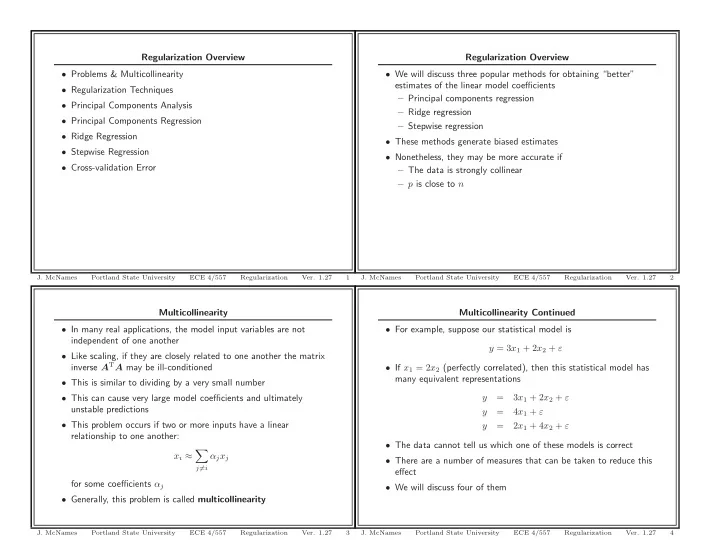
Regularization Overview Regularization Overview Problems & - - PowerPoint PPT Presentation

regularization overview regularization overview problems
SMART_READER_LITE
LIVE PREVIEW

Regularization Overview Regularization Overview Problems & - - PowerPoint PPT Presentation

Regularization Overview Regularization Overview Problems & Multicollinearity We will discuss three popular methods for obtaining better estimates of the linear model coefficients Regularization Techniques Principal


slide-1
SLIDE 1

Multicollinearity

  • In many real applications, the model input variables are not

independent of one another

  • Like scaling, if they are closely related to one another the matrix

inverse ATA may be ill-conditioned

  • This is similar to dividing by a very small number
  • This can cause very large model coefficients and ultimately

unstable predictions

  • This problem occurs if two or more inputs have a linear

relationship to one another: xi ≈

  • j=i

αjxj for some coefficients αj

  • Generally, this problem is called multicollinearity
  • J. McNames

Portland State University ECE 4/557 Regularization

  • Ver. 1.27

3

Regularization Overview

  • Problems & Multicollinearity
  • Regularization Techniques
  • Principal Components Analysis
  • Principal Components Regression
  • Ridge Regression
  • Stepwise Regression
  • Cross-validation Error
  • J. McNames

Portland State University ECE 4/557 Regularization

  • Ver. 1.27

1

Multicollinearity Continued

  • For example, suppose our statistical model is

y = 3x1 + 2x2 + ε

  • If x1 = 2x2 (perfectly correlated), then this statistical model has

many equivalent representations y = 3x1 + 2x2 + ε y = 4x1 + ε y = 2x1 + 4x2 + ε

  • The data cannot tell us which one of these models is correct
  • There are a number of measures that can be taken to reduce this

effect

  • We will discuss four of them
  • J. McNames

Portland State University ECE 4/557 Regularization

  • Ver. 1.27

4

Regularization Overview

  • We will discuss three popular methods for obtaining “better”

estimates of the linear model coefficients – Principal components regression – Ridge regression – Stepwise regression

  • These methods generate biased estimates
  • Nonetheless, they may be more accurate if

– The data is strongly collinear – p is close to n

  • J. McNames

Portland State University ECE 4/557 Regularization

  • Ver. 1.27

2

slide-2
SLIDE 2

Singular Value Decomposition Continued 1

  • The matrix U can be written as

U =

  • U+

n×p

U−

n×(n−p)

  • This enables us to decompose the A matrix slightly differently

A

n×p = U n×n

Σ

n×p V T p×p = U+ n×p

Σ+

p×p

V T

p×p

  • The elements along the diagonal of Σ+ are called the singular

values of A

  • They are nonnegative
  • Usually they are ordered such that

σ1 ≥ σ2 ≥ σ3 ≥ · · · ≥ σp ≥ 0

  • J. McNames

Portland State University ECE 4/557 Regularization

  • Ver. 1.27

7

Example 1: Multicollinearity

N = 20; x1 = rand(N,1); x2 = 5*x1;

  • m = [-1 2 3]’;

% True process coefficients A = [ones(N,1) x1 x2]; y = A*om + 0.1*randn(N,1); % Statistical model b = y; w = inv(A’*A)*A’*b % Regression model coefficients

This returns

Warning: Matrix is close to singular or badly scaled. Results may be inaccurate. RCOND = 3.801412e-018. > In Multicollinearity at 11 w =

  • 1.0088

31.8756

  • 1.0408
  • J. McNames

Portland State University ECE 4/557 Regularization

  • Ver. 1.27

5

Singular Value Decomposition & PCA A

n×p = U+ n×p

Σ+

p×p

V T

p×p

  • The V matrix can be written in terms of its column vectors

V

p×p =

⎡ ⎣ | | | v1 v2 . . . vp | | | ⎤ ⎦

  • The square of the singular values (σ2

i ) represents the 2nd moment

  • f the data along projections of A onto the vectors vi
  • The input vectors are rotated to the directions that maximize the

estimated second moment of the projected data v1 = argmax

vT

1 v1=1

||Av1||2 = (Av1)T(Av1) = v1ATAv1

  • Locating these vectors and their projected variances is called

principal components analysis

  • J. McNames

Portland State University ECE 4/557 Regularization

  • Ver. 1.27

8

Singular Value Decomposition A

n×p = U n×n

Σ

n×p V T p×p

  • The A matrix can be decomposed as a product of three different

matrices

  • U and V are unitary matrices

U TU = I

n×n = UU T

V TV = I

p×p = V V T

  • Σ is a diagonal matrix

Σ

n×p =

⎡ ⎢ ⎢ ⎢ ⎢ ⎢ ⎢ ⎢ ⎢ ⎢ ⎢ ⎣ σ1 . . . σ2 . . . . . . . . . ... . . . . . . σp . . . . . . . . . ... . . . . . . ⎤ ⎥ ⎥ ⎥ ⎥ ⎥ ⎥ ⎥ ⎥ ⎥ ⎥ ⎦ =

  • Σ+
  • J. McNames

Portland State University ECE 4/557 Regularization

  • Ver. 1.27

6

slide-3
SLIDE 3

p1 = [0 0]; % Starting point p2 = V(1:2 ,1)*S(1 ,1)/15; % Ending point h = DrawArrow ([p1 (1) p2 (1)] ,[ p1 (2) p2 (2)]); % Function in my collection set(h,’HeadStyle ’,’plain ’); p1 = [0 0]; p2 = V(1:2 ,2)*S(2 ,2)/15; h = DrawArrow ([p1 (1) p2 (1)] ,[ p1 (2) p2 (2)]); set(h,’HeadStyle ’,’plain ’); hold

  • ff;

xlabel(’x_1 ’); ylabel(’x_2 ’); title(’Principal Components Analysis Without Centering ’); AxisSet (8); print -depsc PCAUncentered.eps ; x1c = mean(x1); % Find the average ( center) of x1 x2c = mean(x2); % Find the average ( center) of x2 xc = [x1c x2c]’; % Collect into a vector A = [x1 -x1c x2 -x2c ]; % Recreate the A matrix [U,S,V] = svd(A); figure; FigureSet (1 ,5 ,5); ax = axes(’Position ’ ,[0.1 0.1 0.8 0.8 ]); h = plot(x1 ,x2 ,’r.’); set(h,’MarkerSize ’ ,6); hold on; xlim ([-0.10 1.00 ]); ylim ([-0.10 1.00 ]); AxisLines;

  • J. McNames

Portland State University ECE 4/557 Regularization

  • Ver. 1.27

11

Example 2: PCA without Centering

−0.1 0.1 0.2 0.3 0.4 0.5 0.6 0.7 0.8 0.9 −0.1 0.1 0.2 0.3 0.4 0.5 0.6 0.7 0.8 0.9 x1 x2 Principal Components Analysis Without Centering

  • J. McNames

Portland State University ECE 4/557 Regularization

  • Ver. 1.27

9

p1 = xc; p2 = xc + V(: ,1)*S(1 ,1)/2; h = DrawArrow ([p1 (1) p2 (1)] ,[ p1 (2) p2 (2)]); set(h,’HeadStyle ’,’plain ’); p1 = xc; p2 = xc + V(: ,2)*S(2 ,2)/2; h = DrawArrow ([p1 (1) p2 (1)] ,[ p1 (2) p2 (2)]); set(h,’HeadStyle ’,’plain ’); hold

  • ff;

axis(’square ’); xlabel(’x_1 ’); ylabel(’x_2 ’); title(’Principal Components Analysis With Centering ’); AxisSet (8); print -depsc PCACentered.eps ;

  • J. McNames

Portland State University ECE 4/557 Regularization

  • Ver. 1.27

12

Example 2: MATLAB Code

function [] = PCACentering (); %clear; rand(’state ’ ,8); randn(’state ’ ,11); NP = 100; % Number of points x1 = 0.08*randn(NP ,1); % Input 1 x2 = -x1 + 0.04*randn(NP ,1); % Input 2 x1 = x1 + .5; x2 = x2 + .5; A = [x1 x2 ones(NP ,1)]; [U,S,V] = svd(A); % Singular Value Decomposition V(: ,1) = -V(: ,1); figure; FigureSet (1 ,5 ,5); ax = axes(’Position ’ ,[0.1 0.1 0.8 0.8 ]); h = plot(x1 ,x2 ,’r.’); set(h,’MarkerSize ’ ,6); hold on; xlim ([-0.10 1.00 ]); ylim ([-0.10 1.00 ]); AxisLines; % Function in my collection

  • J. McNames

Portland State University ECE 4/557 Regularization

  • Ver. 1.27

10

slide-4
SLIDE 4

PCA & SVD A = U+Σ+V T ATA = V TΛV

  • Often PCA is calculated using eigenvalues and eigenvectors

instead of singular value decomposition

  • It can be shown that

ATA = V TΛV where Λ

p×p =

⎡ ⎢ ⎢ ⎢ ⎣ λ1 . . . λ2 . . . . . . . . . ... . . . λp ⎤ ⎥ ⎥ ⎥ ⎦

  • This is the same V matrix as computed using SVD on A
  • The eigenvalues are related to the singular values by λi = σ2

i

  • J. McNames

Portland State University ECE 4/557 Regularization

  • Ver. 1.27

15

Principal Components Analysis

  • In general, finding the directions of maximum variance is more

useful than finding the directions that maximize the second moment

  • This can be achieved by subtracting the average from all of the

input vectors A′

n×(p−1) =

⎡ ⎣ | | | x′

1

x′

2

. . . x′

p−1

| | | ⎤ ⎦ where x′

i = xi − ¯

xi

  • If A′ is decomposed as A′ = U+Σ+V T, then

σ2

1 = var(Av1)

σ2

2 = var(Av2)

. . .

  • Note that the column of ones is omitted from A′
  • The vectors vi now represent the directions of maximum variance
  • J. McNames

Portland State University ECE 4/557 Regularization

  • Ver. 1.27

13

PCA & SVD Summary A = U+Σ+V T ATA = V TΛV A =

p

  • i=1

uiσivT

i = p

  • i=1

σi

  • uivT

i

  • A can be expressed as a sum of p rank-1 matrices
  • PCA is useful for compression
  • If most of the variance is captured by the first few principal

components, then we can omit the other components with minimal loss of information

  • Just truncate the sum to get an approximation of A

A ≈

ρ

  • i=1

σi

  • uivT

i

  • for some ρ < p
  • J. McNames

Portland State University ECE 4/557 Regularization

  • Ver. 1.27

16

Example 3: PCA With Centering

−0.1 0.1 0.2 0.3 0.4 0.5 0.6 0.7 0.8 0.9 −0.1 0.1 0.2 0.3 0.4 0.5 0.6 0.7 0.8 0.9 x1 x2 Principal Components Analysis With Centering

  • J. McNames

Portland State University ECE 4/557 Regularization

  • Ver. 1.27

14

slide-5
SLIDE 5

PCA Dimension Reduction Equivalent w Let A represent the centered data matrix w = (ATA)−1ATy =

  • (UΣV T)T(UΣV T)

−1 (UΣV T)Ty =

  • V ΣTU TUΣV T−1 V ΣTU Ty

=

  • V ΣTΣV T−1 V ΣT

+U T +y

=

  • V Σ2

+V T−1 V Σ+U T +y

= (V T)−1Σ−2

+ V −1V Σ+U T +y

= V Σ−2

+ Σ+U T +y

= V Σ−1

+ U T +y

  • J. McNames

Portland State University ECE 4/557 Regularization

  • Ver. 1.27

19

PCA Dimension Reduction

y Model Observed Inputs x Output Dimension Reduction u Features

  • We can also use PCA to reduce the number of inputs to a smaller

set of features

  • If we use PCA, the idea is to project the input vectors onto a linear

subspace that explains most of the variance of the input vectors

  • Practically, this is implemented by performing PCA on the

centered version of the A matrix (i.e. A′)

  • The input vectors are then compressed to a set of features u by

multiplying each input vector by the ρ columns of V

  • J. McNames

Portland State University ECE 4/557 Regularization

  • Ver. 1.27

17

PCA Dimension Reduction Equivalent w = V Σ−1

+ U T +y

The model output for a given input x can then be written as ˆ y = xTw = xTV Σ−1

+ U T +y

=

p

  • i=1

(xTvi) 1 σi (uT

i y) = p

  • i=1

1 σi (xTvi)(uT

i y)

= xT p

  • i=1

uT

i y

σi vi

  • = xTw
  • Recall that σ2

i represents the variance in the direction of vi

  • If some of the inputs are nearly collinear, there will be very little

variance in some directions

  • This will result in some σi being very small
  • J. McNames

Portland State University ECE 4/557 Regularization

  • Ver. 1.27

20

PCA Dimension Reduction Continued Specifically, to calculate the feature vector u for an input vector x, follow the following steps.

  • 1. Form the centered data matrix A′

A′

n×(p−1) =

⎡ ⎣ | | | x′

1

x′

2

. . . x′

p−1

| | | ⎤ ⎦ where x′

i = xi − ¯

xi

  • 2. Calculate the SVD decomposition: A′ = UΣV T
  • 3. Form VR by eliminating some of the columns of V :

VR

(p−1)×ρ

= ⎡ ⎣ | | | v1 v2 . . . vρ | | | ⎤ ⎦

  • 4. For each input vector x, calculate u: u = V T

R (x − ¯

x)

  • J. McNames

Portland State University ECE 4/557 Regularization

  • Ver. 1.27

18

slide-6
SLIDE 6

Example 4: Principal Components Regression Consider the following (MATLAB) model

N = 500; P = 4; x1 = randn(N,1); x2 = randn(N,1); x3 = x1 + 0.1*randn(N,1); x4 = x2 + 0.001*randn(N,1); A = [x1 x2 x3 x4]; A = A - ones(N,1)*mean(A); % Center: Make the inputs zero mean w = [2 -2 0 0]’; y = A*w + randn(N,1);

  • J. McNames

Portland State University ECE 4/557 Regularization

  • Ver. 1.27

23

Principal Components Regression (PCR)

  • If some σi are very small, the weights w may be very large
  • Which can cause ˆ

y to be very large

  • To fix this problem, the sum is often truncated

ˆ y = xT ρ

  • i=1

uT

i y

σi vi

  • where ρ < p
  • This is the magic in MATLAB’s pinv function
  • Practically, this has the effect of producing weight vectors with

smaller norms (think vector length)

  • Sometimes this is called principal components regression
  • J. McNames

Portland State University ECE 4/557 Regularization

  • Ver. 1.27

21

Example 4: Continued MATLAB generated the following solutions.

Least Squares. 2.0364

  • 41.3566
  • 0.0485

39.4472 Least Squares After PCA Dimension Reduction. 2.0364 2.0304 0.9825 1.1177

  • 41.3566
  • 0.9541
  • 0.9548
  • 0.2042
  • 0.0485
  • 0.0418

0.9935 1.1310 39.4472

  • 0.9545
  • 0.9548
  • 0.2042

Principal Components Regression. 2.0364 2.0304 0.9825 1.1177

  • 41.3566
  • 0.9541
  • 0.9548
  • 0.2042
  • 0.0485
  • 0.0418

0.9935 1.1310 39.4472

  • 0.9545
  • 0.9548
  • 0.2042
  • J. McNames

Portland State University ECE 4/557 Regularization

  • Ver. 1.27

24

Principal Components Regression Comments

  • This method of estimating the weight vector lacks a lot of the

properties of the least squares solution – Is not Unbiased – Does not minimize the sum of the errors squared – Is not the maximum likelihood solution

  • However, it does reduce the variance of the model outputs
  • Can have smaller prediction error
  • Is a good idea if the inputs are collinear
  • Converting the p − 1 inputs to a smaller set of ρ features using

PCA is equivalent to principal components regression

  • J. McNames

Portland State University ECE 4/557 Regularization

  • Ver. 1.27

22

slide-7
SLIDE 7

% ============================================================================== % Ridge Regression % ============================================================================== wrr1 = inv(A’*A + 0.0000*eye(P,P))*A’*y; % Ridge regression solution wrr2 = inv(A’*A + 0.0001*eye(P,P))*A’*y; % Ridge regression solution wrr3 = inv(A’*A + 0.0100*eye(P,P))*A’*y; % Ridge regression solution wrr4 = inv(A’*A + 1.0000*eye(P,P))*A’*y; % Ridge regression solution wrr5 = inv(A’*A + 100 .0000*eye(P,P))*A’*y; % Ridge regression solution wrr6 = inv(A’*A + 10000 .0000*eye(P,P))*A’*y; % Ridge regression solution fprintf(’Ridge Regression.\n’); disp ([ wrr1 wrr2 wrr3 wrr4 wrr5 wrr6 ]) % ============================================================================== % Partial Least Squares % ============================================================================== An = zeros(size(A)); % Normalized data matrix for c1 = 1: size(A,2) x = A(:,c1); x = (x - mean(x))/( sqrt(N -1)* std(x)); An(:,c1) = x; end; ys = sqrt(N -1)* std(y); yn = (y-mean(y))/ ys; % Normalized

  • utput

vector Wpls = zeros (4,size(A ,2)); rho = zeros(size(A ,2) ,1); rho2 = zeros(size(A ,2) ,1); yh = zeros(size(yn )); for c1 = 1:4, for c2 = 1: size(An ,2),

  • J. McNames

Portland State University ECE 4/557 Regularization

  • Ver. 1.27

27

Example 4: MATLAB Code

%function [] = Regularization (); clear all; % ============================================================================== % True Weights % ============================================================================== N = 500; P = 4; x1 = randn(N ,1); x2 = randn(N ,1); x3 = x1 + 0.1*randn(N ,1); x4 = x2 + 0.001*randn(N ,1); A = [x1 x2 x3 x4]; A = A - ones(N ,1)* mean(A); % Center: Make the inputs zero mean w = [2

  • 2 0 0]’;

y = A*w + randn(N ,1); fprintf(’Process.\n’); disp(w) % ============================================================================== % Least Squares % ============================================================================== wls = inv(A’*A)*A’*y; % Least squares solution fprintf(’Least Squares.\n’); disp(wls)

  • J. McNames

Portland State University ECE 4/557 Regularization

  • Ver. 1.27

25

rho(c2) = sum(yn.*An(:,c2)); end; z = An*rho; th = sum(z.*yn)./sum(z.*z); yh = yh + th*z; Wpls(:,5-c1) = pinv(A)*( yh*ys + mean(y)); % Equivalent weights for c2 = 1: size(An ,2), % Orthogonolize

  • ther

vectors to z x = An(:,c2); An(:,c2) = x - z*( sum(z.*x)./sum(z.*z)); end; end; fprintf(’Partial Least Squares.\n’); disp(Wpls)

  • J. McNames

Portland State University ECE 4/557 Regularization

  • Ver. 1.27

28

% ============================================================================== % PCA Dimension Reduction % ============================================================================== [U,S,V] = svd(A ,0); V4 = V(: ,1:4); A4 = A*V4; V3 = V(: ,1:3); A3 = A*V3; V2 = V(: ,1:2); A2 = A*V2; V1 = V(: ,1:1); A1 = A*V1; wdr4 = V4*inv(A4 ’*A4)*A4 ’*y; % PCA Dim Reduction wdr3 = V3*inv(A3 ’*A3)*A3 ’*y; % PCA Dim Reduction wdr2 = V2*inv(A2 ’*A2)*A2 ’*y; % PCA Dim Reduction wdr1 = V1*inv(A1 ’*A1)*A1 ’*y; % PCA Dim Reduction fprintf(’Least Squares After PCA Dimension Reduction.\n’); disp ([ wdr4 wdr3 wdr2 wdr1 ]) % ============================================================================== % PCA Dimension Reduction % ============================================================================== SI = inv(S); wpc4 = V*SI*U’*y; % Principal Components Regression rho = 4 SI(4 ,4) = 0; % Remove the 4th smallest singular value wpc3 = V*SI*U’*y; % Principal Components Regression rho = 3 SI(3 ,3) = 0; % Remove the 3rd smallest singular value wpc2 = V*SI*U’*y; % Principal Components Regression rho = 2 SI(2 ,2) = 0; % Remove the 2nd smallest singular value wpc1 = V*SI*U’*y; % Principal Components Regression rho = 1 fprintf(’Principal Components Regression.\n’); disp ([ wpc4 wpc3 wpc2 wpc1 ])

  • J. McNames

Portland State University ECE 4/557 Regularization

  • Ver. 1.27

26

slide-8
SLIDE 8

Stepwise Regression

  • Stepwise regression tries to identify the best subset of input

variables that will minimize the prediction error

  • This is different than principal components regression because it

does not transform the input vectors to a smaller set of features

  • This is an iterative algorithm
  • Not guaranteed to converge to the best subset
  • An exhaustive search through all possible subsets is usually not

viable

  • Total number of possible subsets assuming the bias term is always

used: ns =

p−1

  • i=0

p − 1 i

  • J. McNames

Portland State University ECE 4/557 Regularization

  • Ver. 1.27

31

Ridge Regression

  • Ridge regression is another method for handling ill-conditioned

matrix inverses

  • Consider a modified error function

RE =

n

  • i=1

(yi − ˆ yi)2 + α

p

  • i=1

w2

i

  • This biases the least squares solution by penalizing large

coefficients

  • The model coefficients that minimize the RE are given by

w = (ATA + αI)−1ATy

  • For large α, the inverse becomes similar to the identity matrix
  • For small α, the solution becomes similar to the least squares

coefficients

  • J. McNames

Portland State University ECE 4/557 Regularization

  • Ver. 1.27

29

Stepwise Regression Algorithm

  • 1. Start with no variables in the model: ˆ

y = ¯ y = w0

  • 2. Search through all of the variables not in the model and find the

variable that most decreases the ASE. For this variable, call it xi, calculate the following statistic F ∗

i = SSEi−1 − SSEi

SSEi If F ∗

i is greater than some threshold ta, add the variable xi to the

model.

  • 3. For each of the variables in the model, calculate the F ∗

i statistic

  • above. If the smallest value for this statistic is less than a

threshold td, drop the variable from the model.

  • 4. Loop to 2 until there are no variables added or removed.
  • J. McNames

Portland State University ECE 4/557 Regularization

  • Ver. 1.27

32

Example 5: Ridge Regression Using the same model as in the previous example

wrr1 = inv(A’*A + 0.0000*eye(P,P))*A’*y; % Ridge regression solution wrr2 = inv(A’*A + 0.0001*eye(P,P))*A’*y; % Ridge regression solution wrr3 = inv(A’*A + 0.0100*eye(P,P))*A’*y; % Ridge regression solution wrr4 = inv(A’*A + 1.0000*eye(P,P))*A’*y; % Ridge regression solution wrr5 = inv(A’*A + 100.0000*eye(P,P))*A’*y; % Ridge regression solution wrr6 = inv(A’*A + 10000.0000*eye(P,P))*A’*y; % Ridge regression solution fprintf(’Ridge Regression.\n’); disp([wrr1 wrr2 wrr3 wrr4 wrr5 wrr6])

MATLAB generated the following coefficients.

Ridge Regression. 2.0364 2.0347 2.0261 1.7173 0.9204 0.0927

  • 41.3566
  • 30.3511
  • 2.0053
  • 0.9642
  • 0.8689
  • 0.0876
  • 0.0485
  • 0.0466
  • 0.0376

0.2656 0.8824 0.0932 39.4472 28.4419 0.0966

  • 0.9428
  • 0.8687
  • 0.0876
  • J. McNames

Portland State University ECE 4/557 Regularization

  • Ver. 1.27

30

slide-9
SLIDE 9

Example 6: Continued 1

Step 1 - Add

  • Added variable

: 2 F Statistic : 346.70 Add threshold : 4.00 SSE Reduction : 0.69 Step 1 - Drop

  • Removed variable:

None F Statistic : 346.01 Drop threshold : 3.90 SSE Increase : 0.00 Step 2 - Add

  • Added variable

: 6 F Statistic : 33.67 Add threshold : 4.00 SSE Reduction : 0.22 Step 2 - Drop

  • Removed variable:

None F Statistic : 109.61 Drop threshold : 3.90 SSE Increase : 0.00 Step 3 - Add

  • Added variable

: 5 F Statistic : 356.25 Add threshold : 4.00 SSE Reduction : 0.92 Step 3 - Drop

  • Removed variable:

2 F Statistic : 0.18 Drop threshold : 3.90 SSE Increase :

  • 0.00
  • J. McNames

Portland State University ECE 4/557 Regularization

  • Ver. 1.27

35

Stepwise Regression Comments

  • Typical thresholds are ta = 4.0 and td = 3.9
  • The algorithm will only work if td < ta
  • Each test is performing a statistical test to determine whether

ωi = 0 or not

  • There are a number of variations on this algorithm

– Forward Selection: Same as stepwise regression, but Step 3 is

  • mitted

– Backward Elimination: Begins with all variables in the model and then drops variables using stepwise regression with Step 2

  • mitted
  • Sometimes the model size p is specified, rather than thresholds
  • The function is posted on the class web site
  • J. McNames

Portland State University ECE 4/557 Regularization

  • Ver. 1.27

33

Example 6: Continued 2

Step 4 - Add

  • Added variable

: None F Statistic : 3.01 Add threshold : 4.00 SSE Reduction : 0.01 Step 4 - Drop

  • Removed variable:

None F Statistic : 12698.91 Drop threshold : 3.90 SSE Increase : 0.00 Least Squares.

  • 0.0309

0.0266

  • 0.1855
  • 0.0828

5.1929 5.1362 Stepwise Regression (Inputs, Weights). 6.0000 5.0161 5.0000 5.0249

  • J. McNames

Portland State University ECE 4/557 Regularization

  • Ver. 1.27

36

Example 6: Stepwise Regression Consider the following model:

x6 = randn(N,1); x5 = randn(N,1); x4 = x6 + 0.5*randn(N,1); x3 = x5 + 0.5*randn(N,1); x2 = x4 + x3 + 0.5*randn(N,1); x1 = x6 + x4 + 0.5*randn(N,1); y = 5*x6 + 5*x5 + randn(N,1); y = y - mean(y);

Stepwise regression generated the following sequence of steps

  • J. McNames

Portland State University ECE 4/557 Regularization

  • Ver. 1.27

34

slide-10
SLIDE 10

fprintf(’Add threshold : %7 .2f\n’,Ta); fprintf(’SSE Reduction : %7 .2f\n’ ,(SSE -SSEb )/ SSE ); fprintf(’\n’); SSE = SSEb; ASE = ASEb; chg = 1; % Set the change flag else % Else , leave xi alone fprintf(’Step %d - Add\n’,stp ); fprintf(’------------------------\n’); fprintf(’Added variable : None\n’); fprintf(’F Statistic : %7 .2f\n’,Fb); fprintf(’Add threshold : %7 .2f\n’,Ta); fprintf(’SSE Reduction : %7 .2f\n’ ,(SSE -SSEb )/ SSE ); fprintf(’\n’); SSE = SSEb; end; % Else , leave xi alone % --------------------------------- % Drop variable loop % --------------------------------- Fb = inf; % Initialize best F statistic for cnt = 1: length(xi), xin = [xi (1:cnt -1); xi(cnt +1: length(xi ))]; % New (test) xi An = A(:,xin ); % New A matrix (with extra input) yh = An*inv(An ’*An)*An ’*y; % Model

  • utputs

SSEn = sum ((y -yh).^2); % New error sum of squares ASEn = SSEn /(N- length(xin )); % New averaged squared error Fn = (SSEn - SSE )/ ASE; % New F statistic if Fn <Fb , xib = xin; % Best set of indices di = xi(cnt ); % Drop index

  • J. McNames

Portland State University ECE 4/557 Regularization

  • Ver. 1.27

39

Example 6: MATLAB Code

function [] = StepwiseRegression (); N = 500; P = 6; x6 = randn(N ,1); x5 = randn(N ,1); x4 = x6 + 0.5*randn(N ,1); x3 = x5 + 0.5*randn(N ,1); x2 = x4 + x3 + 0.5*randn(N ,1); x1 = x6 + x4 + 0.5*randn(N ,1); y = 5*x6 + 5*x5 + randn(N ,1); y = y - mean(y); A = [x1 x2 x3 x4 x5 x6]; A = A - ones(N ,1)* mean(A); % Center: Make the inputs zero mean Ta = 4.0; % Add threshold Td = 3.9; % Drop threshold xi = []; % Indices of variables in the model di = []; % Index of variable dropped from model chg = 1; % Was there a change in the model? 1 = yes , 0 = no stp = 1; % Step Ab = []; yh = 0; % Model

  • utput

SSE = sum ((y-yh).^2); % Best SSE so far with xi inputs ASE = SSE /(N-length(xi)); % Average squared error

  • J. McNames

Portland State University ECE 4/557 Regularization

  • Ver. 1.27

37

Fb = Fn; % Best F statistic end; end; if Fb <Td , % If Fb is less than drop threshold , xi = xib; % Add the variable Ab = A(:,xi); % Best A matrix so far if isempty(Ab), yhb = 0; else yhb = Ab*inv(Ab ’*Ab)*Ab ’*y; % Model

  • utput

end; SSEb = sum ((y-yhb).^2); % Best SSE so far with xi inputs ASEb = SSE /(N-length(xi )); % Average squared error fprintf(’Step %d - Drop\n’,stp ); fprintf(’------------------------\n’); fprintf(’Removed variable: %7d\n’,di); fprintf(’F Statistic : %7 .2f\n’,Fb); fprintf(’Drop threshold : %7 .2f\n’,Td); fprintf(’SSE Increase : %7 .2f\n’ ,(SSE -SSEb )/ SSE ); fprintf(’\n’); SSE = SSEb; ASE = ASEb; chg = 1; % Set the change flag else % Else , leave xi alone fprintf(’Step %d - Drop\n’,stp ); fprintf(’------------------------\n’); fprintf(’Removed variable: None\n’); fprintf(’F Statistic : %7 .2f\n’,Fb); fprintf(’Drop threshold : %7 .2f\n’,Td); fprintf(’SSE Increase : %7 .2f\n’ ,(SSE -SSEb )/ SSE ); fprintf(’\n’);

  • J. McNames

Portland State University ECE 4/557 Regularization

  • Ver. 1.27

40

while chg , chg = 0; % Intialize flag as no change this loop % --------------------------------- % Add variable loop % --------------------------------- Fb = 0; % Initialize best F statistic for cnt = 1:P, if ¬isempty(xi) & any(xi== cnt), % If variable is already in model , skip continue ; end; xin = [xi;cnt ]; % New (test) xi An = A(:,xin ); % New A matrix (with extra input) yh = An*inv(An ’*An)*An ’*y; % Model

  • utputs

SSEn = sum ((y -yh).^2); % New error sum of squares Fn = (SSE - SSEn )/ ASE; % New F statistic if Fn >Fb , xib = xin; % Best set of indices Fb = Fn; % Best F statistic SSEb = SSEn; end; end; if Fb >Ta , % If Fb is greater than add threshold , xi = xib; % Add the variable Ab = A(:,xi); % Best A matrix so far yhb = Ab*inv(Ab ’*Ab)*Ab ’*y; % Model

  • utput

ASEb = SSE /(N-length(xi )); % Average squared error fprintf(’Step %d - Add\n’,stp ); fprintf(’------------------------\n’); fprintf(’Added variable : %7d\n’,xi(length(xi ))); fprintf(’F Statistic : %7 .2f\n’,Fb);

  • J. McNames

Portland State University ECE 4/557 Regularization

  • Ver. 1.27

38

slide-11
SLIDE 11

Prediction Error Estimates & Cross-Validation Error

  • For the least squares solution we saw that ASE is an unbiased,

minimum variance estimate of the prediction error

  • Prediction error is defined as the expected error observed on new

input vectors not in the data set: E[(y − ˆ y)2]

  • ASE is not unbiased when the solution is biased
  • An alternative measure that is usually very accurate is the

leave-one-out cross-validation error

  • Also called the PRESS (PRediction Error Sum of Squares) statistic
  • Definition

CVE = 1 n

n

  • i=1
  • yi − ˆ

y−

i

2 where ˆ y−

i is a linear model constructed with the ith point omitted

from the data set

  • J. McNames

Portland State University ECE 4/557 Regularization

  • Ver. 1.27

43

SSE = SSEb; end; stp = stp + 1; % Increment step counter end; wls = inv(A’*A)*A’*y; % Least squares solution fprintf(’Least Squares.\n’); disp(wls) fprintf(’\n’); Asr = A(:,xi); wsr = inv(Asr ’* Asr )*Asr ’*y; % Stepwise Regression Solution fprintf(’Stepwise Regression (Inputs , Weights).\n’); disp ([xi wsr ])

  • J. McNames

Portland State University ECE 4/557 Regularization

  • Ver. 1.27

41

Cross-Validation Error

  • It appears that calculating the CVE would require building n

different models with each data set containing n − 1 points

  • This would be computationally prohibitive
  • Although each model would be different, they would be similar

since the data sets only differ by a single point

  • It turns out there is a very efficient way of calculating the CVE

ˆ y = Aw = A(ATA)−1ATy = Hy where H = A(ATA)−1AT is the hat matrix

  • The leave-one-out error can be computed with

di = yi − ˆ y−

i =

ei 1 − hii where ei = yi − ˆ yi and hii is the ith element on the diagonal of the hat matrix

  • J. McNames

Portland State University ECE 4/557 Regularization

  • Ver. 1.27

44

Regularization Summary Statistical Model: y = xTω + ε Regression Model: ˆ y = xTw

  • We discussed four different estimates of ω
  • 1. Least squares
  • 2. Principal components regression
  • 3. Ridge regression
  • 4. Stepwise regression
  • Only the least squares solution was unbiased and minimum

variance among all unbiased estimators

  • The other (biased) solutions may be more accurate
  • J. McNames

Portland State University ECE 4/557 Regularization

  • Ver. 1.27

42

slide-12
SLIDE 12

Cross-Validation Error Continued

  • This dramatically reduces computation required
  • Can be used with the three biased methods discussed so far
  • J. McNames

Portland State University ECE 4/557 Regularization

  • Ver. 1.27

45

Regularization Summary

  • Principal Components Regression

ˆ y = Aw = A(V ˜ Σ−1

+ U T +)y

H = AV ˜ Σ+U T

+ = U+Σ+ ˜

Σ−1

+ U T +

Note that if ˜ Σ+ = Σ+, H = U+U T

+ = UU T = I

  • Ridge Regression

ˆ y = Aw = A(ATA + αI)−1ATy H = A(ATA + λI)−1AT

  • Stepwise Regression

ˆ y = ARwR = AR(AT

RAR)−1AT Ry

H = AR(AT

RAR)−1AT R

  • J. McNames

Portland State University ECE 4/557 Regularization

  • Ver. 1.27

46