Recovery Techniques does not contain values written by committed - - PowerPoint PPT Presentation

recovery techniques
SMART_READER_LITE
LIVE PREVIEW

Recovery Techniques does not contain values written by committed - - PowerPoint PPT Presentation

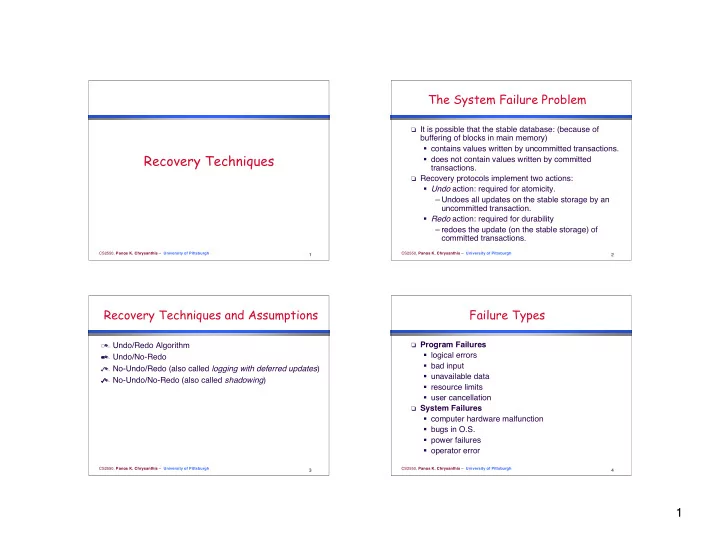
The System Failure Problem It is possible that the stable database: (because of buffering of blocks in main memory) contains values written by uncommitted transactions. Recovery Techniques does not contain values written by committed


slide-1
SLIDE 1

1

CS2550, Panos K. Chrysanthis – University of Pittsburgh

1

Recovery Techniques

CS2550, Panos K. Chrysanthis – University of Pittsburgh

2

The System Failure Problem

 It is possible that the stable database: (because of

buffering of blocks in main memory)

  • contains values written by uncommitted transactions.
  • does not contain values written by committed

transactions.

 Recovery protocols implement two actions:

  • Undo action: required for atomicity.

– Undoes all updates on the stable storage by an uncommitted transaction.

  • Redo action: required for durability

– redoes the update (on the stable storage) of committed transactions.

CS2550, Panos K. Chrysanthis – University of Pittsburgh

3

Recovery Techniques and Assumptions

  Undo/Redo Algorithm   Undo/No-Redo   No-Undo/Redo (also called logging with deferred updates)   No-Undo/No-Redo (also called shadowing)

CS2550, Panos K. Chrysanthis – University of Pittsburgh

4

Failure Types

 Program Failures

  • logical errors
  • bad input
  • unavailable data
  • resource limits
  • user cancellation

 System Failures

  • computer hardware malfunction
  • bugs in O.S.
  • power failures
  • operator error
slide-2
SLIDE 2

2

CS2550, Panos K. Chrysanthis – University of Pittsburgh

5

Failure Types

 Media Failures

  • disk head crash
  • data transfer error
  • Disk controller failure

 Unrecoverable errors

  • failure to make archive dumps
  • destruction of archives

CS2550, Panos K. Chrysanthis – University of Pittsburgh

6

Centralized DBMS

T1

T2

Tn

{Start, Read(x), Write(x), Commit, Abort} {Start, Read(x), Write(x), Commit, Abort}

Transaction Manager Scheduler

{Start, Read(x), Write(x), Commit, Abort}

Data Manager Recovering Manager

{Flush(x), Fetch(x), Fix(x), Unfix(x), Write(x) }

Cache Manager Database Buffer Log Buffer Stable Database and Catalog Temporary Log

Support: Transaction UNDO Global UNDO | Partial REDO

Archive Log

Support: Global REDO DiskRead(x,a,b) DiskWrite(x,a,b) Actions of Scheduler: 1. Execution 2. Reject 3. Delay

Archive Database

CS2550, Panos K. Chrysanthis – University of Pittsburgh

7

Recovery Techniques and Assumptions

All the techniques assume the following:

  • Failures are detectable.
  • Write operations are atomic(i.e., execute either in its

entirety or not at all). – If this is not the case, we consider this failure as media failure.

  • The scheduler sends operations to DM in an order

which produces executions that are correct and strict

  • No media failure
  • The granularity of Writes that DM processes is the

same as the one of the atomic Write supported by the hardware.

CS2550, Panos K. Chrysanthis – University of Pittsburgh

8

Buffer Management

The goal of Cache or Buffer Manager (BM) is to maximize the likelihood that a block of data needed by a transaction is in main memory.

 The main memory is partitioned into buffer blocks(or

simply blocks).

 The size of a buffer is equal to the disk block size.

X2 X5 X3 X0 X1 X2 X3 X4 X5 Buffer0 Buffer1 Buffer2 Buffer3 Buffer4 buffer block main memory disk disk block

slide-3
SLIDE 3

3

CS2550, Panos K. Chrysanthis – University of Pittsburgh

9

Buffer Management

 If no more buffers are available the BM must replace one

  • f the buffer blocks (writing the block back to disk, if it

has been updated).

  • Least Recently Used (LRU),
  • Least Frequently Used (LFU), etc.

 Concurrency and recovery are two other factors affecting

the replacement algorithm.

CS2550, Panos K. Chrysanthis – University of Pittsburgh

10

Buffer Management Table

 Buffer Management Operations

  • Read, Write, Fetch, Flush, Force-Write, Fix, Unfix

page Id dirty bit fix count buffer number x y 1 2 1 z 1 2

CS2550, Panos K. Chrysanthis – University of Pittsburgh

11

Buffer Management Operations

 Fix(pid, flags)(Also called Pin)

  • A fixed page will not be replaced until the page is

unfixed.

  • It may involve up to two I/O's, one to write out a dirty

page and another to read in the requested page.

 Unfix(pid, flags)(Also called Unpin)

  • decrements by one the counter that indicates the

number of transactions that have fixed a page.

  • If this counter is 0 the page is made available for

swapping, e.g., it is placed at the tail of the LRU queue.

CS2550, Panos K. Chrysanthis – University of Pittsburgh

12

Buffer Mgmt Operations

 Touch(pid, flags)

  • sets the flags of the page in the buffer table

without unfixing the pageBuffer Management Operations

 Possible flags:

  • make the page dirty
  • flush the page
  • fix the page without reading it from disk, etc
slide-4
SLIDE 4

4

CS2550, Panos K. Chrysanthis – University of Pittsburgh

13

Stable Database

 The stable database is the state of the database in

stable storage.

 There are two ways to update a data item x in stable

storage( propagation strategies):

 In-Place Updating: Update x in place (i.e., overwrite x)

Di Pi Disk read Disk write

CS2550, Panos K. Chrysanthis – University of Pittsburgh

14

Stable Database

 Shadowing: Write the new value of x in a copy (older

versions are called shadow copy). In this case, there must be a directory in stable storage to tell where each item is.

Di Pi Disk read Disk write Dj Directory Copy A Stable Storage Directory Copy B X Y value of X value of Y new Y X Y

CS2550, Panos K. Chrysanthis – University of Pittsburgh

15

Logging

 A Log is a sequence of records which represent all

modifications to the database. Log records may describe either physical changes or logical database operations.

  • A physical log contains information about the actual

values of data items written by transactions. – state before change, before image – state after change, after image – transition causing the change

  • A logical log represents higher level operations; e.g.,

insert this key in that index.

CS2550, Panos K. Chrysanthis – University of Pittsburgh

16

Logging

 The order in which updates appear is the same as the

  • rder in which they actually occurred. The precise way

history is represented in the log depends on the technique followed by the recovery manager.

slide-5
SLIDE 5

5

CS2550, Panos K. Chrysanthis – University of Pittsburgh

17

Log Records

 For the moment, we will assume that a log record may be

  • ne of the following types:
  • Start Record

– [Ti, start]

  • Commit Record

– [Ti, commit]

  • Abort Record

– [Ti, abort]

CS2550, Panos K. Chrysanthis – University of Pittsburgh

18

Log Records

  • Update Record for physical state logging at page level

– [Ti, x, b, a]

 Ti : the id of the transaction that performed a

Write operation on x

 x: the id of data item x  b: before image of x  a: after image of x

– Assuming Strict Executions [Tj, x, b]: Tj wrote into x before Ti [Ti, x, a]

CS2550, Panos K. Chrysanthis – University of Pittsburgh

19

Log Records

  • Update Record for physical transition logging on page

level – [Ti,x, b, d] – d is the difference between the before and after images – d = before ⊗ after

CS2550, Panos K. Chrysanthis – University of Pittsburgh

20

Logical Logging on the Record Level

 Simply record the operation and its arguments

[Ti, Op, Inv-op, Arg]

  • Op = {Insert, Delete, Update} [REDO]
  • Inv-op = inverse operation [UNDO]
  • Arg = arguments

=> It is not possible in all models to automatically generate the inverse; e.g., the network model.

slide-6
SLIDE 6

6

CS2550, Panos K. Chrysanthis – University of Pittsburgh

21

Undoing and Redoing Writes

UNDO Rule ( WAL, Write Ahead Logging principle) T writes x T aborts or System crash – If x was transferred to disk, then we need the before image of x to undo this update.

 Thus, when x is updated by T, the DM should store first

the before image of x in the log on stable storage and then x itself in the stable database.

CS2550, Panos K. Chrysanthis – University of Pittsburgh

22

Undoing and Redoing Writes

REDO Rule T writes x T commits System crash – If x was not transferred to disk, at restart time we need the after image of x to redo T's update.

 Thus, the DM should not commit a transaction T until the

after image of each data item written by T is in stable storage.

CS2550, Panos K. Chrysanthis – University of Pittsburgh

23

BM Table for Buffered Log

 The Undo rule is:

  • Before the BM replaces a block it should flush all log

entries whose LSN is less than or equal to the LSN recorded on this buffer block.

page Id dirty bit fix count block LSN x 812 y 1 1 10 z 1 123 buffer number 1 2

CS2550, Panos K. Chrysanthis – University of Pittsburgh

24

Restarts

 Restart: consult the log and for each transaction Ti do

the following:

  • redo the updates of Ti if there is a commit record of

Ti in the log.

  • Undo the updates of Ti if there is no such record in

log (i.e., Ti had been aborted or it was active when the system crashed).

slide-7
SLIDE 7

7

CS2550, Panos K. Chrysanthis – University of Pittsburgh

25

What should Restart do?

A3 C2 C5 C7 A6 A8 System crash log T1 T2 T3 T4 T5 T6 T7 T8 T9

CS2550, Panos K. Chrysanthis – University of Pittsburgh

26

Idempotence of Restarts

 The restart operation may be interrupted because of a

  • failure. Incomplete executions of Restart followed by a

completed Restart must have the same effect as just one completed Restart.

CS2550, Panos K. Chrysanthis – University of Pittsburgh

27

Garbage Collection

 Recycling space in the log occupied by unnecessary

info.

 Garbage Collection Rule:

The entry [Ti ,x,v] can be removed from the log iff   Ti has aborted   Ti has committed but some other committed transaction wrote into x after Ti did. Note that the last committed value of a data item x must be in a log, if undo is possible.   [Ti ,x,v] can be removed from the log if v is the last committed value of x and v is the value of x in the stable storage and there are no other entries of x.

CS2550, Panos K. Chrysanthis – University of Pittsburgh

28

Checkpoints

 To Restart, we need to scan the entire log !

  • The Restart operation will be prohibitively slow.
  • The Log file may become very long and may not fit on

disk.

 Most of the transactions that need to be redone have

already written their updates to stable database (why?).

  • Thus, most of the Restart operations are

unnecessarily performed.

 The amount of work Restart has to do after a system

failure can be reduced by check pointing the updates that have been performed up to a certain time.

slide-8
SLIDE 8

8

CS2550, Panos K. Chrysanthis – University of Pittsburgh

29

Restart with Checkpointing

 Restart may proceed as before, i.e.:

  • redo updates of transactions that have been

committed,undo updates of transactions that have not been committed. Notice: The undo procedure may require reading log records written before the most recent checkpoint point (why?).

 In addition, the following scenario for a transaction T is

possible:

  • T was active when the system crashed. T, but did not

perform any Write operation since the last checkpoint; i.e., there is no record for T in the log after the last checkpoint.

CS2550, Panos K. Chrysanthis – University of Pittsburgh

30

Restart with Checkpointing

=> How can Restart identify such transactions without reading the entire log?

 Checkpoint Record

  • The checkpoint record must include a list of

transactions that were active at checkpoint time. [checkpoint, Ac]

 A side effect: the start record of a transaction is not

needed anymore.

CS2550, Panos K. Chrysanthis – University of Pittsburgh

31

Example: Restart with Checkpoint

A3 C2 C5 C7 A6 A8 System crash log T1 T2 T3 T4 T5 T6 T7 T8 T9 CP

CS2550, Panos K. Chrysanthis – University of Pittsburgh

32

Transaction-Oriented Checkpoint

 Force discipline avoids REDO

– during commit all the updates of the committed transaction are propagated to the stable database.

 Commit can be seen as a checkpoint

Problem:

 Hot spots need to be propagated every time a

transaction commits

  • overhead on normal processing.
slide-9
SLIDE 9

9

CS2550, Panos K. Chrysanthis – University of Pittsburgh

33

Transaction Consistent Checkpoint

(Commit Consistent Checkpoint)

  Stop accepting new transactions and wait until all

transactions terminate (commit or abort).

  Flush all dirty buffer blocks to stable storage.   Force-write a <checkpoint> record to log.   Resume normal execution. 

On Restart, repeat the same steps as before but now process updates of those transactions that appear after the most recent checkpoint record. Drawback ?

CS2550, Panos K. Chrysanthis – University of Pittsburgh

34

Action Consistent Checkpoint

(Cache Consistent Checkpoint)

  Stop accepting new operations (active transactions are blocked).   Flush all dirty buffer blocks to disk.   Force-write a <checkpoint> record to the log file.   Resume normal operation.

CS2550, Panos K. Chrysanthis – University of Pittsburgh

35

Action Consistent Checkpoint

(Cache Consistent Checkpoint)

Consequences:

 All updates of transactions committed before the

checkpoint are now in the stable database (... good).

 All undo updates of transactions aborted before the

checkpoint are now in the stable database (... good).

 All updates of transactions that were active at the

checkpoint are now in stable database (... bad).

CS2550, Panos K. Chrysanthis – University of Pittsburgh

36

Fuzzy Checkpointing

We can further reduce the delay caused by the checkpoint procedure by flushing those dirty buffers that have not been flushed since before the previous checkpoint.

slide-10
SLIDE 10

10

CS2550, Panos K. Chrysanthis – University of Pittsburgh

37

Fuzzy Checkpointing

 The hope is that the BM might have already flushed the

buffers that were dirty before the previous checkpoint. So, the checkpoint will not have much flushing to do.

 We are sure that, at any time, no committed (or aborted)

updates recorded before the penultimate checkpoint (i.e., the next to last) will have to be redone (or undone).