Records & Enrollment Training IBM Cognos Analytics Objectives - - PDF document

records enrollment training
SMART_READER_LITE
LIVE PREVIEW

Records & Enrollment Training IBM Cognos Analytics Objectives - - PDF document

Cognos - Records and Enrollment Training PP 1/8/2020 Records & Enrollment Training IBM Cognos Analytics Objectives Upon completion of this training, you will be able to: Gain a Basic Understanding of Cognos. Understand University


slide-1
SLIDE 1

Cognos - Records and Enrollment Training PP 1/8/2020 eda@ilstu.edu 1

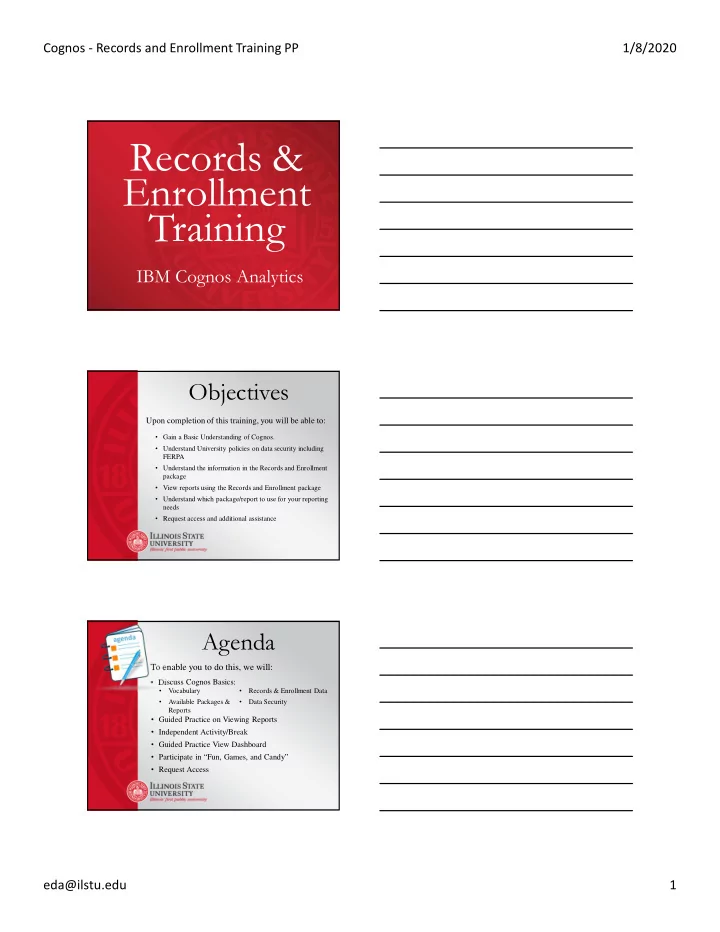
Records & Enrollment Training

IBM Cognos Analytics

Objectives

Upon completion of this training, you will be able to:

  • Gain a Basic Understanding of Cognos.
  • Understand University policies on data security including

FERPA

  • Understand the information in the Records and Enrollment

package

  • View reports using the Records and Enrollment package
  • Understand which package/report to use for your reporting

needs

  • Request access and additional assistance

Agenda

To enable you to do this, we will:

  • Discuss Cognos Basics:
  • Guided Practice on Viewing Reports
  • Independent Activity/Break
  • Guided Practice View Dashboard
  • Participate in “Fun, Games, and Candy”
  • Request Access
  • Vocabulary
  • Records & Enrollment Data
  • Available Packages &

Reports

  • Data Security
slide-2
SLIDE 2

Cognos - Records and Enrollment Training PP 1/8/2020 eda@ilstu.edu 2

Data security means protecting data, such as a database, from destructive forces and from the unwanted actions

  • f unauthorized users

Data Security

9.8 Policy – Security of Information Technology Resources and Systems

“purpose of this policy is to establish a University- wide framework for the protection of Illinois State University's information technology resources, computers, networking systems, and data”

http://policy.illinoisstate.edu/technology/

Data Security

Confidentiality: Safeguards information from being accessed by individuals without the proper clearance, access level, and need to know. Integrity: Results from the protection of unauthorized modification or destruction of information. Availability: Information services are accessible when they are needed. Authentication: A security measure that establishes the validity of a transmission, message, or originator, or a means of verifying an individual's authorization to receive specific categories of information.

slide-3
SLIDE 3

Cognos - Records and Enrollment Training PP 1/8/2020 eda@ilstu.edu 3

Data Security

Data classifications

  • Unrestricted Data
  • Examples include: name, major, class level,

home address, enrollment status

  • Restricted Data
  • Examples include: grades, student schedules
  • Highly Restricted Data
  • Examples include: Social Security Number,

financial information, medical information

  • Not included in Records & Enrollment package

Data Security

Best Practices

  • Store information on a secure ISU

computer

  • Do not share information with others
  • Options for transferring information:
  • OneDrive
  • SharePoint
  • Encrypted Device
  • SendTo.IllinoisState.edu
  • Secure Network Shares

Data Security

State and Federal Laws

  • Illinois Personal Information Protection Act (PIPA)
  • The Federal Information Security Management Act

(FISMA)

  • Gramm-Leach-Biley Act (GLBA)
  • Health Insurance Portability and Accountability Act

(HIPPA)

  • Payment Card Industry Data Security Standard (PCI DSS)
  • General Data Protection Regulation (GDPR)
slide-4
SLIDE 4

Cognos - Records and Enrollment Training PP 1/8/2020 eda@ilstu.edu 4

University policy 2.1.1 - http://policy.illinoisstate.edu/students/2-1- 1.shtml

The FERPA act of 1974, is a federal law governing the privacy of education records.

What is FERPA?

  • Grants specific rights to students and sets

restrictions on how schools may handle education records.

  • FERPA protects the education records of

any currently or formerly enrolled student regardless of their age or parental dependency status.

slide-5
SLIDE 5

Cognos - Records and Enrollment Training PP 1/8/2020 eda@ilstu.edu 5

What does FERPA protect?

Student’s name Grade level (freshman, sophomore, etc.) Address (local and home) Enrollment status (full-time, undergraduate, etc.) Telephone listing (local and home) Participation in officially recognized sports and/or activities Electronic email address Weight and height of athletic team members Date and place of birth Target graduation date Major field of study Degrees, honors, and awards received Dates of attendance Most recent educational agency or institution attended

How does FERPA apply to me?

http://registrar.illinoisstate.edu/ferpa/

  • Need to determine why the data are

needed and who it may be shared with

  • FERPA/Data restriction - applies if

student selects option to protect directory information

Questions??

slide-6
SLIDE 6

Cognos - Records and Enrollment Training PP 1/8/2020 eda@ilstu.edu 6

Data Reporting Enterprise Tool (query data)

  • Managed Reports for Daily Use
  • Data Analysis for Large Scale Business Decisions

The Information

slide-7
SLIDE 7

Cognos - Records and Enrollment Training PP 1/8/2020 eda@ilstu.edu 7

Current Packages

  • Admissions
  • Census Day (PRPA)
  • Records and Enrollment (Student

Records)

  • Student Registration
  • Budget Center

Levels of Access

Read Access

  • View Managed Reports

Ad Hoc

  • Edit Managed Reports
  • Create Own Reports

What’s in R&E?

  • Student Data since 1987
  • Information Updated Overnight
  • Number of Reports Consistently Increasing
  • Information Includes:
  • Plan Rosters
  • Course Data
  • Class Data and Rosters
  • Detailed Lists of Student Data
  • Role Specific Reports
  • ***Ad Hoc Package Access Available
slide-8
SLIDE 8

Cognos - Records and Enrollment Training PP 1/8/2020 eda@ilstu.edu 8

What’s in R&E?

Student bio/demo details

  • Emplid/UID/ULID
  • FERPA indicator
  • Full name
  • Addresses (mail and

electronic)

Student group details

  • ACTIVE students only

Student cumulative statistics

  • GPA (term and cumulative)
  • Enrollment status
  • Total earned hours
  • Transfer credit
  • Academic load
  • Academic standing
  • Academic level (beginning
  • f term)

Course/Class details

  • Title
  • Instructor details
  • Units
  • Owning

group/organization

  • Subject/catalog number
  • Class number
  • Units
  • Contact meeting

minutes*

Student program/plan details

  • Current plan/sub plan

information

  • Primary plan logic
  • Multiple program details

(if exist)

Graduation data

  • Application Info

(ie. Expected Grad Term)

  • Degree Awarded
  • Degree Honors

(departmental & university)

What else is in R&E?

Reports in the Packages?

AT.IllinoisState.edu/EDA

slide-9
SLIDE 9

Cognos - Records and Enrollment Training PP 1/8/2020 eda@ilstu.edu 9

Questions??

Supported Browsers

Check the News and Alerts tab on the navigation pane for up to date browser information.

Let’s Take a Look

Today’s Training Insight-Test.IllinoisState.edu

At your desk - Insight.IllinoisState.edu

slide-10
SLIDE 10

Cognos - Records and Enrollment Training PP 1/8/2020 eda@ilstu.edu 10

What’s in the Packages?

What's in Admissions?

  • Admission Data since Fall 2015 (Since Campus

Solutions was implemented)

  • Information Updated Overnight
  • Detailed Lists of Student Information and Summary

Reports

  • Reports Broke Down By:
  • Applied Students
  • Admitted Students
  • Ad Hoc Package Access

What Reports are in the Admissions Package?

Undergrad Detailed Student Information Graduate Detailed Student Information Summary information Applied Applied Undergraduate Students by College Applied Graduate Students by College Summary of Applied Students by College and Student Type Admitted Admitted Undergraduate Students by College Admitted Graduate Students by College Summary of Admitted Students by College and Student Type Other New Transfer Student Details Graduate Admission Test Score Detail Report Unsubmitted Graduate Application Details

slide-11
SLIDE 11

Cognos - Records and Enrollment Training PP 1/8/2020 eda@ilstu.edu 11

What's in Student Registration?

  • Current/Upcoming Term Information (No Historical)
  • Real Time Registration Information
  • Used to Track Students that have Registered for Classes
  • Interactive Dashboard Report
  • Department
  • Plan
  • Sub Plan
  • Report Drilldowns with Detailed Student Lists
  • Ad Hoc Access Not Available

What's in Census Day (PRPA)?

  • Census Data since Fall 2015 (Since Campus Solutions

was implemented)

  • Updated Once Per Term (Snapshot data)
  • As of 10th day of term – official reporting date
  • Used for internal and external reporting –(compliance

reporting, accreditation, program review, budget reporting, surveys)

  • Ad Hoc Access Not Available

Records & Enrollment

VS.

Census Day

Records & Enrollment

  • Current data (as of

midnight the night before)

  • Dynamic data

Census Day

  • Snapshot data
  • As of 10th day of term
  • Trend analyses
  • Used for internal and

external reporting

  • compliance reporting
  • accreditation
  • program review
  • budget reporting
  • surveys
slide-12
SLIDE 12

Cognos - Records and Enrollment Training PP 1/8/2020 eda@ilstu.edu 12

Package Access

Request access through the Technology Support Center (TSC) through the web portal at: ITHelp.IllinoisState.edu

Make a Request >Applications >Request or Change Access

Or Request by:

Phone - 438-HELP (4357) Email - supportcenter@ilstu.edu You will need:

  • ULID
  • Department
  • Package
  • Separate business case for each package

Cognos Access

  • Business Need
  • One sentence for each package requested
  • n why you need the reports to perform

job duties.

  • Records and Enrollment Ad Hoc
  • After 2 weeks of Records and Enrollment

access, can request Ad Hoc access

  • Must state why managed reports don’t

meet your needs.

Cognos Access

slide-13
SLIDE 13

Cognos - Records and Enrollment Training PP 1/8/2020 eda@ilstu.edu 13

Visit Website for:

  • Information about packages/reports
  • Changes and upcoming releases
  • Additional training resources
  • URL: AT.IllinoisState.edu/EDA

Attend Additional Training or Open Lab Sessions

  • Open Lab:
  • One-on-one assistance
  • Creating/modifying reports
  • General Cognos assistance
  • Admissions and Intro to Report Editing
  • View reports and dashboard in the Admissions package
  • Modify managed reports in the Admissions package

Assistance Available

Contact the Technology Support Center (TSC)

  • To report issues using Cognos
  • Phone at 438-HELP (4357)
  • Email at supportcenter@ilstu.edu

Request Data or Reports

  • Requests for data or reports to be created
  • Complete form at:

http://prpa.illinoisstate.edu/request_info/

Assistance Available

Questions?

eda@ilstu.edu

Thank you!