SLIDE 1 ProSTools
ProMoS-6DoF
ЋММ
1
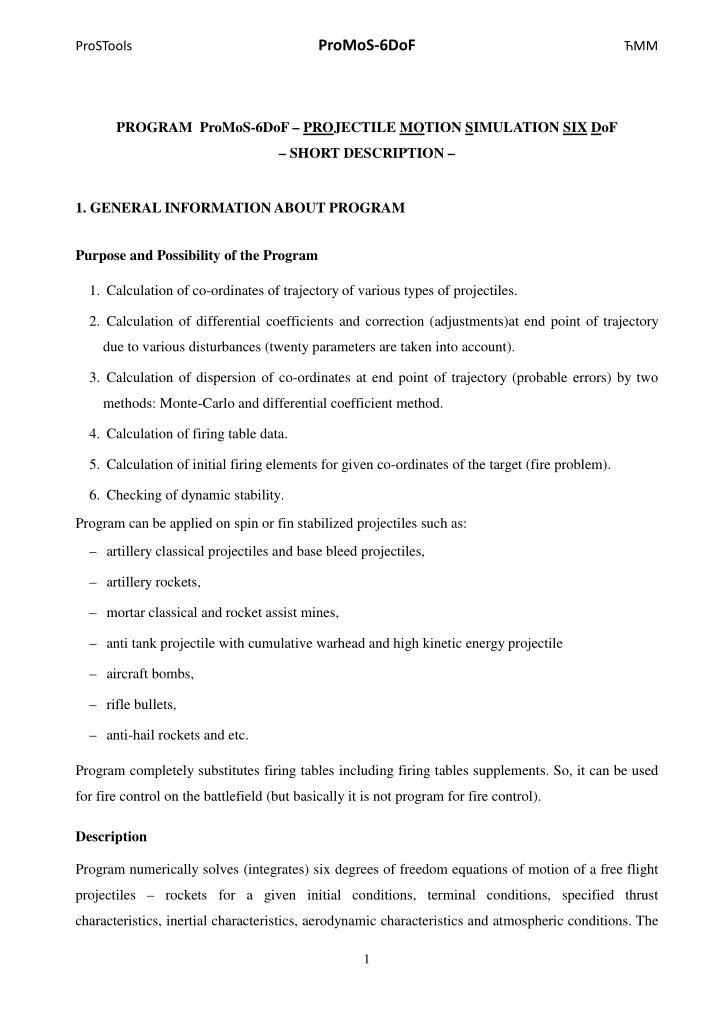
PROGRAM ProMoS-6DoF – PROJECTILE MOTION SIMULATION SIX DoF – SHORT DESCRIPTION –
- 1. GENERAL INFORMATION ABOUT PROGRAM
Purpose and Possibility of the Program
- 1. Calculation of co-ordinates of trajectory of various types of projectiles.
- 2. Calculation of differential coefficients and correction (adjustments)at end point of trajectory
due to various disturbances (twenty parameters are taken into account).
- 3. Calculation of dispersion of co-ordinates at end point of trajectory (probable errors) by two
methods: Monte-Carlo and differential coefficient method.
- 4. Calculation of firing table data.
- 5. Calculation of initial firing elements for given co-ordinates of the target (fire problem).
- 6. Checking of dynamic stability.
Program can be applied on spin or fin stabilized projectiles such as: – artillery classical projectiles and base bleed projectiles, – artillery rockets, – mortar classical and rocket assist mines, – anti tank projectile with cumulative warhead and high kinetic energy projectile – aircraft bombs, – rifle bullets, – anti-hail rockets and etc. Program completely substitutes firing tables including firing tables supplements. So, it can be used for fire control on the battlefield (but basically it is not program for fire control). Description Program numerically solves (integrates) six degrees of freedom equations of motion of a free flight projectiles – rockets for a given initial conditions, terminal conditions, specified thrust characteristics, inertial characteristics, aerodynamic characteristics and atmospheric conditions. The
SLIDE 2 ProSTools
ProMoS-6DoF
ЋММ
2
three main tasks which are accomplished by program are: – calculation of trajectory for specified initial conditions, – calculation of initial conditions in order to hit target with specified co-ordinates (boundary value problem), – calculation of elements for making firing table (initial conditions, adjustment of initial conditions, probable errors. In all cases program can calculate: – differential coefficients, (adjustment) – standard deviations of co-ordinates of the end point of trajectory – stability parameters (linearized model). Limitations Main limitations of the program are: – maximum range 100km (easily extended up to 400km), – nonlinearities in aerodynamic coefficients can be approximated by polynomial up to cubic term in angle of attack and angle of sidesleep . – only single stage rocket (single aerodynamic configuration) can be treated,
- 2. STRUCTURE AND REVIEW OF INPUT DATA
Basically input data are supplied through one input file. Structure of input file data are fixed, but format number is free. Input data file in file are organized into following groups:
- A. G E N E R A L D A T A
- B. SIMULATION PARAMETERS
- C. AERODYNAMIC COEFFICIENTS
- D. INERTIAL CHARACTERISTICS
- E. ROCKET MOTOR DATA
- F. LAUNCHER CHARACTERISTICS
- G. BASE-BLEED UNIT CHARACTERISTICS
- H. SUBMUNITION CHARACTERISTICS
I. CHARACTERISTICS OF THE ATMOSPHERE
SLIDE 3 ProSTools
ProMoS-6DoF
ЋММ
3
- K. INITIAL CONDITIONS
- L. TERMINAL AND BOUNDARY CONDITIONS
- M. DISTURBANCES - STANDARD DEVIATIONS AND IDENTIFIERS
Functions, such as aerodynamic coefficients thrust, and so on, are supplied in tabulated forms in arbitrary number of points.
h y x0 z0 h x y0 R A O0
Figure 1 – Earth fixed axis system.
z O x q y p r C ( ) v U w
~ ~ ~ ~ ~ ~
Figure 2 – Aeroballistic axis system and components of linear and angular velocity vector.
Aerodynamic Data The following form of aerodynamic coefficients is programmed:
( )
brake
A A A c A A
C C C C C
bb b
= + + D +D
2
Re
ref
Re Re
( )
( ) ( )
q q p p
c c c N N N N N N Y Y
C C C C C C q C C p
b b bbb bb b bbb
b b b b b c
* *
= + + + + + +
2 2 2
( )
( ) ( )
q q p p
c c c Y N N N N N Y Y
C C C C C C r C C p
b b bbb bb b bbb
c b c b b b
* *
=-
+ + + +
2 2 2
( ) ( )
p p
l l l c l l c
C C C C C p
d bbd bb
b d b
*
= + + +
2 2
SLIDE 4 ProSTools
ProMoS-6DoF
ЋММ
4
( ) ( ) ( )
q q p p
m m m m c m m c n n c
C C C C C C q C C p
b b bbb bb b bbb
b b b b b c
* *
= + + + + + +
2 2 2
( ) ( ) ( )
q q p p
n m m m c m m c n n c
C C C C C C r C C p
b b bbb bb b bbb
c b c b b b
* *
=-
+ + + +
2 2 2
Aerodynamic derivatives are functions of Mach number. They are supplied in the program in tabulated form for given reference point. Actual values along the trajectory are obtained by interpolation of tabulated data with respect to corresponding Mach number. After calculation of aerodynamic coefficient they are reduced to current center of mass. Angle of attack α
and angle of sideslip β
in aeroballistic coordinate system are: arctan w U b =
,
arcsin v V c = and
c
α is total angle of attack
2 2 c
α α β = + Angular velocities are normalized by dividing by V , where is a reference or characteristic length: , , , p q r p q r V V V
* * *
= = = If a brake is used than the axial force coefficient is corrected for contribution of the brake
brake
A
C D . During the powered phase of flight axial force coefficient is corrected for the influence of the jet emitting from rocket motor nozzle on base drag by amount
b
A
C D
which is supplied through input file in tabulated form in function of Mach number. During operation of base-bleed unit axial force coefficient is corrected for the influence of the jet emitting from base-bleed opening (nozzle) on base drag by amount
b
A
C D
. Influence of base-bleed unit is simulated according to theory given by Hellgren 1. Therfore, the axial force coefficient at zero angle of attack is
b brake
A A A A
C C C C =
+D
00
where
A
C 00 is axial force coefficient at zero angle of attack without influence of emitting jet and brake.
1 Gunners, N. E., Andersson, K., Hellgren, R.: “Base-Bleed Systems for Gun Projectiles,” Chapter 16,
Volume 109, Progress in Astronautics and Aeronautics, Gun Propulsion Technology, AIAA 1988.
SLIDE 5
ProSTools
ProMoS-6DoF
ЋММ
5
Earth Model Earth can be assumed to be flat or spherical. Gravity is a function of geographic latitude and altitude. Coriolis force is a function of firing azimuth and geographic latitude. Meteorological Data Standard atmosphere according to: ISA - International Standard Atmosphere (ISO 2533) ANA - Artillery Normal Atmosphere (GOST 24288-80) (Note: no wind) Nonstandard - User defined temperature pressure and wind profile with altitude as follows Ground meteo data comprise: – Met station altitude, [m] – Pressure on ground, [mbar] – Temperature on ground, [degC] – Wind direction on ground, [rad] – Wind speed on ground, [m/s], Temperature and pressure along trajectory is calculated in the program based on ground data by equations which describe the so called vertical equilibrium of the air. Altitude meteo data comprises: – Meteo name – Met station altitude, [m] – Pressure on ground - at meteo station position, [mbar] – Pressure measurement existence identifier [-] – Heights of the met layers, [m] and for each layer – Wind direction, [mrad] – Wind speed, [m/s] – Virtual temperature, [K] – Pressure, [mbar] Temperature and pressure along trajectory is calculated in the program by interpolation between
SLIDE 6 ProSTools
ProMoS-6DoF
ЋММ
6
layer data with respect to actual altitude of the point on trajectory. Altitude meteo data can be obtained from meteo bulletin by program MetDecode, which decodes Computer met message according STANAG 4082, or directly from meteorological station. Note that meteorological data, obtained from meteorological system, can be used to calculate “real trajectory” during the flight test on field test. Calculated data can be compared with measured one for various analyzing purposes. Thrust and Reactive Moment Data Thrust of the rocket motor is specified in function of time for reference powder temperature in tabulated form. The influence of powder temperature (different to reference) is represented by two functions – total impulse and burning time against powder temperature. Both functions are set in input file in tabulated form. Powder temperature is independent input data. Then, in the program the actual function thrust vs. burning time is determined by those functions for given powder temperature, and along the trajectory thrust is determined by interpolation of actual data for current
- time. Reactive moment about longitudinal axis can also be specified. It is assumed that it is
proportional to the thrust by some coefficient which is the input value. If rocket projectile is free to rotate in the launching tube the reactive moment can also be specified for the motion calculation in tube. Note that operation of base bleed unit is simulated with full system of equations.
SLIDE 7 ProSTools
ProMoS-6DoF
ЋММ
7
Inertial Characteristics Input data regarding inertial characteristics comprise: – Initial mass of projectile and mass of the rocket motor propellant – Initial position of the center of mass of projectile and propellant – Initial radii of the longitudinal and lateral moment of inertia of the projectile and propellant. During flight burned mass of propellant is calculated according to thrust – mass flow relation and then mass of the projectile, center of mass and moment of inertia are calculated by using formulas from classical mechanics at each instant of time during trajectory calculation.
Systems of Differential Equations Motion of projectile in free flight is described by six degree of freedom model for rigid body which gives twelve first order differential equations. The equations are projected on aeroballistic coordinate system. For rocket assisted projectile, if length of launcher is set to value different to zero, in the input file, then motion of projectile on launcher is calculated. This motion has two degree of freedom (one translation and one rotation motion along longitudinal axis), if there is no restriction imposed by launcher with respect to rotation, and is described by four differential equations. In the case when projectile rotation in the launching tube is achieved by rotating pin on rocket and groove on tube, the motion has only one degree of freedom, meaning that only two first order differential equations describing axial motion are to be solved. The type of motion in the tube is defined by an input identifier. When last point of projectile leaves the launcher the differential equations are changed. Integration of Differential Equations and Stability of Integration For the integration of the first order differential equations of motion the Runge-Kutta-Dormand- Prince fifth/fourth order method is used. The method uses optimal variable step of integration for specified maximal absolute and relative errors for each variable. But the data can be output with any specified printing step. Different printing step is possible for different phase of flight. The stability of integration strongly depends on integration step. Instability of calculation of trajectory can happen when to large initial integration step is set, or to large limits on integration
SLIDE 8 ProSTools
ProMoS-6DoF
ЋММ
8
errors are set. For this reason careful analysis and choice of the initial steps of integration and limits
- f integration errors should be done by user.
Termination of Calculation Calculation of trajectory can be terminated when any one of the following quantity is achieved: – terminal time (projectile with timing fuse for example), – terminal range (anti-tank projectile for example), – terminal lower height (ground artillery or aircraft fired projectile for example), – terminal upper height (anti-aircraft projectile for example), – vertex of the trajectory (for the various analysis purposes). Determination and Printing Characteristic Points on Trajectory The following characteristic points on trajectory are determined in calculation of trajectory: – initial point, – end point of the launcher (if exists), – point of ignition of rocket motor (if exists), – burnout point (end point of the powered part – active phase, if exists), – vertex (if exists), – burst point (if exists), – terminal or end point of trajectory point, Coordinates and other data at characteristic points are always printed in the output file regardless of printing step. Note that only data at characteristic points will be printed for printing steps larger than time of flight. Data can be entered and edited either through input file or through graphical user manual. Once, when data are either entered or changed through GUI, they can be saved in file for later use. Also at the moment of run data are always saved in the file RestartFile.dat. If input data are prepared in a file, then user can assign the file to the program by pressing the button Read Input Data from File. When file is assigned by pressing button Trajectory Calculation user can choose one of the type of trajectory to be calculated. Editing data can be done by pressing button Edit Input Data. File with input data can be saved by pressing the button Save Input File As …
SLIDE 9 ProSTools
ProMoS-6DoF
ЋММ
9 Figure 3 – Main program window.
The other method to prepare input data is by entering data through interactive menu. The menu can be activated by pressing the button Insert New Data. Note that when new data are inserted they are not saved automatically.
- 4. ENTERING AND EDITING DATA THROUGH GUI
Input data can be easily entered and edited through interactive graphical user interface. More than 20 windows are built to edit data. Here are two of them.
SLIDE 10 ProSTools
ProMoS-6DoF
ЋММ
10 Figure 4 – Window Data Entry – C. AERODYNAMICS – CA.
Value of correction coefficient is shown in label above the panel with function. Functions are shown in graphs in edit mode. When panel is changed to edit mode it is colored by
Figure 1 – Window Data Entry – C. AERODYNAMICS – CA0.
SLIDE 11 ProSTools
ProMoS-6DoF
ЋММ
11
- 5. TRAJECTORY CALCULATION
Option for calculation of trajectories can be chosen from window Calculation).
Figure 2 – Window Calculation.
The window is activated by pressing the button Trajectory calculation on main window.
Upon the running the ProMoS-6DoF program two types of output are generated: files with numerical values of the calculated data and graphs. Output Files Output data (results of calculation) are organized in several files:
File Name Contents – Short Description GenOutData.dat – Basic quantities of projectile as a function of time of flight. Data are printed in “group column manner”. ColumnOutData.dat – Basic quantities of projectile as a function of time of flight. Data are printed in “column manner”. It is suitable for plotting by any commercial plotting software like Origin or TecPlot. Base-BleedOut.dat – Basic quantities of projectile base-bleed unit as a function of time of
- flight. Data are printed in “column manner”. It is suitable for plotting
by any commercial plotting software like Origin or TecPlot. MCEndPoints.dat – Coordinates of end points of trajectories obtained by Monte-Carlo simulation.
SLIDE 12 ProSTools
ProMoS-6DoF
ЋММ
12 File Name Contents – Short Description MCStatistics.dat – Statistics of coordinates (mean value and standard deviation) along trajectory as a function of time of flight obtained by Monte-Carlo simulation. FTdataBasic.dat – Basic data for firing tables as a function of range with constant
- increment. If projectile is not assisted by rocket motor and has not got
submunition the file contains all necessary data to produce firing tables. FTdataRocMotor.dat – Set of data for firing tables for projectile assisted by rocket motor. FTdataSubMun.dat – Set of data for firing tables for projectile with submunition. ComplAngeOfSite.dat – Complementary angles of site as a function of angle of site and range
CorrOfTTBforSite.dat – Corrections of time to burst due to site angle as a function of angle of site and range or elevation angle. CorrForEarthRot.dat – Corrections of range and direction angle due to influence of the earth rotation and change of gravity with latitude. ChangeOfFEforHOB.dat – Change of firing elements for increase of height of burst for 50m. RestartFile.dat – File with input data formed upon editing data through the program and used in the last run.
Differential Coefficients Differential coefficients at the end point of trajectory are calculated based on finite difference
- method. All the three approaches can be set: plus increment, minus increment and both plus and
minus increment of independent variable (disturbance). They account for the: – Influence of initial angles, initial angular rates and initial mass, – Influence of atmospheric temperature and pressure, – Influence of longitudinal and lateral wind, – Influence of rocket motor total impulse, ignition time, and burning time, thrust misalignment, – Influence of base bleed ignition time and propellant temperature, – Influence of time of burst and height of burst, – Influence of aerodynamic and mass asymmetries (unbalances). The differential coefficients are printed in output file and can be used to examine the influence of disturbances to the deviations of end point of trajectory. They also can be used to calculate probable errors of the coordinates at end point and to determine adjustment of the firing elements due to various disturbances.
SLIDE 13 ProSTools
ProMoS-6DoF
ЋММ
13
Dynamic Stability Parameters At instants points defined by printing step program calculates and prints stability coefficients defined by linearized equation of motion: roots of characteristic equation and gyroscopic and dynamic stability coefficient. The coefficients serves only to check stability of motion based on linearized equations of motion. Program doesn’t issue any message and action when instability
- ccurs. It is the user responsibility to check the stability of motion based on stability parameters or
by analyzing behavior of output quantity like angle of attack and angle of sideslip on trajectory. Note that besides to dynamic instability of projectile the instability of calculation of trajectory can happen when to large integration step is set or to large limits on integration errors are set. Monte-Carlo Simulation The program offers possibility to calculate standard deviations of the coordinates along the trajectory by Monte-Carlo simulation. The benefit of that is to obtain the best calculated values of the probable errors of the end point of trajectory. It is generally accepted that Monte-Carlo simulation gives more realistic calculation of the dispersion compared to method of differential
- equations. The disturbances which are taken into account are the same as for calculation of
differential coefficients. From seven to several hundred trajectories can be run in one simulation
- process. Standard deviations of the coordinates along reference trajectory are printed in separate file
for further analyzing. Graphical presentation of main results of calculation Beside the output files which contain results of calculation the program produces diagrams of with some characteristic quantities. See figures below. Diagrams can be printed or copied from clipboard to a document (Word for example). Here are some of the graphs.
SLIDE 14
ProSTools
ProMoS-6DoF
ЋММ
14 Figure 5 – Trajectory. Figure 6 – Velocity. Figure 7 – Path inclination angle.
SLIDE 15
ProSTools
ProMoS-6DoF
ЋММ
15 Figure 8 – Spin rate and natural frequency. Figure 9 – Angle of attack and sideslip. Figure 10 – Total angle of attack.
SLIDE 16
ProSTools
ProMoS-6DoF
ЋММ
16 Figure 11 – Alpha versus beta. Figure 12 – Impact points obtained by Monte-Carlo simulation.
SLIDE 17
ProSTools
ProMoS-6DoF
ЋММ
17
1 1.2 1.4 1.6 1.8 2 2.2 2.4 2.6 2.8 0.05 0.1 0.15 0.2 0.25 0.3 0.35 0.4 Drag coefficients vs. Mach Mach, [-] CD0, CD0BB, [-] CD0 CD0BB CDb0
Figure 13 – Drag coefficients on trajectory of artillery projectile with base-bleed assistance obtained by simulation. Figure 14 – Graphical firing table for an artillery rocket projectile with cluster warhead.