Projects using deep learning frameworks These projects consist in - - PDF document

projects using deep learning frameworks
SMART_READER_LITE
LIVE PREVIEW

Projects using deep learning frameworks These projects consist in - - PDF document

Projects in C These projects consist in the development of a neural network simulator in C language. Then, the simulator has be used within a larger application, addressing a specific problem (e.g. classification, pattern recognition, detection,


slide-1
SLIDE 1

1

Projects in C

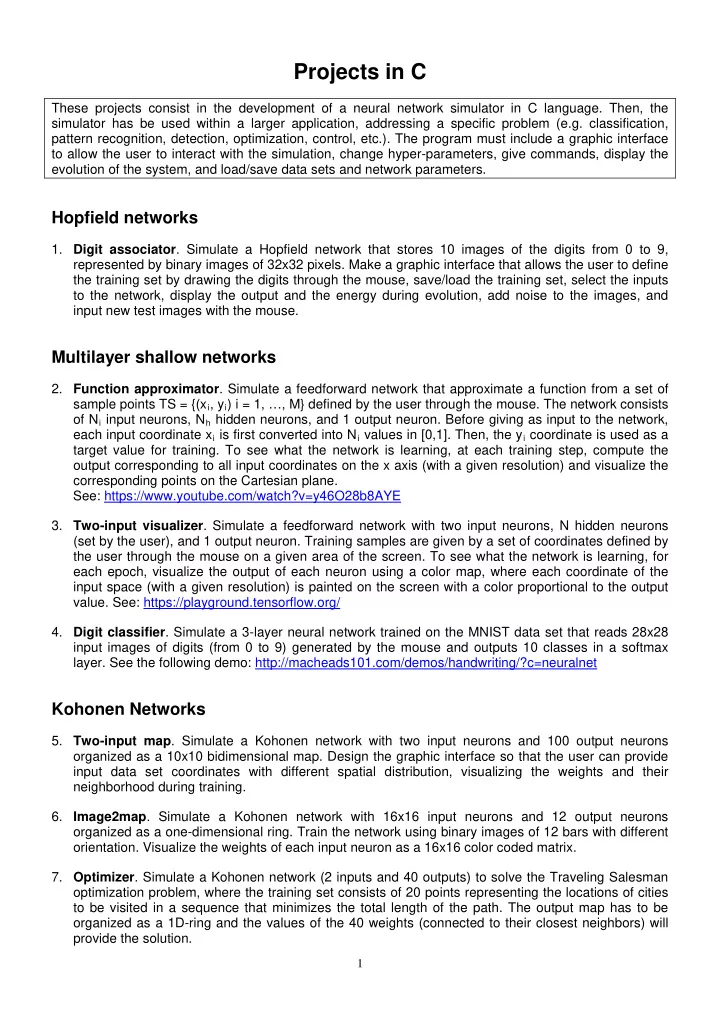
These projects consist in the development of a neural network simulator in C language. Then, the simulator has be used within a larger application, addressing a specific problem (e.g. classification, pattern recognition, detection, optimization, control, etc.). The program must include a graphic interface to allow the user to interact with the simulation, change hyper-parameters, give commands, display the evolution of the system, and load/save data sets and network parameters.

Hopfield networks

  • 1. Digit associator. Simulate a Hopfield network that stores 10 images of the digits from 0 to 9,

represented by binary images of 32x32 pixels. Make a graphic interface that allows the user to define the training set by drawing the digits through the mouse, save/load the training set, select the inputs to the network, display the output and the energy during evolution, add noise to the images, and input new test images with the mouse.

Multilayer shallow networks

  • 2. Function approximator. Simulate a feedforward network that approximate a function from a set of

sample points TS = {(xi, yi) i = 1, …, M} defined by the user through the mouse. The network consists

  • f Ni input neurons, Nh hidden neurons, and 1 output neuron. Before giving as input to the network,

each input coordinate xi is first converted into Ni values in [0,1]. Then, the yi coordinate is used as a target value for training. To see what the network is learning, at each training step, compute the

  • utput corresponding to all input coordinates on the x axis (with a given resolution) and visualize the

corresponding points on the Cartesian plane. See: https://www.youtube.com/watch?v=y46O28b8AYE

  • 3. Two-input visualizer. Simulate a feedforward network with two input neurons, N hidden neurons

(set by the user), and 1 output neuron. Training samples are given by a set of coordinates defined by the user through the mouse on a given area of the screen. To see what the network is learning, for each epoch, visualize the output of each neuron using a color map, where each coordinate of the input space (with a given resolution) is painted on the screen with a color proportional to the output

  • value. See: https://playground.tensorflow.org/
  • 4. Digit classifier. Simulate a 3-layer neural network trained on the MNIST data set that reads 28x28

input images of digits (from 0 to 9) generated by the mouse and outputs 10 classes in a softmax

  • layer. See the following demo: http://macheads101.com/demos/handwriting/?c=neuralnet

Kohonen Networks

  • 5. Two-input map. Simulate a Kohonen network with two input neurons and 100 output neurons
  • rganized as a 10x10 bidimensional map. Design the graphic interface so that the user can provide

input data set coordinates with different spatial distribution, visualizing the weights and their neighborhood during training.

  • 6. Image2map. Simulate a Kohonen network with 16x16 input neurons and 12 output neurons
  • rganized as a one-dimensional ring. Train the network using binary images of 12 bars with different
  • rientation. Visualize the weights of each input neuron as a 16x16 color coded matrix.
  • 7. Optimizer. Simulate a Kohonen network (2 inputs and 40 outputs) to solve the Traveling Salesman
  • ptimization problem, where the training set consists of 20 points representing the locations of cities

to be visited in a sequence that minimizes the total length of the path. The output map has to be

  • rganized as a 1D-ring and the values of the 40 weights (connected to their closest neighbors) will

provide the solution.

slide-2
SLIDE 2

2

Reinforcement Learning

  • 8. Grid world. Simulate a Q-learning algorithm to train an agent to move in a grid world, consisting of N

rooms (states), where there is a goal state with reward +10 and a few obstacles (states with negative reward equal to -10). The agent can make 4 actions (North, East, South, West) and receives a negative reward (-1) for each move and a negative reward (-2) every time it hits the wall.

  • 9. Crawling robot. Use Q-learning to train an agent to control a crawling robot that has to learn how to

move a 2-link finger to move forward. A positive reward is generated when moving forward and a negative reward is generated when moving backward or not moving.

  • 10. Inverted pendulum. Use Q-learning to train an agent to control an inverted pendulum. A negative

reward is generated when the pole exceeds a given angle (e.g. +/-12 degrees) or the cart exceeds a given position on the x-axis.

  • 11. Ball and beam. Use Q-learning to train an agent to control a ball-and-beam device. A positive

reward is generated when the ball stays at the center of the beam for a minimum number of steps. A negative reward is generated when the ball hits one of the beam limits.

  • 12. Video tracking. Use Q-learning to train an agent to control a pan-tilt camera to track a moving object

at the center of its visual field. A positive reward is generated when the object centroid stays at the center of the visual field for a number of steps. A negative reward proportional to the distance to the center is generated when the object centroid moves far away from the center.

  • 13. Juggling robot. Use Q-learning to train an agent to control the horizontal position of a paddle to

catch a ball falling from top and bouncing on it (assume zero energy loss). A positive reward is generated when the paddle hits the ball. A negative reward is generated when the paddle misses the ball.

  • 14. Autonomous driving. Use Q-learning to train an agent to control a car (steering and speed) moving
  • n a road. Sensors consists of 5 (or more) 1D-lidars pointing in different directions. A negative

reward is generated when the car hits an obstacle (i.e., one of the lidars gives zero distance). A positive reward is generated when the car maintains the center of the road for a given number of steps.

  • 15. Self parking. Use Q-learning to train an agent to park a car into a parking slot. A negative reward is

generated when the car hits an obstacle (i.e. the cars besides the parking slot or the internal wall). A positive reward is generated when the car is correctly positioned into the parking slot.

Projects using deep learning frameworks

These projects consist in the development of a deep neural network using one the available frameworks (e.g., TensorFlow, Keras, Caffe, etc.). Then, the network has be used within a larger application, addressing a specific problem (e.g. classification, pattern recognition, detection, optimization, control, etc.). The program must include a graphic interface to allow the user to interact with the simulation, change hyper-parameters, give commands, display the evolution of the system, and load/save data sets and network parameters.

Image classification and detection

  • 16. Face landmarks. Train a deep convolutional network for detection to identify a set of landmarks on a

human face. See: https://www.youtube.com/watch?v=LbsbMo3X_hU

  • 17. Eye tracking. Train a deep convolutional network for detection to track the eyes and recognize open

and close eyelids. See: https://www.youtube.com/watch?v=ObUCmhmjt-c

slide-3
SLIDE 3

3

  • 18. Face expressions. Train a deep convolutional network to recognize face expressions. Then, convert

them into emoticons. See: https://www.youtube.com/watch?v=5a-IygLcG_8

  • 19. Hand signs. Train a deep convolutional network to recognize hand signs. Then, convert them into

proper outputs. See: https://www.youtube.com/watch?v=xML2S6bvMwI

  • 20. Road signs. Train a deep convolutional network to recognize hand signs. Then, convert them into

proper outputs. See: https://www.youtube.com/watch?v=SWaYRyi0TTs

Projects under Unreal Engine

  • 21. Car driving (UE). Use a deep reinforcement learning (DRL) algorithm to train an agent to control a

car (steering and speed) moving in an environment generated by Unreal Engine, processing images taken by a virtual camera. See: https://www.youtube.com/watch?v=pqGSublT02w&t=155s

  • 22. Car driving (CARLA). Use a DRL algorithm to train an agent to control a car (steering and speed)

moving in an environment generated by the CARLA simulator, processing images taken by a virtual

  • camera. See: https://www.youtube.com/watch?v=9aFK-enG5dQ
  • 23. Visual tracking (UE). Use a DRL algorithm to train an agent to control a virtual camera that has to

track a moving target in a virtual environment generated by Unreal Engine.

Projects under OpenAI Gym

  • 24. Crawling robot (Gym). Use a DRL algorithm under the Gym toolkit to train an agent to control a

crawling robot that has to learn how to move a 2-link finger to move forward. A positive reward is generated when moving forward and a negative reward is generated when moving backward or not moving.

  • 25. Ball and beam (Gym). Use a DRL algorithm under the Gym toolkit to train an agent to control a ball-

and-beam device. A positive reward is generated when the ball stays at the center of the beam for a minimum number of steps. A negative reward is generated when the ball hits one of the beam limits.

  • 26. Imitation learning. Provide expert knowledge to control one of the OpenAI Gym environments,

implementing a solution similar to the one presented in https://arxiv.org/pdf/1604.07316.pdf. Expert knowledge dataset can be created by using a standard controller on the environment (e.g., PID, LQR, etc.).

  • 27. Evolutionary RL. Use CMA-ES or another Evolutionary Strategy to optimize the weights of a neural

network in one of the Gym environments. The network should take the observations as inputs and should output the actions for the environment. See the following paper as a reference: https://christian-igel.github.io/paper/NfRLUES.pdf

  • 28. A3C. Study and implement the Asynchronous Advantage Actor Critic (A3C) model. Use 3 different

OpenAI Gym environments to test its performance. Reference: https://arxiv.org/pdf/1602.01783.pdf

  • 29. SAC. Study and implement the Soft Actor Critic (SAC) model. Use 3 different OpenAI Gym

environments to test its performance. Reference: https://arxiv.org/pdf/1801.01290.pdf

  • 30. T3D. Study and implement the Twin Delayed DDPG (T3D) model. Use 3 different OpenAI Gym

environments to test its performance. Reference: https://arxiv.org/pdf/1802.09477.pdf