Programming in Assembly Language Minimal Program Move CS - - PowerPoint PPT Presentation

programming in assembly language
SMART_READER_LITE
LIVE PREVIEW

Programming in Assembly Language Minimal Program Move CS - - PowerPoint PPT Presentation

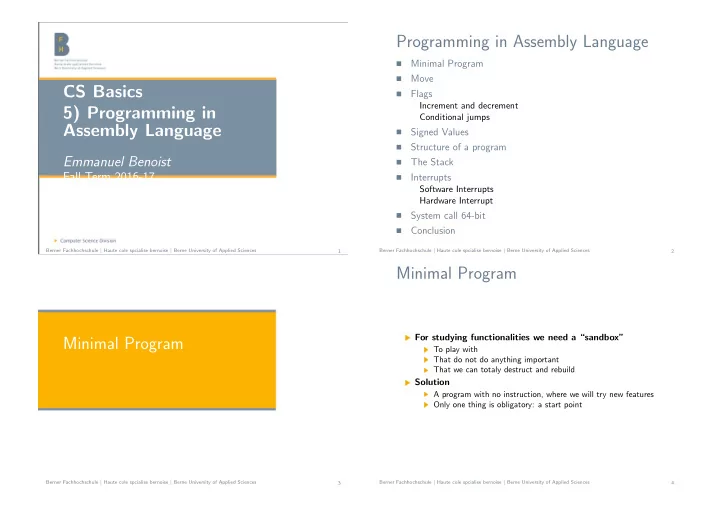
Programming in Assembly Language Minimal Program Move CS Basics Flags Increment and decrement 5) Programming in Conditional jumps Assembly Language Signed Values Structure of a program Emmanuel Benoist The Stack


slide-1
SLIDE 1

CS Basics 5) Programming in Assembly Language

Emmanuel Benoist

Fall Term 2016-17

Berner Fachhochschule | Haute cole spcialise bernoise | Berne University of Applied Sciences 1

Programming in Assembly Language

  • Minimal Program
  • Move
  • Flags

Increment and decrement Conditional jumps

  • Signed Values
  • Structure of a program
  • The Stack
  • Interrupts

Software Interrupts Hardware Interrupt

  • System call 64-bit
  • Conclusion

Berner Fachhochschule | Haute cole spcialise bernoise | Berne University of Applied Sciences 2

Minimal Program

Berner Fachhochschule | Haute cole spcialise bernoise | Berne University of Applied Sciences 3

Minimal Program

For studying functionalities we need a “sandbox”

To play with That do not do anything important That we can totaly destruct and rebuild

Solution

A program with no instruction, where we will try new features Only one thing is obligatory: a start point

Berner Fachhochschule | Haute cole spcialise bernoise | Berne University of Applied Sciences 4

slide-2
SLIDE 2

Assembly Language Sandbox

sandbox.asm

section .data section .text global _start _start: nop ; Put your experiments between the two

ց →nops...

nop ; Put your experiments between the two

ց →nops...

Attention: This program does not terminate properly, it is just for testing purpose inside a debugger, Terminate the program manualy otherwise it will generate a core dump

Berner Fachhochschule | Haute cole spcialise bernoise | Berne University of Applied Sciences 5

Move

Berner Fachhochschule | Haute cole spcialise bernoise | Berne University of Applied Sciences 6

The MOV instruction

Moves data from one location to another

Syntax mov destination, source

Is the most used command

Move information from register to memory from memory to register from register to register But NOT form memory to memory

Examples

mov RAX, 42

Berner Fachhochschule | Haute cole spcialise bernoise | Berne University of Applied Sciences 7

Immediate Data

Immediate addressing

The data is built right into the machin instruction itself It is neither in a register, nor in a data item Intruction is in the instruction mov RAX, 42 mov RBX, ’Hello’ mov RCX, 0ABCDh

Hello is stored in reverse order

Because of “little endian”

Size must be compatible

cl is a 8-bit register 067EFh is 16 bits mov cl, 067EFh ; Instruction is not accepted byց

→ NASM Berner Fachhochschule | Haute cole spcialise bernoise | Berne University of Applied Sciences 8

slide-3
SLIDE 3

Move Register Data

Register Addressing

Name the register to work with mov EBP, ESI ; 32-bit mov BL, CH ; 8-bit add DX, AX ; 16-bit add ECX, EDX ; 32-bit add RAX, RBX ; 64-bit

ADD instruction

Adds the source and the destination The sum replaces whatever is in the destination

Berner Fachhochschule | Haute cole spcialise bernoise | Berne University of Applied Sciences 9

Example

Test the following in a debugger

mov ax,067FEh mov bx, ax mov cl,bh mov ch,bl

Set the breakpoint on the first instruction

Single-step through the instructions watch carefully Halve registers (8-bit) are used for accessing RCX

Berner Fachhochschule | Haute cole spcialise bernoise | Berne University of Applied Sciences 10

Memory Data

Is stored in the memory “owned” by the program

Can be access using general purpose registers ;; Move to and from memory mov rbx, Snippet ;the address of the string

ց →in memory

mov rcx, 3 ; the offset in the string mov ax, [rbx] ; Move 16 bits mov rax, [rbx+3] ; Move 64 bits mov eax, [rbx+rcx] ; Move 32 bits

The [] operator

Accesses the memory at the address inside the brackets [ebx] referes to memory whose address is stored in ebx [ebx+3] the memory whose address is the value of ebx plus 3 [ebx+ecx] the memory whose address is the sum of the values of ebx and ecx

Berner Fachhochschule | Haute cole spcialise bernoise | Berne University of Applied Sciences 11

Memory Data (Cont.)

Size copied

The size of data copied from the memory depends on the size

  • f the register

ax is 16-bit eax is 32-bit rax is 64-bit

Berner Fachhochschule | Haute cole spcialise bernoise | Berne University of Applied Sciences 12

slide-4
SLIDE 4

Confusing Data and its Address

Label are addresses

EatMsg is the address of the string [EatMsg] is the content of the address For a 32-bit register, we transfer 4 bytes For a 64-bit register, we transfer 8 bytes section .data EatMsg db "EatatJoe’s" section .text global _start _start: nop ; Put your experiments between the two

ց →nops

mov rcx, EatMsg ; copy the address mov rdx, [EatMsg] ; Copy 64 first bits of theց

→ message

nop ; Put your experiments between the two

ց →nops Berner Fachhochschule | Haute cole spcialise bernoise | Berne University of Applied Sciences 13

Flags

Berner Fachhochschule | Haute cole spcialise bernoise | Berne University of Applied Sciences 14

Flags

The EFLAG register contains 32 bits:

each one could be a flag Contains 18 Flags We present the most usefull ones Most of the flags represent a “result” of some kind

OF: Overflow Flag

When an arithmetic operation on a signed integer quantity becomes too large Is generally used as a “carry” flag in signed arithmetic

DF: Direction Flag

It tells the CPU something you want Tells the direction you want for string instruction If DF = 1 string instructions proceed from high memory toward low memory if DF=0 string instructions proceed from low memory toward high memory.

Berner Fachhochschule | Haute cole spcialise bernoise | Berne University of Applied Sciences 15

Flags (Cont.)

IF: Interrupt enable flag

The CPU can set it You can set it using STI (set IF) and CLI (clear IF) When IF is set, interrupts are enabled and may occur when requested When IF is cleared interrupts are ignored

TF: Trap Flag

allows debuggers to manage single-stepping it forces the CPU to execute only a single instruction

SF: Sign Flag

becomes set, when the result of an operation forces the

  • perand to become negative

means: the first bit becomes 1 during the operation

Berner Fachhochschule | Haute cole spcialise bernoise | Berne University of Applied Sciences 16

slide-5
SLIDE 5

Flags (Cont.)

ZF: Zero Flag

is set when the result of an operation becomes zero.

PF: Parity Flag

Familiar with serial data communication Indicates if the number of ones in the low-order byte is even or

  • dd

CF: Carry Flag

is used in unsigned arithmetic operations if the result “carries out” a bit from the operand

Berner Fachhochschule | Haute cole spcialise bernoise | Berne University of Applied Sciences 17

Increment and decrement

Berner Fachhochschule | Haute cole spcialise bernoise | Berne University of Applied Sciences 18

Increment and decrement

INC: Increment

Adds one to its operand

DEC: decrement

Substract one from its operand

Example

mov eax, 0FFFFFFFFh mov ebx, 02Dh dec ebx inc eax ebx becomes 2Ch eax becomes 0 Carry Flag is not affected by INC

The last instruction changes Flags

PF (parity), AF (Auxillary), ZF (zero), IF (interrupt) are set

Berner Fachhochschule | Haute cole spcialise bernoise | Berne University of Applied Sciences 19

Conditional jumps

Berner Fachhochschule | Haute cole spcialise bernoise | Berne University of Applied Sciences 20

slide-6
SLIDE 6

Conditional jumps

Most of the flags have a conditional jump

JNZ : Jump if not zero If ZF is clear, nothing is done If ZF is set, execution travels to a new destination

Example: First loop

;; A first loop mov eax, 5 DoMore: dec eax jnz DoMore

As long as eax is not zero, loops to DoMore

Berner Fachhochschule | Haute cole spcialise bernoise | Berne University of Applied Sciences 21

Kangaroo

Kangaroo.asm

section .data Snippet db "KANGAROO" section .text global _start _start: nop ; Put your experiments between the two nops... mov ebx,Snippet mov eax,8 DoMore: add byte [ebx],32 inc ebx dec eax jnz DoMore ; Put your experiments between the two nops... nop

Berner Fachhochschule | Haute cole spcialise bernoise | Berne University of Applied Sciences 22

Kangaroo (Cont.)

The string “KANGAROO” is stored in memory

It receives a label Snippet

eax is a counter that is decremented

ebx is incremented from the Snippet label, to the end of the string

Letters are changed to lowercase

One substracts 32 to all the letters We can check in the memory

Berner Fachhochschule | Haute cole spcialise bernoise | Berne University of Applied Sciences 23

Signed Values

Berner Fachhochschule | Haute cole spcialise bernoise | Berne University of Applied Sciences 24

slide-7
SLIDE 7

Signed Values

x86 architecture uses two’s complement for signed values

  • 42 is denoted in a 8 bit register 256-42
  • n a 32-bit registers 100000000H-42
  • n a 64-bit register 10000000000000000H -42

Let us try the following code

mov eax, 5 DoMore: dec eax jmp DoMore

Jump is inconditional (it is always done) Eax becomes

0FFFFFFFFh (-1) 0FFFFFFFEh (-2) 0FFFFFFFDh (-3) 0FFFFFFFCh (-3)

Berner Fachhochschule | Haute cole spcialise bernoise | Berne University of Applied Sciences 25

NEG instruction

NEG generates a negative number

Transforms a positive number into a negative one.

Example

;; We generate a negative number mov eax, 42 neg eax add eax, 42

We increment the last positive number and get a negative one

;; we increment the last positive number ;; changes SF (sign flag) mov ebx, 07FFFFFFFh inc ebx ; sets the CF PF AF SF OF

Berner Fachhochschule | Haute cole spcialise bernoise | Berne University of Applied Sciences 26

Move signed numbers

Moving signed numbers

MOV does not work if the size changes The number is copied as a number The new number is not a valid negative number

Solution: MOVSX Move with Sign eXtension

mov ax, -42 mov ebx, eax ; value is not -42 mov ax, -42 movsx ebx, ax ; value remains -42

Berner Fachhochschule | Haute cole spcialise bernoise | Berne University of Applied Sciences 27

Multiplication

MUL and DIV handle unsigned calculation

MUL multiplies two operands But the result is larger than the operand if operands are 64-bit, result can be 128-bit need two registers for the result

IMUL and IDIV handle signed calculation

Pretty much the same functionality with signed numbers

Berner Fachhochschule | Haute cole spcialise bernoise | Berne University of Applied Sciences 28

slide-8
SLIDE 8

MUL implicit operands

Explicit operand

One factor

Implicit operand

One factor (AL, AX, EAX, RAX depending on the size of the explicit operand) Product (AX, DX and AX, EDX (high order bytes) and EAX (low order bytes), RDX and RAX respectively)

Example

mov eax, 447 mov ebx, 1739 mul ebx ;values in eax and edx are set mov eax, 56 mov ebx, 67 neg ebx imul ebx

Berner Fachhochschule | Haute cole spcialise bernoise | Berne University of Applied Sciences 29

Structure of a program

Berner Fachhochschule | Haute cole spcialise bernoise | Berne University of Applied Sciences 30

Structure

Initial comment block

Author, date, version, description

Data section

Contains all initialized data Data must have a value Similar to constants

BSS section

Contains unitialized data Just placeholders Place will be reserved in the memory

Text session

Contains the code need a global label start to be executed

Berner Fachhochschule | Haute cole spcialise bernoise | Berne University of Applied Sciences 31

Example

; Executable name : EATSYSCALL ; Version : 1.0 ; Created date : 1/7/2009 ; Last update : 2/18/2009 ; Author : Jeff Duntemann ; Description : A simple program in assembly for Linux, using NASM 2.05, ; demonstrating the use of Linux INT 80H syscalls to display text. ; ; Build using these commands: ; nasm −f elf −g −F stabs eatsyscall.asm ; ld −o eatsyscall eatsyscall.o ; SECTION .data ; Section containing initialised data EatMsg: db ”Eat at Joe’s!”,10 EatLen: equ $−EatMsg SECTION .bss ; Section containing uninitialized data SECTION .text ; Section containing code global start ; Linker needs this to find the entry point! start: nop ; This no−op keeps gdb happy... mov eax,4 ; Specify sys write call mov ebx,1 ; Specify File Descriptor 1: Standard Output mov ecx,EatMsg ; Pass offset of the message mov edx,EatLen ; Pass the length of the message int 80H ; Make kernel call MOV eax,1 ; Code for Exit Syscall mov ebx,0 ; Return a code of zero int 80H ; Make kernel call Berner Fachhochschule | Haute cole spcialise bernoise | Berne University of Applied Sciences 32

slide-9
SLIDE 9

The .text Section

Labels

must begin with a letter or an underscore must be followed by a semicolon when they are defined are case sensitive Are used as targets for jumps label start must be present and declared global in any Linux program

Berner Fachhochschule | Haute cole spcialise bernoise | Berne University of Applied Sciences 33

Variables

For initialized Data

In the Data section data definition directive

Example

MyByte db 07h ; 8 bits in size MyWord dw 0FFFFh : 16 bits in size MyDouble dd 0B8000000h ; 32 bits in size MyQuad dq 0B800000011000000h ; 64 bits

Berner Fachhochschule | Haute cole spcialise bernoise | Berne University of Applied Sciences 34

String Variables

Example

eatMsg: db "EatatJoes’s!",10

Is a label (address) of information in memory

Contains bytes (db)

Strings can be concatenated

”Eat at Joes’s!”,10 End of Line, EOL (0Ah / 10), is added at the end of the string TwoLineMsg: db "EatatJoe’s...",10,"...Tenց

→millionfliescan’tALLbewrong!",10

When displayed, produces two lines Eat at Joe’s ... ... Ten million flies can’t ALL be wrong!

Berner Fachhochschule | Haute cole spcialise bernoise | Berne University of Applied Sciences 35

Derive String Length

Interesting:

EatLen: equ $-EatMsg

EQU stands for equate

Associate a value with a label Like a named constant FieldWidth equ 10

The following two lines are equal

mov eax,10 mov eax, FieldWidth

Berner Fachhochschule | Haute cole spcialise bernoise | Berne University of Applied Sciences 36

slide-10
SLIDE 10

Derive String length (Cont.)

We need length of the string

We could hard code it EatMsg db "EatatJoe’s!",10 EatLen equ 14

But what appens if we change the string

We have to change the length : VERY error prone

Use the ”here” token: the $ sign

marks the spot where NASM is in the intermediate file $ and EatMsg are both ”locations” (addresses in memory) One can compute the difference: where do the string start and finishes EatMsg: db "EatatJoe’s!",10 EatLen: equ $-EatMsg

Berner Fachhochschule | Haute cole spcialise bernoise | Berne University of Applied Sciences 37

The Stack

Berner Fachhochschule | Haute cole spcialise bernoise | Berne University of Applied Sciences 38

The Stack

Is used to store information temporarly

Store the status of a program while doing something else

LIFO

Last In - First Out

Push : add on top of the stack Pop: remove from the top of the stack Pez Dispenser

The new candy are eaten first The old candies remain at the bottom

Berner Fachhochschule | Haute cole spcialise bernoise | Berne University of Applied Sciences 39

The Stack

Top of the Stack Top of the Stack

Push four items

  • nto the stack:

Top of the Stack

Pop two items

  • ff the stack:

Push three items

  • nto the stack:

Top of the Stack

Figure 8-1: The stack

Berner Fachhochschule | Haute cole spcialise bernoise | Berne University of Applied Sciences 40

slide-11
SLIDE 11

Stack in Memory

Stack starts at the top of memory

Start at the higher memory Go down in the free memory

Opposite to the rest

text section data section bss section are stored at the bottom of the memory

C program allocate dynamically the free memory

On the fly while it works Inside the heap

Berner Fachhochschule | Haute cole spcialise bernoise | Berne University of Applied Sciences 41

The Stack in Memory

.text section (Program code) .data section (Initialized data items) .bss section (Uninitialized data items)

The Stack

Free Memory

ESP moves up and down as items are pushed

  • nto or popped

from the stack ESP always points to the last item pushed

  • nto the stack

Highest memory addresses Lowest memory addresses

Figure 8-2: The stack in program memory Berner Fachhochschule | Haute cole spcialise bernoise | Berne University of Applied Sciences 42

Push instructions

Add information on top of the stack

PUSH a register or memory value PUSHF push the Flags register

examples

push ax ; Push the AX register ; push ebx ; push the EAX register not supported in

ց →64-bit mode

push rax ; Push the RAX register push word[rbx] ; Push the word stored at bx push qword[rdx] ; Push the double word storedց

→ at edx

push rdi ; Push the RDI register pushf ; Push the flags on the stack

Berner Fachhochschule | Haute cole spcialise bernoise | Berne University of Applied Sciences 43

Pop instructions

Retrieve information out of the stack

Removes the information from the stack and transfers it It is up to you to know what information is stored on the stack

Instructions

POP, POPF (for flags)

Examples

popf ;Pop the flags out of the stack pop CX ; Pop the top 2 bytes from the stack

ց →into CX

pop RSI ; Pop the top 16 bytes from the stackց

→ into RSI

pop qword[rbx] ; Pop the top 8 bytes from theց

→ stack into the memory at EBX

pop qword[vars1] ; Pop the top 8 bytes from

ց →the stack into the memory at var1 Berner Fachhochschule | Haute cole spcialise bernoise | Berne University of Applied Sciences 44

slide-12
SLIDE 12

How the stack works

34 12 A7 4B 34 12 17 FF A7 4B 34 12 A7 4B 34 12 High Memory Low Memory SP SP SP SP PUSH AX PUSH BX PUSH CX POP DX DX now contains 0FF17h AX = 01234h BX = 04BA7h CX = 0FF17h DX = 0000

Figure 8-3: How the stack works Berner Fachhochschule | Haute cole spcialise bernoise | Berne University of Applied Sciences 45

Interrupts

Berner Fachhochschule | Haute cole spcialise bernoise | Berne University of Applied Sciences 46

Software Interrupts

Berner Fachhochschule | Haute cole spcialise bernoise | Berne University of Applied Sciences 47

Interrupts

Used to communicate with the Linux Kernel

Not authorized to access memory where Kernel instructions are Protected mode Need a way to execute kernel instructions

Interrupts

Interrupt vector table Placed at the first 1024 bytes of memory of any x86 computer Each vector has a number from 0 to 255 Each vector contains the address (including offset and segment) of kernel functions Addresses can be dynamically allocated (regarding where the kernel is executed)

Berner Fachhochschule | Haute cole spcialise bernoise | Berne University of Applied Sciences 48

slide-13
SLIDE 13

The interrupt vector table

Vector 0 Vector 2 Vector 1 Vector 3

The lowest location in x86 memory

00000000h 00000008h 00000004h 0000000Ch 00000010h

Figure 8-4: The interrupt vector table Berner Fachhochschule | Haute cole spcialise bernoise | Berne University of Applied Sciences 49

Interrupt 80h = the dispatcher

An interrupt number correspond to one function

It remains the same, always 80h corresponds to the dispatcher

The INT instruction

Is used in the program CPU goes to the interrupt vector table Fetches the address from slot 80h Jumps execution to that address The dispacher picks up the execution and performs the service

Berner Fachhochschule | Haute cole spcialise bernoise | Berne University of Applied Sciences 50

Riding an interrupt vector into Linux

Dispatcher Vector Table Vector 80h INT 80h Linux Return Address Your Code The Stack User Space Kernel Space The INT80h instruction first pushes the address of the instruction after it onto the stack... ...and then jumps to whatever address is stored in vector 80h. The address at vector 80h takes execution into the Linux system call dispatcher (Next Instruction) Figure 8-5: Riding an interrupt vector into Linux

Berner Fachhochschule | Haute cole spcialise bernoise | Berne University of Applied Sciences 51

The dispatcher

Controles access to 200 individual routines

Tell the dispacher which service you need Place service number in register RAX The dispatcher may require other information as well Most allways in various registers

Example

mov eax,4 ; Specify sys_write call mov ebx,1 ; Specify File Descriptor 1:

ց →Standard Output

mov ecx,EatMsg ; Pass offset of the message mov edx,EatLen ; Pass the length of the

ց →message

int 80H ; Make kernel call

Berner Fachhochschule | Haute cole spcialise bernoise | Berne University of Applied Sciences 52

slide-14
SLIDE 14

File descriptors

Standard Input

stdin File descriptor 0

Standard Output

stdout FIle descriptor 1

Standard Error

stderr File descriptor 2

Other files

Generate a new file descriptor

Berner Fachhochschule | Haute cole spcialise bernoise | Berne University of Applied Sciences 53

Return to your program

When the routine is finished

Linux goes back to your program Has to know where to go back

Stack

The instruction number is stored on the stack when the interrupt is called When it is finished: the address is poped from the stack And inserted back in the instruction pointer (RIP) It is the address of the next instruction to be executed.

Berner Fachhochschule | Haute cole spcialise bernoise | Berne University of Applied Sciences 54

Returning home from an interrupt

Dispatcher Vector Table Vector 80h INT 80h Linux Return Address Your Code The Stack The IRET instruction pops the return address off the stack... ...and then jumps to the instruction at that address, which is the

  • ne immediately after

the INT 80h. IRET (Next Instruction)

Figure 8-6: Returning home from an interrupt

Berner Fachhochschule | Haute cole spcialise bernoise | Berne University of Applied Sciences 55

Exiting the program

Call the dispatcher

INT 80 instruction

Parameters

Routine is number 1 in RAX Value 0 is stored in RBX (everything went well) Or something else

Example

MOV eax,1 ; Code for Exit Syscall mov ebx,0 ; Return a code of zero int 80H ; Make kernel call

Berner Fachhochschule | Haute cole spcialise bernoise | Berne University of Applied Sciences 56

slide-15
SLIDE 15

Hardware Interrupt

Berner Fachhochschule | Haute cole spcialise bernoise | Berne University of Applied Sciences 57

Hardware Interrupt

CPU mechanism to pay attention to the world

PC circuits can send signals to the CPU Keyboard, network, disk, USB, ... CPU can interrupt its work to treat the message

Harware interrupts are also addresses

Each interrupt has a number The table links together number and address of the instructions Called: ISR Interrupt Service Routine

Difference hardware vs software interrupt

Harware interrupt is trigered by something outside your code Software interrupt is trigered by something inside your code

Berner Fachhochschule | Haute cole spcialise bernoise | Berne University of Applied Sciences 58

System call 64-bit

Berner Fachhochschule | Haute cole spcialise bernoise | Berne University of Applied Sciences 59

System Call

System Call replace software interrupt

Call to system functions can be done using interrupt 80h They can also be done using “syscall”

Call functions reserved to the system

Exit the program Print something on the standard output (or error output) Print something in a file Manipulate files Read chars from the standard input . . .

Parameters

RAX : the function number

◮ 0 : sys read (read input or file) ◮ 1 : sys wirte (write ouput or file) ◮ 2 : sys open (for a file) ◮ 3 : sys close (idem) ◮ . . . ◮ 60 : sys exit

Other parameters:

◮ RDI, RSI, RDX, R10, R8, R9 ◮ Some function need more parameters than other Berner Fachhochschule | Haute cole spcialise bernoise | Berne University of Applied Sciences 60

slide-16
SLIDE 16

System Call: Examples

Displaying a string

RAX : 1 = sys write RDI : 1 = Standard output RSI : address of the string to be written RDX : length of the string (number of bytes) mov rax,1 ; Code for Sys_write call mov rdi, 1 ; Specify File Descriptor 1: Standard

ց →Output

mov rsi, EatMsg ; Pass offset of the message mov rdx, EatLen ; Pass the length of the message syscall ; Make kernel call

Exit program

RAX : 60 = sys exit RDI : 0 = returned value (0 means OK) mov rax, 60 ; Code for exit mov rdi, 0 ; Return a code of zero syscall ; Make kernel call

Berner Fachhochschule | Haute cole spcialise bernoise | Berne University of Applied Sciences 61

Eat Message using 64-bit syscalls

SECTION .data ; Section containing initialised data EatMsg: db ”Eat at Joe’s!”,10 EatLen: equ $−EatMsg SECTION .bss ; Section containing uninitialized data SECTION .text ; Section containing code global start ; Linker needs this to find the entry point! start: nop ; This no−op keeps gdb happy... mov rax,1 ; Code for Sys write call mov rdi, 1 ; Specify File Descriptor 1: Standard Output mov rsi, EatMsg ; Pass offset of the message mov rdx, EatLen ; Pass the length of the message syscall ; Make kernel call mov rax, 60 ; Code for exit mov rdi, 0 ; Return a code of zero syscall ; Make kernel call Berner Fachhochschule | Haute cole spcialise bernoise | Berne University of Applied Sciences 62

Conclusion

Berner Fachhochschule | Haute cole spcialise bernoise | Berne University of Applied Sciences 63

Conclusion

Structure of a program

Initialisation of the data in memory Placeholders to reserve place in memory Programm

Stack

Used to store temporary information Useful for calling an interrupt, to restore the environment Will be used to call functions in our code

Interrupt

Possibility to access Kernel routines Used also to react to external stimuli Mainly based on a vector containing the addresses of default functions.

Berner Fachhochschule | Haute cole spcialise bernoise | Berne University of Applied Sciences 64

slide-17
SLIDE 17

Bibliography

This course corresponds to the chapters 7 and 8 of the course book: Assembly Language Step by Step (3rd Edition)

Berner Fachhochschule | Haute cole spcialise bernoise | Berne University of Applied Sciences 65