Private Cloud Devotional Sacristan Gordon is the consultant's answer - - PowerPoint PPT Presentation

private cloud devotional
SMART_READER_LITE
LIVE PREVIEW

Private Cloud Devotional Sacristan Gordon is the consultant's answer - - PowerPoint PPT Presentation

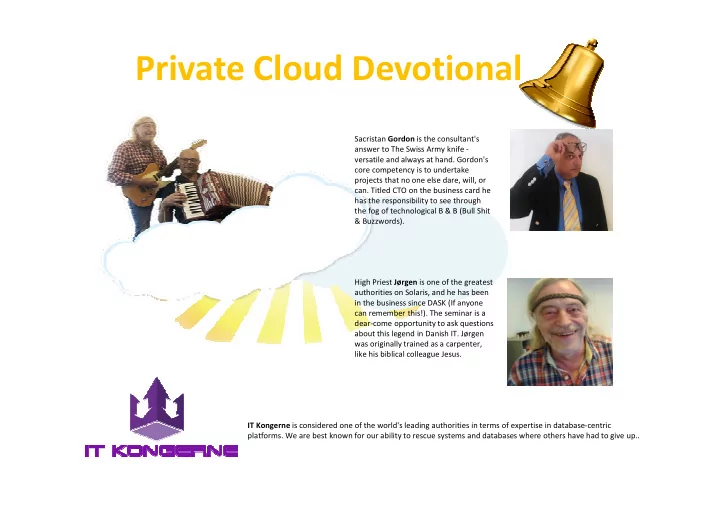
Private Cloud Devotional Sacristan Gordon is the consultant's answer to The Swiss Army knife - versatile and always at hand. Gordon's core competency is to undertake projects that no one else dare, will, or can. Titled CTO on the business card


slide-1
SLIDE 1

Private Cloud Devotional

IT Kongerne is considered one of the world's leading authorities in terms of expertise in database-centric

  • platforms. We are best known for our ability to rescue systems and databases where others have had to give up..

High Priest Jørgen is one of the greatest authorities on Solaris, and he has been in the business since DASK (If anyone can remember this!). The seminar is a dear-come opportunity to ask questions about this legend in Danish IT. Jørgen was originally trained as a carpenter, like his biblical colleague Jesus. Sacristan Gordon is the consultant's answer to The Swiss Army knife - versatile and always at hand. Gordon's core competency is to undertake projects that no one else dare, will, or

  • can. Titled CTO on the business card he

has the responsibility to see through the fog of technological B & B (Bull Shit & Buzzwords).

slide-2
SLIDE 2

The cloud has made it to Hollywood and “nobody understands it”

slide-3
SLIDE 3

What’s cloud – What’s not

slide-4
SLIDE 4

A TRANSFORMATION PROCESS

Your way to Private Cloud Salvation

Cost Reduction and Agility Private Infrastructure Cloud

Automate Virtualize Self-Service Consolidate

  • Design consolidated architecture
  • Reduce risk in migration
  • Transform legacy into virtual
  • Create virtual compute storage pools
  • Reclaim storage
  • Implement best practices to align management policies to business

requirements

  • Be an “as-a-Service” organization
  • Internalize operational best practices
slide-5
SLIDE 5
slide-6
SLIDE 6

SmartOS offers

  • Performance
  • Observability
  • Reliability

SmartOS is an open source Type 1 hypervisor platform based on Illumos, a descendant of OpenSolaris, and developed by Joyent

slide-7
SLIDE 7

SmartOS offers two types of Virtualization

Container-based virtualization (Zones)

  • A container is the combination of resource controls and

Solaris zones.

  • Provides a lightweight solution and a complete and secure

user space environment on a single global kernel.

  • Can easily scale vertically, something that is more difficult

with KVM virtualization. KVM virtual machines

  • KVM virtual machines provide a solution for running a

variety of guest OS's, including Linux and Windows, in a full, hardware-assisted virtualization.

  • KVM images on SmartOS run as a process inside of a zone.
slide-8
SLIDE 8

Performance

  • Networking, SmartOS makes use of a kernel

mechanism called crossbow. When running on a Zone the code path for doing network I/O is directly to bare metal.

  • ZFS, every Zone runs in its own ZFS dataset, and each

VM gets its own ZFS volume. As with the network, a Zone runs directly on SmartOS to do disk I/O

slide-9
SLIDE 9

Virtualization Performance: Zones, KVM, Xen

How does I/O differ between traditional Unix and Zones? Now for Xen and KVM (simplified!):

slide-10
SLIDE 10

Virtualization Performance: Throughput

source dest threadsresult suspected limiter

SmartOS 1 GB SmartOS 1 GB 1 2.75 Gbits/sec client iperf @80% CPU, and network latency SmartOS 1 GB SmartOS 1 GB 2 3.32 Gbits/sec dest iperf up to 19% LAT, and network latency SmartOS 1 GB SmartOS 1 GB 4 4.54 Gbits/sec client iperf over 10% LAT, hitting CPU caps SmartOS 1 GB SmartOS 1 GB 8 1.96 Gbits/sec client iperf LAT, hitting CPU caps KVM CentOS 1 GB KVM CentOS 1 GB 1 400 Mbits/sec network/KVM latency (dest 60% of the 1 VCPU) KVM CentOS 1 GB KVM CentOS 1 GB 2 394 Mbits/sec network/KVM latency (dest 60% of the 1 VCPU) KVM CentOS 1 GB KVM CentOS 1 GB 4 388 Mbits/sec network/KVM latency (dest 60% of the 1 VCPU) KVM CentOS 1 GB KVM CentOS 1 GB 8 389 Mbits/sec network/KVM latency (dest 70% of the 1 VCPU)

Throughput Searching for the highest Gbits/sec:

slide-11
SLIDE 11

Virtualization Performance: IOPS

source dest threads result suspected limiter

SmartOS 1 GB SmartOS 1 GB 1 14000 packets/sec client/dest thread count (each thread about 18% CPU total) SmartOS 1 GB SmartOS 1 GB 2 23000 packets/sec client/dest thread count SmartOS 1 GB SmartOS 1 GB 4 36000 packets/sec client/dest thread count SmartOS 1 GB SmartOS 1 GB 8 60000 packets/sec client/dest thread count SmartOS 1 GB SmartOS 1 GB 16 78000 packets/sec both client & dest CPU cap KVM Centos 1 GB KVM Centos 1 GB 1 1180 packets/sec network/KVM latency, thread count (client thread about 10% CPU) KVM Centos 1 GB KVM Centos 1 GB 2 2300 packets/sec network/KVM latency, thread count KVM Centos 1 GB KVM Centos 1 GB 4 4400 packets/sec network/KVM latency, thread count KVM Centos 1 GB KVM Centos 1 GB 8 7900 packets/sec network/KVM latency, thread count (threads now using about 30% CPU each; plenty idle) KVM Centos 1 GB KVM Centos 1 GB 16 13500 packets/sec network/KVM latency, thread count (~50% idle on both) KVM Centos 1 GB KVM Centos 1 GB 32 18000 packets/sec CPU (dest >90% of the 1 VCPU)

IOPS Searching for the highest packets/sec:

slide-12
SLIDE 12

Observability

The ability to see what is being done by the entire software stack from application to hardware. SmartOS provides a tool called Dtrace that can be used for:

  • Debugging - trace entry and return from

functions

  • Performance Analysis - get nanosecond timing

information.

  • Code Coverage - determine whether or not code

is getting executed.

slide-13
SLIDE 13

Reliability

  • Fault Management Architecture (FMA)

Helps detect, report and diagnose any fault

  • r defect that can occur on a SmartOS system.
  • Service Management Facility (SMF)

Dependencies between services Parallel starting Automatic restart upon Delegation of services to non-root users.

  • Virtual Router Redundancy Protocol (VRRP)

Highly available load balancing. Provides a means to implement hot-failover via virtual IP sharing.

Pedigree Features

Database

slide-14
SLIDE 14

Designed for Virtualization

Lightweight Deployment via USB or PXE

  • No “on disk” installation
  • No disk wasted for root disks
  • No patching
  • Fast and Reliable Upgrades (just reboot)
  • Enhanced Security.
  • No ZFS Boot Environments
  • No Image Package System
slide-15
SLIDE 15

Designed for Virtualization

Abstraction toolset for unified management of Zones... vmadm: VM Administration tool – Create, Start, Stop, Modify, etc. – Both Zones & KVM instances imgadm: Image Administration tool – Find, Download & Install Images – Integrates with “dataset server” for easy distribution

slide-16
SLIDE 16

Installation and configuration

slide-17
SLIDE 17

Zones workflow

  • 1. Import Image

If you want minimal, use “base” It is not possible to create a zone without a template (image)

  • 2. Write the JSON description
  • 3. Create the zone
slide-18
SLIDE 18

[root@00-0c-29-73-59-c9 ~]# imgadm update UUID NAME VERSION OS PUBLISHED 3766d58c-d777-11e1-89c1-4fa1b8ed5c1e base 1.7.1 smartos 2012-07-27T00:18:34Z [root@00-0c-29-73-59-c9 ~]# imgadm import 3766d58c-d777-11e1-89c1-4fa1b8ed5c1e Importing image 3766d58c-d777-11e1-89c1-4fa1b8ed5c1e (base 1.7.1) from "https://images.joyent.com" Imported image 3766d58c-d777-11e1-89c1-4fa1b8ed5c1e to "zones/3766d58c-d777-11e1-89c1-4fa1b8ed5c1e". [root@00-0c-29-73-59-c9 ~]# cat /tmp/zonedef { "brand": "joyent", "dataset_uuid": "3766d58c-d777-11e1-89c1-4fa1b8ed5c1e", "nics": [ { "nic_tag": "admin", "ip": "192.168.146.140", "netmask": "255.255.255.0", "gateway": "192.168.146.2" } ] } [root@00-0c-29-73-59-c9 ~]# vmadm create -f /tmp/zonedef Successfully created VM 2a60d446-59d8-4172-aebd-8714d8cd55ec [root@00-0c-29-73-59-c9 ~]# zoneadm list -civ ID NAME STATUS PATH BRAND IP 0 global running / liveimg shared 2 2a60d446-59d8-4172-aebd-8714d8cd55ec running /zones/2a60d446-59d8-4172-aebd-8714d8cd55ec joyent excl [root@00-0c-29-73-59-c9 ~]# zlogin 2a60d446-59d8-4172-aebd-8714d8cd55ec [Connected to zone '2a60d446-59d8-4172-aebd-8714d8cd55ec' pts/2] __ . . _| |_ | .-. . . .-. :--. |- |_ _| ;| || |(.-' | | | |__| `--' `-' `;-| `-' ' ' `-' / ; SmartMachine (base 1.7.1) `-' http://wiki.joyent.com/display/jpc2/SmartMachine+Base [root@2a60d446-59d8-4172-aebd-8714d8cd55ec ~]# uname -a SunOS 2a60d446-59d8-4172-aebd-8714d8cd55ec.local 5.11 joyent_20130419T073558Z i86pc i386 i86pc Solaris [root@2a60d446-59d8-4172-aebd-8714d8cd55ec ~]# ifconfig -a lo0: flags=2001000849<UP,LOOPBACK,RUNNING,MULTICAST,IPv4,VIRTUAL> mtu 8232 index 1 inet 127.0.0.1 netmask ff000000 net0: flags=40001000843<UP,BROADCAST,RUNNING,MULTICAST,IPv4,L3PROTECT> mtu 1500 index 2 inet 192.168.146.140 netmask ffffff00 broadcast 192.168.146.255 ether 22:8a:25:6d:46:7f lo0: flags=2002000849<UP,LOOPBACK,RUNNING,MULTICAST,IPv6,VIRTUAL> mtu 8252 index 1 inet6 ::1/128 [root@2a60d446-59d8-4172-aebd-8714d8cd55ec ~]# [K[root@2a60d446-59d8-4172-aebd-8714d8cd55ec ~]# ping google.com google.com is alive [root@2a60d446-59d8-4172-aebd-8714d8cd55ec ~]# exit logout [Connection to zone '2a60d446-59d8-4172-aebd-8714d8cd55ec' pts/2 closed]

Zone Example

[root@00-0c-29-73-59-c9 ~]# imgadm update UUID NAME VERSION OS PUBLISHED 3766d58c-d777-11e1-89c1-4fa1b8ed5c1e base 1.7.1 smartos 2012-07-27T00:18:34Z [root@00-0c-29-73-59-c9 ~]# imgadm import 3766d58c-d777-11e1-89c1-4fa1b8ed5c1e Importing image 3766d58c-d777-11e1-89c1-4fa1b8ed5c1e (base 1.7.1) from "https://images.joyent.com" Imported image 3766d58c-d777-11e1-89c1-4fa1b8ed5c1e to "zones/3766d58c-d777-11e1-89c1-4fa1b8ed5c1e". [root@00-0c-29-73-59-c9 ~]# cat /tmp/zonedef { "brand": "joyent", "dataset_uuid": "3766d58c-d777-11e1-89c1-4fa1b8ed5c1e", "nics": [ { "nic_tag": "admin", "ip": "192.168.146.140", "netmask": "255.255.255.0", "gateway": "192.168.146.2" } ] } [root@00-0c-29-73-59-c9 ~]# vmadm create -f /tmp/zonedef Successfully created VM 2a60d446-59d8-4172-aebd-8714d8cd55ec [root@00-0c-29-73-59-c9 ~]# zoneadm list -civ ID NAME STATUS PATH BRAND IP 0 global running / liveimg shared 2 2a60d446-59d8-4172-aebd-8714d8cd55ec running /zones/2a60d446-59d8-4172-aebd-8714d8cd55ec joyent excl [root@00-0c-29-73-59-c9 ~]# zlogin 2a60d446-59d8-4172-aebd-8714d8cd55ec [Connected to zone '2a60d446-59d8-4172-aebd-8714d8cd55ec' pts/2] __ . . _| |_ | .-. . . .-. :--. |- |_ _| ;| || |(.-' | | | |__| `--' `-' `;-| `-' ' ' `-' / ; SmartMachine (base 1.7.1) `-' http://wiki.joyent.com/display/jpc2/SmartMachine+Base

slide-19
SLIDE 19

KVM workflow

Same process as Zone, but with 2 options:

  • 1. Create an empty instance and boot from ISO
  • 2. Import remote dataset from server

QEMU Runs inside minimal zone

  • Logs are in /zones/UUID/root/tmp/
slide-20
SLIDE 20

KVM Example

[root@00-0c-29-73-59-c9 ~]# imgadm import 8700b668-0da4-11e2-bde4-17221283a2f4 Importing image 8700b668-0da4-11e2-bde4-17221283a2f4 (centos-6 1.3.0) from "https://images.joyent.com" Imported image 8700b668-0da4-11e2-bde4-17221283a2f4 to "zones/8700b668-0da4-11e2-bde4-17221283a2f4". [root@00-0c-29-73-59-c9 ~]# cat /tmp/myvmspec { "brand": "kvm", "resolvers": [ "208.67.222.222", "8.8.4.4" ], "default-gateway": "192.168.146.2", "ram": "512", "vcpus": "1", "nics": [ { "nic_tag": "admin", "ip": "192.168.146.150", "netmask": "255.255.255.0", "gateway": "192.168.146.2", "model": "virtio", "primary": true } ], "disks": [ { "image_uuid": "8700b668-0da4-11e2-bde4-17221283a2f4", "boot": true, "model": "virtio", "size": 10240, "image_size": 10240 } ] } [root@00-0c-29-73-59-c9 ~]# vmadm create -f /tmp/myvmspecs Successfully created VM cdb399d0-6a63-4f06-90cb-c2f7248feb90 ]0;00-0c-29-73-59-c9 [root@00-0c-29-73-59-c9 ~]# ps -ef | grep qem | grep -v Usage: grep [-c|-l|-q] [-r|-R] -hbnsviw pattern file . . . ]0;00-0c-29-73-59-c9 [root@00-0c-29-73-59-c9 ~]# ps -ef | grep qem | grep -v grep root 4189 4138 24 17:54:58 ? 1:12 /smartdc/bin/qemu-system-x86_64 -m 512 -name cdb399d0-6a63-4f06-90cb-c2f7248feb [root@00-0c-29-73-59-c9 ~]# vmadm info cdb399d0-6a63-4f06-90cb-c2f7248feb vnc { "vnc": { "host": "192.168.146.132", "port": 57806, "display": 51906 } } ]0;00-0c-29-73-59-c9 [root@00-0c-29-73-59-c9 ~]# exit logout

{ "brand": "kvm", "resolvers": [ "208.67.222.222", "8.8.4.4" ], "default-gateway": "192.168.146.2", "ram": "512", "vcpus": "1", "nics": [ { "nic_tag": "admin", "ip": "192.168.146.150", "netmask": "255.255.255.0", "gateway": "192.168.146.2", "model": "virtio", "primary": true } ], "disks": [ { "image_uuid": "8700b668-0da4-11e2-bde4-17221283a2f4", "boot": true, "model": "virtio", "size": 10240, "image_size": 10240 } ] }

slide-21
SLIDE 21

KVM Example

slide-22
SLIDE 22

Big Data and SmartOS

Convert data into actionable insight The SmartOS is the ideal platform for applications requiring Big Data storage and processing. Use Cases

  • High-performance-compute projects
  • Distributed analytics projects
  • Map reduce processes

Getting Started in two easy steps 1. Deploy a standard image of your choice, and directly install and configure your database OR use a pre-configured database appliances, such as Riak, MongoDB, and Percona, that are made specifically for the SmartOS. 2. Then deploy the preconfigured Hadoop appliance and Bob’s your uncle

slide-23
SLIDE 23

Building high performance cloud applications

slide-24
SLIDE 24

Cloud Management and Orchestration

SmartDataCenter

slide-25
SLIDE 25

Cloud Management and Orchestration

  • Project FiFo is an open-

source Cloud Management and Orchestration system for SmartOS virtualisation environments.

  • The components of FiFo are

written entirely in Erlang which gives the suite excellent stability and fault recovery as it continues maturing to a production quality release.

  • 0.4.5 - "Whirling Whippet"

Current Release

slide-26
SLIDE 26

DogeOS, the 2-in-1 bundle..

DogeOS is a distribution based on SmartOS and FIFO project. It is made to be the ultimate cloud OS for data center.

  • All industry proven features of SmartOS: ZFS,

Dtrace, KVM, Zones and Crossbow.

  • Ready-to-use management console from FIFO.
  • Nearly 100% resource utilization of hardware.
  • No installation time for Resource Node (a.k.a

chunter node).

  • Guided, fast (< 10min) provision of management

VM for Head Node (a.k.a fifo zone node), and works even without Internet access.

  • Simply connect all your servers to your switch. They are all Resource Node, which will be VM farm.
  • Select anyone of your servers to be Head Node, which will host a special VM(FiFo zone) for management system.
slide-27
SLIDE 27
  • For anyone interested in following the latest

developments in the SmartOS community

  • Join the group on LinkedIn

http://www.linkedin.com/groups?gid=6520548

slide-28
SLIDE 28

Read all about it!

  • All Things SmartOS

http://wiki.smartos.org/display/DOC/Home

  • SmartOS home

http://smartos.org/

  • Joyent

http://www.joyent.com/

  • Node.js

http://nodejs.org/

  • Misc.

http://www.joyent.com/blog/magical-block-store-when-abstractions-fail-us https://www.joyent.com/blog/network-storage-in-the-cloud-delicious-but-deadly/ https://www.joyent.com/blog/on-cascading-failures-and-amazons-elastic-block-store/ http://blog.hendrikvolkmer.de/2013/04/03/there-will-be-no-reliable-cloud-part-1/ http://blog.hendrikvolkmer.de/2013/04/09/there-will-be-no-reliable-cloud-part-2/ http://blog.hendrikvolkmer.de/2013/04/12/there-will-be-no-reliable-cloud-part-3/