
SLIDE 1
PRESENTATION
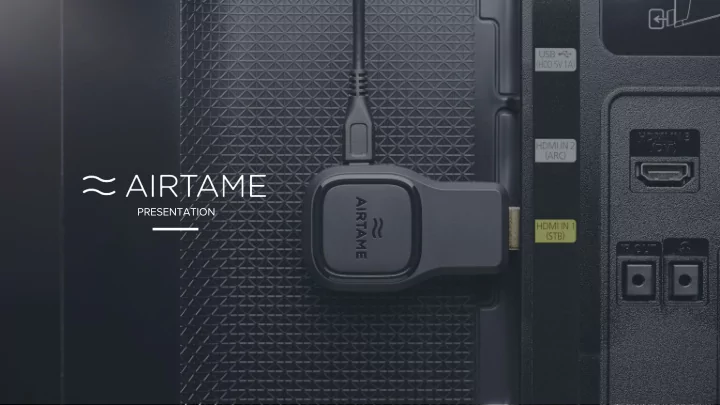
PRESENTATION Today's Cable Mess Limited freedom $ Compatibility - - PowerPoint PPT Presentation
PRESENTATION Today's Cable Mess Limited freedom $ Compatibility Restricted Costly Wasted time movement installations issues How it Works How it Integrates Airtame integrates easily on existing network No need for users to change
PRESENTATION
Compatibility issues Restricted movement Costly installations Wasted time
Limited freedom
Airtame integrates easily on existing network
No need for users to change network when streaming Airtame connects both wirelessly or hardwired using an adapter Local WiFi Local WiFi/wired
pdf (doc, xls, ppt, key from cloud services)
Presentations
iOS (Dropbox) Android (Dropbox, Drive, Box)
Cloud services
jpg, png, bmp
Pictures
The app for mobile devices will not support pin code connect until later this year
Enable the Pin Code feature
Customize the background to suit your needs
Customizable 1,2,3 guide to get new users easily up and running
Standard background
Upload an image and set as background
Image background
Set almost any website URL as background to show for example, news feed, updates, calendar or slideshow
Dashboard background
Show either the 1,2,3 guide, minimalistic or full screen mode
Customize screen layout
Customize the background for any purpose
Customizable 1,2,3 guide to get new users easily up and running
Standard background
Upload an image and set as background
Image background
Set almost any website URL as background to show for example, news feed, updates, calendar or slideshow
Dashboard background
Show either the 1,2,3 guide, minimalistic or full screen mode
Customize screen layout
Customize the background for any purpose
Customizable 1,2,3 guide to get new users easily up and running
Standard background
Upload an image and set as background
Image background
Set almost any website URL as background to show for example, news feed, updates, calendar or slideshow
Dashboard background
Show either the 1,2,3 guide, minimalistic or full screen mode
Customize screen layout
Digital signage
Working
Digital signage
Flexible Power
Use a 5V 1A USB port or the included AC-Adapter
USB Accessories
Optional Ethernet adapter for wired LAN connection
Any screen
Connect to screens without HDMI using VGA or DVI adapters
Meeting rooms
computers
Flexible and build for professional installations
Flexible integration on Secure networks
Connect Airtame to for example guest network and then allow streaming from internal network
Access across VLANs
Internal + Guest network setup
1
Connect Airtame to both internal and Guest by having both a Wireless and ethernet simultaneously
Connect to two VLANS 2
Connect Airtame to internal network with WiFi or ethernet and then enable the Airtame Guest AP
Use Airtame Guest AP 3
Learn more and get tips and tricks in our Enterprise Deployment Guide
Ensure that all devices are healthy monitoring e.g. online/offline, WiFi signal, FW version
Monitor device status
Click the IP address and enter device configuration panel
Change settings
Invite new users and administrate rights or add more organisations to your account.
Add users
Copy unique token from Cloud and paste to each device to be controlled
Easily connect devices
Remotely manage devices with Airtame Cloud
.msi version of the installer for easy remote roll
Mass deployment of App
Self executable version of the App without need for computer admin rights
Stand Alone version
New free features in the pipeline
To be a true Cross-Platform solution Chromebook will be added to the list
Chromebook support
Standalone App
Made for Cross-Platform Flexible & ManageableFree over the air updates 2 in 1 Stream + signage
Thank you for watching airtame.help Deployment guide
Help & Resources Support
e-mail: sales@airtame.com