Plan-Driven Methodologies The traditional way to develop software - - PDF document

plan driven methodologies
SMART_READER_LITE
LIVE PREVIEW

Plan-Driven Methodologies The traditional way to develop software - - PDF document

Plan-Driven Methodologies The traditional way to develop software Based on system engineering and quality disciplines (process improvement) Standards developed from DoD & industry to make process fit a systems approach


slide-1
SLIDE 1
  • 1

1

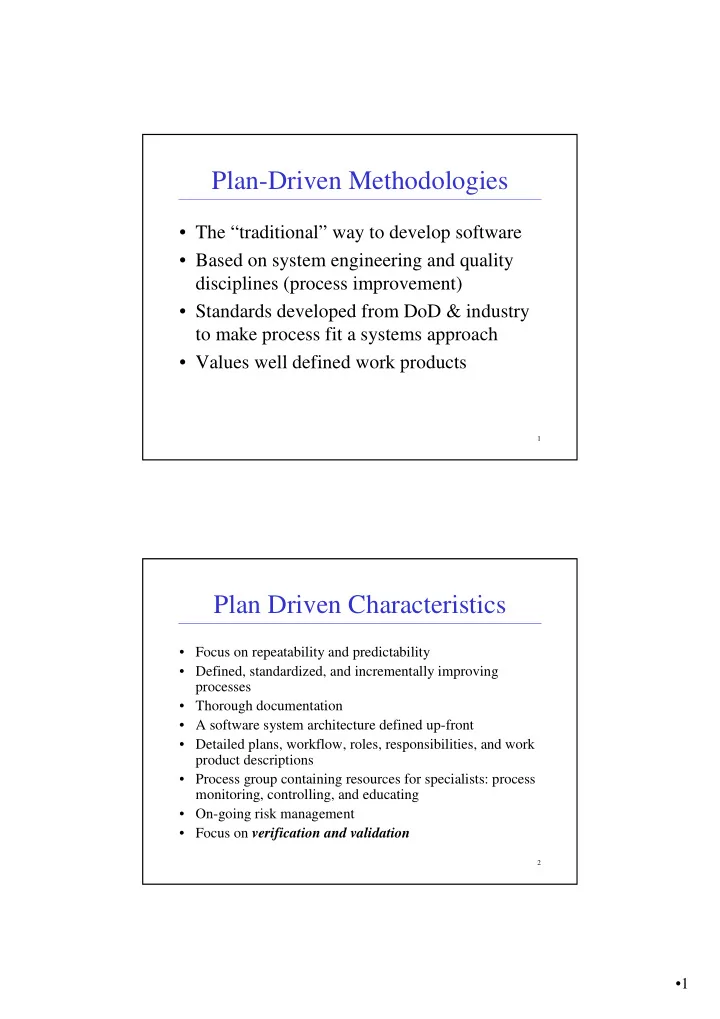
Plan-Driven Methodologies

  • The “traditional” way to develop software
  • Based on system engineering and quality

disciplines (process improvement)

  • Standards developed from DoD & industry

to make process fit a systems approach

  • Values well defined work products

2

Plan Driven Characteristics

  • Focus on repeatability and predictability
  • Defined, standardized, and incrementally improving

processes

  • Thorough documentation
  • A software system architecture defined up-front
  • Detailed plans, workflow, roles, responsibilities, and work

product descriptions

  • Process group containing resources for specialists: process

monitoring, controlling, and educating

  • On-going risk management
  • Focus on verification and validation
slide-2
SLIDE 2
  • 2

3

Plan-Driven Methodologies

  • Personal Software Process (PSP)
  • Team Software Process (TSP, TSPi)
  • Rational Unified Process (RUP)

4

PSP / TSP

  • Watts Humphrey
  • SEI – Software Engineering Institute,

Carnegie Mellon University

  • Also instrumental in the development of

the CMM (Capability Maturity Model)

  • Overview of PSP/TSP

http://www.sei.cmu.edu/tsp/

  • Video: “Competing in the Software Age”

http://www.sei.cmu.edu/videos/watts/DPWatts.mov http://www.sei.cmu.edu/staff/watts/

slide-3
SLIDE 3
  • 3

5

PSP

  • PSP is an individual process methodology
  • PSP is a structured framework of forms,

guidelines, and procedures intended to guide an engineer in using a defined, measured, planned, and quality controlled process.

  • Goal is to quantitatively access individual

development skills in order to improve personal performance.

6

PSP

  • Early defect detection is much less

expensive than later defect removal

  • PSP training follows an evolutionary

improvement approach. An engineer learning to integrate the PSP into his or her process begins at Level 0 and progresses in process maturity to Level 3

  • Each level incorporates skills and

techniques that have been proven to improve the quality of the software process.

  • Each level has detailed scripts, checklists,

and templates to guide the engineer through required steps

slide-4
SLIDE 4
  • 4

7

PSP Artifacts

  • PSP is an artifact centric methodology
  • Scripts – orderly structure of steps for each

phase of development and review

  • Forms – used in data collection for defect

recording, time recording and project planning.

  • Checklists – design, coding, etc.

8

PSP

  • Advantages

– Improved size & time estimation – Improved productivity – Reduced testing time – Improved Quality

  • Disadvantages

– Pushback on forms & detailed data recording – Longevity of PSP requires discipline and

  • pportunity to work on TSP teams.
slide-5
SLIDE 5
  • 5

9

Team Software Process (TSP)

  • The TSP supports the development of industrial

strength software through the use of team building, planning, and control.

  • Relies on PSP team members, but not a necessity.
  • Project divided into overlapping, iterative

development cycles

  • Each of the cycles is a “mini waterfall” consisting
  • f a cycle launch, strategy, planning,

requirements, design, implementation, test, and postmortem.

10

TSP Structure

  • Seven iterative steps in

each cycle.

  • Cycles can and should
  • verlap.
  • Each cycle produces a

testable version that is a subset of the final project.

slide-6
SLIDE 6
  • 6

11

TSP Roles

  • Team Leader
  • Development Manager
  • Planning Manager
  • Quality/Process Manager
  • Support Manager
  • An SEI trained and qualified team coach
  • versees the project from a management

perspective.

12

TSP Artifacts

Lots….

  • 21 Process scripts
  • 10 Role scripts
  • 21 Forms
  • 3 Standards
  • Like PSP, goal is to use above artifacts to

guide organization and use measurements to continually improve the team as a whole.

slide-7
SLIDE 7
  • 7

13

TSP

  • Advantages

– Scripted (consistent) process activities. – Teams take ownership of their process and plans (i.e. make realistic commitments) – Process improvement focus – Visible tracking

  • Disadvantages

– Similar to PSP (artifact centric, high ceremony) – Doesn’t scale well for small teams / short projects

14

Rational Unified Process (RUP)

  • Generic process framework intended to to

be adjusted to a variety of organizations and projects

  • Specifically designed for O-O techniques

using UML diagrams

  • A tool centric methodology
slide-8
SLIDE 8
  • 8

15 16

Time Dimensions (Phases)

  • Inception phase – Decide what to do, the business case, and the scope
  • f the project. Make an initial project plan with rough estimations of

time and resources required. Define risks that need to be handled in the elaboration phase.

  • Elaboration phase – Analyze the problem domain and define a

technically feasible architecture. Mitigate the highest risks to the

  • projects. Make a detailed project plan with prioritized activities.
  • Construction phase – Develop, integrate and test the product defined

in the elaboration phase. Optimize the resources so that they can work in parallel and reuse each other’s work. Produce user documentation.

  • Transition phase – Distribute the product to the customers and

maintain it.

slide-9
SLIDE 9
  • 9

17

Core Process Disciplines (Engineering Workflows)

  • Business modeling - Common understanding for the business process

to be supported is assured.

  • Requirements– Translation of the business model to functional and

non-functional requirements

  • Analysis & Design– Description of how the system is to be realized to

fulfill all requirements.

  • Implementation– Implementation of the design, unit tests and

integration of components into executable systems.

  • Test - Find defects as early as possible as the cost to correct them

increases the later in a software cycle they are found. Tests are focused

  • n three areas, reliability, functionality and performance.
  • Deployment – Production of product releases, and delivery of them to

end-users. Provision of support and migration help.

18

Supporting Workflows

  • Project Management – Management of

competing objectives, risks to the project and successful delivery of a product.

  • Configuration and Change Management -

Management of parallel development, development done at multiple sites, multiple variants of systems and change requests.

  • Environment – Provision of tools to a software

project and adaptation of RUP to the specific project.

slide-10
SLIDE 10
  • 10

19

RUP Artifacts

  • ~30 top level documents, each discipline has its
  • wn set
  • Supported by Rational Tools
  • Example: Requirements Workflow, RequisitePro

Tool

– Vision Statement – SRS (Software Requirements Specification) – Supplementary Spec (non-functional req) – Use Cases – Glossary – Use Case Model

20

RUP Best Practices

  • Develop software iteratively
  • Manage Requirements
  • Use component-based archtiectures
  • Visually model software
  • Continually verify software
  • Control changes to software
slide-11
SLIDE 11
  • 11

21

RUP Roles

Expand or contract based on project size:

– Analyst – Designer – Implementer – Reviewer – Test Designer – Tester – Integrator – Project Manager – Technical Writer – Architect – User Interface Designer

22

RUP

  • Advantages

– Tool and O-O practices support – Can be tailored to for project size

  • Disadvantages

– Dependent on Rational Tools and practices – Not always easy to scope down for smaller projects.