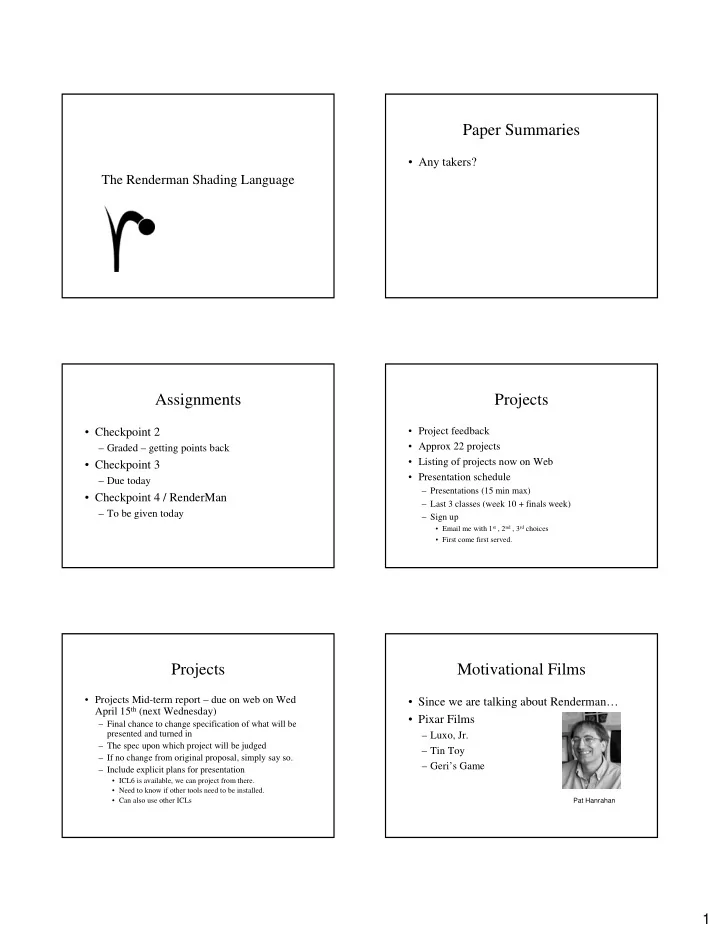
Paper Summaries Any takers? The Renderman Shading Language - - PDF document

paper summaries
SMART_READER_LITE
LIVE PREVIEW

Paper Summaries Any takers? The Renderman Shading Language - - PDF document

Paper Summaries Any takers? The Renderman Shading Language Assignments Projects Project feedback Checkpoint 2 Approx 22 projects Graded getting points back Listing of projects now on Web Checkpoint 3


slide-1
SLIDE 1

1

The Renderman Shading Language

Paper Summaries

  • Any takers?

Assignments

  • Checkpoint 2

– Graded – getting points back

  • Checkpoint 3

– Due today

  • Checkpoint 4 / RenderMan

– To be given today

Projects

  • Project feedback
  • Approx 22 projects
  • Listing of projects now on Web
  • Presentation schedule

– Presentations (15 min max) – Last 3 classes (week 10 + finals week) – Sign up

  • Email me with 1st , 2nd , 3rd choices
  • First come first served.

Projects

  • Projects Mid-term report – due on web on Wed

April 15th (next Wednesday)

– Final chance to change specification of what will be presented and turned in – The spec upon which project will be judged – If no change from original proposal, simply say so. – Include explicit plans for presentation

  • ICL6 is available, we can project from there.
  • Need to know if other tools need to be installed.
  • Can also use other ICLs

Motivational Films

  • Since we are talking about Renderman…
  • Pixar Films

– Luxo, Jr. – Tin Toy – Geri’s Game

Pat Hanrahan

slide-2
SLIDE 2

2

Computer Graphics as Virtual Photography

camera (captures light) synthetic image camera model (focuses simulated lighting)

processing

photo processing tone reproduction real scene 3D models Photography: Computer Graphics: Photographic print

Computer Graphics as Virtual Photography

camera (captures light) synthetic image camera model (focuses simulated lighting)

processing

photo processing tone reproduction real scene 3D models Photography: Computer Graphics: Photographic print

Renderman Shading Language

  • Renderman consists of three parts:

– Functional scene description mechanism (API for C) Renderman is an Interface!

  • State Model Description – Maintains a current graphics state

that can be placed onto a stack.

  • Geometry is drawn by utilizing the current graphics state.

– File format - Renderman Interface Bytestream (RIB) – Shading Language and Compiler.

Renderman Shading Language

  • Renderman Shading Language

– Inspired by Cook’s shade trees – Goals

  • Abstract shading language based on ray optics,

independent of any specific algorithm or implementation

  • Interface between rendering program and shading

model

  • High level language that is easy to use.

Renderman Shading Language

  • Unlike other shading languages, Rendeman allows

for procedural definition of all types of light transport, not just reflection

– Light emission – Atmospheric effects – Reflection – Transmission – Transformations – Bump Mapping

Renderman Shading Language

  • Types of shaders

– Light source shaders - calculates the color of a light being emitted in given direction. – Surface reflectance shaders - computes the light reflected from a surface in a given direction – Volume shaders - implements the effect of light passing through a volume of space, i.e., exterior, interior and atmospheric scattering effects.

slide-3
SLIDE 3

3 Renderman Shading Language

  • Types of Shaders

– Displacement Shaders - perturb the surface of an

  • bject

– Transformation Shaders - apply geometric transformations to coordinates – Imager Shader - post processing on image pixels.

  • Note: Not all shaders need be available in an

implementation!

Runtime architecture

Rendering application

RenderMan

Graphics state Shader 1 Shader 2 Shader 3

slc

Shader / render link

Shader “object” file Shader “object” file Shader “object” file

Renderman Shading Language Solids

[Renderman Companion, 60]

Use CSG and hierarchical modeling to build models

Renderman Shading Language 3D Coordinate Systems

[Renderman Companion, 52]

Renderman Shading Language

  • Dataflow Model

[Renderman Companion, 277]

Renderman Shading Language

  • Built in data types

– float – string – color - 3 element vector. Several color spaces are supported. – point - 3D vector representing a point or vector in space. – Cannot add types

slide-4
SLIDE 4

4 Renderman Shading Language

  • Built in operations

– Arithmetic, trigonometric, derivative – Control (if-then-else, for, while, etc) – Vector (dot product, cross product) – Geometric (length, distance, etc.) – Lighting (secular, diffuse, ambient, illuminance) – Texture mapping functions

Renderman Shading Language

  • Features

– C-like – Declaration – not a function but a shader – Instance variables (shader arguments) – Local variables – Global variables (e.g., for color and opacity for surfaces) – No return type

  • Shader modifies global graphic state variables

A note about SL functions

  • Only one return statement allowed
  • All arguments are pass by reference

– However, not all are writeable

  • No separate compilation

– However can use #include

  • Variable qualifiers

– output – extern – uniform – varying

Renderman Shading Language Attaching shaders to object

  • RiLightHandle RiLightSource (“name”, parameterlist);
  • r LightHandle LightSource “name” parameterlist
  • sets shader “name” to be the current light source shader
  • RiSurface (“name”, parameterlist); or

Surface “name” parameterlist

  • sets shader “name” to be the current surface shader.
  • RiAtmosphere (“name”, parameterlist); or

Atmosphere “name” parameterlist

  • sets shader “name” to be the current atmosphere shader.

Light Shaders

[Renderman Companion, 277]

Light Shaders

  • Describes the directions, amounts, and colors of illumination

distributed by a light source in a scene.

  • Will get called by surface shaders that “query” the scene for

light sources.

  • May contain solar and illuminate calls.
  • Global variables

– Ps – position of point on the surface being shaded – L – vector giving direction from the light source to the point being shaded (this vector will be used by surface shaders) – Cl – color of the energy emitted. Setting this variable is the purpose of a light shader.

slide-5
SLIDE 5

5

Light Source Shader State

[Hanrahan, 1990]

Light Shaders

light ambientlight (float intensity = 1; color lightcolor = 1) { Cl = intensity * lightcolor; L = 0; }

globals L is vector from light source to point being shaded Note: Up to programmer to accumulate results of reflectance computation

Light Shaders

  • L is not usually set explicitly, instead, L is

usually set by auxiliary lighting functions:

– solar – directional distribution

solar (vector axis, float spreadangle) { }

  • - will set L to axis

– Illuminate – point light distribution

  • illuminate (point from) { }
  • Sets L to Ps - from

Light Shaders

light distantlight ( float intensity = 1; color lightcolor = 1; point from = point "camera" (0,0,0); point to = point "camera" (0,0,1)) { solar (to - from, 0.0) Cl = intensity * lightcolor;

}

Note: solar restricts illumination to a range of directions without specifying a position for the source. Coordinate system to convert to

Light Shaders

light pointlight ( float intensity = 1; color lightcolor = 1; point from = point "camera" (0,0,0) ) { illuminate (from) Cl = intensity * lightcolor / (L . L); } Note: illuminate does expect a position for the light source. With no axis, angle, means it illuminates in all directions. Distance2 (dot product) Position of light source

Light Shaders

  • Another form of illuminate

– illuminate (point from, vector axis, float angle)

  • Will set L to Ps – from
  • Light only emitted within a cone (of a given

angle) around a given axis

  • Spotlights
slide-6
SLIDE 6

6

Light Shaders

Spotlight geometry

[Renderman Companion, 223]

Light Shaders

light spotlight ( float intensity = 1; color lightcolor = 1; point from = point "camera" (0,0,0); point to = point "camera" (0,0,1); float coneangle = radians(30); float conedeltaangle = radians(5); float beamdistribution = 2 ) { uniform point A = (to - from) / length (to - from); uniform float cosoutside = cos (coneangle); uniform float cosinside = cos (coneangle - conedeltaangle); float atten, cosangle; illuminate (from, A, coneangle) { cosangle = (L . A) / length(L); atten = pow (cosangle, beamdistribution) / (L . L); atten *= smoothstep (cosoutside, cosinside, cosangle); Cl = atten * intensity * lightcolor ; } }

NOTE: smoothstep( min, max, val) – 0, if val < min; otherwise a smooth Hermite interpolation between 0 and 1 Instance Variables Local Variables

Light Shaders

Barn door to control shape of beam

Light Shaders

Gobos to control shape of beam

Light Shaders

Intensity distribution across beam Intensity distribution based

  • n distance

Surface Shaders

[Renderman Companion, 277]

slide-7
SLIDE 7

7

Surface Shaders

  • Describes the color and opacity of the point being

shaded.

  • Global variables (read-only)

– Cs – surface color – Os – surface opacity – P – shading point – dPdu, dPdv – change in position wrt u,v – N – normal used in shader – Ng – actual surface normal

Surface Shader State

[Hanrahan 1990]

Surface Shaders

  • More global variables (read-only)

– u,v – surface parameters – s,t – texture coordinates – du, dv – derivative of u,v – L – direction to light source – Cl – light color – I – incident ray (eye to point) – E – camera position

Surface Shaders

  • Even More global variables (read-write)

– Ci – shaded color – Oi – shaded opacity – The purpose of a surface shader is to set the values of these two variables.

Surface Shaders

  • Approaches to writing surface shaders

– Illumination model – Texture Mapping – Procedural Texture – Bump Mapping

Surface Shader – Illumination Model

surface plastic( float Ks = .5, Kd = .5, Ka = 1, roughness = .1; color specularcolor = 1) { point Nf = faceforward( N, I ); Ci = Cs; Oi = Os; Ci = Os * ( Ci * (Ka*ambient() + Kd*diffuse(Nf)) + specularcolor * Ks * specular(Nf,-I,roughness) ); } faceforward( V, R) – returns V, if V and R form an acute angle when placed head to tail….-V, if not Read-only Provided

slide-8
SLIDE 8

8

Surface Shader

  • Illuminance loops

– ambient() – returns contribution of ambient light – diffuse() – calculates diffuse lighting from all light sources (N • L) – specular – calculates specular lighting from all light sources (N • H)roughness

Surface Shader

  • illuminance (point)

– Loops over all light sources visible from point

  • illuminance (point, vector axis, float angle)

– Loops over all light sources visible from a point within a given cone around an axis

Surface Shader

color diffuse (normal Nm) { extern point P color C = 0; /* execute illuminance over all light souces within the cone, uses the illuminates set up for each light source */ illuminance (P, Nm, PI/2) { C += Cl * (Nm . normalize(L)); } Ci = C; }

Point being shaded

Surface Shader

  • illuminance

– Note that illuminance will not collect light from light sources that are not “illuminating” the point.

Surface Shaders – Using Texture Maps

  • Get values from texture map via texture

function

– f = float texture (“filename”, r, s) – c = color texture (“filename”, r, s) – Can specify r,s or let system figure it out – Can access given component (r,g,b) of texture

Surface Shaders

surface txtplastic( float Ks = .5, Kd = .5, Ka = 1, roughness = .1; color specularcolor = 1; string mapname = "") { point Nf = faceforward( N, I ); if( mapname != "" ) /* Use s and t, current global texture coordinates */ Ci = color texture( mapname ); else Ci = Cs; Oi = Os; /* Apply lighting and opacity to the texture map value! */ Ci = Os * ( Ci * (Ka*ambient() + Kd*diffuse(Nf)) + specularcolor * Ks * specular(Nf,-I,roughness) ); }

slide-9
SLIDE 9

9

Surface Shaders

  • Texture maps

– Note that texture map values are just another value that can be used in a shader.

Surface Shaders

  • Procedural Textures

– Use texture coordinates to create a texture on the fly. – Examples

  • Checkerboard
  • brick
  • Knickknack

Surface Shaders - Procedural

surface checker ( float Kd = .5, Ka = .1, frequency = 10; color blackcolor = color (0, 0, 0) ) { float smod = mod (s* frequency, 1), tmod = mod (t* frequency, 1); if (smod < 0.5) { if (tmod < 0.5) Ci = Cs; else Ci = blackcolor; } else { if (tmod < 0.5) Ci = blackcolor; else Ci = Cs; } Oi = Os; Ci = Oi * Ci * (Ka * ambient() + Kd * diffuse (faceforward (normalize (N), I) ) ); }

Note: mod returns a floating point value!

Surface Shaders – basic brick

Surface Shaders – bumpmapped bricks

Shader takes diffuse using perturbed normal

Procedural Texture in Knickknack

[Hanrahan 1990]

slide-10
SLIDE 10

10

Displacement Shaders

  • Bump Mapping

– Modifies the normal at a shade point – Global variables (read-only)

  • dPdu, dPdv – change in position per u,v
  • Ng – real surface normal
  • u,v – surface parameters
  • du, dv – derivative of u, v
  • s, t – texture coordinates

Displacement Shaders

  • Global variables (read-write)

– P – position of shading point – N – normal at shading point – Point of a displacement shader is to change one

  • r both of the above variables.

Displacement Shaders Displacement Shaders

displacement stucco ( float Km = 0.05, power = 5, frequency = 10; ) { float magnitude; point PP; PP = transform ("shader", P); magnitude = Km * pow (noise (PP*frequency), power); P += magnitude * normalize (N); N = calculatenormal (P); } Note: pow(x,y) = xy, noise() computes in this case 3D noise Use shader coordinates

Displacement Shaders

[Hanrahan 1990] [Hanrahan 1990]

slide-11
SLIDE 11

11

Volume shaders

[Renderman Companion,277]

Volume (Scattering) Shaders

  • The purpose of a volume shader is to

modify the color / opacity of the light traveling on a ray.

  • Types

– Exterior – between light and surface point – Interior – inside an object – Atmospheric – between surface point and camera

Volume shaders

  • Global variables

– P – shading point (read-only) – I – incident direction (read-only) – E – camera position (read-only) – Ci – output color (read-write) – Oi – output opacity (read-write) – The purpose of a volume shader is to modify one or both of the read-write variables above

Volume shaders

// depth-based fog volume fog ( float distance = 1; color background = 0 ) { float d = 1 - exp( -length(I)/distance ); Ci = mix( Ci, background, d ); }

NOTE: mix (color1, color2, a) returns (1-a) * color1 + a * color2

Volume Shaders

Uses volume shader to visualize beam

Other Renderman shaders

  • Imager shader

– Performs per pixel operations – Same idea as Perlin’s PSE – “pixel, fragment shader” in Cg – Has access to “area” of a pixel.

  • Not in our Renderman implementation
slide-12
SLIDE 12

12

Other Renderman shaders

  • Transform shader

– Used to modify the position of the shading point. – Seems to serve same purpose as displacement shader.

Renderman Global Variables

[Renderman Companion,296]

Renderman shaders

  • Light shaders
  • Surface Shaders
  • Displacement Shaders
  • Transform Shaders
  • Volume Shaders
  • Imager Shaders
  • Break

Example: Building a Brick Shader

  • Brick shader will actually be a procedural

texture that is mapped onto a surface

  • Texture coordinates s, t

Building a brick shader

BRICKWIDTH BRICKHEIGHT MORTARTHICKNESS

1 1

Building a brick shader

#define BRICKWIDTH 0.25 #define BRICKHEIGHT 0.08 #define MORTARTHICKNESS 0.01 #define BMHEIGHT (BRICKHEIGHT + MORTARTHICKNESS) #define BMWIDTH (BRICKWIDTH + MORTARTHICKNESS)

slide-13
SLIDE 13

13

Building a brick shader

surface brick ( uniform Color Cbrick = color (0.5, 0.15, 0.1); uniform Color Cmortar = color (0.5, 0.5, 0.5) ) { // What row is the point in question on float row = t / BMHEIGHT; // If even, offset length by a half if ( row % 2 == 0) s += (BMWIDTH/2);

Building a brick shader

// wrap texture coords to see where on given brick // you are s = s % width; t = t % height; // Set the color based on where you are Color Ct = Cbrick; if (s < MORTARTHICKNESS || t < MORTARTTHICKNESS) Ct = Cmortar // Return correct color Cs = Ct; }

Building a better brick shader

  • Let’s use noise to discolor individual bricks

Building a better brick shader

// Set the color based on where you are // Let the brick color change based on noise float noiseChange = 0.1; float row = s / BMWIDTH; Color Ct = Cbrick + (noise (row,col) * noiseChange); if (s < MORTARTHICKNESS || t < MORTARTTHICKNESS) Ct = Cmortar // Return correct color Cs = Ct; }

Building an even better brick shader

  • Other possible additions

– Bump mapping to have normal dip in mortar and rise on side of brick – Add noise to individual points on each brick – Add graininess – See brick shader provided for Renderman

Building an even better brick shader

Olano, 1998, http://www.cs.unc.edu/~ olano/papers/dissertation/ plain Grooved mortar grain Different colored bricks Different colors within bricks

slide-14
SLIDE 14

14

Vital References

  • The RenderMan Interface Specification,

https://renderman.pixar.com/products/rispec/index.htm

  • The RenderMan Repository

– http://www.renderman.org/

  • The RenderMan Companion, Steve

Upstill Addison-Wesley, 1990

  • Advanced RenderMan, Anthony

Apodaca Larry Gritz Morgan-Kaufmann, 2000