Outline Preliminaries: Internet protocols, PKI, X.509, Encoding - - PDF document

outline
SMART_READER_LITE
LIVE PREVIEW

Outline Preliminaries: Internet protocols, PKI, X.509, Encoding - - PDF document

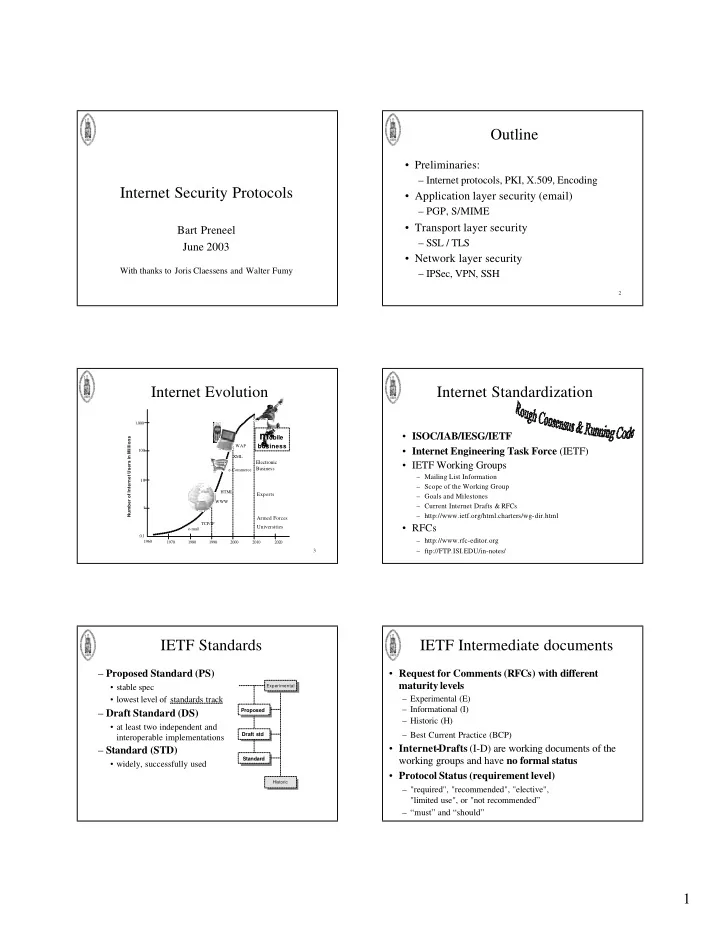
Outline Preliminaries: Internet protocols, PKI, X.509, Encoding Internet Security Protocols Application layer security (email) PGP, S/MIME Transport layer security Bart Preneel SSL / TLS June 2003 Network layer


slide-1
SLIDE 1

1

Internet Security Protocols

Bart Preneel June 2003

With thanks to Joris Claessens and Walter Fumy

2

Outline

  • Preliminaries:

– Internet protocols, PKI, X.509, Encoding

  • Application layer security (email)

– PGP, S/MIME

  • Transport layer security

– SSL / TLS

  • Network layer security

– IPSec, VPN, SSH

3

Number of Internet Users in Millions 0,1 1 10 100 1.000 1970 1960 1980 1990 2000 2010 2020

Experts Electronic Business

e-mail TCP/IP WWW HTML e-Commerce XML WAP

mobile

business

Internet Evolution

Armed Forces Universities

Internet Standardization

  • ISOC/IAB/IESG/IETF
  • Internet Engineering Task Force (IETF)
  • IETF Working Groups

– Mailing List Information – Scope of the Working Group – Goals and Milestones – Current Internet Drafts & RFCs – http://www.ietf.org/html.charters/wg-dir.html

  • RFCs

– http://www.rfc-editor.org – ftp://FTP.ISI.EDU/in-notes/

IETF Standards

– Proposed Standard (PS)

  • stable spec
  • lowest level of standards track

– Draft Standard (DS)

  • at least two independent and

interoperable implementations

– Standard (STD)

  • widely, successfully used

Standard Proposed Draft std

Historic Experimental

IETF Intermediate documents

  • Request for Comments (RFCs) with different

maturity levels

– Experimental (E) – Informational (I) – Historic (H) – Best Current Practice (BCP)

  • Internet-Drafts (I-D) are working documents of the

working groups and have no formal status

  • Protocol Status (requirement level)

– "required", "recommended", "elective", "limited use", or "not recommended” – “must” and “should”

slide-2
SLIDE 2

2

IETF Security Area (1)

Area Directors: Jeffrey Schiller & Marcus Leech

  • An Open Specification for Pretty Good Privacy (openpgp)
  • Authenticated Firewall Traversal (aft)
  • Common Authentication Technology (cat)
  • IP Security Policy (ipsp)
  • IP Security Protocol (ipsec)
  • IP Security Remote Access (ipsra)
  • Intrusion Detection Exchange Format (idwg)
  • Kerberized Internet Negotiation of Keys (kink)
  • Kerberos WG (krb-wg)
  • Multicast Security (msec)

IETF Security Area (2)

Area Directors: Jeffrey Schiller & Marcus Leech

  • One Time Password Authentication (otp)
  • Public-Key Infrastructure (X.509) (pkix)
  • S/MIME Mail Security (smime)
  • Secure Network Time Protocol (stime)
  • Secure Shell (secsh)
  • Securely Available Credentials (sacred)
  • Security Issues in Network Event Logging (syslog)
  • Simple Public Key Infrastructure (spki)
  • Transport Layer Security (tls)
  • Web Transaction Security (wts)
  • XML Digital Signatures (xmldsig)

Internet Protocols

Link IP SMTP HTTP TCP/UDP . . .

Network Transport Application

Link IP SMTP HTTP TCP/UDP . . .

  • Network Layer

– Internet Protocol (IP)

  • Transport Layer

– Transmission Control Protocol (TCP), User Datagram Protocol (UDP)

10 SP hdr data SP tlr MAC integrity confidentiality

Security Protocols & Services

  • Cryptographic techniques typically utilized by

a Security Protocol

– (unilateral or mutual) entity authentication mechanisms – symmetric encipherment – message authentication mechanisms – key establishment mechanisms (e.g., combined with entity authentication)

Internet Security Protocols

Public-Key Infrastructure IP/ IPSec (Internet Protocol Security) Transport Layer Security (SSH, SSL, TLS) S/MIME Electronic Commerce Layer SET, Ecash, ... Transmission Control Protocol (TCP) PEM PGP S-HTTP User Datagram Protocol (UDP) PKIX SPKI

  • security services depend on the layer of integration:

– the mechanisms can only protect the payload and/or header information available at this layer – header information of lower layers is not protected!!

12

Security Associations (Security Parameters

  • incl. Shared Keys)

Key Management and Security Association Establishment Protocols

SP Architecture II: Session (Association) Establishment

Host A Host B

SP hdr encrypted data MAC

slide-3
SLIDE 3

3

13

Note on export restrictions

  • cryptography is weapon or dual use good

– thus should be export-controlled – allow only short keys

  • Until 1997:

– 40-bit: symmetric encryption – 512-bit: asymmetric encryption

  • Since September 2000

– less restrictions, evolution towards no restrictions between “civilized nations”

14

Public Key Infrastructure

  • X.509: ITU/T standard

– basis for the IETF PKIX working group – latest major release in ‘95 (v3) – Certification Authorities (CA) = Trusted Third Parties (TTP), that warrant the link between a person and their public key

  • Alternatives:

– SPKI/SDSI (IETF) – PGP

15

X.509 certificate v1

  • Version number
  • Serial number
  • Signature algorithm
  • Issuer name
  • Validity period
  • Subject name
  • Subject public key
  • Signature of the CA

16

X.509 certificate v2

  • Idem +
  • Issuer unique identifier
  • Subject unique identifier
  • Directory Access Control

17

X.509 certificate v3

  • Idem +
  • Extensions (each one can be critical):

– Alternative naming – More info about the key – Other identification data – CRL location information – …

18

Typical X.509 solution

Certification Authority

Key Recovery Authority

Timestamping Authority

Card Issuing System Directory System Registration Authority Local Registration Authority

Notarization Authority

PKI User Agent

Server Components Administration Components Client

slide-4
SLIDE 4

4

19

Encoding

  • Abstract Syntax Notation .1 (ASN.1)
  • Distinguished Encoding Rules (DER)

– ftp://ftp.rsa.com/pub/pkcs/ascii/layman.asc

  • Also Basic Encoding Rules (BER)
  • Base64 format (also “PEM” format)

20

ASN.1 definition certificate

Certificate ::= SIGNED { SEQUENCE { version [0] Version DEFAULT v1, serialNumber CertificateSerialNumber , signature AlgorithmIdentifier , issuer Name, validity Validity, subject Name, subjectPublicKeyInfo SubjectPublicKeyInfo , issuerUniqueIdentifier [1] IMPLICIT UniqueIdentifier OPTIONAL,

  • - if present, version must be v2 or v3

subjectUniqueIdentifier [2] IMPLICIT UniqueIdentifier OPTIONAL

  • - if present, version must be v2 or v3

extensions [3] Extensions OPTIONAL

  • - If present, version must be v3 }}

Version ::= INTEGER { v1(0), v2(1), v3(2) } CertificateSerialNumber ::= INTEGER AlgorithmIdentifier ::= SEQUENCE { algorithm ALGORITHM.&id ({ SupportedAlgorithms }), parameters ALGORITHM.&Type ({ SupportedAlgorithms }{ @algorithm}) OPTIONAL } Validity ::= SEQUENCE { notBefore Time, notAfter Time } SubjectPublicKeyInfo ::= SEQUENCE { algorithm AlgorithmIdentifier , subjectPublicKey BIT STRING } (etc)

21

DER encoded certificate

00000 | 30 82 02 ee 30 82 02 57 02 02 12 cf 30 0d 06 09 | 0...0..W....0... 00010 | 2a 86 48 86 f7 0d 01 01 04 05 00 30 81 c4 31 0b | *. H........0..1. 00020 | 30 09 06 03 55 04 06 13 02 5a 41 31 15 30 13 06 | 0. ..U....ZA1.0.. 00030 | 03 55 04 08 13 0c 57 65 73 74 65 72 6e 20 43 61 | .U ....Western Ca 00040 | 70 65 31 12 30 10 06 03 55 04 07 13 09 43 61 70 | pe 1.0...U....Cap 00050 | 65 20 54 6f 77 6e 31 1d 30 1b 06 03 55 04 0a 13 | e Town1.0...U... 00060 | 14 54 68 61 77 74 65 20 43 6f 6e 73 75 6c 74 69 | . Thawte Consulti 00070 | 6e 67 20 63 63 31 28 30 26 06 03 55 04 0b 13 1f | ng cc1(0&..U.... 00080 | 43 65 72 74 69 66 69 63 61 74 69 6f 6e 20 53 65 | Ce rtification Se 00090 | 72 76 69 63 65 73 20 44 69 76 69 73 69 6f 6e 31 | rvices Division1 000a0 | 19 30 17 06 03 55 04 03 13 10 54 68 61 77 74 65 | .0 ...U.... Thawte 000b0 | 20 53 65 72 76 65 72 20 43 41 31 26 30 24 06 09 | S erver CA1&0$.. 000c0 | 2a 86 48 86 f7 0d 01 09 01 16 17 73 65 72 76 65 | *. H........serve 000d0 | 72 2d 63 65 72 74 73 40 74 68 61 77 74 65 2e 63 | r-certs@thawte.c 000e0 | 6f 6d 30 1e 17 0d 39 38 30 33 32 33 30 37 34 30 | om 0...9803230740 000f0 | 30 39 5a 17 0d 39 39 30 33 32 33 30 37 34 30 30 | 09 Z..99032307400 00100 | 39 5a 30 81 b8 31 0b 30 09 06 03 55 04 06 13 02 | 9Z 0..1.0...U.... 00110 | 42 45 31 10 30 0e 06 03 55 04 08 13 07 42 72 61 | BE 1.0...U....Bra 00120 | 62 61 6e 74 31 0f 30 0d 06 03 55 04 07 13 06 4c | ba nt1.0...U....L 00130 | 65 75 76 65 6e 31 13 30 11 06 03 55 04 0a 13 0a | eu ven1.0...U.... 00140 | 4b 2e 55 2e 4c 65 75 76 65 6e 31 13 30 11 06 03 | K. U.Leuven1.0... 00150 | 55 04 0b 13 0a 45 53 41 54 2f 43 4f 53 49 43 31 | U. ...ESAT/COSIC1 00160 | 26 30 24 06 03 55 04 03 13 1d 77 77 77 2e 63 6f | &0 $..U....www.co 00170 | 73 69 63 2e 65 73 61 74 2e 6b 75 6c 65 75 76 65 | sic.esat.kuleuve 00180 | 6e 2e 61 63 2e 62 65 31 34 30 32 06 09 2a 86 48 | n. ac.be1402..*.H 00190 | 86 f7 0d 01 09 01 16 25 6d 61 72 6b 2e 76 61 6e | .. .....%mark.van 001a0 | 64 65 6e 77 61 75 76 65 72 40 65 73 61 74 2e 6b | denwauver@esat.k 001b0 | 75 6c 65 75 76 65 6e 2e 61 63 2e 62 65 30 81 9f | ul euven.ac.be0.. 001c0 | 30 0d 06 09 2a 86 48 86 f7 0d 01 01 01 05 00 03 | 0. ..*.H......... (only first part of certifcate fits on 1 slide…)

22

Base64

00 A 17 R 34 i 51 z 01 B 18 S 35 j 52 0 02 C 19 T 36 k 53 1 03 D 20 U 37 l 54 2 04 E 21 V 38 m 55 3 05 F 22 W 39 n 56 4 06 G 23 X 40 o 57 5 07 H 24 Y 41 p 58 6 08 I 25 Z 42 q 59 7 09 J 26 a 43 r 60 8 10 K 27 b 44 s 61 9 11 L 28 c 45 t 62 + 12 M 29 d 46 u 63 / 13 N 30 e 47 v 14 O 31 f 48 w (pad) = 15 P 32 g 49 x 16 Q 33 h 50 y (1) *

0 0 1 1 0 0 0 0 1 0 0 0 0 0 1 0 0 0 0 0 0 0 1 0

0x30 0x82 0x02 12 M 08 I 08 I 02 C

23

Base64 encoded certificate

  • ----BEGIN CERTIFICATE
  • MIIC7jCCAlcCAhLPMA0GCSqGSIb3DQEBBAUAMIHEMQswCQYDVQQGEwJaQTEVMBMG

A1UECBMMV2VzdGVybiBDYXBlMRIwEAYDVQQHEwlDYXBlIFRvd24xHTAbBgNVBAoT FFRoYXd0ZSBDb25zdWx0aW5nIGNjMSgwJgYDVQQLEx9DZXJ0aWZpY2F0aW9uIFNl cnZpY2VzIERpdmlzaW9uMRkwFwYDVQQDExBUaGF3dGUgU2VydmVyIENBMSYwJAYJ KoZIhvcNAQkBFhdzZXJ2ZXItY2VydHNAdGhhd3RlLmNvbTAeFw05ODAzMjMwNzQw MDlaFw05OTAzMjMwNzQwMDlaMIG4MQswCQYDVQQGEwJCRTEQMA4GA1UECBMHQnJh YmFudDEPMA0GA1UEBxMGTGV1dmVuMRMwEQYDVQQKEwpLLlUuTGV1dmVuMRMwEQYD VQQLEwpFU0FUL0NPU0lDMSYwJAYDVQQDEx13d3cuY29zaWMuZXNhdC5rdWxldXZl bi5hYy5iZTE0MDIGCSqGSIb3DQEJARYlbWFyay52YW5kZW53YXV2ZXJAZXNhdC5r dWxldXZlbi5hYy5iZTCBnzANBgkqhkiG9w0BAQEFAAOBjQAwgYkCgYEAr98Du8Rd w84VqS1EY77VisP1CJFpNo6vaknO9xlqX5FYfOPAy2eyKkDscIUr+g5ghc6XNjj8 ukFZqnPa3+cdSWNiszhHs+KhNygBNYdvcRMSD5MLtCZZ13fgt6JZVfQXf59Ftx5u /D0NKn0TulgOGBNCopNqvj3tkaSyR6f2NsUCAwEAATANBgkqhkiG9w0BAQQFAAOB gQAT6Tly6zdSPtmhHbH+ogH7ytcEhI2giXI7wko04w6vN5Pb6maNNf7hwCBtyafQ 2BcTnO0j/ci6bN7alHh9xSPVaKYGFPx9sRg6tIGrGORvK3arN5RbfFJRO7yNbyFQ SaI4iSgS+Qr6sNtgFqM0TksHD6021G58uPLzrojAM8Pdbg==

  • ----END CERTIFICATE
  • Application layer security

PGP and S/MIME
slide-5
SLIDE 5

5

25

Secure email: general model

sign

Alice Bob

message

PrivKey A PrivKey B PubKey B PubKey A

SSAB verify decrypt encrypt encrypt decrypt

26

PGP or “Pretty Good Privacy”

(Phil Zimmerman)

  • A remarkable phenomenon
  • Strong cryptographic algorithms
  • General purpose application
  • Available for many platforms
  • Open source

27

PGP (ctd)

  • Freely available package for non-

commercial use (www.pgpi.com)

  • Commercial version
  • Patent issues resolved
  • Grass-root: not developed by, nor controlled

by any governmental or standards

  • rganization

28

PGP - Algorithms

  • Digital signature:
  • Message digest:
  • Key exchange
  • Message encryption:
  • Key management:
  • Compression:
  • Encoding:

DSA, RSA SHA-1 DH (ElGamal), RSA CAST, IDEA, 3DES ‘web of trust’ ZIP (defined) + Radix 64

29

PGP - Components

  • Authentication using digital signatures
  • Confidentiality: one key per message;

public-key encryption

  • Compression: order is important!
  • Compatible with email: radix-64
  • Segmentation and reassembly
  • Key generation

30

A PGP Message

Key ID Bob’s PK Ks Timestamp Key ID Alice’s PK 2 Leading bytes of H(M) H(M) Filename Timestamp DATA

Session key Signature Message ZIP E Ks R64 E PKB S SKA

slide-6
SLIDE 6

6

31

PGP - Key identifier

  • Do not transmit public key with message

– save space

  • Assign a Key ID to each public key

– public key’s least significant 64 bits

  • One or more User IDs per public key
  • Private key: private keyring, encrypted

using key derived from passphrase

32

PGP - Correct public key?

  • Directly from owner

– physically get the key from B (practical limitations) – verify a key by phone (fingerprint)

  • Via ‘introducer’ of public key

– obtain B’s key from a mutual trusted individual D

= PGP approach

– obtain B’s key from a trusted CA

= X.509, S/MIME approach

33

PGP - Public and Private key ring

  • Timestamp
  • Key ID: 64 bits
  • Public Key
  • Owner Trust
  • User ID
  • Key Legitimacy
  • Signatures
  • Signature Trust
  • Timestamp
  • Key ID: 64 bits
  • Public Key
  • Encrypted private key
  • User ID

34

PGP - Trust Model

  • ‘Trust flag byte’

– owner trust field (assigned by user) – signature trust field ( = owner trust field, if corresponding public key is in ring) – key legitimacy field (computed)

  • Revocation done by user him/herself

35

PGP Trust Model

Alice

Trusted to sign A bit trusted to sign Not trusted to sign Trusted key

36

S/MIME

  • “Secure MIME”
  • “Multipurpose Internet Mail Extensions”
  • IETF initiative
  • Initiated by companies
  • Integrates the MIME messaging standard

with PKCS #7 (originally, now CMS)

slide-7
SLIDE 7

7

37

Old email: SMTP/RFC 822

  • Header: “From”, “To” “Subject”, “Date”,

“Message-ID”

  • SMTP

– no binaries – no national language characters – sometimes size limits – not all implementations conform to standard

38

MIME (RFC 2045-9)

  • New header fields (5)

– MIME-Version – Content-Type – Content-Transfer-Encoding – Content-ID – Content-Description

  • Content formats (15):

– text, multipart, message, image, video, audio, application

  • multipart: mixed, parallel, alternative, digest

39

MIME (RFC 2045-9)

  • Transfer encodings (6)

– 7bit – 8bit – binary – quoted-printable – base64 – x-token

  • Canonical form versus Native form

40

Public Key Cryptographic Standards (PKCS)

  • Initiative of RSA Data Security
  • PKCS #7:

– specifies how to apply public-key cryptography to obtain the desired security services – types of messages:

  • Data
  • EnvelopedData
  • SignedData
  • SignedandEnvelopedData
  • DigestedData (Clear-signed data)
  • EncryptedData (-)

41

S/MIME Version 2

  • RFC 2311-2312 (March 1998)
  • Uses PKCS#7
  • Defines new MIME-Types, e.g.

– multipart/signed – application/x-pkcs7-mime

42

S/MIME Version 3

  • RFC 2630-2634 (June 1999)
  • Cryptographic Message Syntax (CMS)

– derived from PKCS#7

  • Security extensions

– signed receipts – security labels (e.g., for authorization) – secure mailing lists – signing certificate attribute

slide-8
SLIDE 8

8

43

S/MIME - Algorithms

  • Digital signature:
  • Message digest:
  • Key exchange:
  • Message encryption:
  • Key management:
  • Compression:
  • Encoding:

DSA, RSA MD5, SHA-1 DH (ElGamal), RSA RC2, 3DES PKIX [X.509] / ASN.1/DER + Radix 64

44

S/MIME Content types

  • Enveloped data:

– “RecipientInfo”

  • Signed data (can be combined with previous)

– more than one signer – ``Signerinfo”: certificate

  • Clear Signing

– also readable without S/MIME capability

  • Registration request
  • Certificates-Only message

45

From: Joris Claessens < joris.claessens@esat.kuleuven.ac.be > Subject: example S/MIME message Date: Mon, 6 Mar 2000 15:56:59 +0100 MIME -Version: 1.0 Content

  • Type: multipart/signed;

protocol="application/x

  • pkcs7
  • signature";

micalg =SHA1; boundary=" ---- =_NextPart_000_0005_01BF8784.9BE915C0" This is a multi

  • part message in MIME format.
  • ----- =_NextPart_000_0005_01BF8784.9BE915C0

Content

  • Type: text/plain;

charset ="Windows -1252" Content

  • Transfer -Encoding: quoted
  • printable

This is an example of a message that is digitally signed using t he S/MIME standard.

  • ----- =_NextPart_000_0005_01BF8784.9BE915C0

Content

  • Type: application/x
  • pkcs7
  • signature;

name="smime.p7s" Content

  • Transfer -Encoding: base64

Content

  • Disposition: attachment;

filename="smime.p7s" MIAGCSqGSIb3DQEHAqCAMIACAQExCzAJBgUrDgMCGgUAMIAGCSqGSIb3DQEHAQAA oIIJDDCCAr8w ggIooAMCAQICAwGxhTANBgkqhkiG9w0BAQQFADCBlDELMAkGA1UEBhMCWkExFTAT BgNVBAgTDFdl c3Rlcm4gQ2FwZTEUMBIGA1UEBxMLRHVyYmFudmlsbGUxDzANBgNVBAoTBlRoYXd0 ZTEdMBsGA1UE ...

  • ----- =_NextPart_000_0005_01BF8784.9BE915C0
  • 46

PGP versus S/MIME

  • general model + compression
  • (orig.) completely independent
  • freely available application

(stand-alone; plug-ins exist)

  • web of trust
  • revocation by user
  • key ID
  • personal use
  • general model, no compression
  • standardized, company driven
  • integrated in for example

Netscape and Microsoft

  • hierarchical trust
  • revocation by CA
  • whole certificate is included
  • commercial/organizational use

Transport layer security

SSL / TLS

48

SSL / TLS

  • Mainly in context of WWW security, i.e., to

secure the HyperText Transfer Protocol (HTTP)

  • But, in between application layer and TCP,

thus can be used to secure other applications than HTTP too (IMAP, telnet, ftp, …)

slide-9
SLIDE 9

9

49

Other WWW security protocols

  • PCT: Microsoft’s alternative to SSL
  • S-HTTP: S/MIME-like protocol
  • SET: for credit card transactions
  • XML-Signature: PKCS#7-based signature
  • n XML documents
  • ...

50

SSL / TLS

  • “Secure Sockets Layer” (Netscape)

– SSL 2.0: security flaws! – SSL 3.0: still widely used

  • “Transport Layer Security” (IETF)

– TLS 1.0: adopted SSL 3.0 with minor changes – RFC 2246, 01/99 (PS)

  • TLS: security at the transport layer

– can be used (and is intended) for other applications too – end-to-end secure channel, but nothing more... – data is only protected during communication – no non-repudiation!

51

SSL record Transport layer TCP/IP Alert Client Hello Server Hello ... Record Layer Protocol Application e.g., http, telnet, ... Handshake Protocol Application Data Application Protocol Alert Protocol Change Cipher Spec Protocol Application Data Change Cipher Spec

52

SSL/TLS in more detail

  • “Record layer” protocol

– fragmentation – compression (not in practice) – cryptographic security:

  • encryption ?

data confidentiality

  • MAC ?

data authentication [no digital signatures!]

  • “Handshake” protocol

– client and server authentication – establish cryptographic keys (for encryption and MAC) – negotiation of cryptographic algorithms

53

Handshake: overview

Server Hello Done Server Key Exchange [changecipherspec] Certificate

authentication server + exchange (pre)master secret

Certificate Request

client authentication

Finished

end handshake, integrity verification

CLIENT SERVER

Hello Request Client Hello

start handshake, protocol version, algorithms

Certificate Server Hello

?

Client Key Exchange

?

Certificate Verify

?

Finished [changecipherspec]

? 54

Cryptographic algorithms

  • Server/client

authentication

– RSA – DSS

  • Key establishment

– RSA, RSA_EXPORT – DH_DSS, DH_RSA, DH_RSA_EXPORT – DHE_DSS, DHE_RSA, DHE_RSA_EXPORT – DH_anon

[as supported in TLS 1.0, RFC 2246; TLS cipher suite style namin g]

  • Encryption algorithms

– RC4_128, RC4_40 – RC2_CBC_40 – IDEA_CBC – DES_CBC – 3DES_EDE_CBC – DES40_CBC

  • Hash algorithms ?

HMAC

– MD5 – SHA (=SHA-1)

slide-10
SLIDE 10

10

55

More IETF TLS

  • Usage of TLS in HTTP:

– upgrade to TLS within HTTP/1.1 (RFC 2817, 05/00) – HTTP over TLS (RFC 2818, May 2000)

  • Addition of ciphers:

– Kerberos cipher suites (RFC 2712, 10/99; 11/00) – ECC cipher suites (03/01) – AES (01/01) – misc. ciphers: MISTY1 (03/01), Camellia (10/00) – extensions for OpenPGP keys (03/01)

  • Other:

– wireless extensions (11/00) – TLS Delegation (02/01) – SRP for TLS authentication (02/01)

56

TLS in the future (1)

  • TLS 1.1/2.0 ?
  • Some possible TLS enhancements,

discussed within the IETF TLS WG:

– RSA-OAEP – identity protection [note that this is already indirectly possible by authenticating within a DH_anon session] – cipher suites for compression – missing cipher suites (not all combinations possible)

  • Backward compatibility remains very

important!

57

TLS in the future (2)

TLS 1.1 – Internet Draft, October 2002

– security fixes and clarifications – SSL/TLS is still in evolution !

Enhancements currently considered within IETF

– new cipher suites: e.g., AES – wireless support (see WAP-WTLS) and other extensions – password-based authentication and key exchange (SRP)

Other enhancements proposed in literature

– performance improvements: ‘batching’ [ShachamBoneh’01] and ‘fast-track’ [ShachamBoneh’02] – user (identity) privacy [PersianoVisconti’00] – client puzzles [DeanStubblefield’01] to counter denial-of-service attacks – trust negotiation [Hess et al’02]

58

SSL/TLS: security services

SSL/TLS only provides:

  • entity authentication
  • data confidentiality
  • data authentication

SSL/TLS does not provide:

  • non-repudiation
  • unobservability (identity privacy)
  • protection against traffic analysis
  • secure many-to-many communications (multicast)
  • security of the end-points (but relies on it!)

59

SSL/TLS: security ?

  • TLS 1.0 is the result of a public reviewing process:

several problems have been identified in earlier versions (SSL 2.0/3.0) and have been solved

  • SSL/TLS is practically secure
  • Some caveats (in order of importance):

– bad implementation; e.g., random number generation – PKCS#1 attack (use other padding scheme: OAEP; server error messages should contain less information) – version / cipher suite roll back attempts (due to backward compatibility; disable export algorithms if possible) – traffic analysis: e.g., length of ciphertext might reveal useful info – plenty of known plaintext (both SSL/TLS and HTTP related)

60

SSL/TLS: evaluation

TLS 1.0 provides a good level of security

– result of a public reviewing process: several problems have been identified in earlier versions (SSL 2.0/3.0) and have been addressed

Some remaining security problems though:

– downgrade attacks – cryptographic attacks – PKI related problems – web spoofing – platform and users

slide-11
SLIDE 11

11

61

SSL/TLS: security problems (1)

Downgrade attacks [WagnerSchneier’96] ? ciphersuite downgrade (U.S. export restrictions!)

? version rollback (serious security flaws in SSL 2.0) ? insecure default configuration of browser and web server

Cryptographic attacks

? better encrypt-then-authenticate instead of authenticate-then-encrypt ? ? too detailed error messages (combined with cryptographic weaknesses) ? oracle attacks e.g., PKCS#1 RSA encryption [Bleichenbacher’98] ? implementation: e.g., bad randomnumber generation

62

SSL/TLS: security problems (2)

PKI related problems

? root certificates are distributed via browser authenticity of root certificates ? ? secure update of existing root certificates ? secure addition of new root certificates ? ? wrong browser trust model (which root certificate ?) attacker may easily add extra root certificates ! ? manual verifications: certificate chain and fingerprint ? compromise of private keys ? certificate revocation through CRLs or OCSP (Online)?! ? CAs must be trusted to issue certificates to right entities ? danger of ‘spoofed’ certificates (e.g., www.micr0soft.com)

63

SSL/TLS: security problems (3)

Web spoofing [Feltenet al ’97] [YuanYeSmith’01]

? limited visual indications ? no clear distinction between content and status information ? user is easily fooled by attacker: (secure) connection with attacker instead of intended site ? attacker may be able to impersonate user ! (e.g., replay of username/password) should not be possible with SSL/TLS client authentication

Platform and user

? lack of trusted operating system ? most users are not educated / security-aware

64

“Strong cryptography”

  • ‘Server Gated Cryptography’

– browser’s security is automatically upgraded if server certificate contains specific extension

  • Fortify, http://www.fortify.net/

– small program with which crippled Netscape browser can be upgraded

  • Other solutions

– install secure proxy at client side – applet does all crypto (cfr. e-banking solutions)

65

TLS for the end-user (WWW)

  • Indication of a secure session:

– URL: http:// ? https:// – graphics: open lock ? closed lock

  • Configuration browser:

– certificate and trust management – choice of ‘cipher suites’

66

Security in transport layer

  • Transparent for application
  • Pro: can be used for all TCP-based

applications, without modifying them

  • Con: authentication is one, but who/what to

trust, is important

  • Non-repudiation?
  • In practice: (partially) integrated in application
slide-12
SLIDE 12

12

67

Non-repudiation

  • Legally only if in application, thus not

provided by SSL/TLS

  • SSL/TLS secures the communication channel,

but not the exchanged messages

  • SSL/TLS does not use digital signatures in the

first place (except for client authentication)

  • For electronic business, more advanced

security protocols are needed...

68

User authentication

First authentication, then authorization ! SSL/TLS client authentication:

– during handshake, client digitally signs a specific message that depends on all relevant parameters of secure session with server – software devices, smart cards or USB tokens can be deployed through standardized cryptographic interfaces supported by browsers (Netscape: PKCS#11; MSIE: PC/SC) – PKCS#12 key container provides software mobility

Usually another mechanism on top of SSL/TLS

69

Network address based

  • Authenticate (groups of) users based on

(ranges of) IP addresses, host names, and/or domain names

  • Issues:

– Mapping of users to limited set of network addresses is not possible in many (open) applications – Vulnerable to TCP/IP network problems: IP spoofing, DNS attacks, ... – Problem of web proxies

70

Fixed passwords

  • HTTP/1.0 Basic Authentication

– password is sent at each request

  • Form based fixed password scheme

– session authenticator in cookie – various schemes exist, which are not always secure – e.g., Microsoft Passport single sign-on service

  • Inherent weaknesses

– brute-force and dictionary attacks – password guessing and social engineering – SSL/TLS needed to protect password and authenticator

  • Still widely used:

– very easy and cheap; works with standard browser

  • Password managers !

71

Dynamic passwords

  • Passwords that are only used once

– passwords cannot be replayed or re-used when compromised – SSL/TLS still needed for authentication of web server

  • List of independent random one-time passwords

– difficult to (securely) maintain for the user

  • Chain of dependent one-time passwords

– extra software needed at client side – or with hardware token

72

Challenge/response

  • User proves his identity to the server by demonstrating

knowledge of a secret, not by just sending this secret to the server, but by producing the proper response to a challenge of the server, using this secret

  • Symmetric schemes:

– e.g., MAC on time or random challenge – HTTP/1.1 Digest Authentication

  • Asymmetric schemes:

– e.g., digital signature on random challenge – SSL/TLS Client Authentication

  • Often implemented with hardware tokens
slide-13
SLIDE 13

13

73

Hardware tokens

  • Special-purpose tokens

– e.g., Digipass: can perform challenge/response authentication, and can calculate MACs – e.g., SecurID: response to current time

  • General-purpose tokens

– mobile phone: user authentication via mobile network – PDAs or other programmable devices

  • Smart cards and USB tokens

– can be deployed for SSL/TLS Client Authentication through standardized interfaces supported by browsers

  • Bank cards and electronic purses

Network layer security

IPsec, VPN, SSH

75

IPsec

  • Security Architecture for the Internet Protocol

– RFC 2401 (PS), 11/98

  • IP Authentication Header (AH)

– RFC 2402 (PS), 11/98

  • IP Encapsulating Security Payload (ESP)

– RFC 2406 (PS), 11/98

  • Internet Key Exchange (IKE)

– RFC 2409 (PS), 11/98 – Application layer protocol for negotiation of Security Associations (SA) and Key Establishment

  • Large and complex…(48 documents)
  • Mandatory for IPv6, optional for IPv4

76

IPsec - Security services

  • Access control
  • Connectionless integrity
  • Data origin authentication
  • Rejection of replayed packets (a form of

partial sequence integrity)

  • Confidentiality
  • Limited traffic flow confidentiality

77

IPsec - Concepts

  • Security features are added as extension

headers that follow the main IP header

– Authentication header (AH) – Encapsulating Security Payload (ESP) header

  • Security Association (SA)

– Security Parameter Index (SPI) – IP destination address – Security Protocol Identifier (AH or ESP)

78

IPsec - Parameters

  • sequence number counter
  • sequence counter overflow
  • anti-replay window
  • AH info (algorithm, keys, lifetimes, ...)
  • ESP info (algorithms, keys, IVs, lifetimes, ...)
  • lifetime
  • IPSec protocol mode (tunnel or transport)
  • path MTU (maximum transmission unit)
slide-14
SLIDE 14

14

79

IPsec: Cryptographic techniques

  • AH: HMAC-MD5-96, HMAC-SHA1-96
  • ESP:DES-CBC, NULL encryption,

HMAC-MD5-96, HMAC-SHA1-96 (recommended: 3DES-CBC)

  • RFC 2403 (PS), November 1998 HMAC-MD5-96

(mandatory)

  • RFC 2404 (PS), November 1998 HMAC-SHA-1-96

(mandatory)

  • RFC 2104 (I), February 1997

HMAC: ICV = hash( K ? opad || hash( K ? ipad || data )) with ipad = 0x363636... ; opad = 0x5C5C5C...

80

IPsec - Modes

  • Transport (host-to-host)

– ESP: encrypts and optionally authenticates IP payload, but not IP header – AH: authenticates IP payload and selected portions of IP header

  • Tunnel (between security gateways)

– after AH or ESP fields are added, the entire packet is treated as payload of new outer IP packet with new outer header – used for VPN

81

IPsec - AH Transport mode

  • Security Parameters Index: identifies SA
  • Sequence number: anti-replay
  • Integrity Check Value: data authentication using

HMAC-SHA-1-96 or HMAC-MD5-96

IP hdr upper layer data IP hdr Integrity

(only header fields that are not changed or are changed in a predictable manner)

AH (..., Seq. Num., ICV) upper layer data 82

IPsec - AH Tunnel mode

IP hdr upper layer data New IP hdr Integrity

(only header fields that are not changed or are changed in a predictable manner))

AH (..., Seq. Num., ICV) IP hdr upper layer data 83

IPsec - ESP header

  • Security Parameters Index: identifies SA
  • Sequence number: anti-replay
  • Encrypted payload data: data confidentiality using

DES, 3DES, RC5, IDEA, CAST, Blowfish

  • Padding: required by encryption algorithm

(additional padding to provide traffic flow confidentiality)

  • Integrity Check Value : data authentication using

HMAC-SHA-1-96 or HMAC-MD5-96

84

IPsec - ESP Transport mode

IP hdr ESP hdr IP hdr upper layer data Integrity Confidentiality upper layer data ESP tlr ICV

slide-15
SLIDE 15

15

85

IPsec - ESP Tunnel mode

IP hdr upper layer data new IP hdr ESP hdr IP hdr upper layer data ESP tlr ICV Integrity Confidentiality 86

IPsec - Key management

  • Manual
  • Automated

– procedure / framework

  • Internet Security Association and Key Management Protocol

(ISAKMP), RFC 2408 (PS)

– key exchange mechanism: Internet Key Exchange (IKE)

  • Oakley: DH + cookie mechanism to thwart clogging attacks
  • SKEME

87

IPsec: Key management

  • IKE defines 5 exchanges

– Phase 1: establish a secure channel

  • Main mode
  • Aggressive mode

– Phase 2: negotiate IPSEC security association

  • Quick mode (only hashes, PRFs)

– Informational exchanges: status, new DH group

  • Based on 5 generic exchanges defined in

ISAKMP

  • cookies for anti-clogging

88

IPsec: Key management

  • protection suite (negotiated)

– encryption algorithm – hash algorithm – authentication method:

  • preshared keys, DSA, RSA, encrypted nonces

– Diffie Hellman group: 5 possibilities

IKE - Main Mode with Digital Signatures

SIG r= Signature on H( master, gy || gx || ... || IDr ) Initiator Responder

proposed attributes selected attributes gx, Ni gy, Nr E(K, IDi, [Cert(i)], SIGi ) E(K, IDr, [Cert(r)], SIGr )

H is equal to prf or the hash function tied to the signature algorithm (all inputs are concatenated)

K derived from master = prf( N i || N r, gxy ) SIGi = Signature on H( master, gx || gy || ... || IDi )

90

IKE - Main Mode with Digital Signatures

  • mutual entity authentication
  • mutual implicit and explicit key

authentication

  • mutual key confirmation
  • joint key control
  • identity protection
  • freshness of keying material
  • perfect forward secrecy of keying material
  • non-repudiation of communication
slide-16
SLIDE 16

16

91

IPsec Overview

  • Much better than previous alternatives
  • IPsec documents hard to read
  • Committee design: too complex

– ESP in Tunnel mode probably sufficient – Simplify key management – Clarify cryptographic requirements

  • …and thus difficult to implement (securely)

92

VPN?

  • Virtual Private Network
  • Connects a private network over a public network.
  • Connection is secured by tunneling protocols.
  • The nature of the public network is irrelevant to

the user.

  • It appears as if the data is being sent over the

private network.

93

Transit Internetwork

Logical Equivalent

Virtual Private Network 94

VPN - Common use

  • Remote user access over the Internet
  • Connecting networks over the Internet
  • Connection computers over an intranet

95

Remote user access over the Internet

  • You can use existing local Internet connections.
  • No need for long distance connections

ISP

Internet

Corporate Hub Virtual Private Network Dedicated Link to ISP Dedicated Link to ISP

96

Connecting networks over the Internet

Branch Office Corporate Hub

Internet

Virtual Private Network Dedicated or Dial-Up Link to ISP Dedicated Link to ISP

  • You can use existing local Internet connections.
  • No need for long distance connections or leased

lines

slide-17
SLIDE 17

17

97

Connecting computers over an intranet

Corporate Internetwork

Virtual Private Network Secured

  • r

Hidden Network VPN Server

  • Provides easy client access to secured or hidden

networks within the corporate network

98

VPN - Basic requirements

  • User authentication and user authorization
  • Data authentication and data confidentiality
  • Key management
  • Encapsulation

– data of private network is encapsulated in

packets suited for transmission over the public

  • network. (tunneling protocol)
  • Address management

– assign a client’s address on the private net

99

Tunneling

Transit Internetwork

Tunnel Endpoints Payload Payload Tunneled Payload Transit Internetwork Header

Tunnel 100

Tunneling protocols

  • “Layer 2”, data link layer, PPP frames

– PPTP: Point-to-Point Tunneling Protocol (Microsoft) – L2TP: Layer 2 Tunneling Protocol

  • “Layer 3”, network layer, IP packets

– IPSec, tunnel mode

101

PPTP: Point-to-Point Tunneling Protocol

  • MPPE: Microsoft Point -to-Point Encryption
  • Encapsulation: PPP in GRE (Generic Routing

Encapsulation) header and IP header.

102

L2TP: Layer 2 Tunneling Protocol

slide-18
SLIDE 18

18

103

SSH - General

  • Tatu Ylonen, Helsinki University, 1990.
  • Also IETF working group (SecSH)
  • Version 2: several Internet Drafts available

104

SSH - Goals

  • Allow secure communication over insecure

networks:

– secure replacements for the “r-tools” – secure X11 sessions – arbitrary TCP/IP port forwarding over encrypted channels ? can be used for setting up VPN

105

SSH - Protocols

  • Transport layer protocol:

– server authentication (host public key + server public key) – key exchange – cryptographic data protection

  • User authentication protocol:

– username/password – public- key authentication of the user – public- key authentication of the user’s host

  • Connection protocol:

– interactive login sessions – remote execution of commands – ...

106

  • Example: logging in from MS Windows to a

machine running Linux with Putty

– 19:58:42 Looking up host "lagrange.esat.kuleuven.ac.be " – 19:58:42 Connecting to 134.58.189.104 port 22 – 19:58:45 Server version: SSH-1.99 -OpenSSH_3.4p1 Debian 1:3.4p1

  • 1

– 19:58:45 We claim version: SSH-2.0 -PuTTY

  • Release-0.53b

– 19:58:45 Using SSH protocol version 2 – 19:58:45 Doing Diffie-Hellman group exchange – 19:58:45 Doing Diffie-Hellman key exchange – 19:58:46 Host key fingerprint is: – 19:58:46 ssh-rsa 1024 bf:7d:02:8d:4c:84:9f:fb:6b:e1:cd:cb:6a:49:5a:c5 – 19:58:46 Initialised AES-256 client

  • >server encryption

– 19:58:46 Initialised AES-256 server ->client encryption – 19:58:51 Keyboard

  • interactive authentication refused

– 19:58:59 Sent password – 19:58:59 Access granted

SSH – Secure login

Protocol negotiation Session key exchange Host authentication Cipher negotiation Client authentication

107

SSH – Secure POP3 tunnel

  • Use SSH client to setup a tunnel from

localhost:110 to mailserver:110

  • Setup the mail client to connect to 127.0.0.1

(localhost) instead of the mail server.

  • Data transmitted to localhost will be delivered

through the SSH tunnel to the mail server on port 110.

  • The mail server will reply back through the SSH

tunnel.

Final remarks

slide-19
SLIDE 19

19

109

Some observations

  • IPSec is really transparent, SSL/TLS only

conceptually, but not really in practice

  • SSH, PGP: stand-alone applications,

immediately and easy to deploy and use

  • Network security: solved in principle
  • Electronic commerce security: more is needed!

110

More information (1)

  • William Stallings, Cryptography and

Network Security - Principles and Practice, Second Edition, 1999

  • Nagand Doraswamy, Dan Harkins, IPSEC -

The New Security Standard for the Internet, Intranets, and Virtual Private Networks, Prentice Hall, 1999.

  • IETF web site: www.ietf.org

– e.g., IETF-TLS Working Group

http://www.ietf.org/html.charters/tls-charter.html

111

More information (2)

  • Java Security (2nd edition)

http://www.securingjava.com/

  • W3C Security (incl WWW Security FAQ)

http://www.w3.org/Security/

  • “E-Commerce Security, Weak Links, Best

Defenses”

http://www.cigital.com/books/ecs/

  • “Security Technologies for the World Wide Web”

http://www.esecurity.ch/Books/wwwsec.html