Outline Web confidentiality and privacy CSci 5271 Even web more - - PDF document

outline
SMART_READER_LITE
LIVE PREVIEW

Outline Web confidentiality and privacy CSci 5271 Even web more - - PDF document

Outline Web confidentiality and privacy CSci 5271 Even web more risks Introduction to Computer Security Announcements intermission Day 21: Firewalls, NATs, and IDSes Stephen McCamant Firewalls and NAT boxes University of Minnesota, Computer


slide-1
SLIDE 1

CSci 5271 Introduction to Computer Security Day 21: Firewalls, NATs, and IDSes

Stephen McCamant

University of Minnesota, Computer Science & Engineering
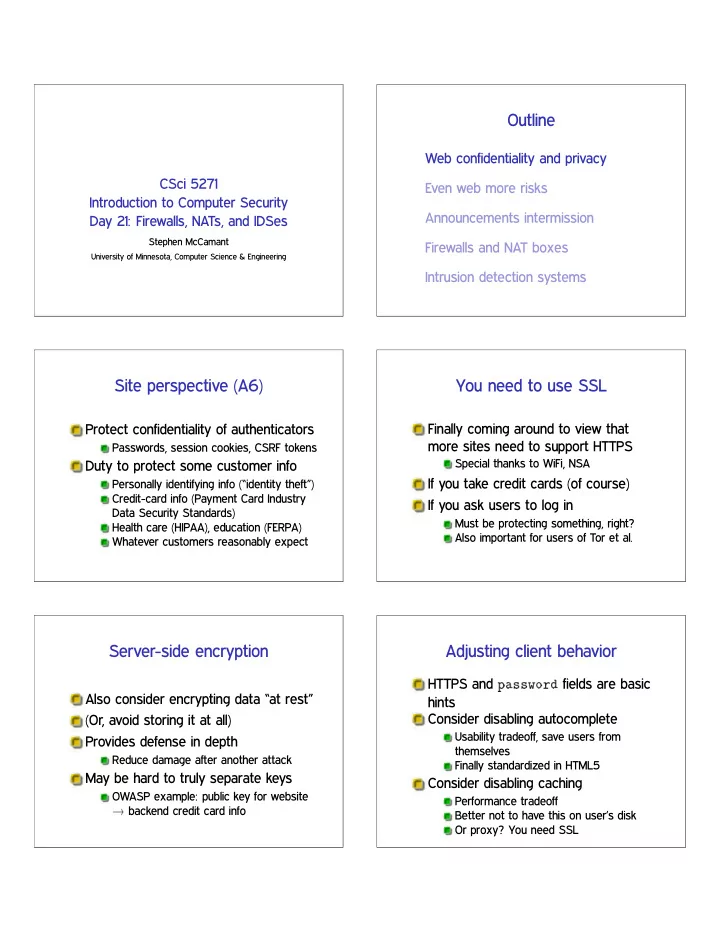
Outline

Web confidentiality and privacy Even web more risks Announcements intermission Firewalls and NAT boxes Intrusion detection systems

Site perspective (A6)

Protect confidentiality of authenticators

Passwords, session cookies, CSRF tokens

Duty to protect some customer info

Personally identifying info (“identity theft”) Credit-card info (Payment Card Industry Data Security Standards) Health care (HIPAA), education (FERPA) Whatever customers reasonably expect

You need to use SSL

Finally coming around to view that more sites need to support HTTPS

Special thanks to WiFi, NSA

If you take credit cards (of course) If you ask users to log in

Must be protecting something, right? Also important for users of Tor et al.

Server-side encryption

Also consider encrypting data “at rest” (Or, avoid storing it at all) Provides defense in depth

Reduce damage after another attack

May be hard to truly separate keys

OWASP example: public key for website ✦ backend credit card info

Adjusting client behavior

HTTPS and ♣❛ss✇♦r❞ fields are basic hints Consider disabling autocomplete

Usability tradeoff, save users from themselves Finally standardized in HTML5

Consider disabling caching

Performance tradeoff Better not to have this on user’s disk Or proxy? You need SSL

slide-2
SLIDE 2

User vs. site perspective

User privacy goals can be opposed to site goals Such as in tracking for advertisements Browser makers can find themselves in the middle

Of course, differ in institutional pressures

Third party content / web bugs

Much tracking involves sites other than the one in the URL bar

For fun, check where your cookies are coming from

Various levels of cooperation Web bugs are typically 1x1 images used

  • nly for tracking

Cookies arms race

Privacy-sensitive users like to block and/or delete cookies Sites have various reasons to retain identification Various workarounds:

Similar features in Flash and HTML5 Various channels related to the cache Evercookie: store in ♥ places, regenerate if subset are deleted

Browser fingerprinting

Combine various server or JS-visible attributes passively

User agent string (10 bits) Window/screen size (4.83 bits) Available fonts (13.9 bits) Plugin verions (15.4 bits) (Data from ♣❛♥♦♣t✐❝❧✐❝❦✳❡❢❢✳♦r❣, far from exhaustive)

History stealing

History of what sites you’ve visited is not supposed to be JS-visible But, many side-channel attacks have been possible

Query link color CSS style with external image for visited links Slow-rendering timing channel Harvesting bitmaps User perception (e.g. fake CAPTCHA)

Browser and extension choices

More aggressive privacy behavior lives in extensions

Disabling most JavaScript (NoScript) HTTPS Everywhere (whitelist) Tor Browser Bundle

Default behavior is much more controversial

Concern not to kill advertising support as an economic model

slide-3
SLIDE 3

Outline

Web confidentiality and privacy Even web more risks Announcements intermission Firewalls and NAT boxes Intrusion detection systems

Misconfiguration problems (A5)

Default accounts Unneeded features Framework behaviors

Don’t automatically create variables from query fields

Openness tradeoffs

Error reporting

Few benign users want to see a stack backtrace

Directory listings

Hallmark of the old days

Readable source code of scripts

Doesn’t have your DB password in it, does it?

Using vulnerable components (A9)

Large web apps can use a lot of third-part code Convenient for attackers too

OWASP: two popular vulnerable components downloaded 22m times

Hiding doesn’t work if it’s popular Stay up to date on security announcements

Clickjacking

Fool users about what they’re clicking

  • n

Circumvent security confirmations Fabricate ad interest

Example techniques:

Frame embedding Transparency Spoof cursor Temporal “bait and switch”

Crawling and scraping

A lot of web content is free-of-charge, but proprietary

Yours in a certain context, if you view ads, etc.

Sites don’t want it downloaded automatically (web crawling) Or parsed and user for another purpose (screen scraping) High-rate or honest access detectable

slide-4
SLIDE 4

Outline

Web confidentiality and privacy Even web more risks Announcements intermission Firewalls and NAT boxes Intrusion detection systems

Accidental reflected XSS in HA2 Q6

(Perhaps with live demo) Not useful for you in the assignment Will fix for next year

Note: more readings this week

More details on how to set up firewalls Burglar alarms and “mimicry” attack on IDSes Containing high-speed worms Virus evolution in 2012 Use bookmarklet for on-campus download links

Research project status

Meetings next week at usual times

Will send out emails to confirm, prob. tomorrow

Presentations begin after Thanksgiving, schedule soon

Outline

Web confidentiality and privacy Even web more risks Announcements intermission Firewalls and NAT boxes Intrusion detection systems

Internet addition: middleboxes

Original design: middle of net is only routers

End-to-end principle

Modern reality: more functionality in the network Security is one major driver

slide-5
SLIDE 5

Security/connectivity tradeoff

A lot of security risk comes from a network connection

Attacker could be anywhere in the world

Reducing connectivity makes security easier Connectivity demand comes from end users

What a firewall is

Basically, a router that chooses not to forward some traffic

Based on an a-priori policy

More complex architectures have multiple layers

DMZ: area between outer and inner layers, for outward-facing services

Inbound and outbound control

Most obvious firewall use: prevent attacks from the outside Often also some control of insiders

Block malware-infected hosts Employees wasting time on Facebook Selling sensitive info to competitors Nation-state Internet management

May want to log or rate-limit, not block

Default: deny

Usual whitelist approach: first, block everything Then allow certain traffic Basic: filter packets based on headers More sophisticated: proxy traffic at a higher level

IPv4 address scarcity

Design limit of ✷✸✷ hosts

Actually less for many reasons

Addresses becoming gradually more scarce over a many-year scale Some high-profile exhaustions in 2011 IPv6 adoption still very low, occasional signs of progress

Network address translation (NAT)

Middlebox that rewrites addresses in packets Main use: allow inside network to use non-unique IP addresses

RFC 1918: 10.*, 192.168.*, etc. While sharing one outside IP address

Inside hosts not addressable from

  • utside

De-facto firewall

slide-6
SLIDE 6

Packet filtering rules

Match based on:

Source IP address Source port Destination IP address Destination port Packet flags: TCP vs. UDP , TCP ACK, etc.

Action, e.g. allow or block Obviously limited in specificity

Client and server ports

TCP servers listen on well-known port numbers

Often ❁ 1024, e.g. 22 for SSH or 80 for HTTP

Clients use a kernel-assigned random high port Plain packet filter would need to allow all high-port incoming traffic

Stateful filtering

In general: firewall rules depend on previously-seen traffic Key instance: allow replies to an

  • utbound connection

See: port 23746 to port 80 Allow incoming port 23746

To same inside host

Needed to make a NAT practical

Circuit-level proxying

Firewall forwards TCP connections for inside client Standard protocol: SOCKS

Supported by most web browsers Wrapper approaches for non-aware apps

Not much more powerful than packet-level filtering

Application-level proxying

Knows about higher-level semantics Long history for, e.g., email, now HTTP most important More knowledge allows better filtering decisions

But, more effort to set up

Newer: “transparent proxy”

Pretty much a man-in-the-middle

Tunneling

Any data can be transmitted on any channel, if both sides agree E.g., encapsulate IP packets over SSH connection

Compare covert channels, steganography

Powerful way to subvert firewall

Some legitimate uses

slide-7
SLIDE 7

Outline

Web confidentiality and privacy Even web more risks Announcements intermission Firewalls and NAT boxes Intrusion detection systems

Basic idea: detect attacks

The worst attacks are the ones you don’t even know about Best case: stop before damage occurs

Marketed as “prevention”

Still good: prompt response Challenge: what is an attack?

Network and host-based IDSes

Network IDS: watch packets similar to firewall

But don’t know what’s bad until you see it More often implemented offline

Host-based IDS: look for compromised process or user from within machine

Signature matching

Signature is a pattern that matches known bad behavior Typically human-curated to ensure specificity See also: anti-virus scanners

Anomaly detection

Learn pattern of normal behavior “Not normal” is a sign of a potential attack Has possibility of finding novel attacks Performance depends on normal behavior too

Recall: FPs and FNs

False positive: detector goes off without real attack False negative: attack happens without detection Any detector design is a tradeoff between these (ROC curve)

slide-8
SLIDE 8

Signature and anomaly weaknesses

Signatures

Won’t exist for novel attacks Often easy to attack around

Anomaly detection

Hard to avoid false positives Adversary can train over time

Base rate problems

If the true incidence is small (low base rate), most positives will be false

Example: screening test for rare disease

Easy for false positives to overwhelm admins E.g., 100 attacks out of 10 million packets, 0.01% FP rate

How many false alarms?

Adversarial challenges

FP/FN statistics based on a fixed set of attacks But attackers won’t keep using techniques that are detected Instead, will look for:

Existing attacks that are not detected Minimal changes to attacks Truly novel attacks

Wagner and Soto mimicry attack

Host-based IDS based on sequence of syscalls Compute ❆ ❭ ▼, where:

❆ models allowed sequences ▼ models sequences achieving attacker’s goals

Further techniques required:

Many syscalls made into NOPs Replacement subsequences with similar effect

Next time

Malware and network denial of service