SLIDE 1 CSci 5271 Introduction to Computer Security Day 7: Defensive programming and design, part 1
Stephen McCamant
University of Minnesota, Computer Science & Engineering
Outline
Saltzer & Schroeder’s principles Announcements intermission More secure design principles Software engineering for security Secure use of the OS
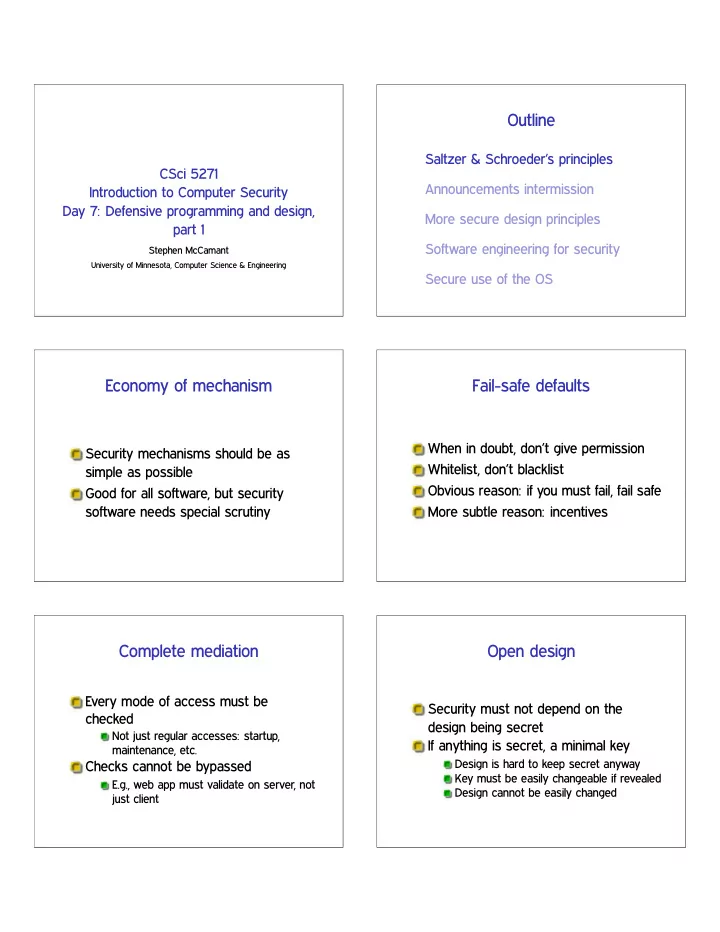
Economy of mechanism
Security mechanisms should be as simple as possible Good for all software, but security software needs special scrutiny
Fail-safe defaults
When in doubt, don’t give permission Whitelist, don’t blacklist Obvious reason: if you must fail, fail safe More subtle reason: incentives
Complete mediation
Every mode of access must be checked
Not just regular accesses: startup, maintenance, etc.
Checks cannot be bypassed
E.g., web app must validate on server, not just client
Open design
Security must not depend on the design being secret If anything is secret, a minimal key
Design is hard to keep secret anyway Key must be easily changeable if revealed Design cannot be easily changed
SLIDE 2
Open design: strong version
“The design should not be secret” If the design is fixed, keeping it secret can’t help attackers But an unscrutinized design is less likely to be secure
Separation of privilege
Real world: two-person principle Direct implementation: separation of duty Multiple mechanisms can help if they are both required
Password and ✇❤❡❡❧ group in Unix
Least privilege
Programs and users should have the most limited set of powers needed to do their job Presupposes that privileges are suitably divisible
Contrast: Unix r♦♦t
Least privilege: privilege separation
Programs must also be divisible to avoid excess privilege Classic example: multi-process OpenSSH server N.B.: Separation of privilege ✻❂ privilege separation
Least common mechanism
Minimize the code that all users must depend on for security Related term: minimize the Trusted Computing Base (TCB) E.g.: prefer library to system call; microkernel OS
Psychological acceptability
A system must be easy to use, if users are to apply it correctly Make the system’s model similar to the user’s mental model to minimize mistakes
SLIDE 3 Sometimes: work factor
Cost of circumvention should match attacker and resource protected E.g., length of password But, many attacks are easy when you know the bug
Sometimes: compromise recording
Recording a security failure can be almost as good as preventing it But, few things in software can’t be erased by r♦♦t
Outline
Saltzer & Schroeder’s principles Announcements intermission More secure design principles Software engineering for security Secure use of the OS
Readings reminder
It didn’t seem like many people read the CFI paper. . . Link was broken until yesterday, my fault Reminder about library proxy bookmarklet
Alternative Saltzer & Schroeder
Not a replacement for reading the real thing, but:
❤tt♣✿✴✴❡♠❡r❣❡♥t❝❤❛♦s✳❝♦♠✴ t❤❡✲s❡❝✉r✐t②✲♣r✐♥❝✐♣❧❡s✲♦❢✲s❛❧t③❡r✲❛♥❞✲s❝❤r♦❡❞❡r
Security Principles of Saltzer and Schroeder, illustrated with scenes from Star Wars (Adam Shostack)
Deadlines reminder
Exercise set 1: Thursday night HW1 early submission: Friday night Project progress reports: week from today HW1 final submission: week from Friday
SLIDE 4
Outline
Saltzer & Schroeder’s principles Announcements intermission More secure design principles Software engineering for security Secure use of the OS
Pop quiz
What’s the type of the return value of ❣❡t❝❤❛r? Why?
Separate the control plane
Keep metadata and code separate from untrusted data Bad: format string vulnerability Bad: old telephone systems
Defense in depth
Multiple levels of protection can be better than one Especially if none is perfect But, many weak security mechanisms don’t add up
Canonicalize names
Use unique representations of objects E.g. in paths, remove ✳, ✳✳, extra slashes, symlinks E.g., use IP address instead of DNS name
Fail-safe / fail-stop
If something goes wrong, behave in a way that’s safe Often better to stop execution that continue in corrupted state E.g., better segfault that code injection
SLIDE 5
Outline
Saltzer & Schroeder’s principles Announcements intermission More secure design principles Software engineering for security Secure use of the OS
Modularity
Divide software into pieces with well-defined functionality Isolate security-critical code
Minimize TCB, facilitate privilege separation Improve auditability
Minimize interfaces
Hallmark of good modularity: clean interface Particularly difficult:
Safely implementing an interface for malicious users Safely using an interface with a malicious implementation
Appropriate paranoia
Many security problems come down to missing checks But, it isn’t possible to check everything continuously How do you know when to check what?
Invariant
A fact about the state of a program that should always be maintained Assumed in one place to guarantee in another Compare: proof by induction
Pre- and postconditions
Invariants before and after execution of a function Precondition: should be true before call Postcondition: should be true after return
SLIDE 6 Dividing responsibility
Program must ensure nothing unsafe happens Pre- and postconditions help divide that responsibility without gaps
When to check
At least once before any unsafe
If the check is fast If you know what to do when the check fails If you don’t trust
your caller to obey a precondition your callee to satisfy a postcondition yourself to maintain an invariant
Sometimes you can’t check
Check that ♣ points to a null-terminated string Check that ❢♣ is a valid function pointer Check that ① was not chosen by an attacker
Error handling
Every error must be handled
I.e, program must take an appropriate response action
Errors can indicate bugs, precondition violations, or situations in the environment
Error codes
Commonly, return value indicates error if any Bad: may overlap with regular result Bad: goes away if ignored
Exceptions
Separate from data, triggers jump to handler Good: avoid need for manual copying, not dropped May support: automatic cleanup (❢✐♥❛❧❧②) Bad: non-local control flow can be surprising
SLIDE 7 Testing and security
“Testing shows the presence, not the absence of bugs” – Dijkstra Easy versions of some bugs can be found by targeted tests:
Buffer overflows: long strings Integer overflows: large numbers Format string vulnerabilities: ✪①
Fuzz testing
Random testing can also sometimes reveal bugs Original ‘fuzz’ (Miller): ♣r♦❣r❛♠ ❁✴❞❡✈✴✉r❛♥❞♦♠ Modern: small random changes to a benign input
Outline
Saltzer & Schroeder’s principles Announcements intermission More secure design principles Software engineering for security Secure use of the OS
Avoid special privileges
Require users to have appropriate permissions
Rather than putting trust in programs
Anti-pattern 1: setuid/setgid program Anti-pattern 2: privileged daemon But, sometimes unavoidable (e.g., email)
One slide on setuid/setgid
Unix users and process have a user id number (UID) as well as one or more group IDs Normally, process has the IDs of the use who starts it A setuid program instead takes the UID
Don’t use shells or Tcl
. . . in security-sensitive applications String interpretation and re-parsing are very hard to do safely Eternal Unix code bug: path names with spaces
SLIDE 8
Prefer file descriptors
Maintain references to files by keeping them open and using file descriptors, rather than by name References same contents despite file system changes Use ♦♣❡♥❛t, etc., variants to use FD instead of directory paths
Prefer absolute paths
Use full paths (starting with ✴) for programs and files ✩P❆❚❍ under local user control Initial working directory under local user control
But FD-like, so can be used in place of ♦♣❡♥❛t if missing
Prefer fully trusted paths
Each directory component in a path must be write protected Read-only file in read-only directory can be changed if a parent directory is modified
Don’t separate check from use
Avoid pattern of e.g., ❛❝❝❡ss then ♦♣❡♥ Instead, just handle failure of open
You have to do this anyway
Multiple references allow races
And ❛❝❝❡ss also has a history of bugs
Be careful with temporary files
Create files exclusively with tight permissions and never reopen them
See detailed recommendations in Wheeler
Not quite good enough: reopen and check matching device and inode
Fails with sufficiently patient attack
Give up privileges
Using appropriate combinations of s❡t✯✐❞ functions
Alas, details differ between Unix variants
Best: give up permanently Second best: give up temporarily Detailed recommendations: Setuid Demystified (USENIX’02)
SLIDE 9
Whitelist environment variables
Can change the behavior of called program in unexpected ways Decide which ones are necessary
As few as possible
Save these, remove any others
Next time
Recommendations from the author of q♠❛✐❧ A variety of isolation mechanisms