Outline Feedback Background CS1007: Object Oriented Design - - PDF document

outline
SMART_READER_LITE
LIVE PREVIEW

Outline Feedback Background CS1007: Object Oriented Design - - PDF document

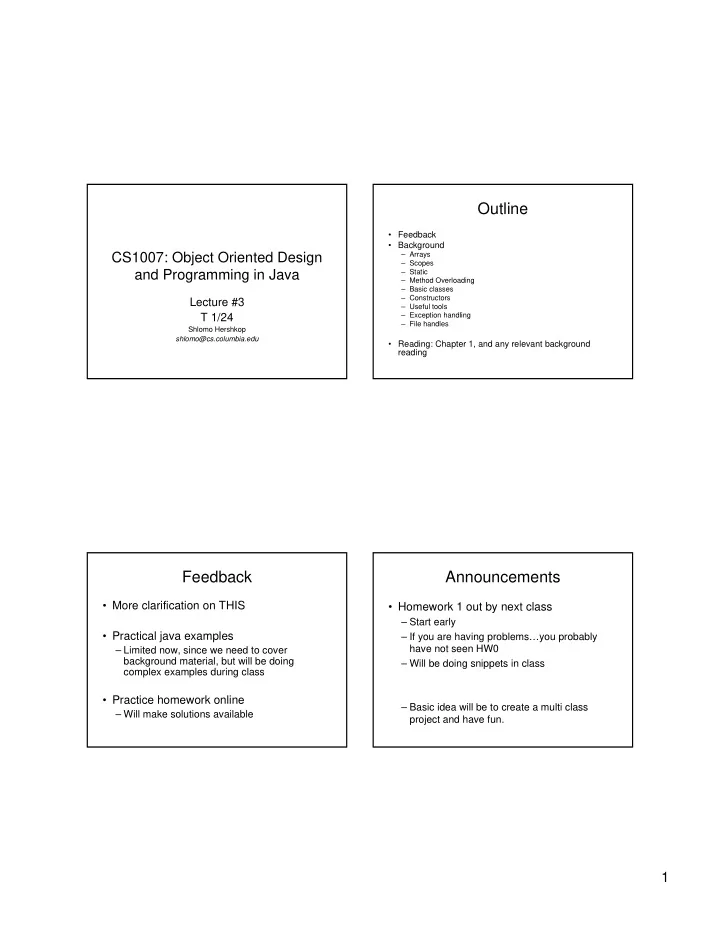
Outline Feedback Background CS1007: Object Oriented Design Arrays Scopes and Programming in Java Static Method Overloading Basic classes Constructors Lecture #3 Useful tools T 1/24 Exception


slide-1
SLIDE 1

1 CS1007: Object Oriented Design and Programming in Java

Lecture #3 T 1/24

Shlomo Hershkop shlomo@cs.columbia.edu

Outline

  • Feedback
  • Background

– Arrays – Scopes – Static – Method Overloading – Basic classes – Constructors – Useful tools – Exception handling – File handles

  • Reading: Chapter 1, and any relevant background

reading

Feedback

  • More clarification on THIS
  • Practical java examples

– Limited now, since we need to cover background material, but will be doing complex examples during class

  • Practice homework online

– Will make solutions available

Announcements

  • Homework 1 out by next class

– Start early – If you are having problems…you probably have not seen HW0 – Will be doing snippets in class – Basic idea will be to create a multi class project and have fun.

slide-2
SLIDE 2

2

Office hours

  • My

– T/Th 1-2pm, 4-4:30pm – By appointment

  • Ohan

– T 11-1 or 12-2 – Fr 12-2

Announcements II

  • Slides will be on website within 24hrs after

class

  • Privilege
  • Don’t want to see drop in attendance,

being here allows a discussion to take place

This

public class student{ String name; Date recordStart; int idNumber; public void setName(String name){ this.name = name; } }

Class objects

  • Represents an idea/concept/construct
  • Field variables
  • Constructors

– Default

  • Public methods

– Accessors – Mutators

  • Private methods
slide-3
SLIDE 3

3

Constructor

  • A constructor is a method that gets called when an object is created

using new.

  • We can use the constructor to initialize the fields of the object.
  • A constructor can have as many parameters as necessary, but can

not have a return type.

public class Account { private int id; public Account(int id){ this.id = id; } }

Default Constructor

  • If we don’t define a constructor the default

constructor with not parameters will be created.

  • So we can say:

Account m = new Account();

  • Like other methods, the constructor can also be
  • verloaded (more on this later)
  • Can call one constuctor from another

– this(argument list); – Must be the first statement in the method

Methods

  • Methods are defined by their signatures

– permissions – Return values – Argument values – modifiers public void foo() public int foo()

Method Overloading

  • We can define two methods with the same

name, as long as they have different signatures

– Different input parameters

  • r/and

– Different return values Java will know which one to use

slide-4
SLIDE 4

4

Exceptions

  • Object that represents an unusual event or

an error

  • Attempt to divide by zero
  • Array out of bounds
  • Null reference

Exception Handling

  • Example: NullPointerException

String name = null; int n = name.length(); // ERROR

  • Cannot apply a method to null reference
  • Virtual machine throws exception
  • Unless there is a handler, program exits with stack trace

Exception in thread "main" java.lang.NullPointerException at Student.setname(Student.java:15) at StudentTest.main(StudentTest.java:20)

Checked and Unchecked Exceptions

  • Compiler tracks only checked exceptions
  • NullPointerException is not checked
  • IOException is checked
  • Generally, checked exceptions are thrown for

reasons beyond the programmer's control

  • Two approaches for dealing with checked

exceptions

– Declare the exception in the method header (preferred) – Catch the exception

Declaring Checked Exceptions

  • Example: Opening a file may throw FileNotFoundException:

public void read(String filename) throws FileNotFoundException { FileReader reader = new FileReader(filename); . . . }

  • Can declare multiple exceptions

public void read(String filename) throws IOException, ClassNotFoundException public static void main(String[] args) throws IOException, ClassNotFoundException

slide-5
SLIDE 5

5

Catching Exceptions

try { code that might throw an IOException } catch (IOException exception) { take corrective action }

  • Corrective action can be:

– Notify user of error and offer to read another file – Log error in error report file – In student programs: print stack trace and exit

exception.printStackTrace(); System.exit(1);

The finally Clause

  • Will ALWAYS execute code block

– Even if return statement in try block

  • Cleanup needs to occur during normal and exceptional processing
  • Example: Close a file

FileReader reader = null; try { reader = new FileReader(name); ... } catch..... finally { if (reader != null) reader.close(); }

Java packages

  • Collection of similar classes
  • Package names are dot-separated

identifier sequences java.util javax.swing com.sun.misc edu.columbia.cs.robotics

Packages

  • Unique package names: start with reverse

domain name

  • Corresponds to directory structure

– Must match directory structure

  • package statement to top of file
  • Class without package name is in "default

package“

  • Full name of class = package name + class

name java.util.String

slide-6
SLIDE 6

6

Importing Packages

  • Tedious to use full class names
  • import allows you to use short class name

import java.util.Scanner; . . . Scanner a; // i.e. java.util.Scanner

  • Can import all classes from a package

import java.util.*;

Arrays

  • Ordered list of objects can be organized in

an array

  • Array properties

– Capacity – Size – Can be treated as a single object (to an extent)

Arrays

  • Arrays can store objects of any type, but

their length is fixed int[] numbers = new int[10];

  • Array variable is a reference

ref

Arrays

  • Array access with [] operator:

int n = numbers[i];

  • length member yields number of elements

for (int i = 0; i < numbers.length; i++)

  • Or use "for each" loop

for (int n : numbers)

slide-7
SLIDE 7

7

Command Line Arguments

public static void main(String[] args)

  • args, is an array of string.
  • The elements of args are the command line

arguments using in running this class.

Java testProgram –t –Moo=boo out.txt 0: ‘-t’ 1: ‘-Moo=boo’ 2: ‘out.txt’

Arrays

  • Can have array of length 0; not the same

as null:

  • numbers = new int[0];
  • Multidimensional array

Two dimensional arrays

  • You can create an array of any
  • bject, including arrays
  • int[][] table = new int[10][20];
  • int t = table[i][j];
  • An array of an array is a two

dimensional array

public class TicTacToe{ public static final int EMPTY = 0; public static final int x = 1; public static final int y = 2; private int[][] board = { {EMPTY, EMPTY, EMPTY}, {EMPTY, EMPTY, EMPTY}, {EMPTY, EMPTY, EMPTY} }

slide-8
SLIDE 8

8

Two dimensions

  • You can also initialize the inner array as a

separate call.

  • Doesn’t have to be congruous memory locations

int [][]example = new int[5][]; for (int i=0;i<5;i++){ example[i] = new int[i+1]; }

Multiple dimensions

  • No reason cant create 4,5,6 dimension

arrays

  • Gets hard to manage
  • Think about another way of representing

the data

  • Often creating an object is a better

approach

Arrays further

  • Need to explicitly copy contents of arrays
  • ArrayList
  • Vector
  • Full object versions of arrays
  • Capacity can grow over time

Scope

  • Scope refers to where java programming
  • bjects variables/methods/classes can be

accessed.

  • Local
  • Global
  • Package
  • Universal
slide-9
SLIDE 9

9

Variables

  • Variables declared within a method are local to

that method

– Local scope

  • Variables declared within a class, are called field

variables

– Class wide scope

  • Including subclasses

– Package wide scope

  • Local variable can have the same name as field

variables

– Use this to disambiguate

Instantiated vs static

  • When you define a method in a class,

every instance of the class has its own copy.

  • static methods allows one copy to be

accessed by all instances

– So……what parts of the class should it be able to access?

Static Fields

  • Shared among all instances of a class
  • Example: shared random number generator

public class Greeter { . . . private static Random generator; }

  • Example: shared constants

public class Math { . . . public static final double PI = 3.14159265358979323846; }

Static Methods

  • Don't operate on objects
  • Example: Math.sqrt
  • Example: factory method

public static Greeter getRandomInstance() { if (generator.nextBoolean()) // note: generator is static field return new Greeter("Mars"); else return new Greeter("Venus"); }

  • Invoke through class:

Greeter g = Greeter.getRandomInstance();

  • Static fields and methods should be rare in OO programs
slide-10
SLIDE 10

10

Pass around

  • Can in theory use static variables to pass

around values between class instances

  • When is this good?
  • Why?
  • Why Not?

main

  • The main method is declared public, static

and void.

  • Because it is static we often need to

create an instance of the class inside its

  • wn main.
  • Why?

main

  • Every class can have a main method. If

you five classes, with each one having a main, you need to tell java which one to run…

  • How is this done?
  • Can also use individual mains as testing

areas, will be ignored when not run

Default values

  • Should be aware if you forget to set values
  • Compiler/IDE will let you know if you forgot

to set values (warning)

slide-11
SLIDE 11

11

Default Values

  • By Default java assigns the following

values:

  • boolean

false

  • char
  • byte, int
  • float

+0.0F

  • double

+0.0

  • reference

null

Strings

  • Sequence of Unicode characters

– (Technically, code units in UTF-16 encoding)

  • length method yields number of characters
  • "" is the empty string of length 0,

different from null

  • Special class in Java

– Assigning a string literal to a string reference creates an instance!

  • charAt method yields characters:

char c = s.charAt(i);

String II

  • substring method yields substrings:
  • "Hello".substring(1, 3) is "el“
  • Use equals to compare strings

if (greeting.equals("Hello"))

  • == only tests whether the object

references are identical:

if ("Hello".substring(1, 3) == "el") ... // NO!

String concatenation

  • + operator concatenates strings:
  • "Hello, " + name
  • If one argument of + is a string, the other is converted into a string:

int n = 7; String greeting = "Hello, " + n; // yields "Hello, 7"

  • toString method is applied to objects

Date now = new Date(); String greeting = "Hello, " + now; // concatenates now.toString() // yields "Hello, Wed Jan 17 16:57:18 PST 2001"

slide-12
SLIDE 12

12

Converting Strings to Numbers

  • Use static methods

– WHY???

Integer.parseInt Double.parseDouble

  • Example:

String input = "7"; int n = Integer.parseInt(input); // yields integer 7

  • NOTE:

If string doesn't contain a number, throws a NumberFormatException(unchecked)

Reading Input through scanners

  • Construct Scanner from input stream (e.g.

System.in)

  • Scanner in = new Scanner(System.in)
  • nextInt, nextDouble reads next int or double
  • int n = in.nextInt();
  • hasNextInt, hasNextDouble test whether next

token is a number

  • next reads next string (delimited by whitespace)
  • nextLine reads next line

Example

01: import java.util.Scanner; 02: 03: public class InputTester 04: { 05: public static void main(String[] args) 06: { 07: Scanner in = new Scanner(System.in); 08: System.out.print("How old are you?"); 09: int age = in.nextInt(); 10: age++; 11: System.out.println("Next year, you'll be " + age); 12: } 13: }

Useful classes

  • Arraylists

– Overview of generics

  • Linkedlists
  • Iterators
slide-13
SLIDE 13

13

The ArrayList<E> class

  • Generic class: ArrayList<E> collects objects of

type E

  • E cannot be a primitive type
  • add appends to the end

ArrayList<String> countries = new ArrayList<String>(); countries.add("Belgium"); countries.add("Italy"); countries.add("Thailand");

II

  • get gets an element; no need to cast to correct type:

String country = countries.get(i);

  • set sets an element

countries.set(1, "France");

  • size method yields number of elements

for (int i = 0; i < countries.size(); i++) . . .

  • Or use "for each" loop

for (String country : countries) . .

  • Can insert and remove elements in the

middle countries.add(1, "Germany"); countries.remove(0);

  • Not efficient--use linked lists if needed

frequently

Linked List

  • What ?

– Efficient insertion and removal

  • add appends to the end

LinkedList<String> countries = new LinkedList<String>(); countries.add("Belgium"); countries.add("Italy"); countries.add("Thailand");

  • Use Listiterators to edit in the middle

– Iterator points between list elements

slide-14
SLIDE 14

14

List Iterators

  • next retrieves element and advances iterator

ListIterator<String> iterator = countries.listIterator(); while (iterator.hasNext()) { String country = iterator.next(); . . . }

  • Or use "for each" loop:
  • for (String country : countries)
  • add adds element before iterator position
  • remove removes element returned by last call to next

File handling

  • Example3.java

Graphic programming

  • Will have some basic review next class
  • Will teach as we go