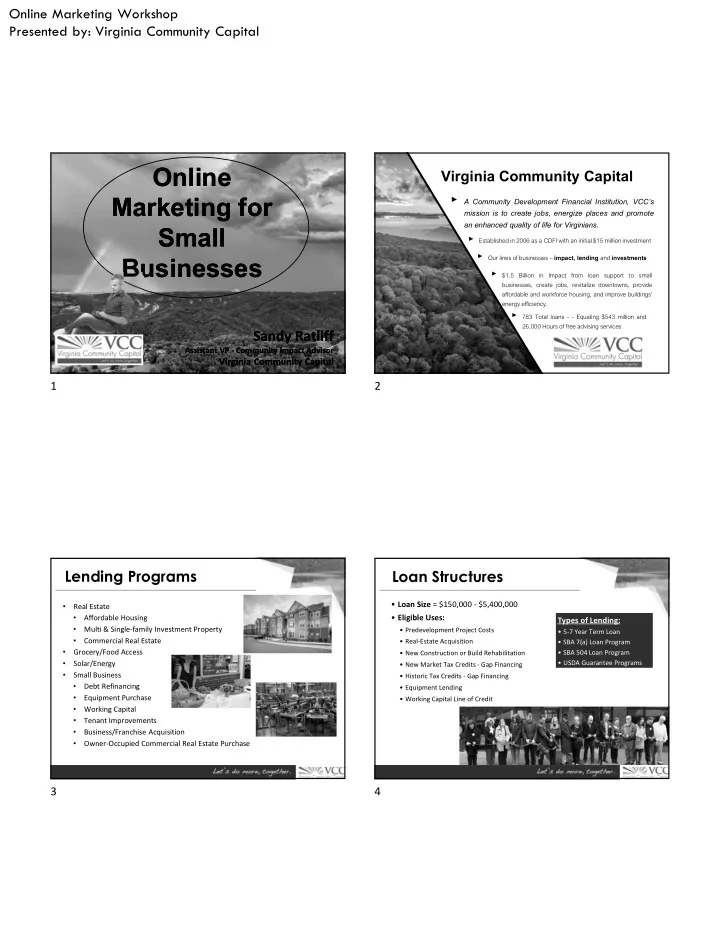
Online Online Virginia Community Capital Marketing for - - PDF document

online online
SMART_READER_LITE
LIVE PREVIEW

Online Online Virginia Community Capital Marketing for - - PDF document

Online Marketing Workshop Presented by: Virginia Community Capital Online Online Virginia Community Capital Marketing for Marketing for A Community Development Financial Institution, VCCs mission is to create jobs, energize places


slide-1
SLIDE 1

Online Marketing Workshop Presented by: Virginia Community Capital

TITLE OF THIS PRESENTATION

Online Marketing for Small Businesses Online Marketing for Small Businesses

Sandy Ratliff

Assistant VP - Community Impact Advisor

Virginia Community Capital

Sandy Ratliff

Assistant VP - Community Impact Advisor

Virginia Community Capital

Virginia Community Capital

  • A Community Development Financial Institution, VCC’s

mission is to create jobs, energize places and promote an enhanced quality of life for Virginians.

  • Established in 2006 as a CDFI with an initial $15 million investment
  • Our lines of businesses – impact, lending and investments
  • $1.5

Billion in Impact from loan support to small businesses, create jobs, revitalize downtowns, provide affordable and workforce housing, and improve buildings’ energy efficiency.

  • 783 Total loans - - Equaling $543 million and

26,000 Hours of free advising services

Lending Programs

  • Real Estate
  • Affordable Housing
  • Multi & Single-family Investment Property
  • Commercial Real Estate
  • Grocery/Food Access
  • Solar/Energy
  • Small Business
  • Debt Refinancing
  • Equipment Purchase
  • Working Capital
  • Tenant Improvements
  • Business/Franchise Acquisition
  • Owner-Occupied Commercial Real Estate Purchase

Loan Structures

  • Loan Size = $150,000 - $5,400,000
  • Eligible Uses:
  • Predevelopment Project Costs
  • Real-Estate Acquisition
  • New Construction or Build Rehabilitation
  • New Market Tax Credits - Gap Financing
  • Historic Tax Credits - Gap Financing
  • Equipment Lending
  • Working Capital Line of Credit

Types of Lending:

  • 5-7 Year Term Loan
  • SBA 7(a) Loan Program
  • SBA 504 Loan Program
  • USDA Guarantee Programs

Types of Lending:

  • 5-7 Year Term Loan
  • SBA 7(a) Loan Program
  • SBA 504 Loan Program
  • USDA Guarantee Programs

1 2 3 4

slide-2
SLIDE 2

Online Marketing Workshop Presented by: Virginia Community Capital

Values

Local Staff:

This experienced staff of professionals have economic and community development and lending backgrounds. They live in the region and care deeply for it, and have a combined 75 years of experience.

Ernie Maddy

Assistant Vice President Real Estate Loan Officer 540-260-3512 emaddy@vccva.org

Cindy Snider

Assistant Vice President Small Business Loan Officer 540-250-0055 csnider@vccva.org

Sandy Ratliff

Assistant Vice President Community Impact 276-477-3999 sratliff@vccva.org

What is Marketing?

  • Marketing is NOT Advertising
  • Marketing is NOT Promotions

Marketing is….

It's all about Communicating the Right Message to the Right People using the Right Channel!

5 6 7 8

slide-3
SLIDE 3

Online Marketing Workshop Presented by: Virginia Community Capital

Marketing is….

Changing Very Fast!

Gone are the days when …………..

Yellow Pages were Search Engine

Gone are the days when …………..

TV was YouTube

Gone are the days when …………..

Magazines were BLOGS

9 10 11 12

slide-4
SLIDE 4

Online Marketing Workshop Presented by: Virginia Community Capital Internet changed many things….. It’s time to adopt ONLINE MARKETING

THE 5 W’S THE 5 W’S

1.

Why? Why do you do what you do? Why use social media?

2.

Who? Who is your audience? Who are you targeting? Does it change?

3.

What? What do you want people to know? What is your voice?

4.

Where? Which channels do you use?

5.

When? When is the best time to post?

6.

How can you help people?

13 14 15 16

slide-5
SLIDE 5

Online Marketing Workshop Presented by: Virginia Community Capital

  • Every 60 seconds, 293,000 posts are made on Facebook.
  • The 80/20 Rule.
  • Create massive value for people and be authentic.
  • Create compelling content that engages your audience

quickly and emotionally.

  • Be unique. Stand out.

Cutting through the noise

  • Create raving fans.
  • 100 somebodies is better than 1,000 anybodies.
  • Give the people what they want. If you don’t know, ask.

“A brand is no longer what we tell the consumer – it is what consumers tell each other it is.” – Scott Cook, Intuit Co-Founder

The Goal

Website

Online Marketing Channels

1.5 billion+ active users Accurate demographic data 1 billion+ active users, 100 billion searches a month. Adwords, Search, Gmail 1 billion+ active users 4 billion video views a day 300 million+ active users 400 million+ active users Visual users 200 million+ active users Full-screen, vertical video ads 13-34 year olds 400 million+ profiles 100 million+ active users Can target companies and job titles Still 40 times more effective in customer acquisition than Facebook & Twitter combined 90% of all U.S. consumers use email daily

Problem – What problem exists for your audience? Identify it and remind them that it’s a problem and how it affects their lives. Hit their pain points. Action – Show your audience how your product or service solves that problem. Explain how easy it is. Resolution – Reveal the satisfaction your audience will have once their problem is solved.

Social Media is about storytelling.

17 18 19 20

slide-6
SLIDE 6

Online Marketing Workshop Presented by: Virginia Community Capital

1.

Awareness

2.

Conversion Stick to your content model and pull out the specific messages for targeted campaigns.

Social Media Advertising

  • Image size is 1200 x 628 pixels. You can use Canva to design.
  • Images can only contain 20% text.
  • Static images are rejected if they feature a "play button" that will confuse it

for a video.

  • Under "Advanced Options" you can write a News Feed link description up

to 200 characters to better explain your ad.

  • By default, ads are shown on mobile newsfeeds, on the right column on

desktops, and in partner mobile apps. Depending on where you'd like your customers to see these campaigns, you may want to turn one or all

  • f those options off to only display in the desktop News Feed.

Facebook Ads

Let’s Talk Impact of Online Video

VIDEO MARKETING VIDEO MARKETING

is harnessing the power and technology of video to tell your story, promote your business, and grow your brand.

21 22 23 24

slide-7
SLIDE 7

Online Marketing Workshop Presented by: Virginia Community Capital

  • Facebook generates 8 billion video views every day.
  • Social video generates 1200% more shares than text and

images combined.

  • 92% of mobile video consumers share videos with others.
  • 59% of senior executives agree that if both text and video

are available on the same topic on the same page, they prefer to watch video.

  • After watching a video, 64% of users are more likely to buy

a product online.

Video is king.

Riddle me this:

Why do people buy quarter-inch drill bits?

There are a million possible answers to this question, but Leo McGinneva offers an interesting explanation:

"They don’t want quarter-inch bits. They want quarter-inch holes."

This is exactly what drives today's best marketing videos..

Globally, according to 2018 survey, 54% of consumers say they prefer to see video from a brand

  • r business they support
  • ver other types of

content.

25 26 27 28

slide-8
SLIDE 8

Online Marketing Workshop Presented by: Virginia Community Capital

Let’s Explore Marketing Video Examples

Jeni's Splendid Ice Creams: Build Your Own Ice Cream Sandwich

<div class="player-unavailable"><h1 class="message">An error occurred.</h1><div class="submessage"><a href="http://www.youtube.com/watch?v=9G_AnmzZNbM" target="_blank">Try watching this video on www.youtube.com</a>, or enable JavaScript if it is disabled in your browser.</div></div>

Jeni's Splendid Ice Creams is a modest ice cream shop from Columbus, Ohio, and its YouTube channel proves you don't need studio-level equipment to make lovable videos. This stylish dessert parlor uses catchy music and "from the ground up" ingredients to feeds its customers' interests before they've even had a scoop. Also, there's something so satisfying about seeing food made in front of you.

BuzzFeed for Purina: Puppyhood

<div class="player-unavailable"><h1 class="message">An error occurred.</h1><div class="submessage"><a href="http://www.youtube.com/watch?v=L3MtFGWRXAA" target="_blank">Try watching this video on www.youtube.com</a>, or enable JavaScript if it is disabled in your browser.</div></div>

Although this video is about a man who adopts and raises a puppy, it's not meant to be inspiring -- it's meant to be entertaining. And entertaining it is: BuzzFeed did a great job writing a script that takes all the classic puppy stories you've heard (puppy chewing on the furniture; puppy keeping you up all night) and turns them into a delightful story of a man and his dog spending time together. Although it's obvious to today's trained consumer that Purina's Puppy Chow brand is behind the video, the product placement is so subtle that it's not bothersome at all. Video marketers, take note.

Pioneer Chevrolet: Facebook Salesman Video

="_blank">Try watching this video on www.youtube.com</a>, or enable JavaScript if it is disabled in your browser.</div></div>

Jim Sexton with Pioneer Chevrolet in Abingdon, Virginia has embraced Facebook Live video to engage new customers and promote new and used cars. He showcases a car or cars daily on the company Facebook page and has created a tag line at the end of each video….”Get your Nexton from Sexton.”

29 30 31 32

slide-9
SLIDE 9

Online Marketing Workshop Presented by: Virginia Community Capital

Community Interest: Duane Miller, LENOWISCO PDC

="_blank">Try watching this video on www.youtube.com</a>, or enable JavaScript if it is disabled in your browser.</div></div>

Since 2016, Intuit has placed customer success centers in local communities, driving hundreds of jobs to create a ripple effect of prosperity. In recent years, Duane Miller has seen a downturn in local coal mining, leading the new generation to seek an unexpected path. #TogetherWeProsper

Google loves video

  • Second biggest search engine - 1.9 billion monthly active users
  • 3 Types of YouTube Video Ads
  • TrueView Ads
  • Advertisers only pay when viewers watch for at least 30 seconds or

until end of video or interact with their ad/take action such as clicking on a call-to-action. 12 seconds to 6 minutes in length

  • Video Discovery Ads = Ads that show up on YouTube search

results page and as related videos on video watch pages.

  • In-Stream Ads = Ads that play before someone watches their

selected video. Viewers can skip the ad after watching for 5 seconds.

YouTube Ads

https://blog.hubspot.com/marketing/youtube-video-advertising-guide

Trueview Ad

33 34 35 36

slide-10
SLIDE 10

Online Marketing Workshop Presented by: Virginia Community Capital

  • Preroll Ads
  • Some in-stream ads are non-skippable and can play before, mid-roll,
  • r after main video.
  • They can be 15 to 20 seconds in duration
  • You can include people, dialogue, audio and more elements that you

find best represent your brand in 15-20 seconds

  • YouTube sells Preroll video space on a pay-per-click (PPC) basis.

Make the click worth it

YouTube Ads

https://www.oberlo.com/blog/youtube-ads-beginners-launch-first-campaign

Pre Roll Ad

  • Bumbers
  • These are the shortest type ads at just 6 seconds per bumper. These

ad spots play before a viewer’s chosen video

  • They cannot tell a good-enough story in just 6 seconds, but they

make terrific complements to larger video campaigns on a new product launch or event.

  • Be sure to use your 6 seconds wisely, and include only components
  • f your brand you want your audience to remember

YouTube Ads

https://neilpatel.com/blog/how-to-use-youtube-ads-to-grow-your-business/

Bumper Ads

37 38 39 40

slide-11
SLIDE 11

Online Marketing Workshop Presented by: Virginia Community Capital

  • Reach. The number of unique users who saw your post. How far is your

content spreading across social? Is it actually reaching user’s feeds? In the face

  • f ever-changing organic algorithms, tracking reach is arguably more

important than ever.

  • Clicks. This is the number of clicks on your post. Tracking clicks per campaign

is essential to understand what drives curiosity or encourages people to buy.

  • Engagement. The total number of social interactions divided by the number
  • f impressions. This sheds light on how well your audience perceives you and

their willingness to interact.

  • Sentiment. This is the measurement of how users reacted to your content,

brand or hashtag. How did it make them feel.

Metrics

  • Website - Is your website responsive? Do you keep it updated? Optimized

for search engines?

Other Considerations:

  • Website - Is your website responsive? Do you keep it updated? Optimized

for search engines?

  • Directory & Reputation Management - Are you managing your online

visibility? (Local search listings, business review sites, directory sites)

Other Considerations:

41 42 43 44

slide-12
SLIDE 12

Online Marketing Workshop Presented by: Virginia Community Capital

  • Website - Is your website responsive? Do you keep it updated? Optimized

for search engines?

  • Directory & Reputation Management - Are you managing your online

visibility? (Local search listings, business review sites, directory sites)

  • Social Media Management - Do you monitor your social platforms?

(Please do NOT set up and forget) Are viewers responsive to your message?

Other Considerations:

https://www.jeffbullas.com/17-best-social-media-management-tools/

SRS1

  • Website - Is your website responsive? Do you keep it updated? Optimized

for search engines?

  • Directory & Reputation Management - Are you managing your online

visibility? (Local search listings, business review sites, directory sites)

  • Social Media Management - Do you monitor your social platforms?

(Please do NOT set up and forget) Are viewers responsive to your message?

  • Email - Are you using? If so, are you getting results?

Other Considerations:

  • Facebook – Number one. Go all in.
  • Instagram – Under 30. Invest heavily here.
  • YouTube – For all your video content. Good for SEO.
  • LinkedIn - B2B. Assert yourself as an expert.

Online Marketing is mainly segmented in 2 parts

Search Engine Marketing Search Engine Marketing Social Media Marketing Social Media Marketing

45 46 47 48

slide-13
SLIDE 13

Slide 45 SRS1 1. Apphi

  • Our Rating:5 out of 5
  • Supported Platforms: iOS, Android, PC,

Mac, Web-Based

  • Starting Price: $0 per month

Call us biased but Apphi is doing pretty well these days for a social media management tool. Since its inception, the company has made a lot of core improvements to the

  • program. By doing so, they handled the first few waves of

disgruntled customers, but also managed to retain them. Not

  • nly been using by individual Instagram owner, Apphi has also

been using by brands such as Sheraton, St. Regis Hotels, Yelp, MAC Cosmetics, Levi’s, and many influencer agencies. It also has large themed page customers with more than 5 million followers like @pubity, @memezar etc. Apphi is a social media management tool that helps you schedule posts on Instagram, Facebook and Twitter. We liked it for a variety of reasons; simplicity and ease-of-use is one of

  • them. The main reason for preferring Apphi over Buffer is the

sense of automation. Key Features: Social Media Scheduling: Schedule your Instagram Post, Story, IGTV, Facebook Post, and Tweets. Your punctuality sets your content apart. This gives your brand a kind of immersive

  • experience. You can manage up to 500 social media accounts

simultaneously like an agency. Bulk Schedule: Simply scheduling up to 20 posts a time to multiple accounts, it can be a life saver if you are managing multiple Instagram accounts as an advertiser, or a business

  • wner, you can avail Apphi’s bulk Schedule feature to organize

and post everything according to a select schedule. Drag & Drop Preview: Visually design your Instagram grid can help you add a nice touch to your profile. It’s simple. You can visually plan your grid and give it a creative design. This differentiates you from the amateurs. Saved Captions & First Comment: Save your most used captions, hashtags or first comments, spend less time scheduling posts, but more time making creative content. User-Friendly Pricing: It’s free to use and no credit card

  • needed. You can also choose among a variety of preset

packages at multiple tiers to unlock. Cloud-Based Data Security: Apphi users enjoy the benefit of having a cloud-based data security feature. For people on the move or no Internet at post time, auto posting from the Cloud is a huge blessing in disguise. Apphi Analytics: Monitor Follower vs. Post History, user interaction and various other metrics to identify key areas of your social media empire.

slide-14
SLIDE 14

Slide 45 (Continued) Pricing: 1 Free – Starting at $0, you get 10 free auto post per month per social account. It also gives you a 7-day free trial to test out nearly all advanced features. 2 Basic – Starting at $6/m, this plan is perfect for individual Instagram, Facebook and Twitter posters who

  • perate from one account only.

3 Full – Starting at $13/m, full plan extends the benefits of the basic package, alongside additional upgrades such as; default caption, bulk schedule, product tag, etc. 4 Pro, Team & Business – Apphi’s remaining high tier packages are aimed at customers who overlook various large scale social media management campaigns. The prices are starting at $30/m, $60/m and $100/m respectively. For more details concerning Apphi pricing and free account creation, log on to their website at https://www.apphi.com/#/.

  • 2. Buffer
  • Our Rating: 4.8 out of 5
  • Supported Platforms: Web, iOS, Android,

Chrome, Firefox, Safari

  • Starting Price: $15 per month

Buffer is a smart social media management tool primarily aimed at scheduling posts. You can easily add all the desired content in queue and let Buffer do the rest. When you first launch the tool, Buffer will set up a schedule for you with default time slots for publishing content. You can change it any time according to your preferences. One of the strongest attributes of Buffer is the deceptively simple interface and straight forwardness when it comes to

  • scheduling. The fact that the tool is flexible and powerful at the

same time earned it the first spot in best social media management tools roundup. You can see which content works best for each of your network by using the top post icon which lets you compare

  • content. The tool also comes with real-time analytics to help

you measure your social media performance over time. These analytics allow you to monitor the number of impressions your post has achieved, number of clicks, comments, shares, and

  • verall reach to gain better insights into how your content is

doing. If you’re a solo player, you can use the free plan of the tool which supports three social accounts with 10 scheduled posts. Key Features

  • Social Media Scheduling: define time slots

for each of your posts and select multiple social profiles to

slide-15
SLIDE 15

Slide 45 (Continued) post to at the same time

  • Performance Analytics: regularly review

your social media performance through real-time analytics, including page impressions and link clicks

  • Team Collaboration: invite team members

and set custom permissions to collaborate with them. You can also set post approvals for better reach

  • Reporting with Buffer Analyze: monitor

your performance patterns and engagement trends with Buffer Analyze to make a killer social media strategy

  • Instagram Scheduling: build your business

brand on Instagram by letting Buffer automatically post content and measure performance through Buffer Analyze Pricing One of the free social media management tools, Buffer comes with following plans: 1 Free – basic plan for one user with 3 social media accounts and 10 scheduled posts 2 Pro – at $15 per month for one user, 8 social accounts, 100 scheduled posts, and more 3 Premium – at $65 per month for 2 users, 8 social accounts, 2000 scheduled posts, and more 4 Small Business – at $99 per month for 6 users, 25 social accounts, 2000 scheduled posts, and other features 5 Medium Business – at $199 per month for 11 users, 50 social accounts, 2000 scheduled posts, and other features

  • 3. Sprout Social
  • Our Rating: 4.7 out of 5
  • Supported Platforms: Web, iOS, Android,

Chrome

  • Starting Price: $99 per user/month

A handy all-in-one social media management tool, Sprout Social is the next addition in our review of best social media management tools. You can consider Sprout Social as your next go-to tool for all

  • f your social media engagement needs. From scheduling, to

publishing, to measuring performance – the tool has it all. Juggle multiple social media accounts at once, including Facebook, Twitter, and Instagram, by making use of the standard publishing posts at once functionality. You can use Sprout Queue for automatically scheduling posts for you, or you can just stick to your own schedule and plan them according to the time you think is best. The usefulness of Sprout Social doubled when we discovered

slide-16
SLIDE 16

Slide 45 (Continued) the custom tags functionality it provides. Organizing your social media campaigns can become hassle-free by applying tags to the updates. This lets you easily compare campaigns and see what went down during the time and what needs to be improved. Sprout Social is one of the best social media management platforms for analyzing your data. Through demographics and geographic measures, quantify your performance and see which content clicks with your audience. You can also monitor keywords across all social media to see the trends. Key Features

  • Social Inbox: manage all of your social

media messages with a centralized smart inbox and streamline your audience engagement

  • Publishing Calendar: use content calendar

to schedule and publish social media posts on different social profiles at the same time

  • Data Analytics: take better decisions based
  • n the performance changes occurring over time through

analytics dashboard, Google Analytics reports, page impressions, and more

  • Listening Capabilities: build queries on the

basis of social conversations for specific keywords and

  • hashtags. Plus, analyze social trends and specific topics gain

real insights

  • Social CRM: manage all your customer

relationships with all the customer data in one place, and resolve support issues faster

  • Multiple Integrations: integrate with

Zendesk, UserVoice, Bambu, and other tools to further amplify the tool’s capabilities Pricing One of the top social media management tools, Sprout Social comes with a free trial of 30 days, along with following subscription plans: 1 Standard – at $99 per user/month for 5 social profiles, content calendar, CRM tools, social inbox, and

  • ther features

2 Professional – at $149 per user/month, everything in Standard plus 10 social profiles, trend analysis, competitor reports, and more 3 Advanced – at $249 per user/month, everything in Professional plus content library, custom URL tracking, and other advanced features

  • 4. Hootsuite
  • Our Rating: 4.7 out of 5
  • Supported Platforms: Web, Windows,
slide-17
SLIDE 17

Slide 45 (Continued) Android, iOS

  • Starting Price: $19 per month

With more than 15 million users worldwide, Hootsuite is one

  • f our favorite social media management tools. The software

makes it easy for you to manage multiple social media accounts at the same time. It’s an all-in-one tool which provides all the essentials you’ll need for your social media management. Hootsuite is compatible with over 35 social networks, including Facebook, Twitter, Pinterest, and Instagram, making it one of the most widely supported apps. By using the auto-scheduler, you can queue posts at an optimum time to derive maximum customer engagement. The scheduler allows you to edit and schedule multiple posts at the same time by uploading a CSV. Through the web dashboard, track and measure campaign

  • results. Also, boost your top performing content by setting

custom rules. The dashboard also comes with a targeted audience finder which helps you find audience for you on the basis of demographics you put in. One of the things that we loved about Hootsuite is its powerful analytics functionality. Coming with solid 200 metrics to measure your performance, Hootsuite struck a chord with

  • us. Easily generate your performance reports and share them

with anyone in the form of Excel, PowerPoint, or PDF to further make things streamlined. Key Features

  • Scheduling and Publishing: bulk schedule

posts to publish on multiple social media platforms at a time, along with approvals

  • Ads Campaign Management: create and

launch ads for targeted audience. You can also export ad analytics in PDF or Excel format

  • Collaboration Features: assign social media

tasks to relevant team members, along with custom permissions and approvals for access

  • Customizable Reports: generate reports

using multiple metrics to measure your campaign’s

  • performance. Monitor the response time of your team

members to resolving respective queries

  • Content Curation: find and organize

content by creating search streams through particular hashtags, keywords, or locations

  • Analytics Integrations: gain valuable

insights by integrating Hootsuite with third-party analytics applications Pricing Hootsuite offers following subscription plans:

slide-18
SLIDE 18

Slide 45 (Continued) 1 Professional – at $19 per month for one user, 10 social media profiles, unlimited scheduling, and more 2 Team – at $99 per month for 3 users, 20 social media profiles, unlimited scheduling, along with other features 3 Business – at $599 per month for 5 users, 35 social profiles, approval workflows, and more 4 Enterprise – custom plan with all the advanced analytics for enterprises

  • 5. Zoho Social
  • Our Rating: 4.6 out of 5
  • Supported Platforms: Android, iOS, Web
  • Starting Price: $10 per month

Zoho Social is a social media management tool which comes with pretty much everything you need for devising a powerful

  • strategy. The tool is aimed towards providing a social media

management solution to small and medium sized businesses, and that justifies the nominal fee it charges. The tool comes with an interactive content calendar which lets you schedule posts by utilizing the easy drag and drop

  • functionality. Quickly make changes whenever required. The

standard bulk-scheduler is also there for you, which also allows you to add images via particular URLs. Zoho Social also addresses team communication pretty well. Identify team roles and start collaborating on ideas in one

  • place. Easily share your performance reports with your team

members and make informed decisions. There’s also an activity timeline which shows what has been happening around over time. The fully functional reporting capabilities further makes Zoho Social a treat for the data analyst inside you. Generate real-time reports consisting of information ranging from the most basic ones, to the intricate ones to help you get a 360 degree view of your social media campaign. If attractive interface and affordability are your prime concerns, look no further. Another plus to look out for is the solid integrations with the rest of the Zoho suite applications, like Zoho Desk and Zoho CRM. Key Features

  • Content Calendar: quickly set optimum

time for your posts to improve audience reach and make changes in the schedule through drag and drop

  • Content Sharing via zShare: a browser

extension which allows you to customize and share content on social media while you discover it

  • Team Collaboration: communicate with
slide-19
SLIDE 19

Slide 45 (Continued) team members in a single place to devise the most effective strategy while keeping everyone aligned

  • Performance Monitoring: use hashtags,

keywords, and brand mentions to keep track of all the current trends and how your content is doing

  • Shared Inbox: keep all your conversations

in one place to streamline communication and get back to messages faster

  • Analytics and Reporting: powerful

visualizations to get in-depth reports on your content performance and what needs to be done to improve engagement Pricing Zoho Social comes with easy subscription plans which are divided according to the individual and agency needs: For Individuals and Businesses: 1 Standard – at $10 per month for 2 users, 6 social media channels, integrations, and other features 2 Professional – at $25 per month for 3 team members, 6 social media channels, custom reporting, and

  • ther features

For Agencies: 1 Agency – at $200 per month for 5 team members, 10 brands with 60 social channels, custom views, and more advanced features 2 Agency Plus – at $300 per month for 5 team members, 20 brands with 120 channels, agency focused reports, and all other Zoho Social features

  • 6. CoSchedule
  • Our Rating: 4.6 out of 5
  • Supported Platforms: Android, iOS, Web
  • Starting Price: $80 per month

CoSchedule is more than just a social media management tool. It is an amalgamation of marketing solutions for agile teams. It’s a great option for marketers looking to manage their content, social media accounts, emails, and team collaboration in one place. Schedule your social campaigns, including major launches, in the form of a timeline to get a heads up of what lies ahead. The easy drag and drop interface allows you to make quick changes to the schedule whenever needed. In addition, the ‘Best Time Scheduling’ functionality ensures that you share the right social media message at the right time, so as to maximize audience engagement. The ReQueue feature of the tool fill gaps in your social media schedule with your best posts and automatically reshare your top-performing

slide-20
SLIDE 20

Slide 45 (Continued) content. The tool comes with a cross-functional calendar which lets you easily lay out your content strategy. You can also integrate it with Google Sheets, Google Docs, Google Slides, and Evernote to keep your content aligned and in one place. Key Features

  • Content Calendar: schedule your content
  • n calendar to proactively plan a content strategy. You can

also link related project together

  • Timeline View: all your social events,

including product launches, visualized on a timeline

  • Defined Time Slots: identify best time slots

for publishing your social media posts to derive maximum traffic

  • Social Templates: built-in reusable

templates to fill the calendar with promotional messages in

  • ne go
  • Analytics: generate social media reports to

monitor engagement on your posts

  • Personalization Options: use color labels,

tags, and project types to customize your calendar according to your preferences Pricing CoSchedule’s marketing suite can be subscribed via following plans: 1 Growth – starting at $80 per month for 3 users, 10 social profiles, marketing calendar, social organizing, and content organizing capabilities 2 Professional – starting at $400 per month for 5 users, 15 social profiles, everything in Growth plus work

  • rganizer solution

3 Enterprise – custom pricing plan for enterprises, 10 users, 25 social profiles, and a complete marketing suite

  • 7. Crowdfire
  • Our Rating: 4.6 out of 5
  • Supported Platforms: Android, iOS, Web
  • Starting Price: $7.48 per month

Crowdfire is one of the free social media management tools which sums up a standard social media manager pretty nicely. A tool coming with an intuitive interface, it makes it easy for you to schedule your social posts at once and post to Facebook, Twitter, Instagram, LinkedIn, and Pinterest. The scheduler automatically makes changes to the posts according to the chosen network. An interesting feature of Crowdfire is the queue meter which

slide-21
SLIDE 21

Slide 45 (Continued) visualizes a timeline of your scheduled content and shows whether the timeline will be active throughout the week or not. Another notable one being the ability to connect your blogs, YouTube channel, and online shops to create social media posts for every update occurring over time. Besides these, this free social media management tool also comes with some smart analytics functionality. You can track audience engagement for each of your individual posts and compare them historical charts for improvements. Key Features

  • Content Curation: easily curate content

from across the web, along with image recommendations to curate images on Instagram

  • Bulk Scheduling: schedule posts to publish
  • n multiple social media accounts by choosing the most
  • ptimum date and time
  • Calendar: use Crowdfire’s calendar for

scheduling posts only to be published at the right time

  • Posts’ Previews: review your posts before

publishing them to make any last minute changes

  • Team Inbox: monitor and reply to all the

mentions, comments, and replies to your conversations through a team inbox

  • Post-Performance Analytics: get a holistic

view of your posts’ engagement and compare with historical reports to get a full picture Pricing Following plans are available with this free social media management tool: 1 Free – for one linked account per social network, 10 scheduled posts, unlimited article and image curation, and a few other features 2 Plus – at $7.48 per month, designed for solopreneurs and small businesses, 2 linked accounts, 100 scheduled posts, up to 5 feeds, and other features 3 Premium – at $37.48 per month, meant for medium sized businesses, 5 linked accounts, 100 scheduled posts, up to 15 feeds, and more 4 VP – at $74.98 per month for large enterprises and agencies, 50 linked accounts, 800 scheduled posts, up to 25 feeds, and other advanced features

  • 8. Agorapulse
  • Our Rating: 4.5 out of 5
  • Supported Platforms: Android, iOS, Web
  • Starting Price: $79 per month

Like all other tools mentioned in this roundup, Agorapulse can

slide-22
SLIDE 22

Slide 45 (Continued) also be taken as in all-in-one online social media management

  • tool. From scheduling, to publishing, and then post

performance reporting, the tool handles it all pretty smartly. The centralized dashboard of the tool allows you to keep all your conversation streams in one place, so that you can promptly reply to each message and keep communication

  • smooth. Furthermore, the social inbox keeps all your tasks in

check by letting you view what has been done and what needs reviewing. The standard practice of bulk scheduling and publishing can be experienced with this social media management tool too. As well as, the queuing of ever-green content to be recycled whenever required. There’s also a preview option to let you review your posts once again before the final publishing. The content calendar of Agorapulse allows you to put particular tags to your posts, so as to make organizing and tracking hassle free. There are some useful team collaboration capabilities of the tool too which are worth mentioning here. You can easily assign particular tasks to your team members and exactly monitor which team member has been working on what over

  • time. The color-coded tags facilitate in identifying the

assigned, scheduled, approved, and published content. Key Features

  • Bulk Scheduling and Publishing: use the

content calendar to schedule posts for multiple social accounts at once

  • Recycle Content: repost your

top-performing content to maximize the audience engagement

  • Listening Capabilities: keep an eye on all

the social conversations on your brand to monitor trends. You can also pitch influencers to increase your outreach

  • Team Collaboration: assign roles to your

team members and keep track of their performance

  • Easy Reporting: generate reports and gain

deeper insights on how your social media strategy is working

  • ver time
  • CRM Solution: connect with your top

audience and influencers to build your brand. This can be done by tracking conversations and brand mentions Pricing There are following subscription plans available with Agorapulse: 1 Medium – at $79 per month, designed for small businesses of 3 members, 10 social profiles, 300 active ads per profile, and more features 2 Large – at $159 per month for agencies

slide-23
SLIDE 23

Slide 45 (Continued) with 6 members, 25 social profiles, 600 active ads per profile, and other features 3 X-Large – at $239 per month for enterprises with 12 users and 40 user profiles. 1000 active ads per profile, and other advanced features 4 Enterprise – at $459 per month, 20 users and 70 social profiles, along with 2000 active ads per profile, and all the Agorapulse features

  • 9. Sendible
  • Our Rating: 4.5 out of 5
  • Supported Platforms: Web, iOS, Android,

Chrome

  • Starting Price: $29 per month

Sendible is a one-stop shop for all of your social media management needs. Apart from the standard features you’d expect a tool to come with, Sendible provides a little more to earn our mention. Publish your stories via auto-scheduler and easily make changes to the posts according to the targeted channel. The compatibility it comes with ranges from Facebook, Instagram, Twitter, Pinterest, and 20 other networking and blogging services. These are Google My Business, Tumblr, Medium, and others. The Smart Queues functionality of Sendible makes it convenient for you to maximize audience engagement by tweaking publication times for you. Furthermore, you can set the option of recycling your best-performing content automatically for future. Sendible is great for generating leads too. It allows you to choose and target the right keywords from your dashboard and get personalized reports on the all other relevant keywords to target. A social media management tool without analytical capabilities is of little or no value. Sendible addresses this pretty nicely. The tool provides nine ready-to-run reports, along with Google Analytics integration. You can also make your own report, set them to run at regular intervals, and email them to relevant team members for brainstorming. Key Features

  • Centralized Dashboard: one place for

visualizing all the KPIs and monitoring progress

  • Content Calendar: bulk scheduling and

publishing of posts through social media calendar

  • Collaboration: assign posts, with custom

permissions and approvals. You can also delegate messages to further improve team communication

slide-24
SLIDE 24

Slide 45 (Continued)

  • Analytics: detailed reports of all of your

social media channels to analyze trends. You also have access to presentation-ready reports for your clients

  • Competitor Analysis: monitor social media

conversations to stay ahead of the trends and analyze the keywords your competitors are ranking for Pricing To fully utilize the potential of Sendible, subscribe to any of the following plans: 1 Micro – at $29 per month for solopreneurs, 12 services, and unlimited scheduling, along with few other basic features 2 Small – at $99 per month for up to 3 users, 48 services, 6 reports, priority inbox, and more 3 Medium – at $199 per month for 7 users, 105 services, 35 custom reports, ads monitoring, and more 4 Large – at $299 per month for 12 users, 192 services, 60 custom reports, custom permissions, and more

  • 10. Friends+Me
  • Our Rating: 4.4 out of 5
  • Supported Platforms: Android, iOS, Web,

Mac, Windows, Linux

  • Starting Price: $7.50 per month

Pretty evident by the name, Friend+Me is one of the free social media management tools which allows you to share your content on variety of platforms simultaneously. The tool has its focus on Google+, Facebook, Instagram, Twitter, Pinterest, and LinkedIn. It is comparatively easier to use than other social media management tools because of the simplicity of the features it

  • ffers. The quick and easy scheduling of the posts allows you

to instantly choose the platforms for your posts and leave the rest to the application. It would be a perfect tool for anyone who wants a simple posts scheduler and is not a big fan of other complicated features. Another downside is that Friends+Me doesn’t come with advanced reporting and performance metrics, which might be a deal breaker for some of you. Key Features

  • Bulk Scheduling: choose a later time for

scheduling your posts and automatically publish them on multiple platforms

  • Cross-platform Support: vast support for

multiple platforms to help you manage your social media from anywhere

slide-25
SLIDE 25

Slide 45 (Continued)

  • Content Drafts: create content and save

drafts for easy editing at any time. Publish whenever required

  • Team Member Invites: collaborate with

your team members by inviting them to review your content Pricing This simple online social media management tool offers following plans: 1 Free – for one team member, 5 scheduled posts, posting to all social media accounts, and few other basic capabilities 2 Individual – at $7.50 per month for 10 team members, 500 scheduled posts, publishing to all profiles, bulk scheduling, and other features 3 Small – at $24.17 per month for 20 users, 1500 scheduled posts, everything in Individual, along with priority support and more 4 Medium – at $49.17 per month for 30 team members, 3000 scheduled posts, all features of Small plan, plus 30 queues 5 Large – at $215.84 per month for 50 team members, 120 queues, 5000 scheduled posts, and all features

  • ffered
  • 11. MeetEdgar
  • Our Rating: 4.4 out of 5
  • Supported Platform: Web, iOS, Chrome
  • Starting Price: $49 per month

If you’re currently dealing with the dilemma of coming up with new content for your social media, MeetEdgar is the right social media management tool for you. The worthiness of the tool lies with its automation abilities. The tool pretty much handles all the things by itself and allows you to take a stroll. With that being said, the tool automatically updates statuses for you from the online articles and blogs of your choice. You can also add variations to the content if you want. MeetEdgar provides you options to manually import your content or set up an RSS feed to automatically import blogs or

  • articles. You can further organize your content in a better way

through color codes according to the category addressed. The tool should be taken as solely a content scheduler. That is, it doesn’t have powerful analytics features for you to monitor your social media engagement at the most minute level. But, the tool does come with a small analytics tool in the form of a built-in ed.gr link shortener to track clicks. It also allows you to implement A/B testing to isolate best practices. Key Features

slide-26
SLIDE 26

Slide 45 (Continued)

  • Automatic Publishing: bulk content

scheduling for multiple social media platforms

  • Automatic Status Updates: the tool

automatically updates statuses by pulling content from blogs, articles, and news

  • Bulk Imports: bulk import series of

cross-network updates by setting up an RSS feed

  • Content Re-sharing: easily reshare your

content across your social media platforms. The re-sharing

  • ption doesn’t work for Twitter though
  • Color Codes: use color codes to categorize

your content and schedule it for easy management

  • Content Library: whatever you post is

automatically saved in the content library to be retrieved at any time you want

  • Photo and Video Support: add pictures or

videos with your social media content to give more context to your content Pricing MeetEdgar offers a plan of $49/month for 25 social media accounts, unlimited categories, unlimited media library, and unlimited support. There you go! Hopefully, now you won’t have to go through the hassle of testing multiple social media management tools to pick right one for you. If we didn’t mention a tool you love, feel free to give a shout out to help us understand the tool better and give it a mention.

  • 12. Followerwonk
  • Our Rating: 4.3 out of 5
  • Supported Platforms: Web
  • Starting Price: $29 per month, with a free

plan as well Followerwonk is one of the free social media management tools we got to test. If you’re looking for a little more than just traditional social media management, this is the tool you should be looking out for. Focusing solely on Twitter engagement, Followerwonk can help you track the right audience by pitching Twitter analytics. It allows you to understand your audience better by letting you dig deeper into their Twitter bios and their behavior

  • patterns. This can be done by applying filters based on

location, bio, accounts they follow, and other relevant details. You can also compare multiple profiles to find the most relevant influencers for you. With the spam of useless followers on Twitter, this social media management tool can be your savior to design and implement

slide-27
SLIDE 27

Slide 45 (Continued) a highly focused social media campaign. You can improve the quality of content you share by exactly targeting the wants of your audience and matching their activities with what you have to offer. Although the free version of the platform comes with severe limitations, you can still connect one profile, with options to view followers, authority rankings, and a few more basic

  • ptions.

Key Features

  • Analyzing Capabilities: find the most

relevant Twitter accounts and analyze their behaviors to improve your strategy

  • Compare Profiles: to pitch the right

audience in your niche, compare multiple Twitter accounts and identify overlapping ones

  • Smart Filters: save time by applying filters

based on location, bio, and what they follow to discover the right audience

  • Intelligent Visualizations: use built-in

graphs and interactive charts to analyze and compare trends better

  • Follower Categories: divide your followers

into distinct categories on the basis of their social authority, tweet count, follower count, and other metrics Pricing Followerwonk is a free social media management tool, but comes with other subscription plans too. The plans offered are: 1 Connect – free for one profile, social authority rankings, 50 twitter profile searches per day, and a few other features 2 Target – at $29 per month for up to 3 profiles, unlimited twitter profile searches per day, 1500 results per search, and more 3 Multi-task – at $79 per month for up to 20 profiles and all the Followerwonk features

Sandy Ratliff, SBSD, 10/16/2019

slide-28
SLIDE 28

Online Marketing Workshop Presented by: Virginia Community Capital

  • Facebook – Number one. Go all in.
  • Instagram – Under 30. Invest heavily here.
  • YouTube – For all your video content. Good for SEO.
  • LinkedIn - B2B. Assert yourself as an expert.

Online Marketing is mainly segmented in 2 parts Search Engine Marketing help target audience find what they are looking for Search Engine Marketing help target audience find what they are looking for

Social Media Marketing help brands engage with target audience Social Media Marketing help brands engage with target audience Companies can use search and social to gain visibility and engage with audience using right channels

If you want to succeed in social media marketing in 2019, you have to deliver personalized experiences to your audience. This means pulling back the curtain and showing the people and personalities behind your brand. You do this using video, photos, graphics, and stories.

The Strategy

Getting Started with Online Marketing

Optimize Objectives Channels Target Audience Audit

Define your marketing

  • bjective like Branding, Lead

Generation or Sales Identify Online Marketing Channels Define Target Audience and Message Conduct Online Marketing Audit Optimize your Online Marketing Channels & Assets

49 50 51 52

slide-29
SLIDE 29

Online Marketing Workshop Presented by: Virginia Community Capital

Objectives and Channels

SEO & Google Adwords

Create content for target audience Use Blogs, Ebooks, Videos and Visuals

Create Content

Create Social Media Profiles Integrate Email Marketing & SMS Marketing

Social Media, Email & SMS Marketing

Start promotion using social media Use Email marketing automation

Promote Content

Drive more organic traffic using SEO Bring more visitors using Google Adwords

  • 1. Know your Brand
  • A logo is not your brand
  • Your brand is your promise to your customers
  • It’s the most important part of your business
  • That’s how your audience thinks of you
  • Does your brand have a mission statement?
  • If not, you need one!
  • What benefits and features do you want your services/products

to offer to your customers?

  • What qualities do you want your customers to associate with

your business?

Top 10 Digital Do’s and Don’ts Top 10 Digital Do’s and Don’ts

  • 2. Do You Know Your Audience?
  • What do they want….looking for?
  • Demographics - age/gender
  • Socialeconomics - income/education
  • Psychographic - thoughts/values
  • Geographics - location/where do they like to

travel

  • What is your audience focused on….what makes

them do things?

Top 10 Digital Do’s and Don’ts…continued Top 10 Digital Do’s and Don’ts…continued

53 54 55 56

slide-30
SLIDE 30

Online Marketing Workshop Presented by: Virginia Community Capital

  • 3. Don’t Forget Your Competitors?
  • Know what your up against
  • What do they sell/do?
  • What do they offer better than you and

vice/versa?

  • How do they attract their customers?
  • What digital marketing tools do they use?

Top 10 Digital Do’s and Don’ts…continued Top 10 Digital Do’s and Don’ts…continued

  • 4. Do Find the Right Channels!
  • Fish were the fish are
  • Find where your audience is
  • Use google analytics
  • 81% of millennials check Twitter at least 1x per day
  • Average day, Snapchat reaches 41% of 18-34 year olds
  • 51% of Instagram users access the platform daily
  • 93% of Pinterest users use the platform to plan or make purchases

and drives 25% of all retail website referral traffic

  • 39% of LinkedIn users pay for premium accounts
  • 82% of all social advertising is spent on Facebook
  • A Blog helps create content

Top 10 Digital Do’s and Don’ts…continued Top 10 Digital Do’s and Don’ts…continued

Google doesn't care about Keywords anymore….it’s CONTENT!

  • 5. Don’t Forget to Interact?
  • Interact with your customers
  • Please, NO AUTO

RESPONDER….impersonal

  • Don’t ignore a bad Facebook or Twitter
  • comment. Deal with it!

Top 10 Digital Do’s and Don’ts…continued Top 10 Digital Do’s and Don’ts…continued

  • 6. Do Build Your Site for Mobile Users
  • Most internet use smartphone and mobile devices

to access the internet

  • 80% of internet users own a smart phone
  • American adults are expected to spend 3 hours

and 23 minutes per day on a mobile device

  • 51 minutes of that on the web
  • 57% of users say they won’t recommend a

business with a poorly designed mobile site

Top 10 Digital Do’s and Don’ts…continued Top 10 Digital Do’s and Don’ts…continued

57 58 59 60

slide-31
SLIDE 31

Online Marketing Workshop Presented by: Virginia Community Capital

  • 7. Do Add More VIDEO to Your Mix
  • YouTube has over 1 billion unique users…the

internet has 3.5 billion…1/3 of online activity is spent watching video

  • Social video generate 1200% more shares than

text and image combined

  • Marketers who use video grow revenue 49%

faster than non-video users

  • 85% of Facebook videos are watched without

sound

  • By 2019, video traffic will account for 80% of all

consumer Internet traffic

Top 10 Digital Do’s and Don’ts…continued Top 10 Digital Do’s and Don’ts…continued

  • 8. Don’t Ignore Email
  • 37% of national brands use email marketing for

local promotions

  • It’s inexpensive
  • Mobile email opens have grown by 200% in 3

years

  • 91% of email users check their email every day
  • Email coupons and offers drive online and in-store

sales

  • 64% of internet users have printed a coupon from

an email for use in a store

Top 10 Digital Do’s and Don’ts…continued Top 10 Digital Do’s and Don’ts…continued

  • 9. Do Post Original Content!
  • Valuable, relevant content will get you found on

google searches

  • Be the leader, not the follower
  • Post content that appeals to your audience

Top 10 Digital Do’s and Don’ts…continued Top 10 Digital Do’s and Don’ts…continued

  • 10. Do Optimize for Local and Voice Search!
  • Have you tried searching for your business?
  • Show me restaurants near me……
  • 1 in 6 Americans own a voice activated smart-

speaker

  • 50% of all searches are expected to be voice

searches by 2020

Top 10 Digital Do’s and Don’ts…continued Top 10 Digital Do’s and Don’ts…continued

61 62 63 64

slide-32
SLIDE 32

Online Marketing Workshop Presented by: Virginia Community Capital

Cyber Insurance

  • Cyber insurance is protection against damages resulting from

electronic threats to your computer systems or data. These threats can result in things like stolen or damaged information and expensive liability and recovery costs.

  • According to Gartner, a global research and advisory firm, 43

percent of major data loss victims immediately go out of business and only six percent survive the next two years.

  • More than half of all small businesses experience a

cyber attack or data breach in a given year.

  • According to Gartner, a global research and

advisory firm, 43 percent of major data loss victims immediately go out of business and

  • nly six percent survive the next two years.

1.

Determine your message and find your voice.

2.

Share content on Facebook, Instagram, YouTube, and LinkedIn.

3.

Video is king: utilize Stories and Live video.

4.

Create ads and leverage retargeting opportunities.

Your Social Plan

QUESTIONS?

Sandy Ratliff

  • Asst. VP - Community Impact Advisor

Virginia Community Capital

65 66 67 68