Objectives Continuing text processing, manipulation String - - PDF document

objectives
SMART_READER_LITE
LIVE PREVIEW

Objectives Continuing text processing, manipulation String - - PDF document

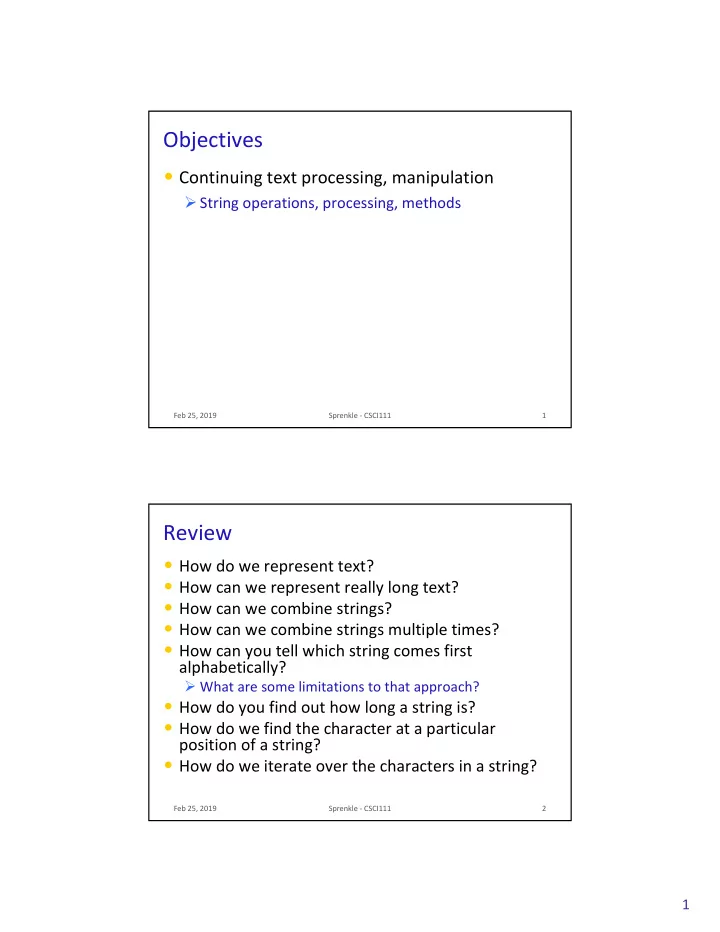
Objectives Continuing text processing, manipulation String operations, processing, methods Feb 25, 2019 Sprenkle - CSCI111 1 Review How do we represent text? How can we represent really long text? How can we combine strings?


slide-1
SLIDE 1

1

Feb 25, 2019 Sprenkle - CSCI111

Objectives

  • Continuing text processing, manipulation

Ø String operations, processing, methods

1

Review

  • How do we represent text?
  • How can we represent really long text?
  • How can we combine strings?
  • How can we combine strings multiple times?
  • How can you tell which string comes first

alphabetically?

Ø What are some limitations to that approach?

  • How do you find out how long a string is?
  • How do we find the character at a particular

position of a string?

  • How do we iterate over the characters in a string?

Feb 25, 2019 Sprenkle - CSCI111 2

slide-2
SLIDE 2

2

Feb 25, 2019 Sprenkle - CSCI111 3

String Comparisons

  • Same operations as with numbers:

Ø ==, != Ø <, <= Ø >, >=

  • Use in conditions in if

if statements

Alphabetical comparison

string_compare.py

if if courseChoice == "CSCI111": print("Good choice!") else else: print("Maybe next semester")

Feb 25, 2019 Sprenkle - CSCI111 4

Strings

  • A sequence of one-character strings

Ø Example: band = "The Beatles"

index or position of characters characters

Length of the string: 11

Built-in function: len(string) to find length of a string Start at 0 End at len(band)-1

'T' 'h' 'e' ' ' 'B' 'e' 'a' 't' 'l' 'e' 's'

1 2 3 4 5 6 7 8 9 10

slide-3
SLIDE 3

3

Feb 25, 2019 Sprenkle - CSCI111 5

Substrings Operator: []

  • Look at a particular character in the string

Ø Syntax: string[<integer expression>]

  • Examples with band = "The Beatles"

Expression Result band[0] "T" band[3] " " band[len(band)] IndexError band[len(band)-1] "s" band[-1] "s"

T h e B e a t l e s 1 2 3 4 5 6 7 8 9 10

Feb 25, 2019 Sprenkle - CSCI111 6

Iterating Through a String

  • Alternatively, can iterate through the positions in

a string

Ø Could write as a while

while loop as well

for for pos in in range(len(string)): print(string[pos])

An integer Index into the string

string_iteration.py

slide-4
SLIDE 4

4

Feb 25, 2019 Sprenkle - CSCI111 7

Summary: Iterating Through a String

  • For each character in the string
  • For each position in the string

string of length 1

for for pos in in range(len(mystring)): print(mystring[pos])

An integer Index into the string

for for char in in mystring mystring: print(char)

Determines loop’s behavior

Feb 25, 2019 Sprenkle - CSCI111 8

Substrings Operator: [:]

  • Select a substring (zero or more characters) using the [ ]

and :

  • <sequence>[<start>:<end>]

Ø returns the subsequence from start start up to and not including end end

  • <sequence>[<start>:]

Ø returns the subsequence from start start to the end of the sequence

  • <sequence>[:<end>]

Ø returns the subsequence from the first element up to and not including end end

  • <sequence>[:]

Ø returns a copy of the entire sequence

slide-5
SLIDE 5

5

Feb 25, 2019 Sprenkle - CSCI111 9

Substrings Operator: [:]

  • Select a substring (one or more characters) using

the [ ] and :

  • Examples: filename = "program.py"

p r

  • g

r a m . p y 1 2 3 4 5 6 7 8 9

Expression Result

filename[0:] filename[0:2] filename[:3] filename[8:] filename[-2:]

Feb 25, 2019 Sprenkle - CSCI111 10

Substrings Operator: [:]

  • Select a substring (one or more characters) using

the [ ] and :

  • Examples: filename = "program.py"

p r

  • g

r a m . p y 1 2 3 4 5 6 7 8 9

Expression Result

filename[0:] "program.py" filename[0:2] "pr" filename[:3] "pro" filename[8:] "py" filename[-2:] "py"

slide-6
SLIDE 6

6

Feb 25, 2019 Sprenkle - CSCI111 11

Testing for Substrings

  • Using the in

in operator

Ø Used in in before in for for loops

  • Syntax:

Ø Evaluates to True or False

  • Example:

substring in in string: if if "cat" in in name: print(name, "contains 'cat'")

Feb 25, 2019 Sprenkle - CSCI111 12

String Search Comparison

  • What do the two if

if statements test for?

PYTHON_EXT = ".py" filename = input("Enter a filename: ") if if filename[-(len(PYTHON_EXT)):] == PYTHON_EXT: # Appropriate output if if PYTHON_EXT in in filename: # Appropriate output

search.py How would the program execution change if it were an if-elif?

slide-7
SLIDE 7

7

Feb 25, 2019 Sprenkle - CSCI111 13

Strings are Immutable

  • For example, you cannot change a character in a

string

Ø str[0] = 'S'

You cannot change the value of strings

Revised Pick4 Game

  • To play: pick 4 numbers between 0 and 9
  • To win: select the numbers that are selected by

the magic ping-pong ball machine

  • Done previously: Simulate the magic ping-pong

ball machines

  • Additional Functionality:

Ø Determine if the user picks the winning number

  • Why couldn’t we solve this before?

Ø What are valid choices for numbers?

Feb 25, 2019 Sprenkle - CSCI111 14

pick4winner.py

slide-8
SLIDE 8

8

USING THE STR STR API

Feb 25, 2019 Sprenkle - CSCI111 16

Review

  • What is an API?
  • How do we call methods on an object?

Feb 25, 2019 Sprenkle - CSCI111 17

slide-9
SLIDE 9

9

Feb 25, 2019 Sprenkle - CSCI111 18

str str Methods

  • str

str is a class or a type

  • Methods: available operations to perform on

str str objects

Ø Provide common functionality

  • To see all methods available for str

str class

Ø help( help(str str)

Feb 25, 2019 Sprenkle - CSCI111 19

str str Methods

  • Example method: find(substring)

find(substring)

Ø Finds the index where substring is in string Ø Returns -1 if substring isn't found

  • To call a method:

Ø <str_obj>.methodname([arguments]) Ø Example: filename.find(".py")

Executed on this string

slide-10
SLIDE 10

10

Feb 25, 2019 Sprenkle - CSCI111 20

Common str str Methods

Method Operation

center(width)

Returns a copy of string centered within the given number of columns

count(sub[, start [, end]])

Return # of non-overlapping occurrences of substring sub in the string.

endswith(sub) startswith(sub)

Return True iff string ends with/starts with sub

find(sub[, start [, end]])

Return first index where substring sub is found

isalpha(), isdigit(), isspace()

Returns True iff string contains letters/digits/whitespace only

lower(), upper()

Return a copy of string converted to lowercase/uppercase

string_methods.py

Feb 25, 2019 Sprenkle - CSCI111 21

Common str str Methods

Method Operation

center(width)

Returns a copy of string centered within the given number of columns

count(sub[, start [, end]])

Return # of non-overlapping occurrences of substring sub in the string.

endswith(sub) startswith(sub)

Return True iff string ends with/starts with sub

find(sub[, start [, end]])

Return first index where substring sub is found

isalpha(), isdigit(), isspace()

Returns True iff string contains letters/digits/whitespace only

lower(), upper()

Return a copy of string converted to lowercase/uppercase

string_methods.py What do the square brackets in APIs mean?

slide-11
SLIDE 11

11

Feb 25, 2019 Sprenkle - CSCI111 22

Common str str Methods

Method Operation

replace(old, new[, count])

Returns a copy of string with all occurrences of substring old

  • ld replaced by substring new.
  • new. If

count count given, only replaces first count count instances.

split([sep])

Return a list of the words in the string, using sep sep as the delimiter string. If sep sep is not specified or is None, any whitespace string is a separator.

strip()

Return a copy of the string with the leading and trailing whitespace removed

join(<sequence>)

Return a string which is the concatenation of the strings in the sequence with the string this is called on as the separator

swapcase()

Return a copy of the string with uppercase characters converted to lowercase and vice versa.

String Methods vs. Functions

Functions

  • All input comes from

arguments/parameters

  • Example: len

len is a built-in function

Ø Called as len len(strobj)

Methods

  • Input comes from

arguments and the string the method was called on

  • Example:

Ø strobj.upper()

Feb 25, 2019 Sprenkle - CSCI111 23

slide-12
SLIDE 12

12

Using the APIs

  • Given a problem, break down the problem

Ø Can any of the parts of the problem be solved using a method in the API?

Feb 25, 2019 Sprenkle - CSCI111 24

Are You Smarter Than a 5th Grader?

  • Problem in spelling from the show: How many

a's are in abracadabra?

Ø Solve using str str methods

  • Silly problem but can generalize to other

problems

Ø How many a’s are in a given word? Ø How many of a certain letter are in a given word?

Feb 25, 2019 Sprenkle - CSCI111 25

slide-13
SLIDE 13

13

Lab 6: Pair Programming

Feb 25, 2019 Sprenkle - CSCI111 26

Every lab, pairs will change

Alphabetically by first name

Extra Credit Opportunities

  • TODAY Gabriel Dance, 4:30 p.m., Stackhouse

Ø “Finding Fake Followers and Watching the Watchers: New Approaches to Investigative Journalism”

  • Friday, Chelsea Barabas, 5 p.m., Northen

Ø “DODGING SILVER BULLETS: UNDERSTANDING THE ROLE OF TECHNOLOGY IN SOCIAL CHANGE”

  • Write up on Sakai:

Ø For talks recommended by Professor Sprenkle, you can earn up to 10 points extra credit for attending the talk and writing a summary containing: Ø Your interest score on a scale of 0 to 9 Ø The three most important points Ø How the talk related to computer science Ø How the talk relates to our class Ø A lingering question you have

Feb 25, 2019 Sprenkle - CSCI111 27

slide-14
SLIDE 14

14

Looking Ahead

  • Lab 6 Prep due tomorrow
  • Lab 6 tomorrow!

Ø Pair Programming

  • Broader Issue Friday

Feb 25, 2019 Sprenkle - CSCI111 28