New Abstract: Multi-gigabyte data sets challenge and frustrate R - - PowerPoint PPT Presentation

new abstract multi gigabyte data sets challenge and
SMART_READER_LITE
LIVE PREVIEW

New Abstract: Multi-gigabyte data sets challenge and frustrate R - - PowerPoint PPT Presentation

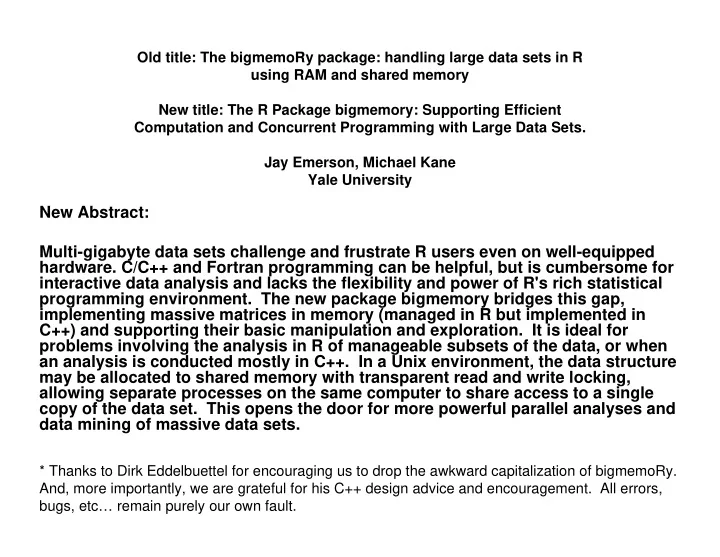
Old title: The bigmemoRy package: handling large data sets in R using RAM and shared memory New title: The R Package bigmemory: Supporting Efficient Computation and Concurrent Programming with Large Data Sets. Jay Emerson, Michael Kane Yale


slide-1
SLIDE 1

Old title: The bigmemoRy package: handling large data sets in R using RAM and shared memory New title: The R Package bigmemory: Supporting Efficient Computation and Concurrent Programming with Large Data Sets. Jay Emerson, Michael Kane Yale University * Thanks to Dirk Eddelbuettel for encouraging us to drop the awkward capitalization of bigmemoRy. And, more importantly, we are grateful for his C++ design advice and encouragement. All errors, bugs, etc… remain purely our own fault.

New Abstract: Multi-gigabyte data sets challenge and frustrate R users even on well-equipped

  • hardware. C/C++ and Fortran programming can be helpful, but is cumbersome for

interactive data analysis and lacks the flexibility and power of R's rich statistical programming environment. The new package bigmemory bridges this gap, implementing massive matrices in memory (managed in R but implemented in C++) and supporting their basic manipulation and exploration. It is ideal for problems involving the analysis in R of manageable subsets of the data, or when an analysis is conducted mostly in C++. In a Unix environment, the data structure may be allocated to shared memory with transparent read and write locking, allowing separate processes on the same computer to share access to a single copy of the data set. This opens the door for more powerful parallel analyses and data mining of massive data sets.

slide-2
SLIDE 2

How did we get here?

  • In our case: we “ran into a wall” playing around with the Netflix Prize

Competition.

– http://www.netflixprize.com/ – Leader leader (as of last week): Team BellKor, 9.15% improvement (competition goal: 10%). – Emerson/Kane/Hartigan: gave up (distracted by the development of bigmemory, more or less).

  • How big is it?

– ~ 100 million ratings (rows) – 5 variables (columns, integer-valued) – ~ 2 GB, using 4-byte integer

  • Upcoming challenge: ASA Data Expo 2009 (organized by Hadley

Wickham): ~ 120 million airline flights from the last 20 years or so, ~ 1 GB of raw data.

  • But… we sensed an opportunity… to do more than just handle big

data sets using R…

slide-3
SLIDE 3

The Problem with Moore The Problem with Moore’ ’s s Law Law

  • Until now, computing performance has been

driven by:

– Clock speed – Execution optimization – Cache

  • Processor speed is not increasing as

quickly as before:

– “CPU performance growth as we have known it hit a wall two years ago” –Herb Sutter – Instead, processor companies add cores

slide-4
SLIDE 4

Dealing with the Dealing with the “ “performance wall performance wall” ”: :

  • Design parallel algorithms

– Take advantage of multiple cores – Have packages for parallel computing (nws, snow, Rmpi)

  • Share large data sets across parallel sessions

efficiently (on one machine)

– Avoid the memory overhead of redundant copies – Provide a familiar interface for R users

  • The future: distributed shared memory (across a

cluster)?

slide-5
SLIDE 5

A brief detour: Netflix with plain old R

# Here, x is an R matrix of integers, ~ 1.85 GB. > mygc(reset=TRUE) [1] "1.85 GB maximum usage." > c50best.1 <- x[x$customer==50 & x$rating>=4,] > mygc() [1] "5.54 GB maximum usage."

Lesson: even the most basic operations in R incur serious memory overhead, often in unexpected* ways. We’ll revisit this example in a few slides… *qualification required.

slide-6
SLIDE 6

Netflix with C

  • Fast analytics (though perhaps slow to develop the

code).

  • Complete control over memory allocation.
  • Not at all interactive. We missed R.
  • Solution: load data into a C matrix (malloc, then don’t

free), passing the address back into R.

– Avoids repeatedly loading the data from disk – Analytics in C still fast to run (but still slow to develop) – Problem: we still missed being able to use R on reasonable- sized subsets of the data. And so bigmemoRy was born (using C), leading to bigmemory (using C++).

slide-7
SLIDE 7

Netflix with R/bigmemory

y <- read.big.matrix('ALLtraining.txt', sep="\t", type='integer', col.names=c("movie","customer", "rating","year","month")) # This is a bit slower than read.table(), but # has no memory overhead. And there is # no memory overhead in subsequent work… # Recommendation: ff should adopt/modify/redesign # this function (or one like it) to make things # easier for the end useR. # Our hope: this (and subsequent) commands should # feel very “comfortable” to R users.

slide-8
SLIDE 8

Netflix with R/bigmemory

> dim(y) [1] 99072112 5 > head(y) movie customer rating year month [1,] 1 1 3 2005 9 [2,] 1 2 5 2005 5 [3,] 1 3 4 2005 10 [4,] 1 5 3 2004 5 [5,] 1 6 3 2005 11 [6,] 1 7 4 2004 8

slide-9
SLIDE 9

Netflix with R/bigmemory

> colrange(y) min max movie 1 17770 customer 1 480189 rating 1 5 year 1999 2005 month 1 12 > c50best.2 <- y[mwhich(y, c("customer", "rating"), + c(50, 4), + c("eq", "ge"), + op='AND'),] # Results omitted, but there is something really # neat here… y could be a matrix or a big.matrix… with # no memory overhead in the extraction.

slide-10
SLIDE 10

Goals of bigmemory

  • Keep things simple for users

– Success: no full-blown matrix functionality, but a familiar interface. – Our early decision (with hindsight, an excellent one): don’t rebuild an extensive library of functionality.

  • Support matrices of double, integer, short, and char values (8, 4, 2, and 1

byte, respectively).

  • Provide a flexible tool for developers interested in large-data analysis and

concurrent programming

– Stable R interface – C++ Application Programming Interface (API) still evolving

  • Support all platforms equally (one of R’s great strengths)

– Works in Linux – Standard (non-shared) features work on all platforms – Shared memory: still a work in progress (also called a failure).

slide-11
SLIDE 11

Architecture

  • R S4 class big.matrix

– The slot @address is an externalptr to a C++ BigMatrix

  • C++ class BigMatrix

– type (template functions used to support double, int, short, and char) – data (void pointer to vector of void pointers, type casting done when needed; thus, we store column vectors. Optionally – in Unix – pointers are to shared memory segments, see below) – nrow, ncol – column_names, row_names – Mutexes (mutual exclusions, aka read/write locks) for each column, if shared memory segments are used (currently System V shared memory; pthread, ipc, shm. Upcoming: mmap via boost) – Thought for the future: metadata? S+ stores and updates various column summary statistics, for example.

slide-12
SLIDE 12

Mutexes Mutexes (mutual exclusions, or (mutual exclusions, or read/write locks) read/write locks)

  • Read Lock

– Multiple processes can read a big.matrix column (or variable) – If another process is writing to a column, wait until it is done before reading

  • Write Lock

– Only one process can write to a column at a time – If another process is reading from a column, wait until it is done before writing

slide-13
SLIDE 13

How to use How to use bigmemory bigmemory, the poor , the poor man man’ ’s approach s approach

slide-14
SLIDE 14

Shared memory challenge: Shared memory challenge: a potential dead a potential dead-

  • lock

lock

x[x[,1]==1,] <- 2

  • Bracket assignment operator is called

– Gets write locks on all columns

  • Logical equality condition is executed

– Tries to get a read lock on the first column

  • Dead-lock!

– Read operation can’t complete until write is finished – Write won’t happen until read is done

slide-15
SLIDE 15

Solution: exploiting R Solution: exploiting R’ ’s lazy s lazy evaluation evaluation

x[x[,1]==1,] <- 2

  • Bracket assignment operator is called

– Gets write locks on all columns – Read locks are disabled

  • Logical equality condition is executed

– Success (because read locks are disabled)!

  • Assignment performed
  • Read lock re-enabled
  • Write lock released
slide-16
SLIDE 16

bigmemory bigmemory with with nws nws (snow very similar) (snow very similar)

> worker <- function(i, descr.bm) { + require(bigmemory) + big <- attach.big.matrix(descr.bm) + return(colrange(big, cols = i)) + } > > library(nws) > s <- sleigh(nwsHost = "HOSTNAME.xxx.yyy.zzz", workerCount = 3) > eachElem(s, worker, elementArgs = 1:5, fixedArgs = list(xdescr))

slide-17
SLIDE 17

bigmemory with nws

[[1]] min max movie 1 17770 [[2]] min max customer 1 480189 [[3]] min max rating 1 5 [[4]] min max year 1999 2005 [[5]] min max month 1 12

slide-18
SLIDE 18

Other comments…

  • bigmemory and ff aren’t the only players, here, and we all face the same problems:

– From package BufferedMatrix (Ben Bolstad): “For instance BufferedMatrix objects are passed by reference rather than by value, are not designed for using with Matrix algebra and can not automatically be passed to all pre-existing functions that expect ordinary matrices (particularly functions that use C code).” – From package filehash (Roger Peng): “[filehash's] main purpose is to allow for simpler interaction with large datasets where simultaneous access to the full dataset is not needed.” – In other words: there is no such thing as free lunch (yet), although with some of the innovations of ff and R.ff, lunch will hopefully soon become less expensive.

  • Platform differences (with respect to shared memory):

– Linux: potential shared memory configuration issues (easy to solve). – Mac: shared memory configuration challenges (harder). Basically, we have Mac shared memory problems that we should have caught but didn’t. Our fault. – Windows: no shared memory support at the moment (may change soon with the addition of mmap via boost).

  • Thomas Lumley’s package biglm

– bigmemory and ff (Dan Adler et. al) both have wrappers for Lumley’s biglm() and bigglm() functions. – Similar functions for iterative (or perhaps parallel) analytics with massive data are needed. Future research opportunities!

slide-19
SLIDE 19

An application: An application: kmeans kmeans

  • Similar to R’s native kmeans function

– MacQeen’s algorithm – Same parameters plus a nws sleigh

  • Embarrassingly parallel: consider many different starting

points (parameter nstart)

  • Multiple R sessions:

– Sharing a single copy of the data in shared memory – Speed gains proportional to the number of processors on the machine (the size of the sleigh)

  • Surprise: R’s kmeans() very inefficient with nstart>1!

– A software issue, not an interesting algorithm issue

slide-20
SLIDE 20

Conclusion Conclusion

  • Now have the tools to efficiently deal with large

data in parallel

– Works in Linux – Will work on the Mac after a quick bugfix. BSD != Linux. – Will work (almost surely?) on Windows in the next month or so.

  • Look for algorithms that can be parallelized

– K-means is just a start – Perhaps this could be the foundation for a 2009 UseR! Competition?

slide-21
SLIDE 21

Misc Misc extra slides extra slides (time permitting) (time permitting)

  • Can’t add/delete columns or change

names in shared memory

  • User mutexes are provided
  • Shared information stays in memory until

the last session “attached” to it is finished

  • System V shared memory (the source of
  • ur Windows difficulties)
  • pthread read/write mutexes
slide-22
SLIDE 22

Netflix with plain old R

# If you don't use colClasses="integer" here, # the memory usage will double: x <- read.table("ALLtraining.txt", sep="\t", header=FALSE, as.is=TRUE, colClasses="integer", col.names=c("movie","customer","rating", "year","month")) dim(x) summary(x) names(x) # I omitted the output from these commands. But: > mygc() [1] "6.64 GB maximum usage."

slide-23
SLIDE 23

Netflix with plain old R

> mygc(reset=TRUE) [1] "1.85 GB maximum usage." > for (i in 1:5) print(range(x[,i])) [1] 1 17770 [1] 1 480189 [1] 1 5 [1] 1999 2005 [1] 1 12 > mygc() [1] "3.69 GB maximum usage."

slide-24
SLIDE 24

Netflix with plain old R

> lapply(x, range) $movie [1] 1 17770 $customer [1] 1 480189 $rating [1] 1 5 $year [1] 1999 2005 $month [1] 1 12 > mygc() [1] "5.54 GB maximum usage."