Neural Control Systems: An introduction Federico Nesti, - - PDF document

neural control systems an introduction
SMART_READER_LITE
LIVE PREVIEW

Neural Control Systems: An introduction Federico Nesti, - - PDF document

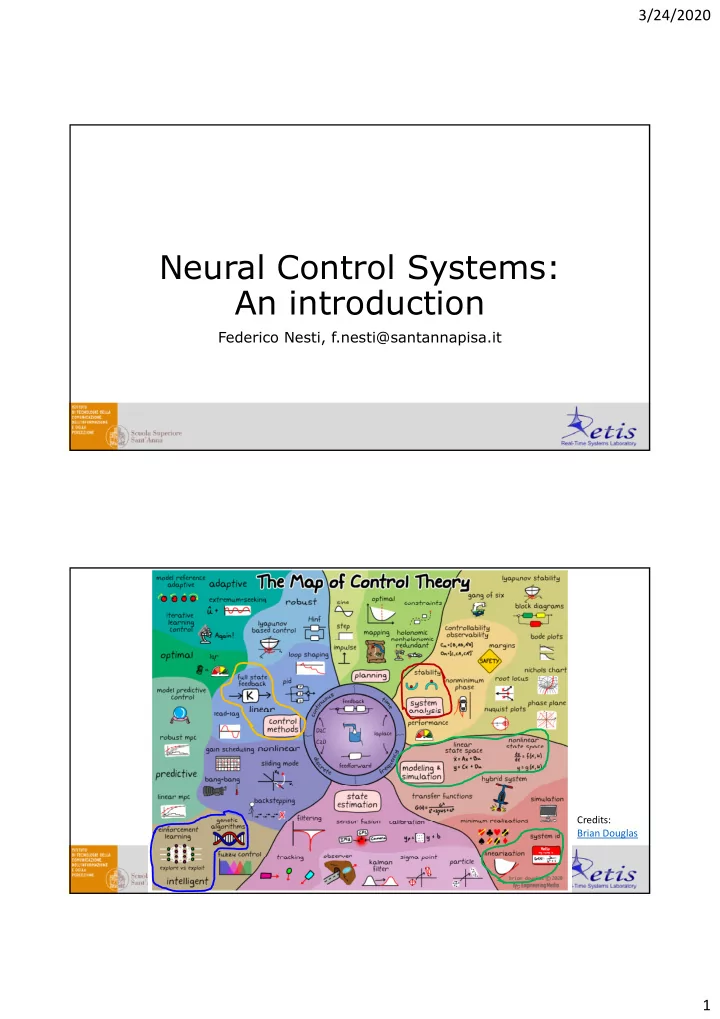
3/24/2020 Neural Control Systems: An introduction Federico Nesti, f.nesti@santannapisa.it Federico Nesti, f.nesti@santannapisa.it Credits: Brian Douglas 1 3/24/2020 Layout Introduction to Dynamical Systems o What is a dynamical system?

slide-1
SLIDE 1

3/24/2020 1

Neural Control Systems: An introduction

Federico Nesti, f.nesti@santannapisa.it Federico Nesti, f.nesti@santannapisa.it

Credits: Brian Douglas

slide-2
SLIDE 2

3/24/2020 2

  • Introduction to Dynamical Systems

Layout

  • What is a dynamical system? Features and properties
  • Classic Control
  • OpenAI Gym Environments
  • Tensorflow Recap
  • Classic Neural Control
  • System Identification
  • Reference Model Control
  • Introduction to Dynamical Systems

Layout

  • What is a dynamical system? Features and properties
  • Classic Control
  • OpenAI Gym Environments
  • Tensorflow Recap
  • Classic Neural Control
  • System Identification
  • Reference Model Control
slide-3
SLIDE 3

3/24/2020 3

Dynamical Systems Dynamical Systems

System Control Input Initial Condition State

slide-4
SLIDE 4

3/24/2020 4

Dynamical Systems Dynamical Systems

slide-5
SLIDE 5

3/24/2020 5

Dynamical Systems Dynamical Systems

slide-6
SLIDE 6

3/24/2020 6

Dynamical Systems Control Systems

A Control System is intended to regulate the system state in a specified manner through the action of a Controller (and usually a

Controller

Reference Control input error

specified manner through the action of a Controller (and usually a Feedback signal, that makes it a Closed Loop Control System).

  • State

State feedback

slide-7
SLIDE 7

3/24/2020 7

Simple Control Systems Design Flow

1) Choose equilibrium where to control the system (e.g., upright) 2) Linearize the system on that equilibrium, check stability 3) Design gain of proportional controller

Equilibria

Null Velocity

slide-8
SLIDE 8

3/24/2020 8

Equilibria Linearization

Stability of equilibria is critical: down position is clearly stable, upright is UNSTABLE! How to state this? UNSTABLE! How to state this?

  • LINEARIZATION. Linearizing around a certain equilibrium point makes the

«residual» system linear and much simpler to analyze (linear algebra tools).

slide-9
SLIDE 9

3/24/2020 9

Linearization Linearization

slide-10
SLIDE 10

3/24/2020 10

Eigenvalues Eigenvalues

slide-11
SLIDE 11

3/24/2020 11

Eigenvalues Design Gain

How to control the plant in the unstable ilib i ? equilibrium? Add state feedback.

K

Control input

slide-12
SLIDE 12

3/24/2020 12

Design Gain Design Gain

slide-13
SLIDE 13

3/24/2020 13

Key Takeaways

  • Control Systems objective
  • State Space formalism
  • Reference, feedback, error signal
  • No matter what systems represents in reality!

Control only cares about system dynamics.

  • Control design can be hard with simple plants.

Control design can be hard with simple plants. How to control complex (and ill-modeled) systems?

  • Introduction to Dynamical Systems

Layout

  • What is a dynamical system? Features and properties
  • Classic Control
  • Gym Environments
  • Tensorflow Recap
  • Classic Neural Control
  • System Identification
  • Reference Model Control
slide-14
SLIDE 14

3/24/2020 14

OpenAI Gym Environments

  • Lots of pre-configured

i t environments

  • Open Source
  • Easily configurable

custom environments https://gym.openai.com/

Simple gym installation:

OpenAI Gym Environments

$ pip install gym Custom gym installation (needs Mujoco dependency): $ git clone http://github.com/openai/gym $ cd gym gym$ pip install –e ‘.[all]’ --user

slide-15
SLIDE 15

3/24/2020 15

Custom environment installation: C f ld

/ /

OpenAI Gym Environments

  • Create folder gym/envs/custom
  • Create gym/envs/custom/foo_env.py

and gym/envs/custom/__init__.py

  • In the file gym/envs/__init__.py add line

register(id=‘foo-v0’, entry_point=‘gym.envs.custom:Foo’,)

  • Reinstall gym

Reinstall gym

Initialization: import gym

OpenAI Gym Environments

env = gym.make(env_name) Spaces: env.observation_space env.action_space Methods:

Discrete or Box (i.e., continuous)

Methods:

  • state = env.reset()
  • env.render()
  • new_state, reward, done, info = env.step(action)
slide-16
SLIDE 16

3/24/2020 16

OpenAI Gym Environments

import gym env = gym.make(‘CartPole-v0’) s = env.reset() for i in range(N): env.render() s_, r, d, _ = env.step(env.action_space.sample())

MuJoCo Environments

Some environments are free and open-source: Atari, box2D, classic

control, algorithms, toy text.

The environments in MuJoCo and Robotics need an external dependency on a physics simulator, called MuJoCo.

slide-17
SLIDE 17

3/24/2020 17

MuJoCo Environments

To install MuJoCo: G t htt // b ti /li ht l d bt i 30 d t i l li ( t d t l)

  • Goto https://www.roboti.us/license.html and obtain 30-days-trial license (student, personal)
  • Register PC as explained in the instructions
  • Download mujoco2.0, extract in /home/.mujoco and move license here
  • Add line “export

LD_LIBRARY_PATH=$LD_LIBRARY_PATH:/home/(username)/.mujoco/mujoco200 /bin”, then execute source ~/.bashrc

MuJoCo Environments

To install MuJoCo:

  • $ git clone http://github.com/openai/mujoco-py.git
  • $ cd mujoco-py

$ cd mujoco py

  • mujoco-py$ sudo apt-get update
  • mujoco-py$ sudo apt-get install patchelf
  • mujoco-py$ sudo apt-get install python3 python-dev python3-dev build-essential

libssl-dev libffi-dev libxml2-dev libxslt1-dev zlib1g-dev libglew1.5 libglew- dev python-pip libgl1-mesa-dev +libgl1-mesa-glx libosmesa6-dev python3-numpy python3-scipy libglfw3-dev

  • mujoco-py$ pip install –r requirements.txt
  • mujoco-py$ pip install –r requirements.dev.txt

j $ d th 3 t d l

  • mujoco-py$ sudo python3 setup.py develop
  • (Copy export LD_PRELOAD=/usr/lib/x86_64-linux-gnu/libGLEW.so in ~/.bashrc)
  • $ source ~/.bashrc
  • Reinstall gym
slide-18
SLIDE 18

3/24/2020 18

  • Introduction to Dynamical Systems

Layout

  • What is a dynamical system? Features and properties
  • Classic Control
  • Gym Environments
  • Tensorflow Recap
  • Classic Neural Control
  • System Identification
  • Reference Model Control

Walkthrough Jupyter Notebook. Basic concepts:

Tensorflow 1.x Recap

  • Computational graphs
  • Sessions (sess.run)
  • Variables and placeholders
  • Building models
  • Optimizers
  • Training process

Training process

  • MNIST example
  • Tensorboard
slide-19
SLIDE 19

3/24/2020 19

  • Introduction to Dynamical Systems

Layout

  • What is a dynamical system? Features and properties
  • Classic Control
  • Gym Environments
  • Tensorflow Recap
  • Classic Neural Control
  • System Identification
  • Reference Model Control

Classic Neural Control

slide-20
SLIDE 20

3/24/2020 20

System Identification

  • +

System NN Learning NN

System Identification

Output Input

slide-21
SLIDE 21

3/24/2020 21

Generation of input-output data

Random amplitude and duration input generation Next state computation and noise addition

Training of NN

slide-22
SLIDE 22

3/24/2020 22

System Identification

Predicted Actual

Reference Model Control

Reference Model

  • System

NN controller Learning

  • +

+ Learning model NN

slide-23
SLIDE 23

3/24/2020 23

Reference Model Control

This is why this net is a RECURRENT net! Controller output depends on previous p p

  • utput.

Reference Model Control

slide-24
SLIDE 24

3/24/2020 24

Reference Model Control

The architecture can be NN NN Model Model LOSS unrolled to clarify the temporal dependency. controller controller Model Model LOSS

Reference Model Control

Backpropagation through time Model NN NN Model LOSS Model controller controller Model LOSS

slide-25
SLIDE 25

3/24/2020 25

Reference Model Control

Angle [rad]

Target Reference Actual

Time Steps

  • This is how to identify an unknown system and how to

control it!

Classic Neural Control

control it!

  • First applications of neural networks in control

Next: “intelligent” control

  • Reinforcement Learning
  • Genetic Algorithms