NetFPGA Workshop Day 1 Presented by: Jad Naous Andrew W. Moore - - PDF document

netfpga workshop day 1
SMART_READER_LITE
LIVE PREVIEW

NetFPGA Workshop Day 1 Presented by: Jad Naous Andrew W. Moore - - PDF document

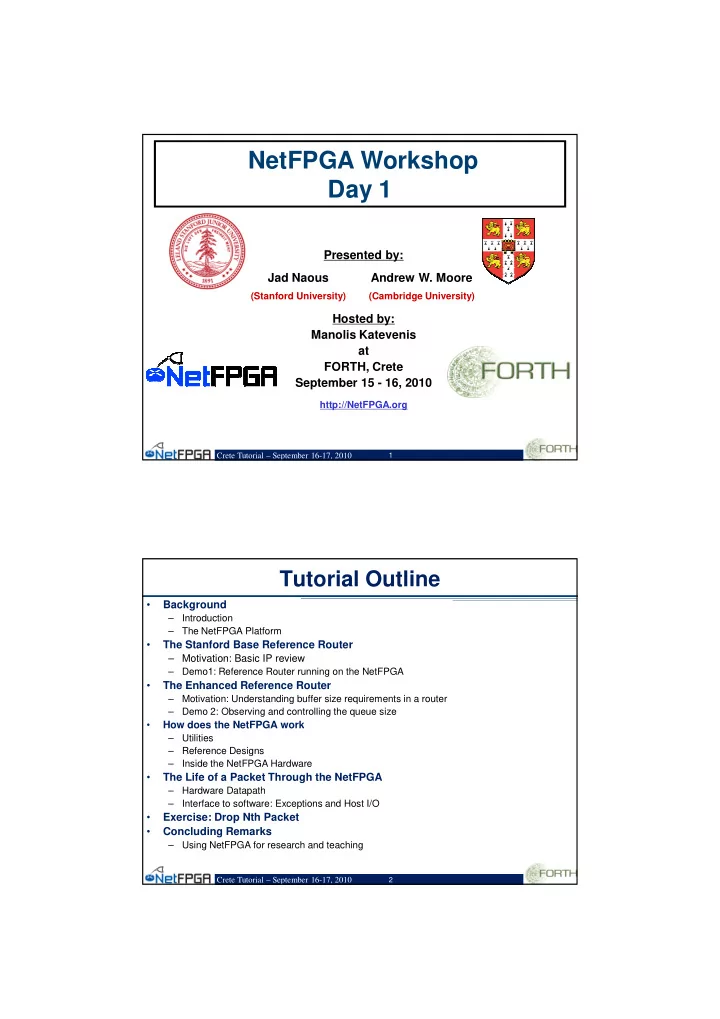
NetFPGA Workshop Day 1 Presented by: Jad Naous Andrew W. Moore (Stanford University) (Cambridge University) Hosted by: Manolis Katevenis at FORTH, Crete September 15 - 16, 2010 http://NetFPGA.org Crete Tutorial September 16-17, 2010


slide-1
SLIDE 1

Crete Tutorial – September 16-17, 2010

1

NetFPGA Workshop Day 1

Presented by: Hosted by: Manolis Katevenis at FORTH, Crete September 15 - 16, 2010

http://NetFPGA.org

Jad Naous Andrew W. Moore

(Stanford University) (Cambridge University)

Crete Tutorial – September 16-17, 2010

2

Tutorial Outline

  • Background

– Introduction – The NetFPGA Platform

  • The Stanford Base Reference Router

– Motivation: Basic IP review – Demo1: Reference Router running on the NetFPGA

  • The Enhanced Reference Router

– Motivation: Understanding buffer size requirements in a router – Demo 2: Observing and controlling the queue size

  • How does the NetFPGA work

– Utilities – Reference Designs – Inside the NetFPGA Hardware

  • The Life of a Packet Through the NetFPGA

– Hardware Datapath – Interface to software: Exceptions and Host I/O

  • Exercise: Drop Nth Packet
  • Concluding Remarks

– Using NetFPGA for research and teaching

slide-2
SLIDE 2

Crete Tutorial – September 16-17, 2010

3

Section I: Motivation

Crete Tutorial – September 16-17, 2010

4

What is the NetFPGA?

A line-rate, flexible, open networking platform for teaching and research

slide-3
SLIDE 3

Crete Tutorial – September 16-17, 2010

5

NetFPGA Board

NetFPGA consists of…

Four elements:

  • NetFPGA board
  • Tools + reference designs
  • Contributed projects
  • Community

Crete Tutorial – September 16-17, 2010

6

FPGA

Memory

1GE 1GE 1GE 1GE

NetFPGA board

PCI

CPU

Memory

NetFPGA Board PC with NetFPGA

Networking Software running on a standard PC

A hardware accelerator built with Field Programmable Gate Array driving Gigabit network links

slide-4
SLIDE 4

Crete Tutorial – September 16-17, 2010

7

Tools + reference designs

Tools:

  • Compile designs
  • Verify designs
  • Interact with hardware

Reference designs:

  • Router (HW)
  • Switch (HW)
  • Network Interface Card (HW)
  • Router Kit (SW)
  • SCONE (SW)

Crete Tutorial – September 16-17, 2010

8

Example Contributed Projects

More projects: http://netfpga.org/foswiki/NetFPGA/OneGig/ProjectTable

Project Contributor OpenFlow switch Stanford University Packet generator Stanford University NetFlow Probe Brno University NetThreads University of Toronto zFilter (Sp)router Ericsson Traffic Monitor University of Catania DFA UMass Lowell

slide-5
SLIDE 5

Crete Tutorial – September 16-17, 2010

9

Community

Wiki

  • Documentation (slowly growing)
  • Encourage users to contribute

Forums

  • Support by users for users
  • Active community – 10s to 100s of posts

per week

Crete Tutorial – September 16-17, 2010

10

NetFPGA’s Defining Characteristics

  • Line-Rate

– Processes back-to-back packets

  • Without dropping packets
  • At full rate of Gigabit Ethernet Links

– Operating on packet headers

  • For switching, routing, and firewall rules

– And packet payloads

  • For content processing and intrusion prevention
  • Open-source Hardware

– Similar to open-source software

  • Full source code available
  • BSD-Style License

– But harder, because

  • Hardware modules must meeting timing
  • Verilog & VHDL Components have more complex interfaces
  • Hardware designers need high confidence in specification of modules
slide-6
SLIDE 6

Crete Tutorial – September 16-17, 2010

11

Test-Driven Design

  • Regression tests

– Have repeatable results – Define the supported features – Provide clear expectation on functionality

  • Example: Internet Router

– Drops packets with bad IP checksum – Performs Longest Prefix Matching on destination address – Forwards IPv4 packets of length 64-1500 bytes – Generates ICMP message for packets with TTL <= 1 – Defines how packets with IP options or non IPv4

… and dozens more … Every feature is defined by a regression test

Crete Tutorial – September 16-17, 2010

12

Who, How, Why

Who uses the NetFPGA?

– Teachers – Students – Researchers

How do they use the NetFPGA?

– To run the Router Kit – To build modular reference designs

  • IPv4 router
  • 4-port NIC
  • Ethernet switch, …

Why do they use the NetFPGA?

– To measure performance of Internet systems – To prototype new networking systems

slide-7
SLIDE 7

Crete Tutorial – September 16-17, 2010

13

What you will learn

  • Overall picture of NetFPGA
  • How reference designs work
  • How you can work on a project

– NetFPGA Design Flow – Directory Structure, library modules and projects – How to utilize contributed projects

  • Interface/Registers

– How to verify a design (Simulation and Regression Tests) – Things to do when you get stuck

AND… You can start your own projects!

Crete Tutorial – September 16-17, 2010

14

Section II: Demo Basic Use

slide-8
SLIDE 8

Crete Tutorial – September 16-17, 2010

15

Basic Uses of NetFPGA

  • Recap Internet Protocol and Routing
  • Demonstrate

– How you can use the NetFPGA as a router – See routing in action

Crete Tutorial – September 16-17, 2010

16

What is IP?

  • IP (Internet Protocol)

– Protocol used for communicating data across packet-switched networks – Divides data into a number of packets (IP packet)

  • IP Packet

– Header (IP Header) including:

  • Source IP address
  • Destination IP address
slide-9
SLIDE 9

Crete Tutorial – September 16-17, 2010

17

IP Header

  • 16

32

4 1

Data Options (if any) Destination Address Source Address Header Checksum Protocol TTL Fragment Offset

Flags

Fragment ID Total Packet Length T.Service

HLen

Ver

  • Crete Tutorial – September 16-17, 2010

18

IP Address

  • Used to uniquely identify a device (such as

a computer) from all other devices on a network

– Two parts

  • Identifier of a particular network on the Internet
  • Identifier of a particular device within a network

All packets, except the ones for the same network, first go to their gateway (router) and are transferred to the destination via routers.

slide-10
SLIDE 10

Crete Tutorial – September 16-17, 2010

19

Basic Operation of an IP Router

  • R5

F R3 E R3 D Next Hop Destination

Crete Tutorial – September 16-17, 2010

20

What does a router do?

  • R5

F R3 E R3 D Next Hop Destination

16

32

4 1

Data Options (if any) Destination Address Source Address Header Checksum Protocol TTL Fragment Offset

Flags

Fragment ID Total Packet Length T.Service HLen Ver

slide-11
SLIDE 11

Crete Tutorial – September 16-17, 2010

21

What does a router do?

  • Crete Tutorial – September 16-17, 2010

22

Basic Components of an IP Router

Control Plane Datapath

per-packet processing

Switching Forwarding Table Routing Table Routing Protocols Management & CLI

Software Hardware

slide-12
SLIDE 12

Crete Tutorial – September 16-17, 2010

23

Per-packet processing in an IP Router

  • 1. Accept packet arriving on an incoming link.
  • 2. Lookup packet destination address in the

forwarding table to identify outgoing port(s).

  • 3. Manipulate IP header: e.g., decrement TTL,

update header checksum.

  • 5. Buffer packet in the output queue.
  • 6. Transmit packet onto outgoing link.

Crete Tutorial – September 16-17, 2010

24

Generic Datapath Architecture

  • !"#
  • $!"#

%&

  • '(

) ** +,

slide-13
SLIDE 13

Crete Tutorial – September 16-17, 2010

25

CIDR and Longest Prefix Matches

The IP address space is broken into line segments. Each line segment is described by a prefix. A prefix is of the form x/y where x indicates the prefix of all

addresses in the line segment, and y indicates the length of the segment.

e.g. The prefix 128.9/16 represents the line segment

containing addresses in the range: 128.9.0.0 … 128.9.255.255.

  • ./012

./0// 2 /10 21.

./0/2/

Crete Tutorial – September 16-17, 2010

26

Classless Interdomain Routing (CIDR)

  • ./012

./0/2/

./0/21 ./0/321 ./0/01 ./0/1

+ !*! 45&"#, 6!"#*!(7

slide-14
SLIDE 14

Crete Tutorial – September 16-17, 2010

27

Techniques for LPM in hardware

  • Linear search

– Slow

  • Direct lookup

– Currently requires too much memory – Updating a prefix leads to many changes

  • Tries

– Deterministic lookup time – Easily pipelined but require multiple memories/references

  • TCAM (Ternary CAM)

– Simple and widely used but have lower density than RAM and need more power – Gradually being replaced by algorithmic methods

Crete Tutorial – September 16-17, 2010

28

An IP Router on NetFPGA

Switching Forwarding Table Routing Table Routing Protocols Management & CLI

Software Hardware Linux user-level processes Verilog on NetFPGA PCI board

Exception Processing

slide-15
SLIDE 15

Crete Tutorial – September 16-17, 2010

30

Demo 1

Reference Router running on the NetFPGA

Crete Tutorial – September 16-17, 2010

31

Net-FPGA

Hardware Setup for Demo #1

Net-FPGA GE

GE GE GE

Internet Router Hardware

CPU x2 Net-FPGA NIC

GE

PCI-e PCI

Video Display

GE GE GE GE GE

CAD Tools

GE GE GE GE

Internet Router Hardware Internet Router Hardware

CPU x2

PCI-e PCI

Video Server

NIC

GE

PCI-e

GE

Server delivers streaming HD video through a chain of NetFPGA Routers

slide-16
SLIDE 16

Crete Tutorial – September 16-17, 2010

32

Topology

.1.1 .1.2 .3.1 .30.2 .4.1 .4.2 .6.1 .3.2 .7.1 .7.2 .9.1 .6.2 .10.1 .10.2 .12.1 .9.2 .13.1 .13.2 .15.1 .12.2 .16.1 .16.2 .15.2 .28.1 .28.2 .27.1 .30.1 .25.1 .25.2 .24.1 .27.2 .22.1 .22.2 .21.1 .24.2 .19.1 .19.2 .17.1 .21.2 .18.2 .5.1 .8.1 .11.1 .14.1 .18.1 .20.1 .23.1 .26.1 .29.1 .2.1

Video Client Shortest Path Video Server

Crete Tutorial – September 16-17, 2010

33

slide-17
SLIDE 17

Crete Tutorial – September 16-17, 2010

34

Working IP Router

  • Objectives

– Become familiar with Stanford Reference Router – Observe PW-OSPF re-routing traffic around a failure

Crete Tutorial – September 16-17, 2010

35

Step 1 – Observe the Routing Tables

The router is already configured and running on your machines The routing table has converged to the routing decisions with minimum number of hops Next, break a link …

slide-18
SLIDE 18

Crete Tutorial – September 16-17, 2010

36

Step 2 - Dynamic Re-routing

eth1 of Host PC 192.168.X.Y

5 6 4

10.1

192.168.18.* 192.168.21.*

8 3 2 1 7 9

16.1

Key:

NetFPGA Router #

13.1 19.1 22.1 1.1 25.1 28.1 7.1 4.1

Any PC can stream traffic through multiple NetFPGA routers in the ring topology to any other PC

192.168.24.* 192.168.27.* 192.168.30.* 192.168.3.* 192.168.6.* 192.168.9.* 192.168.12.* 1192.168.15.*

To stream mplayer video from server 4.1, type: ./mp 192.168.4.1

Example:

Crete Tutorial – September 16-17, 2010

37

Step 3 - Dynamic Re-routing

Break the link between video server and video client Routers re-route traffic around the broken link and video continues playing

.1.1 .1.2 .3.1 .30.2 .4.1 .4.2 .6.1 .3.2 .7.1 .7.2 .9.1 .6.2 .10.1 .10.2 .12.1 .9.2 .13.1 .13.2 .15.1 .12.2 .16.1 .16.2 .15.2 .28.1 .28.2 .27.1 .30.1 .25.1 .25.2 .24.1 .27.2 .22.1 .22.2 .21.1 .24.2 .19.1 .19.2 .17.1 .21.2 .18.2 .5.1 .8.1 .11.1 .14. 1 .18.1 .20.1 .23.1 .26.1 .29.1 .2.1

slide-19
SLIDE 19

Crete Tutorial – September 16-17, 2010

38

Section III: Demo Advanced Use

Crete Tutorial – September 16-17, 2010

39

Advanced Uses of NetFPGA

  • Introduction on TCP and Buffer Sizes
  • Demonstrate

– NetFPGA used for real time measurement – See TCP Saw tooth in real time

slide-20
SLIDE 20

Crete Tutorial – September 16-17, 2010

40

Buffer Requirements in a Router

Buffer size matters:

– Small queues reduce delay – Large buffers are expensive

Theoretical tools predict requirements

– Queuing theory – Large deviation theory – Mean field theory

Yet, there is no direct answer

– Flows have a closed-loop nature – Question arises on whether focus should be on equilibrium state or transient state

Crete Tutorial – September 16-17, 2010

41

  • Universally applied rule-of-thumb:

– A router needs a buffer size: – 2T is the two-way propagation delay (or just 250ms) – C is capacity of bottleneck link

  • Context

– Mandated in backbone and edge routers – Appears in RFPs and IETF architectural guidelines – Already known by inventors of TCP

  • [Van Jacobson, 1988]

– Has major consequences for router design

Rule-of-thumb

C T B × = 2

C

Router Source Destination

2T

slide-21
SLIDE 21

Crete Tutorial – September 16-17, 2010

42

The Story So Far

10,000 20

# packets at 10Gb/s

1,000,000

(1) Assume: Large number of desynchronized flows; 100% utilization (2) Assume: Large number of desynchronized flows; <100% utilization

Crete Tutorial – September 16-17, 2010

43

Exploring Buffer Sizes

  • Need to reduce buffer size and measure
  • ccupancy
  • Not possible in commercial routers
  • So, we will use the NetFPGA instead

Objective:

– Use the NetFPGA to understand how large a buffer we need for a single TCP flow.

slide-22
SLIDE 22

Crete Tutorial – September 16-17, 2010

44

Rule for adjusting W

W W W

– If an ACK is received: W ← W+1/W – If a packet is lost: W ← W/2

Why 2TxC for a single TCP Flow?

Only W packets may be outstanding http://guido.appenzeller.net/anims/

Crete Tutorial – September 16-17, 2010

45

Time evolution of a single TCP flow through a router. Buffer is < 2T*C

Time Evolution of a Single TCP Flow

Time evolution of a single TCP flow through a router. Buffer is 2T*C

slide-23
SLIDE 23

Crete Tutorial – September 16-17, 2010

46

Demo 2 Buffer Sizing Experiments using the NetFPGA Router

Crete Tutorial – September 16-17, 2010

47

Hardware Setup for Demo #2

CPU x2

PCI-e

Video Server

NIC

GE

PCI-e

GE

Net-FPGA CPU x2 NIC

GE

PCI-e PCI

Video Client

GE GE GE GE GE

Internet Router Hardware

Server delivers streaming HD video to adjacent client

slide-24
SLIDE 24

Crete Tutorial – September 16-17, 2010

48

Topology

  • eth1 connects your host to your NetFPGA Router
  • nf2c2 routes to nf2c1 (your adjacent server)
  • eth2 serves web and video traffic to your neighbor
  • nf2c0 & nf2c3 (the network ring) are unused

.1.1 .1.2 .4.1 .4.2 .7.1 .7.2 .10.1 .10.2 .13.1 .13.2 .16.1 .16.2 .28.1 .28.2 .25.1 .25.2 .22.1 .22.2 .19.1 .19.2 .2.2 .2.1 .5.2 .5.1 .8.2 .8.1 .11.2 .11.1 .14.2 .14.1 .17.2 .17.1 .20.2 .20.1 .23.2 .23.1 .26.2 .26.1 .29.2 .29.1

This configuration allows you to modify and test your router without affecting others Crete Tutorial – September 16-17, 2010

49

Enhanced Router

Objectives

– Observe router with new modules – New modules: rate limiting, event capture

Execution

– Run event capture router – Look at routing tables – Explore details pane – Start tcp transfer, look at queue occupancy – Change rate, look at queue occupancy

slide-25
SLIDE 25

Crete Tutorial – September 16-17, 2010

50

Step 1 - Run Pre-made Enhanced Router Start terminal and cd to “netfpga/projects/ tutorial_router/sw/” Type “./tut_adv_router_gui.pl” A familiar GUI should start

Crete Tutorial – September 16-17, 2010

51

Step 2 - Explore Enhanced Router

Click on the Details tab A similar pipeline to the one seen previously shown with some additions

slide-26
SLIDE 26

Crete Tutorial – September 16-17, 2010

52

Enhanced Router Pipeline

Two modules added

  • 1. Event Capture

to capture output queue events (writes, reads, drops)

  • 2. Rate Limiter

to create a bottleneck

  • Crete Tutorial – September 16-17, 2010

53

Step 3 - Decrease the Link Rate

To create bottleneck and show the TCP “sawtooth,” link-rate is decreased. In the Details tab, click the “Rate Limit” module Check Enabled Set link rate to 1.953Mbps

slide-27
SLIDE 27

Crete Tutorial – September 16-17, 2010

54

Step 4 – Decrease Queue Size

Go back to the Details panel and click on “Output Queues” Select the “Output Queue 2” tab Change the output queue size in packets slider to 16

Crete Tutorial – September 16-17, 2010

55

Step 5 - Start Event Capture

Click on the Event Capture module under the Details tab This should start the configuration page

slide-28
SLIDE 28

Crete Tutorial – September 16-17, 2010

56

Step 6 - Configure Event Capture

Check Send to local host to receive events

  • n the local host

Check Monitor Queue 2 to monitor output queue

  • f MAC port1

Check Enable Capture to start event capture

Crete Tutorial – September 16-17, 2010

57

Step 7 - Start TCP Transfer

We will use iperf to run a large TCP transfer and look at queue evolution Start a terminal and cd to “netfpga/projects/tutorial_router/sw” Type “./iperf.sh”

slide-29
SLIDE 29

Crete Tutorial – September 16-17, 2010

58

Step 8 - Look at Event Capture Results Click on the Event Capture module under the Details tab. The sawtooth pattern should now be visible.

Crete Tutorial – September 16-17, 2010

59

Queue Occupancy Charts

Leave the control windows open Observe the TCP/IP sawtooth

slide-30
SLIDE 30

Crete Tutorial – September 16-17, 2010

60

Section IV: How does the NetFPGA Work

Crete Tutorial – September 16-17, 2010

61

Integrated Circuit Technology

Full-custom Design

– Complementary Metal Oxide Semiconductor (CMOS)

Semi-custom ASIC Design

– Gate array – Standard cell

Programmable Logic Device

– Programmable Array Logic – Field Programmable Gate Arrays

Processors

slide-31
SLIDE 31

Crete Tutorial – September 16-17, 2010

62

Combinatorial Logic

A B C D Z

Look-Up Tables

Combinatorial logic is stored in Look-Up Tables (LUTs)

– Also called Function Generators (FGs) – Capacity is limited only by number of inputs, not complexity

– Delay through the LUT is constant

A B C D Z 0 0 0 0 0 0 0 0 1 0 0 0 1 0 0 0 0 1 1 1 0 1 0 0 1 0 1 0 1 1 . . . 1 1 0 0 0 1 1 0 1 0 1 1 1 0 0 1 1 1 1 1

Diagram From: Xilinx, Inc Crete Tutorial – September 16-17, 2010

63

Slice 0 LUT Carry LUT Carry

D Q CE PRE CLR D Q CE PRE CLR

Xilinx CLB Structure

Each slice has four outputs

– Two registered outputs, two non-registered outputs – Two BUFTs associated with each CLB, accessible by all 16 CLB outputs

Carry logic run vertically – Signals run upward

– Two independent carry chains per CLB

Diagram From: Xilinx, Inc.

slide-32
SLIDE 32

Crete Tutorial – September 16-17, 2010

64

Field Programmable Gate Arrays

CLB

– Primitive element of FPGA

Routing Module

– Global routing – Local interconnect

Macro Blocks

– Block Memories – Microprocessor

I/O Block

4 LUT G4 G3 G2 G1 G 4 LUT F4 F3 F2 F1 F 3 LUT H S R D Q S R D Q H1 Din Clk YQ Y XQ X M M M M CLB

GRM

Local Routing

CLB PIP

... ... ... ... ... ... ... 3rd Generation LUT-based FPGA Pad Routing CLB Matrix I/O Macro Block (uP, Mem) Crete Tutorial – September 16-17, 2010

65

NetFPGA Package

  • Utilities

– Simulation – Synthesis – Registers

  • Verilog Libraries (shared modules)
  • Projects (reference and contributed)
slide-33
SLIDE 33

Crete Tutorial – September 16-17, 2010

66

Simulation and Synthesis

  • Simulation (nf_run_test.pl)

– Allows simulation from command line or GUI – Uses backend libraries (Perl and Python) to create packets for simulation

  • Synthesis (make)

– In the projects synth directory – Automatically includes Xilinx Coregen components from shared libraries – Includes all Xilinx Coregen components form a projects synth directory (.xco)

Crete Tutorial – September 16-17, 2010

67

Shared Verilog Libraries (modules)

  • Located at netfpga/lib/verilog
  • Specify shared libraries in project.xml

– Any project can use any module

  • Local modules in a project’s src dir over rides a

shared library – If arp_reply is found both in shared library and project’s src directory only the project’s src directory version is used

slide-34
SLIDE 34

Crete Tutorial – September 16-17, 2010

68

Register System

  • Project XML (project.xml)

– Found in project/include directory – Specifies shared libraries and location of registers in pipeline

  • Each module with registers has an XML file

– Specifies the register names and widths

  • Register files automatically created using

nf_register_gen.pl – Perl header files – C header files – Verilog file defining registers

Crete Tutorial – September 16-17, 2010

69

Reference Projects

  • Easily extend and add modules
  • Currently

– Reference NIC – Reference Router – Reference Switch – Router KIT – Router Buffer Sizing

slide-35
SLIDE 35

Crete Tutorial – September 16-17, 2010

70

Full System Components

Software PCI Bus NetFPGA

  • !"

#$ #% # #& #'

  • Ethernet
  • Crete Tutorial – September 16-17, 2010

71

Reference Router Pipeline

  • Five stages

– Input – Input arbitration – Routing decision and packet modification – Output queuing – Output

  • Packet-based

module interface

  • Pluggable design
slide-36
SLIDE 36

Crete Tutorial – September 16-17, 2010

72

Section V: Life of a Packet Through Hardware

Crete Tutorial – September 16-17, 2010

73

port0 port2

192.168.2.y 192.168.1.x

Life of a Packet through the Hardware

slide-37
SLIDE 37

Crete Tutorial – September 16-17, 2010

74

Inter-Module Communication

Using “Module Headers”:

IP Hdr Eth Hdr

… Last word of packet 0x10

Last Module Hdr y … … Module Hdr x

Contain information such as packet length, input port,

  • utput port, …

Data Word (64 bits) Ctrl Word (8 bits)

Crete Tutorial – September 16-17, 2010

75

data

Inter-Module Communication

ctrl wr rdy

slide-38
SLIDE 38

Crete Tutorial – September 16-17, 2010

76

MAC Rx Queue

Crete Tutorial – September 16-17, 2010

77

Rx Queue

IP Hdr: IP Dst: 192.168.2.3, TTL: 64, Csum:0x3ab4 Eth Hdr: Dst MAC = port 0, Ethertype = IP

Data

Pkt length, input port = 0 0xff

slide-39
SLIDE 39

Crete Tutorial – September 16-17, 2010

78

Input Arbiter

Pkt Pkt Pkt

Crete Tutorial – September 16-17, 2010

79

Output Port Lookup

slide-40
SLIDE 40

Crete Tutorial – September 16-17, 2010

80

IP Hdr: IP Dst: 192.168.2.3, TTL: 64, Csum:0x3ab4 IP Hdr: IP Dst: 192.168.2.3, TTL: 63, Csum:0x3ac2

Output Port Lookup

EthHdr: Dst MAC = 0 Src MAC = x, Ethertype = IP

Data

Pkt length, input port = 0 0xff

1- Check input port matches Dst MAC 2- Check TTL, checksum 3- Lookup next hop IP &

  • utput port

(LPM) 4- Lookup next hop MAC address (ARP) 5- Add output port header 6- Modify MAC Dst and Src addresses 7-Decrement TTL and update checksum

EthHdr: Dst MAC = nextHop Src MAC = port 4, Ethertype = IP Pkt length, input port = 0

  • utput port = 4

Crete Tutorial – September 16-17, 2010

81

Output Queues

OQ0 OQ4 OQ7

slide-41
SLIDE 41

Crete Tutorial – September 16-17, 2010

82

MAC Tx Queue

Crete Tutorial – September 16-17, 2010

83

MAC Tx Queue

IP Hdr: IP Dst: 192.168.2.3, TTL: 64, Csum:0x3ab4 IP Hdr: IP Dst: 192.168.2.3, TTL: 63, Csum:0x3ac2 EthHdr: Dst MAC = nextHop Src MAC = port 4, Ethertype = IP

Data

Pkt length, input port = 0

  • utput port = 4

0xff

slide-42
SLIDE 42

Crete Tutorial – September 16-17, 2010

84

Exception Packet

  • Example: TTL = 0 or TTL = 1
  • Packet has to be sent to the CPU which will

generate an ICMP packet as a response

  • Difference starts at the Output Port lookup

stage

Crete Tutorial – September 16-17, 2010

85

Exception Packet Path

() * +,-

  • !"

#$ #% # #& #'

  • Ethernet
slide-43
SLIDE 43

Crete Tutorial – September 16-17, 2010

86

IP Hdr: IP Dst: 192.168.2.3, TTL: 1, Csum:0x3ab4

Output Port Lookup

EthHdr: Dst MAC = 0, Src MAC = x, Ethertype = IP

Data

Pkt length, input port = 0 0xff

1- Check input port matches Dst MAC 2- Check TTL, checksum – EXCEPTION! 3- Add output port module

Pkt length, input port = 0

  • utput port = 1

Crete Tutorial – September 16-17, 2010

87

Output Queues

OQ0 OQ1 OQ2 OQ7

slide-44
SLIDE 44

Crete Tutorial – September 16-17, 2010

88

CPU Tx Queue

Crete Tutorial – September 16-17, 2010

89

CPU Tx Queue

IP Hdr: IP Dst: 192.168.2.3, TTL: 1, Csum:0x3ab4 EthHdr: Dst MAC = 0, Src MAC = x, Ethertype = IP

Data

Pkt length, input port = 0

  • utput port = 1

0xff

slide-45
SLIDE 45

Crete Tutorial – September 16-17, 2010

90

ICMP Packet

  • For the ICMP packet, the packet arrives at

the CPU Rx Queue from the PCI Bus

  • It follows the same path as a packet from

the MAC until it reaches the Output Port Lookup

  • The OPL module sees the packet is from

the CPU Rx Queue 1 and sets the output port directly to 0

  • The packet then continues on the same

path as the non-exception packet to the Output Queues and then MAC Tx queue 0

Crete Tutorial – September 16-17, 2010

91

ICMP Packet Path

() * +,-

  • !"

#$ #% # #& #'

  • Ethernet
slide-46
SLIDE 46

Crete Tutorial – September 16-17, 2010

92

NetFPGA-Host Interaction

  • Linux driver interfaces with hardware

– Packet interface via standard Linux network stack – Register reads/writes via ioctl system call with wrapper functions:

  • readReg(nf2device *dev, int address, unsigned *rd_data);
  • writeReg(nf2device *dev, int address, unsigned *wr_data);

eg: readReg(&nf2, OQ_NUM_PKTS_STORED_0, &val);

Crete Tutorial – September 16-17, 2010

93

NetFPGA-Host Interaction

NetFPGA to host packet transfer

PCI Bus

  • 2. Interrupt

notifies driver of packet arrival

  • 3. Driver sets up

and initiates DMA transfer

  • 1. Packet arrives –

forwarding table sends to CPU queue

slide-47
SLIDE 47

Crete Tutorial – September 16-17, 2010

94

NetFPGA-Host Interaction

NetFPGA to host packet transfer (cont.)

PCI Bus

  • 4. NetFPGA

transfers packet via DMA

  • 5. Interrupt

signals completion

  • f DMA
  • 6. Driver passes packet to

network stack

Crete Tutorial – September 16-17, 2010

95

NetFPGA-Host Interaction

Host to NetFPGA packet transfers

PCI Bus

  • 3. Interrupt

signals completion

  • f DMA
  • 1. Software sends packet

via network sockets Packet delivered to driver

  • 2. Driver sets up

and initiates DMA transfer

slide-48
SLIDE 48

Crete Tutorial – September 16-17, 2010

96

NetFPGA-Host Interaction

Register access

PCI Bus

  • 1. Software makes ioctl

call on network socket ioctl passed to driver

  • 2. Driver

performs PCI memory read/write

Crete Tutorial – September 16-17, 2010

97

NetFPGA-Host Interaction

  • Packet transfers shown using DMA

interface

  • Alternative: use programmed IO to transfer

packets via register reads/writes

– slower but eliminates the need to deal with network sockets

slide-49
SLIDE 49

Crete Tutorial – September 16-17, 2010

98

Section VI: Exercise

Crete Tutorial – September 16-17, 2010

99

Drop 1 in N Packets

Objectives

– Add counter and FSM to the code – Synthesize and test router

Execution

– Open drop_nth_packet.v – Insert counter code – Synthesize – After synthesis, test the new system.

slide-50
SLIDE 50

Crete Tutorial – September 16-17, 2010

100

New Reference Router Pipeline

One module added

  • 1. Drop Nth Packet

to drop every Nth packet from the reference router pipeline

  • .+"#

Crete Tutorial – September 16-17, 2010

101

Step 1 - Open the Source

We will modify the Verilog source code to add a counter to the drop_nth_packet module Open terminal Type “xemacs netfpga/projects/tutorial_router/src/drop_nth_pa cket.v

slide-51
SLIDE 51

Crete Tutorial – September 16-17, 2010

102

Step 2 - Add Counter to Module

Add counter using the following signals:

  • counter

–16 bit output signal that you should increment

  • n each packet pulse
  • rst_counter

– reset signal (a pulse input)

  • inc_counter

– increment (a pulse input)

Search for insert counter

(ctrl+s insert counter, Enter)

Insert counter and save

(ctrl+x+s)

Crete Tutorial – September 16-17, 2010

103

Step 3 - Build the Hardware

Start terminal, cd to “netfpga/projects/ tutorial_router/synth” Run “make clean” Start synthesis with “make”

slide-52
SLIDE 52

Crete Tutorial – September 16-17, 2010

104

Step 4 – Test your Router

You can watch the number of received and sent packets to watch the module drop every Nth packet. Ping a local machine (i.e. 192.168.7.1) and watch for missing pings To run your router: 1- Enter the directory by typing: cd netfpga/projects/tutorial_router/sw 2- Run the router by typing: ./tut_adv_router_gui.pl --use_bin ../../../bitfiles/tutorial_router.bit To set the value of N (which packet to drop) type regwrite 0x2000704 N – replace N with a number (such as 100) To enable packet dropping, type: To disable packet dropping, type: regwrite 0x2000700 0x1 regwrite 0x2000700 0x0

Crete Tutorial – September 16-17, 2010

105

Step 5 – Measurements

  • Determine iperf TCP throughput to neighbor’s server

for each of several values of N

– Similar to Demo 2, Step 8

  • cd netfpga/projects/tutorial_router/sw
  • ./iperf.sh

– Ping 192.168.x.2 (where x is your neighbor’s server) – TCP throughput with:

  • Drop circuit disabled

– TCP Throughput = ________ Mbps

  • Drop one in N = 1,000 packets

– TCP Throughput = ________ Mbps

  • Drop one in N = 100 packets

– TCP Throughput = ________ Mbps

  • Drop one in N = 10 packets

– TCP Throughput = ________ Mbps

  • Explain why TCPs throughput is so low given that only

a tiny fraction of packets are lost

slide-53
SLIDE 53

Crete Tutorial – September 16-17, 2010

106

Section VII: Concluding Remarks

Crete Tutorial – September 16-17, 2010

107

NetFPGAs are used:

  • To run laboratory courses on network routing

– Professors teach courses (Stanford, Cambridge, Rice, ...)

  • To teach students how to build real Internet routers

– Train students to build routers (Cisco, Juniper, Huawei, .. )

  • To research how new features in the network

– Build network services for data centers (Google, UCSD.. )

  • To prototype systems with live traffic

– That measure buffers (while maintaining throughput, ..)

  • To help hardware vendors understand device requirements

– Use of hardware (Xilinx, Micron, Cypress, Broadcom, ..)

slide-54
SLIDE 54

Crete Tutorial – September 16-17, 2010

108

FPGA

Memory

1GE 1GE 1GE 1GE

Running the Router Kit

User-space development, 4x1GE line-rate forwarding

PCI

CPU

Memory

OSPF BGP My Protocol

user kernel

Routing Table

IPv4 Router

1GE 1GE 1GE 1GE

Fwding Table Packet Buffer

“Mirror”

Crete Tutorial – September 16-17, 2010

109

FPGA

Memory

1GE 1GE 1GE 1GE

Enhancing Modular Reference Designs

PCI

CPU

Memory

NetFPGA Driver

Java GUI Front Panel (Extensible) PW-OSPF In Q Mgmt IP Lookup L2 Parse L3 Parse Out Q Mgmt 1GE 1GE 1GE 1GE Verilog modules interconnected by FIFO interfaces

My Block

Verilog EDA Tools (Xilinx, Mentor, etc.)

  • 1. Design
  • 2. Simulate
  • 3. Synthesize
  • 4. Download
slide-55
SLIDE 55

Crete Tutorial – September 16-17, 2010

110

FPGA

Memory

1GE 1GE 1GE 1GE

Creating new systems

PCI

CPU

Memory

NetFPGA Driver

1GE 1GE 1GE 1GE

My Design

(1GE MAC is soft/replaceable) Verilog EDA Tools (Xilinx, Mentor, etc.)

  • 1. Design
  • 2. Simulate
  • 3. Synthesize
  • 4. Download

Crete Tutorial – September 16-17, 2010

111

NetFPGA Platform

Major Components

– Interfaces

  • 4 Gigabit Ethernet Ports
  • PCI Host Interface

– Memories

  • 36Mbits Static RAM
  • 512Mbits DDR2 Dynamic RAM

– FPGA Resources

  • Block RAMs
  • Configurable Logic Block (CLBs)
  • Memory Mapped Registers
slide-56
SLIDE 56

Crete Tutorial – September 16-17, 2010

112

NetFPGA Cube Systems

  • PCs assembled from parts

– Stanford University – Cambridge University

  • Pre-built systems available

– Accent Technology Inc.

  • Details are in the Guide

http://netfpga.org/static/guide.html

Crete Tutorial – September 16-17, 2010

113

Rackmount NetFPGA Servers

NetFPGA inserts in PCI or PCI-X slot

2U Server (Dell 2950)

Thanks: Brian Cashman for providing machine

1U Server (Accent Technology Inc.)

slide-57
SLIDE 57

Crete Tutorial – September 16-17, 2010

114

Stanford NetFPGA Cluster

Statistics

  • Rack of 40
  • 1U PCs with

NetFPGAs

  • Manged
  • Power
  • Console
  • LANs
  • Provides

4*40=160 Gbps

  • f full line-rate

processing bandwidth

Crete Tutorial – September 16-17, 2010

115

Acknowledgments

NetFPGA Team at Stanford University (Past and Present): Nick McKeown, Glen Gibb, Jad Naous, David Erickson,

  • G. Adam Covington, John W. Lockwood, Jianying Luo, Brandon Heller,

Paul Hartke, Neda Beheshti, Sara Bolouki, James Zeng, Jonathan Ellithorpe, Sachidanandan Sambandan

slide-58
SLIDE 58

Crete Tutorial – September 16-17, 2010

116

Special thanks to our Partners:

Past NetFPGA Tutorial Presented At:

SIGMETRICS

Patrick Lysaght, Veena Kumar, Paul Hartke, Anna Acevedo Xilinx University Program (XUP) See: http://NetFPGA.org/tutorials/

Crete Tutorial – September 16-17, 2010

117

Thanks to our Sponsors:

  • Support for the NetFPGA project has been provided

by the following companies and institutions

Disclaimer: Any opinions, findings, conclusions, or recommendations expressed in these materials do not necessarily reflect the views of the National Science Foundation or of any other sponsors supporting this project.