Mundaneness... Interesting perspective to view the research... - - PDF document

mundaneness
SMART_READER_LITE
LIVE PREVIEW

Mundaneness... Interesting perspective to view the research... - - PDF document

Social Interaction, Messaging to Place and Situated Digital Displays... Alan Dix Daniel Fitton Connor Graham Keith Cheverst Guy Dewsbury Lancaster University George Metaxas Mark Rouncefield George Saslis-Lagoudakis Stefan Seitz Nick


slide-1
SLIDE 1

1

Social Interaction, Messaging to Place and Situated Digital Displays...

Keith Cheverst Lancaster University

Alan Dix Daniel Fitton Connor Graham Guy Dewsbury George Metaxas Mark Rouncefield George Saslis-Lagoudakis Stefan Seitz Nick Taylor

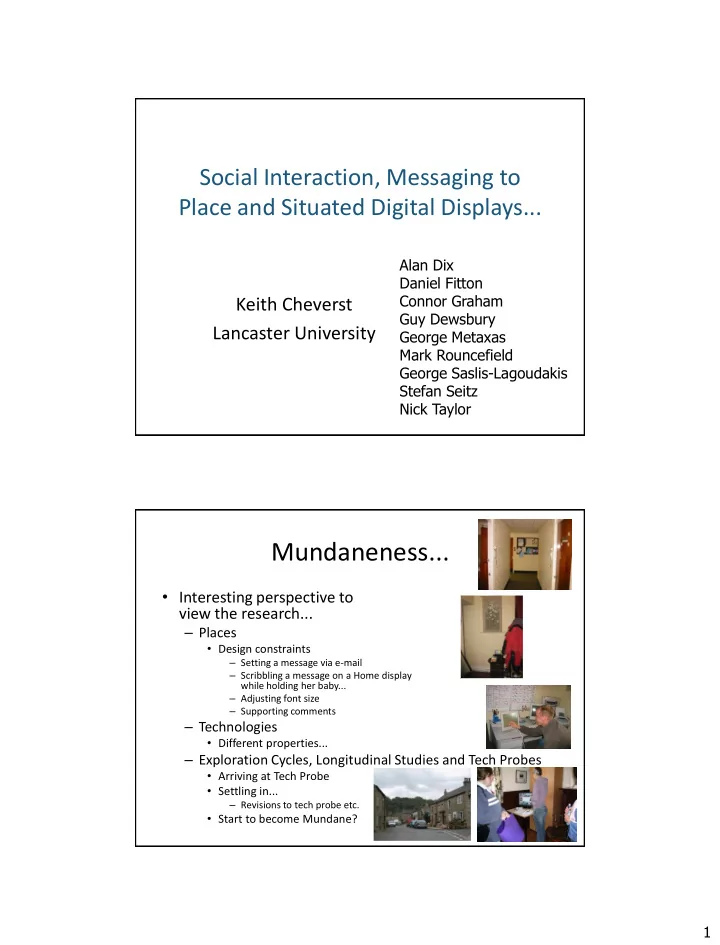
Mundaneness...

  • Interesting perspective to

view the research...

– Places

  • Design constraints

– Setting a message via e-mail – Scribbling a message on a Home display while holding her baby... – Adjusting font size – Supporting comments

– Technologies

  • Different properties...

– Exploration Cycles, Longitudinal Studies and Tech Probes

  • Arriving at Tech Probe
  • Settling in...

– Revisions to tech probe etc.

  • Start to become Mundane?
slide-2
SLIDE 2

2 Harrison and Dourish (1996) on Place: “a space which is invested with understandings of behavioural appropriateness, cultural expectations, and so forth”. Encompasses not only the physical aspects of the environment and the constraints these impose on behaviour, but also what actions and patterns of behavior are expected there and the particular routines that have developed there over time. O’Hara, (2002): “In recent years, more and more information is being presented on dedicated digital displays situated at particular locations within our environment. At their most basic, digital display technologies allow information to be more easily updated dynamically and remotely. However, these new kinds of interaction technologies also allow people to use these situated displays in novel ways both as for the individual’s purposes and in the support of group work.”

The ‘dull’ Technologies...

  • ‘Relentless progress’...
  • Becoming more

mundane for our use..?

  • Want 24/7 reliability of

deployed systems...

  • General approach - tailor

OTS technologies...

  • Design Constraints

– light, noise, power,

  • verheating,

networking…

slide-3
SLIDE 3

3

Hermes Office Door Displays

Nichols, (2002:1): “Office doors are more than entrances to rooms, they are entrances to a person's time and attention. People can mediate access to themselves by choosing whether to leave their door open or closed when they are in their office. Doors also serve as a medium for communication, where people can broadcast individual messages to passersby, or accept messages from others who stopped by when the door was closed.” Mitchell, (2005:9): “Literary theorists sometimes speak of text as if it were disembodied, but of course it isn’t; it always shows up attached to particular physical objects, in particular spatial contexts, and those contexts - like the contexts of speech - furnish essential components of the meaning.” - Placing Words : Symbols, Space, and the City, MIT Press.

slide-4
SLIDE 4

4

Properties…

  • Public/Community/Private nature...

– Supporting visitor navigation – Open Web access to messages?

  • “I would be happy for anyone to view the message on my

doorplate remotely over the web.”

– The first Hermes Photo Display

slide-5
SLIDE 5

5

Settling in / Use...

  • Maintaining a Sense of Presence

/Reason for absence: – “I would update Hermes to say I’m working from home – it’s part of my working routine”. – “…it’s just a habit that you get into, a habit of leaving a message.” – “I’ve definitely used it when I’ve had people coming to meet me here and I’ve been stuck, I was definitely stuck at the post office queuing once, I’ve been stuck on the bus, all sorts of places, and I’ve texted in and said I’m going to run late, and I’ve used that 3 or 4 times I guess”.

“On bus - in shortly” “Gone to the gym” “Derek - in ww burger joint” “In big q at post office.. Will be a bit late” “Running late - with you soon neil. B.” “Maomao going to be late - will catch up later. B “Working at home today – reviewing papers”

Fitting in...

  • Lots of other categories as well

– ‘’Switching communication channels” etc.

  • But...

– Playfulness, expressions of mood – Setting a colleague’s display – “*Post-it notes+ did tend to fall down, or you’d leave them on your door when you’re in *laughs+ you forget to take them off. They’re not reliable are Post-its, because they just don’t stay up you always end up having to stick sellotape.” Cheverst, K., A. Dix, C. Graham, D. Fitton and M. Rouncefield, “Exploring Awareness Related Messaging through Two Situated Display based Systems”, In Special Issue of Human-Computer Interaction, 22(1-2). pp. 173-220. June 2007.

slide-6
SLIDE 6

6

Hermes at Home Displays Overview...

  • Technology...

– Touchscreen tablet, always on, – Wireless networking etc.

  • Leaving it on...
  • Again, conceived as a technology probe
  • Half a dozen deployments

– My home, Mark’s home, two other Lectures – Reliability still an issue...

  • For one deployment this was bad...
  • “its all a bit shaded by the fact it broke…

so I didn’t really use it in anger at all”

– A sensitive setting (of course!)

  • Design Constraints

– Light, noise, overheating, … – One handed use!

  • “One arm is good – I very often have the baby

in other”

slide-7
SLIDE 7

7

Settling in / Use...

  • Messages in the moment,

– “touches”

  • “Short messages over the day – what

i am doing or how is it there”

  • “It’s a nice surprise having a new

message”

  • Presence...

– “For me it was a bit like a window to where Chris is” – “when i left I said goodbye to it as a link to u if u get me”

  • Development of patterns

– “Have you read my messages yet – I don’t want to talk til you’ve read my messages!” – If I don’t send this by 7pm then she won’t see it when she gets up…

Channel Issues...

  • Acknowledgements...

– “I think it would be good to see what [messages] the other person has read or not”

  • Use as an open channel

– Placement…

  • Changing channel
  • Complementing other channels

– “I was expecting that we would replace other ways of communication but actually we used it additionally to the others” – Identification of sender (from home)

  • Coloured pens
slide-8
SLIDE 8

8

A view into the home…

  • Compelling viewing...

– Watching a time-lapsed movie of dawn or the cat sitting on the printer

  • Take a picture/Playful

– “seeing a picture of the dog, that’s great”

  • Noticing TV still on – will

make a phone call.

  • From those at home...

– “I liked the idea that Chris could see us” – “Its like an eye watching me..... I think pictures are better [than video] …too much like big brother”

SPAM...

Situated displays to support staff across geographically remote offices, one the

  • ffice of a residential hostel

and the other an office for a facility providing supported

  • bedsits. Both offices part of a

charity to support former psychiatric patients.

  • A. Crabtree, Hemmings, T., Rodden, T., Cheverst, K., Clarke,

K., Dewsbury, G., Hughes, J. and Rouncefield, M. “Designing with Care: Adapting Cultural Probes to Inform Design in Sensitive Settings”, in Proc. of International Conference of the Australian Computer-Human Interaction Special Interest Group (OzCHI’03), pp. 4-13, Nov 2003.

slide-9
SLIDE 9

9

Initial Design Workshop...

  • Informed by previous interviews,

probe data etc.

– e.g. demand for phone

  • Demonstrated Hermes…

– Tech Prop

  • Discussed problems, scenarios

– Resident missing a train – staff member delayed in hospital

  • Staff felt that similar messaging

system would be useful

– Reduce burden on phone – Provide lightweight asynchronous communication channel – Design Constraints

  • SMS based
  • Touchscreen
  • Privacy reqmnts...

The SPAM Solution…

slide-10
SLIDE 10

10 Phone E-mail One member of staff in office at supported Bedsits/Flats Multiple members of staff in office at residential hostel Remote Staff Community Psychiatric Nurses etc. Residents SPAM

The SPAM Solution… Settling in…

  • Initial comments

– “..I think people at first thought it was going to be really complicated but it couldn't be easier .. .. we find it extraordinarily useful..” – “…and we had a good thing the other night because there was a crisis down at xxxxx and of course the phone was tied up and we were waiting for people to phone back so they were just letting me know what was happening down the road…”

  • 2nd Design Workshop

– Channel Issues

  • “Blocking” feature, Ack feature, Automatic Message Forwarding

– Visibility of messages

slide-11
SLIDE 11

11

Settling in…

  • Message categories

– Use as Confirmation

  • Has Fax, email got through?
  • Has x left yet?

– General coordination between sites…

  • e.g. Ordering food!

– Use to signify delays/ need for action,

  • Related to phone use, usually requests

for phone to become free.

  • "please ring car wont start so cannot

take ph and sm to cc barbara".

– Use of Mobile

  • “Stuck in snow – going to be v. later”

– Awareness

Cheverst, K., et al, “Exploring Awareness Related Messaging through Two Situated Display based Systems”, In Special Issue

  • f Human-Computer Interaction, 22 (1-

2). pp. 173-220. June 2007.

"how do u turn a duck in2 a soul singer - put it in the microwave until its bill withers“

Design of a Communal Display for the Residential Facility

  • Considered design of a display to be placed in

the communal area of the 24hr residential facility...

– Informed by...

  • observing notice board at residential facility

– Much DTP produced material, e.g. Staff Rotas

– Discussions with staff

  • Some staff felt that they would like residents to

‘know’ them more - but noted that there had been examples of damage to personal photos/pictures that had been brought in.

  • Encouraging residents to go on trips, e.g. Day trips

to Blackpool.

– Idea that residents/staff would take pictures and send to display

– Design Workshop

  • 2004, talked through scenarios, showed photo

display etc.

slide-12
SLIDE 12

12

The Wray Photo Display: Supporting Notions of Community in a Rural Village…

The Wray Photo Display…

http://wrayvillage.blogspot.com/

slide-13
SLIDE 13

13

Early Investigations… Initial Design Workshop in Pub, May 06

  • Collected Probe packs
  • Described Hermes photo display

and idea of it potentially supporting notions of community

– Used b&w pictures in pub to highlight potential use of a photo display for supporting notions of community

  • Discussed idea of deploying a

very simple photo display for 2 weeks in late summer...

  • Discussed some early

requirements

– Keen to have the current view of what is showing on the photo display viewable on the web...

slide-14
SLIDE 14

14

Installing in the Village Hall - Aug ‘06 Settling in... Produce Fair, Aug ‘06

slide-15
SLIDE 15

15

...It would also be good to see some of the

  • ld photos of days gone by

...would be good to see some of the historical pictures of the village...

slide-16
SLIDE 16

16

...and a delight for those who were born here and want to go down memory lane... Good to see the scarecrows again perhaps next year the Chapel Banners will be displayed

Mynatt et al. (1998) identify three simple 'defining features' of community, essential to design...

Boundaries Relationships Change Mynatt, E. D., et al (1998) “Network Communities: Something Old, Something New, Something Borrowed....”, Computer Supported Cooperative Work: The Journal of Collaborative Computing, Vol. 7, No. 1–2, pp. 123–156.

slide-17
SLIDE 17

17

Supporting New Categories...

  • Supporting User Content...
  • Moderation/ownership of categories

“Wray Scarecrow Festival”…

slide-18
SLIDE 18

18

“Old Photos”… “Wray Flood”…

slide-19
SLIDE 19

19

“Funny Videos and Photos”… “Wray Photos not quite so old”…

…photos found of relatives we never thought we’d see. Good to see Antony and Brenda were young once!

slide-20
SLIDE 20

20 Photo Display User - 3rd November, 2007 at 12:28pm Jim and Ada Smith. Licencees of George and Dragon. 1957-1977

Technology Probe – Inspiring new ideas...?

  • From the comments book...

– New categories – “Wonderful idea. Would be great to see some of the historical pictures of the village and forward notice of village events. What about selling advertising space to villagers, proceeds to a village charity…” – “I think it would be great to have podcasts on the notice board, for example Ruth William’s story about the first chips in Wray – hillarious story.” – From e-mail, design workshops…

slide-21
SLIDE 21

21

2nd Design Workshop...

  • Discussed usability problems

– Both of web interface and need for an alternative to uploading pictures over the web

  • Using the Scanner in the Post-Office!
  • Having hierarchy of categories

– Scarecrows -> Scarecrows 2006, Scarecrows 2007 etc.

  • Also discussed issues of children appearing in the group photos

and whether the Content of the photo display should be visible to anyone over the web...

– Recall the Visibility of Hermes Messages...

Taylor, N., Cheverst, K., Dix, A., Race, N. Fitton D., Rouncefield, M. and Graham, C. “Probing Communities: Study of a Village Photo Display”, in Proc. of International Conference of the Australian Computer-Human Interaction Special Interest Group (OzCHI’07), November 2007.