SLIDE 1
SLIDE 2
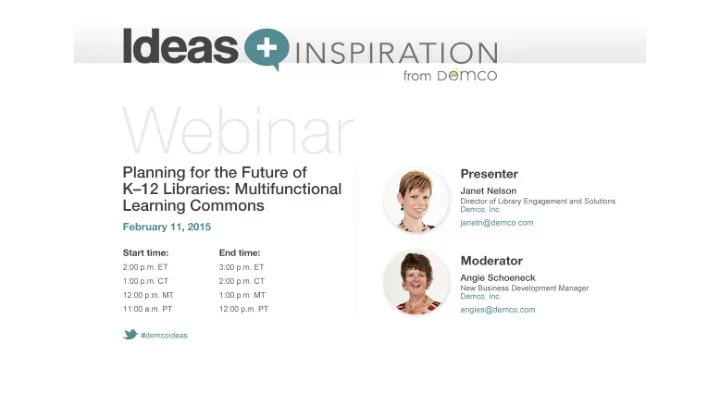
Planning for the Future of K-12 Libraries: Multi-functional Learning Commons
Presented by: Janet Nelson, Demco
SLIDE 3 Session Overview:
Changing trends in education are driving changes in the library
- Evolution from book warehouse to multi-functional
learning resource centers
- Incorporation of a variety of zones to support different
learning styles.
- Nuances between flexibility, adaptability and variety
- Utilization of these concepts contribute to allowing the
space to sustain functional changes and advances in technology into the future
SLIDE 4 Learning Objectives:
- 1. Explain how shifts in teaching strategies and learning
styles impact educational environments; in particular the school library/media center
- 2. Understand the current functions of a 21st Century
Library (learning commons) and the space requirements to support these functions.
- 3. Describe how flexibility, adaptability and variety
should be incorporated into these environments.
- 4. Identify ways to incorporate different zones within an
environment to support the Thornburg Primordial Learning Metaphors
SLIDE 5
21st-century skills
As the emphasis on teaching "21st- century skills" grows in primary and secondary education, the concept of the learning or information commons will become a valuable and necessary space within a K-12 school environment.
Collaboration Digital Literacy Critical Thinking Problem Solving
SLIDE 6 The purpose of this Learning Commons space is really no different from the original purpose of a traditional library. It is still a shared learning resource space. We have just redefined “learning resources”. Electronic Resources Print Resources Manipulative Resources Human Resources/Interaction Despite more and more research materials being available
- nline, the library is still relevant to learning. It is a physical
domain that is better than the Internet at connecting learners with others.
SLIDE 7
One-size does not fit all… as a result we must analyze more than square footage, collection sizes and technology needs…
SLIDE 8 Planning these spaces requires a greater understanding
curriculum, school district resources and philosophy.
SLIDE 9 A new set of questions:
Space
- What are the most important functions to be supported inside the
space?
- How will this space support external functions?
Collection
- How are changes in curriculum impacting your collection?
- How are you organizing your collection?
- Does your collection include both physical and digital resources?
Technology
- How will this space support evolving technology?
- What devices are you supporting within your space?
- What flexibility is being built in for the future?
SLIDE 10
The learning commons is: More than a combination library and computer lab
SLIDE 11 The learning commons is:
learning, research, and project space.
SLIDE 12 The learning commons is:
environment built to accommodate multiple learning activities.
SLIDE 13 Adaptability Flexibility Variety
Core structures designed according to ergonomic principles rather than current practices Allows building users to change the space themselves Allows users to change the quality of their space by simply moving to another area Non load-bearing interior walls that can easily be removed Moveable walls and acoustical partitions, swing walls, overhead garage doors, furniture
Arranging the space into a variety of different zones equipped with different types of furniture. Allows for change over a period of time Allows for change over the course of the day or for many weeks Allows for instant change and for learning activities to be perfectly matched to the environments that best suit them.
Distinctions between adaptability, flexibility and variety in terms
structure & change.
Adapted from Table 14.1 The Language of School Design
SLIDE 14 Adaptability
Core structures designed according to ergonomic principles rather than current practices Non load-bearing interiors walls that can easily be removed Allows for change over a period of time
SLIDE 15 Flexibility
Allows building users to change the space themselves Moveable walls and acoustical partitions, swing walls, overhead garage doors, furniture
this Allows for change over the course of the day or for many weeks
SLIDE 16 Variety
Allows users to change the quality of their space by simply moving to another area Arranging the space into a variety of different zones equipped with different types of furniture. Allows for instant change and for learning activities to be perfectly matched to the environments that best suit them.
SLIDE 17 The learning commons is:
learner, teacher and resources interact seamlessly
SLIDE 18 The Thornburg Primordial Learning Metaphors Creating a variety of zones in a library is paramount to supporting the teaching and learning of 21st Century Skills:
David Thornburg’s research suggests that learning spaces consist of:
- Campfire spaces: Learn from the expert
- Watering holes:
Learn from peers Cave: Learn from yourself
Bring it together & apply to the real world
SLIDE 19 The Zones
Campfire Waterin ing Hol
Cav ave
SLIDE 20 Campfire Spaces
Learning from Expert
Areas
Spaces
SLIDE 21
Campfire Spaces
Formal Large Lecture Style
SLIDE 22
Campfire Spaces
Formal Large Lecture Style
SLIDE 23
Campfire Spaces Campfire Spaces
Formal Small Group Style
SLIDE 24
Campfire Spaces
Informal & Interactive
SLIDE 25
Campfire Spaces
Informal & Interactive
SLIDE 26 Watering Holes Spaces
Learning from Peers
- Group Study
- Collaboration
Space
SLIDE 27
Watering Holes Spaces
Active reconfigurable spaces to support group collaboration.
SLIDE 28 Watering Holes Spaces
Pre-plan rearrangement
SLIDE 29
Watering Holes Spaces
Variety in furniture to accommodate different sized groups.
SLIDE 30
Watering Holes Spaces
Semi-Private Group Spaces
SLIDE 31
Watering Holes Spaces
Expand outside confines of the library
SLIDE 32
Watering Holes Spaces
Embrace the concept of lifelong learning.
SLIDE 33 Cave Spaces
Learning from Yourself
Contemplative
SLIDE 34
Cave Spaces
Alcoves that support individual work
SLIDE 35
Cave Spaces
Quiet places to escape
SLIDE 36
Cave Spaces
Quiet places to escape
SLIDE 37
Cave Spaces
Quiet places to read and reflect
SLIDE 38
Cave Spaces
A room within a room
SLIDE 39
Cave Spaces
Comfortable places to support individual work
SLIDE 40 The learning commons is: A technology rich space According to the School Library Journals 2013 Technology Survey
librarians say they are viewed as a tech leader at their school.
SLIDE 41
43% of K-12 students have their own web- enabled personal device. BYOD programs are putting less pressure on school budgets and space allocation
SLIDE 42
students and teachers come to the library to learn new technologies
SLIDE 43
- Maker Spaces,
- r library spaces
allocated for creative, open- ended activities are available at 23% of schools and 9% are planning for them.
SLIDE 44
programs create a platform for hands-on learning and the school makerspace
SLIDE 45
Makerspaces Low tech and high tech-- appropriate for all ages
SLIDE 46 Makerspaces
Space transformations don’t need to be radical to provide dramatic results
Before After Stewart Middle Magnet School in Tampa, FL
SLIDE 47 Funding How can I afford a new space?
Grant Search Database
http://ideas.demco.com/free-library-education-grants-search/
Reimagining Fundraising Article
http://ideas.demco.com/blog/library-fundraising/
Anyone Can Write a Grant—Webinar
http://ideas.demco.com/webinar/anyone-can-write-grant/
Helpful Grant Resources List
http://ideas.demco.com/wp- content/uploads/sites/6/2014/06/Helpful_Resources_Grants2.pdf
Grant Sources List
http://ideas.demco.com/wp-content/uploads/sites/6/2014/06/Grant_Sources.pdf
SLIDE 48
A dynamic media literacy learning hub An anchor for the entire school Meeting point for knowledge, expression, collaboration, and creation In both virtual and physical spaces
The Future K-12 Library is:
SLIDE 49
Contact: Janet Nelson Office: 608.241.8568 Email: janetn@demco.com
SLIDE 50