Module A: The FreeBSD System History Design Principles Programmer - - PDF document

module a the freebsd system
SMART_READER_LITE
LIVE PREVIEW

Module A: The FreeBSD System History Design Principles Programmer - - PDF document

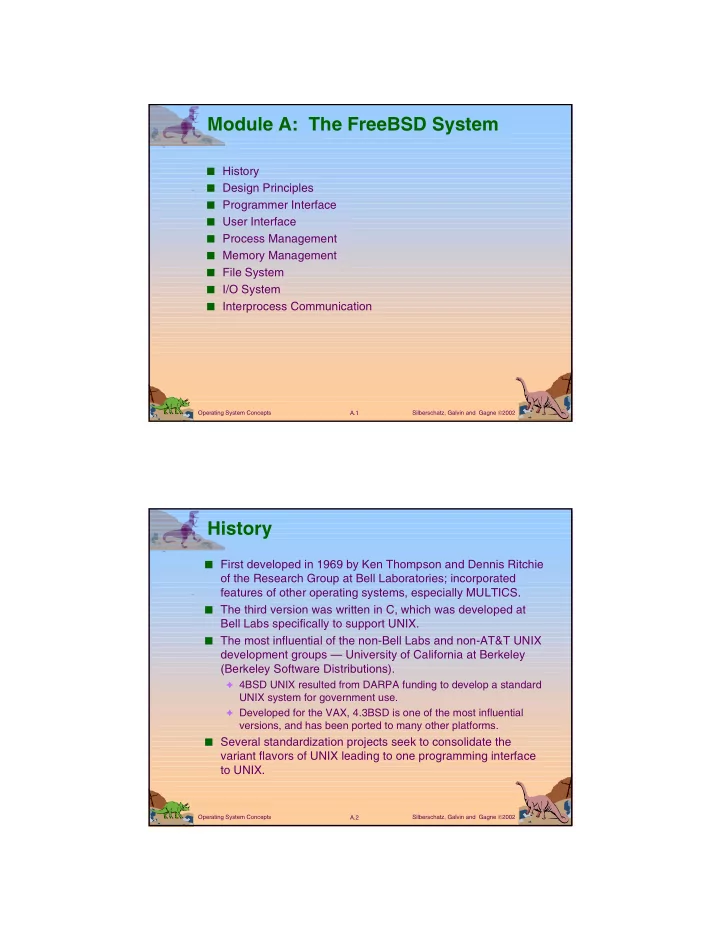
Module A: The FreeBSD System History Design Principles Programmer Interface User Interface Process Management Memory Management File System I/O System Interprocess Communication Operating System Concepts A.1


slide-1
SLIDE 1

Silberschatz, Galvin and Gagne 2002 A.1 Operating System Concepts

Module A: The FreeBSD System

■ History ■ Design Principles ■ Programmer Interface ■ User Interface ■ Process Management ■ Memory Management ■ File System ■ I/O System ■ Interprocess Communication

Silberschatz, Galvin and Gagne 2002 A.2 Operating System Concepts

History

■ First developed in 1969 by Ken Thompson and Dennis Ritchie

  • f the Research Group at Bell Laboratories; incorporated

features of other operating systems, especially MULTICS.

■ The third version was written in C, which was developed at

Bell Labs specifically to support UNIX.

■ The most influential of the non-Bell Labs and non-AT&T UNIX

development groups — University of California at Berkeley (Berkeley Software Distributions).

✦ 4BSD UNIX resulted from DARPA funding to develop a standard

UNIX system for government use.

✦ Developed for the VAX, 4.3BSD is one of the most influential

versions, and has been ported to many other platforms. ■ Several standardization projects seek to consolidate the

variant flavors of UNIX leading to one programming interface to UNIX.

slide-2
SLIDE 2

Silberschatz, Galvin and Gagne 2002 A.3 Operating System Concepts

History of UNIX Versions

Silberschatz, Galvin and Gagne 2002 A.4 Operating System Concepts

Early Advantages of UNIX

■ Written in a high-level language. ■ Distributed in source form. ■ Provided powerful operating-system primitives on an

inexpensive platform.

■ Small size, modular, clean design.

slide-3
SLIDE 3

Silberschatz, Galvin and Gagne 2002 A.5 Operating System Concepts

UNIX Design Principles

■ Designed to be a time-sharing system. ■ Has a simple standard user interface (shell) that can be

replaced.

■ File system with multilevel tree-structured directories. ■ Files are supported by the kernel as unstructured

sequences of bytes.

■ Supports multiple processes; a process can easily create

new processes.

■ High priority given to making system interactive, and

providing facilities for program development.

Silberschatz, Galvin and Gagne 2002 A.6 Operating System Concepts

Programmer Interface

■ Kernel: everything below the system-call interface and

above the physical hardware.

✦ Provides file system, CPU scheduling, memory

management, and other OS functions through system calls. ■ Systems programs: use the kernel-supported system

calls to provide useful functions, such as compilation and file manipulation. Like most computer systems, UNIX consists of two separable parts:

slide-4
SLIDE 4

Silberschatz, Galvin and Gagne 2002 A.7 Operating System Concepts

4.4BSD Layer Structure

Silberschatz, Galvin and Gagne 2002 A.8 Operating System Concepts

System Calls

■ System calls define the programmer interface to UNIX ■ The set of systems programs commonly available defines

the user interface.

■ The programmer and user interface define the context

that the kernel must support.

■ Roughly three categories of system calls in UNIX.

✦ File manipulation (same system calls also support device

manipulation)

✦ Process control ✦ Information manipulation.

slide-5
SLIDE 5

Silberschatz, Galvin and Gagne 2002 A.9 Operating System Concepts

File Manipulation

■ A file is a sequence of bytes; the kernel does not impose

a structure on files.

■ Files are organized in tree-structured directories. ■ Directories are files that contain information on how to

find other files.

■ Path name: identifies a file by specifying a path through

the directory structure to the file.

✦ Absolute path names start at root of file system ✦ Relative path names start at the current directory

■ System calls for basic file manipulation: create, open,

read, write, close, unlink, trunc.

Silberschatz, Galvin and Gagne 2002 A.10 Operating System Concepts

Typical UNIX Directory Structure

slide-6
SLIDE 6

Silberschatz, Galvin and Gagne 2002 A.11 Operating System Concepts

Process Control

■ A process is a program in execution. ■ Processes are identified by their process identifier, an

integer.

■ Process control system calls

✦ fork creates a new process ✦ execve is used after a fork to replace on of the two

processes’s virtual memory space with a new program

✦ exit terminates a process ✦ A parent may wait for a child process to terminate; wait

provides the process id of a terminated child so that the parent can tell which child terminated.

✦ wait3 allows the parent to collect performance statistics

about the child ■ A zombie process results when the parent of a defunct

child process exits before the terminated child.

Silberschatz, Galvin and Gagne 2002 A.12 Operating System Concepts

Illustration of Process Control Calls

slide-7
SLIDE 7

Silberschatz, Galvin and Gagne 2002 A.13 Operating System Concepts

Process Control (Cont.)

■ Processes communicate via pipes; queues of bytes

between two processes that are accessed by a file descriptor.

■ All user processes are descendants of one original

process, init.

■ init forks a getty process: initializes terminal line

parameters and passes the user’s login name to login.

✦ login sets the numeric user identifier of the process to that

  • f the user

✦ executes a shell which forks subprocesses for user

commands.

Silberschatz, Galvin and Gagne 2002 A.14 Operating System Concepts

Process Control (Cont.)

■ setuid bit sets the effective user identifier of the process

to the user identifier of the owner of the file, and leaves the real user identifier as it was.

■ setuid scheme allows certain processes to have more

than ordinary privileges while still being executable by

  • rdinary users.
slide-8
SLIDE 8

Silberschatz, Galvin and Gagne 2002 A.15 Operating System Concepts

Signals

■ Facility for handling exceptional conditions similar to

software interrupts.

■ The interrupt signal, SIGINT, is used to stop a command

before that command completes (usually produced by ^C).

■ Signal use has expanded beyond dealing with exceptional

events.

✦ Start and stop subprocesses on demand ✦ SIGWINCH informs a process that the window in which output

is being displayed has changed size.

✦ Deliver urgent data from network connections.

Silberschatz, Galvin and Gagne 2002 A.16 Operating System Concepts

Process Groups

■ Set of related processes that cooperate to accomplish a

common task.

■ Only one process group may use a terminal device for I/O

at any time.

✦ The foreground job has the attention of the user on the

terminal.

✦ Background jobs – nonattached jobs that perform their

function without user interaction. ■ Access to the terminal is controlled by process group

signals.

slide-9
SLIDE 9

Silberschatz, Galvin and Gagne 2002 A.17 Operating System Concepts

Process Groups (Cont.)

■ Each job inherits a controlling terminal from its parent.

✦ If the process group of the controlling terminal matches the

group of a process, that process is in the foreground.

✦ SIGTTIN or SIGTTOU freezes a background process that

attempts to perform I/O; if the user foregrounds that process, SIGCONT indicates that the process can now perform I/O.

✦ SIGSTOP freezes a foreground process.

Silberschatz, Galvin and Gagne 2002 A.18 Operating System Concepts

Information Manipulation

■ System calls to set and return an interval timer:

getitmer/setitmer.

■ Calls to set and return the current time:

gettimeofday/settimeofday.

■ Processes can ask for

✦ their process identifier: getpid ✦ their group identifier: getgid ✦ the name of the machine on which they are executing:

gethostname

slide-10
SLIDE 10

Silberschatz, Galvin and Gagne 2002 A.19 Operating System Concepts

Library Routines

■ The system-call interface to UNIX is supported and

augmented by a large collection of library routines

■ Header files provide the definition of complex data

structures used in system calls.

■ Additional library support is provided for mathematical

functions, network access, data conversion, etc.

Silberschatz, Galvin and Gagne 2002 A.20 Operating System Concepts

User Interface

■ Programmers and users mainly deal with already existing

systems programs: the needed system calls are embedded within the program and do not need to be

  • bvious to the user.

■ The most common systems programs are file or directory

  • riented.

✦ Directory: mkdir, rmdir, cd, pwd ✦ File: ls, cp, mv, rm

■ Other programs relate to editors (e.g., emacs, vi) text

formatters (e.g., troff, TEX), and other activities.

slide-11
SLIDE 11

Silberschatz, Galvin and Gagne 2002 A.21 Operating System Concepts

Shells and Commands

■ Shell – the user process which executes programs (also

called command interpreter).

■ Called a shell, because it surrounds the kernel. ■ The shell indicates its readiness to accept another

command by typing a prompt, and the user types a command on a single line.

■ A typical command is an executable binary object file. ■ The shell travels through the search path to find the

command file, which is then loaded and executed.

■ The directories /bin and /usr/bin are almost always in the

search path.

Silberschatz, Galvin and Gagne 2002 A.22 Operating System Concepts

Shells and Commands (Cont.)

■ Typical search path on a BSD system:

( ./home/prof/avi/bin /usr/local/bin /usr/ucb/bin/usr/bin )

■ The shell usually suspends its own execution until the

command completes.

slide-12
SLIDE 12

Silberschatz, Galvin and Gagne 2002 A.23 Operating System Concepts

Standard I/O

■ Most processes expect three file descriptors to be open

when they start:

✦ standard input – program can read what the user types ✦ standard output – program can send output to user’s screen ✦ standard error – error output

■ Most programs can also accept a file (rather than a

terminal) for standard input and standard output.

■ The common shells have a simple syntax for changing

what files are open for the standard I/O streams of a process — I/O redirection.

Silberschatz, Galvin and Gagne 2002 A.24 Operating System Concepts

Standard I/O Redirection

Command Meaning of command % ls > filea direct output of ls to file filea % pr < filea > fileb input from filea and output to fileb % lpr < fileb input from fileb %% make program > & errs save both standard output and standard error in a file

slide-13
SLIDE 13

Silberschatz, Galvin and Gagne 2002 A.25 Operating System Concepts

Pipelines, Filters, and Shell Scripts

■ Can coalesce individual commands via a vertical bar that

tells the shell to pass the previous command’s output as input to the following command % ls | pr | lpr

■ Filter – a command such as pr that passes its standard

input to its standard output, performing some processing

  • n it.

■ Writing a new shell with a different syntax and semantics

would change the user view, but not change the kernel or programmer interface.

■ X Window System is a widely accepted iconic interface

for UNIX.

Silberschatz, Galvin and Gagne 2002 A.26 Operating System Concepts

Process Management

■ Representation of processes is a major design problem

for operating system.

■ UNIX is distinct from other systems in that multiple

processes can be created and manipulated with ease.

■ These processes are represented in UNIX by various

control blocks.

✦ Control blocks associated with a process are stored in the

kernel.

✦ Information in these control blocks is used by the kernel for

process control and CPU scheduling.

slide-14
SLIDE 14

Silberschatz, Galvin and Gagne 2002 A.27 Operating System Concepts

Process Control Blocks

■ The most basic data structure associated with processes

is the process structure.

✦ unique process identifier ✦ scheduling information (e.g., priority) ✦ pointers to other control blocks

■ The virtual address space of a user process is divided

into text (program code), data, and stack segments.

■ Every process with sharable text has a pointer form its

process structure to a text structure.

✦ always resident in main memory. ✦ records how many processes are using the text segment ✦ records were the page table for the text segment can be

found on disk when it is swapped.

Silberschatz, Galvin and Gagne 2002 A.28 Operating System Concepts

System Data Segment

■ Most ordinary work is done in user mode; system calls

are performed in system mode.

■ The system and user phases of a process never execute

simultaneously.

■ a kernel stack (rather than the user stack) is used for a

process executing in system mode.

■ The kernel stack and the user structure together compose

the system data segment for the process.

slide-15
SLIDE 15

Silberschatz, Galvin and Gagne 2002 A.29 Operating System Concepts

Finding parts of a process using process structure

Silberschatz, Galvin and Gagne 2002 A.30 Operating System Concepts

Allocating a New Process Structure

■ fork allocates a new process structure for the child

process, and copies the user structure.

✦ new page table is constructed ✦ new main memory is allocated for the data and stack

segments of the child process

✦ copying the user structure preserves open file descriptors,

user and group identifiers, signal handling, etc.

slide-16
SLIDE 16

Silberschatz, Galvin and Gagne 2002 A.31 Operating System Concepts

Allocating a New Process Structure (Cont.)

■ vfork does not copy the data and stack to t he new

process; the new process simply shares the page table of the old one.

✦ new user structure and a new process structure are still

created

✦ commonly used by a shell to execute a command and to

wait for its completion ■ A parent process uses vfork to produce a child process;

the child uses execve to change its virtual address space, so there is no need for a copy of the parent.

■ Using vfork with a large parent process saves CPU time,

but can be dangerous since any memory change occurs in both processes until execve occurs.

■ execve creates no new process or user structure; rather

the text and data of the process are replaced.

Silberschatz, Galvin and Gagne 2002 A.32 Operating System Concepts

CPU Scheduling

■ Every process has a scheduling priority associated with it;

larger numbers indicate lower priority.

■ Negative feedback in CPU scheduling makes it difficult

for a single process to take all the CPU time.

■ Process aging is employed to prevent starvation. ■ When a process chooses to relinquish the CPU, it goes to

sleep on an event.

■ When that event occurs, the system process that knows

about it calls wakeup with the address corresponding to the event, and all processes that had done a sleep on the same address are put in the ready queue to be run.

slide-17
SLIDE 17

Silberschatz, Galvin and Gagne 2002 A.33 Operating System Concepts

Memory Management

■ The initial memory management schemes were

constrained in size by the relatively small memory resources of the PDP machines on which UNIX was developed.

■ Pre 3BSD system use swapping exclusively to handle

memory contention among processes: If there is too much contention, processes are swapped out until enough memory is available.

■ Allocation of both main memory and swap space is done

first-fit.

Silberschatz, Galvin and Gagne 2002 A.34 Operating System Concepts

Memory Management (Cont.)

■ Sharable text segments do not need to be swapped;

results in less swap traffic and reduces the amount of main memory required for multiple processes using the same text segment.

■ The scheduler process (or swapper) decides which

processes to swap in or out, considering such factors as time idle, time in or out of main memory, size, etc.

■ In f.3BSD, swap space is allocated in pieces that are

multiples of power of 2 and minimum size, up to a maximum size determined by the size or the swap-space partition on the disk.

slide-18
SLIDE 18

Silberschatz, Galvin and Gagne 2002 A.35 Operating System Concepts

Paging

■ Berkeley UNIX systems depend primarily on paging for

memory-contention management, and depend only secondarily on swapping.

■ Demand paging – When a process needs a page and the

page is not there, a page fault tot he kernel occurs, a frame of main memory is allocated, and the proper disk page is read into the frame.

■ A pagedaemon process uses a modified second-chance

page-replacement algorithm to keep enough free frames to support the executing processes.

■ If the scheduler decides that the paging system is

  • verloaded, processes will be swapped out whole until

the overload is relieved.

Silberschatz, Galvin and Gagne 2002 A.36 Operating System Concepts

File System

■ The UNIX file system supports two main objects: files and

directories.

■ Directories are just files with a special format, so the

representation of a file is the basic UNIX concept.

slide-19
SLIDE 19

Silberschatz, Galvin and Gagne 2002 A.37 Operating System Concepts

Blocks and Fragments

■ Most of the file system is taken up by data blocks. ■ 4.2BSD uses two block sized for files which have no

indirect blocks:

✦ All the blocks of a file are of a large block size (such as 8K),

except the last.

✦ The last block is an appropriate multiple of a smaller

fragment size (i.e., 1024) to fill out the file.

✦ Thus, a file of size 18,000 bytes would have two 8K blocks

and one 2K fragment (which would not be filled completely).

Silberschatz, Galvin and Gagne 2002 A.38 Operating System Concepts

Blocks and Fragments (Cont.)

■ The block and fragment sizes are set during file-system

creation according to the intended use of the file system:

✦ If many small files are expected, the fragment size should

be small.

✦ If repeated transfers of large files are expected, the basic

block size should be large. ■ The maximum block-to-fragment ratio is 8 : 1; the

minimum block size is 4K (typical choices are 4096 : 512 and 8192 : 1024).

slide-20
SLIDE 20

Silberschatz, Galvin and Gagne 2002 A.39 Operating System Concepts

Inodes

■ A file is represented by an inode — a record that stores

information about a specific file on the disk.

■ The inode also contains 15 pointer to the disk blocks

containing the file’s data contents.

✦ First 12 point to direct blocks. ✦ Next three point to indirect blocks ✔ First indirect block pointer is the address of a single

indirect block — an index block containing the addresses of blocks that do contain data.

✔ Second is a double-indirect-block pointer, the address of

a block that contains the addresses of blocks that contain pointer to the actual data blocks.

✔ A triple indirect pointer is not needed; files with as many

as 232 bytes will use only double indirection.

Silberschatz, Galvin and Gagne 2002 A.40 Operating System Concepts

Directories

■ The inode type field distinguishes between plain files and

directories.

■ Directory entries are of variable length; each entry

contains first the length of the entry, then the file name and the inode number.

■ The user refers to a file by a path name,whereas the file

system uses the inode as its definition of a file.

✦ The kernel has to map the supplied user path name to an

inode

✦ Directories are used for this mapping.

slide-21
SLIDE 21

Silberschatz, Galvin and Gagne 2002 A.41 Operating System Concepts

Directories (Cont.)

■ First determine the starting directory:

✦ If the first character is “/”, the starting directory is the root

directory.

✦ For any other starting character, the starting directory is the

current directory. ■ The search process continues until the end of the path

name is reached and the desired inode is returned.

■ Once the inode is found, a file structure is allocated to

point to the inode.

■ 4.3BSD improved file system performance by adding a

directory name cache to hold recent directory-to-inode translations.

Silberschatz, Galvin and Gagne 2002 A.42 Operating System Concepts

Mapping of a File Descriptor to an Inode

■ System calls that refer to open files indicate the file is

passing a file descriptor as an argument.

■ The file descriptor is used by the kernel to index a table of

  • pen files for the current process.

■ Each entry of the table contains a pointer to a file

structure.

■ This file structure in turn points to the inode. ■ Since the open file table has a fixed length which is only

setable at boot time, there is a fixed limit on the number

  • f concurrently open files in a system.
slide-22
SLIDE 22

Silberschatz, Galvin and Gagne 2002 A.43 Operating System Concepts

File-System Control Blocks

Silberschatz, Galvin and Gagne 2002 A.44 Operating System Concepts

Disk Structures

■ The one file system that a user ordinarily sees may

actually consist of several physical file systems, each on a different device.

■ Partitioning a physical device into multiple file systems

has several benefits.

✦ Different file systems can support different uses. ✦ Reliability is improved ✦ Can improve efficiency by varying file-system parameters. ✦ Prevents one program form using all available space for a

large file.

✦ Speeds up searches on backup tapes and restoring

partitions from tape.

slide-23
SLIDE 23

Silberschatz, Galvin and Gagne 2002 A.45 Operating System Concepts

Disk Structures (Cont.)

■ The root file system is always available on a drive. ■ Other file systems may be mounted — i.e., integrated into

the directory hierarchy of the root file system.

■ The following figure illustrates how a directory structure is

partitioned into file systems, which are mapped onto logical devices, which are partitions of physical devices.

Silberschatz, Galvin and Gagne 2002 A.46 Operating System Concepts

Mapping File System to Physical Devices

slide-24
SLIDE 24

Silberschatz, Galvin and Gagne 2002 A.47 Operating System Concepts

Implementations

■ The user interface to the file system is simple and well

defined, allowing the implementation of the file system itself to be changed without significant effect on the user.

■ For Version 7, the size of inodes doubled, the maximum file

and file system sized increased, and the details of free-list handling and superblock information changed.

■ In 4.0BSD, the size of blocks used in the file system was

increased form 512 bytes to 1024 bytes — increased internal fragmentation, but doubled throughput.

■ 4.2BSD added the Berkeley Fast File System, which

increased speed, and included new features.

✦ New directory system calls ✦ truncate calls ✦ Fast File System found in most implementations of UNIX.

Silberschatz, Galvin and Gagne 2002 A.48 Operating System Concepts

Layout and Allocation Policy

■ The kernel uses a <logical device number, inode

number> pair to identify a file.

✦ The logical device number defines the file system involved. ✦ The inodes in the file system are numbered in sequence.

■ 4.3BSD introduced the cylinder group — allows

localization of the blocks in a file.

✦ Each cylinder group occupies one or more consecutive

cylinders of the disk, so that disk accesses within the cylinder group require minimal disk head movement.

✦ Every cylinder group has a superblock, a cylinder block, an

array of inodes, and some data blocks.

slide-25
SLIDE 25

Silberschatz, Galvin and Gagne 2002 A.49 Operating System Concepts

4.3BSD Cylinder Group

Silberschatz, Galvin and Gagne 2002 A.50 Operating System Concepts

I/O System

■ The I/O system hides the peculiarities of I/O devices from

the bulk of the kernel.

■ Consists of a buffer caching system, general device driver

code, and drivers for specific hardware devices.

■ Only the device driver knows the peculiarities of a specific

device.

slide-26
SLIDE 26

Silberschatz, Galvin and Gagne 2002 A.51 Operating System Concepts

4.3 BSD Kernel I/O Structure

Silberschatz, Galvin and Gagne 2002 A.52 Operating System Concepts

Block Buffer Cache

■ Consist of buffer headers, each of which can point to a

piece of physical memory, as well as to a device number and a block number on the device.

■ The buffer headers for blocks not currently in use are kept

in several linked lists:

✦ Buffers recently used, linked in LRU order (LRU list). ✦ Buffers not recently used, or without valid contents (AGE

list).

✦ EMPTY buffers with no associated physical memory.

■ When a block is wanted from a device, the cache is

searched.

■ If the block is found it is used, and no I/O transfer is

necessary.

■ If it is not found, a buffer is chosen from the AGE list, or

the LRU list if AGE is empty.

slide-27
SLIDE 27

Silberschatz, Galvin and Gagne 2002 A.53 Operating System Concepts

Block Buffer Cache (Cont.)

■ Buffer cache size effects system performance; if it is large

enough, the percentage of cache hits can be high and the number of actual I/O transfers low.

■ Data written to a disk file are buffered in the cache, and

the disk driver sorts its output queue according to disk address — these actions allow the disk driver to minimize disk head seeks and to write data at times optimized for disk rotation.

Silberschatz, Galvin and Gagne 2002 A.54 Operating System Concepts

Raw Device Interfaces

■ Almost every block device has a character interface, or

raw device interface — unlike the block interface, it bypasses the block buffer cache.

■ Each disk driver maintains a queue of pending transfers. ■ Each record in the queue specifies:

✦ whether it is a read or a write ✦ a main memory address for the transfer ✦ a device address for the transfer ✦ a transfer size

■ It is simple to map the information from a block buffer to

what is required for this queue.

slide-28
SLIDE 28

Silberschatz, Galvin and Gagne 2002 A.55 Operating System Concepts

C-Lists

■ Terminal drivers use a character buffering system which

involves keeping small blocks of characters in linked lists.

■ A write system call to a terminal enqueues characters on

a list for the device. An initial transfer is started, and interrupts cause dequeueing of characters and further transfers.

■ Input is similarly interrupt driven. ■ It is also possible to have the device driver bypass the

canonical queue and return characters directly form the raw queue — raw mode (used by full-screen editors and

  • ther programs that need to react to every keystroke).

Silberschatz, Galvin and Gagne 2002 A.56 Operating System Concepts

Interprocess Communication

■ The pipe is the IPC mechanism most characteristic of

UNIX.

✦ Permits a reliable unidirectional byte stream between two

processes.

✦ A benefit of pipes small size is that pipe data are seldom

written to disk; they usually are kept in memory by the normal block buffer cache. ■ In 4.3BSD, pipes are implemented as a special case of

the socket mechanism which provides a general interface not only to facilities such as pipes, which are local to one machine, but also to networking facilities.

■ The socket mechanism can be used by unrelated

processes.

slide-29
SLIDE 29

Silberschatz, Galvin and Gagne 2002 A.57 Operating System Concepts

Sockets

■ A socket is an endpont of communication. ■ An in-use socket it usually bound with an address; the

nature of the address depends on the communication domain of the socket.

■ A characteristic property of a domain is that processes

communication in the same domain use the same address format.

■ A single socket can communicate in only one domain —

the three domains currently implemented in 4.3BSD are:

✦ the UNIX domain (AF_UNIX) ✦ the Internet domain (AF_INET) ✦ the XEROX Network Service (NS) domain (AF_NS)

Silberschatz, Galvin and Gagne 2002 A.58 Operating System Concepts

Socket Types

■ Stream sockets provide reliable, duplex, sequenced data

  • streams. Supported in Internet domain by the TCP
  • protocol. In UNIX domain, pipes are implemented as a pair
  • f communicating stream sockets.

■ Sequenced packet sockets provide similar data streams,

except that record boundaries are provided. Used in XEROX AF_NS protocol.

■ Datagram sockets transfer messages of variable size in

either direction. Supported in Internet domain by UDP protocol

■ Reliably delivered message sockets transfer messages

that are guaranteed to arrive. Currently unsupported.

■ Raw sockets allow direct access by processes to the

protocols that support the other socket types; e.g., in the Internet domain, it is possible to reach TCP, IP beneath that, or a deeper Ethernet protocol. Useful for developing new protocols.

slide-30
SLIDE 30

Silberschatz, Galvin and Gagne 2002 A.59 Operating System Concepts

Socket System Calls

■ The socket call creates a socket; takes as arguments

specifications of the communication domain, socket type, and protocol to be used and returns a small integer called a socket descriptor.

■ A name is bound to a socket by the bind system call. ■ The connect system call is used to initiate a connection. ■ A server process uses socket to create a socket and

bind to bind the well-known address of its service to that socket.

✦ Uses listen to tell the kernel that it is ready to accept

connections from clients.

✦ Uses accept to accept individual connections. ✦ Uses fork to produce a new process after the accept to

service the client while the original server process continues to listen for more connections.

Silberschatz, Galvin and Gagne 2002 A.60 Operating System Concepts

Socket System Calls (Cont.)

■ The simplest way to terminate a connection and to

destroy the associated socket is to use the close system call on its socket descriptor.

■ The select system call can be used to multiplex data

transfers on several file descriptors and /or socket descriptors

slide-31
SLIDE 31

Silberschatz, Galvin and Gagne 2002 A.61 Operating System Concepts

Network Support

■ Networking support is one of the most important features

in 4.3BSD.

■ The socket concept provides the programming

mechanism to access other processes, even across a network.

■ Sockets provide an interface to several sets of protocols. ■ Almost all current UNIX systems support UUCP. ■ 4.3BSD supports the DARPA Internet protocols UDP,

TCP, IP, and ICMP on a wide range of Ethernet, token- ring, and ARPANET interfaces.

■ The 4.3BSD networking implementation, and to a certain

extent the socket facility, is more oriented toward the ARPANET Reference Model (ARM).

Silberschatz, Galvin and Gagne 2002 A.62 Operating System Concepts

Network Reference models and Layering