
Lecture 6: MIMD Machines with Distributed Memory and Network
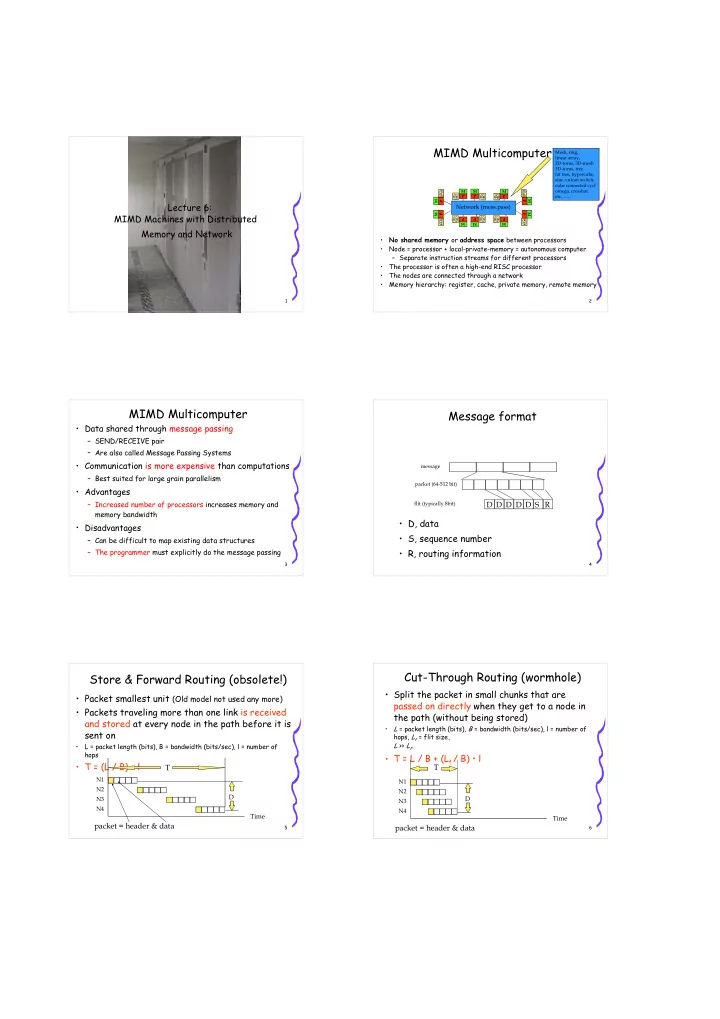
2MIMD Multicomputer
- No shared memory or address space between processors
- Node = processor + local-private-memory = autonomous computer
– Separate instruction streams for different processors
- The processor is often a high-end RISC processor
- The nodes are connected through a network
- Memory hierarchy: register, cache, private memory, remote memory
- mega, crossbar,
Network (mess.pass)
M P M P M P M P M P M P M P M P M P M P 3MIMD Multicomputer
- Data shared through message passing
– SEND/RECEIVE pair – Are also called Message Passing Systems
- Communication is more expensive than computations
– Best suited for large grain parallelism
- Advantages
– Increased number of processors increases memory and memory bandwidth
- Disadvantages
– Can be difficult to map existing data structures – The programmer must explicitly do the message passing
4Message format
- D, data
- S, sequence number
- R, routing information
packet (64-512 bit) message flit (typically 8bit)
R S D D D D D
5Store & Forward Routing (obsolete!)
- Packet smallest unit (Old model not used any more)
- Packets traveling more than one link is received
and stored at every node in the path before it is sent on
- L = packet length (bits), B = bandwidth (bits/sec), l = number of
hops
- T = (L / B) • l
Time
N2 N1 N3 N4
T
D
packet = header & data
6Cut-Through Routing (wormhole)
- Split the packet in small chunks that are
passed on directly when they get to a node in the path (without being stored)
- L = packet length (bits), B = bandwidth (bits/sec), l = number of
hops, Lf = flit size, L >> Lf.
- T = L / B + (Lf / B) • l
T
Time
N2 N1 N3 N4
D
packet = header & data