
SLIDE 1
Medical visual information retrieval
Henning Müller HES-SO//Valais Sierre, Switzerland
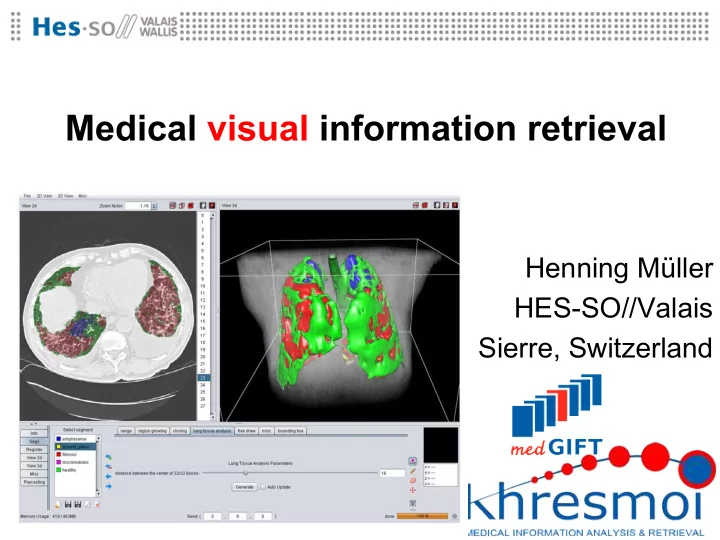
Medical visual information retrieval Henning Mller HES-SO//Valais - - PowerPoint PPT Presentation
Medical visual information retrieval Henning Mller HES-SO//Valais Sierre, Switzerland Overview Motivation for visual retrieval Differences between text and visual search A model for CBIR Main techniques Context vs. content
Medical visual information retrieval
Henning Müller HES-SO//Valais Sierre, Switzerland
Overview
– Differences between text and visual search – A model for CBIR
– Context vs. content – Detection vs. retrieval – Semantics vs. free text
– Springer images, Goldminer, MedSearch, Yottalook
Motivation
being produced digitally and are available for analysis
– Part of patient records – Part of scientific articles, videos in addition to content
variety of image types that require explanations
– Thin slices, reconstruction in the brain of clinicians
– Data from detection can then also be used for retrieval
Differences text and visual search
– … mapping on controlled vocabularies may help retrieval
– Colors, textures, basic shapes – Automatic segmentation is an ill-posed problem – Visual words can help solving some of the problems – Simple mapping to terminologies can also help
– But most often annotations is not of the images but rather puts the images into a specific context
Content-based image retrieval
Feature 1 0.5 Feature 2 0.7 Feature 15 0.1 Feature 25 0.3 …Similarity calculation Relevance feedback Feature extraction Image feature Database
?
Content vs. context
describe global or regional content
– Annotation of the content exists only rarely
parts of the content and rather put them in context
– Which were the problems? – Why was the image taken? – Age of patient, anamnesis, …
Detection vs. retrieval
– Classification of small anomalies in usually a region of interest (ROI) or globally in the image – Annotated training data is necessary – Interpretation needs to be given, so the system is not a black box
– Training data is not necessary, or not available – Search for similarity
Visual words
Salient regions All pixes, grid, high gradient Original feature space Semantics vs. free text
– Stemming, stop word removal, phonetic retrieval – Translation is possible but sometimes hard – All data are readily available, little treatment
– Extracted from text
medical texts
– Synonyms, hypernyms, hyponyms can then be used – Existing ontologies are available (LinkedLifeData) – Understanding what particular parts are about
Goldminer.arrs.org (249,000 images)
www.springerimages.com (3.3 mio images)
medgift.hevs.ch/demos/ (231,000 images)
www.yottalook.com (70,000 images)
Upcoming challenges
browsing and limiting the results set
– Faceted browsing, interactive changes, propositions – Also on small screens for mobile devices – Include 3D and 4D data
– Better understanding visual data and its context – Filtering out unwanted information
Regions of interest are often small
Conclusions
– Not only in the medical field – Mobile devices and detection techniques change this – Visual data is analyzed much faster than text
– Context is needed to find and analyze them – Interactivity can help as well
– LinkedLife data and semantics are required for images – Many publishers are now making also images available as these are valuable
Questions
http://www.khresmoi.eu/ http://medgift.hevs.ch/