Making the Common, Uncommon Close-Up and Macro Photography Charlie - - PowerPoint PPT Presentation

making the common uncommon
SMART_READER_LITE
LIVE PREVIEW

Making the Common, Uncommon Close-Up and Macro Photography Charlie - - PowerPoint PPT Presentation

Making the Common, Uncommon Close-Up and Macro Photography Charlie Ginsburgh Fotoclave 2019 E-mail: cginsburgh@gmail.com 1 Images: charlie-g.smugmug.com Macro Photography Macro Photography is the field in photography relating to very small


slide-1
SLIDE 1

1

Close-Up and Macro Photography

Charlie Ginsburgh Fotoclave 2019

E-mail: cginsburgh@gmail.com Images: charlie-g.smugmug.com
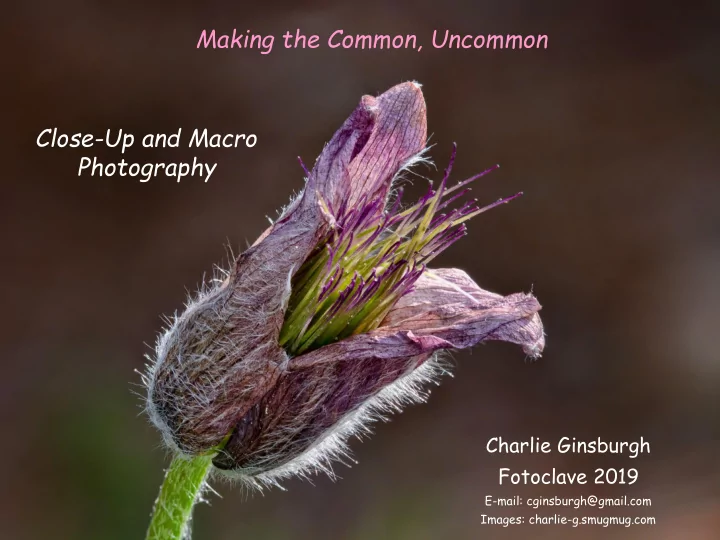
Making the Common, Uncommon

slide-2
SLIDE 2

Macro Photography

2

One definition …. Macro Photography is extreme close-up photography, usually of very small subjects, where the subject is generally smaller than the camera sensor (which is roughly the size of a postage stamp)

However since sensor sizes now differ (as do the size of postage stamps) this definition may be a bit out dated

Regardless of the definition, Macro Photography generally refers to taking magnified images of small subjects

  • Insects (bugs)
  • Flowers (whole and parts)
  • Small items and/or Jewelry
  • The everyday and the exotic

(ice crystals, sand, beads, skin, water drops, salt gains, spices …)

Macro Photography is the field in photography relating to very small subjects

slide-3
SLIDE 3

Close-Up Photography

3

My definition …. Close-Up Photography is the photography small subjects, who are bigger than the camera's sensor (bigger than a postage stamp), but smaller than a loaf of bread (my upper limit definition)

Why distinguish between the two ? The differences between Close-up and Macro photography will come into play a bit later

  • Whole flowers or leaves
  • Whole feathers
  • Small statue or figurine
  • Larger jewelry
  • Items larger than 2-inches in any one dimension

Close-Up Photography is the field in photography relating to smallish subjects.

slide-4
SLIDE 4

4

Want to see several examples of Close-up and Macro Photography ? Go to the fotoclave gallery to see several examples the types of subjects I employ in my macro photography https://fotoclavegallery.slickpic.com/gallery

Example of Close-up and Macro Photography

slide-5
SLIDE 5

Normally I show several slides to ease into this topic, but here let‟s just …

“Cut to the Chase”

5

Question:

What is the single issue that Macro Photographers struggle with the most ?

Answer:

Insufficient Depth of Field

Generally speaking… the greater the magnification, the less the apparent Depth of Field you will obtain

(and this can be an issue)

slide-6
SLIDE 6

6

  • When we take pictures of highly magnified subjects (as in macro photography),

this effect can be problematic

  • We can get very detained views, but of very limited areas
  • Aperture changes have little impact (don’t you just hate that?)

Depth of Field - Limitations at High Magnification

Picture from the file “Focus stacking Tachinid fly.jpg” from Wikipedia, the free encyclopedia

slide-7
SLIDE 7

7

So … with “Close-up” shots

you can decrease the aperture to increase the depth of field (just like we do in our normal photography)

with “Macro” shots

decreasing the aperture has little or no impact upon the depth of field We need to use other techniques to improve the apparent depth of field More on this later …

slide-8
SLIDE 8

What do you need to take a Close-up or Macro shot

(Not that much actually)

8

  • A Camera (OK, so I‟m a master of the intuitively obvious)

Any camera which will give you the appropriate exposure and magnification will do

  • A way to obtain a magnified image (zoom lens, macro lens, extension tube …)
  • A tripod (in most cases you need to stabilize the camera to take a sharp image)

There are exceptions such as hand held macro shots with a flash

  • At times a flash is helpful
  • In some (but not all) cases, specialized software (which we will also discuss in a bit)

And most importantly

Imagination, Vision and Patience

You may be capturing everyday scenes in an uncommon way, so you need to practice seeing these scenes in uncommon ways

slide-9
SLIDE 9

9

A

Kenko Extension Tube Set

(Set of 3 extension tubes at 12, 20 and 36 mm for Canon mount)

B

Canon 500D “Close-Up” Lens (77 mm)

C

Canon EF 100 mm f/2.8 L USM Macro Lens

D

Tamron 180 mm f/3.5 SP Di Macro Lens

Types of equipment that yields greater magnification

D C B A

slide-10
SLIDE 10

10

The extension tube allows a lens to focus closer than it does natively This is accomplished by moving the lens away from the camera body's sensor plane by placing the tube between the camera body and the lens

The further the lens is from the sensor, the closer the focusing distance, the greater the magnification

Extension Tubes The Close-Up Lens

The Close-Up lens allows a lens to focus closer than it does natively These lenses increase the optical power of the native lens, decreasing the minimum focusing distance, and allowing the camera to get closer to the subject

A close-up lens is a high quality magnifying glass positioned in front of your existing lens

Least Expensive Option ($ 60 – 100) One set of tubes works across many lenses Extension tubes give more magnification with shorter focal lengths At times difficult to find good lens – tube pair with a reasonable or workable depth of field May push a lens to work at a distance it is not optimized for Next Least Expensive Option ($ 100 – 150) One lens fits an established lens diameter (i.e. 56 mm, 77 mm) Close-up lenses give more magnification at longer focal lengths Hard to obtain a reasonable or workable depth of field May push a lens to work at a distance it is not optimized for

slide-11
SLIDE 11

11

The Macro Lens

(I believe that this is the right tool for the job)

A macro lens allows you to you capture images where the life size of your subject is the size or smaller than your camera sensor without the need for any additional accessories (Referred as 1:1 Reproduction, Magnification, Macro magnification and/or 1:1 ratio)

  • They are designed to provide clean clear magnification
  • They allow you to move the lens much closer to your subject
  • These lenses are optimized to provide the sharpest, distortion free images at these

magnifications and focusing distances

  • Canon designates these as “Macro” lenses while Nikon's designation is “Micro-NIKKOR”

(go figure)

  • Macro Lenses are also good high quality general purpose prime lenses

– They take wonderful images when used as a normal lens – This is why I generally (but not always) get a macro lens with the autofocus feature (even though I may not use autofocus in my macro photography) – A 100 mm lens can also be a great portrait lens

slide-12
SLIDE 12

12

The Macro Lens

(I believe that this is the right tool for the job) Note:

  • The use of the term MACRO is a bit soft and is often used to refer to any magnification

between 1:1 and 1:4 (which I was informed was the industry standard for a “Macro” claim)

  • Some telephoto lenses are labeled as MACRO but may only yield a 1:4 magnification
  • I have yet to find a true 1:1 Macro Telephoto lens (they are all prime lenses)
  • These may not be the true 1:1 Macro Lens you may have intended to buy
  • Research the product !!!

This is not a true 1:1 Macro lens This is true Macro lens

slide-13
SLIDE 13

13

Macro lenses of different focal lengths find different uses:

Macro Lens

(I believe that this is the right tool for the job)

  • 60 – 105 mm – insects, flowers, and small objects from a comfortable distance

(Cost: $ 600 - 800 range for decent quality lens)

  • 150 – 200 mm – insects and other small animals where additional working distance is required or

scenarios where greater magnification is desired

(Cost: $ 750 - 1,600 range for decent quality lens)

  • 30 – 50 mm

– product photography, small objects that can be approached closely without causing undesirable influence, and scenes requiring natural background perspective

(Cost: $ 300 – 600 range for decent quality lens)

  • Extreme Macro (such as the Canon MP-E 65 mm f/2.8 1-5x Macro)  Note: This is a very specialized lens

(Manual focus lens to 5:1, Cost: $1,045)

A Note Regarding Used Macro Lenses Macro lens are some of the most often “returned” or ”re-sold” lenses so you can often get used Macro lenses that are “like new” or barely used at all However, I suggest that you use a reputable used lens dealer (KEH, B&H, Lens manufacturer) E-bay users: Buyer Beware

slide-14
SLIDE 14

14 34 % magnification with 12 mm Extension Tube 160 % magnification with 56 mm Extension Tube 54 % magnification with 20 mm Extension Tube 100 % magnification with 36 mm Extension Tube Normal image with 35 mm lens

slide-15
SLIDE 15

15

<= 55 mm lens with “Close-Up” Lens 55 mm lens =>

slide-16
SLIDE 16

16

100 mm Macro lens

slide-17
SLIDE 17

17

180 mm Macro lens

slide-18
SLIDE 18

18

Canon MP-E 65 mm f/2.8 1-5x Macro lens at 2X

slide-19
SLIDE 19

Automatic “Macro” Settings

19

With many cameras when you select a “macro” setting, the camera commands the lens aperture to close to its minimum, thereby expanding the depth of field Dependent upon the camera it may also reduce the minimum focus distance associated with the lens (not sure how this is done) This neither gets around any limitations of the lens (optics and/or design), nor in my experience, does it generally improve the depth-of–field sufficiently to be really useful

If it were that easy we would not find “Macro” Lenses so useful (and we do) Some cameras have a “Macro” setting. Will this do the job ?

slide-20
SLIDE 20

20

  • Lights the Subject and Reduces Shadows
  • Can freeze a moving subject (critical with hand held close-up shots)
  • Allows shorter shutter speeds (important if you are hand holding the camera or

if the subject may not be still for long)

  • Introduces more light allowing lower apertures (resulting in greater depth of

field for your close-up images)

  • Ring Flash or Ring Light (flash attachments that fit on the end of your lens) have

been developed specifically to produce even, diffused lighting directly upon your close subjects although modified (diffused) Speedlights also will work

However …

  • If you are using a tripod (and nothing is moving) then there should be no

issue with using longer shutter speeds (It‟s not uncommon for me to use 2-4 sec exposures with natural light)

Do you need a Flash ?

The more the magnification, the less light reaches the sensor Also, with a minimal focusing distance, some of the available light can at times be blocked So at times a Flash can be helpful

slide-21
SLIDE 21

21

If one mounts a lens in reverse on the camera, this results in a magnified image

Reversing Lenses in Macro Photography

(The ultimate Jury-rig)

50 mm Lens reversed

  • n Canon Body

50 mm Lens reversed on a 85 mm lens on Canon Body

You need ..

  • A simple lens (i.e. a 50 mm prime lens)
  • A reversing ring with allows the filter

threads of the lens to attach to the camera mount (cheap $ 2-5)

slide-22
SLIDE 22

22

  • The lens loses its electronic communication with the camera
  • The auto focus will not work
  • You may not be able to change the aperture of the lens
  • Lens will not focus when you reverse mount it

You have to physically move yourself to focus the subject

  • The depth of field becomes extremely shallow making getting a focused

area difficult (and frustrating)

  • You may need to get very close to your subject
  • Hand-holding the lens is very difficult. A tripod may be required
  • Best for extreme macro shots (not close-ups and/or flowers)
  • The sensor end of the lens is exposed (never a good thing)

The reversed lens set-ups can be difficult to work with

If you are just starting out in Macro Photography I would not suggest this set-up. One‟s chances for any first time success here can be quite low

slide-23
SLIDE 23

23

Here is my recommendation: Goal – To explore Macro Photography and to achieve the greatest probability of success right out of the gate

  • Start with a
  • A decent camera (Macro photography is less about the camera and more about the lens)
  • A Macro lens (in the 90-105 mm range)
  • A Tripod (yes you may need to dust yours off and relearn how to use it)
  • A Speedlight if you require a flash (diffused to reduce glare and/or hotspots)
  • Nothing else (no special software, focus rail, special lighting …)

Just Getting Started ?

I generally don‟t recommend buying equipment to start out with something new, however here I do recommend starting out with a Macro Lens rather than some of the more “cheaper” options. Your probability of success right out of the gate is much higher with a Macro Lens than trying the “cheaper” options and wrestling with the frustrating limitations these options often present You can rent a lens or buy a used macro lens at first, but it may take a bit of time to get used to the lens and it‟s application in this genre of Photography

slide-24
SLIDE 24

24

Earlier we noted that obtaining sufficient “Depth of Field” can be problematic What if the changing of available factors does not lead to sufficient increases in the „Depth of Field' and enough of the subject in focus… What can we do ? What if we …

  • Take several pictures such that different areas of the scene will be in

focus

  • Combine them is such a way that we only include the areas that are in

focus, in the final image

Cool !!!!!

( uhhh… How do I do that ? )

This process is called “Focus Stacking”

slide-25
SLIDE 25

Focus Stacking

25

“Focus Stacking” is a technique in which we can combine several photographs in such a way to increase the apparent “depth-of-field”

  • k …

sounds nice …

but how do I do this ?

slide-26
SLIDE 26

26

To do this we …

  • Take several pictures such that different areas of the scene will be in

focus (2 - 100s individual shots) – “focus slices”

  • Combine all of the images into a “stack” of several images (one file

containing several layers, where each layer is an individual “focus slice”)

  • Scale and Align the image in each layer such that both the focused and

unfocused areas are in perfect alignment

  • Identify the areas from each layer that are in focus
  • Mask out the areas in each layer that are not in focus
  • Combine the unmasked “in-focus” areas into a single image

This is a lot of work, and nearly prohibitive if you were doing this by hand with many shots (not too hard with only 2-3 shots) Luckily there are software packages that will do most of this for us

slide-27
SLIDE 27

27

“Focus Stacking” Demo

slide-28
SLIDE 28

28 Application Contact Cost Zerene Stacker Zerene Systems (www.zerenesystems.com) With Editing Capabilities Personal Edition - $ 89.00, Student Edition - $ 39.00 Helicon Focus Heliconsoft (www.heliconsoft.com) Pro Version has similar editing capabilities to Zerene Stacker $ 55 per year, $ 200 Unlimited License Photoshop CC

(CS 4 or greater)

Elements

(V 15 or greater)

Adobe (www.adobe.com)

Photoshop CC Subscription: $ 10 / month Photoshop Elements: $ 70 (one time) Photoshop Elements version 15 and greater has a Focus Stacking Scrip Photoshop Lightroom does not have a stacking capability.

CombineZ-Pyramid (Combine ZP)

http://www.windows8downloads.com/win8

  • combinezm-gigpordx/download.html

Free

(I have not tried this software)

GIMP

Free open source photoediting software (www.gimp.org)

Free

(I have not tried this software)

Focus Stacking Software Each has it‟s benefits – Try them to see which fits you best

slide-29
SLIDE 29

29

We can adjust the “plane of focus” by either …

  • Keeping the camera / lens stationary and adjusting the focus of the lens
  • Keeping the focus fixed, and moving the camera

Both methods will result in images that are slightly bigger or smaller as you adjust the “plane of focus”. Luckily the stacking software adjusts for this.

Taking Focus Slices

Moving the camera in very small but controlled steps …

  • Focus rail (manually operated and relatively inexpensive)
  • Manfrotto 454 Micrometric Positioning Sliding Plate ($ 90)
  • Motorized Focus rail (programmable and motor driven, but somewhat expensive)
  • Cognisys StackShot - Automated Macro Rail ($ 600 - 800)

My Recommendation…

  • Start by manually adjusting the lens focus while camera / lens is on a tripod
  • If you really are having fun, move to a manually operated focus rail
  • If you are having Way Too Much Fun, such as using extreme magnification and your

depth of field is very small (i.e. in the 0.25 mm or ¼ of a millimeter range) you might consider an automated system

slide-30
SLIDE 30

30

Focus Rails

Manually operated focus rail Manfrotto 454 Micrometric Positioning Sliding Plate Motor driven focus rail Cognisys StackShot - Automated Macro Rail

slide-31
SLIDE 31

31

Newer Camera Systems

  • Some are beginning to incorporate features which will adjust the focus in slight

predetermined steps to generate focus slices

  • “Focus Shifting” in the Nikon D850
  • “Focus Bracketing” in the Canon EOS-RP
  • “Focus Bracketing” in the Fujifilm X-T1, X-T2, X-T3 and X-T30
  • Limited 8 shot Focus Stacking with Olympus OM-D E-M1 (MK II) and E-M5 (MK II)
  • Requires a Autofocus Lens
  • May not perform stacking “in-camera” (Nikon D850, Canon EOS-RP and Fujifilm X-Ts do not)

Alternate Methods to Generate Focus Slices

There are also attachments which will also automatically adjust the focus

For Example …

  • The Helicon FB Tube is an extension tube with integrated electronic microcontroller designed

to enable automated focus bracketing in single or continuous shooting modes (around $ 200)

  • CamRanger 2 or CamRanger mini. This unit works from your i-pad or cell phone to make small

focus adjustments in your camera ($ 200 – 400) I prefer systems where I can see each focus slice as I set it up and capture it. That way I can ensure that all of the most critical elements in the image are in focus

slide-32
SLIDE 32

32

What you gain and what you lose with a stacked image

(There is no “free lunch”)

  • Lots of detail (foreground and background)
  • Perhaps too much detail (foreground and background)
  • Flat looking image (can lose a feeling of depth)
  • Lots of other stuff you didn‟t see and/or may not want
  • Dust
  • Hairs
  • Specular highlights
  • Other unidentified „stuff‟

It is very common to follow-up a Stacking session with an extensive Editing session

  • Editing out the stuff you didn‟t see (or want)
  • Simplification (removal of background or distracting elements)
  • Building depth back into an image
  • Blurring and / or Darkening the background
  • Partial Darkening of selected elements (the further from the front, the darker)
slide-33
SLIDE 33

33

Stacking can pick up a lot of “other stuff” This is not an Atypical Stacked Image

slide-34
SLIDE 34

34

Stacking can pick up a lot of “other stuff” This is not an Atypical Stacked Image

Stacked Image Edited Image

slide-35
SLIDE 35

35

What you gain and what you lose with a stacked image

(The “Other Stuff”)

Stacked Image Edited Image

slide-36
SLIDE 36

36

What you gain and what you lose with a stacked image

(Dealing with the “weirdness”)

Stacked Image Edited Image

slide-37
SLIDE 37

37

What you gain and what you lose with a stacked image

(Simplification or the removal of background and/or distracting elements)

Stacked Image Edited Image

slide-38
SLIDE 38

38

What you gain and what you lose with a stacked image

(Shading to add depth and dimension to an image)

Stacked Image Edited Image

slide-39
SLIDE 39

39

What you gain and what you lose with a stacked image

(Shading to add depth and dimension to an image)

Stacked Image Edited Image

slide-40
SLIDE 40

40

What you gain and what you lose with a stacked image

(Shading to add depth and dimension to an image)

Stacked Image Edited Image

slide-41
SLIDE 41

41

Not Everything Needs To Be In Focus

Here the Artist’s Vision is Critical

  • Selective or partial focus (artistic concept and design)
  • Adding back some “less sharp” areas to aid in generating a „sense‟ of depth
slide-42
SLIDE 42

42

Thank You

slide-43
SLIDE 43

43

Examples Procedures

Focus Stacking

slide-44
SLIDE 44

44

Example 1

  • Review several pictures each at a different

points of focus (focus slices)

  • Open raw files and perform preliminary edits
  • Open edited files and Stack in Photoshop
  • Flatten stacked image and save file

Example 2

  • Review several pictures each at different

points of focus (focus slices)

  • Open raw files and perform preliminary edits
  • Save edited files as TIFF files
  • Open TIFF files in Zerene Stacker
  • Stack using P Max and D Map methods
  • Compare the output from both methods, edit

and save as appropriate

  • Save final file as a TIFF file
slide-45
SLIDE 45

45

I capture my images as both Raw + JPG files I open my Raw files and perform some preliminary edits in the Raw File editor. When finished, these raw files are opened in Photoshop Once all files have opened in Photoshop,

  • Go To => File => Automate => Photomerge

1. Select the “Auto” Layout option 2. Deselect the “Blend Images Together” option 3. Select “Add open Files” option and select “OK” 4. When the Photomerge alignment process is done proceed to the next step

  • Select all open layers (select the top layer, hold the Shift key down, and select the last layer)
  • With all layers selected,

1. Go to => Edit => Auto-Blend Layers => Stack Images 2. Select the “Seamless Tones and Color” Option and Press OK 3. When this process is completed, the final focus-stacked image should be displayed

  • If acceptable, merge all visible layers and save the resulting file as a PSD file for

further editing within Photoshop

  • Close all other files without saving

Using Photoshop for Focus Stacking

slide-46
SLIDE 46

46

  • Several pictures are taken at a different focus points either in a studio

setting or in the field (I use a tripod and my aperture is normally set at f8)

I capture my images as both Raw + JPG files

  • The JPG images are reviewed to ensure that the entire subject has been

captured “in focus”

  • All Raw Files are opened in Adobe Raw as a 8 bit files, and they are edited

for clarity, white balance, color balance, contrast, sharpness …, and are saved as TIFF files

This is a preliminary pass at the editing, and is not final

  • The TIFF files are opened in Zerene Stacker, stacked using both the P

Max and D Map methods, reviewed for processing abnormalities, edited as appropriate and the final image is saved as a TIFF file

  • The final Stacked TIFF file is opened in Photoshop (CC) and final edits are

performed, saving the final file as a PSD and JPG file (before printing) Using Zerene Stacker for Focus Stacking

Since there are a lot of files and file types involved here, some type of file organization system is essential