
SLIDE 1
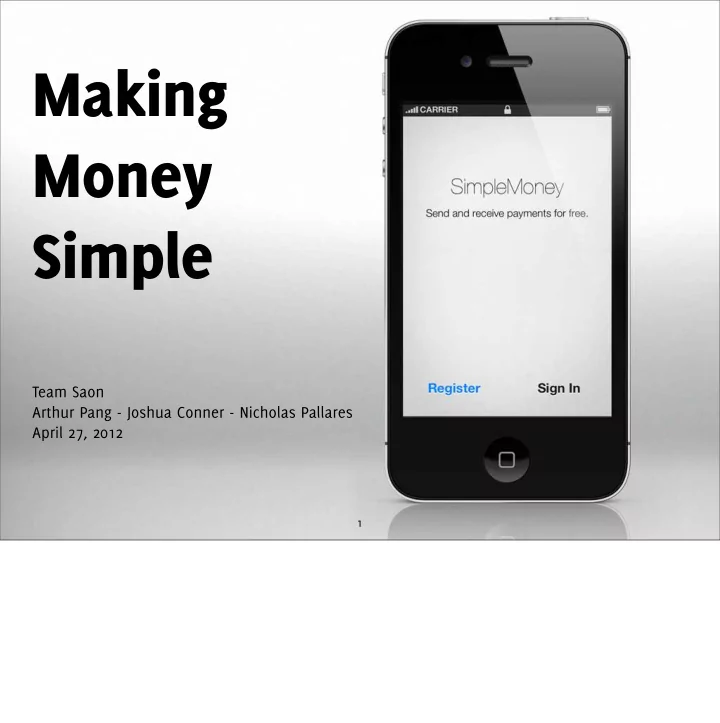
Making Money Simple
Team Saon Arthur Pang - Joshua Conner - Nicholas Pallares April 27, 2012
1
Making Money Simple Team Saon Arthur Pang - Joshua Conner - - - PDF document
Making Money Simple Team Saon Arthur Pang - Joshua Conner - Nicholas Pallares April 27, 2012 1 Our Client Joshua Cross CEO, Hermes Commerce Ph.D., Applied Physics, Cornell Received grant from NSF to develop a mobile payments platform. 2
Team Saon Arthur Pang - Joshua Conner - Nicholas Pallares April 27, 2012
1
2
CEO, Hermes Commerce Ph.D., Applied Physics, Cornell Received grant from NSF to develop a mobile payments platform.
mobile payments platform.
3
thought Hermes faced in developing SimpleMoney was overcoming inertia So we asked ourselves: what could we do to help him overcome inertia? Build a great app; but what makes a really great, transformative app?
3
thought Hermes faced in developing SimpleMoney was overcoming inertia So we asked ourselves: what could we do to help him overcome inertia? Build a great app; but what makes a really great, transformative app?
3
thought Hermes faced in developing SimpleMoney was overcoming inertia So we asked ourselves: what could we do to help him overcome inertia? Build a great app; but what makes a really great, transformative app?
3
thought Hermes faced in developing SimpleMoney was overcoming inertia So we asked ourselves: what could we do to help him overcome inertia? Build a great app; but what makes a really great, transformative app?
4
Let’s consider some other apps that have done a good job at replacing their tangible counterparts... Todo list vs. iPhone “Reminders” app”
4
Let’s consider some other apps that have done a good job at replacing their tangible counterparts... Todo list vs. iPhone “Reminders” app”
5
Dumb map (they’re lost! how do you orient?) vs. iPhone or Android "Maps" app
at that exact moment in time.
5
Dumb map (they’re lost! how do you orient?) vs. iPhone or Android "Maps" app
at that exact moment in time.
6
6
Square, Paypal Here
consumers
7
Square: Fees! Still CC based
Google Wallet: blocked by Verizon, who is only carrier of only phone that can use GW.
Google Wallet
account
market
8
9
“Vanilla” Paypal, Dwolla
merchant payments
These are closer:
10
10
10
seconds
(or peer-to-peer pay w/Address Book integration)
10
seconds
(or peer-to-peer pay w/Address Book integration)
10
seconds
(or peer-to-peer pay w/Address Book integration)
10
merchants AND consumers
users to “shop local”
11
POS or tracking systems
and customer loyalty
12
instead of carrying around punch card, what if it were automatic?
13
1) Analyze competition
Competitor interaction patterns
1) Gathered and analyzed interaction patterns from competitor apps 2) Clip of formal requirements, some early wireframes we developed 3) Some
13
1) Analyze competition 2) Develop initial spec
1) Gathered and analyzed interaction patterns from competitor apps 2) Clip of formal requirements, some early wireframes we developed 3) Some
13
1) Analyze competition 2) Develop initial spec 3) Prototype and iterate
Early SimpleMoney prototypes
1) Gathered and analyzed interaction patterns from competitor apps 2) Clip of formal requirements, some early wireframes we developed 3) Some
14
Since we only had one semester to implement the backend architecture, AND the iOS and Android client applications, we had to take advantage of a lot of open source software. Using
focus on adding features that define our product. At the core of our system is our server, which is built on Ruby on Rails. On top of that, we're using a rock solid authentication system called Devise to handle user authentication and authorization. The core of our client applications are based on the Android and iOS SDKs. They communicate with our server through a REST API, using the help of GSON and RESTKit for object mapping and data
us read and decode QR codes.
14
Since we only had one semester to implement the backend architecture, AND the iOS and Android client applications, we had to take advantage of a lot of open source software. Using
focus on adding features that define our product. At the core of our system is our server, which is built on Ruby on Rails. On top of that, we're using a rock solid authentication system called Devise to handle user authentication and authorization. The core of our client applications are based on the Android and iOS SDKs. They communicate with our server through a REST API, using the help of GSON and RESTKit for object mapping and data
us read and decode QR codes.
14
Since we only had one semester to implement the backend architecture, AND the iOS and Android client applications, we had to take advantage of a lot of open source software. Using
focus on adding features that define our product. At the core of our system is our server, which is built on Ruby on Rails. On top of that, we're using a rock solid authentication system called Devise to handle user authentication and authorization. The core of our client applications are based on the Android and iOS SDKs. They communicate with our server through a REST API, using the help of GSON and RESTKit for object mapping and data
us read and decode QR codes.
14
Since we only had one semester to implement the backend architecture, AND the iOS and Android client applications, we had to take advantage of a lot of open source software. Using
focus on adding features that define our product. At the core of our system is our server, which is built on Ruby on Rails. On top of that, we're using a rock solid authentication system called Devise to handle user authentication and authorization. The core of our client applications are based on the Android and iOS SDKs. They communicate with our server through a REST API, using the help of GSON and RESTKit for object mapping and data
us read and decode QR codes.
14
Since we only had one semester to implement the backend architecture, AND the iOS and Android client applications, we had to take advantage of a lot of open source software. Using
focus on adding features that define our product. At the core of our system is our server, which is built on Ruby on Rails. On top of that, we're using a rock solid authentication system called Devise to handle user authentication and authorization. The core of our client applications are based on the Android and iOS SDKs. They communicate with our server through a REST API, using the help of GSON and RESTKit for object mapping and data
us read and decode QR codes.
14
Since we only had one semester to implement the backend architecture, AND the iOS and Android client applications, we had to take advantage of a lot of open source software. Using
focus on adding features that define our product. At the core of our system is our server, which is built on Ruby on Rails. On top of that, we're using a rock solid authentication system called Devise to handle user authentication and authorization. The core of our client applications are based on the Android and iOS SDKs. They communicate with our server through a REST API, using the help of GSON and RESTKit for object mapping and data
us read and decode QR codes.
15
SQLite
SimpleMoney Server iPhone / Android Application
Web Interface PostgreSQL
Client Application Server
Today, our application is deployed on the web, and interfaces with several cloud services to bring users some powerful features. We're using a push notification service called PubNub to notify our users of transaction events in real time. We're also using Amazon S3 to store our image assets, such as user avatars, and lastly we're using Mailgun to dispatch confirmation emails, password reset tokens, and transaction receipts. I won't walk you through the entire application here, instead I'll show you some of the views we've implemented to illustrate how
15
PubNub
SQLite
SimpleMoney Server iPhone / Android Application
Web Interface PostgreSQL
Client Application Server
Today, our application is deployed on the web, and interfaces with several cloud services to bring users some powerful features. We're using a push notification service called PubNub to notify our users of transaction events in real time. We're also using Amazon S3 to store our image assets, such as user avatars, and lastly we're using Mailgun to dispatch confirmation emails, password reset tokens, and transaction receipts. I won't walk you through the entire application here, instead I'll show you some of the views we've implemented to illustrate how
15
PubNub Amazon S3
SQLite
SimpleMoney Server iPhone / Android Application
Web Interface PostgreSQL
Client Application Server
Today, our application is deployed on the web, and interfaces with several cloud services to bring users some powerful features. We're using a push notification service called PubNub to notify our users of transaction events in real time. We're also using Amazon S3 to store our image assets, such as user avatars, and lastly we're using Mailgun to dispatch confirmation emails, password reset tokens, and transaction receipts. I won't walk you through the entire application here, instead I'll show you some of the views we've implemented to illustrate how
15
PubNub Amazon S3 Mailgun
SQLite
SimpleMoney Server iPhone / Android Application
Web Interface PostgreSQL
Client Application Server
Today, our application is deployed on the web, and interfaces with several cloud services to bring users some powerful features. We're using a push notification service called PubNub to notify our users of transaction events in real time. We're also using Amazon S3 to store our image assets, such as user avatars, and lastly we're using Mailgun to dispatch confirmation emails, password reset tokens, and transaction receipts. I won't walk you through the entire application here, instead I'll show you some of the views we've implemented to illustrate how
16
DB
User
SimpleMoney Server
Response user : { … } 200 OK
1 2 3
The first thing a user will want to do is sign up. First we populate the required parameters such as the user's name, email address and password, along with an optional user avatar. Users can take a photo with their camera, or choose an existing one from their library. When we're done filling out the form, the application sends a POST request, and the server validates the uniqueness of the email address, along with the length of the name and password. If the user is saved to the database, our server sends back the newly created object so the application can save the user and their transaction data to a local database on the phone. The first thing a user will want to do is sign up. First we populate the required parameters such as the user's name, email address and password, along with an optional user avatar. Users can take a photo with their camera, or choose an existing one from their library. When
17
After a user signs up or signs in, they're taken to the home screen where they can view their account balance, make a quick payment, send or request money, view their transaction history, or view local deals around them.
18
create a transaction
simplemoney.dev/transactions/
Transaction
ZBar (QR Code Reader)
Image
SimpleMoney Server
1 2 3
We wanted to make payments as fast and easy as possible. To do that, we're using ZBar's camera controller to recognize a SimpleMoney QR Code. Once a QR Code is recognized, the camera automatically dismisses itself, grabs the merchant ID, builds a new transaction locally
that determines if the transaction is paid for or not. Similar to the process of authorizing a charge on a credit card, a user can scan a QR Code to authorize a merchant to charge their account. If QuickPay is selected, we use ZBar’s camera controller to scan a QR Code that contains a merchant id. Once a QR Code is recongizned, the camera controller is dismissed and our app grabs the merchant id, builds a new transaction, and posts it to the server to create a new
19
SendMoneyViewController
UITextField *emailTextField UITextField *amountTextField UITextField *descriptionTextField UIButton *sendMoneyButton UITableView *tableView newTransactionButtonWasPressed: sendMoneyButtonWasPressed dismissKeyboard
UITextField
delegate
UITextField
delegate
UITextField
delegate
UIButton
delegate
UITableView
delegate dataSource
UIViewController
Our app also makes it easy to send and request money from friends by reading from the phone's address book. Tapping on the email text field shows a list of all your contacts that is searchable by name or email address. When you're done selecting a contact, the list gracefully slides up to get out of your way. When we were building this view, and other views with complex interactions, we made it a point to design the interface before we started programming. Starting with the interface allowed us to iterate quickly and ask ourselves, "Does this view make sense? Is this easy to use? Does it solve the problem at hand?". We could only truly answer those questions when we were dealing with a real interface.
20
One of the design patterns that we used frequently was the delegate pattern. In the delegate pattern, we have a view controller that references and manages several views. When something interesting happens to one of these views, the view will notify it's view controller, so it can decide what to do next. So for example, when a user taps on the email text field, the view controller slides down a list of contacts, and fades out the views behind the list. After a contact is selected, the view controller slides up the list of contacts and fades in the other
real code.
20
One of the design patterns that we used frequently was the delegate pattern. In the delegate pattern, we have a view controller that references and manages several views. When something interesting happens to one of these views, the view will notify it's view controller, so it can decide what to do next. So for example, when a user taps on the email text field, the view controller slides down a list of contacts, and fades out the views behind the list. After a contact is selected, the view controller slides up the list of contacts and fades in the other
real code.
20
One of the design patterns that we used frequently was the delegate pattern. In the delegate pattern, we have a view controller that references and manages several views. When something interesting happens to one of these views, the view will notify it's view controller, so it can decide what to do next. So for example, when a user taps on the email text field, the view controller slides down a list of contacts, and fades out the views behind the list. After a contact is selected, the view controller slides up the list of contacts and fades in the other
real code.
20
One of the design patterns that we used frequently was the delegate pattern. In the delegate pattern, we have a view controller that references and manages several views. When something interesting happens to one of these views, the view will notify it's view controller, so it can decide what to do next. So for example, when a user taps on the email text field, the view controller slides down a list of contacts, and fades out the views behind the list. After a contact is selected, the view controller slides up the list of contacts and fades in the other
real code.
20
One of the design patterns that we used frequently was the delegate pattern. In the delegate pattern, we have a view controller that references and manages several views. When something interesting happens to one of these views, the view will notify it's view controller, so it can decide what to do next. So for example, when a user taps on the email text field, the view controller slides down a list of contacts, and fades out the views behind the list. After a contact is selected, the view controller slides up the list of contacts and fades in the other
real code.
21
TransactionCell
UIImageView *userImageView; UIButton *payButton; UILabel *nameLabel; UILabel *emailLabel; UILabel *transactionAmountLabel; UILabel *dateLabel; UILabel *descriptionLabel; NSNumber *transactionID; configureWithTransaction:isBill: showDescription:
UITableViewCell
Another custom UI component that we built was the transaction cell. We subclassed a tableview cell to accept a transaction object as a parameter so it can display relevant transaction information like the recipient's email address and avatar. Just like the previous view, we used the delegate pattern to enable the cell to expand when it's tapped.
22
Another cool feature of the Transaction cell is that it allows users to pay bills by selecting an unpaid bill and tapping on the pay button. This updates the transaction locally on the device and sends a request to the server. If the transaction is updated successfully, the server transfers money from the sender's account to the recipient's account, and emails both parties a transaction receipt.
23
high level challenges learning android SDK, iOS SDK, ruby on rails lower level challenges
modeling data - stupid mistake: representing money as floats instead of ints
replicating data - user and transaction models
24
1) Gathered and analyzed interaction patterns from competitor apps 2) Clip of formal requirements, some early wireframes we developed 3) Some
24
1) Gathered and analyzed interaction patterns from competitor apps 2) Clip of formal requirements, some early wireframes we developed 3) Some
24
1) Gathered and analyzed interaction patterns from competitor apps 2) Clip of formal requirements, some early wireframes we developed 3) Some
24
platforms
1) Gathered and analyzed interaction patterns from competitor apps 2) Clip of formal requirements, some early wireframes we developed 3) Some
25
high level challenges learning android SDK, iOS SDK, ruby on rails lower level challenges
modeling data - stupid mistake: representing money as floats instead of ints
replicating data - user and transaction models
merchant transactions
25
high level challenges learning android SDK, iOS SDK, ruby on rails lower level challenges
modeling data - stupid mistake: representing money as floats instead of ints
replicating data - user and transaction models
merchant transactions
code
25
high level challenges learning android SDK, iOS SDK, ruby on rails lower level challenges
modeling data - stupid mistake: representing money as floats instead of ints
replicating data - user and transaction models
merchant transactions
code
transaction history
25
high level challenges learning android SDK, iOS SDK, ruby on rails lower level challenges
modeling data - stupid mistake: representing money as floats instead of ints
replicating data - user and transaction models
26
Adding merchant features - to date, we have backend support for adding purchase items and their associated data, such as images. Not using ACH - automated clearing house - API to transfer money between accounts Currently, our app is using play money Matching Andriod UI - we might have to build A LOT of custom UI to match apple’s ui components tableviews?
powerful payment solution
27
Credit cards are stupid - they don’t tell you your balance or transaction history banks ofger apps that let you check your balance, why not take a step further? A phone knowing a little about you can go a long way.
28