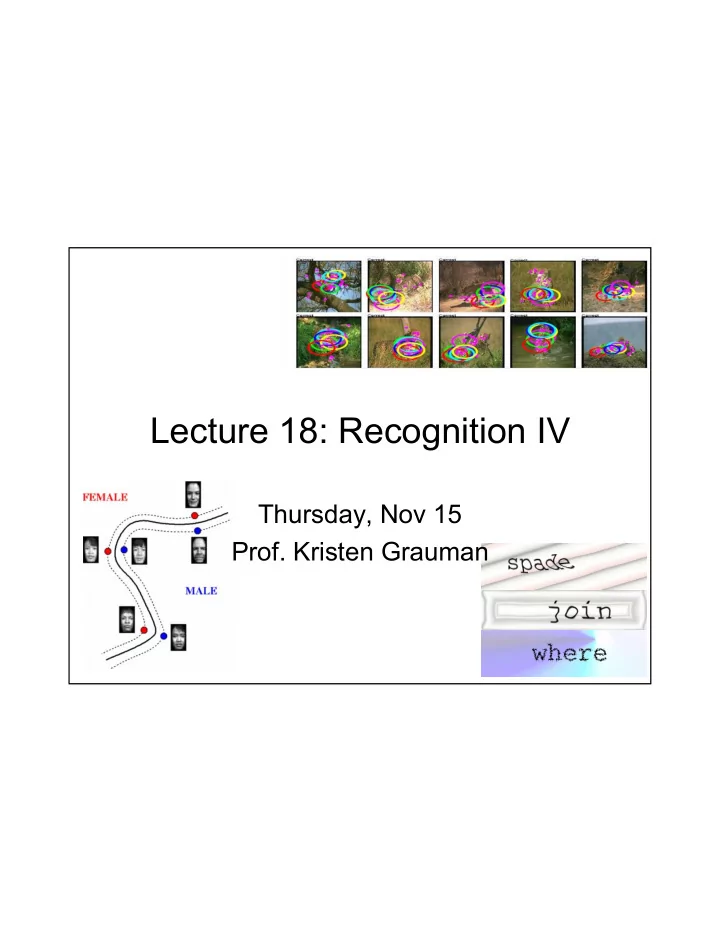
Lecture 18: Recognition IV Thursday, Nov 15 Prof. Kristen Grauman - - PDF document

lecture 18 recognition iv
SMART_READER_LITE
LIVE PREVIEW

Lecture 18: Recognition IV Thursday, Nov 15 Prof. Kristen Grauman - - PDF document

Lecture 18: Recognition IV Thursday, Nov 15 Prof. Kristen Grauman Outline Discriminative classifiers SVMs Learning categories from weakly supervised images Constellation model Shape matching Shape context, visual


slide-1
SLIDE 1

Lecture 18: Recognition IV

Thursday, Nov 15

  • Prof. Kristen Grauman
slide-2
SLIDE 2

Outline

  • Discriminative classifiers

– SVMs

  • Learning categories from weakly supervised images

– Constellation model

  • Shape matching

– Shape context, visual CAPTCHA application

slide-3
SLIDE 3

Recall: boosting

  • Want to select the single feature that best

separates positive and negative examples, in terms of weighted error.

Each dimension: output of a possible rectangle feature

  • n faces and non-faces.
slide-4
SLIDE 4

Recall: boosting

  • Want to select the single feature that best

separates positive and negative examples, in terms of weighted error.

Each dimension: output of a possible rectangle feature

  • n faces and non-faces.

=

slide-5
SLIDE 5

Recall: boosting

  • Want to select the single feature that best

separates positive and negative examples, in terms of weighted error.

Each dimension: output of a possible rectangle feature

  • n faces and non-faces.

Image subwindow Optimal threshold that results in minimal misclassifications = Notice that any threshold giving same error rate would be equally good here.

slide-6
SLIDE 6

Lines in R2

= + + d by ax

slide-7
SLIDE 7

Lines in R2

⎥ ⎦ ⎤ ⎢ ⎣ ⎡ = b a w ⎥ ⎦ ⎤ ⎢ ⎣ ⎡ = y x x

= + + d by ax

Let

slide-8
SLIDE 8

Lines in R2

= + ⋅ d x w

⎥ ⎦ ⎤ ⎢ ⎣ ⎡ = b a w ⎥ ⎦ ⎤ ⎢ ⎣ ⎡ = y x x

= + + d by ax

Let

w

slide-9
SLIDE 9

Lines in R2

= + ⋅ d x w

⎥ ⎦ ⎤ ⎢ ⎣ ⎡ = b a w ⎥ ⎦ ⎤ ⎢ ⎣ ⎡ = y x x

= + + d by ax

Let

w

( )

0, y

x

D

slide-10
SLIDE 10

Lines in R2

= + ⋅ d x w

⎥ ⎦ ⎤ ⎢ ⎣ ⎡ = b a w ⎥ ⎦ ⎤ ⎢ ⎣ ⎡ = y x x

= + + d by ax

Let

w

( )

0, y

x

D w x w d b a d by ax D + = + + + =

Τ 2 2

distance from point to line

slide-11
SLIDE 11

Lines in R2

= + ⋅ d x w

⎥ ⎦ ⎤ ⎢ ⎣ ⎡ = b a w ⎥ ⎦ ⎤ ⎢ ⎣ ⎡ = y x x

= + + d by ax

Let

w

( )

0, y

x

D w x w d b a d by ax D + = + + + =

Τ 2 2

distance from point to line

slide-12
SLIDE 12

Planes in R3

= + + + d cz by ax

= + ⋅ d x w

⎥ ⎥ ⎥ ⎦ ⎤ ⎢ ⎢ ⎢ ⎣ ⎡ = c b a w ⎥ ⎥ ⎥ ⎦ ⎤ ⎢ ⎢ ⎢ ⎣ ⎡ = z y x x

Let

w

w x w d c b a d cz by ax D + = + + + + + =

Τ 2 2 2

distance from point to plane

( )

, , z y x

D

slide-13
SLIDE 13

Hyperplanes in Rn

2 2 1 1

= + + + + b x w x w x w

n n

K

Hyperplane H is set of all vectors which satisfy:

n

R ∈ x

= +

Τ

b x w

w x w x b H D + =

Τ

) , (

distance from point to hyperplane

slide-14
SLIDE 14

Support Vector Machines (SVMs)

  • Discriminative

classifier based on

  • ptimal separating

hyperplane

  • What hyperplane is
  • ptimal?
slide-15
SLIDE 15

Linear Classifiers

f

x

yest

denotes + 1 denotes -1

f(x,w,b) = sign(w x + b)

How would you classify this data?

w x + b=0 w x + b<0 w x + b>0 Slides from Andrew Moore’s tutorial: http://www.autonlab.org/tutorials/svm.html

slide-16
SLIDE 16

Linear Classifiers

f

x

yest

denotes + 1 denotes -1

f(x,w,b) = sign(w x + b)

How would you classify this data?

slide-17
SLIDE 17

Linear Classifiers

f

x

yest

denotes + 1 denotes -1

f(x,w,b) = sign(w x + b)

How would you classify this data?

slide-18
SLIDE 18

Linear Classifiers

f

x

yest

denotes + 1 denotes -1

f(x,w,b) = sign(w x + b)

Any of these would be fine.. ..but which is best?

slide-19
SLIDE 19

Linear Classifiers

f

x

yest

denotes + 1 denotes -1

f(x,w,b) = sign(w x + b)

How would you classify this data?

Misclassified to +1 class

slide-20
SLIDE 20

Classifier Margin

f

x

yest

denotes + 1 denotes -1

f(x,w,b) = sign(w x + b)

Define the margin

  • f a linear

classifier as the width that the boundary could be increased by before hitting a datapoint.

Classifier Margin

f

x

yest

denotes + 1 denotes -1

f(x,w,b) = sign(w x + b)

Define the margin

  • f a linear

classifier as the width that the boundary could be increased by before hitting a datapoint.

slide-21
SLIDE 21

Maximum Margin

f

x

yest

denotes + 1 denotes -1

f(x,w,b) = sign(w x + b)

The maximum margin linear classifier is the linear classifier with maximum margin. This is the simplest kind of SVM (Called an LSVM)

Linear SVM Support Vectors are those datapoints that the margin pushes up against 1. Maximizing the margin is good according to intuition and theory 2. Implies that only support vectors are important; other training examples are ignorable. 3. Empirically it works very very well.

slide-22
SLIDE 22

Linear SVM Mathematically

“ P r e d i c t C l a s s = + 1 ” z

  • n

e “ P r e d i c t C l a s s =

  • 1

” z

  • n

e

wx+ b= 1 wx+ b= 0 wx+ b= -1

X- x+

M= Margin Width

w w w 2 1 1 = − − = M

w w x w 1 ± = + b

Τ

For the support vectors, distance to hyperplane is 1 for a positives and -1 for negatives.

slide-23
SLIDE 23

Question

  • How should we choose values for w,b?

1.want the training data separated by the hyperplane so it classifies them correctly 2.want the margin width M as large as possible

slide-24
SLIDE 24

Linear SVM Mathematically

Goal: 1) Correctly classify all training data

if yi = +1 if yi = -1 for all i

2) Maximize the Margin same as minimize

  • Formulated as a Quadratic Optimization Problem, solve for w and b:

Minimize

subject to w M 2 =

w w w

t

2 1 ) ( = Φ

1 ≥ + b wx i

1 ≤ + b wx i

1 ) ( ≥ + b wx y

i i

1 ) ( ≥ + b wx y

i i

i ∀

w wt 2 1

slide-25
SLIDE 25

The Optimization Problem Solution

Solution has the form (omitting derivation): Each non-zero αi indicates that corresponding xi is a

support vector.

Then the classifying function will have the form: Notice that it relies on an inner product between the test

point x and the support vectors xi

Solving the optimization problem also involves

computing the inner products xi

Txj between all pairs of

training points.

w =Σαiyixi b= yk- wTxk for any xk such that αk≠ 0 f(x) = Σαiyixi

Tx + b

slide-26
SLIDE 26

Non-linear SVMs

Datasets that are linearly separable with some noise

work out great:

But what are we going to do if the dataset is just too hard? How about… mapping data to a higher-dimensional

space:

x x x x2

slide-27
SLIDE 27

Non-linear SVMs: Feature spaces

General idea: the original input space can always be

mapped to some higher-dimensional feature space where the training set is separable:

Φ: x → φ(x)

slide-28
SLIDE 28

The “Kernel Trick”

  • The linear classifier relies on dot product between vectors K(xi,xj)=xi

Txj

  • If every data point is mapped into high-dimensional space via some

transformation Φ: x → φ(x), the dot product becomes: K(xi,xj)= φ(xi) Tφ(xj)

  • A kernel function is similarity function that corresponds to an inner product

in some expanded feature space.

  • Example:

2-dimensional vectors x=[x1 x2]; let K(xi,xj)=(1 + xi

Txj)2

Need to show that K(xi,xj)= φ(xi) Tφ(xj): K(xi,xj)=(1 + xi

Txj)2 ,

= 1+ xi1

2xj1 2 + 2 xi1xj1 xi2xj2+ xi2 2xj2 2 + 2xi1xj1 + 2xi2xj2

= [1 xi1

2 √2 xi1xi2 xi2 2 √2xi1 √2xi2]T [1 xj1 2 √2 xj1xj2 xj2 2 √2xj1 √2xj2]

= φ(xi) Tφ(xj), where φ(x) = [1 x1

2 √2 x1x2 x2 2 √2x1 √2x2]

slide-29
SLIDE 29

Examples of General Purpose Kernel Functions

Linear: K(xi,xj)= xi Txj

Polynomial of power p: K(xi,xj)= (1+ xi Txj)p Gaussian (radial-basis function network):

) 2 exp( ) , (

2 2

σ

j i j i

x x x x − − = K

slide-30
SLIDE 30

SVMs for object recognition

  • 1. Define your representation

for each example.

  • 2. Select a kernel function.
  • 3. Compute pairwise kernel

values between labeled examples, identify support vectors.

  • 4. Compute kernel values

between new inputs and support vectors to classify.

slide-31
SLIDE 31

Example: learning gender with SVMs

Moghaddam and Yang, Learning Gender with Support Faces, TPAMI 2002. Moghaddam and Yang, Face & Gesture 2000.

slide-32
SLIDE 32

Moghaddam and Yang, Learning Gender with Support Faces, TPAMI 2002.

Processed faces Face alignment processing

slide-33
SLIDE 33
  • Training examples:

– 1044 males – 713 females

  • Experiment with various kernels, select

Gaussian RBF

Learning gender with SVMs

slide-34
SLIDE 34

Support Faces

Moghaddam and Yang, Learning Gender with Support Faces, TPAMI 2002.

slide-35
SLIDE 35

Moghaddam and Yang, Learning Gender with Support Faces, TPAMI 2002.

slide-36
SLIDE 36

Gender perception experiment: How well can humans do?

  • Subjects:

– 30 people (22 male, 8 female) – Ages mid-20’s to mid-40’s

  • Test data:

– 254 face images (6 males, 4 females) – Low res and high res versions

  • Task:

– Classify as male or female, forced choice – No time limit

Moghaddam and Yang, Face & Gesture 2000.

slide-37
SLIDE 37

Moghaddam and Yang, Face & Gesture 2000.

Gender perception experiment: How well can humans do?

Error Error

slide-38
SLIDE 38

Human vs. Machine

  • SVMs

perform better than any single human text subject

slide-39
SLIDE 39

Hardest examples for humans

Moghaddam and Yang, Face & Gesture 2000.

slide-40
SLIDE 40

Summary: SVM classifiers

  • Discriminative classifier
  • Effective for high-dimesional data
  • Flexibility/modularity due to kernel
  • Very good performance in practice, widely

used in vision applications

slide-41
SLIDE 41

Outline

  • Discriminative classifiers

– SVMs

  • Learning categories from weakly supervised images

– Constellation model

  • Shape matching

– Shape context, visual CAPTCHA application

slide-42
SLIDE 42

Weak supervision

  • How can we learn object models in the

presence of clutter?

Vs.

slide-43
SLIDE 43

Goal

Slide from Li Fei-Fei http://www.vision.caltech.edu/feifeili/Resume.htm

slide-44
SLIDE 44
  • Questions:

– What about categories where an iconic “template” representation is infeasible? – What is the object to be recognized / the part

  • f the image we want to build a model for?

– For that object, what parts are distinctive or things that can be reliably detected in different instances?

Weak supervision

Weber, Welling, Perona. Unsupervised Learning of Models for Recognition, ECCV 2000.

slide-45
SLIDE 45

Weber, Welling, Perona., 2000.

slide-46
SLIDE 46

Slide by Bill Freeman, MIT

slide-47
SLIDE 47

Slide by Bill Freeman, MIT

slide-48
SLIDE 48

Slide by Bill Freeman, MIT

slide-49
SLIDE 49

Slide by Bill Freeman, MIT

slide-50
SLIDE 50

Slide by Bill Freeman, MIT

Part-based models

slide-51
SLIDE 51

Part-based models

Slide by Fei-Fei Li, 2003.

slide-52
SLIDE 52

One possible constellation model

  • Model class with joint probability density

function on shape and appearance

Figure from Rob Fergus

image patch descriptors, with uncertainty mutual positions of the parts, with uncertainty

slide-53
SLIDE 53

Unsupervised learning of part- based models

Main idea:

  • Use interest operator to detect small highly textured

regions (on both fg and bg) – If training objects have similar appearance, these regions will often be similar in different training examples

  • Cluster patches: large clusters used to select candidate

fg parts

  • Choose most informative parts while simultaneously

estimating model parameters – Iteratively try different combinations of a small number of parts and check model performance on validation set to evaluate quality

Weber, Welling, Perona, ECCV 2000.

slide-54
SLIDE 54

Representation

  • Use a scale invariant, scale sensing feature keypoint

detector (like the first steps of Lowe’s SIFT).

From: Rob Fergus http://www.robots.ox.ac.uk/%7Efergus/

slide-55
SLIDE 55

Features Keys

  • A direct appearance model is taken around each located
  • key. This is then normalized to an 11x11 window. PCA

further reduces these features.

From: Rob Fergus http://www.robots.ox.ac.uk/%7Efergus/

slide-56
SLIDE 56

Slide by Bill Freeman, MIT

slide-57
SLIDE 57

Candidate parts

Weber, Welling, Perona. Unsupervised Learning of Models for Recognition, 2000.

For faces For cars At this point, parts appear in both background and foreground of training images.

slide-58
SLIDE 58

Model learning

Images from Rob Fergus

Which of the candidate parts define the class, and in what configuration? Let’s assume:

  • We know number of parts that define the

model (and can keep it small).

  • Object of interest is only consistent thing

somewhere in each training image.

slide-59
SLIDE 59

Model learning

Which of the candidate parts define the class, and in what configuration? Initialize model parameters randomly. Iterate while fit improves:

  • 1. Find best assignment in the

training images given the parameters

  • 2. Recompute parameters

based on current features

slide-60
SLIDE 60

Recognition

  • Given a model defining the object class and a

model for “background”, compute likelihood ratio to make Bayesian decision:

X: locations S: scales A: appearances

Identified in new image:

slide-61
SLIDE 61

Recognition

  • Given a model defining the object class and a

model for “background”, compute likelihood ratio to make Bayesian decision:

X: locations S: scales A: appearances Use maximum-likelihood parameters

slide-62
SLIDE 62

Example: data from four categories

Slide from Li Fei-Fei http://www.vision.caltech.edu/feifeili/Resume.htm

slide-63
SLIDE 63

Face model Recognition results Appearance: 10 patches closest to mean for each part

slide-64
SLIDE 64

Face model Recognition results Appearance: 10 patches closest to mean for each part

slide-65
SLIDE 65

Appearance: 10 patches closest to mean for each part Motorbike model Recognition results

slide-66
SLIDE 66

Appearance: 10 patches closest to mean for each part Spotted cat model Recognition results

slide-67
SLIDE 67

Outline

  • Discriminative classifiers

– SVMs

  • Learning categories from weakly supervised images

– Constellation model

  • Shape matching

– Shape context, visual CAPTCHA application

slide-68
SLIDE 68

Shape and biology

  • D’Arcy Thompson: On Growth and Form, 1917

– studied transformations between shapes of

  • rganisms

Slides adapted from Belongie, Malik, & Puzicha, Matching Shapes, ICCV 2001. www.eecs.berkeley.edu/Research/Projects/CS/vision/shape/belongie-iccv01

slide-69
SLIDE 69

Shape matching for recognition

model target

slide-70
SLIDE 70

Comparing shapes

What points on these two sampled contours are most similar?

slide-71
SLIDE 71

Shape context descriptor

Count the number of points inside each bin, e.g.: Count = 4 Count = 10 ... Compact representation

  • f distribution of points

relative to each point

slide-72
SLIDE 72

Shape context descriptor

slide-73
SLIDE 73

Comparing shape contexts

Compute matching costs using Chi Squared distance: Recover correspondences by solving for least cost assignment, using costs Cij (Then estimate a parameterized transformation based on these correspondences.)

slide-74
SLIDE 74

CAPTCHA’s

  • CAPTCHA: Completely Automated Turing Test

To Tell Computers and Humans Apart

  • Luis von Ahn, Manuel Blum, Nicholas Hopper

and John Langford, CMU, 2000.

  • www.captcha.net
slide-75
SLIDE 75

Shape matching application: breaking a visual CAPTCHA

  • Use shape matching to recognize characters,

words in spite of clutter, warping, etc.

Recognizing Objects in Adversarial Clutter: Breaking a Visual CAPTCHA, by G. Mori and J. Malik, CVPR 2003

slide-76
SLIDE 76

Computer Vision Group

University of California

Berkeley

Fast Pruning: Representative Shape Contexts

  • Pick k points in the image at random

– Compare to all shape contexts for all known letters – Vote for closely matching letters

  • Keep all letters with scores under threshold

d

  • p

Slides by Greg Mori, CVPR 2003

slide-77
SLIDE 77

Computer Vision Group

University of California

Berkeley

Algorithm A: bottom-up

  • Look for letters

– Representative Shape Contexts

  • Find pairs of letters that

are “consistent”

– Letters nearby in space

  • Search for valid words
  • Give scores to the words
slide-78
SLIDE 78

Computer Vision Group

University of California

Berkeley

EZ-Gimpy Results with Algorithm A

  • 158 of 191 images correctly identified: 83%

– Running time: ~10 sec. per image (MATLAB, 1 Ghz P3) horse smile canvas spade join here

slide-79
SLIDE 79

Computer Vision Group

University of California

Berkeley

Gimpy

  • Multiple words, task is to find 3 words in the

image

  • Clutter is other objects, not texture
slide-80
SLIDE 80

Computer Vision Group

University of California

Berkeley

Algorithm B: Letters are not enough

  • Hard to distinguish single letters with so much clutter
  • Find words instead of letters

– Use long range info over entire word – Stretch shape contexts into ellipses

  • Search problem becomes huge

– # of words 600 vs. # of letters 26 – Prune set of words using opening/closing bigrams

slide-81
SLIDE 81

Computer Vision Group

University of California

Berkeley

Results with Algorithm B

# Correct words % tests (of 24) 1 or more 92% 2 or more 75% 3 33% EZ-Gimpy 92%

dry clear medical door farm important card arch plate

slide-82
SLIDE 82

Coming up

  • Face images
  • For next week:

– Read Trucco & Verri handout on Motion

  • Problem set 4 due 11/29
slide-83
SLIDE 83

References

  • Unsupervised Learning of Models for Recognition, by M.

Weber, M. Welling and P. Perona, ECCV 2000.

  • Towards Automatic Discovery of Object Categories, by
  • M. Weber, M. Welling and P. Perona, CVPR 2000.
  • Object Class Recognition by Unsupervised Scale-

Invariant Learning, by Fergus, Perona, and Zisserman, CVPR 2003.

  • Matching Shapes, by S. Belongie, J. Malik and J.

Puzicha, ICCV 2001.

  • Recognizing Objects in Adversarial Clutter: Breaking a

Visual CAPTCHA, by G. Mori and J. Malik, CVPR 2003.

  • Learning Gender with Support Faces, by Moghaddam

and Yang, TPAMI, 2002.

  • SVM slides from Andrew Moore, CMU