Lecture 16: Testing & Review 2015-07-13 Prof. Dr. Andreas - - PDF document

lecture 16 testing review
SMART_READER_LITE
LIVE PREVIEW

Lecture 16: Testing & Review 2015-07-13 Prof. Dr. Andreas - - PDF document

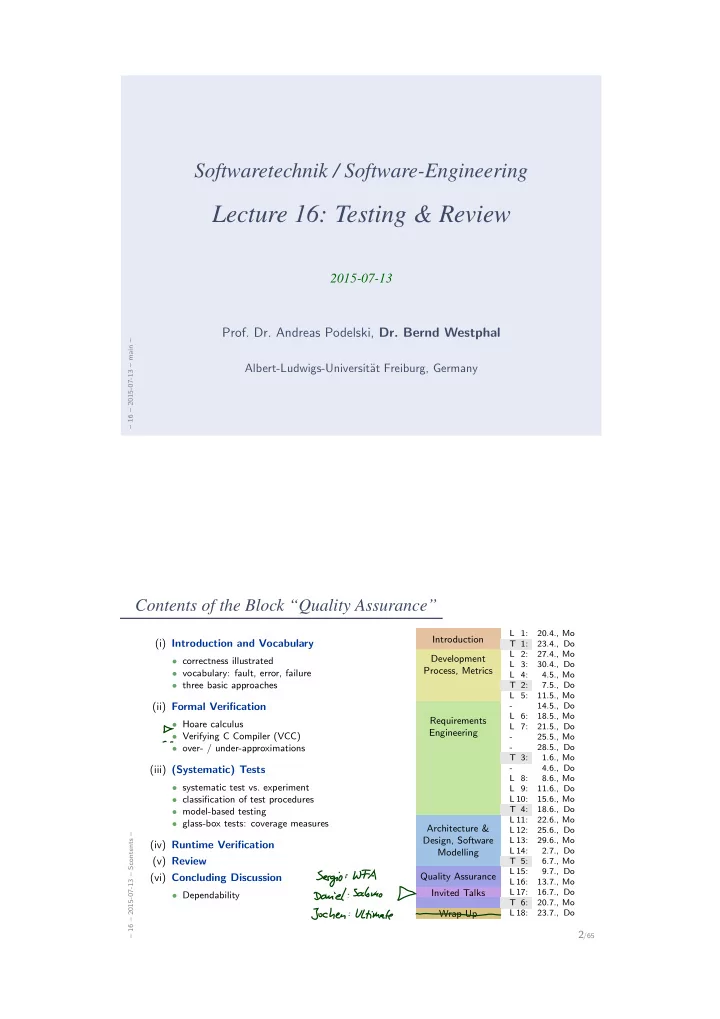
Softwaretechnik / Software-Engineering Lecture 16: Testing & Review 2015-07-13 Prof. Dr. Andreas Podelski, Dr. Bernd Westphal 16 2015-07-13 main Albert-Ludwigs-Universit at Freiburg, Germany Contents of the Block


slide-1
SLIDE 1

– 16 – 2015-07-13 – main –

Softwaretechnik / Software-Engineering

Lecture 16: Testing & Review

2015-07-13

  • Prof. Dr. Andreas Podelski, Dr. Bernd Westphal

Albert-Ludwigs-Universit¨ at Freiburg, Germany

Contents of the Block “Quality Assurance”

– 16 – 2015-07-13 – Scontents –

2/65 (i) Introduction and Vocabulary

  • correctness illustrated
  • vocabulary: fault, error, failure
  • three basic approaches

(ii) Formal Verification

  • Hoare calculus
  • Verifying C Compiler (VCC)
  • over- / under-approximations

(iii) (Systematic) Tests

  • systematic test vs. experiment
  • classification of test procedures
  • model-based testing
  • glass-box tests: coverage measures

(iv) Runtime Verification (v) Review (vi) Concluding Discussion

  • Dependability

L 1: 20.4., Mo

Introduction

T 1: 23.4., Do L 2: 27.4., Mo L 3: 30.4., Do L 4: 4.5., Mo

Development Process, Metrics

T 2: 7.5., Do L 5: 11.5., Mo

  • 14.5., Do

L 6: 18.5., Mo L 7: 21.5., Do

  • 25.5., Mo
  • 28.5., Do

Requirements Engineering

T 3: 1.6., Mo

  • 4.6., Do

L 8: 8.6., Mo L 9: 11.6., Do L 10: 15.6., Mo T 4: 18.6., Do L 11: 22.6., Mo L 12: 25.6., Do L 13: 29.6., Mo L 14: 2.7., Do

Architecture & Design, Software Modelling

T 5: 6.7., Mo L 15: 9.7., Do

Quality Assurance

L 16: 13.7., Mo

Invited Talks

L 17: 16.7., Do T 6: 20.7., Mo

Wrap-Up

L 18: 23.7., Do

slide-2
SLIDE 2

Contents & Goals

– 16 – 2015-07-13 – Sprelim –

3/65

Last Lecture:

  • Completed the block “Architecture & Design”

This Lecture:

  • Educational Objectives: Capabilities for following tasks/questions.
  • What can we conclude from the outcome of tools like VCC?
  • What is an example for not a test, non-systematic test, systematic test?
  • Given a test case and a software, is the outcome successful or unsuccesful?
  • How many test cases are necessary for exhaustive testing of a given software?
  • Content:
  • The Verifying C Compiler (VCC)
  • Systematic test, test case, test suite
  • Testing notions
  • Coverage measures

The Verifying C Compiler

– 16 – 2015-07-13 – main –

4/65

slide-3
SLIDE 3

VCC

– 16 – 2015-07-13 – Svcc –

5/65

  • The Verifying C Compiler (VCC) basically implements Hoare-style reasoning.
  • Special syntax:
  • #include <vcc.h>
  • (requires p) — pre-condition, p is a C expression
  • (ensures q) — post-condition, q is a C expression
  • (invariant expr) — looop invariant, expr is a C expression
  • (assert p) — intermediate invariant, p is a C expression
  • (writes &v) — VCC considers concurrent C programs; we need to declare for each

procedure which global variables it is allowed to write to (also checked by VCC)

  • Special expressions:
  • \thread local(&v) — no other thread writes to variable v (in pre-conditions)
  • \old(v) — the value of v when procedure was called (useful for post-conditions)
  • \result — return value of procedure (useful for post-conditions)

VCC Syntax Example

– 16 – 2015-07-13 – Svcc –

6/65

1

#include <vcc . h>

2 3

i nt q , r ;

4 5

void div ( i nt x , i nt y )

6

( r e q u i r e s x >= 0 && y >= 0)

7

( ensures q ∗ y + r == x && r < y )

8

( w r i t e s &q)

9

( w r i t e s &r )

10

{

11

q = 0;

12

r = x ;

13

while ( r >= y )

14

( i n v a r i a n t q ∗ y + r == x && r >= 0)

15

{

16

r = r − y ;

17

q = q + 1;

18

}

19

}

DIV ≡ q := 0; r := x; while r ≥ y do r := r − y; q := q + 1 do {x ≥ 0 ∧ y ≥ 0} DIV {q · y + r = x ∧ r < y}

slide-4
SLIDE 4

VCC Web-Interface

– 16 – 2015-07-13 – Svcc –

7/65

VCC Architecture

– 16 – 2015-07-13 – Svcc –

8/65

slide-5
SLIDE 5

VCC Features

– 16 – 2015-07-13 – Svcc –

9/65

  • For the exercises, we use VCC only for sequential, single-thread programs.
  • VCC checks a number of implicit assertions:
  • no arithmetic overflow in expressions (according to C-standard),
  • array-out-of-bounds access,
  • NULL-pointer dereference,
  • and many more.
  • VCC also supports:
  • concurrency: different threads may write to shared global variables; VCC can check whether

concurrent access to shared variables is properly managed;

  • data structure invariants: we may declare invariants that have to hold for, e.g., records (e.g.

the length field l is always equal to the length of the string field str); those invariants may temporarily be violated when updating the data structure.

  • and much more.
  • Verification does not always succeed:
  • The backend SMT-solver may not be able to discharge proof-obligations (in particular

non-linear multiplication and division are challenging);

  • In many cases, we need to provide loop invariants manually.

Interpretation of Results

– 16 – 2015-07-13 – Svcc –

10/65

  • VCC says: “verification succeeded

We can only conclude that the tool — under its interpretation of the C-standard, under its platform assumptions (32-bit), etc. — “thinks” that it can prove | = {p} DIV {q}. Can be due to an error in the tool!

Yet we can ask for a printout of the proof and check it manually (hardly possible in practice) or with other tools like interactive theorem provers.

Note: | = {false} f {q} always holds — so a mistake in writing down the pre-condition can provoke a false negative.

  • VCC says: “verification failed
  • One case: “timeout” etc. — completely inconclusive outcome.
  • The tool does not provide counter-examples in the form of a computation path.

It (only) gives hints on input values satisfying p and causing a violation of q. May be a false negative if these inputs are actually never used. Make pre-condition p stronger, and try again.

slide-6
SLIDE 6

Testing

– 16 – 2015-07-13 – main –

12/65

slide-7
SLIDE 7

Quotes On Testing

– 16 – 2015-07-13 – Stestintro –

13/65

“Testing is the execution of a program with the goal to discover errors.”

  • G. J. Myers, 1979

“Testing is the demonstration of a program or system with the goal to show that it does what it is supposed to do.”

  • W. Hetzel, 1984

“Software can be used to show the presence of bugs, but never to show their absence!”

  • E. W. Dijkstra, 1970

Rule-of-thumb: (fairly systematic) tests discover half of all errors.

(Ludewig and Lichter, 2013)

Tests vs. Systematic Tests

– 16 – 2015-07-13 – Stestintro –

14/65

Test — (one or multiple) execution(s) of a program on a computer with the goal to find errors.

(Ludewig and Lichter, 2013)

(Our) Synonyms: Experiment, ‘Rumprobieren’.

Not (even) a test (in the sense of this weak definition):

  • any inspection of the program,
  • demo of the program,
  • analysis by software-tools, e.g. for values of metrics,
  • investigation of the program with a debugger.

Systematic Test — a test with

  • (environment) conditions are defined or precisely documented,
  • inputs have been chosen systematically,
  • results documented and assessed according to criteria that have been fixed before.

(Ludewig and Lichter, 2013)

In the following: experiment := test — test := systematic test.

slide-8
SLIDE 8

More Formally: Test Case

– 16 – 2015-07-13 – Stestintro –

15/65

  • A test case T is a set of pairs {(In1, Soll 1), . . . } consisting of
  • a (description of a) finite input sequence Ini (pairwise different in T),
  • a (description of a) finite set of expected computation path Soll i.

Examples:

  • T1 = (FILLUP, C50; water button on)

(shorthand notation) (fill up vending machine (at any time after power on), insert C50 coin (at any time), expect water button is enabled (some time later))

  • T2 = {(σi

αi

1

− − → σi

1; σ0 α1

− − → σ1) | σi

0(x) = 7 ∧ σ1(y) = 49}

(input 7, expect output 49, don’t care for other variables’ values; shorthand notation: (7; 49))

  • T3 = {(σi

ǫ

− → σi

1; σ0 ǫ

− → σ1)} σi

0 = σi 0 = 0[x := 7], σ0 = 0, σ1 = 0[y := 49]

(each and every variable value at start and at end fixed)

Test Case Execution, Test Suite

– 16 – 2015-07-13 – Stestintro –

16/65

slide-9
SLIDE 9

Test Case Execution, Test Suite

– 16 – 2015-07-13 – Stestintro –

16/65

  • An execution of test case T for software S is a computation path of S

π = σi σo

  • αi

1

− − →

αo

1

σi

1

σo

1

  • αi

2

− − →

αo

2

· · · where σi

αi

1

− − → σi

1 αi

2

− − → σi

2 · · · = Ini for some i in T.

  • The test case execution is called
  • succesful (or positive) if it discovered an error, i.e. if π /

∈ Soll i.

(Alternative: test item failed to pass test; confusing: “test failed”.)

  • unsuccesful (or negative) if it did not discover an error, i.e. if π ∈ Soll i.

(Alternative: test item passed test; okay: “test passed”.)

Note: if input sequence not adhered to, or power outage, etc., it is not a test execution.

  • A test suite is a set of test cases.

Execution, positive, and negative are lifted canonically.

The Outcome of Systematic Tests Depends on. . .

– 16 – 2015-07-13 – Stestintro –

17/65

  • inputs:
  • the input vector of the test case (of course), possibly with timing constraints,
  • other interaction, e.g., from network,
  • initial memory content,
  • etc.
  • (environmental) conditions:

any aspects which could have an effect on the outcome of the test such as

  • which program (version) is tested? built with which compiler, linker, etc.?
  • test host (OS, architecture, memory size, connected devices (configuration?), etc.)
  • which other software (in which version, configuration) is involved?
  • who tested when?
  • etc.

. . . so strictly speaking all of them need to be specified within (or as an extension to) In.

  • In practice, this is hardly possible — but one wants to specify as much as possible in
  • rder to achieve reproducibility.
  • One approach:

have a fixed build environment, a fixed test host which does not do any other jobs, etc.

slide-10
SLIDE 10

Software Examination (in Particular Testing)

– 16 – 2015-07-13 – Stestintro –

18/65

  • In each check, there are two paths from

specification to result:

  • the production path (using model, source

code, executable, etc.), and

  • the examination path

(using requirements specification).

  • A check can only discover errors on

exactly one of the paths.

  • What is not on the paths, is not checked;

crucial: specification and comparison.

  • Difference detected:

examination result is positive.

Recall:

checking procedure shows no error reports error artefact has error yes false negative true positive no true negative false positive

specification implement specification comprehend specification “is”-result requirements

  • n result

compare examination result ✔/✘/? information flow development information flow examination (Ludewig and Lichter, 2013)

Test Conduction

– 16 – 2015-07-13 – Stestintro –

19/65 t

Planning Preparation Execution Evaluation Analysis

Test Plan Test Cases Test Directions Test Gear Test Protocol Test Report

  • Test Gear:

test driver— A software module used to invoke a module under test and, often, provide test inputs, control and monitor execution, and report test results. Synonym: test harness.

IEEE 610.12 (1990)

stub(1) A skeletal or special-purpose implementation of a software module, used to develop or test a module that calls or is otherwise dependent on it. (2) A computer program statement substituting for the body of a software module that is or will be defined elsewhere.

IEEE 610.12 (1990)

hardware-in-the-loop, software-in-the-loop: the final implementation is running on (prototype) hardware, other system component are simulated by a separate computer.

slide-11
SLIDE 11

Specific Testing Notions

– 16 – 2015-07-13 – Stestintro –

20/65

  • How are the test cases chosen?
  • Considering the structure of the test item (glass-box or structure test).
  • Considering only the specification (black-box or function test).
  • How much effort is put into testing?

execution trial — does the program run at all? throw-away-test — invent input and judge output on-the-fly, systematic test — somebody (not author!) derives test cases, defines input/soll, documents test execution.

In the long run, systematic tests are more economic.

  • Complexity of the test item:

unit test — a single program unit is tested (function, sub-routine, method, class, etc.) module test — a component is tested, integration test — the interplay between components is tested. system test — tests whole system.

Specific Testing Notions Cont’d

– 16 – 2015-07-13 – Stestintro –

21/65

  • Which property is tested?

function test — functionality as specified by the requirements documents, installation test — is it possible to install the software with the provided documentation and tools? recomminsioning test — is it possible to bring the system back to operation after

  • peration was stopped?

availability test — does the system run for the required amount of time without issues, load and stress test — does the system behave as required under high or highest load? . . . under overload?

“Hey, let’s try how many game objects can be handled!” — that’s an experiment, not a test.

regression test — does the new version of the software behave like the old one on inputs where no behaviour change is expected? response time , minimal hardware (software) requirements, etc.

  • Which roles are involved in testing?
  • only the developer, or selected (potential) customers (alpha and beta test),
  • acceptance test — the customer tests whether the system (or parts of it, at

milestones) test whether the system is acceptable.

slide-12
SLIDE 12

The Crux of Software Testing

– 16 – 2015-07-13 – Stestcrux –

22/65

12345678 + 27 7 8 9 4 5 6 + 1 2 3 =

  • Requirement:

If the display shows x, +, and y, then after pressing = ,

  • the sum of x and y is displayed if x + y has at most 8 digits,
  • otherwise “-E-” is displayed.

The Crux of Software Testing

– 16 – 2015-07-13 – Stestcrux –

22/65

12345705 7 8 9 4 5 6 + 1 2 3 =

  • Requirement:

If the display shows x, +, and y, then after pressing = ,

  • the sum of x and y is displayed if x + y has at most 8 digits,
  • otherwise “-E-” is displayed.
slide-13
SLIDE 13

Testing the Pocket Calculator

– 16 – 2015-07-13 – Stestcrux –

23/65

7 8 9 4 5 6 + 1 2 3 =

Test some representatives of “equivalence classes”:

  • n + 1, n small,

e.g. 27 + 1

  • n + m, n small, m small (for non error),

e.g. 13 + 27

  • n + m, n big, m big (for non error),

e.g. 12345 + 678

  • n + m, n huge, m small (for error),

e.g. 99999999 + 1

  • ...

Testing the Pocket Calculator

– 16 – 2015-07-13 – Stestcrux –

23/65

27 + 1 7 8 9 4 5 6 + 1 2 3 =

Test some representatives of “equivalence classes”:

  • n + 1, n small,

e.g. 27 + 1

  • n + m, n small, m small (for non error),

e.g. 13 + 27

  • n + m, n big, m big (for non error),

e.g. 12345 + 678

  • n + m, n huge, m small (for error),

e.g. 99999999 + 1

  • ...
slide-14
SLIDE 14

Testing the Pocket Calculator

– 16 – 2015-07-13 – Stestcrux –

23/65

28 7 8 9 4 5 6 + 1 2 3 =

Test some representatives of “equivalence classes”:

  • n + 1, n small,

e.g. 27 + 1

  • n + m, n small, m small (for non error),

e.g. 13 + 27

  • n + m, n big, m big (for non error),

e.g. 12345 + 678

  • n + m, n huge, m small (for error),

e.g. 99999999 + 1

  • ...

Testing the Pocket Calculator

– 16 – 2015-07-13 – Stestcrux –

23/65

13 + 27 7 8 9 4 5 6 + 1 2 3 =

Test some representatives of “equivalence classes”:

  • n + 1, n small,

e.g. 27 + 1

  • n + m, n small, m small (for non error),

e.g. 13 + 27

  • n + m, n big, m big (for non error),

e.g. 12345 + 678

  • n + m, n huge, m small (for error),

e.g. 99999999 + 1

  • ...
slide-15
SLIDE 15

Testing the Pocket Calculator

– 16 – 2015-07-13 – Stestcrux –

23/65

40 7 8 9 4 5 6 + 1 2 3 =

Test some representatives of “equivalence classes”:

  • n + 1, n small,

e.g. 27 + 1

  • n + m, n small, m small (for non error),

e.g. 13 + 27

  • n + m, n big, m big (for non error),

e.g. 12345 + 678

  • n + m, n huge, m small (for error),

e.g. 99999999 + 1

  • ...

Testing the Pocket Calculator

– 16 – 2015-07-13 – Stestcrux –

23/65

12345 + 678 7 8 9 4 5 6 + 1 2 3 =

Test some representatives of “equivalence classes”:

  • n + 1, n small,

e.g. 27 + 1

  • n + m, n small, m small (for non error),

e.g. 13 + 27

  • n + m, n big, m big (for non error),

e.g. 12345 + 678

  • n + m, n huge, m small (for error),

e.g. 99999999 + 1

  • ...
slide-16
SLIDE 16

Testing the Pocket Calculator

– 16 – 2015-07-13 – Stestcrux –

23/65

13023 7 8 9 4 5 6 + 1 2 3 =

Test some representatives of “equivalence classes”:

  • n + 1, n small,

e.g. 27 + 1

  • n + m, n small, m small (for non error),

e.g. 13 + 27

  • n + m, n big, m big (for non error),

e.g. 12345 + 678

  • n + m, n huge, m small (for error),

e.g. 99999999 + 1

  • ...

Testing the Pocket Calculator

– 16 – 2015-07-13 – Stestcrux –

23/65

99999999 + 1 7 8 9 4 5 6 + 1 2 3 =

Test some representatives of “equivalence classes”:

  • n + 1, n small,

e.g. 27 + 1

  • n + m, n small, m small (for non error),

e.g. 13 + 27

  • n + m, n big, m big (for non error),

e.g. 12345 + 678

  • n + m, n huge, m small (for error),

e.g. 99999999 + 1

  • ...
slide-17
SLIDE 17

Testing the Pocket Calculator

– 16 – 2015-07-13 – Stestcrux –

23/65

  • E-

7 8 9 4 5 6 + 1 2 3 =

Test some representatives of “equivalence classes”:

  • n + 1, n small,

e.g. 27 + 1

  • n + m, n small, m small (for non error),

e.g. 13 + 27

  • n + m, n big, m big (for non error),

e.g. 12345 + 678

  • n + m, n huge, m small (for error),

e.g. 99999999 + 1

  • ...

Testing the Pocket Calculator: One More Try

– 16 – 2015-07-13 – Stestcrux –

24/65

1 + 99999999 7 8 9 4 5 6 + 1 2 3 =

slide-18
SLIDE 18

Testing the Pocket Calculator: One More Try

– 16 – 2015-07-13 – Stestcrux –

24/65

00000000 7 8 9 4 5 6 + 1 2 3 =

  • Oops...

Behind the Scenes: Test “99999999 + 1” Failed Because...

– 16 – 2015-07-13 – Stestcrux –

25/65

1

i nt add ( i nt x , i nt y )

2

{

3

i f ( y == 1) // be f a s t

4

return ++x ;

5 6

i nt r = x + y ;

7 8

i f ( r > 99999999)

9

r = −1;

10 11

return r ;

12

}

slide-19
SLIDE 19

Software is Not Continous

– 16 – 2015-07-13 – Stestcrux –

26/65

A continous function: we can conclude from a point to its environment.

  • Software is (in general) not
  • continous. . .

1

i nt f ( i nt x ) {

2

i nt r = 0;

3

i f (0 <= x && x < 128)

4

r = f a s t f ( x ) ; //

  • nly

f o r [ 0 , 1 2 7 ]

5

e l s e i f (128 < x && x < 1024)

6

r = s l o w f ( x ) ; //

  • nly

f o r [128 ,1023]

7

e l s e

8

r = r e a l l y s l o w f ( x ) ; //

  • nly

f o r [ 1 0 2 4 , . . ]

9

return r ;

10

}

Software is Not Continous

– 16 – 2015-07-13 – Stestcrux –

26/65

A continous function: we can conclude from a point to its environment.

  • Software is (in general) not
  • continous. . .

1

i nt f ( i nt x ) {

2

i nt r = 0;

3

i f (0 <= x && x < 128)

4

r = f a s t f ( x ) ; //

  • nly

f o r [ 0 , 1 2 7 ]

5

e l s e i f (128 < x && x < 1024)

6

r = s l o w f ( x ) ; //

  • nly

f o r [128 ,1023]

7

e l s e

8

r = r e a l l y s l o w f ( x ) ; //

  • nly

f o r [ 1 0 2 4 , . . ]

9

return r ;

10

}

  • Range error: multiple “neighbouring” inputs trigger the error.
  • Point error: an isolated input value triggers the error.
slide-20
SLIDE 20

And Software Usually Has Many Inputs

– 16 – 2015-07-13 – Stestcrux –

27/65

  • Example: Simple Pocket Calculator.

With one million different test cases, 9,999,999,999,000,000 of the 1016 possible inputs remain uncovered. IOW: only 0.00000001% of the possible inputs convered, 99.99999999% not touched. And if we restart the pocket calculator for each test, we do not know anything about problems with sequences of inputs. . .

When To Stop Testing?

– 16 – 2015-07-13 – Stestcrux –

28/65

slide-21
SLIDE 21

When To Stop Testing?

– 16 – 2015-07-13 – Stestcrux –

28/65

  • The natural criterion “when everything has been done” does not apply for

testing — at least not for testing pocket calculators.

  • So there need to be defined criteria to stop testing; project planning considers

these criteria and experience with them.

  • Possible testing is done criteria:
  • all (previously) specified test cases have been executed with negative result,
  • testing effort sums up to x hours (days, weeks),
  • testing effort sums up to y (any other useful unit),
  • n errors have been discovered,
  • no error has been discovered during the last z hours (days, weeks) of testing,
  • the average cost per error discovery exceeds a defined threshold c,

When To Stop Testing?

– 16 – 2015-07-13 – Stestcrux –

28/65

  • The natural criterion “when everything has been done” does not apply for

testing — at least not for testing pocket calculators.

  • So there need to be defined criteria to stop testing; project planning considers

these criteria and experience with them.

  • Possible testing is done criteria:
  • all (previously) specified test cases have been executed with negative result,
  • testing effort sums up to x hours (days, weeks),
  • testing effort sums up to y (any other useful unit),
  • n errors have been discovered,
  • no error has been discovered during the last z hours (days, weeks) of testing,
  • the average cost per error discovery exceeds a defined threshold c,

cost per discovered error number of dis- covered errors

cost threshold end of tests t

# errors

e

slide-22
SLIDE 22

When To Stop Testing?

– 16 – 2015-07-13 – Stestcrux –

28/65

  • The natural criterion “when everything has been done” does not apply for

testing — at least not for testing pocket calculators.

  • So there need to be defined criteria to stop testing; project planning considers

these criteria and experience with them.

  • Possible testing is done criteria:
  • all (previously) specified test cases have been executed with negative result,
  • testing effort sums up to x hours (days, weeks),
  • testing effort sums up to y (any other useful unit),
  • n errors have been discovered,
  • no error has been discovered during the last z hours (days, weeks) of testing,
  • the average cost per error discovery exceeds a defined threshold c,

Values for x, y, n, z, c are fixed based on experience, estimation, budget, etc..

  • Of course: not all equally reasonable or compatible with each testing approach.

Choosing Test Cases

– 16 – 2015-07-13 – main –

29/65

slide-23
SLIDE 23

Choosing Test Cases

– 16 – 2015-07-13 – Stesting –

30/65

A test case is a good test case if discovers with high probability an unknown error. An ideal test case should be

  • representative, i.e. represent a whole class of inputs,
  • error sensitive, i.e. has high probability to detect an error,
  • of low redundancy, i.e. it does not test what other test cases also test.

The wish for representative test cases is particularly problematic:

  • Recall point errors (pocket calculator, fast/slow f, . . . ).

In general, we do not know which inputs lie in an equivalence class wrt. errors.

Yet there is a large body on literature on how to construct representative test cases, assuming we know the equivalence classes.

“Acceptable” equivalence classes: Based on requirement specification, e.g.

  • valid and invalid inputs (to check whether input validation works),
  • different classes of inputs considered in the requirements,

e.g. “buy water”, “buy soft-drink”, “buy tea” vs. “buy beverage”.

Lion and Error Hunting

– 16 – 2015-07-13 – Stesting –

31/65 “He/she who is hunting lions, should know how a lion looks like. He/she should also know where the lion likes to stay, which traces the lion leaves behind, and which sounds the lion makes.”

(Ludewig and Lichter, 2013)

Hunting errors in software is (basically) the same. Some traditional popular belief on software error habitat:

  • Software errors — in contrast to lions — (seem to) enjoy
  • range boundaries, e.g.
  • 0, 1, 27 if software works on inputs from [0, 27],
  • -1, 28 for error handling,
  • −231 − 1, 231 on 32-bit architectures,
  • boundaries of arrays (first, last element),
  • boundaries of loops (first, last iteration),
  • special cases of the problem (empty list, use-case without actor, . . . ),
  • special cases of the programming language semantics,
  • complex implementations.
slide-24
SLIDE 24

Where Do We Get The “Soll”-Values From?

– 16 – 2015-07-13 – Stesting –

32/65

  • In an ideal world, all test cases are pairs (In, Soll ) with proper “soll”-values.

As, for example, defined by the formal requirements specification. Advantage: we can mechanically, objectively check for positive/negative.

  • In the this world,
  • the formal requirements specification may only reflectively describe acceptable results

without giving a procedure to compute the results.

  • there may not be a formal requirements specification, e.g.
  • “the game objects should be rendered properly”,
  • “the compiler must translate the program correctly”,
  • “the notification message should appear on a proper screen position”,
  • “the data must be available for at least 10 days”.
  • etc.

Then: need another instance to decide whether the observation is acceptable.

  • The testing community prefers to call any instance which decides whether results

are acceptable an oracle.

  • I prefer not to call decisions based on formally defined test cases “oracle”. . . ;-)

Glass-Box Testing: Coverage

– 16 – 2015-07-13 – main –

33/65

slide-25
SLIDE 25

Glass-Box Testing: Coverage

– 16 – 2015-07-13 – Scover –

34/65

  • Coverage is a property of test cases and test suite.
  • Recall: An execution of test case T = (In, Soll ) for software S is a computation path

σi σo

  • αi

1

− − →

αo

1

σi

1

σo

1

  • αi

2

− − →

αo

2

· · · where σi

αi

1

− − → σi

1 αi

2

− − → σi

2 · · · = In.

  • Let S be a program (or model) consisting of statements SStm, conditions SCnd,

and a control flow graph (V, E) (as defined by the programming language).

  • Assume that each state σ gives information on statements, conditions, and control flow

graph edges which were executed right before obtaining σ: stm : Σ → 2SStm , cnd : Σ → 2SCnd , edg : Σ → 2E

  • T achieves p % statement coverage if and only if p =

|

i∈N0 stm(σi)|

|SStm| , |SStm| = 0.

  • T achieves p % branch coverage if and only if p =

|

i∈N0 edg(σi)|

|E| , |E| = 0.

  • Define: p = 100 for empty program.
  • Statement/branch coverage canonically extends to test suite T .

Coverage Example

– 16 – 2015-07-13 – Scover –

35/65 int f( int x, int y, int z ) {

i1: if (x > 100 ∧ y > 10) s1:

z = z ∗ 2; else

s2:

z = z/2;

i2: if (x > 500 ∨ y > 50) s3:

z = z ∗ 5;

s4: return z;

} i1 s1 s2 i2 s3 s4

true false true false

  • Requirement: {true} f {true} (no abnormal termination)
slide-26
SLIDE 26

Coverage Example

– 16 – 2015-07-13 – Scover –

35/65 int f( int x, int y, int z ) {

i1: if (x > 100 ∧ y > 10) s1:

z = z ∗ 2; else

s2:

z = z/2;

i2: if (x > 500 ∨ y > 50) s3:

z = z ∗ 5;

s4: return z ;

} i1 s1 s2 i2 s3 s4

true false true false

  • Requirement: {true} f {true} (no abnormal termination)

% % i2/% x, y, z i1/t i1/f s1 s2 i2/t i2/f c1 c2 s3 s4 stm cfg term 501, 11, 0

Coverage Example

– 16 – 2015-07-13 – Scover –

35/65 int f( int x, int y, int z ) {

i1: if (x > 100 ∧ y > 10) s1:

z = z ∗ 2; else

s2:

z = z/2;

i2: if (x > 500 ∨ y > 50) s3:

z = z ∗ 5;

s4: return z ;

} i1 s1 s2 i2 s3 s4

true false true false

  • Requirement: {true} f {true} (no abnormal termination)

% % i2/% x, y, z i1/t i1/f s1 s2 i2/t i2/f c1 c2 s3 s4 stm cfg term 501, 11, 0 ✔ ✔ ✔ ✔ ✔ ✔ 75 50 25 501, 0, 0

slide-27
SLIDE 27

Coverage Example

– 16 – 2015-07-13 – Scover –

35/65 int f( int x, int y, int z ) {

i1: if (x > 100 ∧ y > 10) s1:

z = z ∗ 2; else

s2:

z = z/2;

i2: if (x > 500 ∨ y > 50) s3:

z = z ∗ 5;

s4: return z ;

} i1 s1 s2 i2 s3 s4

true false true false

  • Requirement: {true} f {true} (no abnormal termination)

% % i2/% x, y, z i1/t i1/f s1 s2 i2/t i2/f c1 c2 s3 s4 stm cfg term 501, 11, 0 ✔ ✔ ✔ ✔ ✔ ✔ 75 50 25 501, 0, 0 ✔ ✔ ✔ ✔ ✔ ✔ 100 75 25 0, 0, 0

Coverage Example

– 16 – 2015-07-13 – Scover –

35/65 int f( int x, int y, int z ) {

i1: if (x > 100 ∧ y > 10) s1:

z = z ∗ 2; else

s2:

z = z/2;

i2: if (x > 500 ∨ y > 50) s3:

z = z ∗ 5;

s4: return z ;

} i1 s1 s2 i2 s3 s4

true false true false

  • Requirement: {true} f {true} (no abnormal termination)

% % i2/% x, y, z i1/t i1/f s1 s2 i2/t i2/f c1 c2 s3 s4 stm cfg term 501, 11, 0 ✔ ✔ ✔ ✔ ✔ ✔ 75 50 25 501, 0, 0 ✔ ✔ ✔ ✔ ✔ ✔ 100 75 25 0, 0, 0 ✔ ✔ ✔ ✔ 100 100 75 0, 51, 0

slide-28
SLIDE 28

Coverage Example

– 16 – 2015-07-13 – Scover –

35/65 int f( int x, int y, int z ) {

i1: if (x > 100 ∧ y > 10) s1:

z = z ∗ 2; else

s2:

z = z/2;

i2: if (x > 500 ∨ y > 50) s3:

z = z ∗ 5;

s4: return z;

} i1 s1 s2 i2 s3 s4

true false true false

  • Requirement: {true} f {true} (no abnormal termination)

% % i2/% x, y, z i1/t i1/f s1 s2 i2/t i2/f c1 c2 s3 s4 stm cfg term 501, 11, 0 ✔ ✔ ✔ ✔ ✔ ✔ 75 50 25 501, 0, 0 ✔ ✔ ✔ ✔ ✔ ✔ 100 75 25 0, 0, 0 ✔ ✔ ✔ ✔ 100 100 75 0, 51, 0 ✔ ✔ ✔ ✔ ✔ 100 100 100

Term Coverage

– 16 – 2015-07-13 – Scover –

36/65

  • Consider the statement

if (

expr

  • A ∧ (B ∨ (C ∧ D)) ∨ E) then . . . ;

A, . . . , E are minimal boolean terms, e.g. x > 0, but not a ∨ b.

  • Branch coverage is easy: use (A = 0, . . . , E = 0) and (A = 0, . . . , E = 1).
  • Additional goal: check whether there are useless

A B C D E % 1 1 20 1 1 50 1 1 1 70 1 1 80

terms, or terms causing abnormal program termination.

  • Term Coverage (for an expression expr):
  • Let β : {A1, . . . , An} → B be a valuation of the terms.
  • Term Ai is b-effective in β for expr if and only if

β(Ai) = b and expr(β[Ai/true]) = expr(β[Ai/false]).

  • Ξ ⊆ ({A1, . . . , An} → B) achieves p % term coverage if and only if

p = |{Ab

i | ∃ β ∈ Ξ • Ai is b-effective in β}|

2n .

slide-29
SLIDE 29

Unreachable Code

– 16 – 2015-07-13 – Scover –

37/65 int f( int x, int y, int z ) {

i1: if (x = x) s1:

z = y/0;

i2: if (x = x ∨ z/0 = 27) s2:

z = z ∗ 2;

s3: return z;

}

  • Statement s1 is never executed (x = x ⇐

⇒ false),

thus 100 % coverage not achievable.

  • Is statement s1 an error anyway. . . ?
  • Term y/0 is never evaluated either (short-circuit evaluation)

Conclusions from Coverage Measures

– 16 – 2015-07-13 – Scover –

38/65

  • Assume, we are testing property ϕ = {p} f {q} (maybe just q = true with ),
  • assume our test suite T achieved 100 % statement / branch / term coverage.

What does this tell us about f? Or: what can we conclude from coverage measures?

  • 100 % statement coverage:
  • “there is no statement, which necessarily violates ϕ”

(Still, there may be many, many computation paths which violate ϕ, and which just have not been touched by T , e.g. differing in variables’ valuation.)

  • “there is no unreachable statement”
  • 100 % branch (term) coverage:
  • “there is no single branch (term) which necessarily causes violations of ϕ”

IOW: “for each condition (term), there is one computation path satisfying ϕ where the condition (term) evaluates to true/false”

  • “there is no unused condition (term)”

Not more (→ exercises)! That’s something, but not as much as “100 %” may sound. . .

slide-30
SLIDE 30

Coverage Measures in Certification

– 16 – 2015-07-13 – Scover –

39/65

  • (Seems that) DO-178B,

Software Considerations in Airborne Systems and Equipment Certification,

which deals with the safety of software used in certain airborne systems,

  • requires certain coverage results.

(Next to development process requirements, reviews, unit testing, etc.)

  • Currently, the standard moves towards accepting certain verification or static

analysis tools to support (or even replace?) some testing obligations.

Model-Based Testing

– 16 – 2015-07-13 – main –

40/65

slide-31
SLIDE 31

Model-based Testing

– 16 – 2015-07-13 – Smbt –

41/65

idle have c50 have e1 have c100 have c150 drink ready E1? soft enabled := (s > 0) C50? water enabled := (w > 0) C50? soft enabled := (s > 0) C50? tea enabled := (t > 0) E1? tea enabled := (t > 0) C50? water enabled := (w > 0) tea enabled := (t > 0) OK? OK?

  • Does some software implement the given CFA model of the CoinValidator?

Model-based Testing

– 16 – 2015-07-13 – Smbt –

41/65

idle have c50 have e1 have c100 have c150 drink ready E1? soft enabled := (s > 0) C50? water enabled := (w > 0) C50? soft enabled := (s > 0) C50? tea enabled := (t > 0) E1? tea enabled := (t > 0) C50? water enabled := (w > 0) tea enabled := (t > 0) OK? OK?

  • Does some software implement the given CFA model of the CoinValidator?
  • One approach: check whether each state of the model

has some reachable corresponding configuration in the software.

  • T1 = (C50, C50, C50;

{π | ∃ i < j < k < ℓ • πi ∼ idle, πj ∼ h c50, πk ∼ h c100, πℓ ∼ h c150}) checks: can we reach ‘idle’, ‘have c50’, ‘have c100’, ‘have c150’?

slide-32
SLIDE 32

Model-based Testing

– 16 – 2015-07-13 – Smbt –

41/65

idle have c50 have e1 have c100 have c150 drink ready E1? soft enabled := (s > 0) C50? water enabled := (w > 0) C50? soft enabled := (s > 0) C50? tea enabled := (t > 0) E1? tea enabled := (t > 0) C50? water enabled := (w > 0) tea enabled := (t > 0) OK? OK?

  • Does some software implement the given CFA model of the CoinValidator?
  • One approach: check whether each state of the model

has some reachable corresponding configuration in the software.

  • T1 = (C50, C50, C50;

{π | ∃ i < j < k < ℓ • πi ∼ idle, πj ∼ h c50, πk ∼ h c100, πℓ ∼ h c150}) checks: can we reach ‘idle’, ‘have c50’, ‘have c100’, ‘have c150’?

  • T2 = (C50, C50, C50; . . . ) checks for ‘have e1’.

Model-based Testing

– 16 – 2015-07-13 – Smbt –

41/65

idle have c50 have e1 have c100 have c150 drink ready E1? soft enabled := (s > 0) C50? water enabled := (w > 0) C50? soft enabled := (s > 0) C50? tea enabled := (t > 0) E1? tea enabled := (t > 0) C50? water enabled := (w > 0) tea enabled := (t > 0) OK? OK?

  • Does some software implement the given CFA model of the CoinValidator?
  • One approach: check whether each state of the model

has some reachable corresponding configuration in the software.

  • T1 = (C50, C50, C50;

{π | ∃ i < j < k < ℓ • πi ∼ idle, πj ∼ h c50, πk ∼ h c100, πℓ ∼ h c150}) checks: can we reach ‘idle’, ‘have c50’, ‘have c100’, ‘have c150’?

  • T2 = (C50, C50, C50; . . . ) checks for ‘have e1’.
  • To check for ‘drink ready’, more interaction is necessary.
slide-33
SLIDE 33

Model-based Testing

– 16 – 2015-07-13 – Smbt –

41/65

idle have c50 have e1 have c100 have c150 drink ready E1? soft enabled := (s > 0) C50? water enabled := (w > 0) C50? soft enabled := (s > 0) C50? tea enabled := (t > 0) E1? tea enabled := (t > 0) C50? water enabled := (w > 0) tea enabled := (t > 0) OK? OK?

  • Does some software implement the given CFA model of the CoinValidator?
  • One approach: check whether each state of the model

has some reachable corresponding configuration in the software.

  • T1 = (C50, C50, C50;

{π | ∃ i < j < k < ℓ • πi ∼ idle, πj ∼ h c50, πk ∼ h c100, πℓ ∼ h c150}) checks: can we reach ‘idle’, ‘have c50’, ‘have c100’, ‘have c150’?

  • T2 = (C50, C50, C50; . . . ) checks for ‘have e1’.
  • To check for ‘drink ready’, more interaction is necessary.
  • Or: Check whether each edge of the model has corresponding behaviour in the software.

Model-based Testing

– 16 – 2015-07-13 – Smbt –

41/65

idle have c50 have e1 have c100 have c150 drink ready E1? soft enabled := (s > 0) C50? water enabled := (w > 0) C50? soft enabled := (s > 0) C50? tea enabled := (t > 0) E1? tea enabled := (t > 0) C50? water enabled := (w > 0) tea enabled := (t > 0) OK? OK?

  • Does some software implement the given CFA model of the CoinValidator?
  • One approach: check whether each state of the model

has some reachable corresponding configuration in the software.

  • T1 = (C50, C50, C50;

{π | ∃ i < j < k < ℓ • πi ∼ idle, πj ∼ h c50, πk ∼ h c100, πℓ ∼ h c150}) checks: can we reach ‘idle’, ‘have c50’, ‘have c100’, ‘have c150’?

  • T2 = (C50, C50, C50; . . . ) checks for ‘have e1’.
  • To check for ‘drink ready’, more interaction is necessary.
  • Or: Check whether each edge of the model has corresponding behaviour in the software.
  • Advantage: input sequences can automatically be generated from the model.
slide-34
SLIDE 34

Existential LSCs as Test Driver & Monitor (Lettrari and Klose, 2001)

– 16 – 2015-07-13 – Smbt –

42/65

LSC: get change AC: true AM: invariant I: permissive User

  • Vend. Ma.

C50 E1 pSOFT SOFT chg-C50

  • q1

q2 q3 q4 q5 q6 send C50 send E1 send pSOFT ¬ SOFT SOFT ¬ chg-C50 chg-C50 true

  • Software
  • If the LSC has designated environment instance lines, we can distinguish:
  • messages expected to originate from the environemnt (driver role),
  • messages expected adressed to the environemnt (monitor role).

Existential LSCs as Test Driver & Monitor (Lettrari and Klose, 2001)

– 16 – 2015-07-13 – Smbt –

42/65

LSC: get change AC: true AM: invariant I: permissive User

  • Vend. Ma.

C50 E1 pSOFT SOFT chg-C50

  • q1

q2 q3 q4 q5 q6 send C50 send E1 send pSOFT ¬ SOFT SOFT ¬ chg-C50 chg-C50 true

  • Software
  • If the LSC has designated environment instance lines, we can distinguish:
  • messages expected to originate from the environemnt (driver role),
  • messages expected adressed to the environemnt (monitor role).
  • Adjust the TBA-construction algorithm to construct a test driver & monitor and have it

(possibly with some glue logic in the middle) interact with the software (or a model of it).

  • Test passed (i.e., test unsuccessful) if and only if TBA state q6 is reached.
slide-35
SLIDE 35

Existential LSCs as Test Driver & Monitor (Lettrari and Klose, 2001)

– 16 – 2015-07-13 – Smbt –

42/65

LSC: get change AC: true AM: invariant I: permissive User

  • Vend. Ma.

C50 E1 pSOFT SOFT chg-C50

  • q1

q2 q3 q4 q5 q6 send C50 send E1 send pSOFT ¬ SOFT SOFT ¬ chg-C50 chg-C50 true

  • Software
  • If the LSC has designated environment instance lines, we can distinguish:
  • messages expected to originate from the environemnt (driver role),
  • messages expected adressed to the environemnt (monitor role).
  • Adjust the TBA-construction algorithm to construct a test driver & monitor and have it

(possibly with some glue logic in the middle) interact with the software (or a model of it).

  • Test passed (i.e., test unsuccessful) if and only if TBA state q6 is reached.
  • We may need to refine the LSC by adding an activation condition, or communication

which drives the system under test into the desired start state.

Statistical Testing

– 16 – 2015-07-13 – main –

43/65

slide-36
SLIDE 36

Another Approach: Statistical Tests

– 16 – 2015-07-13 – Stestrest –

44/65

One proposal to deal with the uncertainty of tests, and to avoid bias (people tend to choose expected inputs): classical statistical testing.

Another Approach: Statistical Tests

– 16 – 2015-07-13 – Stestrest –

44/65

One proposal to deal with the uncertainty of tests, and to avoid bias (people tend to choose expected inputs): classical statistical testing.

  • Randomly choose and apply test cases T1, . . . , Tn,
  • if an error is found: good, we certainly know there is an error,
  • if no error is found:

refuse hypothesis “program is not correct” with a certain confidence interval.

Needs stochastical assumptions on error distribution and truly random test cases.

(Confidence interval may get large — reflecting the low information tests give.)

slide-37
SLIDE 37

Another Approach: Statistical Tests

– 16 – 2015-07-13 – Stestrest –

44/65

One proposal to deal with the uncertainty of tests, and to avoid bias (people tend to choose expected inputs): classical statistical testing.

  • Randomly choose and apply test cases T1, . . . , Tn,
  • if an error is found: good, we certainly know there is an error,
  • if no error is found:

refuse hypothesis “program is not correct” with a certain confidence interval.

Needs stochastical assumptions on error distribution and truly random test cases.

(Confidence interval may get large — reflecting the low information tests give.)

(Ludewig and Lichter, 2013) name the following objections against statistical testing:

Another Approach: Statistical Tests

– 16 – 2015-07-13 – Stestrest –

44/65

One proposal to deal with the uncertainty of tests, and to avoid bias (people tend to choose expected inputs): classical statistical testing.

  • Randomly choose and apply test cases T1, . . . , Tn,
  • if an error is found: good, we certainly know there is an error,
  • if no error is found:

refuse hypothesis “program is not correct” with a certain confidence interval.

Needs stochastical assumptions on error distribution and truly random test cases.

(Confidence interval may get large — reflecting the low information tests give.)

(Ludewig and Lichter, 2013) name the following objections against statistical testing:

  • In particular for interactive software, the primary goal is often that the “typical user” does

not experience failures. Statistical testing (in general) may also cover a lot of “untypical user behaviour”, unless user-models are used.

slide-38
SLIDE 38

Another Approach: Statistical Tests

– 16 – 2015-07-13 – Stestrest –

44/65

One proposal to deal with the uncertainty of tests, and to avoid bias (people tend to choose expected inputs): classical statistical testing.

  • Randomly choose and apply test cases T1, . . . , Tn,
  • if an error is found: good, we certainly know there is an error,
  • if no error is found:

refuse hypothesis “program is not correct” with a certain confidence interval.

Needs stochastical assumptions on error distribution and truly random test cases.

(Confidence interval may get large — reflecting the low information tests give.)

(Ludewig and Lichter, 2013) name the following objections against statistical testing:

  • In particular for interactive software, the primary goal is often that the “typical user” does

not experience failures. Statistical testing (in general) may also cover a lot of “untypical user behaviour”, unless user-models are used.

  • Statistical testing needs a method to compute “soll”-values for the randomly chosen

inputs; that is easy for “does not crash” but can be difficult in general.

Another Approach: Statistical Tests

– 16 – 2015-07-13 – Stestrest –

44/65

One proposal to deal with the uncertainty of tests, and to avoid bias (people tend to choose expected inputs): classical statistical testing.

  • Randomly choose and apply test cases T1, . . . , Tn,
  • if an error is found: good, we certainly know there is an error,
  • if no error is found:

refuse hypothesis “program is not correct” with a certain confidence interval.

Needs stochastical assumptions on error distribution and truly random test cases.

(Confidence interval may get large — reflecting the low information tests give.)

(Ludewig and Lichter, 2013) name the following objections against statistical testing:

  • In particular for interactive software, the primary goal is often that the “typical user” does

not experience failures. Statistical testing (in general) may also cover a lot of “untypical user behaviour”, unless user-models are used.

  • Statistical testing needs a method to compute “soll”-values for the randomly chosen

inputs; that is easy for “does not crash” but can be difficult in general.

  • There is a high risk for not finding point or small-range errors which do live in their

“natural habitat” as expected by testers.

Findings in the literature can at best be called inconclusive.

slide-39
SLIDE 39

One Approach: Black-Box-Testing of Filter-like Software

– 16 – 2015-07-13 – Stestrest –

45/65

  • A low profile approach† when a formal (requirements) specification is not available,

not even “agile-style” in form of test cases

  • whenever∗ a feature∗∗ is considered finished,

(i) make up inputs for (at least one) test case, (ii) create script which runs the program on these inputs, (iii) carefully examine the outputs for whether they are acceptable, (iv) if no: repair, (v) if yes: define the observed output as “soll”, (vi) extend script to compare ist/soll and add to test suite.

†: best for pipe/filter style software, where comparing output with “soll” is trivial. ∗: if test case creation is postponed too long, chances are high that there will not be any test cases at all. Experience: “too long” is very short. ∗∗: error handling is also a feature.

Discussion

– 16 – 2015-07-13 – Stestrest –

46/65

Advantages of testing (in particular over inspection):

slide-40
SLIDE 40

Discussion

– 16 – 2015-07-13 – Stestrest –

46/65

Advantages of testing (in particular over inspection):

  • Testing is a “natural” checking procedure; “everybody can test”.

Discussion

– 16 – 2015-07-13 – Stestrest –

46/65

Advantages of testing (in particular over inspection):

  • Testing is a “natural” checking procedure; “everybody can test”.
  • The systematic test is reproducible and objective

(if the start configuration is reproducible and the test environment deterministic).

slide-41
SLIDE 41

Discussion

– 16 – 2015-07-13 – Stestrest –

46/65

Advantages of testing (in particular over inspection):

  • Testing is a “natural” checking procedure; “everybody can test”.
  • The systematic test is reproducible and objective

(if the start configuration is reproducible and the test environment deterministic).

  • Invested effort can be re-used: properly prepared and documented tests can be re-executed with

low effort, in particular fully automatic tests; important in maintenance.

Discussion

– 16 – 2015-07-13 – Stestrest –

46/65

Advantages of testing (in particular over inspection):

  • Testing is a “natural” checking procedure; “everybody can test”.
  • The systematic test is reproducible and objective

(if the start configuration is reproducible and the test environment deterministic).

  • Invested effort can be re-used: properly prepared and documented tests can be re-executed with

low effort, in particular fully automatic tests; important in maintenance.

  • The test environment is (implicitly) subject of testing;

errors in additional components and tools may show up.

slide-42
SLIDE 42

Discussion

– 16 – 2015-07-13 – Stestrest –

46/65

Advantages of testing (in particular over inspection):

  • Testing is a “natural” checking procedure; “everybody can test”.
  • The systematic test is reproducible and objective

(if the start configuration is reproducible and the test environment deterministic).

  • Invested effort can be re-used: properly prepared and documented tests can be re-executed with

low effort, in particular fully automatic tests; important in maintenance.

  • The test environment is (implicitly) subject of testing;

errors in additional components and tools may show up.

  • System behaviour (efficiency, usability) becomes visible, even if not explicitly subject of a test.

Discussion

– 16 – 2015-07-13 – Stestrest –

46/65

Advantages of testing (in particular over inspection):

  • Testing is a “natural” checking procedure; “everybody can test”.
  • The systematic test is reproducible and objective

(if the start configuration is reproducible and the test environment deterministic).

  • Invested effort can be re-used: properly prepared and documented tests can be re-executed with

low effort, in particular fully automatic tests; important in maintenance.

  • The test environment is (implicitly) subject of testing;

errors in additional components and tools may show up.

  • System behaviour (efficiency, usability) becomes visible, even if not explicitly subject of a test.

Disadvantages:

slide-43
SLIDE 43

Discussion

– 16 – 2015-07-13 – Stestrest –

46/65

Advantages of testing (in particular over inspection):

  • Testing is a “natural” checking procedure; “everybody can test”.
  • The systematic test is reproducible and objective

(if the start configuration is reproducible and the test environment deterministic).

  • Invested effort can be re-used: properly prepared and documented tests can be re-executed with

low effort, in particular fully automatic tests; important in maintenance.

  • The test environment is (implicitly) subject of testing;

errors in additional components and tools may show up.

  • System behaviour (efficiency, usability) becomes visible, even if not explicitly subject of a test.

Disadvantages:

  • A proof of correctness is practically impossible, tests are seldomly exhaustive.

Discussion

– 16 – 2015-07-13 – Stestrest –

46/65

Advantages of testing (in particular over inspection):

  • Testing is a “natural” checking procedure; “everybody can test”.
  • The systematic test is reproducible and objective

(if the start configuration is reproducible and the test environment deterministic).

  • Invested effort can be re-used: properly prepared and documented tests can be re-executed with

low effort, in particular fully automatic tests; important in maintenance.

  • The test environment is (implicitly) subject of testing;

errors in additional components and tools may show up.

  • System behaviour (efficiency, usability) becomes visible, even if not explicitly subject of a test.

Disadvantages:

  • A proof of correctness is practically impossible, tests are seldomly exhaustive.
  • It can be extremely hard to provoke environment conditions like interrupts or critical timings

(“two buttons pressed at the same time”),

slide-44
SLIDE 44

Discussion

– 16 – 2015-07-13 – Stestrest –

46/65

Advantages of testing (in particular over inspection):

  • Testing is a “natural” checking procedure; “everybody can test”.
  • The systematic test is reproducible and objective

(if the start configuration is reproducible and the test environment deterministic).

  • Invested effort can be re-used: properly prepared and documented tests can be re-executed with

low effort, in particular fully automatic tests; important in maintenance.

  • The test environment is (implicitly) subject of testing;

errors in additional components and tools may show up.

  • System behaviour (efficiency, usability) becomes visible, even if not explicitly subject of a test.

Disadvantages:

  • A proof of correctness is practically impossible, tests are seldomly exhaustive.
  • It can be extremely hard to provoke environment conditions like interrupts or critical timings

(“two buttons pressed at the same time”),

  • Other properties of the implementation (like readability, maintainability)

are not subject of the tests (but, e.g., of reviews),

Discussion

– 16 – 2015-07-13 – Stestrest –

46/65

Advantages of testing (in particular over inspection):

  • Testing is a “natural” checking procedure; “everybody can test”.
  • The systematic test is reproducible and objective

(if the start configuration is reproducible and the test environment deterministic).

  • Invested effort can be re-used: properly prepared and documented tests can be re-executed with

low effort, in particular fully automatic tests; important in maintenance.

  • The test environment is (implicitly) subject of testing;

errors in additional components and tools may show up.

  • System behaviour (efficiency, usability) becomes visible, even if not explicitly subject of a test.

Disadvantages:

  • A proof of correctness is practically impossible, tests are seldomly exhaustive.
  • It can be extremely hard to provoke environment conditions like interrupts or critical timings

(“two buttons pressed at the same time”),

  • Other properties of the implementation (like readability, maintainability)

are not subject of the tests (but, e.g., of reviews),

  • Tests tend to focus only on the code, other artefacts (documentation, etc.) are hard to test.

(Some say, developers tend to focus (too much) on coding, anyway.) Recall: some agile methods turn this into a feature: there’s only requirements, tests, and code.

slide-45
SLIDE 45

Discussion

– 16 – 2015-07-13 – Stestrest –

46/65

Advantages of testing (in particular over inspection):

  • Testing is a “natural” checking procedure; “everybody can test”.
  • The systematic test is reproducible and objective

(if the start configuration is reproducible and the test environment deterministic).

  • Invested effort can be re-used: properly prepared and documented tests can be re-executed with

low effort, in particular fully automatic tests; important in maintenance.

  • The test environment is (implicitly) subject of testing;

errors in additional components and tools may show up.

  • System behaviour (efficiency, usability) becomes visible, even if not explicitly subject of a test.

Disadvantages:

  • A proof of correctness is practically impossible, tests are seldomly exhaustive.
  • It can be extremely hard to provoke environment conditions like interrupts or critical timings

(“two buttons pressed at the same time”),

  • Other properties of the implementation (like readability, maintainability)

are not subject of the tests (but, e.g., of reviews),

  • Tests tend to focus only on the code, other artefacts (documentation, etc.) are hard to test.

(Some say, developers tend to focus (too much) on coding, anyway.) Recall: some agile methods turn this into a feature: there’s only requirements, tests, and code.

  • Positive tests show the presence of errors, but not their cause;

the positive result may be false, caused by flawed test gear.

Run-Time Verification

– 16 – 2015-07-13 – main –

47/65

slide-46
SLIDE 46

Run-Time Verification

– 16 – 2015-07-13 – Sruntime –

48/65

12345678 + 27 7 8 9 4 5 6 + 1 2 3 =

1

i nt main () {

2 3

while ( true ) {

4

i nt x = read number ( ) ;

5

i nt y = read number ( ) ;

6 7

i nt sum = add ( x , y ) ;

8 9

d i s p l a y (sum ) ;

10

}

11

}

  • If we have an implementation for checking whether

an output is correct wrt. a given input (according to requirements),

  • we can just embed this implementation into the actual software, and
  • thereby check satisfaction of the requirement during each run.
  • → run-time verification.

Run-Time Verification

– 16 – 2015-07-13 – Sruntime –

48/65

12345678 + 27 7 8 9 4 5 6 + 1 2 3 =

1

i nt main () {

2 3

while ( true ) {

4

i nt x = read number ( ) ;

5

i nt y = read number ( ) ;

6 7

i nt sum = add ( x , y ) ;

8 9

d i s p l a y (sum ) ;

10

}

11

}

1

void v e r i f y s u m ( i nt x , i nt y ,

2

i nt sum )

3

{

4

i f (sum != ( x+y )

5

| | ( x + y > 99999999

6

&& ! ( sum < 0)))

7

{

8

f p r i n t f ( s t d e r r ,

9

” v e r i f y s u m : e r r o r \n” ) ;

10

abort ( ) ;

11

}

12

}

  • If we have an implementation for checking whether

an output is correct wrt. a given input (according to requirements),

  • we can just embed this implementation into the actual software, and
  • thereby check satisfaction of the requirement during each run.
  • → run-time verification.
slide-47
SLIDE 47

Run-Time Verification

– 16 – 2015-07-13 – Sruntime –

48/65

12345678 + 27 7 8 9 4 5 6 + 1 2 3 =

1

i nt main () {

2 3

while ( true ) {

4

i nt x = read number ( ) ;

5

i nt y = read number ( ) ;

6 7

i nt sum = add ( x , y ) ;

8 9

v e r i f y s u m ( x , y , sum ) ;

10 11

d i s p l a y (sum ) ;

12

}

13

}

1

void v e r i f y s u m ( i nt x , i nt y ,

2

i nt sum )

3

{

4

i f (sum != ( x+y )

5

| | ( x + y > 99999999

6

&& ! ( sum < 0)))

7

{

8

f p r i n t f ( s t d e r r ,

9

” v e r i f y s u m : e r r o r \n” ) ;

10

abort ( ) ;

11

}

12

}

  • If we have an implementation for checking whether

an output is correct wrt. a given input (according to requirements),

  • we can just embed this implementation into the actual software, and
  • thereby check satisfaction of the requirement during each run.
  • → run-time verification.

Simplest Case: Assertions

– 16 – 2015-07-13 – Sruntime –

49/65

  • Maybe the simplest instance of runtime verification: Assertions.
  • Available in standard libraries of many programming languages, e.g. C:
slide-48
SLIDE 48

Simplest Case: Assertions

– 16 – 2015-07-13 – Sruntime –

49/65

  • Maybe the simplest instance of runtime verification: Assertions.
  • Available in standard libraries of many programming languages, e.g. C:

1

ASSERT(3) Linux Programmer’s Manual ASSERT(3)

2 3

NAME

4

assert − abort the program if assertion is false

5 6

SYNOPSIS

7

#include <assert.h>

8 9

void assert(scalar expression);

10 11

DESCRIPTION

12

[...] the macro assert() prints an error message to stan

13

dard error and terminates the program by calling abort(3) if expression

14

is false (i.e., compares equal to zero).

15 16

The purpose of this macro is to help the programmer find bugs in his

17

program. The message ”assertion failed in file foo.c, function

18

do bar(), line 1287” is of no help at all to a user.

Simplest Case: Assertions

– 16 – 2015-07-13 – Sruntime –

49/65

  • Maybe the simplest instance of runtime verification: Assertions.
  • Available in standard libraries of many programming languages, e.g. C:

1

ASSERT(3) Linux Programmer’s Manual ASSERT(3)

2 3

NAME

4

assert − abort the program if assertion is false

5 6

SYNOPSIS

7

#include <assert.h>

8 9

void assert(scalar expression);

10 11

DESCRIPTION

12

[...] the macro assert() prints an error message to stan

13

dard error and terminates the program by calling abort(3) if expression

14

is false (i.e., compares equal to zero).

15 16

The purpose of this macro is to help the programmer find bugs in his

17

program. The message ”assertion failed in file foo.c, function

18

do bar(), line 1287” is of no help at all to a user.

  • Assertions at work:

1

i nt square ( i nt x )

2

{

3

a s s e r t ( x < s q r t ( x ) ) ;

4 5

return x ∗ x ;

6

}

1

void f ( . . . ) {

2

a s s e r t ( p ) ;

3

. . .

4

a s s e r t ( q ) ;

5

}

slide-49
SLIDE 49

More Complex Case: LSC Observer

– 16 – 2015-07-13 – Sruntime –

50/65

half_idle request_sent tea_selected soft_selected water_selected idle DOK? OK! water_enabled := false, soft_enabled := false, tea_enabled := false DTEA! DWATER! DSOFT! tea_enabled TEA? soft_enabled SOFT? water_enabled WATER?

ChoicePanel:

More Complex Case: LSC Observer

– 16 – 2015-07-13 – Sruntime –

50/65

half_idle request_sent tea_selected soft_selected water_selected idle DOK? OK! water_enabled := false, soft_enabled := false, tea_enabled := false DTEA! DWATER! DSOFT! tea_enabled TEA? soft_enabled SOFT? water_enabled WATER?

ChoicePanel:

  • st :

{ idle, wsel, ssel, tsel, reqs, half }; take event( E : { TAU, WATER, SOFT, TEA, ... } ) { bool stable = 1; switch (st) { case idle : switch (E) { case WATER : if (water enabled) { st := wsel; stable := 0; } ;; case SOFT : ... } case wsel: switch (E) { case TAU : send DWATER(); st := reqs; ;; } }

slide-50
SLIDE 50

More Complex Case: LSC Observer

– 16 – 2015-07-13 – Sruntime –

50/65

half_idle request_sent tea_selected soft_selected water_selected idle DOK? OK! water_enabled := false, soft_enabled := false, tea_enabled := false DTEA! DWATER! DSOFT! tea_enabled TEA? soft_enabled SOFT? water_enabled WATER?

ChoicePanel:

LSC: buy water AC: true AM: invariant I: strict User CoinValidator ChoicePanel Dispenser C50 pWATER ¬(C50! ∨ E1! ∨ pSOFT! ∨ pTEA! ∨ pFILLUP! water in stock dWATER OK ¬(dSoft! ∨ dTEA!)

  • st :

{ idle, wsel, ssel, tsel, reqs, half }; take event( E : { TAU, WATER, SOFT, TEA, ... } ) { bool stable = 1; switch (st) { case idle : switch (E) { case WATER : if (water enabled) { st := wsel; stable := 0; } ;; case SOFT : ... } case wsel: switch (E) { case TAU : send DWATER(); st := reqs; ;; } }

More Complex Case: LSC Observer

– 16 – 2015-07-13 – Sruntime –

50/65

half_idle request_sent tea_selected soft_selected water_selected idle DOK? OK! water_enabled := false, soft_enabled := false, tea_enabled := false DTEA! DWATER! DSOFT! tea_enabled TEA? soft_enabled SOFT? water_enabled WATER?

ChoicePanel:

LSC: buy water AC: true AM: invariant I: strict User CoinValidator ChoicePanel Dispenser C50 pWATER ¬(C50! ∨ E1! ∨ pSOFT! ∨ pTEA! ∨ pFILLUP! water in stock dWATER OK ¬(dSoft! ∨ dTEA!)

  • st :

{ idle, wsel, ssel, tsel, reqs, half }; take event( E : { TAU, WATER, SOFT, TEA, ... } ) { bool stable = 1; switch (st) { case idle : switch (E) { case WATER : if (water enabled) { st := wsel; stable := 0; } ;; case SOFT : ... } case wsel: switch (E) { case TAU : send DWATER(); st := reqs; ;; } }

q1 q2 q3 q4 q5 q6

¬C50! C50! ¬C50? ∧ ϕ1 ∧ ¬WATER! C50? ∧ ϕ1 ∧ ¬WATER! ¬C50? ∧ WATER! ∧ ϕ1 ¬C50? ∧ϕ1 C50? ∧ ϕ1 C50? ∧ WATER! ∧ ϕ1 ¬WATER! ∧ϕ1 WATER! ∧ ϕ1 ¬WATER? ∧ ϕ1 WATER?∧ ϕ1 ∧ water in stock

q1 q2 q3 q4

¬dWATER!∧ ϕ2 dWATER! ∧ ϕ2 ¬dWATER?∧ ¬OK! ∧ ϕ2 dWATER? ∧ OK! ∧ ϕ2 ∧ ¬output blocked ¬OK?∧ ϕ2 OK? ∧ ϕ2 true dWATER? ∧ OK! ∧ ϕ2 ∧

  • utput blocked
slide-51
SLIDE 51

More Complex Case: LSC Observer

– 16 – 2015-07-13 – Sruntime –

50/65

half_idle request_sent tea_selected soft_selected water_selected idle DOK? OK! water_enabled := false, soft_enabled := false, tea_enabled := false DTEA! DWATER! DSOFT! tea_enabled TEA? soft_enabled SOFT? water_enabled WATER?

ChoicePanel:

LSC: buy water AC: true AM: invariant I: strict User CoinValidator ChoicePanel Dispenser C50 pWATER ¬(C50! ∨ E1! ∨ pSOFT! ∨ pTEA! ∨ pFILLUP! water in stock dWATER OK ¬(dSoft! ∨ dTEA!)

  • st :

{ idle, wsel, ssel, tsel, reqs, half }; take event( E : { TAU, WATER, SOFT, TEA, ... } ) { bool stable = 1; switch (st) { case idle : switch (E) { case WATER : if (water enabled) { st := wsel; stable := 0; } ;; case SOFT : ... } case wsel: switch (E) { case TAU : send DWATER(); st := reqs; ;; } }

hey observer I just sent DWATER();
  • q1

q2 q3 q4 q5 q6

¬C50! C50! ¬C50? ∧ ϕ1 ∧ ¬WATER! C50? ∧ ϕ1 ∧ ¬WATER! ¬C50? ∧ WATER! ∧ ϕ1 ¬C50? ∧ϕ1 C50? ∧ ϕ1 C50? ∧ WATER! ∧ ϕ1 ¬WATER! ∧ϕ1 WATER! ∧ ϕ1 ¬WATER? ∧ ϕ1 WATER?∧ ϕ1 ∧ water in stock

q1 q2 q3 q4

¬dWATER!∧ ϕ2 dWATER! ∧ ϕ2 ¬dWATER?∧ ¬OK! ∧ ϕ2 dWATER? ∧ OK! ∧ ϕ2 ∧ ¬output blocked ¬OK?∧ ϕ2 OK? ∧ ϕ2 true dWATER? ∧ OK! ∧ ϕ2 ∧

  • utput blocked

More Complex Case: LSC Observer

– 16 – 2015-07-13 – Sruntime –

50/65

half_idle request_sent tea_selected soft_selected water_selected idle DOK? OK! water_enabled := false, soft_enabled := false, tea_enabled := false DTEA! DWATER! DSOFT! tea_enabled TEA? soft_enabled SOFT? water_enabled WATER?

ChoicePanel:

LSC: buy water AC: true AM: invariant I: strict User CoinValidator ChoicePanel Dispenser C50 pWATER ¬(C50! ∨ E1! ∨ pSOFT! ∨ pTEA! ∨ pFILLUP! water in stock dWATER OK ¬(dSoft! ∨ dTEA!)

  • st :

{ idle, wsel, ssel, tsel, reqs, half }; take event( E : { TAU, WATER, SOFT, TEA, ... } ) { bool stable = 1; switch (st) { case idle : switch (E) { case WATER : if (water enabled) { st := wsel; stable := 0; } ;; case SOFT : ... } case wsel: switch (E) { case TAU : send DWATER(); st := reqs; hey observer I just sent DWATER(); ;; } }

hey observer I just sent DWATER();
  • q1

q2 q3 q4 q5 q6

¬C50! C50! ¬C50? ∧ ϕ1 ∧ ¬WATER! C50? ∧ ϕ1 ∧ ¬WATER! ¬C50? ∧ WATER! ∧ ϕ1 ¬C50? ∧ϕ1 C50? ∧ ϕ1 C50? ∧ WATER! ∧ ϕ1 ¬WATER! ∧ϕ1 WATER! ∧ ϕ1 ¬WATER? ∧ ϕ1 WATER?∧ ϕ1 ∧ water in stock

q1 q2 q3 q4

¬dWATER!∧ ϕ2 dWATER! ∧ ϕ2 ¬dWATER?∧ ¬OK! ∧ ϕ2 dWATER? ∧ OK! ∧ ϕ2 ∧ ¬output blocked ¬OK?∧ ϕ2 OK? ∧ ϕ2 true dWATER? ∧ OK! ∧ ϕ2 ∧

  • utput blocked
slide-52
SLIDE 52

Run-Time Verification: Discussion

– 16 – 2015-07-13 – Sruntime –

51/65

  • Experience:

During development, assertions for pre/post conditions and intermediate invariants are an extremely powerful tool with very good gain/effort ratio (low effort, high gain).

  • Effectively work as safe-guard against unexpected use of functions and regression,

e.g. during later maintenance or efficiency improvement.

  • Can serve as formal (support of) documentation:

“Dear reader, at this point in the program, I expect this condition to hold, because. . . ”.

Run-Time Verification: Discussion

– 16 – 2015-07-13 – Sruntime –

51/65

  • Experience:

During development, assertions for pre/post conditions and intermediate invariants are an extremely powerful tool with very good gain/effort ratio (low effort, high gain).

  • Effectively work as safe-guard against unexpected use of functions and regression,

e.g. during later maintenance or efficiency improvement.

  • Can serve as formal (support of) documentation:

“Dear reader, at this point in the program, I expect this condition to hold, because. . . ”.

  • Usually:

Development version with (cf. assert(3)) / release version without run-time verification.

If run-time verification enabled in release version,

  • software should terminate as gracefully as possible (e.g. try to save data),
  • save information from assertion failure if possible.
slide-53
SLIDE 53

Run-Time Verification: Discussion

– 16 – 2015-07-13 – Sruntime –

51/65

  • Experience:

During development, assertions for pre/post conditions and intermediate invariants are an extremely powerful tool with very good gain/effort ratio (low effort, high gain).

  • Effectively work as safe-guard against unexpected use of functions and regression,

e.g. during later maintenance or efficiency improvement.

  • Can serve as formal (support of) documentation:

“Dear reader, at this point in the program, I expect this condition to hold, because. . . ”.

  • Usually:

Development version with (cf. assert(3)) / release version without run-time verification.

If run-time verification enabled in release version,

  • software should terminate as gracefully as possible (e.g. try to save data),
  • save information from assertion failure if possible.
  • Run-time verification can be arbitrarily complicated and complex, e.g., construction of
  • bservers for LSCs or temporal logic, e.g., expensive checking of data, etc.

Run-Time Verification: Discussion

– 16 – 2015-07-13 – Sruntime –

51/65

  • Experience:

During development, assertions for pre/post conditions and intermediate invariants are an extremely powerful tool with very good gain/effort ratio (low effort, high gain).

  • Effectively work as safe-guard against unexpected use of functions and regression,

e.g. during later maintenance or efficiency improvement.

  • Can serve as formal (support of) documentation:

“Dear reader, at this point in the program, I expect this condition to hold, because. . . ”.

  • Usually:

Development version with (cf. assert(3)) / release version without run-time verification.

If run-time verification enabled in release version,

  • software should terminate as gracefully as possible (e.g. try to save data),
  • save information from assertion failure if possible.
  • Run-time verification can be arbitrarily complicated and complex, e.g., construction of
  • bservers for LSCs or temporal logic, e.g., expensive checking of data, etc.
  • Drawback: development and release software have different computation paths — with

bad luck, the software only behaves well because of the run-time verification code. . .

slide-54
SLIDE 54

Review

– 16 – 2015-07-13 – main –

53/65

slide-55
SLIDE 55

Reviews

– 16 – 2015-07-13 – Sreview –

54/65

  • Review item: can be every closed, human-readable part of software

(document, module, test data, installation manual, etc.)

Social aspect: it is an artefact which is examined, not the human (who created it).

Reviews

– 16 – 2015-07-13 – Sreview –

54/65

  • Review item: can be every closed, human-readable part of software

(document, module, test data, installation manual, etc.)

Social aspect: it is an artefact which is examined, not the human (who created it).

  • Input to Review Session:
  • the review item, and reference documents which enable an assessment

(requirements specification, guidelines (e.g. coding conventions), catalogue of questions (“all variables initialised?”), etc.)

slide-56
SLIDE 56

Reviews

– 16 – 2015-07-13 – Sreview –

54/65

  • Review item: can be every closed, human-readable part of software

(document, module, test data, installation manual, etc.)

Social aspect: it is an artefact which is examined, not the human (who created it).

  • Input to Review Session:
  • the review item, and reference documents which enable an assessment

(requirements specification, guidelines (e.g. coding conventions), catalogue of questions (“all variables initialised?”), etc.)

  • Roles:

Moderator: leads session, responsible for properly conducted procedure. Author: (representative of the) creator(s) of the artefact under review; is present to listen to the discussions, can answer questions; does not speak up if not asked. Reviewer(s): person who is able to judge the artefact under review; maybe different reviewers for different aspects (programming, tool usage, etc.), at best experienced in detecting inconsistencies or incompleteness. Transcript Writer: keeps minutes of review session, can be assumed by author.

The review team consists of everybody but the author(s).

Review Procedure

– 16 – 2015-07-13 – Sreview –

55/65 t

Planning Analysis Preparation (2 w) Review Session (2 h) “3rd hour” (1 h) Postparation (2 w)

Initiation review organisation under guidance of moderator Approval of review item

slide-57
SLIDE 57

Review Procedure

– 16 – 2015-07-13 – Sreview –

55/65 t

Planning Analysis Preparation (2 w) Review Session (2 h) “3rd hour” (1 h) Postparation (2 w)

Initiation review organisation under guidance of moderator Approval of review item

  • review triggered, e.g., by submission to revision control system:

moderator invites (include review item in invitation), state review missions,

  • preparation: reviewers investigate review item,
  • review session: reviewers report, evaluate and document issues; solve open questions,
  • “3rd hour”: time for informal chat, reviewers may state proposals for solutions or improvements,
  • postparation, rework: responsibility of author(s),
  • reviewers re-assess reworked review item (until approval).
  • planning: reviews need time in project plan; analysis: improve development and review process.

Review Rules (Ludewig and Lichter, 2013)

– 16 – 2015-07-13 – Sreview –

56/65 (i) moderator organises, invites to, conducts review, (ii) the review session is limited to 2 hours — if needed: more sessions (iii) moderator may terminate review if conduction not possible (inputs, preparation, or people missing), (iv) the review item is under review, not the author(s), reviewers choose their wording accordingly, authors neither defend themselves nor the review item, (v) roles are not mixed up, the moderator does not act as reviewer, (vi) style issues (outside fixed conventions) are not discussed, (vii) the review team is not supposed to develop solutions, issues are not noted in form of tasks for the author(s), (viii) each reviewer gets the opportunity to present her/his findings appropriately, (ix) reviewers need to reach consensus on issues, consensus is noted down, (x) issues are classified as: critical (review unusable for purpose), major (usability severely affected), minor (usability hardly affected), good (no problem). (xi) review team declares: accept without changes, accept with changes, do not accept. (xii) protocol is signed by all participants.

slide-58
SLIDE 58

Weaker and Stronger Variants

– 16 – 2015-07-13 – Sreview –

57/65

  • Review

Weaker and Stronger Variants

– 16 – 2015-07-13 – Sreview –

57/65

  • Review
  • Design and Code Inspection (Fagan, 1976, 1986)
  • deluxe variant of review,
  • approx. 50% more time, approx. 50% more faults found.
slide-59
SLIDE 59

Weaker and Stronger Variants

– 16 – 2015-07-13 – Sreview –

57/65

  • Structured Walkthrough
  • simple variant of review: developer moderates walkthrough-session, presents artefact, reviewer

pose (prepared or spontaneous) questions, issues are noted down,

  • variants: with or without preparation (do reviewers see the artefact before the session?)
  • less effort, less effective.

disadvantages: unclear reponsibilities; “salesman”-author may trick reviewers.

  • Review
  • Design and Code Inspection (Fagan, 1976, 1986)
  • deluxe variant of review,
  • approx. 50% more time, approx. 50% more faults found.

Weaker and Stronger Variants

– 16 – 2015-07-13 – Sreview –

57/65

  • Comment (‘Stellungnahme’)
  • colleague(s) of developer read artefacts,
  • developer considers feedback,

advantage: low organisational effort; disadvantages: choice of colleagues may be biased; no protocol; consideration of comments at discretion of developer.

  • Structured Walkthrough
  • simple variant of review: developer moderates walkthrough-session, presents artefact, reviewer

pose (prepared or spontaneous) questions, issues are noted down,

  • variants: with or without preparation (do reviewers see the artefact before the session?)
  • less effort, less effective.

disadvantages: unclear reponsibilities; “salesman”-author may trick reviewers.

  • Review
  • Design and Code Inspection (Fagan, 1976, 1986)
  • deluxe variant of review,
  • approx. 50% more time, approx. 50% more faults found.
slide-60
SLIDE 60

Weaker and Stronger Variants

– 16 – 2015-07-13 – Sreview –

57/65

  • Careful Reading (‘Durchsicht’)
  • done by developer,
  • recommendation: “away from screen” (use print-out or different device and situation)
  • Comment (‘Stellungnahme’)
  • colleague(s) of developer read artefacts,
  • developer considers feedback,

advantage: low organisational effort; disadvantages: choice of colleagues may be biased; no protocol; consideration of comments at discretion of developer.

  • Structured Walkthrough
  • simple variant of review: developer moderates walkthrough-session, presents artefact, reviewer

pose (prepared or spontaneous) questions, issues are noted down,

  • variants: with or without preparation (do reviewers see the artefact before the session?)
  • less effort, less effective.

disadvantages: unclear reponsibilities; “salesman”-author may trick reviewers.

  • Review
  • Design and Code Inspection (Fagan, 1976, 1986)
  • deluxe variant of review,
  • approx. 50% more time, approx. 50% more faults found.

Weaker and Stronger Variants

– 16 – 2015-07-13 – Sreview –

57/65

  • Careful Reading (‘Durchsicht’)
  • done by developer,
  • recommendation: “away from screen” (use print-out or different device and situation)
  • Comment (‘Stellungnahme’)
  • colleague(s) of developer read artefacts,
  • developer considers feedback,

advantage: low organisational effort; disadvantages: choice of colleagues may be biased; no protocol; consideration of comments at discretion of developer.

  • Structured Walkthrough
  • simple variant of review: developer moderates walkthrough-session, presents artefact, reviewer

pose (prepared or spontaneous) questions, issues are noted down,

  • variants: with or without preparation (do reviewers see the artefact before the session?)
  • less effort, less effective.

disadvantages: unclear reponsibilities; “salesman”-author may trick reviewers.

  • Review

XP’s pair programming

(“on-the-fly review”?)

. . . ✘ coding . . . tests for . . .

  • spec. of . . .

programmer programmer

  • Design and Code Inspection (Fagan, 1976, 1986)
  • deluxe variant of review,
  • approx. 50% more time, approx. 50% more faults found.
slide-61
SLIDE 61

Concluding Discussion

– 16 – 2015-07-13 – main –

58/65

Techniques Revisited

– 16 – 2015-07-13 – Swrapup –

59/65

auto- matic prove “can run” toolchain considered exhaus- tive prove correct partial results entry cost

Test (✔) ✔ ✔ ✘ ✘ ✔ ✔ Runtime- Verification Review Static Checking Verification Strengths:

  • can be fully automatic (yet not easy for GUI programs);
  • negative test proves “program not completely broken”, “can run” (or positive scenarios);
  • final product is examined, thus toolchain and platform considered;
  • one can stop at any time and take partial results;
  • few, simple test cases are usually easy to obtain;
  • provides reproducible counter-examples (good starting point for repair).

Weaknesses:

  • (in most cases) vastly incomplete, thus no proofs of correctness;
  • creating test cases for complex functions (or complex conditions) can be difficult;
  • maintaining many, complex test cases be challenging.
  • executing many tests may need substantial time (but: can be run in parallel);
slide-62
SLIDE 62

Techniques Revisited

– 16 – 2015-07-13 – Swrapup –

59/65

auto- matic prove “can run” toolchain considered exhaus- tive prove correct partial results entry cost

Test (✔) ✔ ✔ ✘ ✘ ✔ ✔ Runtime- Verification ✔ (✔) ✔ (✘) ✘ ✔ (✔) Review Static Checking Verification Strengths:

  • fully automatic (once observers are in place);
  • provides counter-example, not necessarily reproducible;
  • (nearly) final product is examined, thus toolchain and platform considered;
  • one can stop at any time and take partial results;
  • assert-statements have a very good effort/effect ratio.

Weaknesses:

  • may negatively affect performance;
  • code is changed, program may only run because of the observers;
  • completeness depends on usage, may also be vastly incomplete, so no correctness proofs;
  • constructing observers for complex properties may be difficult, one needs to learn how to

construct observers.

Techniques Revisited

– 16 – 2015-07-13 – Swrapup –

59/65

auto- matic prove “can run” toolchain considered exhaus- tive prove correct partial results entry cost

Test (✔) ✔ ✔ ✘ ✘ ✔ ✔ Runtime- Verification ✔ (✔) ✔ (✘) ✘ ✔ (✔) Review ✘ ✘ ✘ (✔) (✔) ✔ (✔) Static Checking Verification Strengths:

  • human readers can understand the code, may spot point errors;
  • reported to be highly effective;
  • one can stop at any time and take partial results;
  • intermediate entry costs; good effort/effect ratio achievable.

Weaknesses:

  • no tool support;
  • no results on actual execution, toolchain not reviewed;
  • human readers may overlook errors; usually not aiming at proofs.
  • does (in general) not provide counter-examples, developers may deny existence of error.
slide-63
SLIDE 63

Techniques Revisited

– 16 – 2015-07-13 – Swrapup –

59/65

auto- matic prove “can run” toolchain considered exhaus- tive prove correct partial results entry cost

Test (✔) ✔ ✔ ✘ ✘ ✔ ✔ Runtime- Verification ✔ (✔) ✔ (✘) ✘ ✔ (✔) Review ✘ ✘ ✘ (✔) (✔) ✔ (✔) Static Checking ✔ (✘) ✘ ✔ (✔) ✔ (✘) Verification Strengths:

  • there are (commercial), fully automatic tools (lint, Coverity, Polyspace, etc.);
  • some tools are complete (relative to assumptions on language semantics, platform, etc.);
  • can be faster than testing (at the price of many false positives);
  • one can stop at any time and take partial results.

Weaknesses:

  • no results on actual execution, toolchain not reviewed;
  • can be very resource consuming (if few false positives wanted);
  • many false positives can be very annoying to developers (if fast checks wanted);
  • distinguish false from true positives can be challenging;
  • configuring the tools (to limit false positives) can be challenging.

Techniques Revisited

– 16 – 2015-07-13 – Swrapup –

59/65

auto- matic prove “can run” toolchain considered exhaus- tive prove correct partial results entry cost

Test (✔) ✔ ✔ ✘ ✘ ✔ ✔ Runtime- Verification ✔ (✔) ✔ (✘) ✘ ✔ (✔) Review ✘ ✘ ✘ (✔) (✔) ✔ (✔) Static Checking ✔ (✘) ✘ ✔ (✔) ✔ (✘) Verification (✔) ✘ ✘ ✔ ✔ (✘) ✘ Strengths:

  • some tool support available (few commercial tools);
  • complete (relative to assumptions on language semantics, platform, etc.);
  • thus can provide correctness proofs;
  • can prove correctness for multiple language semantics and platforms at a time;
  • can be more efficient than other techniques.

Weaknesses:

  • no results on actual execution, toolchain not reviewed;
  • not many intermediate results: “half of a proof” may not allow any useful conclusions;
  • entry cost high: significant training is useful to know how to deal with tool limitations;
  • proving things is difficult: failing to find a proof does not allow any useful conclusion;
  • false negatives (broken program “proved” correct) hard to detect.
slide-64
SLIDE 64

Concluding Recommendations

– 16 – 2015-07-13 – Swrapup –

60/65

  • Not having at least one (systematic) test for each feature is (grossly?) negligent.

IOW: without at least one test for each feature, it is not software engineering.

General Guidelines: Do’s and Don’ts

– 16 – 2015-07-13 – Swrapup –

61/65

  • Do not use special examination versions for examination.

(Test-harness, stubs, etc. can be used; yet may have errors which may undermine results.)

slide-65
SLIDE 65

General Guidelines: Do’s and Don’ts

– 16 – 2015-07-13 – Swrapup –

61/65

  • Do not use special examination versions for examination.

(Test-harness, stubs, etc. can be used; yet may have errors which may undermine results.)

  • Do not stop examination when first error is detected.

Clear: Examination can (and should) be aborted if the examined program is not executable at all.

General Guidelines: Do’s and Don’ts

– 16 – 2015-07-13 – Swrapup –

61/65

  • Do not use special examination versions for examination.

(Test-harness, stubs, etc. can be used; yet may have errors which may undermine results.)

  • Do not stop examination when first error is detected.

Clear: Examination can (and should) be aborted if the examined program is not executable at all.

  • Do not modify the artefact under examination during examinatin.
  • changes/corrections during examination:

in the end unclear what exactly has been examined (“moving target”), (results need to be uniquely traceable to one artefact version.)

  • fundamental flaws sometimes easier to detect

with a complete picture of unsuccessful/successful tests,

  • changes are particularly error-prone, should not happen “en passant” in examination,
  • fixing flaws during examination may cause them to go uncounted in the statistics

(which we need for all kinds of estimation),

  • roles developer and examinor are different anyway:

an examinor fixing flaws would violate the role assignment.

slide-66
SLIDE 66

General Guidelines: Do’s and Don’ts

– 16 – 2015-07-13 – Swrapup –

61/65

  • Do not use special examination versions for examination.

(Test-harness, stubs, etc. can be used; yet may have errors which may undermine results.)

  • Do not stop examination when first error is detected.

Clear: Examination can (and should) be aborted if the examined program is not executable at all.

  • Do not modify the artefact under examination during examinatin.
  • changes/corrections during examination:

in the end unclear what exactly has been examined (“moving target”), (results need to be uniquely traceable to one artefact version.)

  • fundamental flaws sometimes easier to detect

with a complete picture of unsuccessful/successful tests,

  • changes are particularly error-prone, should not happen “en passant” in examination,
  • fixing flaws during examination may cause them to go uncounted in the statistics

(which we need for all kinds of estimation),

  • roles developer and examinor are different anyway:

an examinor fixing flaws would violate the role assignment.

  • In particular: Do not switch (fine grained) between examination and debugging.

So All Hope is Lost. . . ?

– 16 – 2015-07-13 – Swrapup –

62/65

  • Seems like computer systems more or less inevitably have errors.
slide-67
SLIDE 67

So All Hope is Lost. . . ?

– 16 – 2015-07-13 – Swrapup –

62/65

  • Seems like computer systems more or less inevitably have errors.
  • So why does my (heavily computerised) Airbus fly at all?

So All Hope is Lost. . . ?

– 16 – 2015-07-13 – Swrapup –

62/65

  • Seems like computer systems more or less inevitably have errors.
  • So why does my (heavily computerised) Airbus fly at all?
  • Firstly, aerospace software maybe has the lowest error rate of all softwares

due to very careful development, very thorough analysis (e.g. fault tree analysis), and strong regulatory obligations (“no proof of correctness, no take-off”).

slide-68
SLIDE 68

So All Hope is Lost. . . ?

– 16 – 2015-07-13 – Swrapup –

62/65

  • Seems like computer systems more or less inevitably have errors.
  • So why does my (heavily computerised) Airbus fly at all?
  • Firstly, aerospace software maybe has the lowest error rate of all softwares

due to very careful development, very thorough analysis (e.g. fault tree analysis), and strong regulatory obligations (“no proof of correctness, no take-off”).

  • Plus: classical engineering wisdom for high reliability: Redundancy.

Highly-critical components may be present 3-times redundant, developed by 3 different teams, compiled by 3 different compilers, running on 3 different platforms, . . .

So All Hope is Lost. . . ?

– 16 – 2015-07-13 – Swrapup –

62/65

  • Seems like computer systems more or less inevitably have errors.
  • So why does my (heavily computerised) Airbus fly at all?
  • Firstly, aerospace software maybe has the lowest error rate of all softwares

due to very careful development, very thorough analysis (e.g. fault tree analysis), and strong regulatory obligations (“no proof of correctness, no take-off”).

  • Plus: classical engineering wisdom for high reliability: Redundancy.

Highly-critical components may be present 3-times redundant, developed by 3 different teams, compiled by 3 different compilers, running on 3 different platforms, . . .

  • And why does my (heavily computerised) car, infusion pump, etc. not do harm?
slide-69
SLIDE 69

So All Hope is Lost. . . ?

– 16 – 2015-07-13 – Swrapup –

62/65

  • Seems like computer systems more or less inevitably have errors.
  • So why does my (heavily computerised) Airbus fly at all?
  • Firstly, aerospace software maybe has the lowest error rate of all softwares

due to very careful development, very thorough analysis (e.g. fault tree analysis), and strong regulatory obligations (“no proof of correctness, no take-off”).

  • Plus: classical engineering wisdom for high reliability: Redundancy.

Highly-critical components may be present 3-times redundant, developed by 3 different teams, compiled by 3 different compilers, running on 3 different platforms, . . .

  • And why does my (heavily computerised) car, infusion pump, etc. not do harm?
  • Again, classical engineering wisdom for high reliability: Run-time monitoring.

1 el 2 el 3 el

https://www.iav.com/sites/default/files/attachments/seite/ak-egas-v5-5-en-130705.pdf

Proposal: Dependability Cases (Jackson, 2009)

– 16 – 2015-07-13 – Swrapup –

63/65

  • A dependable system is one you can depend on — that is, you can place your trust in it.
slide-70
SLIDE 70

Proposal: Dependability Cases (Jackson, 2009)

– 16 – 2015-07-13 – Swrapup –

63/65

  • A dependable system is one you can depend on — that is, you can place your trust in it.
  • Proposed Approach:

Proposal: Dependability Cases (Jackson, 2009)

– 16 – 2015-07-13 – Swrapup –

63/65

  • A dependable system is one you can depend on — that is, you can place your trust in it.
  • Proposed Approach:
  • identify the critical requirements, and determine what level of confidence is needed.

Most systems do also have non-critical requirements.

slide-71
SLIDE 71

Proposal: Dependability Cases (Jackson, 2009)

– 16 – 2015-07-13 – Swrapup –

63/65

  • A dependable system is one you can depend on — that is, you can place your trust in it.
  • Proposed Approach:
  • identify the critical requirements, and determine what level of confidence is needed.

Most systems do also have non-critical requirements.

  • Construct a dependability case:
  • an argument, that the software, in concert with other components,

establishes the critical properties.

Proposal: Dependability Cases (Jackson, 2009)

– 16 – 2015-07-13 – Swrapup –

63/65

  • A dependable system is one you can depend on — that is, you can place your trust in it.
  • Proposed Approach:
  • identify the critical requirements, and determine what level of confidence is needed.

Most systems do also have non-critical requirements.

  • Construct a dependability case:
  • an argument, that the software, in concert with other components,

establishes the critical properties.

  • The case should be
  • auditable: can (easily) be evaluated by third-party certifier.
  • complete: no holes in the argument, any assumptions that are not justified should be noted

(e.g. assumptions on compiler, on protocol obeyed by users, etc.)

  • sound: e.g. should not claim full correctness [...] based on nonexhaustive testing; should not

make unwarranted assumptions on independence of component failures; etc.

slide-72
SLIDE 72

Proposal: Dependability Cases (Jackson, 2009)

– 16 – 2015-07-13 – Swrapup –

63/65

  • A dependable system is one you can depend on — that is, you can place your trust in it.
  • Proposed Approach:
  • identify the critical requirements, and determine what level of confidence is needed.

Most systems do also have non-critical requirements.

  • Construct a dependability case:
  • an argument, that the software, in concert with other components,

establishes the critical properties.

  • The case should be
  • auditable: can (easily) be evaluated by third-party certifier.
  • complete: no holes in the argument, any assumptions that are not justified should be noted

(e.g. assumptions on compiler, on protocol obeyed by users, etc.)

  • sound: e.g. should not claim full correctness [...] based on nonexhaustive testing; should not

make unwarranted assumptions on independence of component failures; etc.

  • IOW: “Developers [should] express the critical properties

and make an explicit argument that the system satisfies them.”

(As opposed to, e.g. requiring term coverage (which is usually not exhaustive), or requiring only coding conventions and procedure models, which may support, but do not prove dependability.)

References

– 16 – 2015-07-13 – main –

64/65

slide-73
SLIDE 73

References

– 16 – 2015-07-13 – main –

65/65 Fagan, M. (1976). Design and code inspections to reduce errors in program development. IBM Systems Journal, 15(3):182–211. Fagan, M. (1986). Advances in software inspections. IEEE Transactions On Software Engineering, 12(7):744–751. IEEE (1990). IEEE Standard Glossary of Software Engineering Terminology. Std 610.12-1990. Jackson, D. (2009). A direct path to dependable software. Comm. ACM, 52(4). Lettrari, M. and Klose, J. (2001). Scenario-based monitoring and testing of real-time UML

  • models. In Gogolla, M. and Kobryn, C., editors, UML, number 2185 in Lecture Notes in

Computer Science, pages 317–328. Springer-Verlag. Ludewig, J. and Lichter, H. (2013). Software Engineering. dpunkt.verlag, 3. edition.