Last Class: Synchronization S ynchronization Mutual exclusion - - PDF document

last class synchronization
SMART_READER_LITE
LIVE PREVIEW

Last Class: Synchronization S ynchronization Mutual exclusion - - PDF document

Last Class: Synchronization S ynchronization Mutual exclusion Critical sections Locks Synchronization primitives are required to ensure that only one thread executes in a critical section at a time. Computer Science


slide-1
SLIDE 1

Computer Science

Lecture 8, page

Computer Science

CS377: Operating Systems

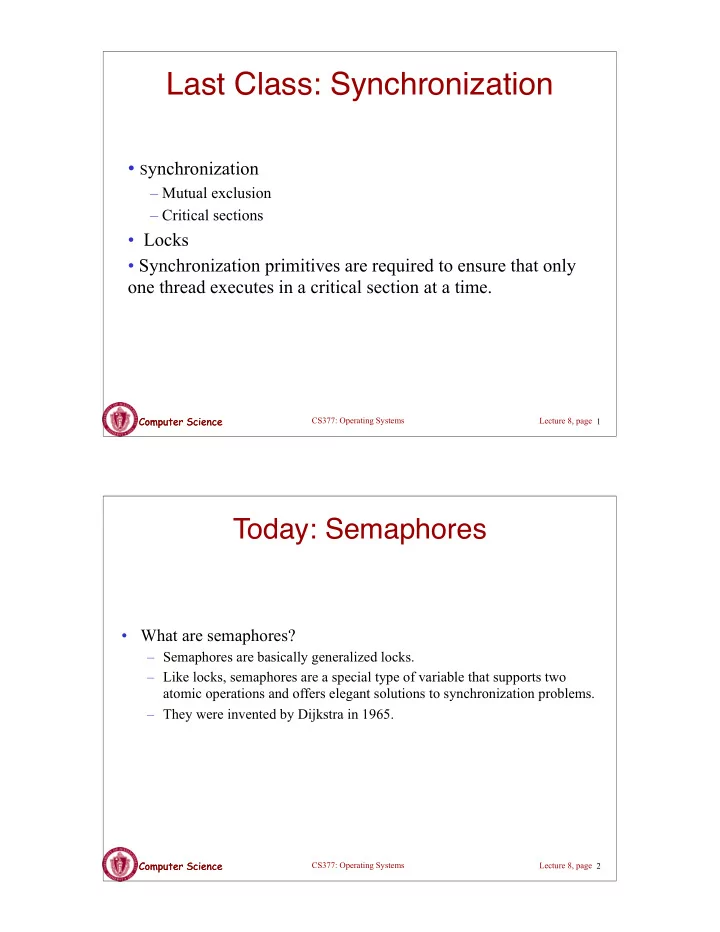
Last Class: Synchronization

  • Synchronization

– Mutual exclusion – Critical sections

  • Locks
  • Synchronization primitives are required to ensure that only
  • ne thread executes in a critical section at a time.

1

Computer Science

Lecture 8, page

Computer Science

CS377: Operating Systems

Today: Semaphores

  • What are semaphores?

– Semaphores are basically generalized locks. – Like locks, semaphores are a special type of variable that supports two atomic operations and offers elegant solutions to synchronization problems. – They were invented by Dijkstra in 1965.

2

slide-2
SLIDE 2

Computer Science

Lecture 8, page

Computer Science

CS377: Operating Systems

Semaphores

  • Semaphore: an integer variable that can be updated only using

two special atomic instructions.

  • Binary (or Mutex) Semaphore: (same as a lock)

– Guarantees mutually exclusive access to a resource (only one process is in the critical section at a time). – Can vary from 0 to 1 – It is initialized to free (value = 1)

  • Counting Semaphore:

– Useful when multiple units of a resource are available – The initial count to which the semaphore is initialized is usually the number

  • f resources.

– A process can acquire access so long as at least one unit of the resource is available

3

Computer Science

Lecture 8, page

Computer Science

CS377: Operating Systems

Semaphores: Key Concepts

  • Like locks, a semaphore supports two atomic operations, Semaphore.Wait() and

Semaphore.Signal().

S.Wait() // wait until semaphore S // is available <critical section> S.Signal() // signal to other processes // that semaphore S is free

  • Each semaphore supports a queue of processes that are waiting to access the

critical section (e.g., to buy milk).

  • If a process executes S.Wait() and semaphore S is free (non-zero), it continues
  • executing. If semaphore S is not free, the OS puts the process on the wait queue

for semaphore S.

  • A S.Signal() unblocks one process on semaphore S's wait queue.

4

slide-3
SLIDE 3

Computer Science

Lecture 8, page

Computer Science

CS377: Operating Systems

Binary Semaphores: Example

  • Too Much Milk using locks:

Thread A Thread B Lock.Acquire(); Lock.Acquire(); if (noMilk){ if (noMilk){ buy milk; buy milk; } } Lock.Release(); Lock.Release();

  • Too Much Milk using semaphores:

Thread A Thread B Semaphore.Wait(); Semaphore.Wait(); if (noMilk){ if (noMilk){ buy milk; buy milk; } } Semaphore.Signal(); Semaphore.Signal();

5

Computer Science

Lecture 8, page

Computer Science

CS377: Operating Systems

Implementing Signal and Wait

=> Signal and Wait of course must be atomic! – Use interrupts or test&set to ensure atomicity

class Semaphore { public: void Wait(Process P); void Signal(); private: int value; Queue Q; // queue of processes; } Semaphore(int val) { value = val; Q = empty; } Wait(Process P) { value = value - 1; if (value < 0) { add P to Q; P->block(); } } Signal() { value = value + 1; if (value <= 0){ remove P from Q; wakeup(P); } }

6

slide-4
SLIDE 4

Computer Science

Lecture 8, page

Computer Science

CS377: Operating Systems

Signal and Wait: Example

P1: S.Wait(); S.Wait(); P2: S.Wait(); S.Signal(); S.Signal(); S.Signal();

7

1 empty execute execute 0 empty execute execute

  • 1 P1 blocked execute

0 empty execute execute 1 empty execute execute 2 empty execute execute

Computer Science

Lecture 8, page

Computer Science

CS377: Operating Systems

Using Semaphores

  • Mutual Exclusion: used to guard critical sections

– the semaphore has an initial value of 1 – S->Wait() is called before the critical section, and S->Signal() is called after the critical section.

  • Scheduling Constraints: used to express general scheduling

constraints where threads must wait for some circumstance.

– The initial value of the semaphore is usually 0 in this case. – Example: You can implement thread join (or the Unix system call waitpid(PID)) with semaphores:

Semaphore S; S.value = 0; // semaphore initialization Thread.Join Thread.Finish S.Wait(); S.Signal();

8

slide-5
SLIDE 5

Computer Science

Lecture 8, page

Computer Science

CS377: Operating Systems

Multiple Consumers and Producers

class BoundedBuffer { public: void Producer(); void Consumer(); private: Items buffer; // control buffer access Semaphore mutex; // count of free slots Semaphore empty; // count of used slots Semaphore full; } BoundedBuffer::BoundedBuffer( int N){ mutex.value = 1; empty.value = N; full.value = 0; new buffer[N]; }

BoundedBuffer::Producer(){ <produce item> empty.Wait(); // one fewer slot, or wait mutex.Wait(); // get access to buffers <add item to buffer> mutex.Signal(); // release buffers full.Signal(); // one more used slot } BoundedBuffer::Consumer(){ full.Wait(); //wait until there's an item mutex.Wait(); // get access to buffers <remove item from buffer> mutex.Signal(); // release buffers empty.Signal(); // one more free slot <use item> }

9

Computer Science

Lecture 8, page

Computer Science

CS377: Operating Systems

Multiple Consumers and Producers Problem

10

slide-6
SLIDE 6

Computer Science

Lecture 8, page

Computer Science

CS377: Operating Systems

Summary

  • Locks can be implemented by disabling interrupts or busy waiting
  • Semaphores are a generalization of locks
  • Semaphores can be used for three purposes:

– To ensure mutually exclusive execution of a critical section (as locks do). – To control access to a shared pool of resources (using a counting semaphore). – To cause one thread to wait for a specific action to be signaled from another thread.

11

Computer Science

Lecture 8, page

Computer Science

CS377: Operating Systems

Next: Monitors and Condition Variables

  • What is wrong with semaphores?
  • Monitors

– What are they? – How do we implement monitors? – Two types of monitors: Mesa and Hoare

  • Compare semaphore and monitors

12

slide-7
SLIDE 7

Computer Science

Lecture 8, page

Computer Science

CS377: Operating Systems

What's wrong with Semaphores?

  • Semaphores are a huge step up from the equivalent load/store

implementation, but have the following drawbacks.

– They are essentially shared global variables. – There is no linguistic connection between the semaphore and the data to which the semaphore controls access. – Access to semaphores can come from anywhere in a program. – They serve multiple purposes, (mutual exclusion, scheduling constraints, ...) – There is no control or guarantee of proper usage.

  • Solution: use a higher level primitive called monitors

13

Computer Science

Lecture 8, page

Computer Science

CS377: Operating Systems

What is a Monitor?

  • A monitor is similar to a class that ties the data, operations, and

in particular, the synchronization operations all together

  • Unlike classes,

– monitors guarantee mutual exclusion, i.e., only one thread may execute a given monitor’s methods at a time. – monitors require all data to be private.

14

slide-8
SLIDE 8

Computer Science

Lecture 8, page

Computer Science

CS377: Operating Systems

Monitors: A Formal Definition

  • A Monitor defines a lock and zero or more condition variables for

managing concurrent access to shared data.

– The monitor uses the lock to insure that only a single thread is active in the monitor at any instance. – The lock also provides mutual exclusion for shared data. – Condition variables enable threads to go to sleep inside of critical sections, by releasing their lock at the same time it puts the thread to sleep.

  • Monitor operations:

– Encapsulates the shared data you want to protect. – Acquires the mutex at the start. – Operates on the shared data. – Temporarily releases the mutex if it can't complete. – Reacquires the mutex when it can continue. – Releases the mutex at the end.

15

Computer Science

Lecture 8, page

Computer Science

CS377: Operating Systems

Implementing Monitors in Java

  • It is simple to turn a Java class into a monitor:

– Make all the data private – Make all methods synchronized (or at least the non-private ones)

class Queue{ private ...; // queue data public void synchronized Add( Object item ) { put item on queue; } public Object synchronized Remove() { if queue not empty { remove item; return item; } }

16

slide-9
SLIDE 9

Computer Science

Lecture 8, page

Computer Science

CS377: Operating Systems

Condition Variables

  • How can we change remove() to wait until something is on the

queue?

– Logically, we want to go to sleep inside of the critical section – But if we hold on to the lock and sleep, then other threads cannot access the shared queue, add an item to it, and wake up the sleeping thread

=> The thread could sleep forever

  • Solution: use condition variables

– Condition variables enable a thread to sleep inside a critical section – Any lock held by the thread is atomically released when the thread is put to sleep

17

Computer Science

Lecture 8, page

Computer Science

CS377: Operating Systems

Operations on Condition Variables

  • Condition variable: is a queue of threads waiting for something

inside a critical section.

  • Condition variables support three operations:

1. Wait(Lock lock): atomic (release lock, go to sleep), when the process wakes up it re-acquires lock. 2. Signal(): wake up waiting thread, if one exists. Otherwise, it does nothing. 3. Broadcast(): wake up all waiting threads

  • Rule: thread must hold the lock when doing condition variable
  • perations.

18

slide-10
SLIDE 10

Computer Science

Lecture 8, page

Computer Science

CS377: Operating Systems

Condition Variables in Java

  • Use wait() to give up the lock
  • Use notify() to signal that the condition a thread is waiting on is satisfied.
  • Use notifyAll() to wake up all waiting threads.
  • Effectively one condition variable per object.

class Queue { private ...; // queue data public void synchronized Add( Object item ) { put item on queue; notify (); } public Object synchronized Remove() { while queue is empty wait (); // give up lock and go to sleep remove and return item; }

19

Computer Science

Lecture 8, page

Computer Science

CS377: Operating Systems

Mesa versus Hoare Monitors

What should happen when signal() is called?

– No waiting threads => the signaler continues and the signal is effectively lost (unlike what happens with semaphores). – If there is a waiting thread, one of the threads starts executing, others must wait

  • Mesa-style: (Java, most real operating systems)

– The thread that signals keeps the lock (and thus the processor). – The waiting thread waits for the lock.

  • Hoare-style: (most textbooks)

– The thread that signals gives up the lock and the waiting thread gets the lock. – When the thread that was waiting and is now executing exits or waits again, it releases the lock back to the signaling thread.

20

slide-11
SLIDE 11

Computer Science

Lecture 8, page

Computer Science

CS377: Operating Systems

Mesa versus Hoare Monitors (cont.)

The synchronized queuing example above works for either style of monitor, but we can simplify it for Hoare-style semantics:

– Mesa-style: the waiting thread may need to wait again after it is awakened, because some other thread could grab the lock and remove the item before it gets to run. – Hoare-style: we can change the ‘while’ in Remove to an ‘if’ because the waiting thread runs immediately after an item is added to the queue.

class Queue { private ...; // queue data public void synchronized add( Object item ){ put item on queue; notify (); } public Object synchronized remove() { if queue is empty // while becomes if wait (); remove and return item; }

21

Computer Science

Lecture 8, page

Computer Science

CS377: Operating Systems

Monitors in C++

  • Monitors in C++ are more complicated.
  • No synchronization keyword

=> The class must explicitly provide the lock, acquire and release it correctly.

22

slide-12
SLIDE 12

Computer Science

Lecture 8, page

Computer Science

CS377: Operating Systems

Monitors in C++: Example

class Queue { public: Add(); Remove(); private Lock lock; ConditionalVariable conditionVar; // queue data(); }

Queue::Add() { lock->Acquire(); // lock before using data put item on queue; // ok to access shared data conditionVar->Signal(); lock->Release(); // unlock after access } Queue::Remove() { lock->Acquire(); // lock before using data while queue is empty conditionVar->Wait(lock); // release lock & sleep remove item from queue; lock->Release(); // unlock after access return item; }

23

Computer Science

Lecture 8, page

Computer Science

CS377: Operating Systems

Bounded Buffer using Hoare-style condition variables

class BBMonitor { public: void Append(item); void Remove(item); private: item buffer[N]; int last, count; Condition full, empty; } BBMonitor { count = 0; last = 0; }

Append(item){ lock.Acquire(); if (count == N) empty.Wait(lock); buffer[last] = item; last = (last + 1) mod N; count += 1; full.Signal(); lock.Release(); } Remove(item){ lock.Acquire(); if (count == 0) full.Wait(lock); item = buffer[(last-count) mod N]; count = count-1; empty.Signal(); lock.Release(); }

24

slide-13
SLIDE 13

Computer Science

Lecture 8, page

Computer Science

CS377: Operating Systems

Semaphores versus Monitors

  • Can we build monitors out of semaphores? After all, semaphores provide atomic
  • perations and queuing. Does the following work?

condition.Wait() { semaphore.wait(); } condition.Signal() { semaphore.signal(); }

  • But condition variables only work inside a lock. If we use semaphores inside a lock, we

may get deadlock. Why?

  • How about this?

condition.Wait(Lock *lock) { lock.Release(); semaphore.wait(); lock.Acquire(); } condition.Signal() { semaphore.signal(); }

25

Computer Science

Lecture 8, page

Computer Science

CS377: Operating Systems

Semaphores versus Condition Variables

  • Condition variables do not have any history, but semaphores do.

– On a condition variable signal, if no one is waiting, the signal is a no-op.

=> If a thread then does a condition.Wait, it waits.

– On a semaphore signal, if no one is waiting, the value of the semaphore is incremented.

=> If a thread then does a semaphore.Wait, then value is decremented and the thread continues.

  • Semaphore Wait and Signal are commutative, the result is the

same regardless of the order of execution

  • Condition variables are not, and as a result they must be in a

critical section to access state variables and do their job.

  • It is possible to implement monitors with semaphores

26

slide-14
SLIDE 14

Computer Science

Lecture 8, page

Computer Science

CS377: Operating Systems

Implementing Monitors with Semaphores

class Monitor { public: void ConditionWait(); // Condition Wait void ConditionSignal(); // Condition Signal private: <shared data>; // data being protected by monitor semaphore cvar; // suspends a thread on a wait int waiters; // number of threads waiting on // a cvar (one for every condition) semaphore lock; // controls entry to monitor semaphore next; // suspends this thread when signaling another int nextCount; // number of threads suspended } // on next Monitor::Monitor { cvar = 0; // Nobody waiting on condition variable lock = FREE; // Nobody in the monitor next = nextCount = waiters = 0; }

27

Computer Science

Lecture 8, page

Computer Science

CS377: Operating Systems

Implementing Monitors with Semaphores

ConditionWait() { // Condition Wait waiters += 1; if (nextCount > 0) next.Signal(); // resume a suspended thread else lock.Signal(); // allow a new thread in the monitor cvar.wait(); // wait on the condition waiters -= 1; } ConditionSignal(){ // Condition Signal if (waiters > 0) { // don't signal cvar if nobody is waiting nextCount += 1; cvar.Signal(); // Semaphore Signal next.Wait(); // Semaphore Wait nextCount -= 1; } }

28

slide-15
SLIDE 15

Computer Science

Lecture 8, page

Computer Science

CS377: Operating Systems

Using the Monitor Class

// Wrapper code for all methods on the shared data Monitor::someMethod () { lock.Wait(); // lock the monitor OR use synchronized <ops on data and calls to ConditionWait() and ConditionSignal()> if (nextCount > 0) next.Signal(); // resume a suspended thread else lock.Signal(); // allow a new thread into the monitor }

  • Is this Hoare semantics or Mesa semantics? What would you

change to provide the other semantics?

29

Computer Science

Lecture 8, page

Computer Science

CS377: Operating Systems

Summary

  • Monitor wraps operations with a mutex
  • Condition variables release mutex temporarily
  • Java has monitors built into the language
  • C++ does not provide a monitor construct, but monitors can be

implemented by following the monitor rules for acquiring and releasing locks

  • It is possible to implement monitors with semaphores

30