Java Applications FYI FYI for now for now Java Applications - - PowerPoint PPT Presentation

java applications fyi fyi for now for now java
SMART_READER_LITE
LIVE PREVIEW

Java Applications FYI FYI for now for now Java Applications - - PowerPoint PPT Presentation

Java Applications FYI FYI for now for now Java Applications Always include a class with a main method e.g., public static void main(String args[]){ } Huh? public can be invoked from another package static same for all


slide-1
SLIDE 1

Java Applications Java Applications – – FYI FYI for now for now

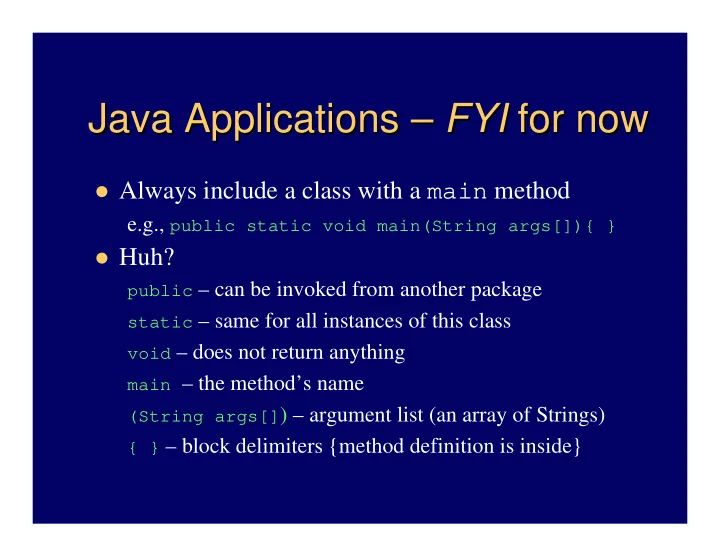
Always include a class with a main method

e.g., public static void main(String args[]){ }

Huh?

public – can be invoked from another package static – same for all instances of this class void – does not return anything main – the method’s name (String args[]) – argument list (an array of Strings) { } – block delimiters {method definition is inside}

slide-2
SLIDE 2

Comments and white space Comments and white space

Compiler ignores – but important to human reader 3 types of comments:

// for single line or end-of-line comment /* for comment that may span lines */ /** Javadoc comment (will discuss later) */

White space:

– Indent methods, structures, other meaningful units – Leave blank lines between meaningful sections – Insert spaces before and after operators

slide-3
SLIDE 3

Errors Errors – – 2 basic types 2 basic types

Syntax errors – what beginners first see

– Improperly formed (or typed) source code

e.g., public cass Hello should be class e.g., …println(“Hi); missing ” (end of string) e.g., system.out.println(“Hi”); System

– Compiler won’t compile the source code

Important to learn to read the error messages – try it

Logic errors – a.k.a., “bugs”

– Compiler said it’s okay, but results are wrong – Often have to fix the algorithm (the step-by-step solution to the problem – program should translate)

slide-4
SLIDE 4

Variables and memory Variables and memory

Every variable has:

– a name, a type, a size, and a value

Concept: name corresponds to a memory location If primitive type (text calls “number type”) – the

actual value is stored there

If object type – just a reference to the object

stored there (actually it’s a memory address)

– The object is stored somewhere else – Or the reference might be null

slide-5
SLIDE 5

Defining variables Defining variables

Must declare type for memory locations

– Compiler must know how big and how to interpret

Syntax: typeName variableName; int x; // for integers, like 4, -125 double a, b; // for floating point numbers, like 1.25, -0.9 String s; // for references to strings, like “dog”, “cat” Also must assign value, or compiler won’t let you use it x = 2; // use assignment operator – looks like “equals” sign double y = 7.3; // can initialize when declare – a good idea And if a reference, must create an object to use String name = “Mike”; Rectangle box = new Rectangle();

slide-6
SLIDE 6

Identifiers Identifiers

Names of classes, variables, methods Rules:

– Sequence of letters, digits, _, $ ONLY – Must not begin with digit; must not contain spaces – No Java reserved words

Unwritten rule: Use meaningful names. Conventions:

– NameOfClass – begin with uppercase – other or otherName, unless name of constant, like PI

slide-7
SLIDE 7

Assignment Assignment = is the assignment operator

– It does not mean “equals” (but we say it like that) – e.g., x = 5; // means “assign 5 to x”

Now 5 is stored in the memory location called x

– e.g., y = x + 2; // assign (x + 2) to y

The value stored in x is retrieved, 2 is added to it,

and the result is stored in y

– e.g., x = x + 2; // assign (x + 2) to x

It’s okay! It doesn’t mean “x equals x+2”. Right?

slide-8
SLIDE 8

Special characters Special characters

Escape sequences – start with \ (the “back slash”

character)

– \n – newline character – \t – tab – \” – double quotes – \’ – single quote – \\ – back slash itself

Experiment with it – (e.g., change Hello.java) Note: “a string\n” vs. characters – ‘c’, ‘\n’

slide-9
SLIDE 9

Standard Output, and Strings Standard Output, and Strings

System.out – an object of type PrintStream

– println(string) – prints string and newline – print(string) – prints string, no newline

String – literal is delimited by quotes: “a string”

– Remember: special characters start with “\”

e.g., \n is a newline character So println(“Hi”) is same as print(“Hi\n”)

+ concatenates: e.g., “a” + 5 + ”b” becomes “a5b”

Note: first 5 is converted to a String.

slide-10
SLIDE 10

Formatted printing Formatted printing

Java 5: printf(“format”, object1, object2, …)

– Method of PrintStream class – so System.out has System.out.printf(“x = %d”, x); // x is an integer – Or use %o or %x to show same value in octal or hexadecimal

%f or %e or %g for floating point, and %s for strings

– Also control field width, precision, and other formatting …printf(“%-9s%7.2f%n”, “Value”, v);

Complete details in java.util.Formatter

– Format dates, times, … – Can use to create formatted String objects too: String s = String.format(“pt: %d, %d", x, y);

slide-11
SLIDE 11

Standard input, and more Strings Standard input, and more Strings

Actually have to read keyboard or other

input as a String (also requires exception handling)

So must “parse” string to interpret

numbers or other types

– e.g., String s1 = “426”, s2 = “93.7”; – Then s1 can be parsed to find an int or a double, and s2 can be parsed to find a double:

int n = Integer.parseInt(s1); double d = Double.parseDouble(s2);

slide-12
SLIDE 12

java.util.Scanner java.util.Scanner

Important Java 5 enhancement greatly simplifies

input processing

First construct a Scanner object – pass it

System.in (or other input stream, or even a string)

Scanner in = new Scanner(System.in);

Then get next string, int or double (or others)

String s = in.next(); String wholeLine = in.nextLine(); int x = in.nextInt(); double y = in.nextDouble();

See class Addition (Fig. 2.7, p. 47)

slide-13
SLIDE 13

Arithmetic Arithmetic

  • Operators:

+, -, *, / add, subtract, multiply, divide % modulus operator – remainder ( ) means whatever is inside is evaluated first

  • Use java.lang.Math for difficult calculations

– E.g., Math.sqrt(x), Math.cos(x), … (more later)

  • Precedence rules so far (will expand):
  • 1. ( )
  • 2. *, /, %
  • 3. +, -
  • 4. =
slide-14
SLIDE 14

Analyzing an expression Analyzing an expression

slide-15
SLIDE 15

Simple decisions Simple decisions – – using using if if

Do something or don’t do something …

depending on the circumstances

if (value < 0) System.out.print(“negative”); – Only prints if value is less than zero

Formal definition to implement decision:

if (boolean expression) statement-to-execute; // only if expression is true

slide-16
SLIDE 16

Simple Simple boolean boolean expressions expressions

Relational operators: <, >, <=, >=, ==, !=

– e.g.,

int x=1, y=2, z=3; x > y ?

– Lower precedence than arithmetic

x >= z – y ? x == z + y ?

  • Note not same as x = z + y // would make x be 5

Not equal: z != x + y ?

See class Comparison (Fig. 2.15, p. 57)

true false false false