Its the Performance, Baby! Producing Motion Capture and Animation - - PDF document

it s the performance baby
SMART_READER_LITE
LIVE PREVIEW

Its the Performance, Baby! Producing Motion Capture and Animation - - PDF document

Its the Performance, Baby! Producing Motion Capture and Animation Tom Tolles & Jarrod Phillips House of Moves Motion Capture Studios Courtesy of Digital Domain 1 Overview Discuss Motion Capture Process Step One Planning


slide-1
SLIDE 1
  • 1

It’s the Performance, Baby!

Tom Tolles & Jarrod Phillips House of Moves Motion Capture Studios Producing Motion Capture and Animation

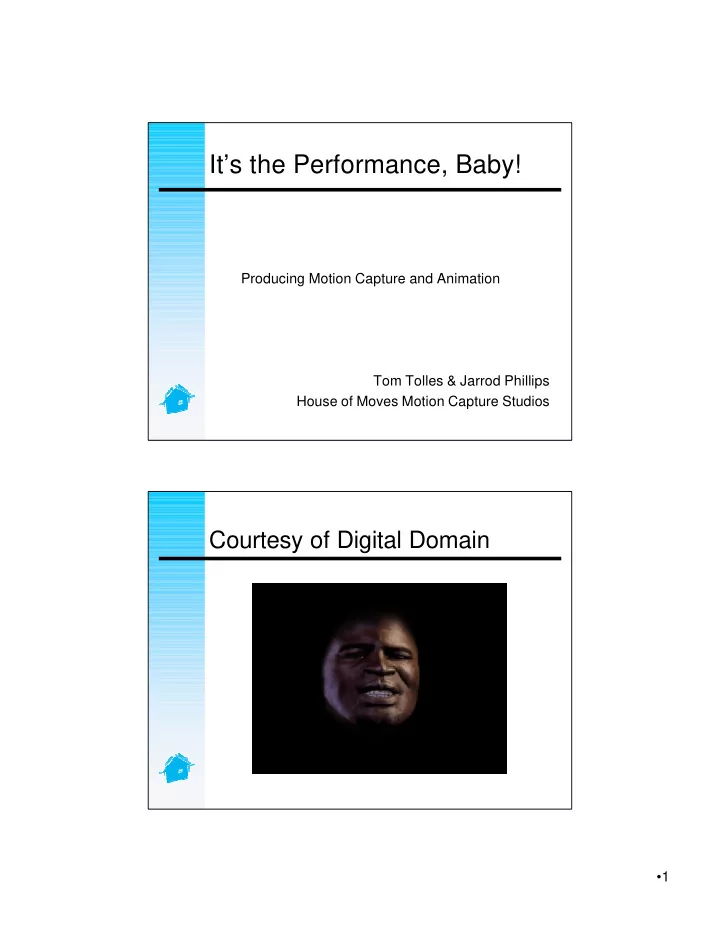
Courtesy of Digital Domain

slide-2
SLIDE 2
  • 2

Overview

  • Discuss Motion Capture Process
  • Step One – Planning
  • Step Two – Shooting
  • Step Three – Processing
  • Step Four – Integration

Excluded

  • Not an in-depth survey of motion

capture hardware technology

  • Not in-depth survey of motion

capture software packages

slide-3
SLIDE 3
  • 3

The Motion Capture Process

  • Note the word “Process”
  • Any process is only as good as the

weakest link in that process

  • That link can be technical, creative or

administrative

Good News/Bad News

  • The good news is that there are lots
  • f ways to be successful
  • The bad news is that there are lot

more ways to fail

  • How can I improve the odds of

success?

slide-4
SLIDE 4
  • 4

Process Considerations

  • Creative – will mocap meet our

creative needs?

  • Technical – what is realistic?
  • Administrative – do I know where my

data is?

Potential Process Conflicts

  • Creative versus Technical –

Maximizing one at the expense of the other

  • Lack of objective measurements

about “is my data any good?”

  • Key frame and Mocap or vs. Mocap?
  • Game Engine Constraints –

Compression

slide-5
SLIDE 5
  • 5

What is “good data?”

  • Does the performance look good?
  • Does the data reflect what we saw
  • n-set?

Capture Process Steps

  • Planning

– Deciding what (or whether) to capture

  • Shooting

– Getting the performances you want

  • Processing

– Keeping (making) the data faithful to the

  • riginal performance
  • Animation and Delivery to the Game

Engine

– Making the CG character move like the

  • riginal performer (or not…)
slide-6
SLIDE 6
  • 6

Planning a Mocap Shoot

  • Understand your goals – What’s

important and how do I get it?

  • What information should I prepare?

– Shot list – Mocap pipeline technical spec

  • What arrangements need to be

made?

– Talent/ Props

Preparing the Shot List

  • A good shot list is a great cost-saver
  • Err on the side of capturing too much

– Easy to process extra data; harder to go back and shoot more

  • Ready stance considerations
  • Looping/Blending considerations
  • File naming conventions
slide-7
SLIDE 7
  • 7

War Stories

  • First Ice Hockey Shoot – setup and

strike every day…

  • Colinear Markers

Pipeline Considerations

  • Target skeleton/character topology
  • Target control structure
  • Gross proportional differences
  • Target software platform
  • Number of characters/performers
  • Props
  • Frames per second
slide-8
SLIDE 8
  • 8

Talent - Capture a dog if… Otherwise capture a star

slide-9
SLIDE 9
  • 9

Why Pro Talent?

  • The “Bob from Accounting”

syndrome

– Comparative costs for Talent vs. Data capture and processing – Quality of Actual Performance – Costs of Animation Motion Editing to Compensate

slide-10
SLIDE 10
  • 10

Performer Considerations

  • Should I rehearse my talent?

– If possible…

  • Should I prepare the talent?

– No surprises (only once) – Lotion…

At the Shoot

  • Direct the talent
  • Remember it’s a mocap shoot, not a film

shoot

– Looks are irrelevant (even in Los Angeles) – Biomechanics are important

slide-11
SLIDE 11
  • 11

Props

  • Build or rent before the shoot starts

– Look for motion performance – Get props out of the way

3DO

slide-12
SLIDE 12
  • 12

Shot Administration -

  • Data management is key
  • Why?

– All the data in the world is useless if I don’t know where it is and what it is.

  • So I have my 2000 motions. How do

I keep track of them?

What to Store

Performer Name Shoot day and date Source and target file names Capture and delivery frame rates Delivery format…

slide-13
SLIDE 13
  • 13

Administrative Challenges

  • Relational databases can store info,

but not the data itself

  • Data usually needs to be stored at

various stages

  • How to ensure that my database

matches my computer file system

What’s hard about mocap?

  • Difficulty of acquiring “good” data
  • Difficulty of processing mocap data
  • Hardware/maintenance costs
  • Finding staff!
slide-14
SLIDE 14
  • 14

War Stories II

  • The eye fills in what isn’t there…
  • When Gear Breaks – JB Fedex
  • Changing the Setup – on the

morning of…

  • Border Crossings

Can I Capture My Own?

  • Defining your needs

– Quantity of data – Budget – Realtime vs. Non-realtime – Studio environment

slide-15
SLIDE 15
  • 15

Use a Mocap Provider

  • Breadth of expertise
  • Access to talent
  • Pawn off tedious work
  • Getting good marker data is only the

beginning

  • Gear

War Stories III

  • Performer w/ a Short Leg
  • There’s no noise in that other data
  • 672 files in a directory and a

database that shows 658 shots shipped…

slide-16
SLIDE 16
  • 16

Capturing “Good” Data

  • Good data now saves much pain

later – proper setups!

  • Focus on getting the right

performance – changing the essence is not an option

  • Capture more than you need
  • Heavy marker redundancy

Software Advances

  • Automatic marker identification

(passive optical)

  • Smarter noise filtering/gap filling
  • Real-time skeletal solving
  • Character mapping tools
  • Clip composition tools
slide-17
SLIDE 17
  • 17

Optical Capture

  • Fewer restrictions on number of

sensors/cameras

  • Care less about solving all problems

at time of capture

  • Can use forward looking data to

solve problems

Final Shoot Considerations

  • Communication is the key!!!
  • There are no stupid questions
  • Know what you don’t know and be

willing to learn.

slide-18
SLIDE 18
  • 18

Post Processing - Tolles Why is Mocap Unique?

  • Mocap is as much about art as it is

science

  • Not concerned about preserving
  • riginal data, only original

performance

  • Essence of a motion is hard to

quantify

slide-19
SLIDE 19
  • 19

General Rules of Success

  • Solve problems as early as possible
  • Capture what you want as closely as

possible

  • Minimal data alterations
  • Reasonable data applications

– Human mocap will map best onto humanoid characters

Mocap Data Processing

  • Why can’t I just take my data home?

– Approve the Pipeline – Making Selects – Noise and Gap – Conversion to skeletal data and Props – Other adjustments (location,

  • rientation, fps)

– Mapping to target control character(s)

slide-20
SLIDE 20
  • 20

The Real World

  • We have to animate a broad range of

characters with imperfect solutions. How?

  • All about deciding what’s important
  • Imperfect is good enough for most

cases as long as ease of use exists for creative change

Conceptual Hurdles

  • Artistic interpretation shifts more to

mocap performer

  • Alleviated by providing good motion

editing tools to animators

  • Almost always need to alter data

somewhat

slide-21
SLIDE 21
  • 21

Motion Blending

  • Pre-processed blends
  • Run-time Blends
  • Conclusion – most HOM clients

doing blends at run-time

  • Blending rotations vs. translations

Looping

  • Special Case of Blending
  • Dynamic Loops (Walks, runs, etc)
  • Rest Pose Loops
slide-22
SLIDE 22
  • 22

Looping Examples

  • Dynamic Loop
  • Looping Translations
  • Looping Rotations

Practical Retargeting

  • Lots of papers on

special case retargeting

  • How to do it in

practice

  • Remember that

retargeting means you are CHANGING the data

slide-23
SLIDE 23
  • 23

But I NEED to Retarget It!

  • Overall scaling to match what’s

important

  • So what’s important?

– Foot plants (absolute vs. relative) – Hand to object relationships – Limb to body relationships

  • Depends on the move!

Retargeting Examples

  • Example 1
  • Example 2
slide-24
SLIDE 24
  • 24

Retargeting Props

  • Separate vs. Part of Hierarchy
  • “Fixed” Props
  • “Translating” Props
  • Animating Transitions

Mapping to Control Structures

  • “Just animate my character!”
  • Character setups are diverse
  • Animating character setups requires

inverse mapping

  • Mapping to a skeleton is not

Mapping to a control Structure

slide-25
SLIDE 25
  • 25

Character Setups

  • IK-driven limbs
  • Various constraints for facing

direction, foot orientation, gaze direction, etc.

  • Expressions
  • Each target package has its own set
  • f character features

Typical Maya Pipeline

  • Extract Skeleton/Mesh from Maya to

Diva

  • Alter Skeleton to Match Performer
  • Solve onto Actor’s Skeleton
  • Retarget onto Original CG Skeleton
  • Map data back into Maya
slide-26
SLIDE 26
  • 26

Considerations – Maya

  • Euler Angles vs. Quaternion
  • Sub-Frame Interpolation
  • Rotation Interpolation Settings
  • Key Frames Tangencies

Euler Angles – legal vs. illegal

slide-27
SLIDE 27
  • 27

Typical Max Pipeline

  • Character Studio most common
  • Import CSM (Marker) Files or convert

CSM to .BIP files

  • Marker Naming Conventions (Props)

Considerations – 3DS Max

  • Biped Pipeline still the most common

difference

  • Fundamental Data – Marker Data

(Global Trans.)

  • Places Burden on the Animator
  • Don’t forget the Fig and the Cal Files
slide-28
SLIDE 28
  • 28

It’s Working!

  • Hardware systems have matured
  • Software solutions have incorporated

more smarts

  • Methods are great when number of

source/target skeletons is small compared to number of motions

  • Simple retargeting hacks give good

results much of the time