
SLIDE 1
Introduction to Computer Science
CSCI 109
Andrew Goodney
Spring 2018
China – Tianhe-2
Readings
- St. Amant, Ch. 5
Introduction to Computer Science CSCI 109 China Tianhe-2 Readings - - PowerPoint PPT Presentation
Introduction to Computer Science CSCI 109 China Tianhe-2 Readings Andrew Goodney St. Amant, Ch. 5 Spring 2018 Lecture 7: Compilers and Programming 10/8, 2018 Where are we? 2 Side Note u Two things
Spring 2018
China – Tianhe-2
2
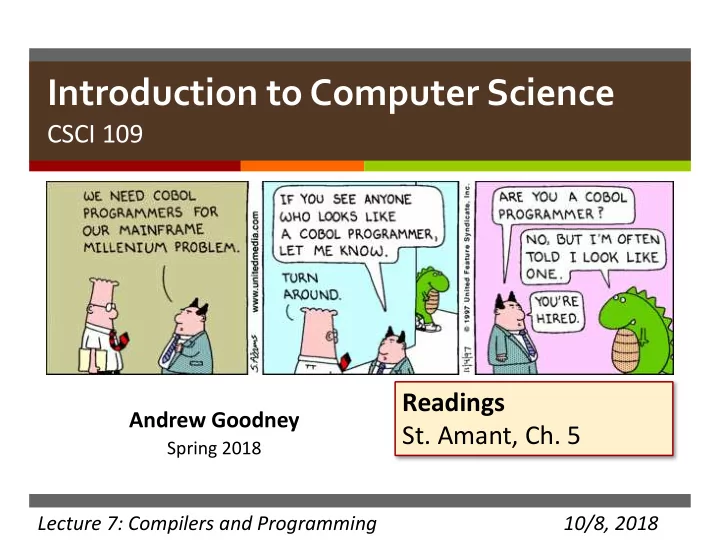
u Two things funny/note worthy about this cartoon u #1 is COBOL (we’ll talk about that later) u #2 is ??
3
u Y2K bug?? u In the 1970’s-1980’s how to store a date? u Use MM/DD/YY
v More efficient – every byte counts (especially then)
u What is/was the issue? u What was the assumption here?
v “No way my COBOL program will still be in use 25+ years from now”
u Wrong!
4
u What is a program u Brief History of High-Level Languages u Very Brief Introduction to Compilers u ”Robot Example” u Quiz
6
uA set of instructions expressed in a language the
uAlgorithm: abstract (usually expressed ‘loosely’
uProgram: concrete (expressed in a computer
v Why does it need to be precise?
8
u CPU performs fetch-decode-execute cycle millions of
u Each time, one instruction is fetched, decoded and
u Each instruction is very simple (e.g., move item from
u To write a sophisticated program as a sequence of these
9
10
11
u Machine code is impossible, assembly language is very hard
12
u Machine code is hard u Assembly doesn’t scale u Need to use High Level Language
13
u High Level Languages let us express algorithms in “English
u Provide *tons* of abstractions that let us:
v Define basic data types (text, integers, floating point) and operations v Define abstract data types (trees, graphs, lists, whatever!) v Interact with users (GUIs) v Interact with OS for file I/O, network I/O
u Provide a full compile/execution stack:
v code -> assembly -> machine code v code -> byte code -> VM (-> machine code)
14
15
https://www.tiobe.com/tiobe-index/ https://spectrum.ieee.org/
u To understand where we are in 2018, we need some history u 1950’s many “main frame” computers were being built u Programmed in machine code
v Usually using punch-cards!
u Error prone, costly (human resources) u Lots of people/projects, but two stand out:
v Grace Hopper (US Navy and others) v John Backus (IBM)
16
u Many accomplishments in the field
u Pioneered the idea that
most people to write an English statement than it is to use symbols. So I decided data processors ought to be able to write their programs in English, and the computers would translate them into machine code.”
u Pioneered the idea that code
17
u Dr. Hopper’s work towards ”English” programming was
u 1952 at UNIVAC released A-0 u Linked together precompiled sub-routines with arguments into
u Probably the first “useful” compiled language u Subroutines had a number, arguments were given u 15 3 2; 17 3.14; u 15 = power(3, 2); 17 = sin(3.14) u Can’t find existing example of this version
18
u Dr. Hopper followed up with
u Even closer to our modern
u Still can’t find code examples
u https://www.mirrorservice.org/sites/www.bi
tsavers.org/pdf/computersAndAutomation/1 95509.pdf
19
20
u Work continued on the A
u A3 and AT3 could compile for
21
u B-0 “Flow-Matic” u Internet is amazing! We have the Flow-Matic advertising
22
u The A-series and B-0 brings us to our first living fossil COBOL
v “Common business-oriented language”
u Designed for business processing, not computer science u “COBOL has an English-like syntax, which was designed to be
u Released in 1959
v Still in heavy use: financial industries, airlines
23
u John Backus at IBM developed FORTRAN
v FORmula TRANslation
u First high-level language, proposed 1954,
u “Much of my work has come from being lazy. I didn't like
writing programs, and so, when I was working on the IBM 701, writing programs for computing missile trajectories, I started work on a programming system to make it easier to write programs.”
u Backus won a Turing Award, among many
24
25
u FORTRAN was adopted by academics and scientific
u Originally programmed on punch cards u Many developments in compilers were driven by the need to
26
https://upload.wikimedia.org/wikipedia/commons/5/58/FortranCardPROJ039.agr.jpg
27
u Hopper and Backus’ work gave us high-level, compiled
u English-like syntax u Portable across many machine types
v By 1963 ~40 FORTRAN compilers existed for various machines v Write code one, run any where
u Led to an explosion in languages developed by industry and
u One more family is worth visiting
28
u Basic Combined Programming Language
v Martin Richards, Cambridge 1966 v Originally intended to “bootstrap” or help write compilers for other
languages (how meta!)
v Progenitor of the curly brace! v Supposedly the first ”Hello World” program was in BCPL
29
GET "LIBHDR" LET START() = VALOF { FOR I = 1 TO 5 DO WRITEF("%N! = %I4*N", I, FACT(I)) RESULTIS 0 } AND FACT(N) = N = 0 -> 1, N * FACT(N - 1)
u B – stripped down version of BCPL u Developed at Bell Labs circa 1969 by Ken Thomson and
u Gave us = for assignment, == for equality, =+ for “plus-
30
/* The following function will print a non-negative number, n, to the base b, where 2<=b<=10. This routine uses the fact that in the ASCII character set, the digits 0 to 9 have sequential code values. */ printn(n, b) { extrn putchar; auto a; if (a = n / b) /* assignment, not test for equality */ printn(a, b); /* recursive */ putchar(n % b + '0'); }
u Bell Labs developed original version of UNIX in assembly
u Wanted to re-write UNIX in high-level language for PDP-11 u B couldn’t work well on PDP-11 u Dennis Ritchie expanded B into C (that we know and love) u Designed with a simple compiler in mind u Designed to give low-level access to memory u Parts of UNIX rewritten into C in early 1970’s are still around
31
u C gave us Objective-C, C++
v Swift, Rust
u Syntax directly influenced Java, C#
32
u High-level languages based on some observations:
v Machine code/assembly is too hard to program effectively v In the end we don’t care about the details of the computer
u High-level languages program an ’abstract machine’
v Simple programming model, simple memory model, sequential
execution, etc.
v The machine doesn’t exist, but that doesn’t matter
u High-level languages translate, or compile code from the
33
u All high level languages must be compiled in some sense u High level languages are a sequence of statements
v Each statement stands for some number of assembly language (or
machine language) statements
u At a high-level the compiler merely translates from a known set of
u However, the statements can be lexigraphically complex and we
u Also we need to consider how to compile code for different
v C-code can run on fastest super-computer and smallest microcontroller 34
u Compiler is a piece of software u Inputs:
v High-level code v Target machine architecture v Optional inputs: OS type/version, memory size or restrictions, CPU
specific optimizations, cache size, etc.
u Output:
v Machine code (binary data) for execution on specific machine type
35
36
pieces of the description.
pieces relate to each other.
37
Lexical Analysis Syntax Analysis Semantic Analysis IR Generation IR Optimization Code Generation Optimization
Source Code
Machine Code
38
Lexical Analysis Syntax Analysis Semantic Analysis IR Generation IR Optimization Code Generation Optimization
Source Code
Machine Code
39
Lexical Analysis Syntax Analysis Semantic Analysis IR Generation IR Optimization Code Generation Optimization
Source Code
Machine Code
40
Lexical Analysis Syntax Analysis Semantic Analysis IR Generation IR Optimization Code Generation Optimization
while (y < z) { int x = a + b; y += x; }
41
Lexical Analysis Syntax Analysis Semantic Analysis IR Generation IR Optimization Code Generation Optimization
while (y < z) { int x = a + b; y += x; }
T_While T_LeftParen T_Identifier y T_Less T_Identifier z T_RightParen T_OpenBrace T_Int T_Identifier x T_Assign T_Identifier a T_Plus T_Identifier b T_Semicolon T_Identifier y T_PlusAssign T_Identifier x T_Semicolon T_CloseBrace
42
Lexical Analysis Syntax Analysis Semantic Analysis IR Generation IR Optimization Code Generation Optimization
while (y < z) { int x = a + b; y += x; }
While < Sequence = x + a b = y + y x y z
43
Lexical Analysis Syntax Analysis IR Generation IR Optimization Code Generation Optimization
while (y < z) { int x = a + b; y += x; }
While Sequence = x + a b = y + y x int int int int int int int int int int void void
Semantic Analysis
< y z int int bool
44
Lexical Analysis Syntax Analysis Semantic Analysis IR Optimization Code Generation Optimization
while (y < z) { int x = a + b; y += x; }
IR Generation
45
Lexical Analysis Syntax Analysis Semantic Analysis IR Generation Code Generation Optimization
while (y < z) { int x = a + b; y += x; }
IR Optimization
46
Lexical Analysis Syntax Analysis Semantic Analysis IR Generation IR Optimization Code Generation Optimization
while (y < z) { int x = a + b; y += x; }
47
Lexical Analysis Syntax Analysis Semantic Analysis IR Generation IR Optimization Code Generation Optimization
while (y < z) { int x = a + b; y += x; }
48
49
main () ENTRY FREQ:0 <bb 2>: z_2 = 10; a_3 = 1; b_4 = 2; y_5 = 0; goto <bb 4>; [0%] [0%] loop 1 FREQ:0 <bb 4>: # y_1 = PHI <y_5(2), y_7(3)> if (y_1 < z_2) goto <bb 3>; else goto <bb 5>; FREQ:0 <bb 3>: x_6 = a_3 + b_4; y_7 = y_1 + x_6; [0%] FREQ:0 <bb 5>: _8 = 0; [0%] [0%] EXIT FREQ:0 <bb 6>: <L3>: return _8; [0%] [0%]
50
54
The human act of programming or software development The act of compilation (happens automatically inside the computer)
55
u What is the most simple version of this program possible?
56
57
u What is missing from this program? u Is it very useful? u Observations?
58
59
u Programming concept: basic block (or just block) u Series of instructions that will be executed start to finish
v Once you enter a basic block, all instructions will be excecuted
u All programs are made up of a set of basic blocks tied
u Can we continue to improve the program?
60
61
u Programming Concept: Looping u Basic blocks are often repeated in a ‘loop’, we can identify
u Gives us looping structures like ’for’ and ‘while’ u Makes code simpler to read and more flexible (e.g. #loops is
62
63
u Programming Concept: variables u Named items in a program that can take on different values
u Naming is for us, the programmer. Makes code easier to build
64
65
u Programming Concept: control flow u Statements that evaluate the state of variables and change
u Let the programmer control the order in which basic blocks
u If, if-else, and similar
66
u ‘High-level’ programming are designed for human
u ‘High-level’ programming is an abstraction to make
u ‘High-level’ programs are ‘block’ structured u One ‘high-level’ statement produces many ‘low-level’
u ‘Low-level’ programs (machine language) are what
67