Introduction Overview In this course, you will prepare for and - - PDF document

introduction
SMART_READER_LITE
LIVE PREVIEW

Introduction Overview In this course, you will prepare for and - - PDF document

LUT1 - Language and Communication: Presentation Course of Study This course supports the assessment for Language and Communication: Presentation. The course covers 5 competencies and represents 2 competency units. Introduction Overview In this


slide-1
SLIDE 1

LUT1 - Language and Communication: Presentation

Course of Study

This course supports the assessment for Language and Communication: Presentation. The course covers 5 competencies and represents 2 competency units.

Introduction

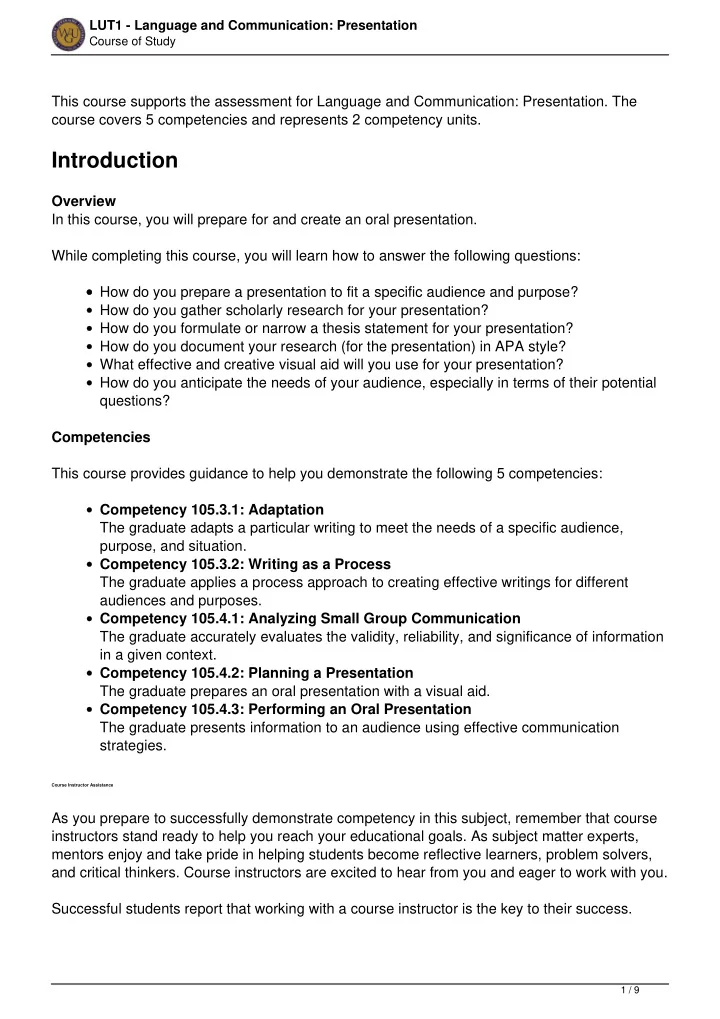
Overview In this course, you will prepare for and create an oral presentation. While completing this course, you will learn how to answer the following questions: How do you prepare a presentation to fit a specific audience and purpose? How do you gather scholarly research for your presentation? How do you formulate or narrow a thesis statement for your presentation? How do you document your research (for the presentation) in APA style? What effective and creative visual aid will you use for your presentation? How do you anticipate the needs of your audience, especially in terms of their potential questions? Competencies This course provides guidance to help you demonstrate the following 5 competencies: Competency 105.3.1: Adaptation The graduate adapts a particular writing to meet the needs of a specific audience, purpose, and situation. Competency 105.3.2: Writing as a Process The graduate applies a process approach to creating effective writings for different audiences and purposes. Competency 105.4.1: Analyzing Small Group Communication The graduate accurately evaluates the validity, reliability, and significance of information in a given context. Competency 105.4.2: Planning a Presentation The graduate prepares an oral presentation with a visual aid. Competency 105.4.3: Performing an Oral Presentation The graduate presents information to an audience using effective communication strategies.

Course Instructor Assistance

As you prepare to successfully demonstrate competency in this subject, remember that course instructors stand ready to help you reach your educational goals. As subject matter experts, mentors enjoy and take pride in helping students become reflective learners, problem solvers, and critical thinkers. Course instructors are excited to hear from you and eager to work with you. Successful students report that working with a course instructor is the key to their success.

1 / 9

slide-2
SLIDE 2

LUT1 - Language and Communication: Presentation

Course of Study

Course instructors are able to share tips on approaches, tools, and skills that can help you apply the content you're studying. They also provide guidance in assessment preparation strategies and troubleshoot areas of deficiency. Even if things don’t work out on your first try, course instructors act as a support system to guide you through the revision process. You should expect to work with course instructors for the duration of your coursework, so you are welcome to contact them as soon as you begin. Course instructors are fully committed to your success!

Preparing for Success

The information in this section is provided to detail the resources available for you to use as you complete this course.

Learning Resources

The learning resources listed in this section are required to complete the activities in this course. For many resources, WGU has provided automatic access through the course. However, you may need to manually enroll in or independently acquire other resources. Read the full instructions provided to ensure that you have access to all of your resources in a timely manner. Automatically Enrolled Learning Resources You will be automatically enrolled at the activity level for the following learning resources. Simply click on the links provided in the activities to access the learning materials. MindEdge You will access MindEdge modules at the activity level within this course. Obtaining a Camera Select a recording camera. Select a camera that records in digital format. Smaller file types are generally easier to upload. If possible, avoid AVI file types. These large files are often difficult for Taskstream to handle. There are many video conversion options available for free online. One good option is called

  • Handbrake. You may choose to download Handbrake as well as watch the “How to Reduce

Video File Sizes by More Than 50%” video. The easiest devices to use for this task are a still-image digital camera that has a video function (with sound included), a Flip video camera, a web camera with sound (usually available for $10 to $30), or a disposable digital video camera (available for approximately $30 at many department stores). If you need to use a tape-based video camcorder or a digital video camcorder, you will need to look in the instruction manual for the device in order to set it to the lowest resolution possible. Even with a low resolution, you may need to have the video compressed before you submit it because these cameras create large files. For these reasons, it is best to consider purchasing a cheap web camera for this assignment.

2 / 9

slide-3
SLIDE 3

LUT1 - Language and Communication: Presentation

Course of Study

Pacing Guide

The pacing guide suggests a weekly structure to pace your completion of learning activities. It is provided as a suggestion and does not represent a mandatory schedule. Follow the pacing guide carefully to complete the course in the suggested timeframe. Pacing Guide: Language and Communcation: Presentation Note: This pacing guide does not replace the course. Please continue to refer to the course for a comprehensive list of the resources and activities.

Planning a Presentation, Part I

The first activities for this course will talk about selecting your topic, researching it, using APA to format the in-text citations and references, and then deciding on a final thesis statement. This topic addresses the following competencies: Competency 105.3.1: Adaptation The graduate adapts a particular writing to meet the needs of a specific audience, purpose, and situation. Competency 105.3.2: Writing as a Process The graduate applies a process approach to creating effective writings for different audiences and purposes.

Topic Selection

Your starting point for all the work in this course of study is to find a topic that sparks your

  • interest. If you are starting with a blank slate, begin brainstorming ideas that interest you and

topics you would like to know more about. Once you identify this topic, you can identify a question that you would like to answer by conducting research. Identifying an interesting question about your topic is critical to focusing your search for information. Once you have a focused idea and have done some research on it, you can create a thesis statement with help from the course instructors. MindEdge Modules Work through the following in MindEdge module 1: section 1.1 (“Introduction to Presenting in the Real World”) section 1.2 (“Topic and Question Selection”) 1.2.1 (“Choosing a Research Question”) 1.2.2 (“Avoiding Unworkable Research Questions”) 1.2.3 (“Refining an Unworkable Research Question”) section1.3 (“Main Claim, Major Points and Evidence” 1.3.1 (“Using Evidence to Support Your Major Points”) If you need a review of grammar before you work on your topic selection, complete the MindEdge Appendix: Mechanical Correctness. Language and Communication: Presentation Course Instructor

3 / 9

slide-4
SLIDE 4

LUT1 - Language and Communication: Presentation

Course of Study

When you have decided on your topic and formulated a thesis, you are ready to contact a course instructor to determine if your topic and thesis are suitable. The LUT1 course instructors have office hours daily. During these times, click on the "Contact a Mentor" icon in the upper right-hand corner of the course of study screen to chat with the mentor via WGU instant messenger. If the mentors are not online or are unavailable, the system will allow you to send them an e-mail. Please include your full name and e-mail address in the e-mail. Research During your topic selection process, you may have done some preliminary research about your

  • topic. You will now finish the task of searching for information that will answer your research
  • question. The online library is the best place to begin searching for information to answer your

research question. Sources in the WGU Library The WGU Library contains online databases that make research quick and easy. Use key words to search for articles related to your topic. You will need to support two to three points with research and evidence, so you’ll want to find three to five sources that address different aspects of your topic. For more information about using the WGU Library, view the “WGU Library: Finding Articles, Books & E-Reserves” video in the Student Resources section of The WGU Channel. If you need help using the library or cannot find information on your topic, you can use the "Contact a Librarian" feature.

Creating an APA Reference List

Whenever you do research, you need to document where you found the information. WGU uses APA (American Psychological Association) documentation style. If you are not familiar with APA, the following APA resources will help you learn how to format both in-text citations for your presentation outline and full reference page citations for your presentation research. For APA aid, the Purdue Online Writing Lab and the University of Cincinnati websites detail how to cite images and more in APA format. This topic addresses the following competencies: Competency 105.3.1: Adaptation The graduate adapts a particular writing to meet the needs of a specific audience, purpose, and situation. Competency 105.3.2: Writing as a Process The graduate applies a process approach to creating effective writings for different audiences and purposes. MindEdge Modules

4 / 9

slide-5
SLIDE 5

LUT1 - Language and Communication: Presentation

Course of Study

Work through the following MindEdge modules: 1.4 (“APA Format and Citing Sources”) 1.5 (“Citing Your Sources Verbally”) 1.6 (“Evaluating the Authority of Sources”) Work through the following found in the MindEdge Appendix if needed: APA Formatting Collect a minimum of 3–5 credible sources to support your topic. Create your APA formatted references list.

Planning a Presentation, Part II

You now have a topic and a thesis, and some practice in using APA. Next, you will organize your information by preparing an outline for your presentation. You’ll want to think about your audience, so your presentation should include a plan to engage your audience from the beginning of your presentation, anticipate possible questions you may be asked from the audience, provide memory cues that remind you what you want to say to your audience, and a visual aid that will enhance the words you use.

Planning Your Presentation

You are now ready to begin working on your presentation outline, which is one of the elements you will submit in RLUT task 1 in Taskstream. This topic addresses the following competencies: Competency 105.4.1: Analyzing Small Group Communication The graduate accurately evaluates the validity, reliability, and significance of information in a given context. Competency 105.4.2: Planning a Presentation The graduate prepares an oral presentation with a visual aid. Review of RLUT Task 1 Your presentation needs a format to harness your thoughts and put them into a plan. The

  • utline is a way of doing that. Your outline will include the following:

In addition to your outline, you will also turn in the following documents in RLUT task 1: An introduction that clearly states your thesis and previews your main points A body that covers your main points and supporting evidence A conclusion that summarizes your points and presents an effective closing strategy In-text citations after each point of your outline that presents evidence from a source An APA reference page

5 / 9

slide-6
SLIDE 6

LUT1 - Language and Communication: Presentation

Course of Study

In addition to your outline, you will also turn in the following documents: An original visual aid A visual aid script A visual aid description Three audience questions and answers MindEdge Modules For help on the outline, visual aid, visual aid script, visual aid description and audience questions and answers, complete the following MindEdge modules: 1.7 (“Organizing Your Ideas: The Outline”) 1.7.1 (“Example Outline”) 1.7.2 (“Activity: Determining Relevance”) 1.8 (“Your Visual Aid and Selective Redundancy”) 1.8.1 (“Deciding What to Highlight”) 1.8.2 (“Visual Aids: An Example”) 1.8.3 (“Creating Effective Visual Aids”) 1.8.4 (“Displaying Data Effectively”) 1.8.5 (“Visual Aid Script and Description”) 1.8.6 (“Putting it All Together: Visual Aid, Visual Aid Script, and Visual Aid Description”) 1.8.7 (“Activity: Working With Visual Aids”) 1.9 (“Introductions and Conclusions”) 1.10 (“Planning for Audience Questions”) 1.11 (“Summary of Key Concepts”) 1.12 (“Module Post-Test”) Draft your presentation outline using Module 1.7.1 as a template. Write three objective, research-supported audience questions and corresponding responses. Design one visual aid with a student-created element and provide an in-text citation on the visual aid. Write Visual Aid Creation & Rationale Discussion and write a Visual Aid Script. Final Task 1 Preparation Before submitting your task in Taskstream, review the MindEdge Module 1.11 ("Summary of Key Concepts"). If there are any areas where you do not understand a concept, please check with a course instructor for assistance. You are now ready to complete task 1. Use this checklist to make sure you have all the necessary parts: Presentation Outline

6 / 9

slide-7
SLIDE 7

LUT1 - Language and Communication: Presentation

Course of Study

3 Audience Questions and Responses APA Formatted Reference List Student-created Visual Aid (with citation) Visual Aid Script Visual Aid Rationale Language & Comm Present Performance Task Complete the following task in Taskstream: Language & Comm Present: Task 105.4.2-02-05 For details about this performance assessment, see the "Assessment" tab in this course.

Delivering Your Presentation

You will use a camera to record your presentation in front of a live audience (at least one adult). Your outline will help you organize your thoughts, and your visual aid will emphasize certain points of your presentation. However, your body language, your composure, your wit, and your knowledge will bear heavily on the ultimate success of your presentation. All of these characteristics make up an effective delivery.

Presentation Delivery

In order to deliver your presentation in a natural and engaging way, practice is critical. Practicing your presentation so that it fits into a given time frame is also important. Keep in mind that you need to be talking to and engaging with your audience rather than reading to them. It can be helpful to use stories, narratives, and examples to illustrate the main points of your presentation. This topic addresses the following competencies: Competency 105.4.2: Planning a Presentation The graduate prepares an oral presentation with a visual aid. Competency 105.4.3: Performing an Oral Presentation The graduate presents information to an audience using effective communication strategies. MindEdge Modules For tips and examples of how to deliver an effective presentation, complete the following MindEdge modules: 2.1 (“Using Transitions”) 2.2 (“Tone”) 2.3 (“Performance Strategies”) 2.4 (“Summary of Key Concepts and Checklist”) 2.5 (“Module Self-Assessment”) Enlarge visual aid from task 1. Display visual during filming so that all elements are visible on camera.

7 / 9

slide-8
SLIDE 8

LUT1 - Language and Communication: Presentation

Course of Study

Presentation Pointers Follow these tips to improve your presentation delivery: Practice or rehearse aloud. In your introduction, remember to forecast the main points you will cover. Focus on your main points by incorporating your visual aids and using voice inflection. Verbally referencing all of the research used within the speech and source of the visual aid. Stop and make eye contact. Stand as you present (if your health and stamina permit). When it is appropriate, use gestures to emphasize your points. Think about speaking clearly and loudly enough for your audience to hear everything you say. Speak at an appropriate pace Finally, summarize your main points and leave your audience with an image, example,

  • r key idea to remind them of your thesis.

It may seem daunting, but you do much of this on a daily basis as you carry on casual conversations. Learn about ways to overcome a fear of public speaking by reading "10 Tips for Public Speaking."

Recorded Presentation

Please review the next activities in this course before you record your video. This topic addresses the following competencies: Competency 105.4.2: Planning a Presentation The graduate prepares an oral presentation with a visual aid. Competency 105.4.3: Performing an Oral Presentation The graduate presents information to an audience using effective communication strategies. Record Your Presentation It is a good idea to record a practice presentation first; this practice will allow you to time yourself and also get an idea of the file size you will produce. Make sure you are visible, along with all of your props, posters, charts, and any other visual aids you may be using. Make sure you can be clearly heard. Your presentation should last between five and seven minutes.

8 / 9

slide-9
SLIDE 9

LUT1 - Language and Communication: Presentation

Course of Study

If you have any questions please e-mail lut@wgu.edu or visit the Course Community for additional advice. Submitting Task 2 Your final task will be graded on a stricter rubric than the task that preceded it. Go to Taskstream and read the task directions and rubric thoroughly to see what is expected of you

  • n this task. When you view the task's rubric in Taskstream, it is important to note that the rubric

for task 1 is different from task 2; more will be expected of your final presentation. You must submit the following items for task 2: Video (five to seven minutes only) Visual aid (as a file or picture) from task 1 (Remember to include an in-text citation on the visual aid itself.) Visual aid script from task 1 (Remember to include an in-text citation in the visual aid script.) APA style reference page from task 1 Use the Taskstream scoring rubrics to guide your preparation. Watch the following video for instructions on how to submit a student video to Taskstream: Note: To download this video, right-click the following link and choose "Save as...": download video. Then go to Taskstream and submit task 2. If you have any further questions or would like a more detailed list, please contact the course instructors. Language & Comm Present Performance Task Complete the following task in Taskstream: Language & Comm Present: Task 105.4.3-01-06 For details about this performance assessment, see the "Assessment" tab in this course.

Final Steps

Congratulations on completing the activities in this course! This course has prepared you to complete the assessments associated with this course. If you have not already been directed to complete the assessments, schedule and complete your assessments now.

Powered by TCPDF (www.tcpdf.org)

9 / 9