SLIDE 1
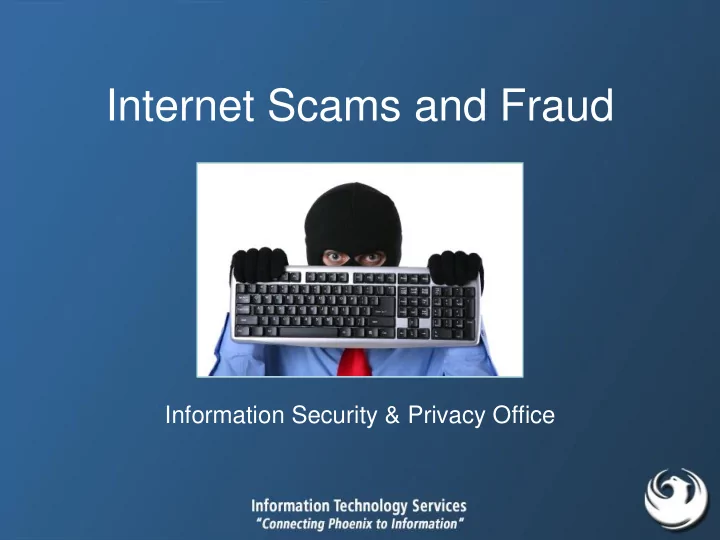
Internet Scams and Fraud
Information Security & Privacy Office
SLIDE 2 Before We Start…
- I need your help
- I have a large sum of money that I’m trying
to get out of the country
- For your help, I’ll gladly pay you a
percentage or about 1.5 million dollars
SLIDE 3 Received 1/21/2009 by Ilene’s personal email account
SLIDE 4 Nigerian 419 Scam
- A wealthy foreigner who needs help moving millions of
dollars from his homeland promises a hefty percentage
- f this fortune as a reward
– Claims to be Nigerian official, businessman, or the surviving spouse of former government honchos
- If you respond, you may receive “official looking”
documents and asked to provide your bank account numbers, as well as some money to cover transaction and transfer costs and attorney’s fees
- AKA “4-1-9 fraud” (after the section of the Nigerian penal
code that addresses these schemes)
SLIDE 5 Today’s Objective
- Learn to recognize
- nline scams
- Don’t be a victim
SLIDE 6
What is a scammer’s goal?
SLIDE 7 Money!
- Money they can get directly from you!
- Information that can be sold for money!
- Control of your PC that could be used to
generate money!
– By using your PC to send spam – By using your PC to launch DDoS attacks
SLIDE 8 Advanced Fee Fraud
- Class of fraud where scammers convince victims
to pay a fee to receive something of value
– But scammers never deliver
SLIDE 9 Received 9/15/2011 by Ilene’s personal email account
SLIDE 10 Foreign Lottery AFF Scam
- Congrats! You’ve won a large sum of
money in a foreign lottery (that you never entered)
– But you need to send a small “transaction fee”
- You may even get a check as proof of
your winnings… but the check bounces
SLIDE 11
Need a Job? Work from Home!!
SLIDE 12 Work-at-Home Scam
- Advertisers offer kits that enable home workers
to make money posting links on the Internet
– You need to pay $2 for a kit
- What often happens?
- Terms and Conditions state you authorize $80
monthly charge to bank account or credit card
SLIDE 13 Protection Strategies
- It’s unlikely an African official knows you and
needs your help
- Sorry, but it’s unlikely you won a lottery you
didn’t enter
– And don’t pay fees for winning something
- Don’t pay a company to hire you
- Read the fine print
SLIDE 14
“Click Here” Scams
SLIDE 15 Why Click – Malware Goals
- Get your identity or account credentials
– Keystroke loggers
- Get control of your PC to create a big
network of “robot” computers (a botnet)
– Viruses and worms – Botnets are used for spam and launching distributed denial-of-service attacks
SLIDE 16
Typical “Click Here” eMail
SLIDE 17
Variation on a Theme
SLIDE 18
Important “Click Here” eMail
SLIDE 19
Variation on a Theme
SLIDE 20 Wrong Transaction Scam
- A hotel made a “wrong transaction” while
processing your credit card
– Click here to get a refund
iTunes purchase
- Yep – it installs malware
- n your PC
SLIDE 21 Natural Disaster / Current Event Scams
- OMG!!! Something happened and you need to
know about it. Click here!!
- Takes advantage of your curiosity
- They’re fast and sophisticated
– Barely hours after the Japan tragedies, bad guys began using emails, fake websites, and malicious downloads to try to steal money or plant malware on user systems
SLIDE 22 Examples
- “Bloody Photos of Gadhafi Death”
– Malware BEHAV-103
– Malware BOBAX
- “London bomb” CNN message
– Malware TROJ.DONBOMB.A
– Phish to get your personal information
- “Michael Jackson suicide attempt”
– Malware VBS_PHEL.A
SLIDE 23 About Your Job Application...
- Problem: Accepting email attachments
from strangers may contain malware
– Resumes and job applications
- Example: You post on LinkedIn that
you’re looking for a job
– Scammer targets you
SLIDE 24 Scareware aka Rogue Software
– Gets you to load malicious software AND – Gets your personal / credit card info
SLIDE 25 Classic Protection Strategies
– Easy to remember, but hard to guess or crack
- Don’t post too much information about yourself
- Use anti-virus software and keep it up to date
– Know what your AV warnings look like
- Apply security patches immediately, including those from
Adobe and other trusted sources
– Configure your computer to apply patches automatically – Also update your mobile devices (smartphones, tablets…)
SLIDE 26 Oooohhhh – Aaaaahhhh Check out the iPhone 5G!
Click Here!!!
You just got this email…
SLIDE 27 When You Click Here…
- You get redirected to download an application
called iphone5.gif.exe
– It’s hosted on a hacked server
- Bad guy takes control of your PC
- Malware contains this text inside it:
“I wanna be a billionaire so frickin bad!”
SLIDE 28
You just got this email… Click on link and go to…
SLIDE 29
Fake PayPal Website
SLIDE 30 You’ve Been Phished!
emails and fraudulent websites designed to fool recipients into divulging personal information
- eMails look very authentic
with company logos and link to authentic- looking web sites
SLIDE 31 Protection Strategies
– iPhone scam file name is iphone5.gif.exe – Note double extension!!
- Check out links – Hover your mouse over the link and
look at the bottom-left corner of your browser window
– Phish scam URL is http://www.mittemaedchen.de/twg176/admin/www.paypal.co.uk/ details.php?cmd=_login-done&login_access=1193476743
- Enter web addresses manually and/or telephone the
company using a well-publicized phone number
SLIDE 32 Before We Continue…
- I feel funny admitting this, but I’m in love with you
- I want to meet you in person – I just don’t have the
money to visit you
- But I can’t wait to see you face-to-face
- And feel your arms around me
- I just wish I could afford to come to you
SLIDE 33 Romance Scams
- Bad guy/gal uses online dating or social
networking sites and posts attractive picture
victim’s confidence
– Travel expenses to meet in person – Medical expenses – Information about the fidelity
- f the victim’s significant other
SLIDE 34
Scammers’ Tricks
Psychology of a Scam
SLIDE 35 Scammers Craft Messages to…
- Get you to react (not act)
– Make you think you’re heading off “impending disaster” or you’re getting a “great deal” by doing what the scammer says – Bypass your normal, rational thought process
- Play upon your desire to help
– Once a person has accepted the helper role, they usually find it awkward or difficult to back off from helping
- Start small and create a “momentum of compliance” by
making a series of requests, starting with innocuous
SLIDE 36
Scammers Prey on Our…
SLIDE 37 Psychological Trickery
- There are six basic tendencies of human nature
that can be exploited
- We have a tendency to comply with and help
– Authority figures – People we like – People who have already done something to help us – When we’ve made a verbal promise or commitment to do so – When the behavior seems to be supported by our peers – When the object being sought is in short supply, is creating competition, or is only available for a limited time
SLIDE 38 Before We Continue…
- Grandma, I’m on vacation in Canada and was in
a car accident. Please wire me $3,000 to pay for medical expenses.
- I’m on vacation in London and was mugged. I
can’t pay my hotel bill and they’re going to send me to jail. Please wire me $2,500 ASAP! I’ll pay you back when I get home.
SLIDE 39 Scams Come From Everywhere
received
cell phone October 5, 2011
SLIDE 40 You Owe Money!!
- A man telephones victim at work claiming to be
from Parker and Parker law firm
- He demands that she pay $1,000 to settle a
payday loan, which she never took out
- Caller is extremely aggressive, refusing to hang-
up the phone when a co-worker asked that he call back at a later time
– Caller also had the consumer’s Social Security and Drivers License numbers
SLIDE 41 Windows Service Center
- Setup: Receive phone call from a man claiming
to be from Microsoft’s “Windows Service Center”
– Caller says my computer has lots of malware on it, which is showing up at Microsoft – Man will clean it up for me
- Talks me through opening the Windows Event
Viewer to see errors and warnings “proving” my PC needs his help
SLIDE 42 Windows Service Center
- Man’s name is “Richard Thomas”
– Man has heavy Indian accent
- Phone number caller ID shows “011”
- Man wants me to allow him to remotely access my
computer so he could “clean” my PC
- Hung up on me when I asked his phone number
– To call back in case we got disconnected
SLIDE 43 What Would You Do?
- You get a call at work from the Help Desk
- They need your password to fix a network
problem
SLIDE 44 Phone Scam Safeguards
- Don’t immediately respond
- Verify caller’s identity – Get caller’s name and (desk)
phone number
– If claiming to be an employee, look him up in employee directory
- Does his phone number start with expected prefix?
- Call the organization / company / Help Desk and ask
– Use the normal, published phone number
- For “family members in distress,” call family / friends to
verify
SLIDE 45 Facebook Survey Scams
- Pointless surveys that make money for scammers via
affiliate revenue from unscrupulous marketing firms
- Some surveys attempt to trick
victims into signing up for expensive premium-rate texting subscription services
- Some surveys are just ways to gather information about
you that can be used to guess your password or target you for a scam
SLIDE 46 Get More Twitter Followers
- “GET MORE FOLLOWERS MY BEST
FRIENDS? I WILL FOLLOW YOU BACK IF YOU FOLLOW ME - [LINK]”
– Just enter your Twitter username and password
- You’ve just given control of your account to
someone else
– They may then post spam or malicious updates and links, send unwanted messages, or violate other Twitter rules with your account
SLIDE 47 Shortened (Tiny) URLs
- Problem: Clicking on shortened URLs may go to
a malicious site
- Example: @twitterguy, what do you think about
what Obama said? http://shar.es/HNGAt
– Scammers can choose to redirect you to any webpage they like (malicious, porn, phishing) – Scammers are also embedding malicious links into tweets with popular hash terms (#term)
SLIDE 48 Skimmers
- A device that reads and copies card numbers
- Data is then
transferred
credit cards
withdraw cash at other ATMs or purchase goods
SLIDE 49 To Spot a Skimmer
- Skimmers are hard to identify!!
- Look for
– Wrong colors or materials (cheap plastic vs. metal) – Glue or sticky spots – A card reader “sticking out” more than usual
- Wiggle the slot before sliding a card into an ATM slot
– ATM slots with skimmers will appear loose, while those without skimmers will not wiggle at all
- Get to know “your” ATM
- Use ones in well lit, public places, especially with
surveillance cameras around
SLIDE 50
SLIDE 51
Internet Allows Bad Guys to Reach More Potential Victims
SLIDE 52
But Wait – There’s More…
SLIDE 53 Internet Crime is a Problem
- Internet Crime Complaint Center (IC3) received
303,809 complaints in 2010
– Averaging 25,317 per month
SLIDE 54 Before We Continue…
- Hi! My name is Heidi, and I see you
have a room for rent.
- I’m coming over to the U.S. for a
work/study program that’s sponsored by the Swedish government.
– So there’s no risk of renting to me
- But I only got one check to cover both
rent and travel.
- So I’ll send you the check. You can
deposit it, keep the rent payment, and send me the rest.
SLIDE 55 Overpayment Scam
- Bad guy sends you a check for more than the
correct amount
- Rather than canceling and reissuing the check –
since the scammer trusts you – you are asked to deposit the check and refund the difference
- Except the check bounces and you’re liable
SLIDE 56 Secret Shopper Scam
- Advertisers seek applicants for paid positions as
“secret” shoppers
– But you need to pay fees to purchase training materials, obtain certification, or register with a database of secret shoppers
- Updated version: You get an employment
packet with a cashier’s check for about $3,000
– Your assignment is to pose as bank customer, cash the check, and wire the funds to an address – Check bounces and you’re liable for the money
SLIDE 57 Before We Finish Today…
GAMING FRIENDS – TAKE NOTE !!!
- This was on CNN this morning
- Do not click on a link that says it is a game for
Twilight the Movie “BREAKING DAWN”
- Facebook says this is the worst virus ever!!!
- PLEASE FORWARD TO YOUR FRIENDS
SLIDE 58 Hoax
– Threatens dire consequences if you don’t obey – Promises money or prize for performing some action – Claims it’s not a hoax – Contains technical-sounding language and/or specific names and organizations to make the message seem legitimate – Urges you to forward the message to EVERYBODY – Has already been forwarded multiple times (evident from the trail of email headers in the body of the message)
SLIDE 59 Be Aware
- Be skeptical!!
- Be suspicious of sensational, upsetting, or exciting (but
false) statements
– Goal is to get you to click / react immediately without thinking
- Be wary of attachments
- Verify (and then ignore) commands and requests for
action
– Verify identity of message sender – Hover your mouse over the link and look at the bottom left corner
– Enter web addresses manually and/or telephone the company using a well-publicized phone number
SLIDE 60 Prevent Donation Fraud
- Know the organization, be sure they’re
legitimate
– Check the Better Business Bureau and other online resources
- Don’t respond to any email donation request
- Never open attached files from people or
- rganizations you aren’t familiar with
– Like “disaster photos” that may contain viruses
- And most importantly, use common sense
SLIDE 61 For More Information
- Anti Phishing Working Group
– http://www.antiphishing.org/
- Internet Crime Complaint Center
– http://www.ic3.gov/default.aspx
- Looks too Good to be True
– http://www.lookstoogoodtobetrue.com/
– www.snopes.com
– http://www.secretservice.gov/criminal.shtml
- U.S. Federal Trade Commission
– http://www.ftc.gov/bcp/consumer.shtm
SLIDE 62 If You Think You’ve Been Scammed
- File a report with the City of Phoenix Police Electronic
Crimes Division
– Non-Emergency - 602-262-6151
- File a complaint with the Internet Crime Complaint
Center (IC3)
– http://www.ic3.gov/complaint/default.aspx – IC3 reviews each complaint and refers it to the appropriate federal, state, local, or international law enforcement or regulatory agency
- Depending on the type of scam, you may be instructed
to take more steps
SLIDE 63
SLIDE 64
Questions? Contact ispo@phoenix.gov
SLIDE 65
SLIDE 66 Buy My Bonds
- A 52-year-old Missouri man made $100 million from selling
worthless financial documents
- Used his home PC to create 2,000 “bonded promissory notes”
– Claimed they were backed by a U.S. Treasury Department account – Sold them for a fee at the “Private Bank of Denny Ray Hardin,” which he ran out of his Kansas City home
- “Private Bank” owner convicted September 15, 2011 of 21 federal
fraud charges (creating fictitious obligations and mail fraud)
SLIDE 67 Get Your iPad Here
- 8/29/2011 – A 22-year-old woman in South Carolina
McDonald’s parking lot was approached by two men who
- ffered her an iPad for $300
– Claiming they had bought iPads in bulk, men showed her an actual iPad and agreed to take $180 for it
- She was handed one of several FedEx boxes from their
car’s trunk
– She drove home without looking inside
- When she opened the box at home, it contained “a piece
- f wood painted black with an Apple logo”
SLIDE 68 Verify Your Purchases
- Get names and addresses of companies
- Check with the Better Business Bureau
- Get references
- Get a warranty
- Keep any documentation (evidence)
– Canceled checks, credit card receipts – Emails, chats, texts, or website screen prints – Pamphlets or brochures
- If it looks too good to be true, it probably is!