Interest Points Computer Vision Jia-Bin Huang, Virginia Tech Many - - PowerPoint PPT Presentation

interest points
SMART_READER_LITE
LIVE PREVIEW

Interest Points Computer Vision Jia-Bin Huang, Virginia Tech Many - - PowerPoint PPT Presentation

Interest Points Computer Vision Jia-Bin Huang, Virginia Tech Many slides from N Snavely, K. Grauman & Leibe, and D. Hoiem Administrative Stuffs HW 1 posted, due 11:59 PM Sept 25 Submission through Canvas Frequently Asked

slide-1
SLIDE 1

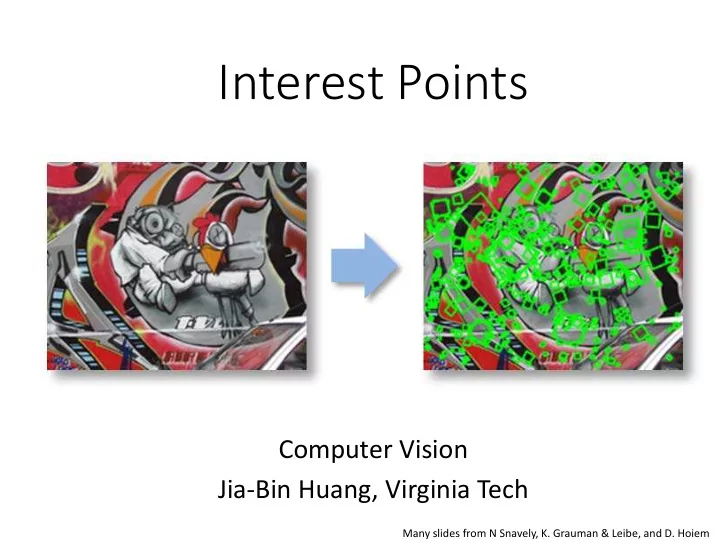
Interest Points

Computer Vision Jia-Bin Huang, Virginia Tech

Many slides from N Snavely, K. Grauman & Leibe, and D. Hoiem

slide-2
SLIDE 2

Administrative Stuffs

  • HW 1 posted, due 11:59 PM Sept 25
  • Submission through Canvas
  • Frequently Asked Questions for HW 1 will be

posted on piazza

  • Reading - Szeliski: 4.1
slide-3
SLIDE 3

What have we learned so far?

  • Light and color

– What an image records

  • Filtering in spatial domain
  • Filtering = weighted sum of neighboring pixels
  • Smoothing, sharpening, measuring texture
  • Filtering in frequency domain
  • Filtering = change frequency of the input image
  • Denoising, sampling, image compression
  • Image pyramid and template matching
  • Filtering = a way to find a template
  • Image pyramids for coarse-to-fine search and

multi-scale detection

  • Edge detection
  • Canny edge = smooth -> derivative -> thin ->

threshold -> link

  • Finding straight lines, binary image analysis
slide-4
SLIDE 4

This module: Correspondence and Alignment

  • Correspondence:

matching points, patches, edges, or regions across images ≈

Slide credit: Derek Hoiem

slide-5
SLIDE 5

This module: Correspondence and Alignment

  • Alignment/registration:

solving the transformation that makes two things match better

Slide credit: Derek Hoiem

slide-6
SLIDE 6

The three biggest problems in computer vision?

  • 1. Registration
  • 2. Registration
  • 3. Registration

Takeo Kanade (CMU)

slide-7
SLIDE 7

Example: automatic panoramas

Credit: Matt Brown

slide-8
SLIDE 8

A

Example: fitting an 2D shape template

Slide from Silvio Savarese

slide-9
SLIDE 9

Example: fitting a 3D object model

Slide from Silvio Savarese

slide-10
SLIDE 10

Example: estimating “fundamental matrix” that corresponds two views

Slide from Silvio Savarese

slide-11
SLIDE 11

Example: tracking points

frame 0 frame 22 frame 49 x x x

slide-12
SLIDE 12

Today’s class

  • What is interest point?
  • Corner detection
  • Handling scale and orientation
  • Feature matching
slide-13
SLIDE 13

Why extract features?

  • Motivation: panorama stitching
  • We have two images – how do we combine them?
slide-14
SLIDE 14

Why extract features?

  • Motivation: panorama stitching
  • We have two images – how do we combine them?

Step 1: extract features Step 2: match features

slide-15
SLIDE 15

Why extract features?

  • Motivation: panorama stitching
  • We have two images – how do we combine them?

Step 1: extract features Step 2: match features Step 3: align images

slide-16
SLIDE 16

Image matching

by Diva Sian by swashford

slide-17
SLIDE 17

Harder case

by Diva Sian by scgbt

slide-18
SLIDE 18

Harder still?

slide-19
SLIDE 19

NASA Mars Rover images with SIFT feature matches

Answer below (look for tiny colored squares…)

slide-20
SLIDE 20

Applications

  • Keypoints are used for:
  • Image alignment
  • 3D reconstruction
  • Motion tracking
  • Robot navigation
  • Indexing and database retrieval
  • Object recognition
slide-21
SLIDE 21

Advantages of local features

Locality

  • features are local, so robust to occlusion and clutter

Quantity

  • hundreds or thousands in a single image

Distinctiveness:

  • can differentiate a large database of objects

Efficiency

  • real-time performance achievable
slide-22
SLIDE 22

Overview of Keypoint Matching

  • K. Grauman, B. Leibe

A

f

B

f

A1 A2 A3

T f f d

B A

< ) , (

  • 1. Find a set of

distinctive key- points

  • 3. Extract and

normalize the region content

  • 2. Define a region

around each keypoint

  • 4. Compute a local

descriptor from the normalized region

  • 5. Match local

descriptors

slide-23
SLIDE 23

Goals for Keypoints

Detect points that are repeatable and distinctive

slide-24
SLIDE 24

Key trade-offs

More Repeatable More Points

A1 A2 A3

Detection

More Distinctive More Flexible

Description

Robust to occlusion Works with less texture Minimize wrong matches Robust to expected variations Maximize correct matches Robust detection Precise localization

slide-25
SLIDE 25

Choosing interest points

Where would you tell your friend to meet you?

slide-26
SLIDE 26

Choosing interest points

Where would you tell your friend to meet you?

slide-27
SLIDE 27

Corner Detection: Basic Idea

“flat” region: no change in all directions “edge”: no change along the edge direction “corner”: significant change in all directions

  • How does the window change when you shift it?
  • Shifting the window in any direction causes a big

change

Credit: S. Seitz, D. Frolova, D. Simakov

slide-28
SLIDE 28

Consider shifting the window W by (u,v)

  • how do the pixels in W change?
  • compare each pixel before and after by

summing up the squared differences (SSD)

  • this defines an SSD “error” E(u,v):

Harris corner detection: the math

W

slide-29
SLIDE 29

Taylor Series expansion of I: If the motion (u,v) is small, then first order approximation is good Plugging this into the formula on the previous slide…

Small motion assumption

slide-30
SLIDE 30

Harris corner detection: the math

Using the small motion assumption, replace I with a linear approximation

W

(Shorthand: )

slide-31
SLIDE 31

Corner detection: the math

W

  • Thus, E(u,v) is locally approximated as a quadratic form
slide-32
SLIDE 32

The surface E(u,v) is locally approximated by a quadratic form.

The second moment matrix

Let’s try to understand its shape.

slide-33
SLIDE 33

Horizontal edge: u v E(u,v)

slide-34
SLIDE 34

Vertical edge: u v E(u,v)

slide-35
SLIDE 35

General case

The shape of H tells us something about the distribution

  • f gradients around a pixel

We can visualize H as an ellipse with axis lengths determined by the eigenvalues of H and orientation determined by the eigenvectors of H

direction of the slowest change direction of the fastest change

(λmax)-1/2 (λmin)-1/2 const ] [ =       v u H v u Ellipse equation: λmax, λmin : eigenvalues of H

slide-36
SLIDE 36

Quick eigenvalue/eigenvector review

The eigenvectors of a matrix A are the vectors x that satisfy: The scalar λ is the eigenvalue corresponding to x

  • The eigenvalues are found by solving:
  • In our case, A = H is a 2x2 matrix, so we have
  • The solution:

Once you know λ, you find x by solving

slide-37
SLIDE 37

Corner detection: the math

Eigenvalues and eigenvectors of H

  • Define shift directions with the smallest and largest change in error
  • xmax = direction of largest increase in E
  • λmax = amount of increase in direction xmax
  • xmin = direction of smallest increase in E
  • λmin = amount of increase in direction xmin

xmin xmax

slide-38
SLIDE 38

Corner detection: the math

How are λmax, xmax, λmin, and xmin relevant for feature detection?

  • What’s our feature scoring function?
slide-39
SLIDE 39

Corner detection: the math

How are λmax, xmax, λmin, and xmin relevant for feature detection?

  • What’s our feature scoring function?

Want E(u,v) to be large for small shifts in all directions

  • the minimum of E(u,v) should be large, over all unit vectors [u v]
  • this minimum is given by the smaller eigenvalue (λmin) of H
slide-40
SLIDE 40

Interpreting the eigenvalues

λ1 λ2 “Corner” λ1 and λ2 are large, λ1 ~ λ2; E increases in all

directions

λ1 and λ2 are small; E is almost constant

in all directions

“Edge” λ1 >> λ2 “Edge” λ2 >> λ1 “Flat” region

Classification of image points using eigenvalues of M:

slide-41
SLIDE 41

Corner detection summary

Here’s what you do

  • Compute the gradient at each point in the image
  • Create the H matrix from the entries in the gradient
  • Compute the eigenvalues.
  • Find points with large response (λmin > threshold)
  • Choose those points where λmin is a local maximum as features
slide-42
SLIDE 42

Corner detection summary

Here’s what you do

  • Compute the gradient at each point in the image
  • Create the H matrix from the entries in the gradient
  • Compute the eigenvalues.
  • Find points with large response (λmin > threshold)
  • Choose those points where λmin is a local maximum as features
slide-43
SLIDE 43

The Harris operator

λmin is a variant of the “Harris operator” for feature detection

  • The trace is the sum of the diagonals, i.e., trace(H) = h11 + h22
  • Very similar to λmin but less expensive (no square root)
  • Called the “Harris Corner Detector” or “Harris Operator”
  • Lots of other detectors, this is one of the most popular
slide-44
SLIDE 44

The Harris operator

Harris

  • perator
slide-45
SLIDE 45

Harris detector example

slide-46
SLIDE 46
slide-47
SLIDE 47

f value (red high, blue low)

slide-48
SLIDE 48

Threshold (f > value)

slide-49
SLIDE 49

Find local maxima of f

slide-50
SLIDE 50

Harris features (in red)

slide-51
SLIDE 51

Weighting the derivatives

  • In practice, using a simple window W doesn’t work

too well

  • Instead, we’ll weight each derivative value based
  • n its distance from the center pixel
slide-52
SLIDE 52

Harris Detector – Responses [Harris88]

Effect: A very precise corner detector.

slide-53
SLIDE 53

Harris Detector – Responses [Harris88]

slide-54
SLIDE 54

Harris Detector: Invariance Properties

  • Rotation

Ellipse rotates but its shape (i.e. eigenvalues) remains the same Corner response is invariant to image rotation

slide-55
SLIDE 55

Harris Detector: Invariance Properties

  • Affine intensity change: I → aI + b

 Only derivatives are used => invariance to intensity shift I → I + b  Intensity scale: I → a I R x (image coordinate)

threshold

R x (image coordinate) Partially invariant to affine intensity change

slide-56
SLIDE 56

Harris Detector: Invariance Properties

  • Scaling

All points will be classified as edges Corner

Not invariant to scaling

slide-57
SLIDE 57

Scale invariant detection

Suppose you’re looking for corners Key idea: find scale that gives local maximum of f

  • in both position and scale
  • One definition of f: the Harris operator
slide-58
SLIDE 58

Automatic Scale Selection

  • K. Grauman, B. Leibe

)) , ( ( )) , ( (

1 1

σ σ ′ ′ = x I f x I f

m m

i i i i  

How to find corresponding patch sizes?

slide-59
SLIDE 59

Automatic Scale Selection

  • Function responses for increasing scale (scale signature)
  • K. Grauman, B. Leibe

)) , ( (

1

σ x I f

m

i i 

)) , ( (

1

σ x I f

m

i i

slide-60
SLIDE 60

Automatic Scale Selection

  • K. Grauman, B. Leibe

)) , ( (

1

σ x I f

m

i i 

)) , ( (

1

σ x I f

m

i i

  • Function responses for increasing scale (scale signature)
slide-61
SLIDE 61

Automatic Scale Selection

  • K. Grauman, B. Leibe

)) , ( (

1

σ x I f

m

i i 

)) , ( (

1

σ x I f

m

i i

  • Function responses for increasing scale (scale signature)
slide-62
SLIDE 62

Automatic Scale Selection

  • K. Grauman, B. Leibe

)) , ( (

1

σ x I f

m

i i 

)) , ( (

1

σ x I f

m

i i

  • Function responses for increasing scale (scale signature)
slide-63
SLIDE 63

Automatic Scale Selection

  • K. Grauman, B. Leibe

)) , ( (

1

σ x I f

m

i i 

)) , ( (

1

σ x I f

m

i i

  • Function responses for increasing scale (scale signature)
slide-64
SLIDE 64

Automatic Scale Selection

  • K. Grauman, B. Leibe

)) , ( (

1

σ x I f

m

i i 

)) , ( (

1

σ′ ′ x I f

m

i i 

  • Function responses for increasing scale (scale signature)
slide-65
SLIDE 65

Implementation

  • Instead of computing f for larger and larger

windows, we can implement using a fixed window size with a Gaussian pyramid

(sometimes need to create in- between levels, e.g. a ¾-size image)

slide-66
SLIDE 66

What Is A Useful Signature Function?

  • Difference-of-Gaussian = “blob” detector
  • K. Grauman, B. Leibe
slide-67
SLIDE 67

Difference-of-Gaussian (DoG)

  • K. Grauman, B. Leibe
  • =
slide-68
SLIDE 68

DoG – Efficient Computation

  • Computation in Gaussian scale pyramid
  • K. Grauman, B. Leibe

σ Original image

4 1

2 = σ

Sampling with step σ4 =2 σ σ σ

slide-69
SLIDE 69

Find local maxima in position-scale space of Difference-of-Gaussian

  • K. Grauman, B. Leibe

) ( ) ( σ σ

yy xx

L L +

σ σ2 σ3 σ4 σ5 ⇒ List st o

  • f

(x, x, y y, , s)

slide-70
SLIDE 70

Results: Difference-of-Gaussian

  • K. Grauman, B. Leibe
slide-71
SLIDE 71
  • T. Tuytelaars, B. Leibe

Orientation Normalization

  • Compute orientation histogram
  • Select dominant orientation
  • Normalize: rotate to fixed orientation

[Lowe, SIFT, 1999]

slide-72
SLIDE 72

Maximally Stable Extremal Regions [Matas ‘02]

  • Based on Watershed segmentation algorithm
  • Select regions that stay stable over a large

parameter range

  • K. Grauman, B. Leibe
slide-73
SLIDE 73

Example Results: MSER

73

  • K. Grauman, B. Leibe
slide-74
SLIDE 74

Available at a web site near you…

  • For most local feature detectors, executables are

available online:

– http://www.robots.ox.ac.uk/~vgg/research/affine – http://www.cs.ubc.ca/~lowe/keypoints/ – http://www.vision.ee.ethz.ch/~surf

  • K. Grauman, B. Leibe
slide-75
SLIDE 75

Two minutes break

slide-76
SLIDE 76

Local Descriptors

  • The ideal descriptor should be

– Robust – Distinctive – Compact – Efficient

  • Most available descriptors focus on edge/gradient

information

– Capture texture information – Color rarely used

  • K. Grauman, B. Leibe
slide-77
SLIDE 77

Basic idea:

  • Take 16x16 square window around detected feature
  • Compute edge orientation (angle of the gradient - 90°) for each pixel
  • Throw out weak edges (threshold gradient magnitude)
  • Create histogram of surviving edge orientations

Scale Invariant Feature Transform

Adapted from slide by David Lowe

2π angle histogram

slide-78
SLIDE 78

SIFT descriptor

Full version

  • Divide the 16x16 window into a 4x4 grid of cells (2x2 case shown below)
  • Compute an orientation histogram for each cell
  • 16 cells * 8 orientations = 128 dimensional descriptor

Adapted from slide by David Lowe

slide-79
SLIDE 79

Local Descriptors: SIFT Descriptor

[Lowe, ICCV 1999]

Histogram of oriented gradients

  • Captures important texture

information

  • Robust to small translations /

affine deformations

  • K. Grauman, B. Leibe
slide-80
SLIDE 80

Details of Lowe’s SIFT algorithm

  • Run DoG detector

– Find maxima in location/scale space – Remove edge points

  • Find all major orientations

– Bin orientations into 36 bin histogram

  • Weight by gradient magnitude
  • Weight by distance to center (Gaussian-weighted mean)

– Return orientations within 0.8 of peak

  • Use parabola for better orientation fit
  • For each (x,y,scale,orientation), create descriptor:

– Sample 16x16 gradient mag. and rel. orientation – Bin 4x4 samples into 4x4 histograms – Threshold values to max of 0.2, divide by L2 norm – Final descriptor: 4x4x8 normalized histograms

Lowe IJCV 2004

slide-81
SLIDE 81

SIFT Example

sift

868 SIFT features

slide-82
SLIDE 82

Feature matching

Given a feature in I1, how to find the best match in I2?

  • 1. Define distance function that compares two descriptors
  • 2. Test all the features in I2, find the one with min distance
slide-83
SLIDE 83

Feature distance

How to define the difference between two features f1, f2?

  • Simple approach: L2 distance, ||f1 - f2 ||
  • can give good scores to ambiguous (incorrect) matches

I1 I2

f1 f2

slide-84
SLIDE 84

f1 f2 f2

'

How to define the difference between two features f1, f2?

  • Better approach: ratio distance = ||f1 - f2 || / || f1 - f2’ ||
  • f2 is best SSD match to f1 in I2
  • f2’ is 2nd best SSD match to f1 in I2
  • gives large values for ambiguous matches

I1 I2

Feature distance

slide-85
SLIDE 85

Feature matching example

51 matches

slide-86
SLIDE 86

Feature matching example

58 matches

slide-87
SLIDE 87

Evaluating the results

How can we measure the performance of a feature matcher?

50 75 200 feature distance

slide-88
SLIDE 88

True/false positives

The distance threshold affects performance

  • True positives = # of detected matches that are correct
  • Suppose we want to maximize these—how to choose threshold?
  • False positives = # of detected matches that are incorrect
  • Suppose we want to minimize these—how to choose threshold?

50 75 200

false match true match

feature distance

How can we measure the performance of a feature matcher?

slide-89
SLIDE 89

0.7

Evaluating the results

1 1

false positive rate true positive rate # true positives # correctly matched features (positives)

0.1

How can we measure the performance of a feature matcher?

“recall”

# false positives # incorrectly matched features (negatives)

1 - “precision”

slide-90
SLIDE 90

0.7

Evaluating the results

1 1

false positive rate true positive rate

0.1

ROC curve (“Receiver Operator Characteristic”)

How can we measure the performance of a feature matcher?

# true positives # correctly matched features (positives)

“recall”

# false positives # incorrectly matched features (negatives)

1 - “precision”

slide-91
SLIDE 91

Matching SIFT Descriptors

  • Nearest neighbor (Euclidean distance)
  • Threshold ratio of nearest to 2nd nearest descriptor

Lowe IJCV 2004

slide-92
SLIDE 92

SIFT Repeatability

Lowe IJCV 2004

slide-93
SLIDE 93

SIFT Repeatability

slide-94
SLIDE 94

SIFT Repeatability

Lowe IJCV 2004

slide-95
SLIDE 95

Local Descriptors: SURF

  • K. Grauman, B. Leibe
  • Fast approximation of SIFT idea
  • Efficient computation by 2D box filters &

integral images ⇒ 6 times faster than SIFT

  • Equivalent quality for object

identification

[Bay, ECCV’06], [Cornelis, CVGPU’08]

  • GPU implementation available
  • Feature extraction @ 200Hz

(detector + descriptor, 640×480 img)

  • http://www.vision.ee.ethz.ch/~surf

Many other efficient descriptors are also available

slide-96
SLIDE 96

Local Descriptors: Shape Context

Count the number of points inside each bin, e.g.: Count = 4 Count = 10 ... Log-polar binning: more precision for nearby points, more flexibility for farther points.

Belongie & Malik, ICCV 2001

  • K. Grauman, B. Leibe
slide-97
SLIDE 97

Local Descriptors: Geometric Blur

Example descriptor

~

Compute edges at four

  • rientations

Extract a patch in each channel

Apply spatially varying blur and sub-sample

(Idealized signal)

Berg & Malik, CVPR 2001

  • K. Grauman, B. Leibe
slide-98
SLIDE 98

Choosing a detector

  • What do you want it for?

– Precise localization in x-y: Harris – Good localization in scale: Difference of Gaussian – Flexible region shape: MSER

  • Best choice often application dependent

– Harris-/Hessian-Laplace/DoG work well for many natural categories – MSER works well for buildings and printed things

  • Why choose?

– Get more points with more detectors

  • There have been extensive evaluations/comparisons

– [Mikolajczyk et al., IJCV’05, PAMI’05] – All detectors/descriptors shown here work well

slide-99
SLIDE 99

Comparison of Keypoint Detectors

Tuytelaars Mikolajczyk 2008

slide-100
SLIDE 100

Choosing a descriptor

  • Again, need not stick to one
  • For object instance recognition or stitching, SIFT or

variant is a good choice

slide-101
SLIDE 101

Recent advances in interest points

Features from Accelerated Segment Test, ECCV 06

Binary feature descriptors

  • BRIEF: Binary Robust Independent Elementary Features, ECCV 10
  • ORB (Oriented FAST and Rotated BRIEF), CVPR 11
  • BRISK: Binary robust invariant scalable keypoints, ICCV 11
  • Freak: Fast retina keypoint, CVPR 12
  • LIFT: Learned Invariant Feature Transform, ECCV 16
slide-102
SLIDE 102

Things to remember

  • Keypoint detection: repeatable

and distinctive

  • Corners, blobs, stable regions
  • Harris, DoG
  • Descriptors: robust and selective
  • spatial histograms of orientation
  • SIFT
slide-103
SLIDE 103

OpenCV demo – Feature Detection

slide-104
SLIDE 104

Thank you

  • Next class: feature tracking and optical flow