Instrumental Interaction in Multisurface Environments Michel - - PowerPoint PPT Presentation

instrumental interaction in multisurface environments
SMART_READER_LITE
LIVE PREVIEW

Instrumental Interaction in Multisurface Environments Michel - - PowerPoint PPT Presentation

Instrumental Interaction in Multisurface Environments Michel Beaudouin-Lafon Universit Paris-Sud & Institut Universitaire de France LMU Mnchen - 5 February 2014 Wednesday, February 5, 14 In Situ - Situated Interaction Interaction and


slide-1
SLIDE 1

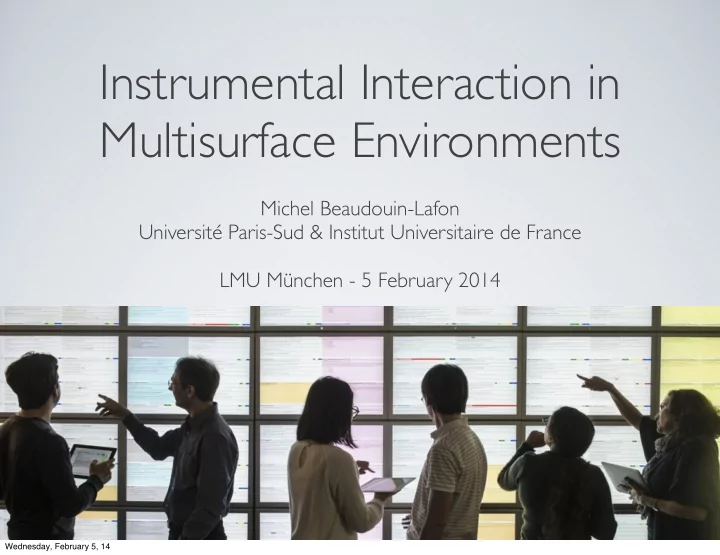
Instrumental Interaction in Multisurface Environments

Michel Beaudouin-Lafon Université Paris-Sud & Institut Universitaire de France LMU München - 5 February 2014

Wednesday, February 5, 14
slide-2
SLIDE 2

In Situ - Situated Interaction

Interaction and Visualization paradigms Mediated Communication Participatory Design Engineering of Interactive Systems

  • W. Mackay

Wednesday, February 5, 14

slide-3
SLIDE 3

“The best way to predict the future is to invent it” (attributed to Alan Kay) NLS/Augment 1967 Xerox Alto 1973

Wednesday, February 5, 14

slide-4
SLIDE 4

What happened to the future promised by Ubicomp?

  • “The most profound technologies are those that disappear.

They weave themselves into the fabric of everyday life until they are undistinguishable from it.” - Mark Weiser

Rekimoto, 1997 Weiser, 1991

Wednesday, February 5, 14

slide-5
SLIDE 5

What happened to the future promised by Augmented Reality?

  • “From the isolation of our workstations we try to interact with our

surrounding environment, but the two worlds have little in

  • common. How can we escape from the computer screen and bring

these two worlds together?” - Wellner, Mackay & Gold

Wellner, Mackay & Gold, CACM’93 Wellner, 1991

Wednesday, February 5, 14

slide-6
SLIDE 6

What happened to the future promised by Tangible Interfaces?

  • “ The term Graspable UI refers to both the ability to physically

grasp an object (i.e., placing a hand on an object) as well as conceptual grasping (i.e., to take hold of intellectually or to comprehend)” - George Fitzmaurice

Reactable, 2005 Fitzmaurice, 1995

Wednesday, February 5, 14

slide-7
SLIDE 7

The missing link

  • Between

the interaction paradigm, illustrated by some prototypes, and the principled design

  • f effective interfaces

based on the paradigm

Wednesday, February 5, 14

slide-8
SLIDE 8

We need new Interaction Models and associated tools to reinvent user interfaces based on these paradigms

Wednesday, February 5, 14

slide-9
SLIDE 9

What is an Interaction Model?

  • A set of rules and guidelines to help create

consistent interactive systems according to a certain style

  • Descriptive: define the scope of the design space
  • Prescriptive: provide criteria to compare designs
  • Generative: support creativity and inspire new designs

Wednesday, February 5, 14

slide-10
SLIDE 10

Examples of Interaction Models

  • CLI: dialogue - language - syntax
  • GUI: direct manipulation - desktop metaphor
  • Augmented Reality / Mixed Reality / Virtual Reality /

Tangible interface / Ubiquitous Computing / Natural User Interfaces / Reality-Based Interfaces / ...

Wednesday, February 5, 14

slide-11
SLIDE 11

Interaction Model

  • Conceptual model
  • Interaction techniques
  • Application
  • UI toolkit
  • Hardware

Wednesday, February 5, 14

slide-12
SLIDE 12

Interaction Model

  • Conceptual model
  • Interaction techniques
  • Application
  • UI toolkit
  • Hardware

Interaction Model

Wednesday, February 5, 14

slide-13
SLIDE 13

Tools and Instruments

L’encyclopédie - Diderot & d’Alembert, 1751-1772

Wednesday, February 5, 14

slide-14
SLIDE 14

Wednesday, February 5, 14

slide-15
SLIDE 15

Wednesday, February 5, 14

slide-16
SLIDE 16

The power of tools

  • Gibson’s Ecological Theory:
  • Affordances = possibilities for action in the environment

relative to the capabilities of the subject

  • Tools redefine the affordances of the environment

because they change the capabilities of the subject

Wednesday, February 5, 14

slide-17
SLIDE 17

Gibson on tools

  • “When in use, a tool is a sort of extension of the hand,

almost an attachment to it or a part of the user's own body, and thus is no longer a part of the environment of the user. […] This capacity to attach something to the body […] suggests that the absolute duality of "objective" and "subjective" is false.” (Gibson, emphasis by the author)

  • Affordances of objects that afford manipulation (i.e., tools):

a stick affords trace-making in the sand.

Wednesday, February 5, 14

slide-18
SLIDE 18

The power of tools

  • The user of a tool

internalizes the tool as an extension of

  • ne’s body
  • A stick extends

the reach of the arm

Wednesday, February 5, 14

slide-19
SLIDE 19

The power of tools

  • Holding a pen

raises awareness for the affordance for writability

Wednesday, February 5, 14

slide-20
SLIDE 20

Instrumental Interaction

  • Mediated interaction: user - instrument - object of interest
  • An instrument reifies a command
  • Use the same instrument with different objects (polymorphism)

Beaudouin-Lafon, CHI ’00

Wednesday, February 5, 14

slide-21
SLIDE 21

Instrumental Interaction: descriptive

  • Covers many interaction styles:
  • Traditional GUI
  • Novel techniques
  • Tangible interaction

Wednesday, February 5, 14

slide-22
SLIDE 22

Instrumental Interaction: prescriptive

  • Provides metrics to compare instruments,

for example:

  • Degree of indirection
  • Degree of integration

time space

drag’n’drop dialog boxes property boxes scrollbars handles

OK!

2=>1 2=>3

Wednesday, February 5, 14

slide-23
SLIDE 23

Instrumental Interaction: generative

  • 3 design principles:
  • Reification: extends the notion
  • f what constitutes an object
  • Polymorphism: extends the

power of instruments w.r.t. objects

  • Reuse: provides a way of capturing

and reusing interaction patterns

Beaudouin-Lafon & Mackay, AVI ‘00

Wednesday, February 5, 14

slide-24
SLIDE 24

Proof-of-concept: CPN2000

  • Bi-manual interaction, Marking menus, Toolglasses
  • Combines

power and simplicity

  • 40 000+

downloads

Lassen & Beaudouin-Lafon, UIST ‘00

Wednesday, February 5, 14

slide-25
SLIDE 25

Reification

  • Turns concepts into objects
  • In particular, turns commands into instruments
  • Interaction instrument
  • Example : scrolling a document => scrollbar
  • Reification of a command into an interface widget

Wednesday, February 5, 14

slide-26
SLIDE 26

Example: aligning objects

  • Align command:

align now and forget it vs.

  • Align instrument:

align and keep aligned

Wednesday, February 5, 14

slide-27
SLIDE 27

Example: Graspables

Fitzmaurice, 1995

Wednesday, February 5, 14

slide-28
SLIDE 28

Polymorphism

  • Extends commands to multiple object types
  • Common examples: Cut, paste, delete, move
  • Instruments can be applied to many different objects
  • Groups take advantage of polymorphism:

Applying a command to a group applies it to each object

Wednesday, February 5, 14

slide-29
SLIDE 29

Example: Slap Widgets

Weiss, Wagner, Jansen & Borchers, 2009

Wednesday, February 5, 14

slide-30
SLIDE 30

Reuse

  • Captures interaction patterns for later reuse
  • Output reuse
  • Reuse previously created objects
  • Example: duplicate, copy/paste
  • Input reuse
  • Reuse previous commands
  • Example: redo, history, macros

Wednesday, February 5, 14

slide-31
SLIDE 31

Example: Media Blocks

Ullmer, Glas & Ishii, 1998

  • Limited form of output reuse:

a block can change content

  • Limited form of input reuse:

replacing a block or changing its location

Wednesday, February 5, 14

slide-32
SLIDE 32

Combining the principles

  • Layers: Reify modes
  • Control visual complexity
  • Styles: Reify collections of attributes
  • Support polymorphism, encourage reuse
  • Groups: Reify selection
  • Support polymorphism

Wednesday, February 5, 14

slide-33
SLIDE 33

Example: DataTiles

Rekimoto, Ullmer & Oba, 2001

  • Some tiles represent content,
  • thers are instruments:

reification

  • Spatial combinations specify

chains of computation: polymorphism of the tiles

  • Changing a tile in the chain

reuses the chain: reuse

Wednesday, February 5, 14

slide-34
SLIDE 34

Ubiquitous Instrumental Interaction

  • Detaching instruments from

the objects of interest ... and from applications

  • Instruments spanning

multiple interaction surfaces

  • Multisurface interaction

Klokmose & Beaudouin-Lafon, CHI ‘09

Wednesday, February 5, 14

slide-35
SLIDE 35

Wednesday, February 5, 14

slide-36
SLIDE 36

Exploring instruments for Multisurface Interaction

Wednesday, February 5, 14

slide-37
SLIDE 37

Participatory Design

  • Create new ways to interact with complex data
  • Transport objects with the “shovel”

Wednesday, February 5, 14

slide-38
SLIDE 38

Reminiscent of Rekimoto’s pick and drop

Rekimoto, 1997

Wednesday, February 5, 14

slide-39
SLIDE 39

Participatory Design

  • Create new ways to interact with complex data
  • Use a tablet as a magic lens

Wednesday, February 5, 14

slide-40
SLIDE 40

CHI 2013 200 sessions 400 papers 16 parallel sessions

  • ver 4 days

no conflicts

Wednesday, February 5, 14

slide-41
SLIDE 41

Reminiscent of Fitzmaurice’s Chameleon

Fitzmaurice, CACM’93

Wednesday, February 5, 14

slide-42
SLIDE 42

Participatory Design

  • Create new ways to interact with complex data
  • Use a prop to control online objects

Wednesday, February 5, 14

slide-43
SLIDE 43

Software: Substance Grise

  • Display 64

3D brain scans with VISA/Anatomist

  • Organize them
  • n the table
  • Control their
  • rientation

in real time through a prop

Wednesday, February 5, 14

slide-44
SLIDE 44

Substance Grise

Wednesday, February 5, 14

slide-45
SLIDE 45

Reminiscent of Hinckley’s neurosurgical props

Hinckley et al, CHI 94

Wednesday, February 5, 14

slide-46
SLIDE 46

A meta-model for instrumental interaction

Metadata Substrate Annotations Data Instrument Instrument Instrument Protocol Protocol

Wednesday, February 5, 14

slide-47
SLIDE 47

Information substrates

  • Data does not exist in a vacuum
  • Substrates provide context for

interpreting data and constraints for presenting and interacting with it

  • Examples: table, page-based layout,

graph, musical score

Wednesday, February 5, 14

slide-48
SLIDE 48

Substrates

  • Not just a view (in the sense of MVC)
  • Representation and physical organization of data
  • Affordances for certain operations:

layout and spatial organization, data flow (a graph linked to a table), ...

  • Can embed instruments, e.g. magnetic guidelines.

Similar to scaffolding when creating a building

Wednesday, February 5, 14

slide-49
SLIDE 49

Paper substrates: Video Mosaic

Mackay & Pagani, 1994

  • Storyboard elements

printed on paper

  • Laying out time in space

to organize a sequence of clips

  • Paper buttons

Wednesday, February 5, 14

slide-50
SLIDE 50

Paper substrates for music composition

Garcia, Tsandilas, Agon & Mackay, 2012

Wednesday, February 5, 14

slide-51
SLIDE 51

Tangible substrates: URP

Underkoffler & Ishii, 1999

  • Tangible representation
  • f buildings
  • Real-time display of

simulation data (wind, lighting, ...)

  • Tangible tools to control

the simulation

Wednesday, February 5, 14

slide-52
SLIDE 52

Tangible substrates: TinkerLamp

Zuffery, 2010

  • Tangible representation
  • f a warehouse

to train students

  • Also uses interactive paper

to control the simulation

  • Used for teaching at a

vocational school in Switzerland

Wednesday, February 5, 14

slide-53
SLIDE 53

Interaction protocols

  • Describe which instruments

can operate on which objects

  • Support exploration and appropriation

(including breaking things)

  • Explicit compatibility: object advertises its capabilities
  • Implicit compatibility: instrument discovers objects’ properties

Wednesday, February 5, 14

slide-54
SLIDE 54

Example: color pickers

Wednesday, February 5, 14

slide-55
SLIDE 55

Example: color pickers

  • Select a color:
  • From an external object
  • From a color space
  • From a color palette
  • Explicit compatibility: SetColor/GetColor methods

Implicit compatibility: a property of the object is a color

Wednesday, February 5, 14

slide-56
SLIDE 56

Benefits of instruments

  • Decouple data/information from

the tools used to view/edit it

  • Provide a natural way to support

user customization / appropriation

  • Foster a different business model

for software, based on components and interoperability

Wednesday, February 5, 14

slide-57
SLIDE 57

Next steps

  • Refine the conceptual model
  • Information substrates

+ interaction protocols + instruments

  • Explore the use of instruments

with objects they were not designed for

  • Build a robust and scalable software infrastructure
  • Test in various settings

Wednesday, February 5, 14

slide-58
SLIDE 58

Thank you!

Michel Beaudouin-Lafon • http://www.lri.fr/~mbl • mbl@lri.fr

Wednesday, February 5, 14