Instructions Sit at the bench that you used in Lab 0 last week. 1. - - PowerPoint PPT Presentation

instructions
SMART_READER_LITE
LIVE PREVIEW

Instructions Sit at the bench that you used in Lab 0 last week. 1. - - PowerPoint PPT Presentation

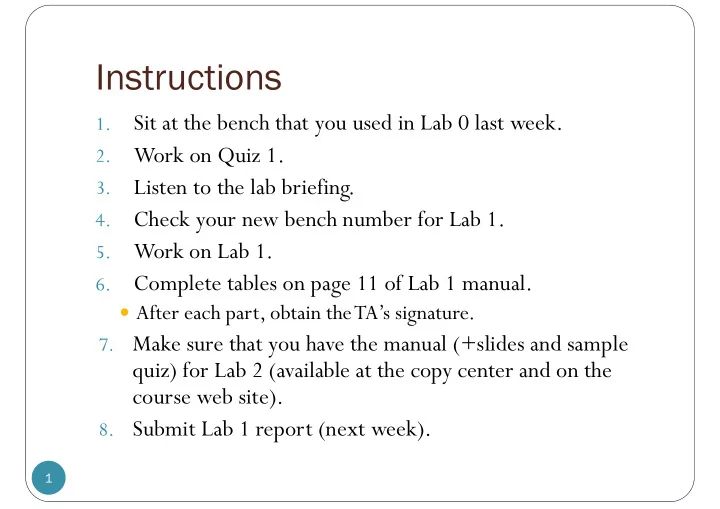
Instructions Sit at the bench that you used in Lab 0 last week. 1. Work on Quiz 1. 2. Listen to the lab briefing. 3. Check your new bench number for Lab 1. 4. Work on Lab 1. 5. Complete tables on page 11 of Lab 1 manual. 6. After


slide-1
SLIDE 1

Instructions

1

1.

Sit at the bench that you used in Lab 0 last week.

2.

Work on Quiz 1.

3.

Listen to the lab briefing.

4.

Check your new bench number for Lab 1.

5.

Work on Lab 1.

6.

Complete tables on page 11 of Lab 1 manual.

 After each part, obtain the TA’s signature.

  • 7. Make sure that you have the manual (+slides and sample

quiz) for Lab 2 (available at the copy center and on the course web site).

  • 8. Submit Lab 1 report (next week).
slide-2
SLIDE 2
  • Asst. Prof. Dr. Prapun Suksompong

prapun@siit.tu.ac.th

2

Basic Elec. Engr Basic Elec. Engr. Lab . Lab

ECS 204 ECS 204

Lab 1

  • Writing and submission of lab

report

slide-3
SLIDE 3

Lab 1

3

V A

+ _

A A A

Vps

IT I1 I2 I3 R2 R1 R3

slide-4
SLIDE 4

Review: Voltage vs. Current Measurements

4

I A A V +

  • V
slide-5
SLIDE 5

Lab Report

5

 To be submitted in group (i.e., 1 copy per group).

 At the beginning of the next lab

 It must be neatly PRINTED on clean A4 papers.  Units are important.  For student who copies any part of the report, a zero

score will be given to the whole corresponding experiment.

slide-6
SLIDE 6

Guideline/template

6

 Can download guideline/template from the class web site.

(http://www2.siit.tu.ac.th/prapun/ecs204/)

slide-7
SLIDE 7

Contents of the Report (1/2)

7

 Cover page and Objectives (3 pt)  Procedure (10 pt)

 Summarize what you need to do for each part of the lab  Do not copy the whole procedure part of the manual into this

section.

 Include photos of the circuits that you build.

 A rule of thumb is to have photos that match all the figures given in the

procedure parts of the manual. (See next slide for an example.)

 In-lab original results (with TA signatures) (10 pt)

 If you work in pair, then this means two sets of results.  This will be the only section of the report that is handwritten.

 Results (printed) (10 pt)

 Same as the previous part.  Typed / computer generated (plots, graphs, diagrams, schematics)

slide-8
SLIDE 8

Example

8

Figure in lab manual Example of a photo (taken in lab) to include in your lab report

slide-9
SLIDE 9

Contents of the Report (2/2)

9

 Discussion (10 pt)

 Related theories  Show calculation  Errors, in percentage, reflecting the difference between the experimental

results and the theoretical calculations for each part of the experiment.

 Conclusions (5 pt)

 Summarize what you have done/accomplished.  Results agree with theoretical prediction?  Suggest source of error.  Demonstrate

 your understanding of the experiments according to the objectives  the knowledge gained from the experiment.

 Put some thought into this part!

 Answers (with detailed derivations/solutions) to questions in the

  • manual. (7 pt)

Total Score: 55

slide-10
SLIDE 10

Lab 1

10

 Complete tables on page

11.

 Ask the TA to verify your

results when you finish each part.

 Do not wait until the

end.

R8 =

Remark: This is the only page from the lab manual that you need for recording and submission.

slide-11
SLIDE 11

Tips

11

 Never put the DMM in ammeter (current measuring) mode

directly across the two terminals of the power supply.

 This will “blow” the fuse inside the DMM.

 The DMM will then be incapable of measuring current until the fuse is

replaced.

 Record “3.98” when the DMM displays “3.98”.  Record “4.00” (not simply 4) when the DMM displays “4.00”.  When you work on each of the experiments,

carefully follow the steps provided.