
SLIDE 1
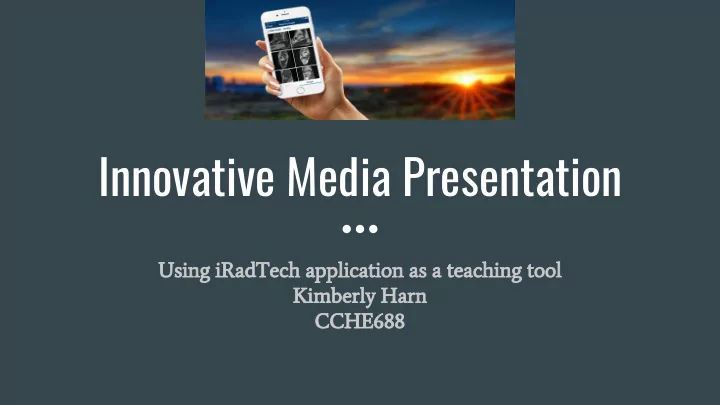
Innovative Media Presentation
Using iRadTech application as a teaching tool Kimberly Harn CCHE688
Innovative Media Presentation Using iRadTech application as a - - PowerPoint PPT Presentation
Innovative Media Presentation Using iRadTech application as a teaching tool Kimberly Harn CCHE688 Audience: Faculty Approval for Radiologic Technology Students This is an application that can be used by: First Year Students Second Year
Using iRadTech application as a teaching tool Kimberly Harn CCHE688
Easy download for iphones and Android Pricing; $16.99 Full Application FREE Lite version limited only 7 exams available Suggest: Technology fee covers purchase at beginning of semester
This is an innovative way for students and technologists to always have a positioning and an anatomy reference at their fingertips. Proper patient positioning equals lower radiation dose Great study material for national registry: ARRT
guides
Students will identify and describe correct anatomical positioning for over 90 different radiographic examinations Students will demonstrate a working knowledge of radiation protection by using proper positioning Students will be able to identify and explain the differences between proper and improper positioning Knowledge will be measured didactically with quizzes, tests and critical thinking questions Knowledge will be demonstrated in clinical sites by competencies, image critique and technologist appraisals Knowledge will be measured by a written paper comparing and contrasting positioning of selected anatomy
RAD 138: Positioning Lab
Open iRadTech App Search for CHEST positioning Read through all of the positioning Answer questions 1. Are there any other positions for the chest that iRadtech doesn’t list? 2. How would you perform this in a trauma situation? 3. How did the chest radiographs appear
Please simulate the CHEST positioning in Lab with a partner
Select Exam, Written Instructions, Visual Model and end result radiograph
MVA Trauma Common Pathology Math calculations
academic purposes
and retain
teach lessons Trend: Mobile Learning Apps are the future
(Faculty Focus, 2011) (Kelly, 2012)
textbook
their phone
smartphone
social media sites
(Leyden, 2015) (Lynch, 2015)
access to many sources
experts
problems
(Flesher, 2017) (Bart, 2011)
iRadTech Reviews 4.6 out of 5 Stars The integration of using iRadtech as a positioning tool will allow students to have a lifetime resource as well as a study companion for the ARRT registry at their fingertips This application will allow the school to streamline traditional textbooks and incorporate a mobile technology component to laboratory classes.
Kelly, Rhea. (December 12, 2012)Survey: 94% of Students Want to Use Their Cell Phones in Class. Retrieved from: https://campustechnology.com/articles/2017/12/12/students-want-to-use-their-cell-phones-in-class.aspx Leyden, Andrea. (January 28, 2015) Why Mobile Learning Apps are the Future of Education. Retrieved from: https://www.goconqr.com/en/examtime/blog/mobile-learning-apps-future-of-education/ Lynch, Matthew. (March 31, 2015) Do Mobile Devices in the Classroom Really Improve Learning Outcomes? Retrieved from: http://theconversation.com/do-mobile-devices-in-the-classroom-really-improve-learning-outcomes-38740 Flesher, Sarah. (November 7, 2017) The Top Benefits and Challenges of Mobile Learning. Retrieved from: https://www.skillbuilderlms.com/top-benefits-challenges-mobile-learning/ Bart, Mary. (December 5, 2011) How technology Can Improve Learner-Centered Teaching. Retrieved from: https://www.facultyfocus.com/articles/instructional-design/how-technology-can-improve-learner-centered-teachi ng/
Owens, Marie. (October 23, 2014) Using Social media in the Classroom: Why There’s a lot to Like. Retrieved from: https://www.facultyfocus.com/articles/teaching-with-technology-articles/using-social-media-classroom/ Weimer, Maryellen. (August 21, 2013) Five Things to do On The First Day of Class. Retrieved from: https://www.facultyfocus.com/articles/teaching-professor-blog/five-things-to-do-on-the-first-day-of-class/ Kelly, Rob. Use Participation Policies to Improve Interaction. 11 Strategies for Managing You Online Courses. Magna Publications. Retrieved from: https://bblearn.nau.edu/bbcswebdav/pid-6080808-dt-content-rid-91742955_1/courses/1181-NAU00-CCHE-688-S EC002-1743.NAU-PSSIS/11stratmanageonlinecourse-oc-1%20copy%20copy%281%29.pdf Faculty Focus. (September 2011) Social Media Usage Trends Among Higher Education Faculty. Retrieved from: https://bblearn.nau.edu/bbcswebdav/pid-6080808-dt-content-rid-91742957_1/courses/1181-NAU00-CCHE-688-S EC002-1743.NAU-PSSIS/2011-social-media-report%20copy%20copy%281%29.pdf Faculty Focus. (2011) Student Collaboration in The Online Classroom. Retrieved from: https://bblearn.nau.edu/bbcswebdav/pid-6080808-dt-content-rid-91744477_1/courses/1181-NAU00-CCHE-688-S EC002-1743.NAU-PSSIS/report-student-collab-in-online-classroom%20copy%281%29.pdf
1. Google Slides Format 2. Research on iRadTech 3. Experiment Using iRadTech 4. Compile ideas on using iRadTech with Radiology Students 5. Formulate Powerpoint utilizing research, pictures, screenshots and public domain photographs 6. Embed Youtube video advertisement 7. Record video of my Powerpoint presentation and upload for your viewing!