Information and Communications Technology for the Developing World - - PowerPoint PPT Presentation

information and communications technology for the
SMART_READER_LITE
LIVE PREVIEW

Information and Communications Technology for the Developing World - - PowerPoint PPT Presentation

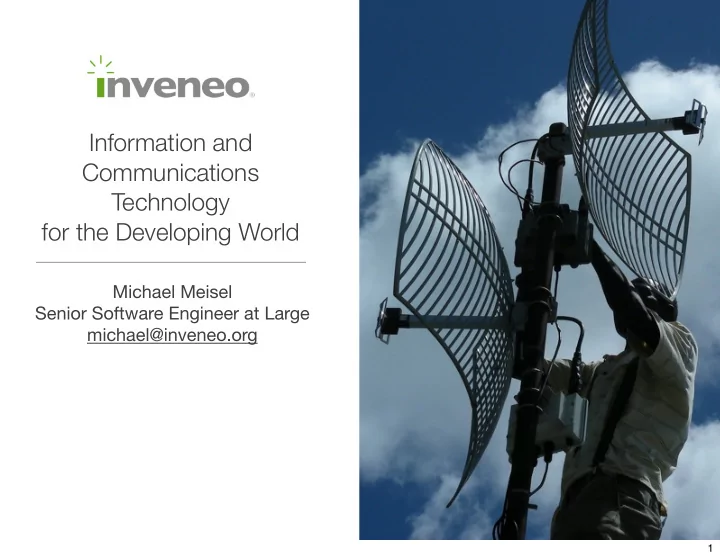
Information and Communications Technology for the Developing World Michael Meisel Senior Software Engineer at Large michael@inveneo.org 1 What Inveneo Does Who we are Both a non-profit and a silicon valley startup Not an aid

slide-1
SLIDE 1

Information and Communications Technology for the Developing World

Michael Meisel Senior Software Engineer at Large michael@inveneo.org

1

slide-2
SLIDE 2

What Inveneo Does

  • Who we are
  • Both a non-profit and a silicon valley startup
  • Not an aid organization, though many of our

clients are

  • 65 projects in 14 countries so far
  • What we provide
  • Design and integration
  • Installation
  • What are ICTs?
  • Computing
  • Internet access
  • Telephony
  • How can ICTs help rural and remote areas?

2

slide-3
SLIDE 3

Healthcare

Rural Hospital Burera District, Rwanda

3

slide-4
SLIDE 4

Education

Groupe Scolaire de Muhura Eastern Rwanda

4

slide-5
SLIDE 5

Economic Development

Handmade Baskets Bukuuku, Uganda

5

slide-6
SLIDE 6

Relief

Coope IDP Camp Northern Uganda

6

slide-7
SLIDE 7

Rural ICT Challenges

  • Unreliable, expensive power
  • Harsh environments
  • Expensive connectivity
  • Novice users and administrators
  • Lack of professional IT support

7

slide-8
SLIDE 8

A Case Study

Groupe Scolaire de Muhura Computer Lab, Rwanda

8

slide-9
SLIDE 9

GS Muhura Power System October, 2006

Groupe Scolaire de Muhura Eastern Rwanda

9

slide-10
SLIDE 10

GS Muhura Computer Lab October, 2006

Groupe Scolaire de Muhura Eastern Rwanda

10

slide-11
SLIDE 11

GS Muhura Computer Lab November, 2005

Groupe Scolaire de Muhura Eastern Rwanda

11

slide-12
SLIDE 12

GS Muhura Power System November, 2005

Groupe Scolaire de Muhura Eastern Rwanda

12

slide-13
SLIDE 13

Our Technology

13

slide-14
SLIDE 14

School ICT Center Example

14

slide-15
SLIDE 15

Computing

  • Inveneo Computing Station
  • Ultra-low power (18W peak)
  • Compact size
  • No moving parts
  • Inveneo Desktop Linux
  • Inveneo Hub Server
  • Ultra-low power (25W peak)
  • Inveneo Hub Linux
  • Everything runs on 12VDC

15

slide-16
SLIDE 16

Inveneo Desktop Linux

Applications and OS are stored on a read-only filesystem. Changes are redirected to RAM disk. Restart returns the system to its known, configured state. Only administrators, with admin password, may un-freeze system. Documents can be saved to Hub Server, USB drive, R/W area on HD models.

  • Benefits
  • Users cannot install or remove software–no viruses, spyware, trojans.
  • Immune to corruption from power-disconnect
  • If system is misconfigured, simple restart returns to a clean state
  • Summary: Keeps systems operating well with zero software

maintenance

16

slide-17
SLIDE 17

User and Machine configuration including: Printer settings, application preferences, browser bookmarks etc... may be saved with an admin password. Configuration can be removed, returning system to a pristine “Factory” setup

Configuration System

Default Config Custom Config Make change Reboot Custom Config Save Config reboot Factory Reset

17

slide-18
SLIDE 18

With a Hub Server running Inveneo Hub Linux, the configuration from one station can be automatically sent to all networked stations.

Automatic Configuration Cloning

Hub Station 1 Save Config Station 3 Station 2 Station 4

18

slide-19
SLIDE 19

Regional Network Example

Rural Clinic 1

Applications for rural clinics:

  • Consultations
  • Advice
  • Emergencies
  • Training
  • Research (Internet or

database)

  • Record keeping

District Hospital

Improved Communication

Rural Clinic 2

19

slide-20
SLIDE 20

Wireless

  • Consumer 802.11b
  • Outdoor enclosures
  • High-gain directional antennae

20

slide-21
SLIDE 21

The ICIP Program

Building the human infrastructure to deliver ICTs

21

slide-22
SLIDE 22

Program overview

  • Program
  • Recruit skilled in-country ICT

entrepreneurs

  • Certify using applied classroom

and hands-on training

  • Deliver direct access to relevant

ICTs

  • Provide ongoing support
  • Objectives
  • Create a global pool of ICT talent

focused on rural solutions

  • Improve overall affordability and

sustainability of projects

  • Create new revenue opportunities

for entrepreneurs

  • Grow the local ICT economy

ICIP Training | Cameroon, December 2007

22

slide-23
SLIDE 23

ICIP Program Benefits

  • For entrepreneurs
  • Learn valuable skills
  • Get access to appropriate ICTs
  • Real and immediate revenue
  • pportunities
  • Continuing support revenue
  • For client organizations
  • Locally available installation and

support

  • Lower costs
  • For Inveneo
  • Provides the engine for

accelerated social impact

James Wire, Linux Solutions | Uganda

23

slide-24
SLIDE 24

Thank you.

24